
Community listing page, reviews may not be monitored by the author.
Lore: Map

No reviews yet
A GTA-inspired interactive map and minimap system powered by vanilla Minecraft maps, featuring a quick-access map screen, custom waypoints, and blips.

Community voices
Reviews
No reviews yet. Be the first to review this project!
Get it on
Available Platforms
About
Project Details
For authors
Embed Badge
If you're the author of this project, you can embed a live badge anywhere that supports HTML or Markdown. It updates automatically whenever ratings change.
Use HTML for any page that supports it, or Markdown for README files and Markdown-based descriptions.
Identifiers
Platform IDs
Resources
External Links
About
Description

Lore: Map
Lore: Map brings a sleek, GTA-inspired interactive world map and rotating radar minimap to Minecraft — rendered using authentic vanilla Minecraft map colors so it feels right at home in the base game.
Features
Interactive Full-Screen Map
- Open the interactive world map at any time.
- The map automatically records and saves terrain around you as you explore, per world and per dimension.
- Click any blip in the top-right legend list to center the map on it.
Minimap
- The minimap rotates smoothly with your camera while the player icon reflects your character's facing direction.
- Snap the minimap anywhere on screen using a clean grid.
Custom Blips & Waypoints
- Double-click anywhere on the map (or press
Enterto mark the crosshair center, or double-click an existing blip) to set a waypoint that automatically clears when you arrive. - Create, edit, and delete custom blips directly in-game:
- Name your blip and pick an icon from a visual grid dropdown.
- Fine-tune Red, Green, Blue, and Alpha (opacity
0–255) using sliders, direct number input boxes, or a#RRGGBB/#RRGGBBAAhex code. - Adjust the size of each blip (
0.1to5). - Pin important blips permanently to the minimap radar edges.
- Keep the blip icon visible on the map while hiding it from the right-side legend list and making it non-selectable (great for decorative or background markers).
Custom Blip Sprites - Add Your Own Icons
You can easily add your own custom blip icons without editing the mod JAR:
- Launch the game once with Lore: Map installed. The mod will automatically create a
blip_spritesfolder inside your Minecraft directory (.minecraft/blip_sprites/). - Drop any
.pngimage into.minecraft/blip_sprites/(recommended size:16x16,18x18, or32x32pixels; white/grayscale silhouettes work best if you want to tint them with custom RGB colors in-game!). - Open the map (
M) → pressB→ click+ Create Blipand open the Blip Icon dropdown. Your custom.pngsprites will automatically appear in the list, ready to use!
Stuff I used while taking the screenshots in below.
Map I used: Los Perrito
Screenshots
Gallery
-
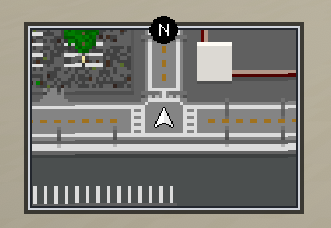 Minimap
-
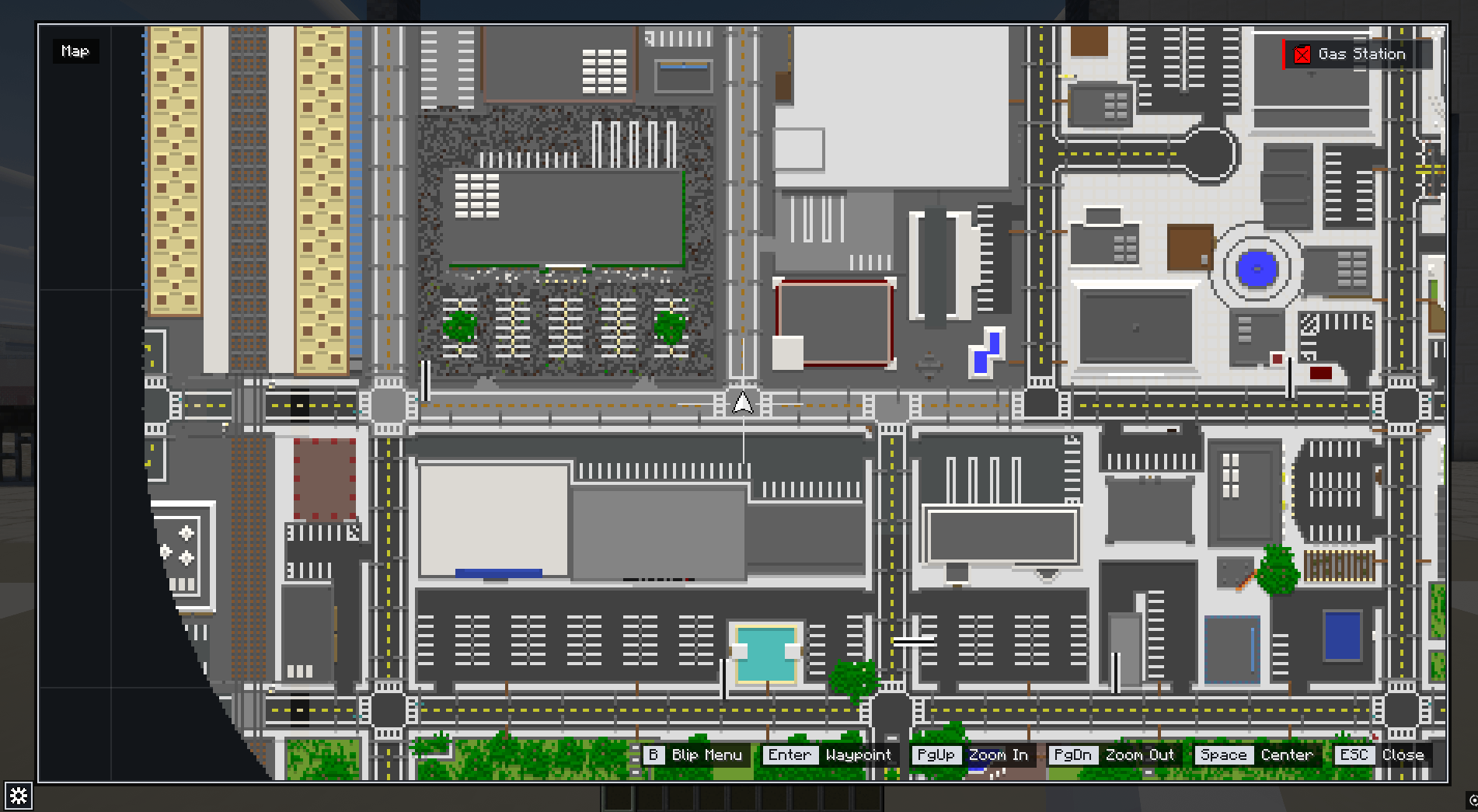 Map
-
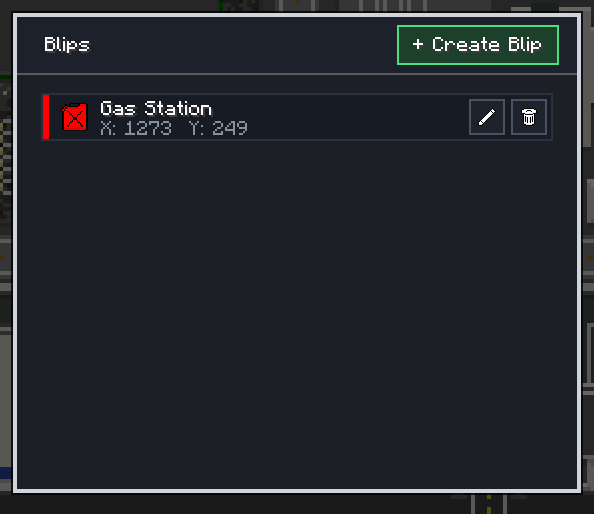 Blip Menu
-
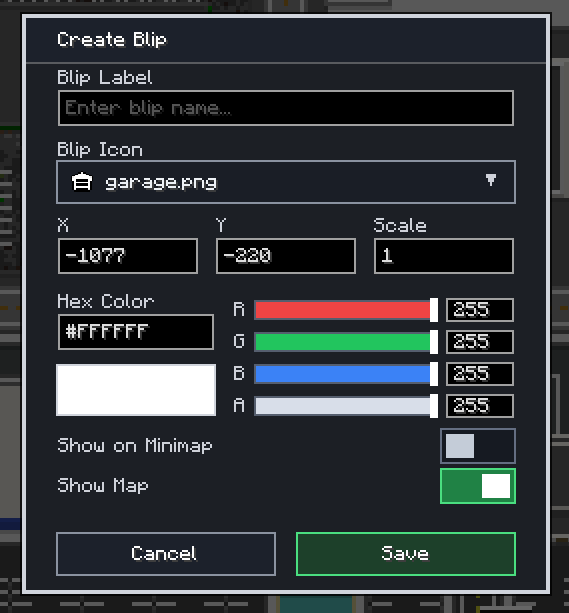 Blip Creator Menu
-
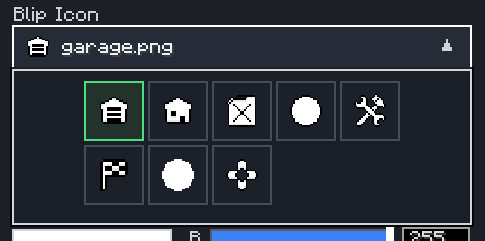 Blip Sprites
-
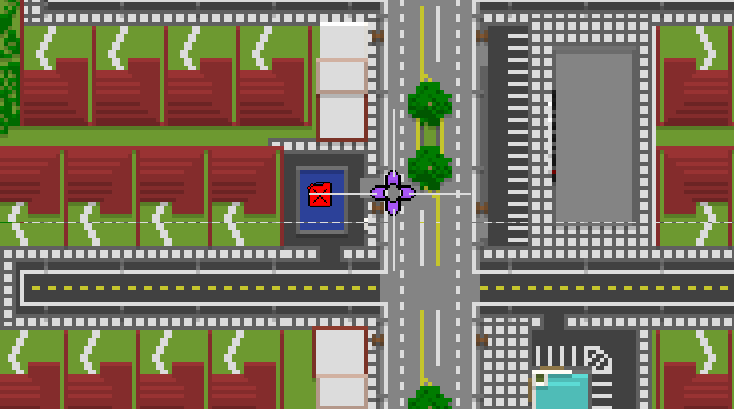 Blip & Waypoint
Versions
Files
Relations
Project Relations
More like this
Similar Mods
Suggestions use data such as tags, dependencies, dependents, descriptions, titles, and more to rank how much they overlap with this mod.
On ModDex
Community snapshot
By the numbers
Statistics

Get it on
Available Platforms
On ModDex
Community snapshot
By the numbers
Statistics
Resources