
Community listing page, reviews here may not be monitored by the author.
LoTAS-Light


No reviews yet
Tools for creating Tool-Assisted Speedruns in MC 1.21+
Community voices
Reviews
No reviews yet. Be the first to review this project!
Get it on
Available Platforms
Compatibility
Supported Environments
Works in singleplayer only; does not function in multiplayer.
Must be installed on both the client and the server.
Varies by version.
About
Project Details
For authors
Embed Badge
If you're the author of this project, you can embed a live badge anywhere that supports HTML or Markdown. It updates automatically whenever ratings change.
Use HTML for any page that supports it, or Markdown for README files and Markdown-based descriptions.
Identifiers
Platform IDs
About
Description
LoTAS-Light
Continuation of LoTAS for versions higher than 1.20.3, but with a reduced feature set
Needs Fabric-API
Why remove features?
- Updating LoTAS to new versions was always very tedious due to the large feature set… Testing and verifying each feature was hard and with Mojangs faster release schedule, we could not keep up (especially if Mojang rewrites everything between minor versions)
- Mojang patched a lot of things, so LoTAS's features would be reduced either way
Features
Improved /tick command
/tick ratesupports tickrates lower than 1- A second
/tick freezeby simply typing/tick rate 0, which also freezes the player - Tickrates higher than 20 also affect the player
Tickrate keybinds
Same deal as LoTAS
.increases the tickrate,decreases the tickrateF8toggles/tick rate 0F9advances 1 tick while the game is frozen
Savestates
/savestatecommand for "quicksaving" and "quickloading" a minecraft worldJandKfor saving and loading respectively
Item Duplication
- Press Pause to save the game with the item in your inventory
- Throw out the item out of your inventory or put it in a chest
- Press
O - Rejoin the world
Config
/lotaslightfor changing the config
No Multiplayer support!!
The reason why this mod doesn't support multiplayer is simply: Savestates.
Basically Mojang never intended a quickloading feature, so to load a different world,
it is intended that you stop the Minecraft server (Imagine restarting and reconnecting to the server for every savestate).
Changing this requires a lot of work, more than I am willing to put into this mod. If you want to see (somewhat) working multiplayer savestates, check out TASmod
Translations
Help translate this mod with Weblate
Contributions
- Chinese Simplified
- Blom
- BoredYukolin
- JustaSqu1d
- French
- azulamazigh
- Elvee
- Zpiboo
- German
- ScribbleTAS
- Italian
- LeoAnimates
- Japanese
- 17005162
- Naruyoko
- ScrambledMC
- Korean
- swwgdxed
- LOLCAT
- ScribbleTAS
- Polish
- 4NTJ
- mamelao
- NULLderef
- Portuguese (Brazil)
- xnqlb
- Russian
- PlayGame1435
Bug reports and TASing help
Bugs can preferably reported on GitHub, but you can also use Discord, where we also provide help!
LoTAS-Light
Continuation of LoTAS for versions higher than 1.20.3, but with a reduced feature set
Needs Fabric-API
Why remove features?
- Updating LoTAS to new versions was always very tedious due to the large feature set… Testing and verifying each feature was hard and with Mojangs faster release schedule, we could not keep up (especially if Mojang rewrites everything between minor versions)
- Mojang patched a lot of things, so LoTAS's features would be reduced either way
Features
Improved /tick command
/tick ratesupports tickrates lower than 1- A second
/tick freezeby simply typing/tick rate 0, which also freezes the player - Tickrates higher than 20 also affect the player
Tickrate keybinds
Same deal as LoTAS
.increases the tickrate,decreases the tickrateF8toggles/tick rate 0F9advances 1 tick while the game is frozen
Savestates
/savestatecommand for "quicksaving" and "quickloading" a minecraft worldJandKfor saving and loading respectively
Item Duplication
- Press Pause to save the game with the item in your inventory
- Throw out the item out of your inventory or put it in a chest
- Press
O - Rejoin the world
Config
/lotaslightfor changing the config
No Multiplayer support!!
The reason why this mod doesn't support multiplayer is simply: Savestates.
Basically Mojang never intended a quickloading feature, so to load a different world,
it is intended that you stop the Minecraft server (Imagine restarting and reconnecting to the server for every savestate).
Changing this requires a lot of work, more than I am willing to put into this mod.
If you want to see (somewhat) working multiplayer savestates, check out TASmod
Translations
Help translate this mod with Weblate
Contributions
- Chinese Simplified
- Blom
- BoredYukolin
- JustaSqu1d
- French
- azulamazigh
- Elvee
- Zpiboo
- German
- ScribbleTAS
- Italian
- LeoAnimates
- Japanese
- 17005162
- Naruyoko
- ScrambledMC
- Korean
- swwgdxed
- LOLCAT
- ScribbleTAS
- Polish
- 4NTJ
- mamelao
- NULLderef
- Portuguese (Brazil)
- xnqlb
- Russian
- PlayGame1435
Bug reports and TASing help
Bugs can preferably reported on GitHub, but you can also use Discord, where we also provide help!
Screenshots
Gallery
-
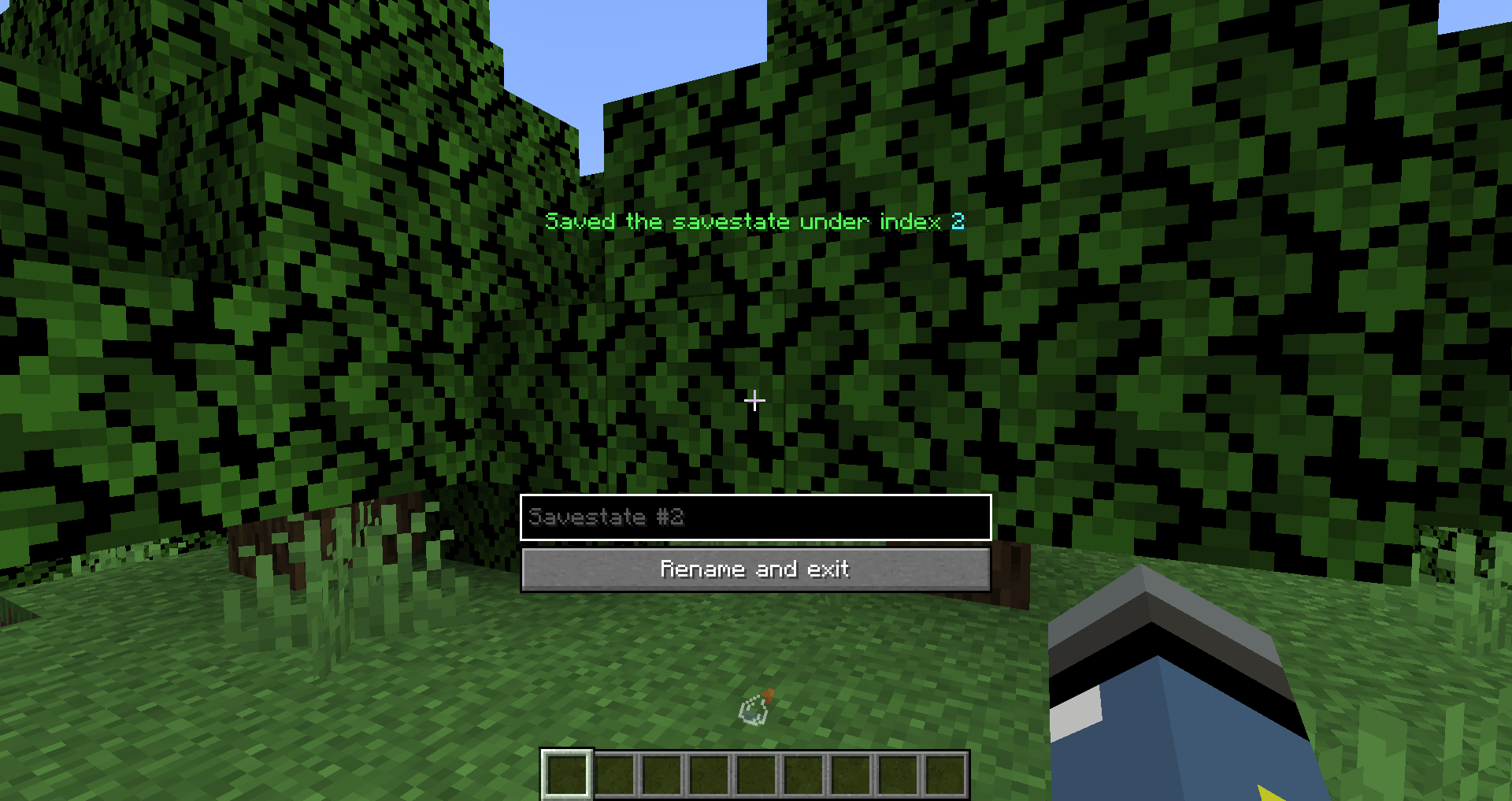 Name savestates after creation
 -
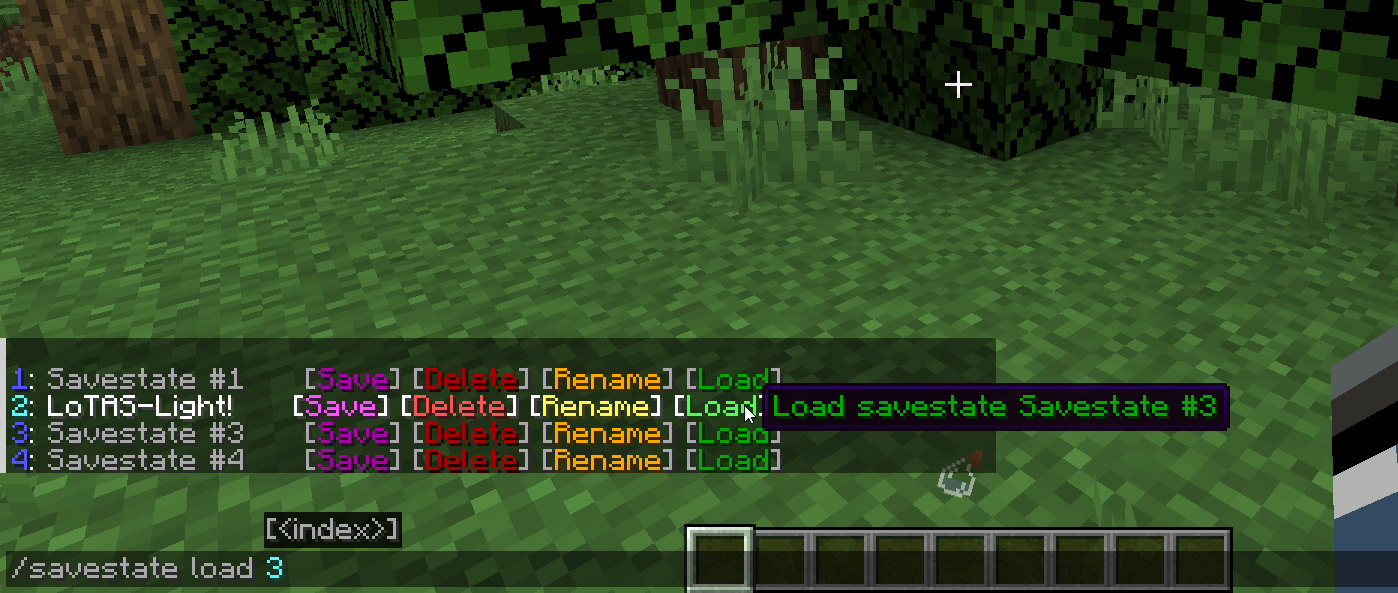 Clickable chat links for savestates
-
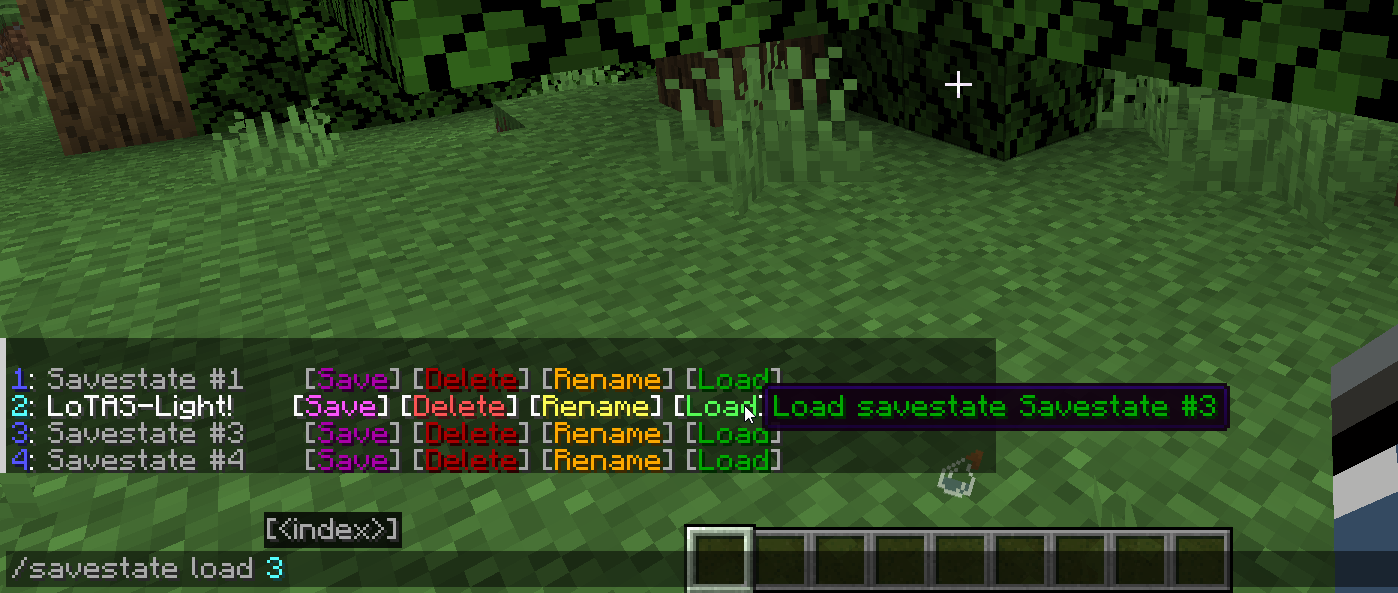 Clickable chat links for savestates
 -
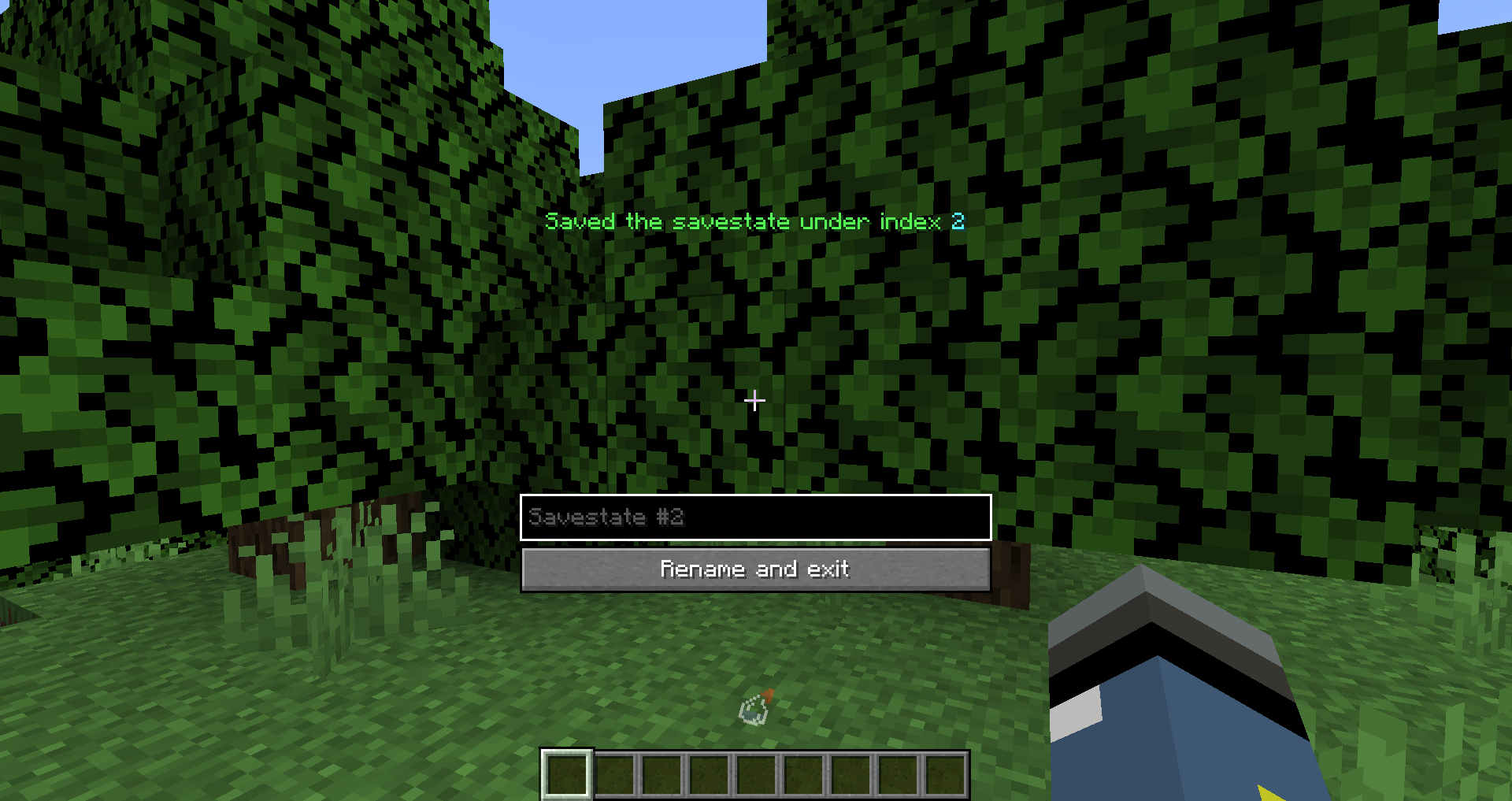 Name savestates after creation
Versions
Files
Relations
Project Relations
More like this
Similar Mods
Suggestions use data such as tags, dependencies, dependents, descriptions, titles, and more to rank how much they overlap with this mod.
On ModDex
Community snapshot
By the numbers
Statistics
Want to reach Minecraft players?
We're looking for a server hosting partner to feature here and other parts of the site. Interested? Send us a message!
Get in touchGet it on
Available Platforms
On ModDex
Community snapshot
By the numbers