
Community listing page, reviews here may not be monitored by the author.
BuildPaste - Instant Structures


No reviews yet
Build your dream world in seconds with 10,000+ instant structures.

Community voices
Reviews
No reviews yet. Be the first to review this project!
Get it on
Available Platforms
Compatibility
Supported Environments
Works in singleplayer only; does not function in multiplayer.
Must be installed on both the client and the server.
Varies by version.
About
Project Details
For authors
Embed Badge
If you're the author of this project, you can embed a live badge anywhere that supports HTML or Markdown. It updates automatically whenever ratings change.
Use HTML for any page that supports it, or Markdown for README files and Markdown-based descriptions.
Identifiers
Platform IDs
About
Description

10,000+ instant structures ready to be placed in your world
Houses, Castles, Towers, Statues, Mansions, Redstone Constructions and many more categories are all available to explore on buildpaste.net. All builds can be easily placed in your world, either by using the Build Placer item or by using the simple /paste command. The builds load instantly and can be undone if necessary.
A new era of schematics
This mod introduces a new way of using schematics, or in this case 'builds'. The hassle of downloading a schematic, putting it into the correct schematics folder and finally figuring out how to paste it properly is now history. Simply select a build on the website and paste it instantly using the /paste command, or use the Build Placer to preview where to place it. All builds are stored in a database and load instantly, and you can even upload your own structures for anyone to use!

Upload your own structures
If you want to you can also participate in the community and upload your own structures. Or, if you don't want to share it with everyone, you can share it with your friend by sending them the unique id or the link of one of your creations. When you publish a build, others can also give you feedback through comments.
How To Get Started
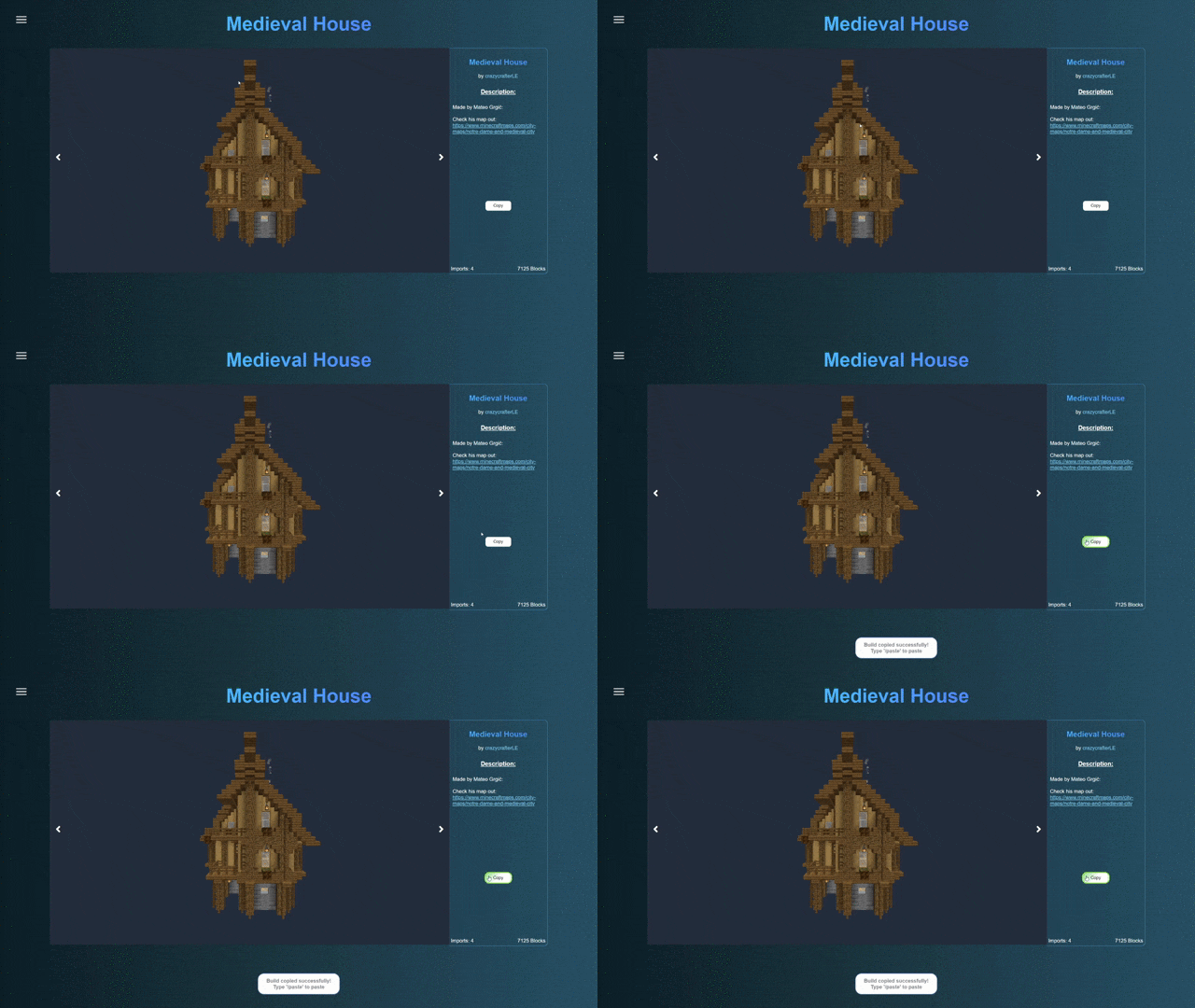
Getting started with BuildPaste is easy. You can use BuildPaste with or without an account, but it’s more convenient with an account because copying and pasting builds is much easier and you can also upload your own structures. To start, sign in to buildpaste.net and then add your Minecraft Name to your profile. After that, you can copy a build and type /paste and it will paste the build right in front of you. You can also watch this short YouTube tutorial: How To Get Started with Buildpaste
NOTE: This mod is only available for singleplayer
If you want to use it on a server, download the plugin. This works for Spigot, if you want to use it on a Forge server, use something like MohistMC in combination with the plugin
Copy Minecraft Buildings from buildpaste.net:
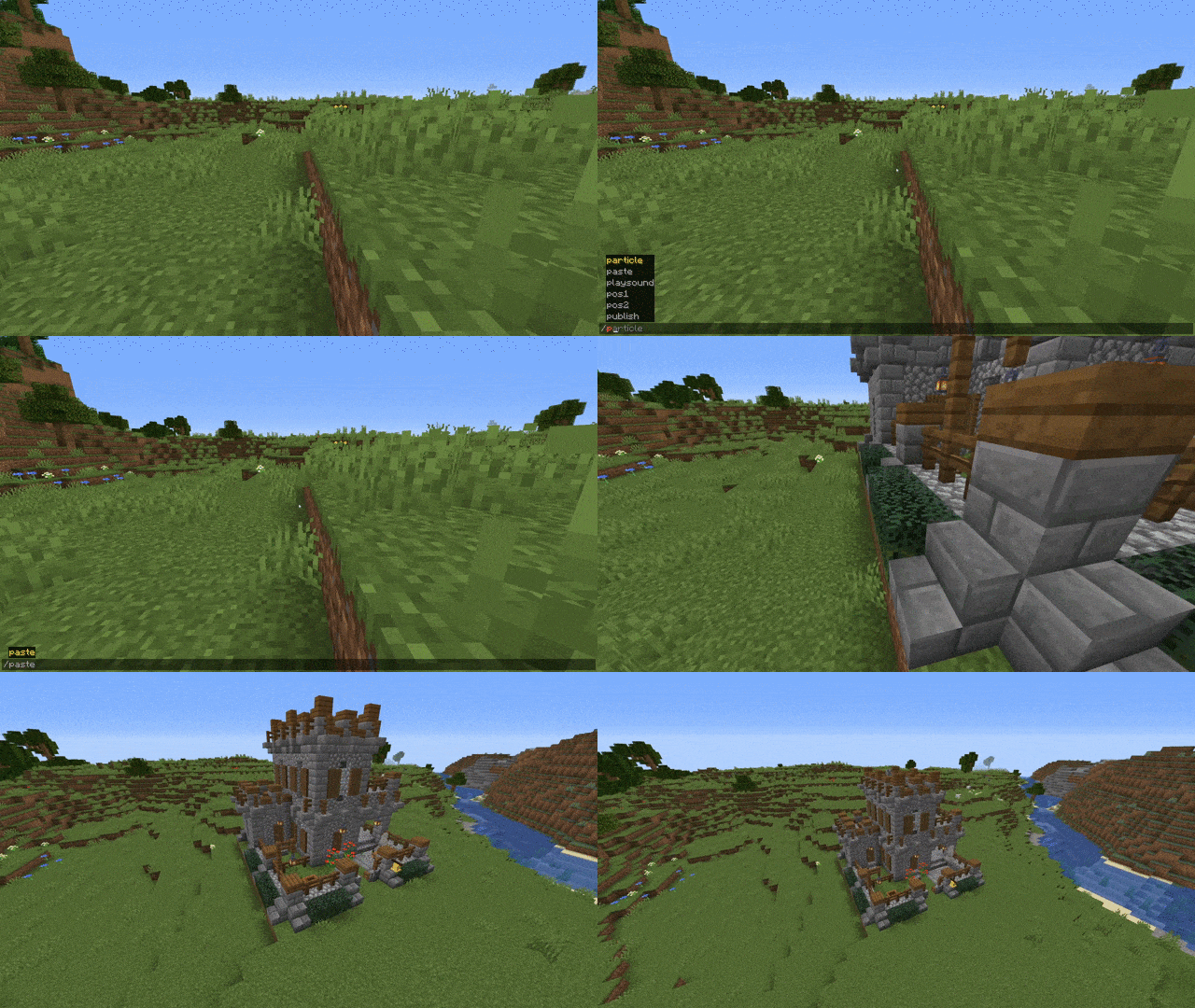
Paste Minecraft Buildings into your world:
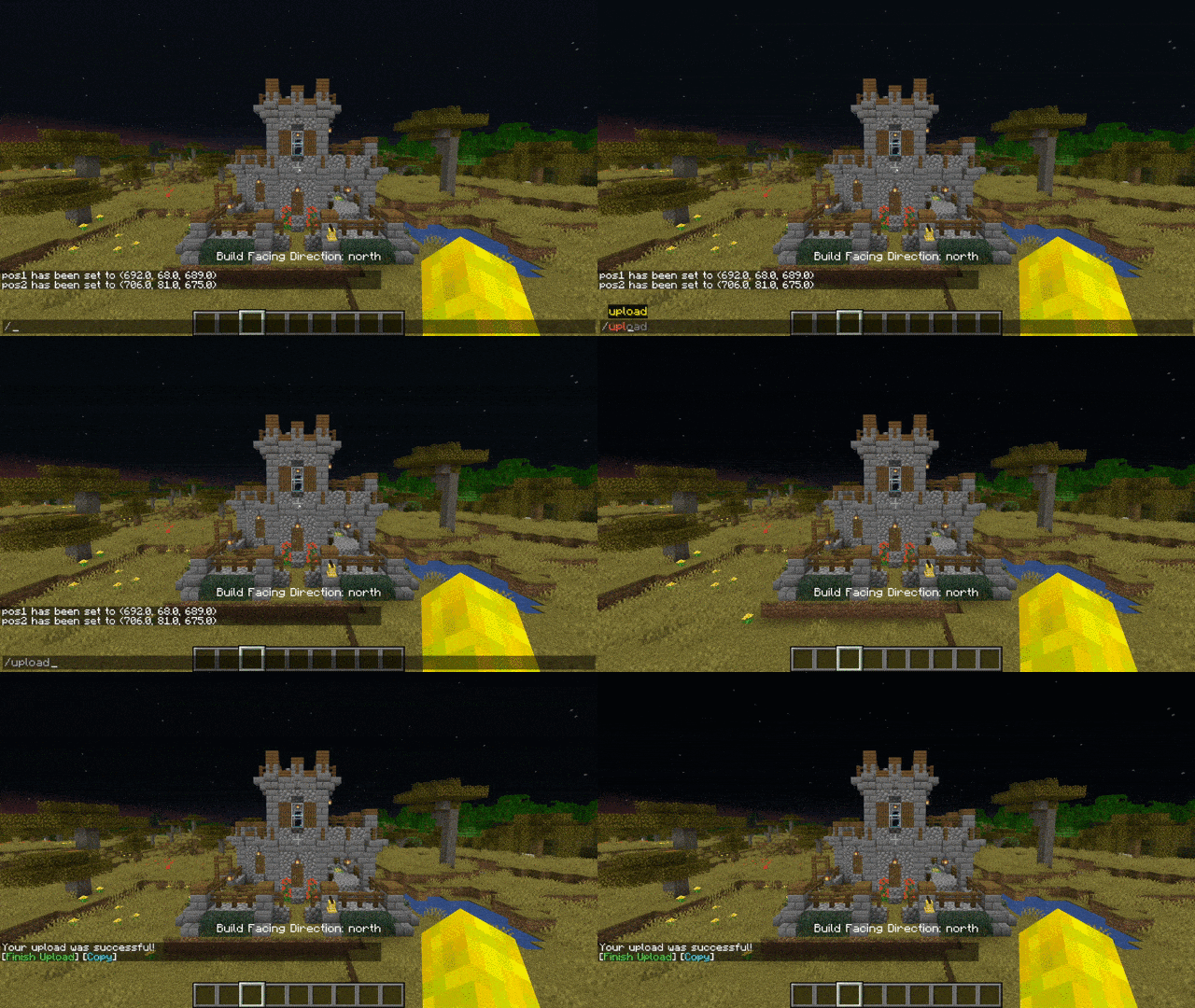
Upload Buildings:
Download as plugin: BuildPaste - Bukkit Plugins - CurseForge
Download as plugin on spigotmc.org: BuildPaste | SpigotMC - High Performance Minecraft
Installation:
Make sure that you are using the Java version of Minecraft.
1. Install Minecraft Forge
2. Download the BuildPaste Mod from this page
3. Put the BuildPaste Mod file into your mods folder

15,000+ unique structures ready to be placed in your world
Houses, Castles, Towers, Statues, Mansions, Redstone Constructions and many more categories are all available to explore on buildpaste.net. All builds can be easily placed in your world, either by using the Build Placer item or by using the simple /paste command. The builds load instantly and can be undoed if necessary
Note that the Fabric version supports the Build Placer only since version 26.1.2.
A new era of schematics
This mod introduces a new way of using schematics, or in this case 'builds'. The hassle of downloading a schematic, putting it into the correct schematics folder and finally figuring out how to paste it properly is now history. Simply select a build on the website and paste it instantly using the /paste command, or use the Build Placer to preview where to place it. All builds are stored in a database and load instantly, and you can even upload your own structures for anyone to use!
Upload your own structures
If you want to you can also participate in the community and upload your own structures. Or, if you don't want to share it with everyone, you can share it with your friend by sending them the unique id or the link of one of your creations. When you publish a build, others can also give you feedback through comments.
How to get started
Getting started with BuildPaste is easy. You can use BuildPaste with or without an account, but it’s more convenient with an account because copying and pasting builds is much easier and you can also upload your own structures. To start, sign in to buildpaste.net and then add your Minecraft name to your profile. After that, you can copy a build and type /paste and it will paste the build right in front of you, or you can use the Build Placer right away. You can also watch this short YouTube tutorial
NOTE: This mod is only available for singleplayer
Want layer-by-layer 3D blueprints for survival? Try Buildguides.net
Screenshots
Gallery
-
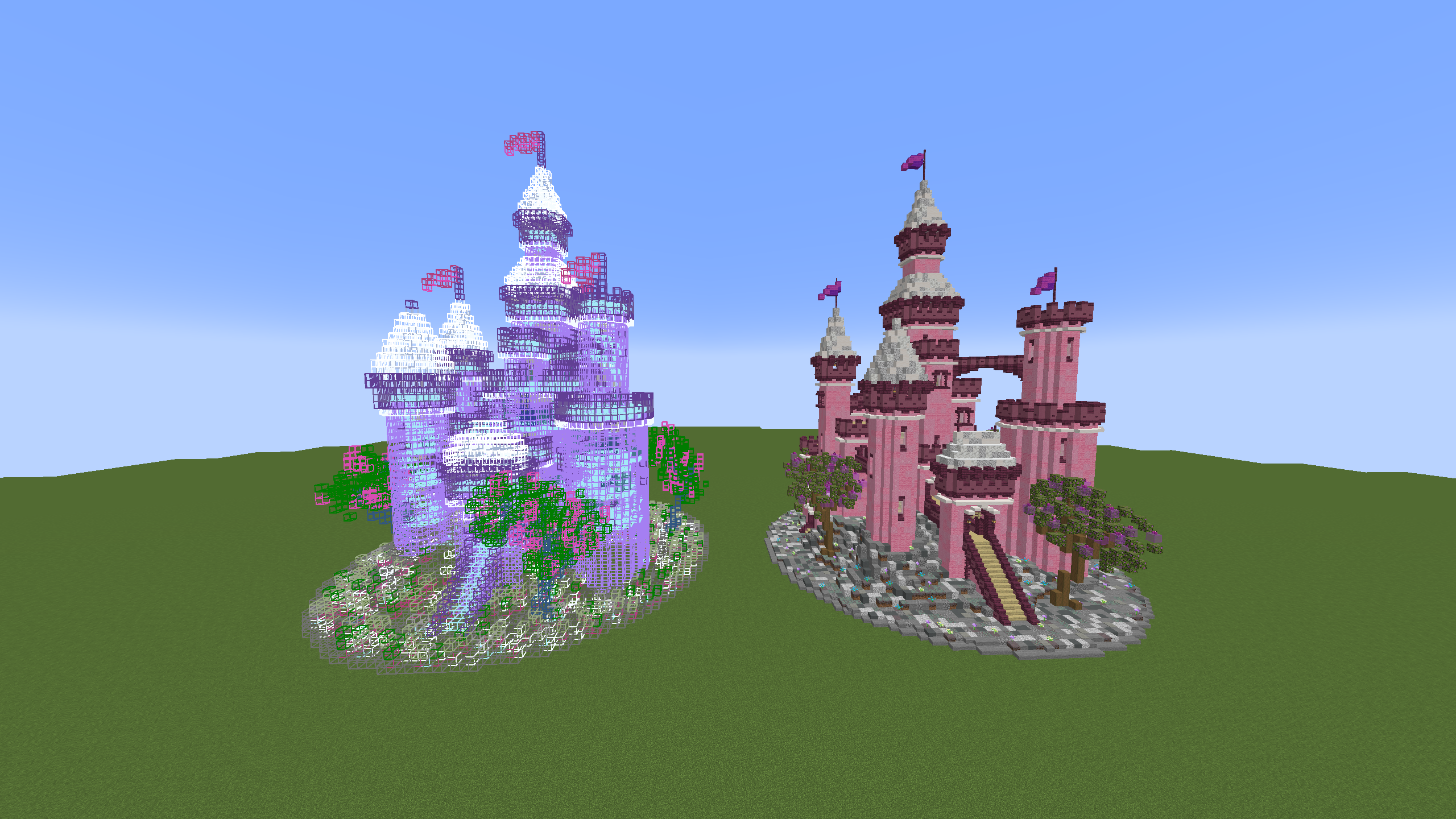 Preview & Place structures
 -
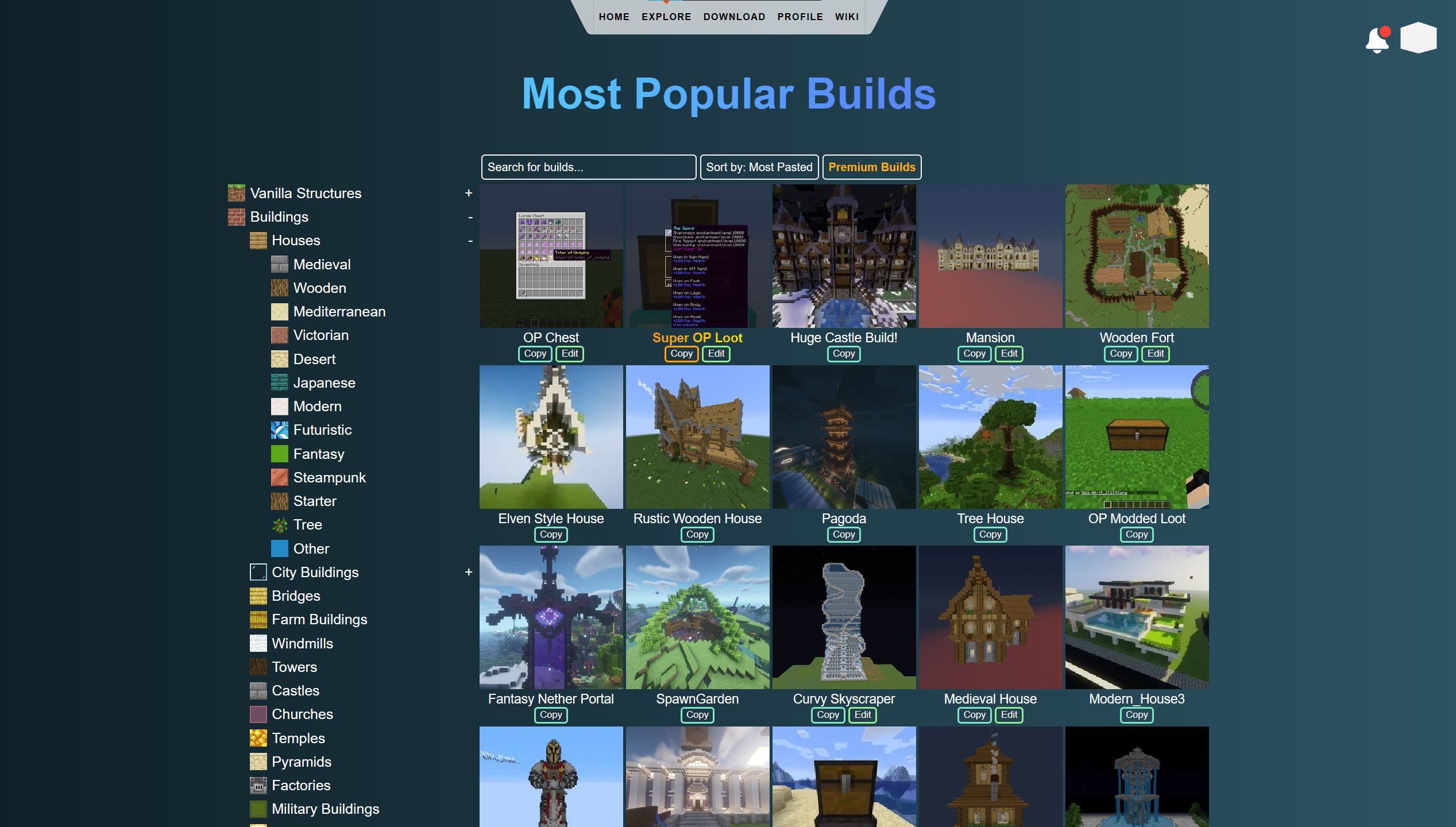 Select from 15,000+ builds All builds can be found on buildpaste.net. Here you can filter and search for structures you like
 -
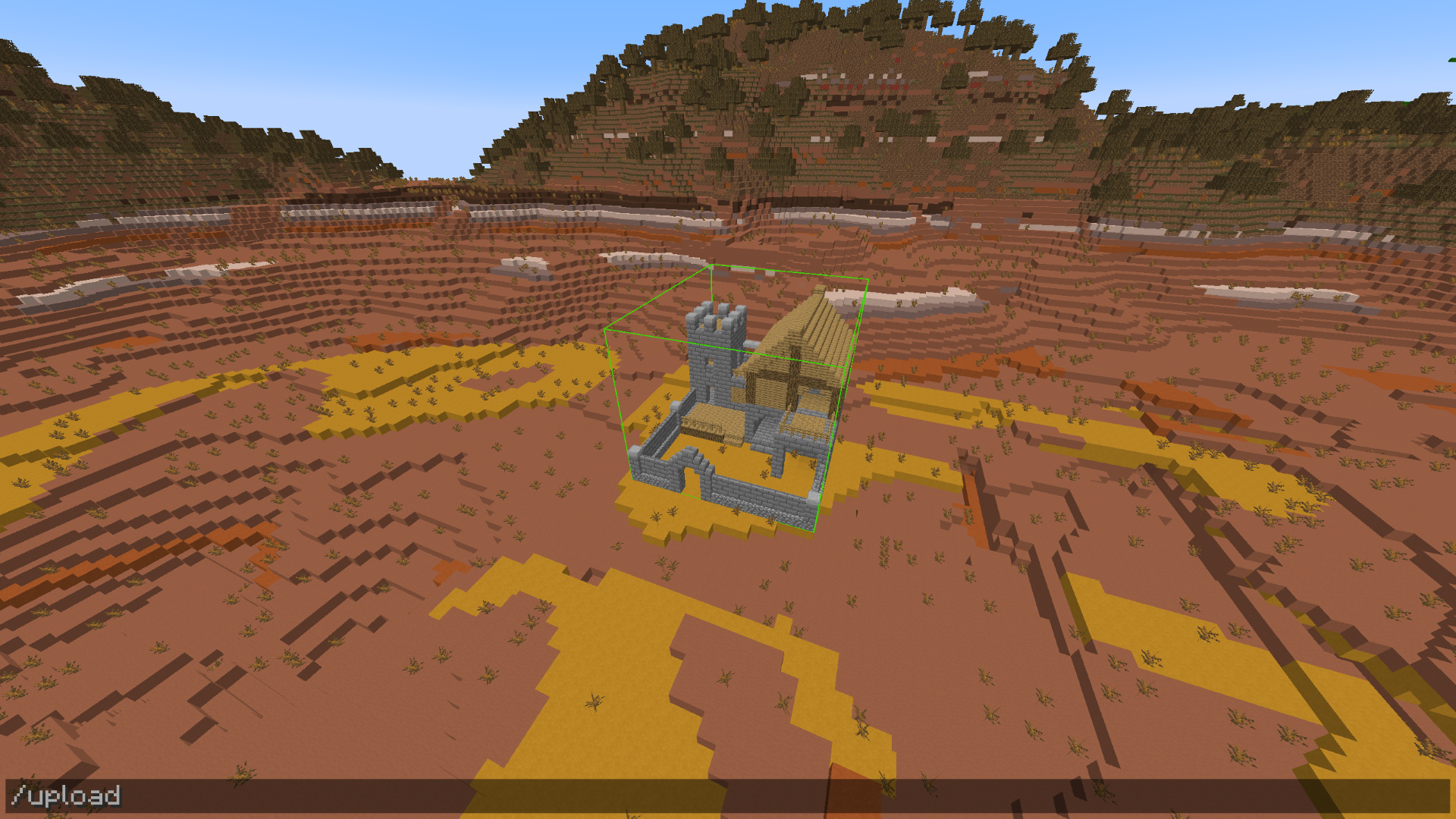 Upload your own structures Share your builds with the community by uploading your own creations to our database. Simply create a selection and type /upload
 -
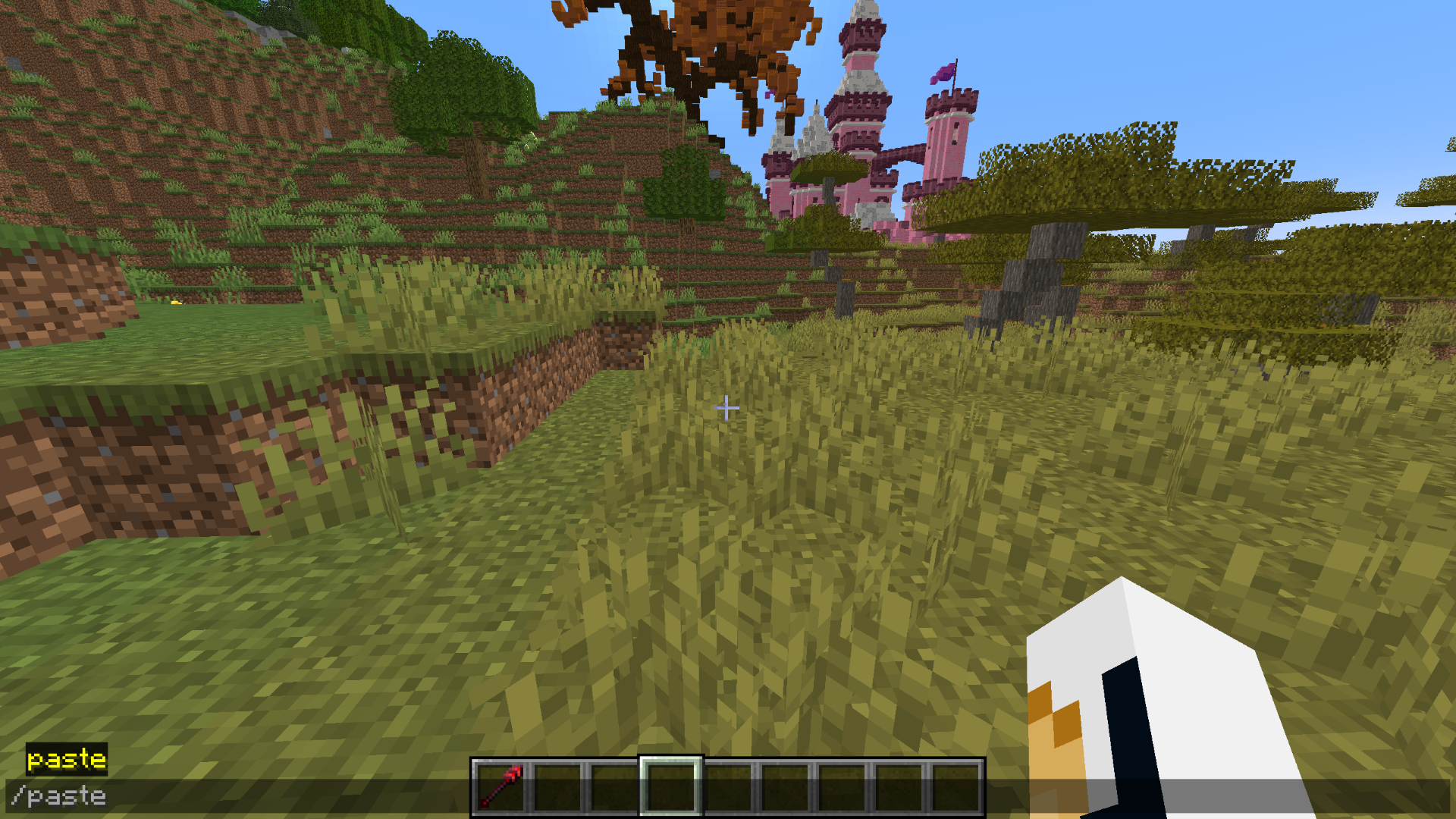 Use the /paste command Use /paste to paste any build from the website right into your world
 -
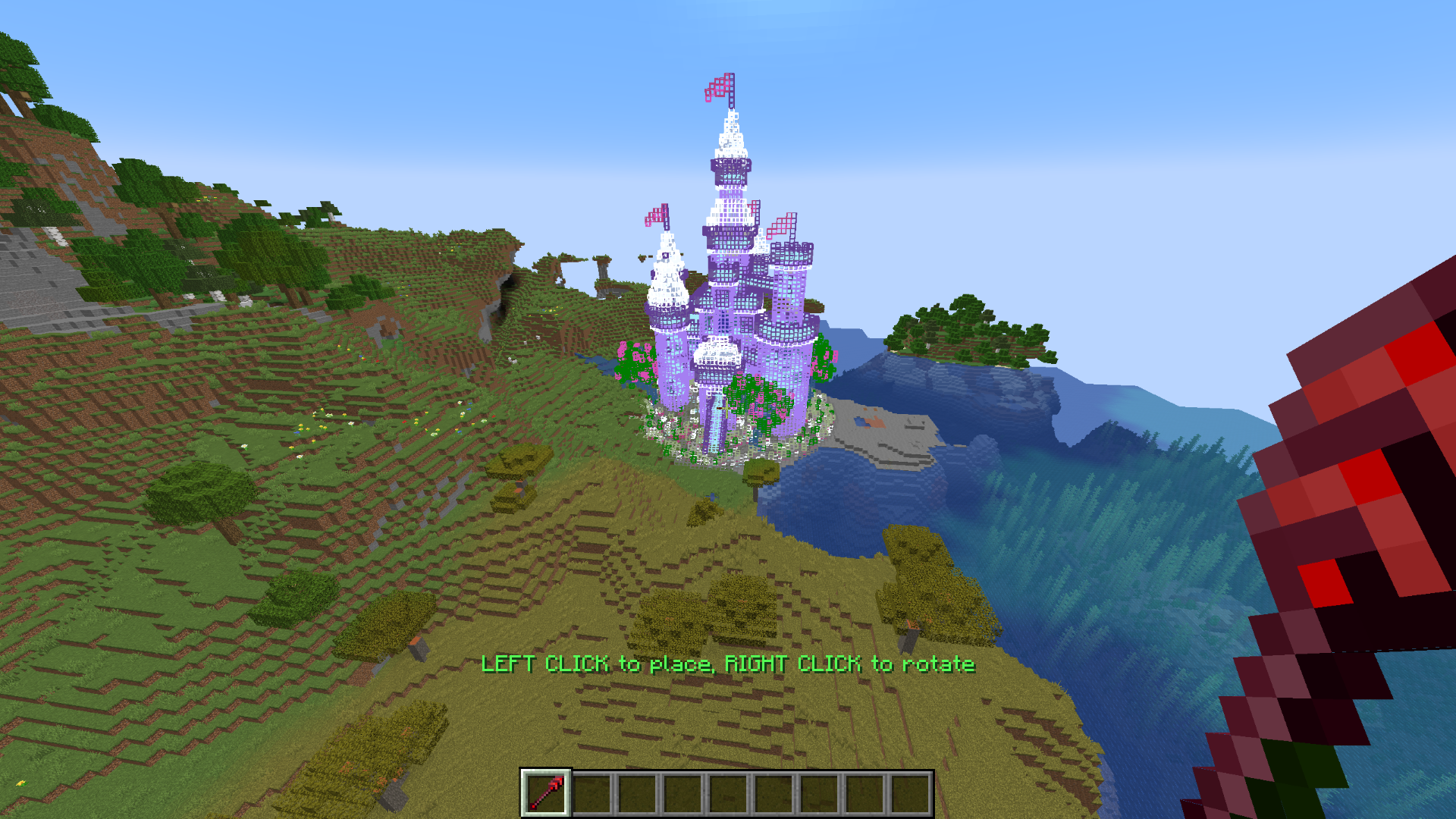 Preview using the 'Build Placer' item Easily place structures into your world. 15,000+ structures are waiting for you
 -
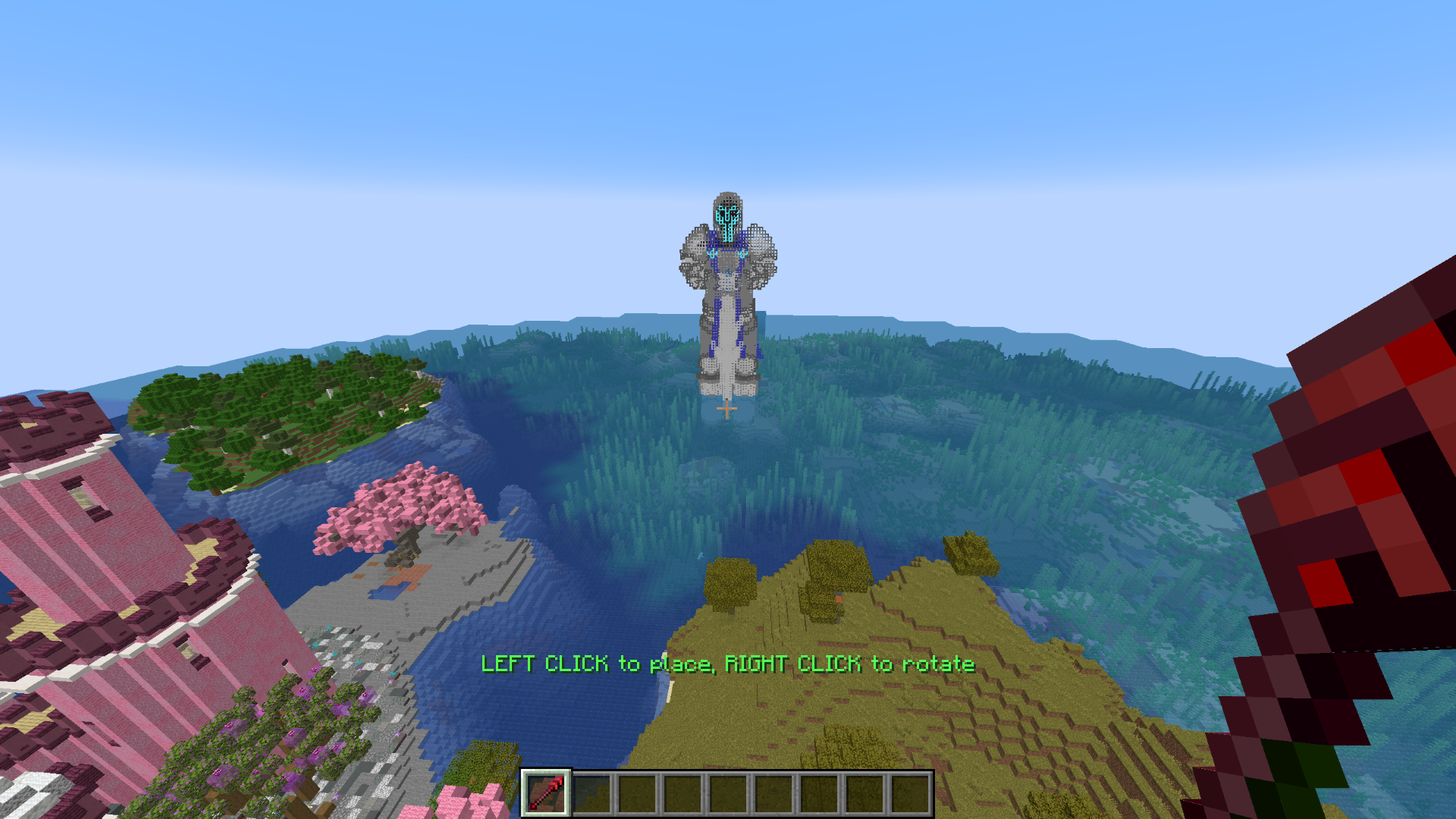 Preview anything There are plenty of structures available, surely something will fit you!
Versions
Files
Relations
Project Relations
More like this
Similar Mods
Suggestions use data such as tags, dependencies, dependents, descriptions, titles, and more to rank how much they overlap with this mod.
On ModDex
Community snapshot
By the numbers
Statistics
 (opens in a new tab)
Get it on
Available Platforms
On ModDex
Community snapshot
By the numbers