Community listing page, reviews here may not be monitored by the author.
VertexEditor


No reviews yet
Powerful Terrain Editor, for forge!
Community voices
Reviews
No reviews yet. Be the first to review this project!
Get it on
Available Platforms
Compatibility
Supported Environments
Must be installed on both the client and the server.
About
Project Details
For authors
Embed Badge
If you're the author of this project, you can embed a live badge anywhere that supports HTML or Markdown. It updates automatically whenever ratings change.
Use HTML for any page that supports it, or Markdown for README files and Markdown-based descriptions.
Identifiers
Platform IDs
Resources
External Links
About
Description
(to access to the menu, press RSHIFT)
VertexEditor – Advanced Terrain Editing for Minecraft (Forge)
The VertexEditor mod for Minecraft Forge 1.20.1 provides users with a strong terrain editing tool which enables them to create terrain changes through simple and direct methods. The building and mapping tools of this mod allow users to create in-game worlds through its advanced brush-based editing system
VertexEditor enables you to create smooth natural terrain for your custom maps and landscapes and your extensive projects because it gives you complete control over terrain shaping.
Features
- Brush Tool lets users change terrain at their desired size and strength.
- Smooth terrain tool enables users to instantly create smooth surfaces by applying it to rough and unbalanced landforms.
- The Eraser lets users delete specific terrain elements while leaving the rest of the area untouched.
- The Surface Painter tool enables users to paint blocks directly onto the surface of the terrain.
- The Wall Builder tool enables users to create walls which maintain a uniform and good appearance.
- Flatten Tool enables users to create building areas which have uniform height through its ability to flatten land to a specific elevation.
# Why VertexEditor?
- The system enables users to manipulate terrain quickly while maintaining productivity.
- Serves as the perfect tool for builders and map makers and server admins.
- and it allows users to carry out precise work on terrain projects.
- VertexEditor support Forge, undefinedthis makes it unique and (perhaps) the only great choice for effectively modifying terrain for Forge.
Credits:
ImGUI-java by SpaiR (integrated into the mod)
- Found a bug? feel free to join the Discord Server
(to access to the menu, press RSHIFT)
VertexEditor – Advanced Terrain Editing for Minecraft (Forge)
The VertexEditor mod for Minecraft Forge 1.20.1 provides users with a strong terrain editing tool which enables them to create terrain changes through simple and direct methods. The building and mapping tools of this mod allow users to create in-game worlds through its advanced brush-based editing system which was inspired after terrain editors software.
VertexEditor enables you to create smooth natural terrain for your custom maps and landscapes and your extensive projects because it gives you complete control over terrain shaping.
Features
- Brush Tool lets users change terrain at their desired size and strength.
- Smooth terrain tool enables users to instantly create smooth surfaces by applying it to rough and unbalanced landforms.
- The Eraser lets users delete specific terrain elements while leaving the rest of the area untouched.
- The Surface Painter tool enables users to paint blocks directly onto the surface of the terrain.
- The Wall Builder tool enables users to create walls which maintain a uniform and good appearance.
- Flatten Tool enables users to create building areas which have uniform height through its ability to flatten land to a specific elevation.
Why VertexEditor?
- The system enables users to manipulate terrain quickly while maintaining productivity.
- Serves as the perfect tool for builders and map makers and server admins.
- and it allows users to carry out precise work on terrain projects.
- VertexEditor support forge, this makes it unique and (perhaps) the only choice for effectively modifying terrain for Forge.
The VertexEditor transforms Minecraft into an authentic landscape design tool which gives users complete artistic control over their creative work.
Credits:
ImGUI-java by SpaiR (integrated into the mod)
- Found a bug? feel free to join the Discord server
Screenshots
Gallery
-
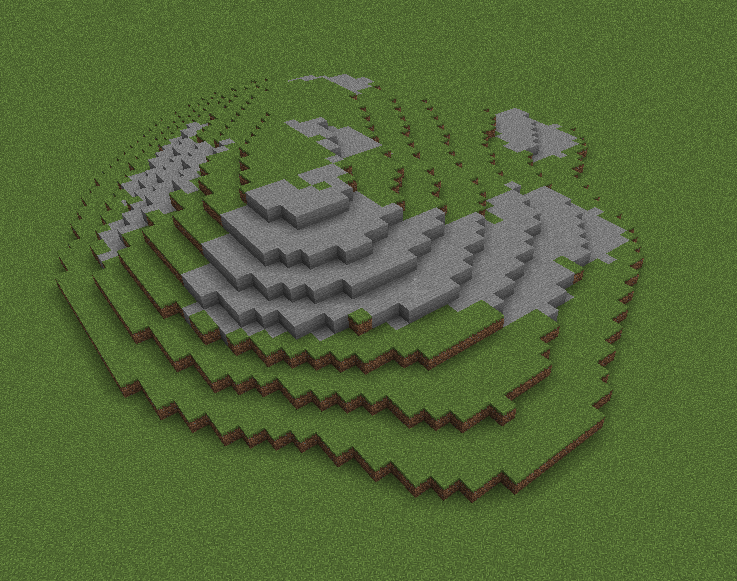 Smooth Terrain tool Very cool right?
 -
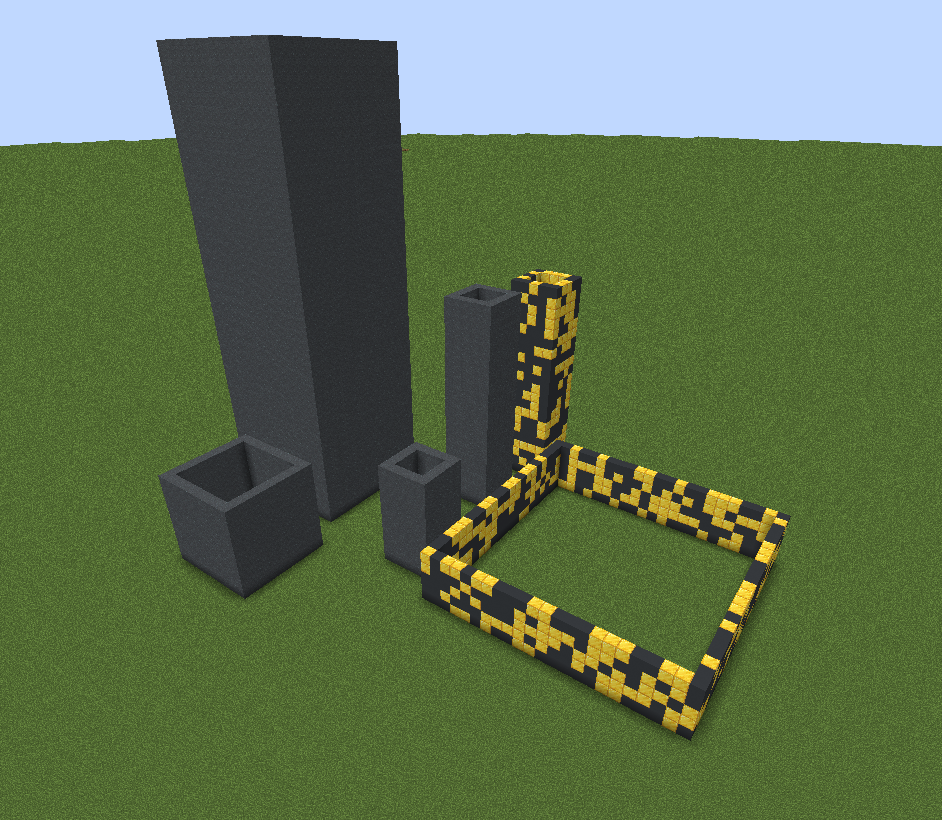 Wall builder multiple heights and radius! (even randomness)
 -
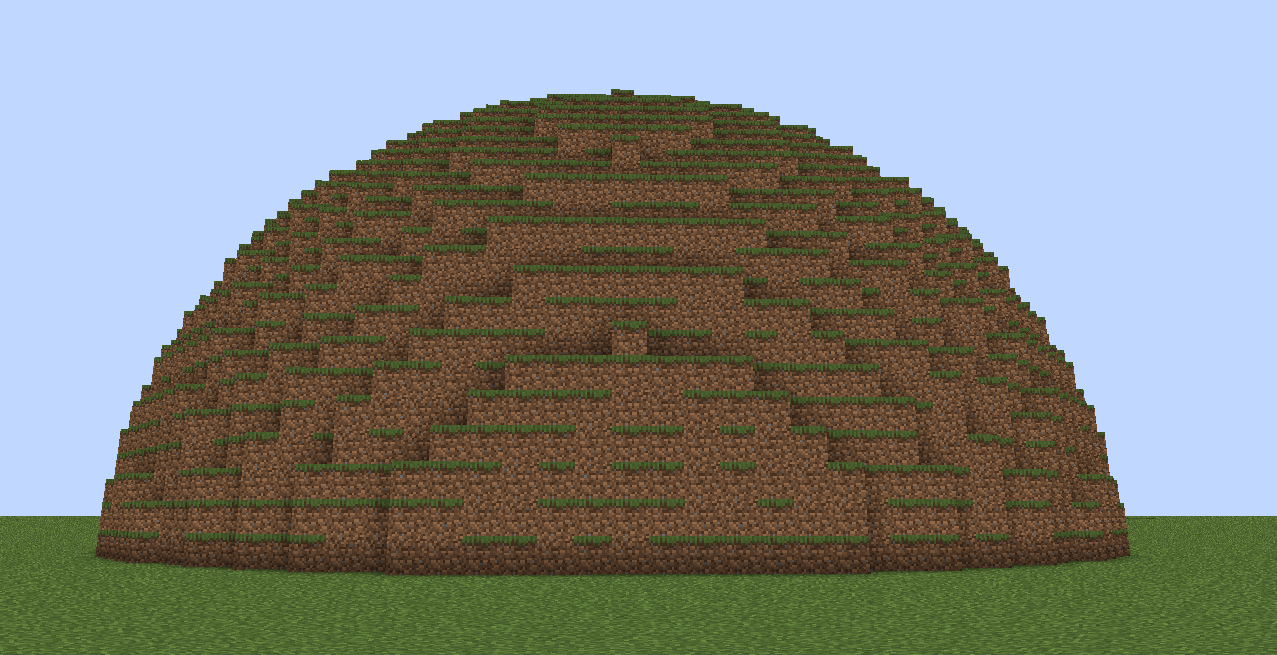 Brush pretty big huh?
 -
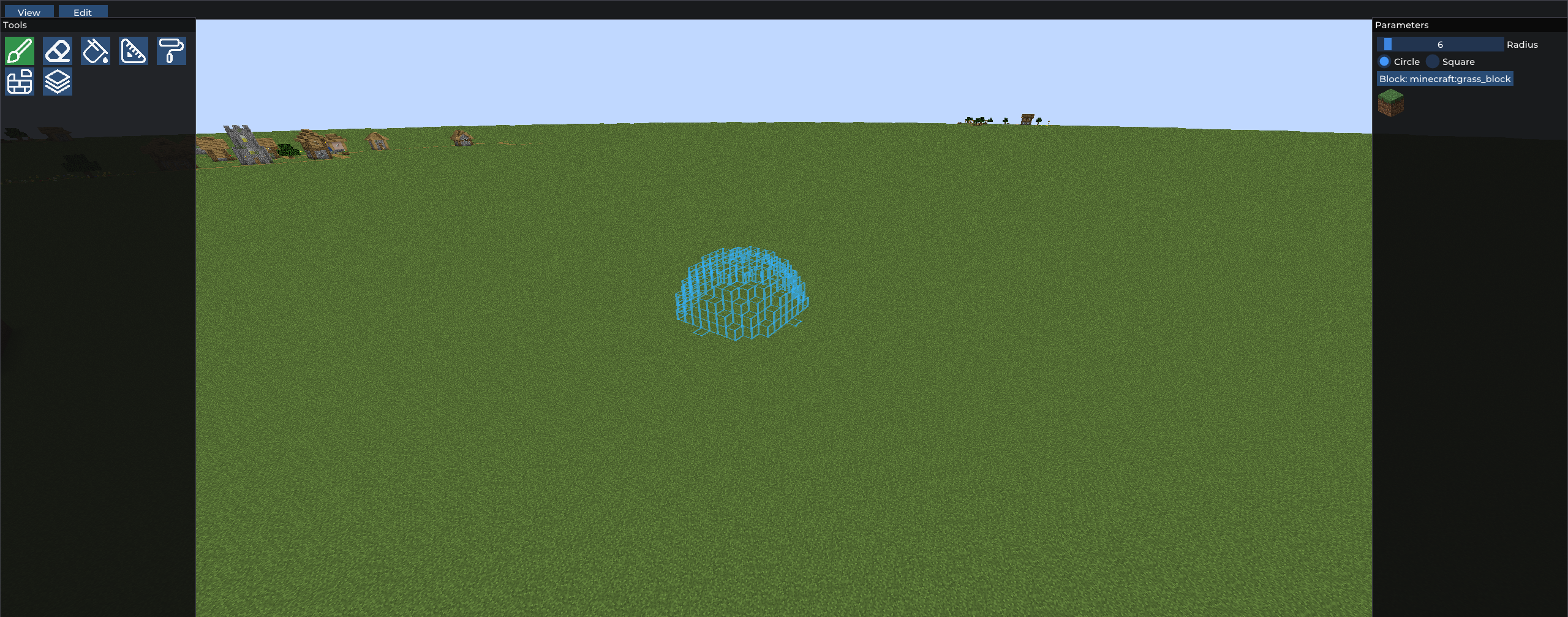 Main Interface for all of those that say its like the Axiom Interface... yea maybe
Versions
Files
Relations
Project Relations
More like this
Similar Mods
Suggestions use data such as tags, dependencies, dependents, descriptions, titles, and more to rank how much they overlap with this mod.
On ModDex
Community snapshot
By the numbers
Statistics
Want to reach Minecraft players?
We're looking for a server hosting partner to feature here and other parts of the site. Interested? Send us a message!
Get in touchGet it on
Available Platforms
On ModDex
Community snapshot
By the numbers
Statistics
Resources