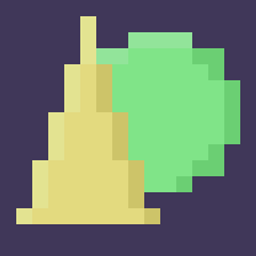
Community listing page, reviews here may not be monitored by the author.
ShapesEdit

No reviews yet
WorldEdit but Shapes!

Community voices
Reviews
No reviews yet. Be the first to review this project!
Get it on
Available Platforms
About
Project Details
For authors
Embed Badge
If you're the author of this project, you can embed a live badge anywhere that supports HTML or Markdown. It updates automatically whenever ratings change.
Use HTML for any page that supports it, or Markdown for README files and Markdown-based descriptions.
Identifiers
Platform IDs
About
Description
Shapes Edit! Worldedit but with shapes and a lot of control!
This mod lets you create, place, and modify and shape in the 3D plane! Like worldedit where you can do commands to fill in areas with ease, Shapes Edit lets you fill in shapes with ease!
If you want to talk to me personally, come to my Discord server.
You can donate to my Patreon for exclusive perks, head there to learn more.

Commands
There are many new commands in the mod that let you control what you do with the shapes.
/shape - This is the base command.
/shape layer - This is the base 'layer' command
- add_layer - Adds a shape.
- subtract_layer - Subtracts a shape.
- intersect_layer - Intersects a shape.
- exclude_layer - Excludes a shape.
- dilate_layer / scale_layer - Scales the shape based on X, Y, and Z scales
- rotate_degrees_layer - Rotates a shape based on X, Y, and Z rotations in degrees (0-360) format.
- rotate_layer - Rotates a shape in Quaternation format.
- bend_layer - Bends a shape based on how much to bend in degrees format, how tall it is, and what Axis to bend on.
- helix_bend_layer - Bends a shape in a helix bend based on how tall each loop is, how big the helix radius is, and what Axis to bend on.
- translate_layer - Moves a shape's X, Y, and Z coords based on a position value. This does not Set, this Moves. Shapes automatically start at (0, 0, 0)
- noise_translate_layer - Translate layer, but randomly moves it based on its position and how much it moves.
/shape finish - Finalizes the shape and is ready for validation and filling.
/shape finish validate - Validates the shape for each position.
- air - Valid if the position is in air.
- blacklist - Valid if the block at the position is not in the BlackList. List format is a number for how big the list is, then the corresponding blocks.
- safelist - Valid if the block at the position is in the SafeList. List format is a number for how big the list is, then the corresponding blocks.
/shape finish fill - Fills the shape.
- simple - Fills in each valid position with a block.
- random_simple - Simple, but only with a certain chance to place a block.
- list - Fills in each valid position with random block from a list. List format is a number for how big the list is, then the corresponding blocks.
There are many shapes builtin into the game.
- rectangle - Width and Height. (Square)
- ellipse - Width and Height. (Circle)
- elliptical_prism - Width, Height, and Depth. (Tube)
- rectangular_prism - Width, Height, and Depth. (Cube)
- triangular_prism - Width, Height, and Depth.
- rectangular_pyramid - Width, Height, and Depth.
- elliptical_pyramid - Width, Height, and Depth. (Cone)
- ellipsoid - Width, Height, and Depth. (Sphere)
- hemi_ellipsoid - Width, Height, and Depth. (Half of Sphere)
Important
This is a Fabric mod, do not mistake this for Forge.
(Pseudo) FAQ
Will you move this to forge?
No
Will you move this to x.xx.xx version?
No.
How do I play this mod, it won't load for me!
This is a fabric mod, a tutorial can be found here.
Screenshots
Gallery
Versions
Files
Relations
Project Relations
More like this
Similar Mods
Suggestions use data such as tags, dependencies, dependents, descriptions, titles, and more to rank how much they overlap with this mod.
On ModDex
Community snapshot
By the numbers
Statistics
 (opens in a new tab)
Get it on
Available Platforms
On ModDex
Community snapshot
By the numbers