
Community listing page, reviews here may not be monitored by the author.
Lucid Gallery


No reviews yet
A sleek in-game screenshot gallery. Browse, preview, and one-click upload your screenshots straight from the pause menu - no more alt-tabbing to your file explorer.
Community voices
Reviews
No reviews yet. Be the first to review this project!
Get it on
Available Platforms
Compatibility
Supported Environments
Runs entirely on the client. Works on vanilla servers.
About
Project Details
For authors
Embed Badge
If you're the author of this project, you can embed a live badge anywhere that supports HTML or Markdown. It updates automatically whenever ratings change.
Use HTML for any page that supports it, or Markdown for README files and Markdown-based descriptions.
Identifiers
Platform IDs
About
Description
Browse, preview, and share your screenshots without ever leaving the game.
Lucid Gallery is a lightweight, client-side mod that turns your screenshots folder into a clean, in-game gallery. Instead of alt-tabbing to your file explorer every time you want to check a screenshot, open a sleek grid view directly from the pause menu or a dedicated keybind, preview any shot in full size, and even upload it to the web to grab a shareable link - all without touching your desktop.
SCREENSHOT BROWSING
No more digging through folders. Lucid Gallery gives your screenshots a proper home:
- Grid Gallery View: All your screenshots are displayed as clean, uniform cards in a configurable, scrollable grid - newest first.
- Instant Access: Open the gallery anytime with a dedicated keybind (
Gby default) or from a new button added straight to the pause menu. - Full Preview Modal: Click any card to open a large preview, showing the screenshot alongside its date taken, file size, and resolution.
- Quick Actions: Open a screenshot in your system's default image viewer or delete it permanently, right from the card or the preview modal - no confirmation dialogs slowing you down.
- Smooth Scrolling: A custom, fully draggable scrollbar keeps large screenshot collections easy to navigate.
ONE-CLICK CLOUD SHARING
Want to send a screenshot to a friend without leaving Minecraft? Lucid Gallery has you covered:
- Instant Upload: Upload any screenshot straight from the preview modal - no account, login, or API key required.
- Powered by Uguu.se: Screenshots are uploaded as temporary files that automatically expire after 24 hours, so nothing you share sticks around forever.
- Copy Link Button: Once uploaded, the link is cached and copied to your clipboard with a single click, ready to paste anywhere.
- Smart Anti-Spam Cooldown: A configurable cooldown between uploads prevents accidental spam, with clear on-screen feedback (
Uploading...,Cooldown,Retry, etc.). - Resilient Networking: Failed uploads are automatically retried with exponential backoff before showing an error, so a flaky connection won't ruin your upload.
DYNAMIC GUI SCALE
- Adaptive Scaling: Lucid Gallery automatically fits the interface to your window size, capping the scale so cards never get too small or too large.
- Manual Override: A dedicated dropdown in the top-right corner lets you lock the gallery scale to
Autoor a fixed value from1to8, independent of your normal Minecraft GUI scale.
QUALITY OF LIFE & CONFIGURATION
- Hot-Reloadable Configuration: Every option lives in a simple
config/lucidgallery.propertiesfile, with an optional live file-watcher so changes apply without restarting the game. - Full Visual Customization: Adjust the number of grid columns, card background color, scrollbar colors, scrollbar width/margin, and minimum thumb size to match your taste.
- Texture Caching: Screenshot thumbnails are loaded and cached on demand, and automatically released when scrolled out of view, keeping memory usage low even with huge screenshot folders.
- Safe & Client-Side: Lucid Gallery only touches your local
screenshotsfolder and interface. It's perfectly safe to drop into any modpack or join any server, singleplayer or multiplayer.
Bug Reports & Feedback
If you run into a bug, have a feature request, or want to suggest an improvement, please open an issue on our Issue Tracker using the provided templates.
Browse, preview, and share your screenshots without ever leaving the game.
Lucid Gallery is a client-side mod that adds an in-game screenshot gallery. Instead of opening your system's file explorer, you can view your screenshots folder in a grid view directly from the pause menu or using a keybind.
SCREENSHOT BROWSING
- Grid View: Displays your screenshots as cards in a scrollable grid, ordered by newest first.
- In-Game Access: Open the gallery using a dedicated keybind (
Gby default) or via a button added to the pause menu. - Preview Modal: Click any screenshot to view it at a larger size, along with file details (date taken, file size, and resolution).
- Quick Actions: Open a screenshot in your OS default image viewer or delete it directly from the gallery interface.
TEMPORARY IMAGE SHARING
- Quick Uploads: Upload a screenshot directly from the preview screen to get a shareable link.
- Powered by Uguu.se: Images are uploaded anonymously as temporary files that automatically expire after 24 hours.
- Clipboard Integration: Once uploaded, the direct link is automatically copied to your clipboard.
- Spam Protection: Includes a configurable cooldown between uploads and automatic retries if the connection drops.
GUI SCALING & CONFIGURATION
- Custom Scaling: The gallery interface can scale automatically to your window size, or be manually set to a fixed scale (1 to 8) independently of your general Minecraft GUI scale.
- Config File: Settings can be adjusted in
config/lucid-gallery/lucidgallery.properties, with changes applying without restarting the game. - Customization: Adjust grid columns, background colors, scrollbar dimensions, and minimum thumbnail sizes.
- Client-Side Only: This mod only reads your local
screenshotsfolder and can be used safely on any server or modpack.
Bug Reports & Feedback
If you encounter any issues or have feature requests, please report them on our Issue Tracker.
Screenshots
Gallery
-
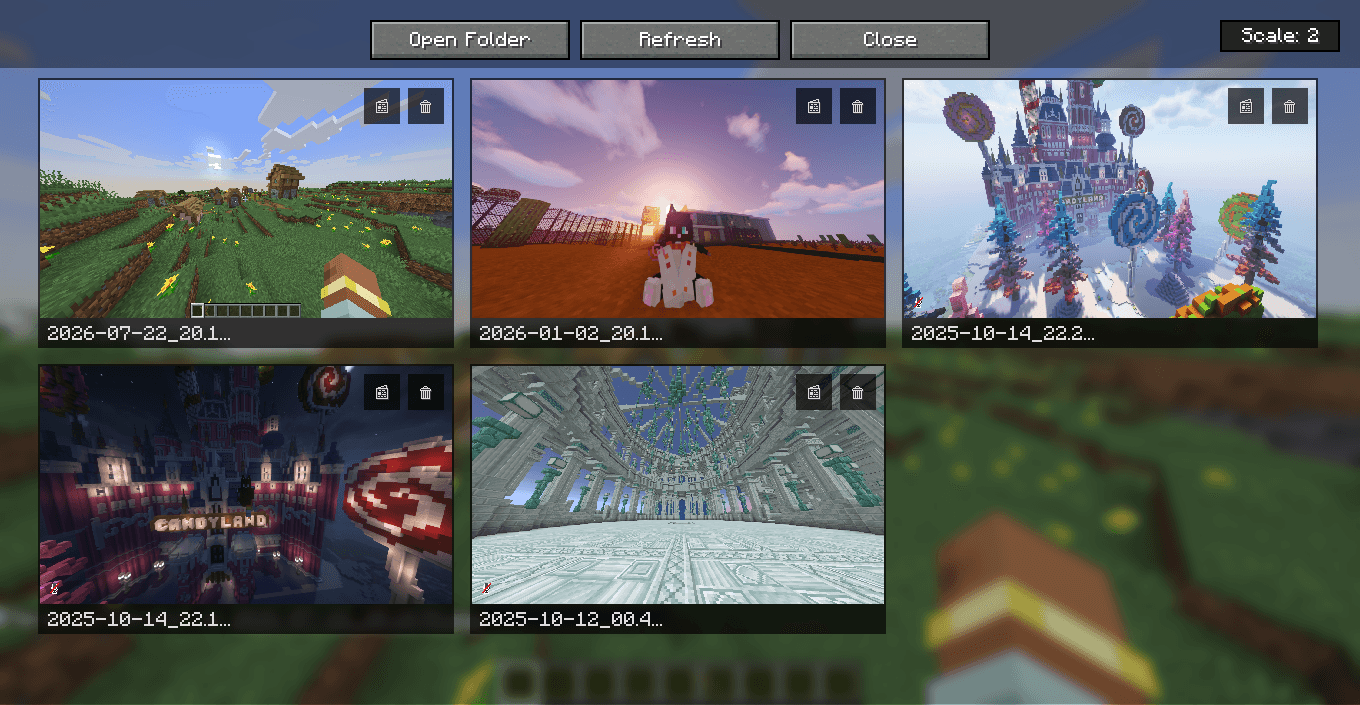 Menu Preview Menu Preview
 -
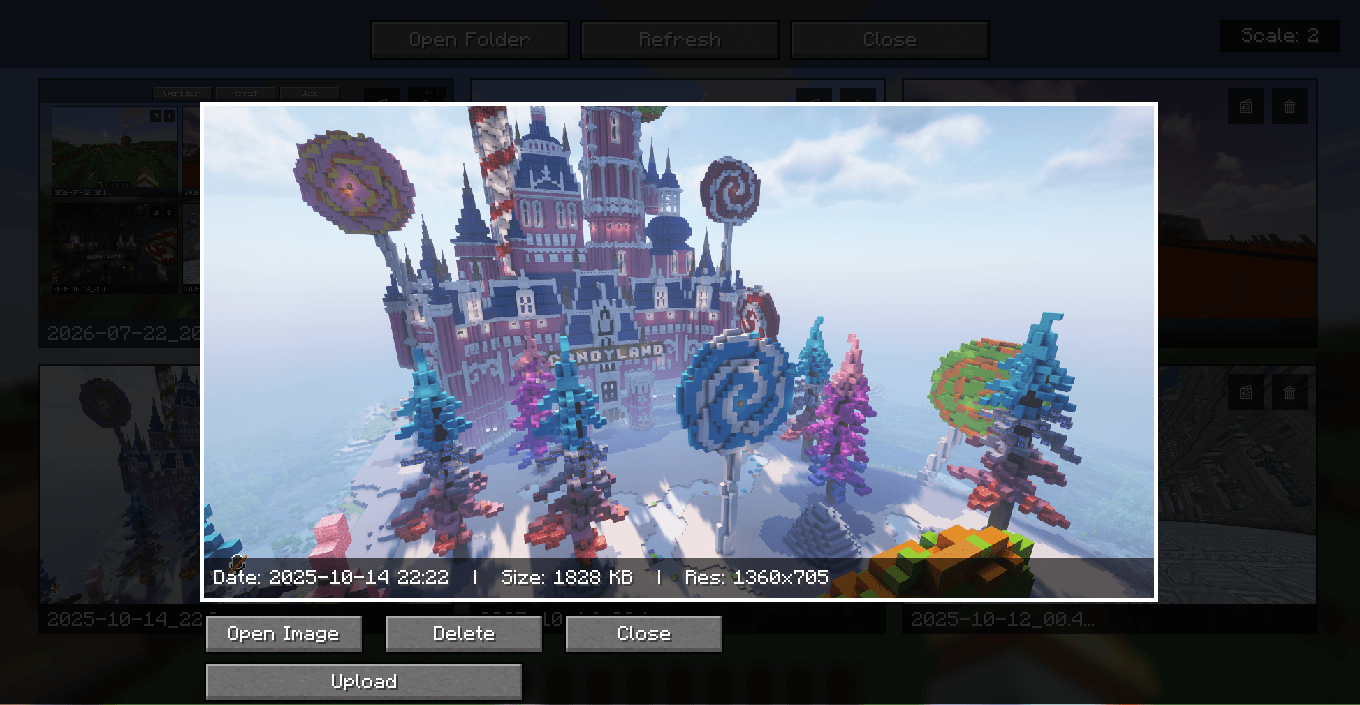 Screenshot Modal Preview Screenshot Modal Preview
-
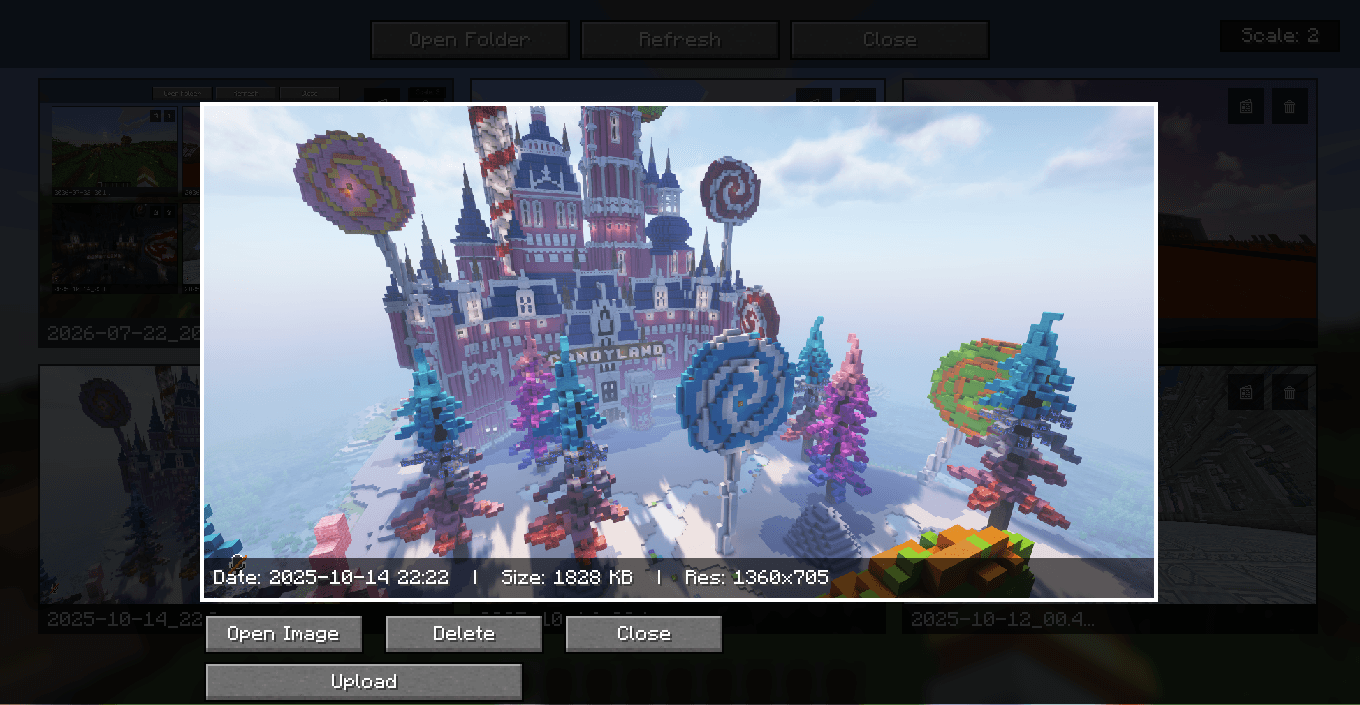 Menu modal preview
 -
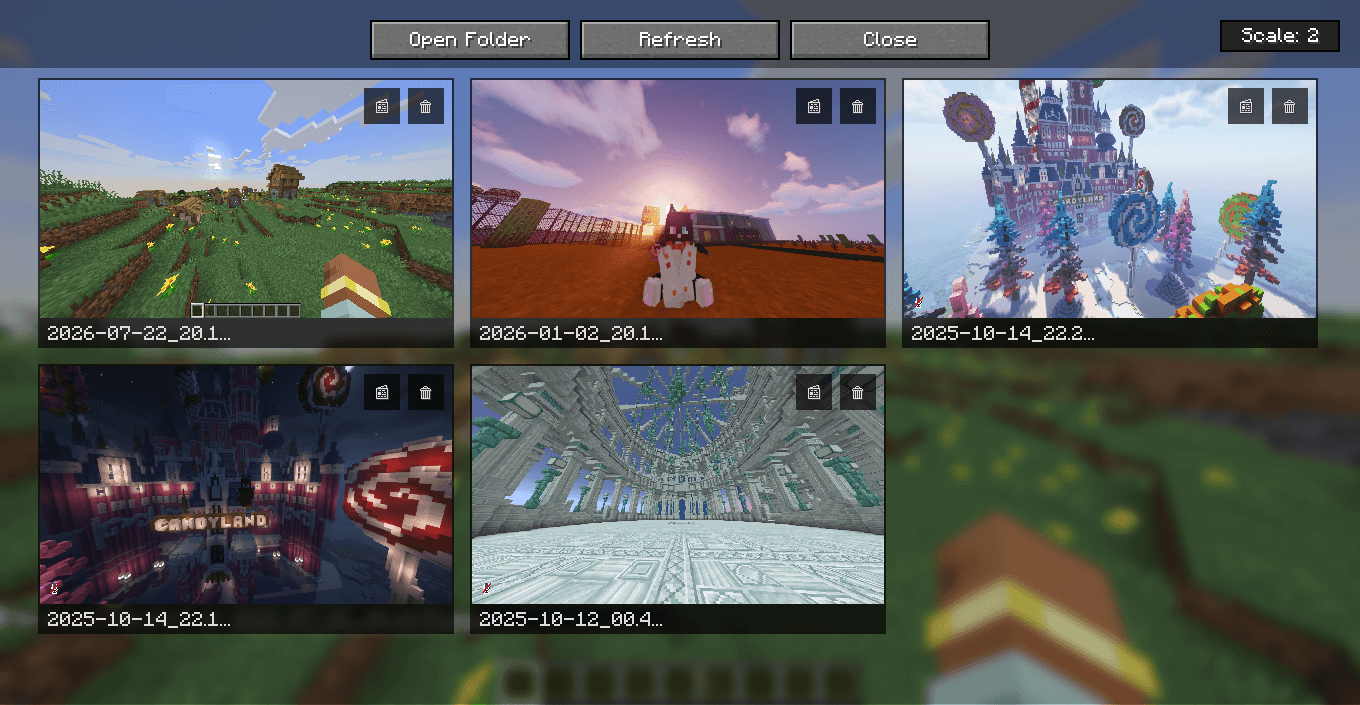 Screenshots menu preview
Versions
Files
Relations
Project Relations
More like this
Similar Mods
Suggestions use data such as tags, dependencies, dependents, descriptions, titles, and more to rank how much they overlap with this mod.
On ModDex
Community snapshot
By the numbers
Statistics
Want to reach Minecraft players?
We're looking for a server hosting partner to feature here and other parts of the site. Interested? Send us a message!
Get in touchGet it on
Available Platforms
On ModDex
Community snapshot
By the numbers