
Community listing page, reviews here may not be monitored by the author.
Lunchbox

No reviews yet
Adds lunchboxes to the game to help you carry more food and organize it better

Community voices
Reviews
No reviews yet. Be the first to review this project!
Get it on
Available Platforms
About
Project Details
For authors
Embed Badge
If you're the author of this project, you can embed a live badge anywhere that supports HTML or Markdown. It updates automatically whenever ratings change.
Use HTML for any page that supports it, or Markdown for README files and Markdown-based descriptions.
Identifiers
Platform IDs
About
Description
Lunchbox adds lunchboxes to the game (wow, surprising)
These lunchboxes can hold up to 18 stacks of food in one item, allowing for quick switching between food
Ever been overwhelmed by inventory management with a food mod that rewards you for carrying around 12 different types of food? This mod is for you!
How do I put items in the lunchbox?
You place it down by sneaking while trying to place it
How do I select which food to eat?
Sneak and use it in a way that won't place it to open the lunchbox selection menu
How do I allow/deny an item from entering the lunchbox?
The mod has a few tags, namely lunchbox:lunchbox_blacklisted and lunchbox:lunchbox_whitelisted which disallow/allow an item to be put into a lunchbox
What's the item showing up near the corner of my hotbar
That's the item preview, showing you the current state of the item you have selected for your convenience. It can be configured within the lunchbox-client.toml config file.
The item preview is covering up/not aligning with some other mod's HUD, what do I do?
You can adjust the position of the preview quite a bit with the client config, try messing around with the values in there to see if you can get it to a position you're satisfied with.
When will you update to 1.19?
Soon, I've decided to move past 1.18.2 because I wanted a few modern features and stuff and dislike this being my only mod still on 1.18.2. New version will be 1.19.3.
What modloader is this for?
Forge!
Will it come to Fabric soon?
Maybe later, I'm still learning the basics of modding and will consider porting to fabric once the mod is complete.
Can I use this in my modpack?
Yes!
Additional tips:
- The lunchbox is able to be broken instantly with anything, and when broken will go into your hand if it is empty.
- If you use up everything in one slot of the lunchbox, it automatically tries to seek out a slot containing any more of that item in the inventory and if that fails it tries to find the next non-empty slot.
- Pressing the hotbar keys (1-9) while in the selection gui will quick-select that slot from the first row of the lunchbox and close it.
- The lunchbox is a valid container when placed and accepts any input/output.
Future update plans:
- Adding colored variations for the lunchbox (all 16 dye colors)
- Adding the Cooler, a lunchbox specialized in potions with a few special
- Possibly adding a few mutually exclusive enchantments for the lunchboxes to allow you to specialize a lunchbox for specific purposes?
I'm a Kinetic Hosting partner! If you need a Minecraft server and want to support me, click the image below!

Screenshots
Gallery
-
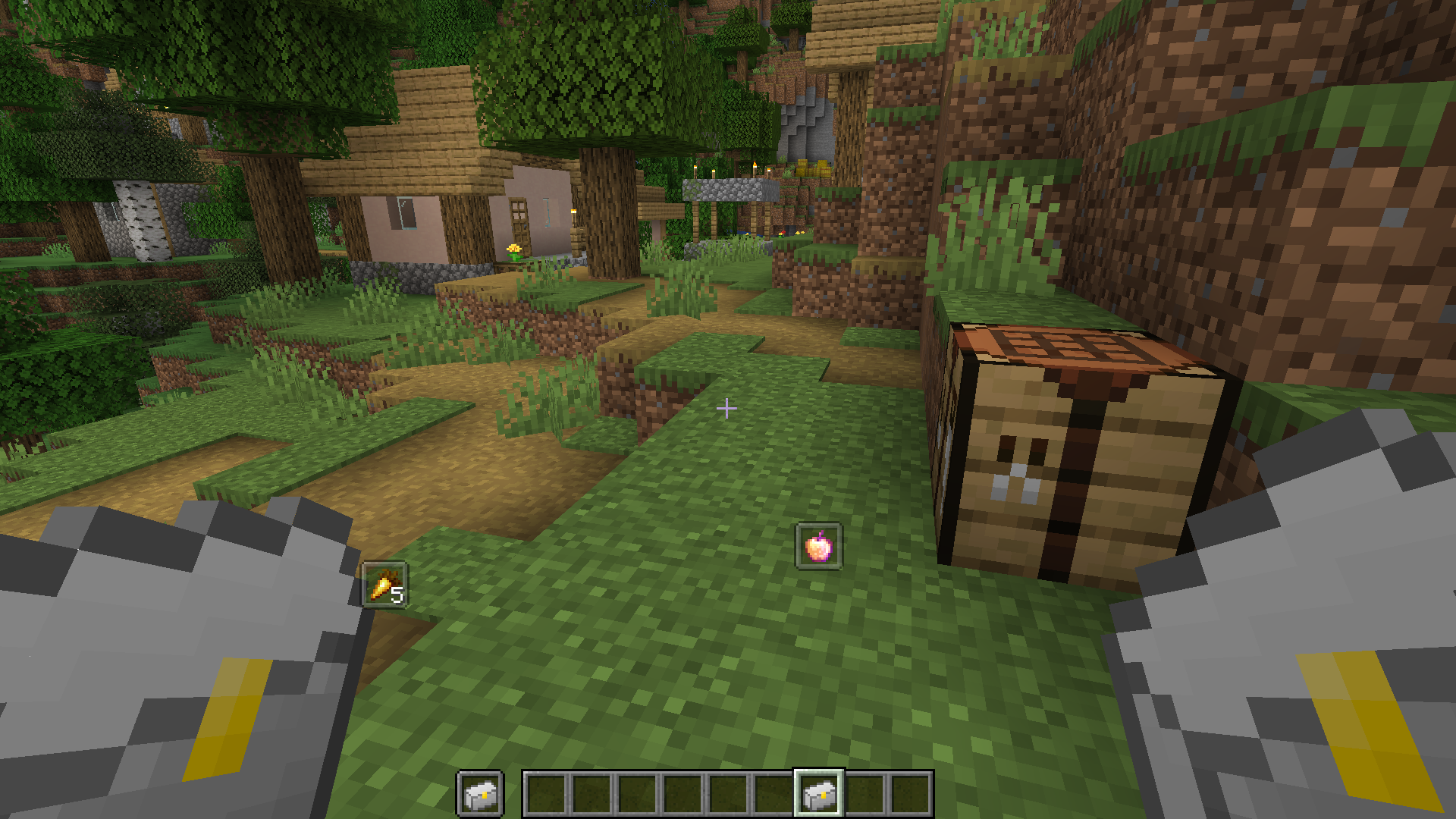 Heavily offset item previews If these items ever get in the way of your fancy HUDs, the config file will help you avoid that quite well.
 -
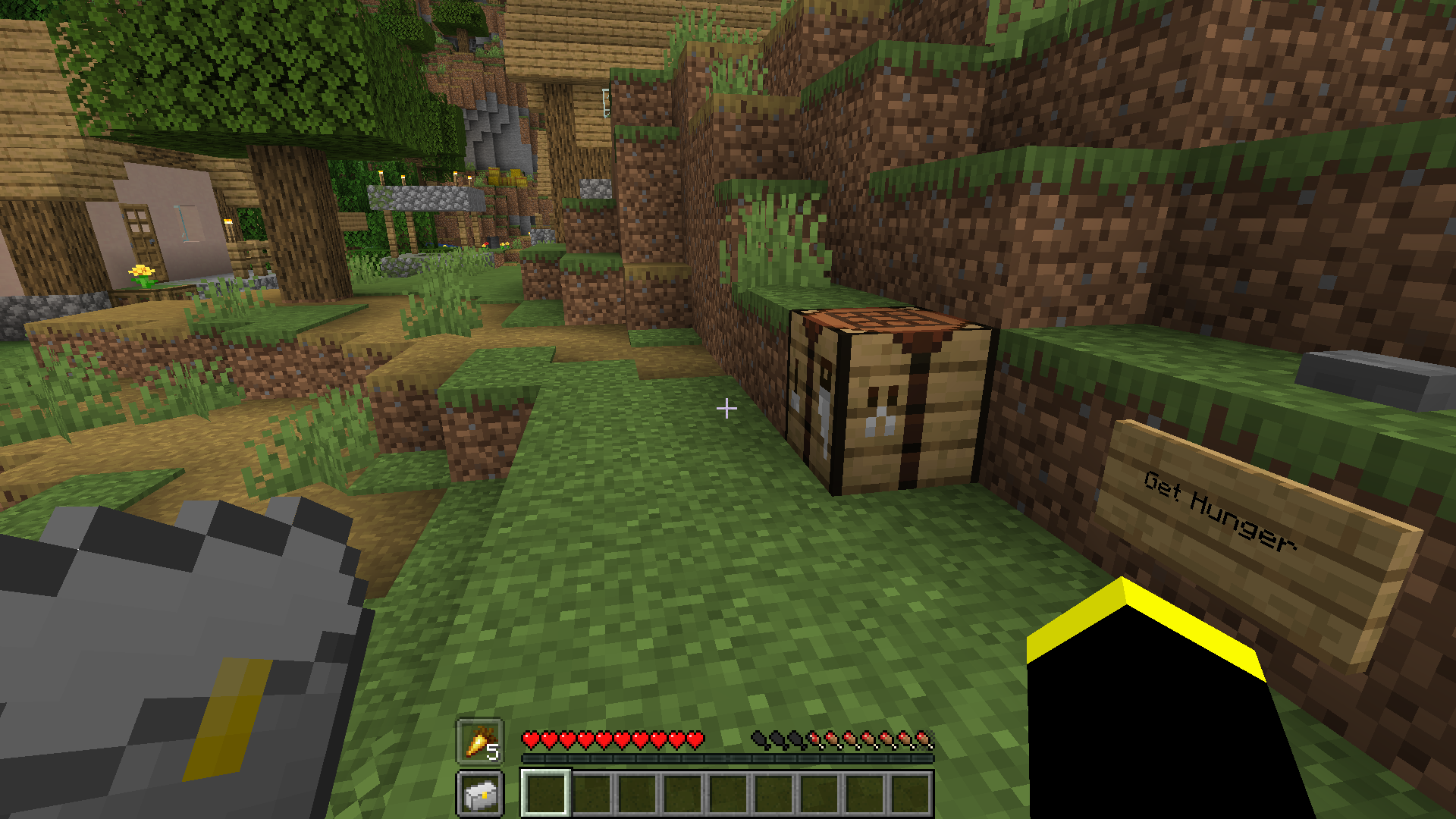 Lunchbox Offhand Preview Shows the currently selected item above the offhand slot
 -
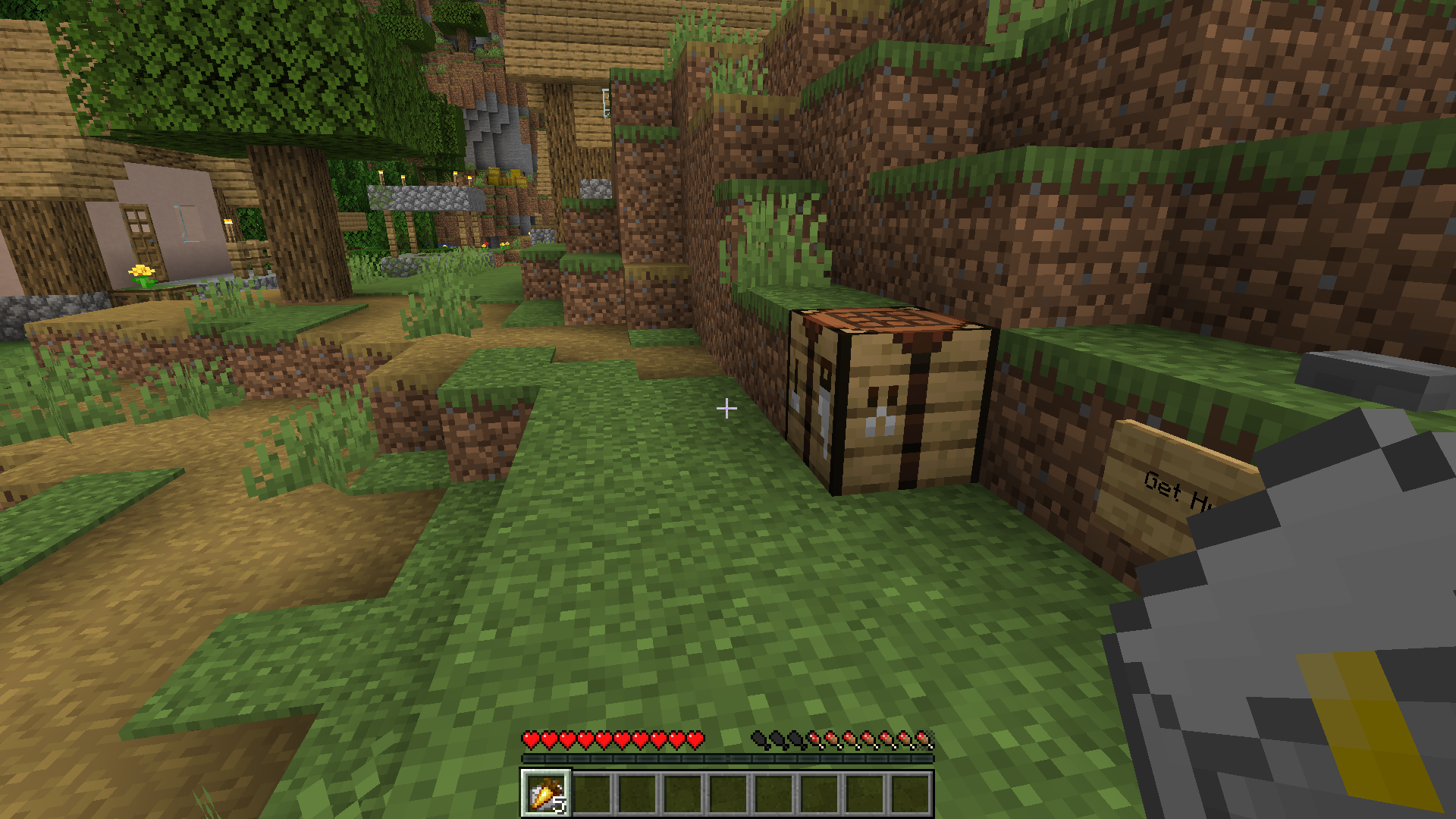 Lunchbox Preview Mode 3 - Overlay Shows the currently selected item ON the currently selected hotbar slot
 -
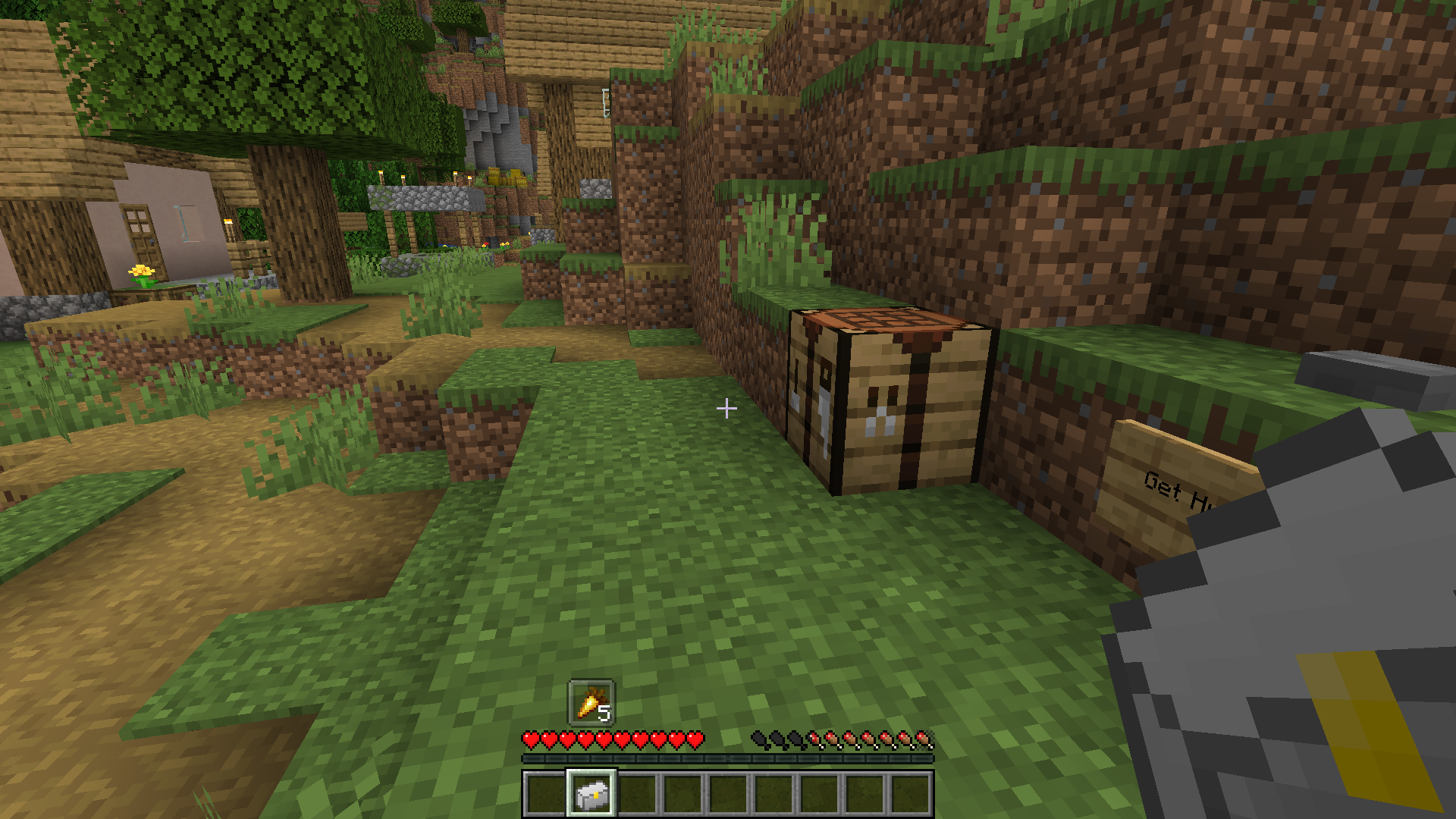 Lunchbox Preview Mode 2 - Follow Shows the currently selected item above the currently selected hotbar slot
 -
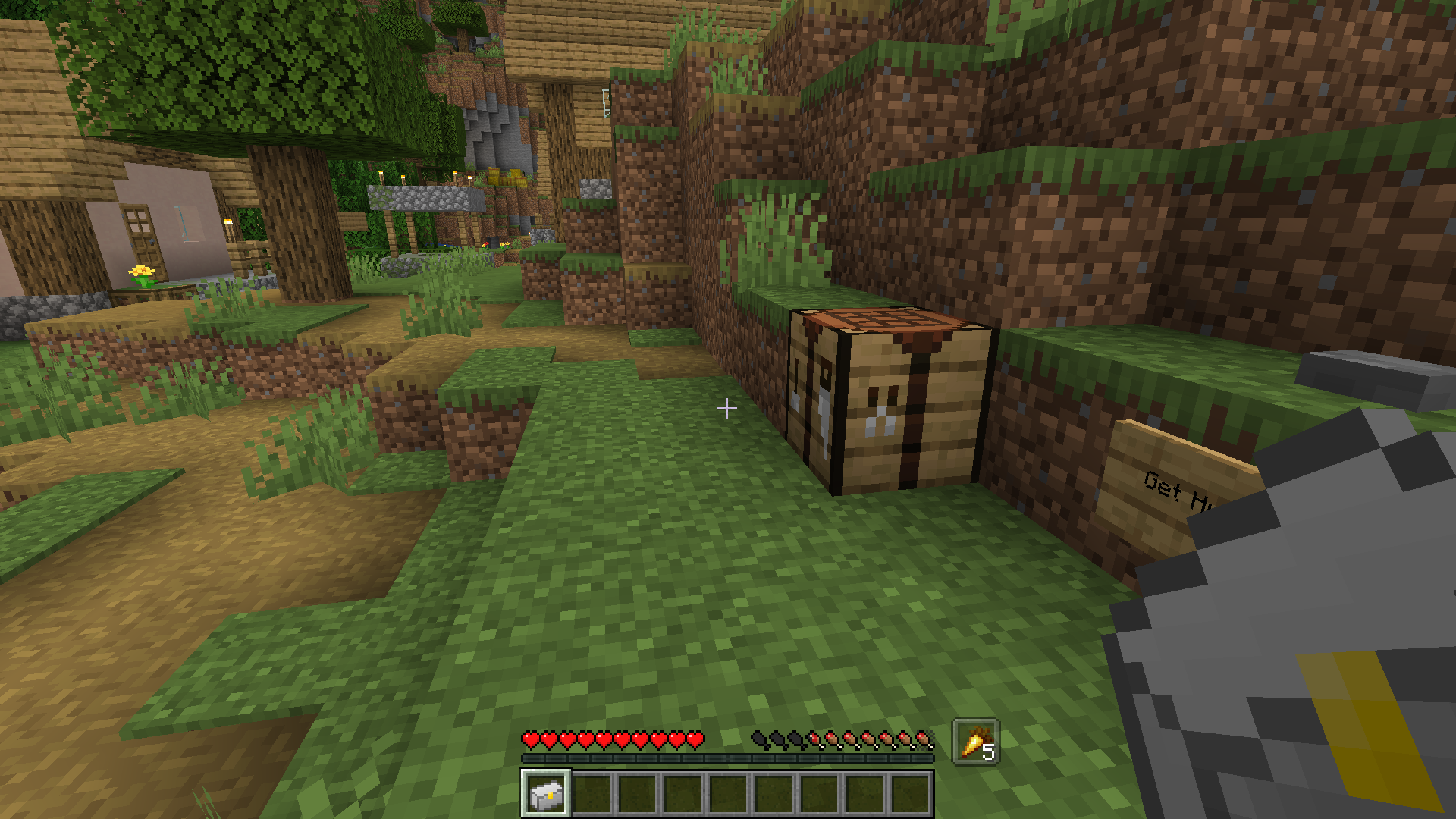 Lunchbox Preview Mode 1 - Offhand Shows the currently selected item above the opposite of where the offhand would be
 -
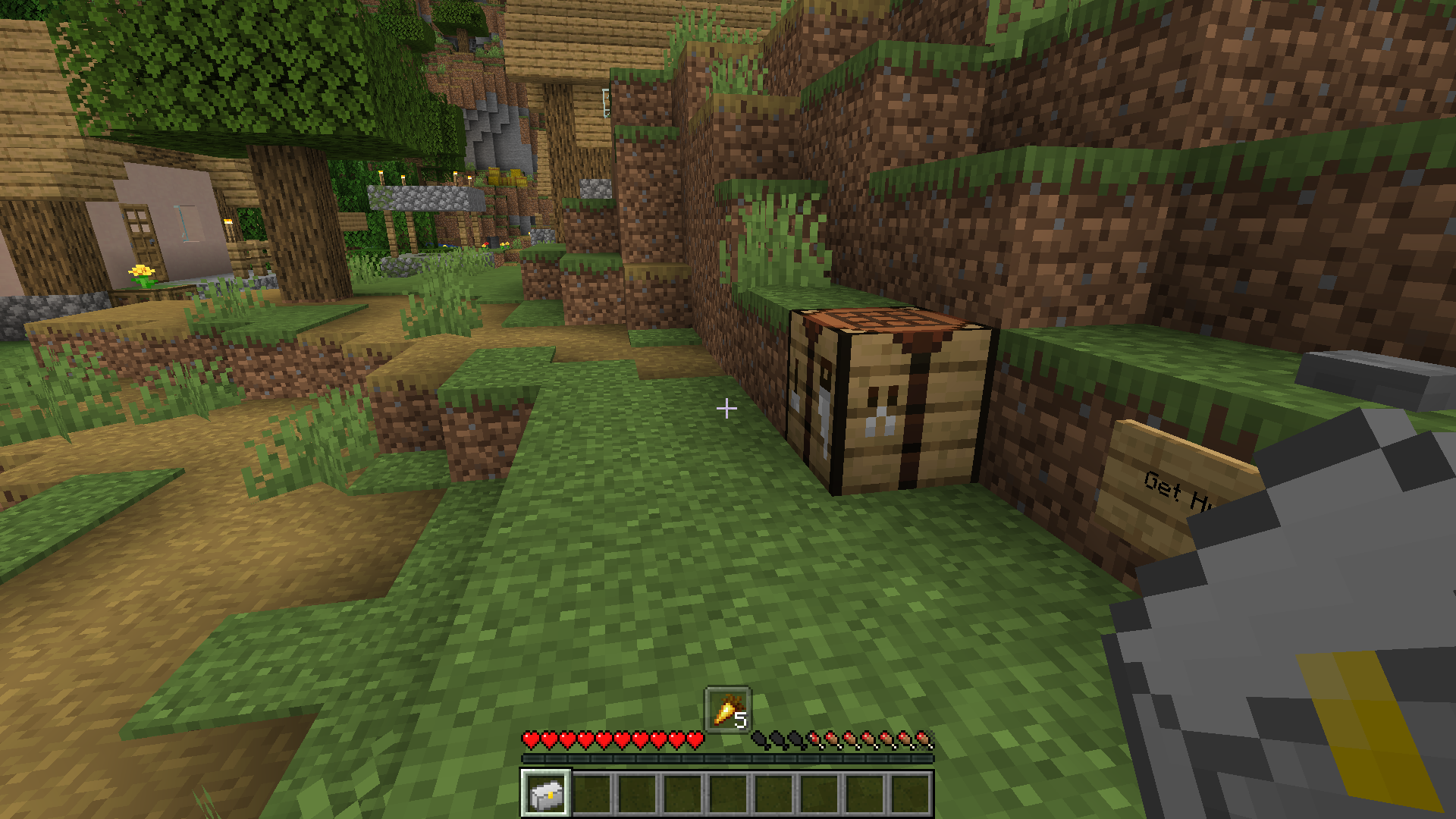 Lunchbox Preview Mode 0 - Center Shows the currently selected item centered above the hotbar
 -
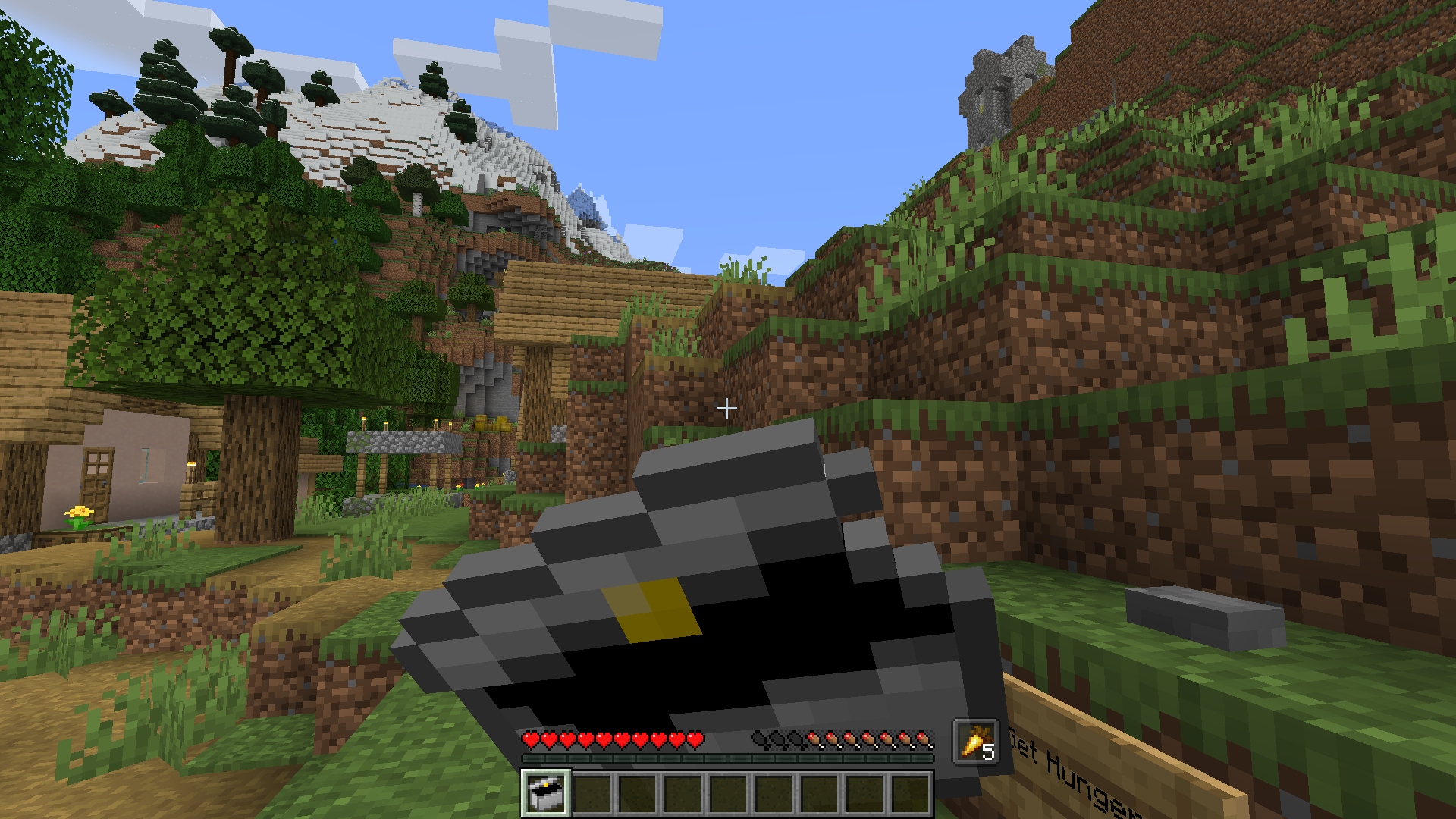 Eating a Lunchbox The lunchbox being consumed by the player (It will only consume the item contained inside of it)
 -
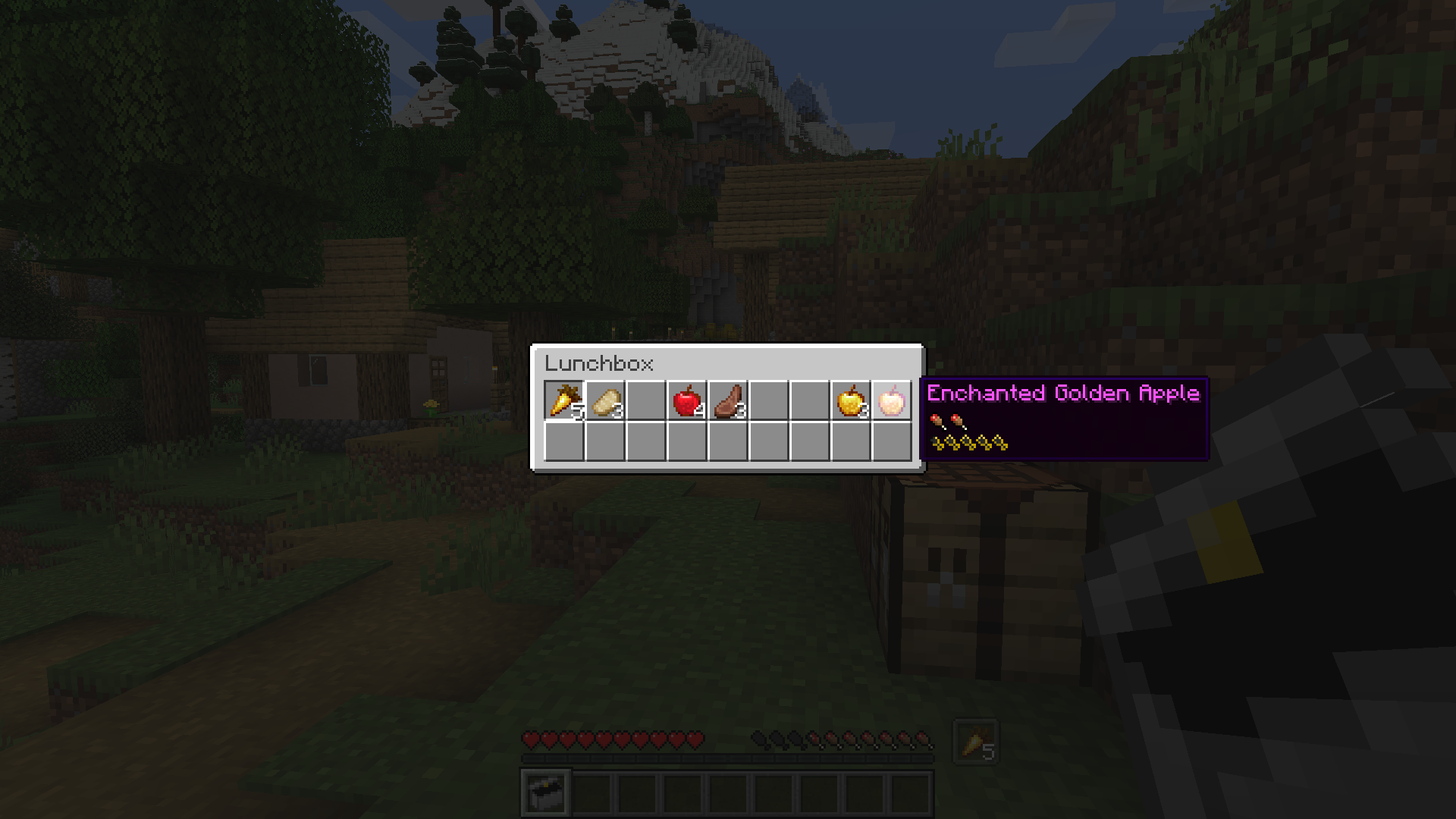 Lunchbox Selector GUI The lunchbox item's selection menu NOTE: The food values are provided by AppleSkin, NOT Lunchbox
 -
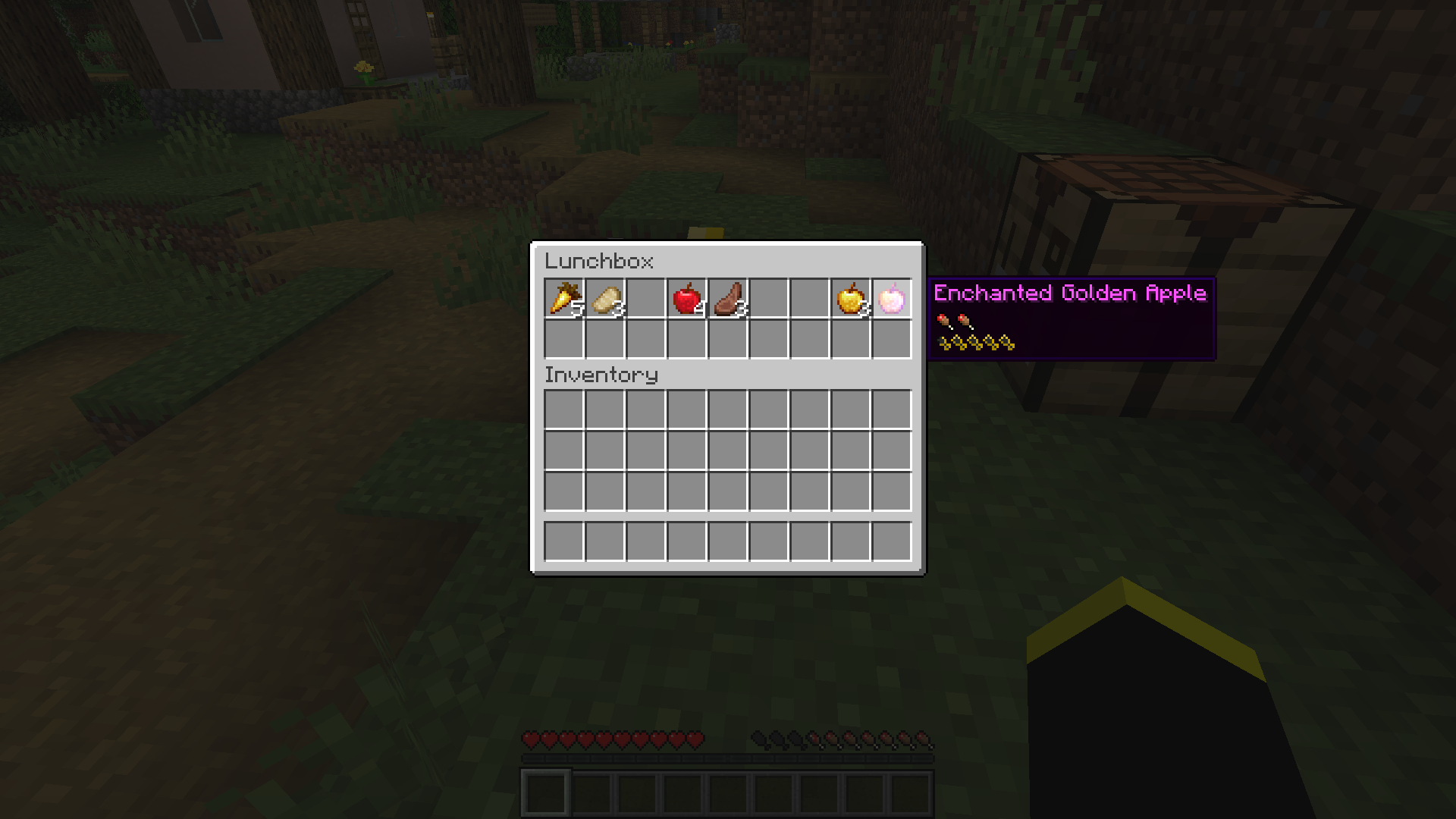 Placed Lunchbox GUI The menu shown when a lunchbox is open NOTE: The food values are provided by AppleSkin, NOT Lunchbox
 -
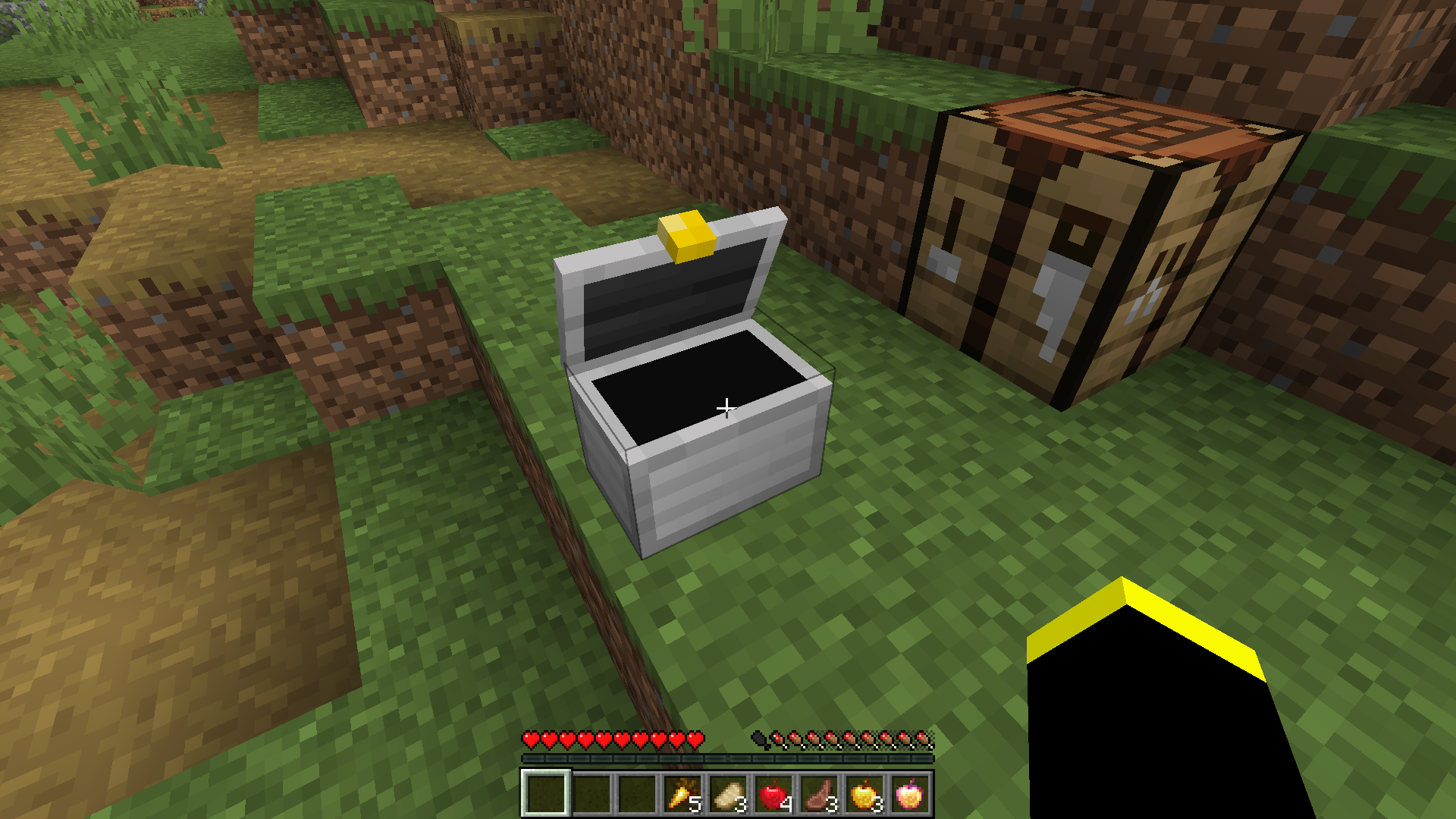 Placed Lunchbox (Open State) The placed down lunchbox in its' open state
 -
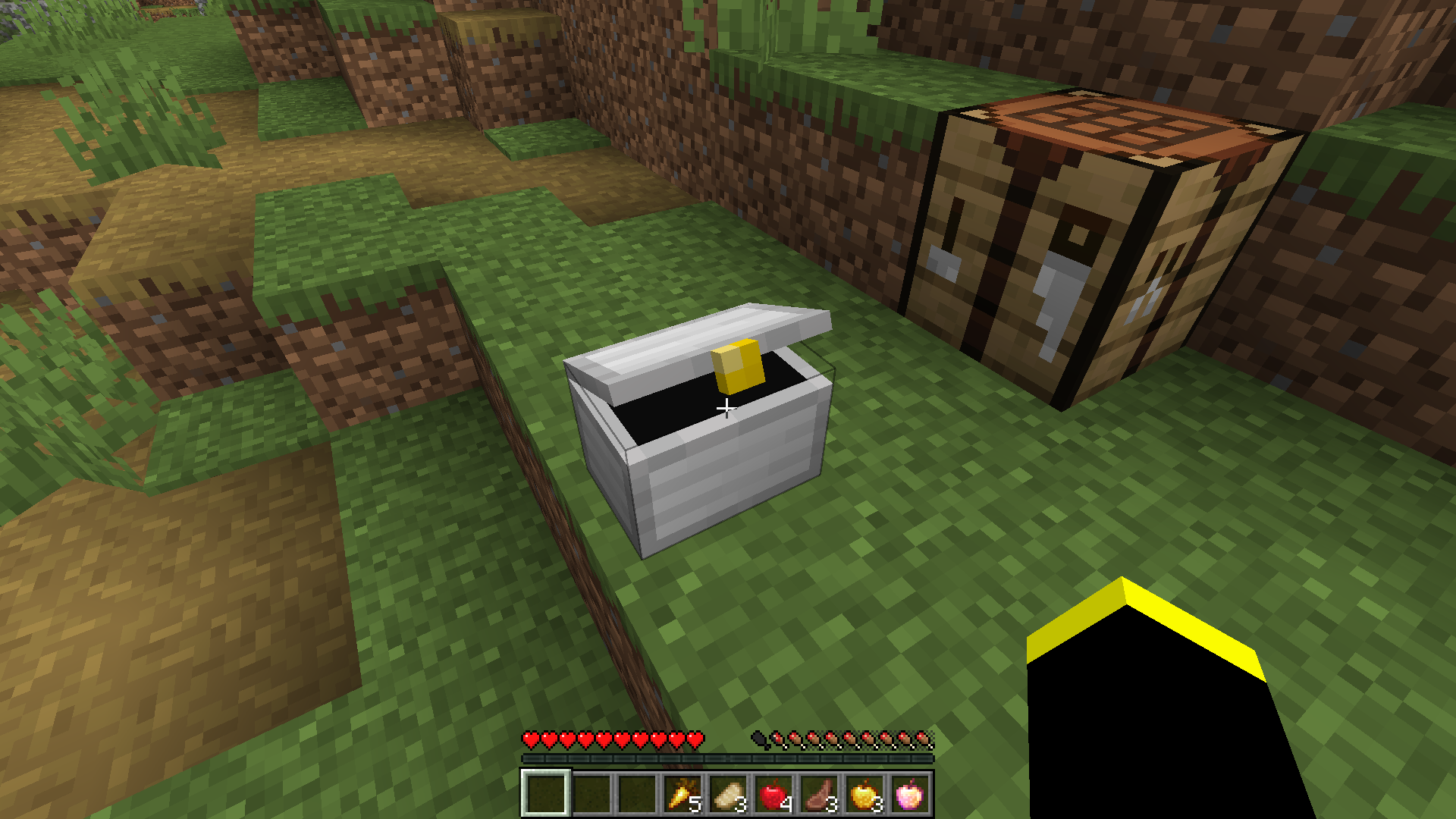 Placed Lunchbox (Closed State) The placed down lunchbox in its' closed state
 -
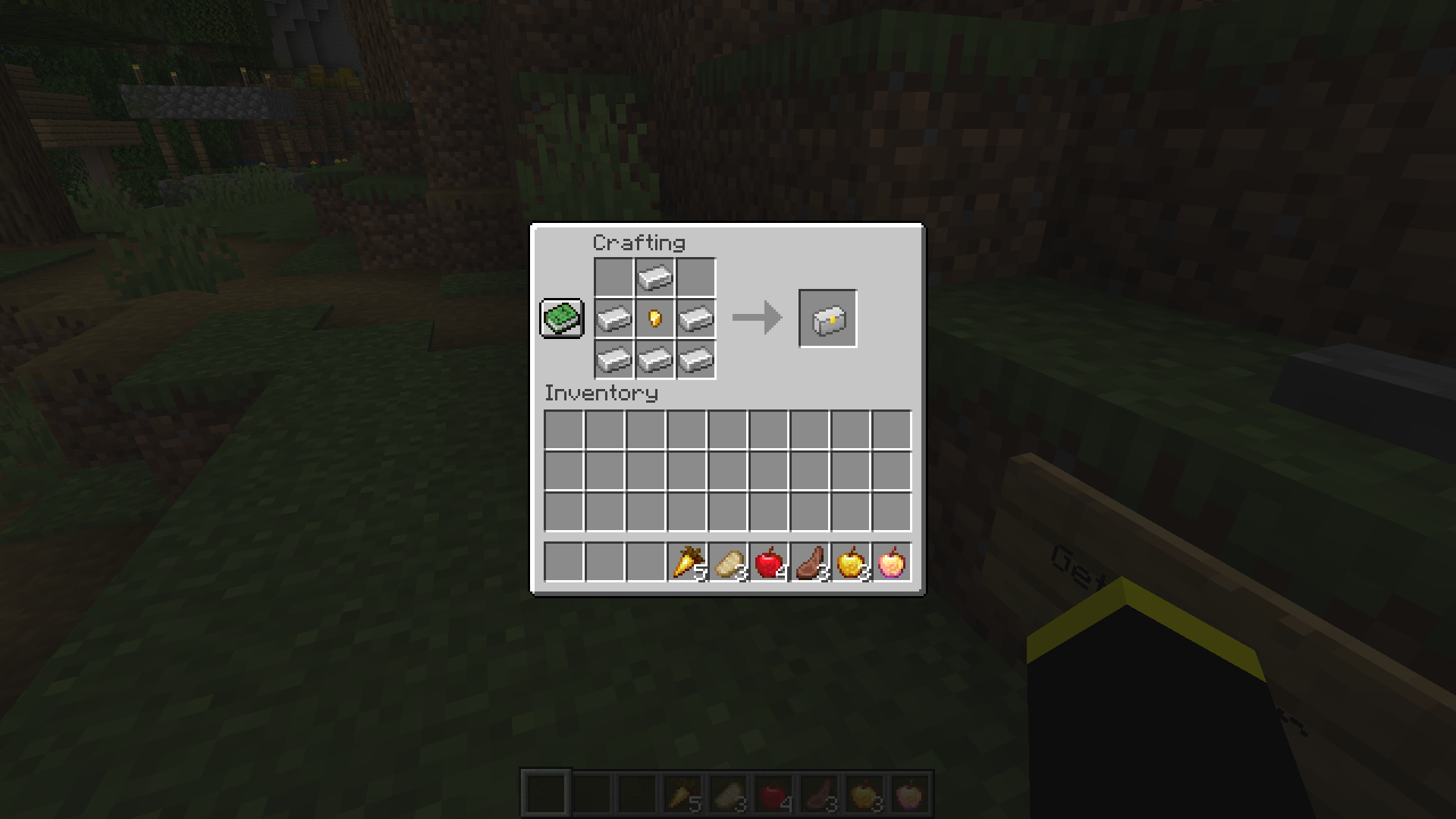 Crafting Recipe Requires 6 Iron Ingots and 1 Gold Nugget
Versions
Files
Relations
Project Relations
More like this
Similar Mods
Suggestions use data such as tags, dependencies, dependents, descriptions, titles, and more to rank how much they overlap with this mod.
On ModDex
Community snapshot
By the numbers
Statistics
 (opens in a new tab)
Get it on
Available Platforms
On ModDex
Community snapshot
By the numbers