Community listing page, reviews may not be monitored by the author.
Machine Metrics

No reviews yet
Machinemetrics is a lightweight, high-performance telemetry and diagnostics HUD for industrial machines.

Community voices
Reviews
No reviews yet. Be the first to review this project!
Get it on
Available Platforms
About
Project Details
For authors
Embed Badge
If you're the author of this project, you can embed a live badge anywhere that supports HTML or Markdown. It updates automatically whenever ratings change.
Use HTML for any page that supports it, or Markdown for README files and Markdown-based descriptions.
Identifiers
Platform IDs
About
Description
Machine Metrics
A client-server telemetry HUD that inspects real-time throughput, energy transfer, and kinetic networks directly without opening machine interfaces.
Features
Kinetic Diagnostics (Create):
- Displays rotation speed (RPM) and direction (CW / CCW, with per-face gearbox modifier detection).
- Measures network-wide stress capacity and load (SU) across gear ratios and multi-engine setups.
- Separates individual machine load from total kinetic network capacity.
- Shows
OVERSTRESSEDstate and remaining capacity headroom.
Network Telemetry (Applied Energistics 2):
- Real-time ME cable channel usage and limits.
- Grid power drain monitoring and average usage telemetry.
Energy & Fluid Throughput:
- Tracks live transfer rates for FE/t, Items/s, and Fluid (mB/s).
- Supports per-face inspection on directional blocks.
- Reads Mekanism chemicals (Gases, Infuse Types, Pigments, and Slurries).
Operational Status Indicators:
OPTIMAL: Running within capacity.STARVED: Missing input items, fluid, or kinetic power.CLOGGED: Output buffer or connected line is full.IDLE: Inactive (metrics hide to clear screen space).
HUD Configuration:
- Auto-fits window dimensions to active metrics.
- Drag-and-drop position editor accessible via the in-game
ESCmenu. - Includes anchor presets for screen corners and edges.
- Hides redundant block titles when Jade, WTHIT, or The One Probe is present.
Compatibility & Integrations
Runs completely standalone. Optional integrations activate automatically when supported mods are installed:
Create: Kinetic telemetry (RPM, SU network load, CW/CCW rotation).
Applied Energistics 2: ME cable channel loads and grid power drain.
Mekanism: Gas, slurry, pigment, and chemical transfer throughput.
Jade / WTHIT / The One Probe: Automatically suppresses redundant diagnostic lines to prevent HUD overlap.
Architecture & Network Performance
Zero-Allocation Sampling: Skips checks when inspected blocks lack relevant capabilities.
Delta-Throttled Sync: Server syncs telemetry packets only when metrics exceed change thresholds, preventing network spam on large bases.
Network Modes:
- Client + Server: High-precision throughput sampling and full kinetic resolution.
- Client Only: Reads client-side block entities directly on unmodded or vanilla servers.
- Server Only: Zero tick overhead while no modded clients are inspecting blocks.
Controls & Configuration
Toggle HUD:
H(configurable inOptions -> Controls -> Key Binds).Open HUD Editor:
- Main Menu: Go to
Mods-> selectMachine Metrics-> click Config. - In-Game: Press
ESCand click Machinemetrics HUD in the top right.
- Main Menu: Go to
Client Settings:
config/machinemetrics-client.toml(toggles for metric lines, offsets, colors, and layout presets).Server Settings:
config/machinemetrics-server.toml(sync thresholds, polling rates, and module toggles).
Screenshots
Gallery
-
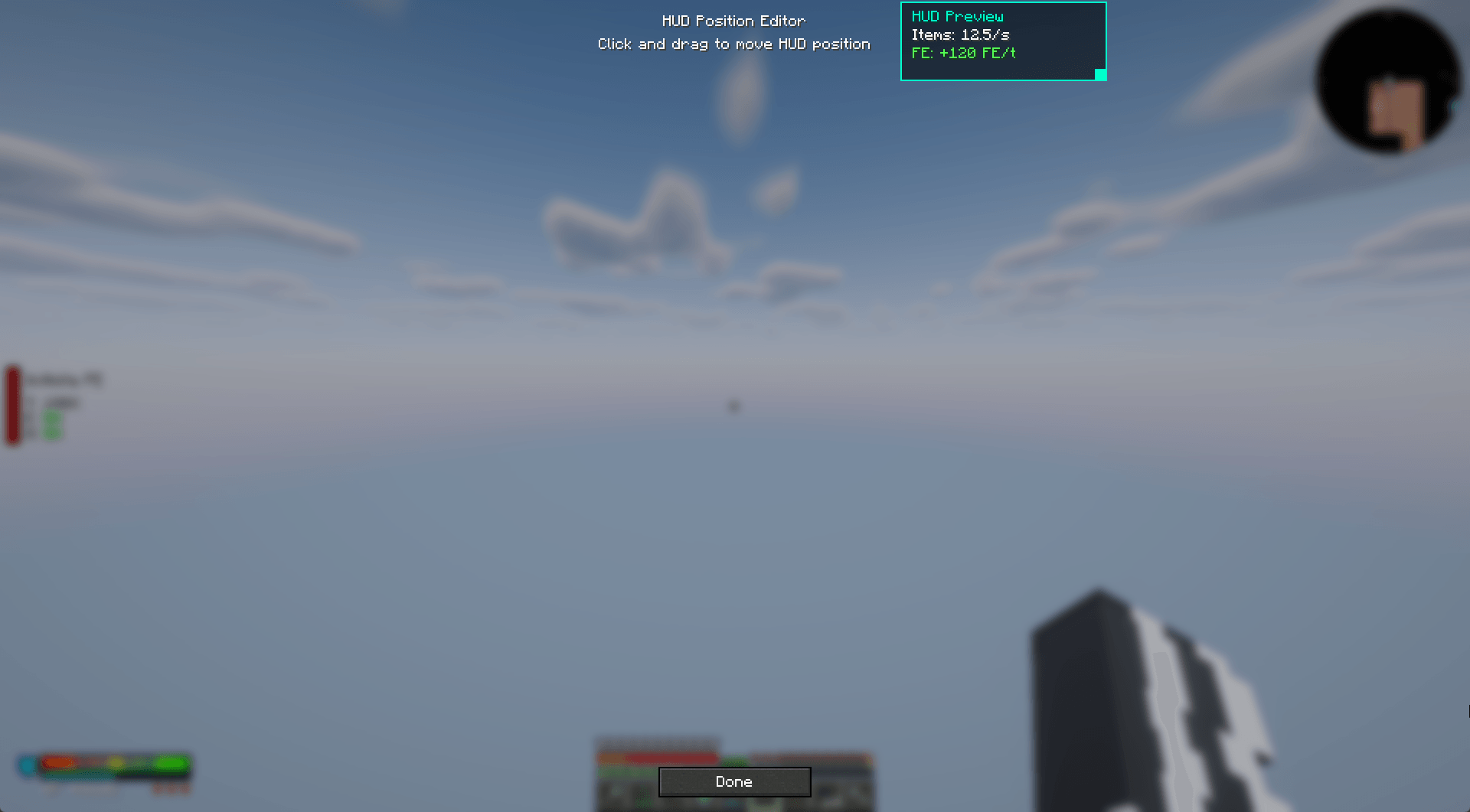 HUD Position Editor Drag and drop to place the HUD anywhere on screen
 -
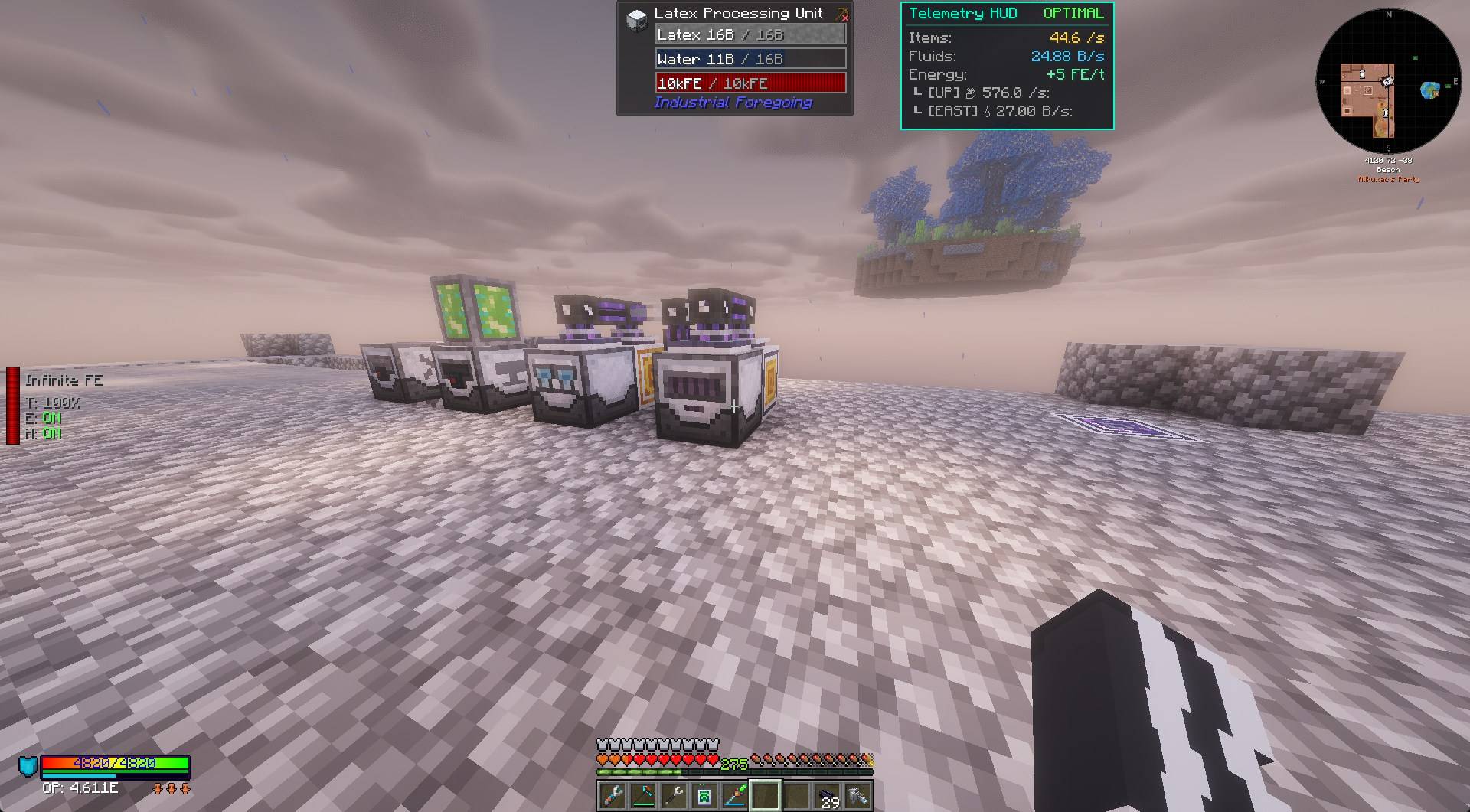 Fluid & Energy Tracking Monitors liquid flow rates, energy usage, and tank metrics
 -
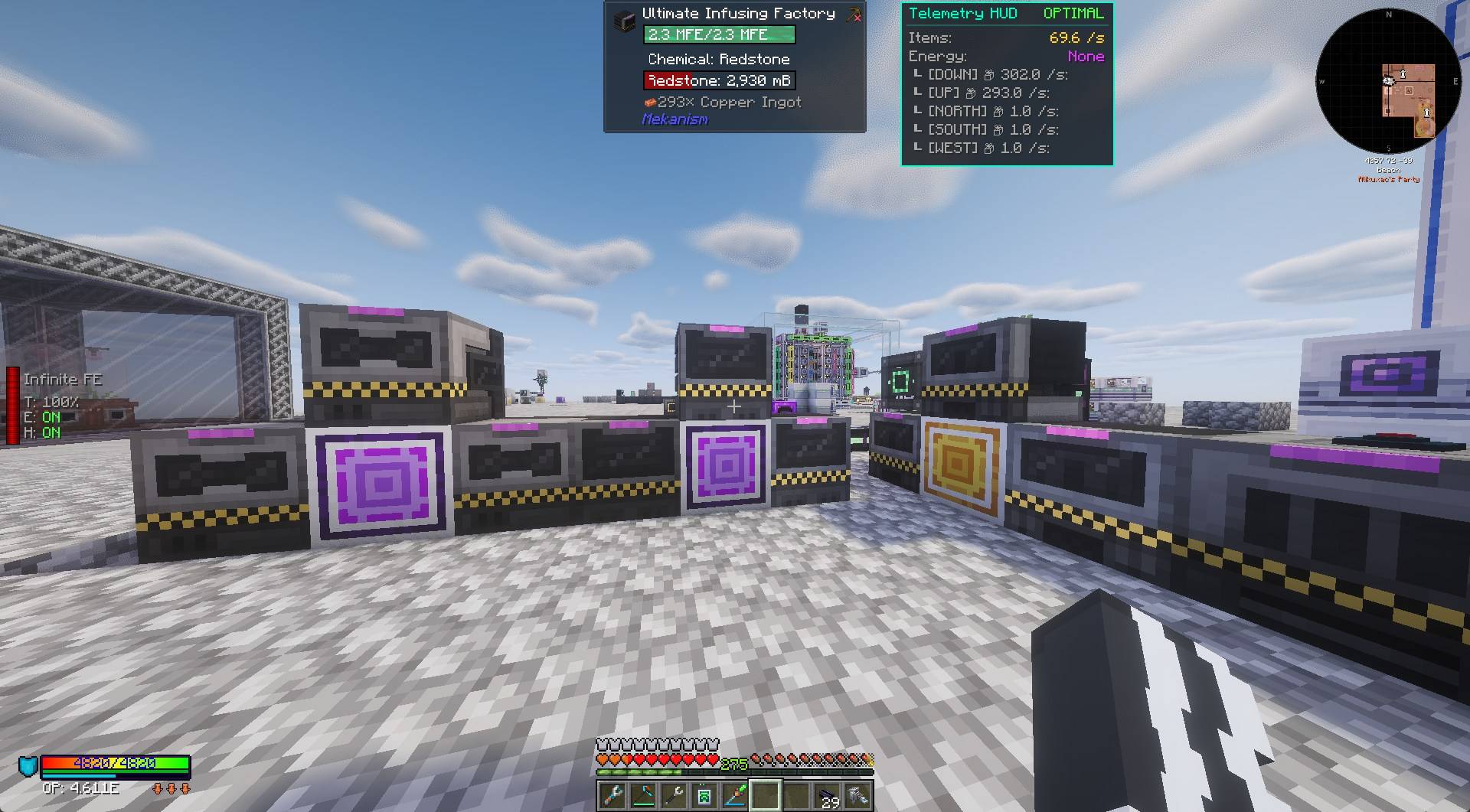 Throughput Diagnostics Real-time machine status and per-side item transfer rates
 -
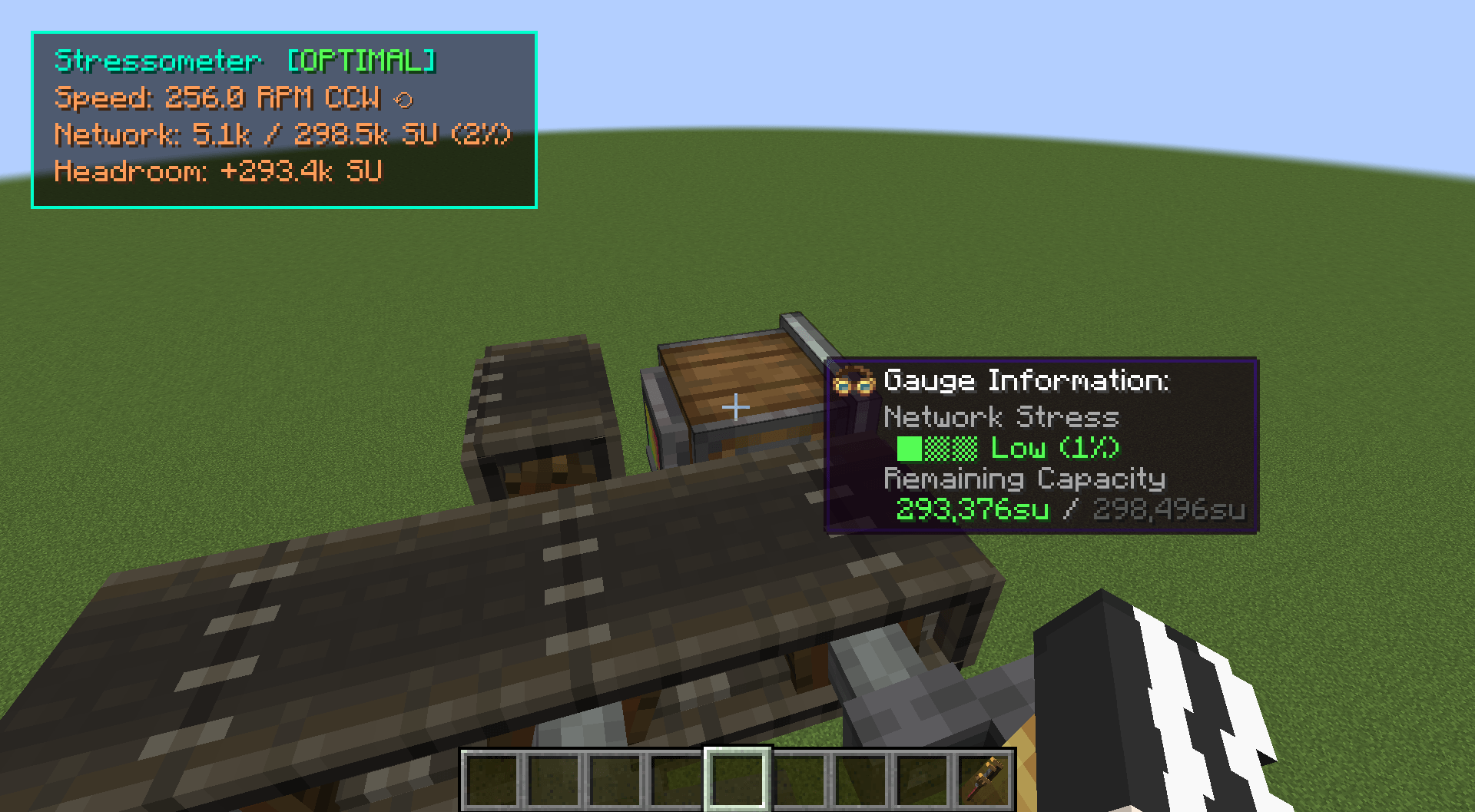 Create Integration Create integration
 -
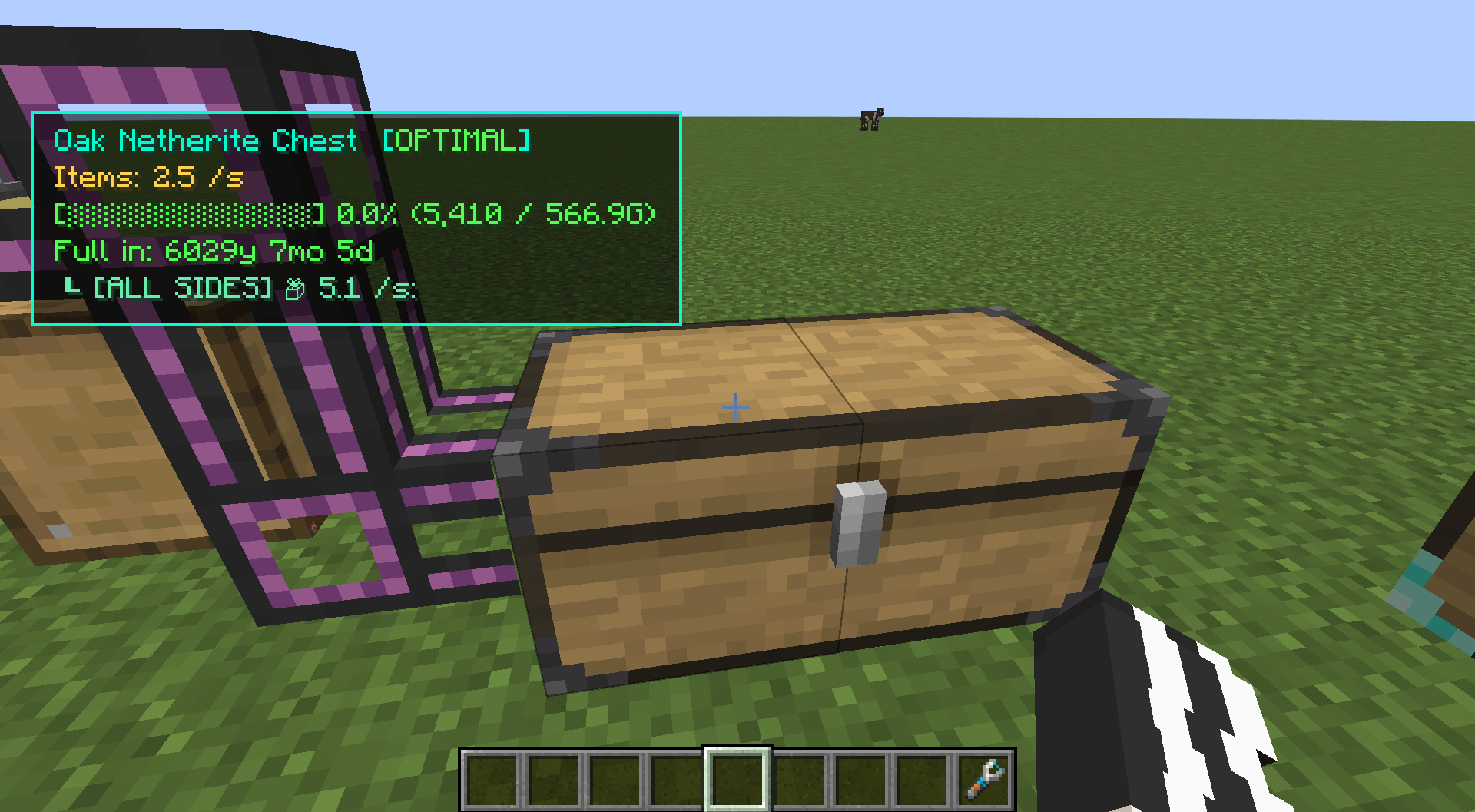 Storage tracking
Versions
Files
Relations
Project Relations
More like this
Similar Mods
Suggestions use data such as tags, dependencies, dependents, descriptions, titles, and more to rank how much they overlap with this mod.
On ModDex
Community snapshot
By the numbers
Statistics

Get it on
Available Platforms
On ModDex
Community snapshot
By the numbers