Community listing page, reviews here may not be monitored by the author.
Macro Deck (Keybind / Shortcut)

No reviews yet
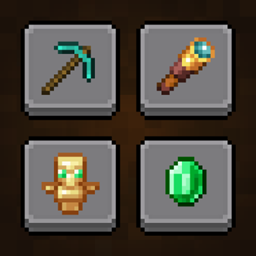
A deck of fifteen macro keys: send chat messages and commands in one click
Community voices
Reviews
No reviews yet. Be the first to review this project!
Get it on
Available Platforms
About
Project Details
For authors
Embed Badge
If you're the author of this project, you can embed a live badge anywhere that supports HTML or Markdown. It updates automatically whenever ratings change.
Use HTML for any page that supports it, or Markdown for README files and Markdown-based descriptions.
Identifiers
Platform IDs
Resources
External Links
About
Description


🎯 What it does (Client Side Mod)
Macro Deck puts fifteen macro keys one keypress away. Press a key, the deck opens, click a button, and your message or command is sent. No typing, no scrolling through chat history, no leaving what you were doing.
It is fully client-side: nothing to install on the server, and it works anywhere you play.
⌨️ The deck :

Fifteen keys in a five by three grid, each one sending a chat message or a command. Hover a key and its label appears under the grid, so you always know what a key does before you press it.
The key that opens the deck closes it again, and you choose what happens after a click: the deck can close right away or stay open for the next press.
✏️ Setting up a key :
Everything about a key is set from one screen:
- A label, up to 32 characters, shown when you hover the key
- A chat message or a command, your choice per key
- An icon and a colour, with a live preview of the finished key
🎨 Icons and colours :
Pick an icon from a searchable picker: every vanilla item and block, every potion effect, and the letters A to Z and digits 0 to 9 for decks organised by name or by number.
Then give the key one of eleven colours. The colour is not a flat wash over the button: it keeps the relief, the shadow and the rounded corners of the original key, so a coloured deck still looks like a deck.
💾 Your deck follows you :
The deck is saved in a plain, readable JSON file. Export writes a copy next to it, and Import opens your system's file browser so you can load a deck from another instance, another version of the mod, or a friend.
The format is the same on every version supported here, so a deck built in 1.18.2 opens in 26.2. An icon your version does not know simply leaves the key blank instead of breaking anything, and it comes back the day you open the file on a version that knows it.
⚙️ Keys and options :
- V opens and closes the deck
- B opens the configuration
- Both are rebindable from the game's own controls screen
- Choose whether a press closes the deck or leaves it open
🧩 Compatibility :
- Client-side only, works on vanilla servers
- Fabric, NeoForge and Forge
- Fabric API is required on Fabric
📦 Supported Versions :
- Fabric: 1.18.2, 1.19.2, 1.20.1, 1.21.1 to 1.21.11, 26.1, 26.1.1, 26.1.2, 26.2
- NeoForge: 1.20.1 (Forge build), 1.21.1 to 1.21.11, 26.1, 26.1.1, 26.1.2, 26.2
- Forge: 1.18.2, 1.19.2, 1.20.1, 1.21.1, 1.21.3 to 1.21.11, 26.1, 26.1.1, 26.1.2, 26.2
Created by Moubarack. All Rights Reserved
You are allowed to include this mod in Modrinth or CurseForge modpacks without asking for permission.
Redistribution of the jar files is not allowed (do not share the jar files anywhere else).

Screenshots
Gallery
Versions
Files
Relations
Project Relations
More like this
Similar Mods
Suggestions use data such as tags, dependencies, dependents, descriptions, titles, and more to rank how much they overlap with this mod.
On ModDex
Community snapshot
By the numbers
Statistics
Want to reach Minecraft players?
We're looking for a server hosting partner to feature here and other parts of the site. Interested? Send us a message!
Get in touchGet it on
Available Platforms
On ModDex
Community snapshot
By the numbers
Statistics
Resources