
Community listing page, reviews may not be monitored by the author.



Community voices
Reviews
No reviews yet. Be the first to review this project!
Get it on
Available Platforms
Compatibility
Supported Environments
Required on the server. Installing it on the client adds functionality.
About
Project Details
For authors
Embed Badge
If you're the author of this project, you can embed a live badge anywhere that supports HTML or Markdown. It updates automatically whenever ratings change.
Use HTML for any page that supports it, or Markdown for README files and Markdown-based descriptions.
Identifiers
Platform IDs
About
Description
MakeLag
Ever wanted to feel that one friends lag? Wait no more.
With MakeLag you can artificially create lag!
Simply just run this one command on a hosted server, an Essential Mod world, or an e4mc world and enjoy yourself some lag: /makelag start.
The lag will increase gradually, if you ever feel like the need to speed it up a little, use the /makelag progression skip <ticks> command and set the ticks value to something like 12000 for 10 minutes of gameplay passed, 24000 for 20 minutes passed, etc.
By default, the client-side ping display is disabled. Toggle it whenever you want using /makelag togglePingDisplay. This will toggle it for all players.
Features
- Client-side ping display - displays ping above player's display name.
- Server-side artificial lag - delay, random teleports, dropped packets and surprises without needing client mods.
- Progression system - create "lag over time" effects instead of settings values manually.
- Lightweight and server-only - only needed on the server, optional client install adds ping display only.
Commands
/makelag start- Starts making lag using the currently loaded progression./makelag togglePingDisplay- Toggle the above nameplate ping display for all clients with this mod./makelag progression pause- Pauses the currently loaded progression, removes the lag until resumed./makelag progression resume- Resumes the currently loaded progression./makelag progression load <id>- Loads the progression with the passed in id./makelag progression tick <tick>- Sets the tick of the progression to the passed in tick./makelag progression skip <ticks>- Skips the progression tick by the specified ticks amount./makelag progression tickRate <rate>- Sets the tick rate, this means that every normal tick, the progression tick will be incremented by the tick rate./makelag state <player> <module> <key> <value>- Sets the passed in key of the specified module to the passed in value for the specified player./makelag config <key> <value>- Sets the specified key to the passed in value for all players.
Configuration
See CONFIGURATION.md
Notes
- This mod probably won't be ported to any other version/loader unless somebody decides to spend their time to contribute to this project.


FAQ
Does this lag my entire computer?
no
How much sanity have you lost while making this mod?
MakeLag
Ever wanted to feel that one friends lag? Wait no more.
With MakeLag you can artificially create lag!
Simply just run this one command on a hosted server, an Essential Mod world, or an e4mc world and enjoy yourself some lag: /makelag start.
The lag will increase gradually, if you ever feel like the need to speed it up a little, use the /makelag progression skip <ticks> command and set the ticks value to something like 12000 for 10 minutes of gameplay passed, 24000 for 20 minutes passed, etc.
By default, the client-side ping display is disabled. Toggle it whenever you want using /makelag togglePingDisplay. This will toggle it for all players.
Features
- Client-side ping display - displays ping above player's display name.
- Server-side artificial lag - delay, random teleports, dropped packets and surprises without needing client mods.
- Progression system - create "lag over time" effects instead of settings values manually.
- Lightweight and server-only - only needed on the server, optional client install adds ping display only.
Commands
/makelag start- Starts making lag using the currently loaded progression./makelag togglePingDisplay- Toggle the above nameplate ping display for all clients with this mod./makelag progression pause- Pauses the currently loaded progression, removes the lag until resumed./makelag progression resume- Resumes the currently loaded progression./makelag progression load <id>- Loads the progression with the passed in id./makelag progression tick <tick>- Sets the tick of the progression to the passed in tick./makelag progression skip <ticks>- Skips the progression tick by the specified ticks amount./makelag progression tickRate <rate>- Sets the tick rate, this means that every normal tick, the progression tick will be incremented by the tick rate./makelag state <player> <module> <key> <value>- Sets the passed in key of the specified module to the passed in value for the specified player./makelag config <key> <value>- Sets the specified key to the passed in value for all players.
Configuration
See CONFIGURATION.md
Notes
- This mod probably won't be ported to any other version/loader unless somebody decides to spend their time to contribute to this project.
FAQ
Does this lag my entire computer?
no
How much sanity have you lost while making this mod?
Screenshots
Gallery
-
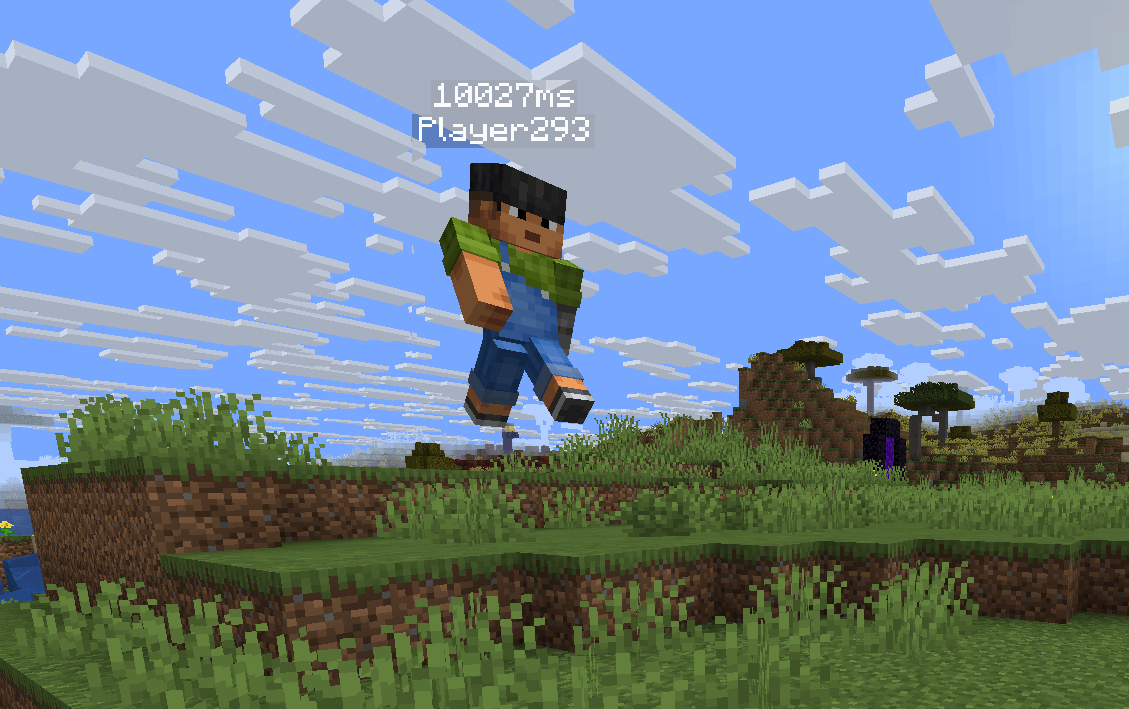 Lagger player Lagged player stuck in the air
-
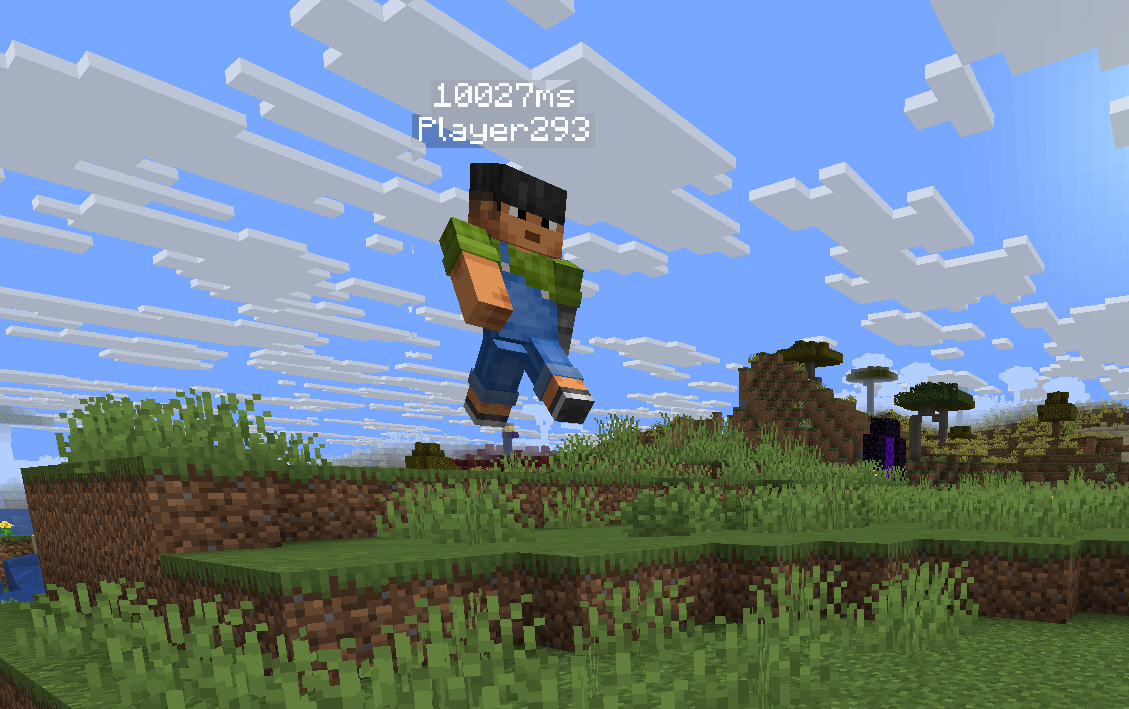 Lagged player Lagged player stuck in the air
Versions
Files
Relations
Project Relations
More like this
Similar Mods
Suggestions use data such as tags, dependencies, dependents, descriptions, titles, and more to rank how much they overlap with this mod.
On ModDex
Community snapshot
By the numbers
Statistics

Get it on
Available Platforms
On ModDex
Community snapshot
By the numbers