Community listing page, reviews here may not be monitored by the author.


Community voices
Reviews
No reviews yet. Be the first to review this project!
Get it on
Available Platforms
Compatibility
Supported Environments
Runs entirely on the client. Works on vanilla servers.
About
Project Details
For authors
Embed Badge
If you're the author of this project, you can embed a live badge anywhere that supports HTML or Markdown. It updates automatically whenever ratings change.
Use HTML for any page that supports it, or Markdown for README files and Markdown-based descriptions.
Identifiers
Platform IDs
Resources
External Links
About
Description
Features
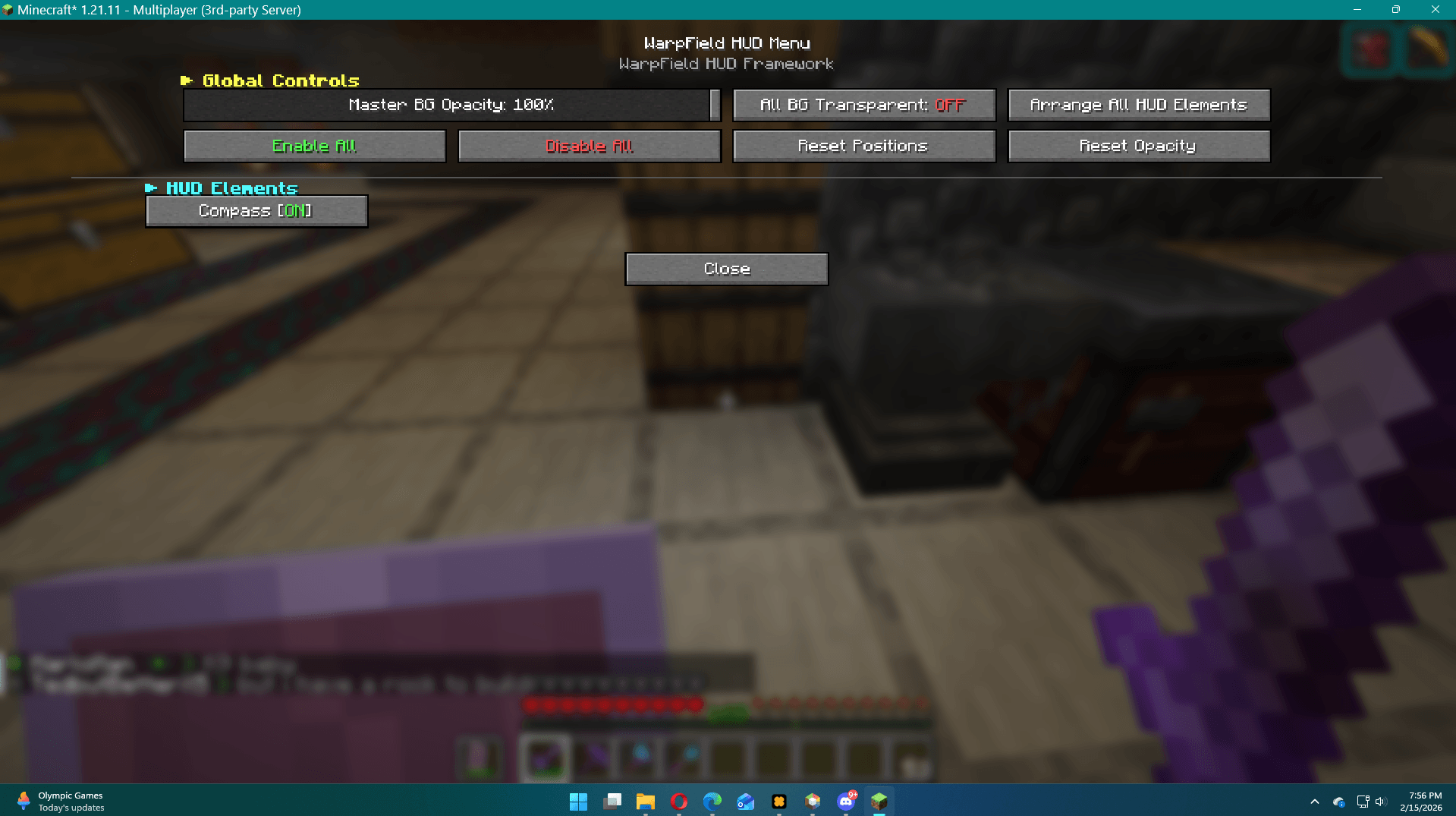
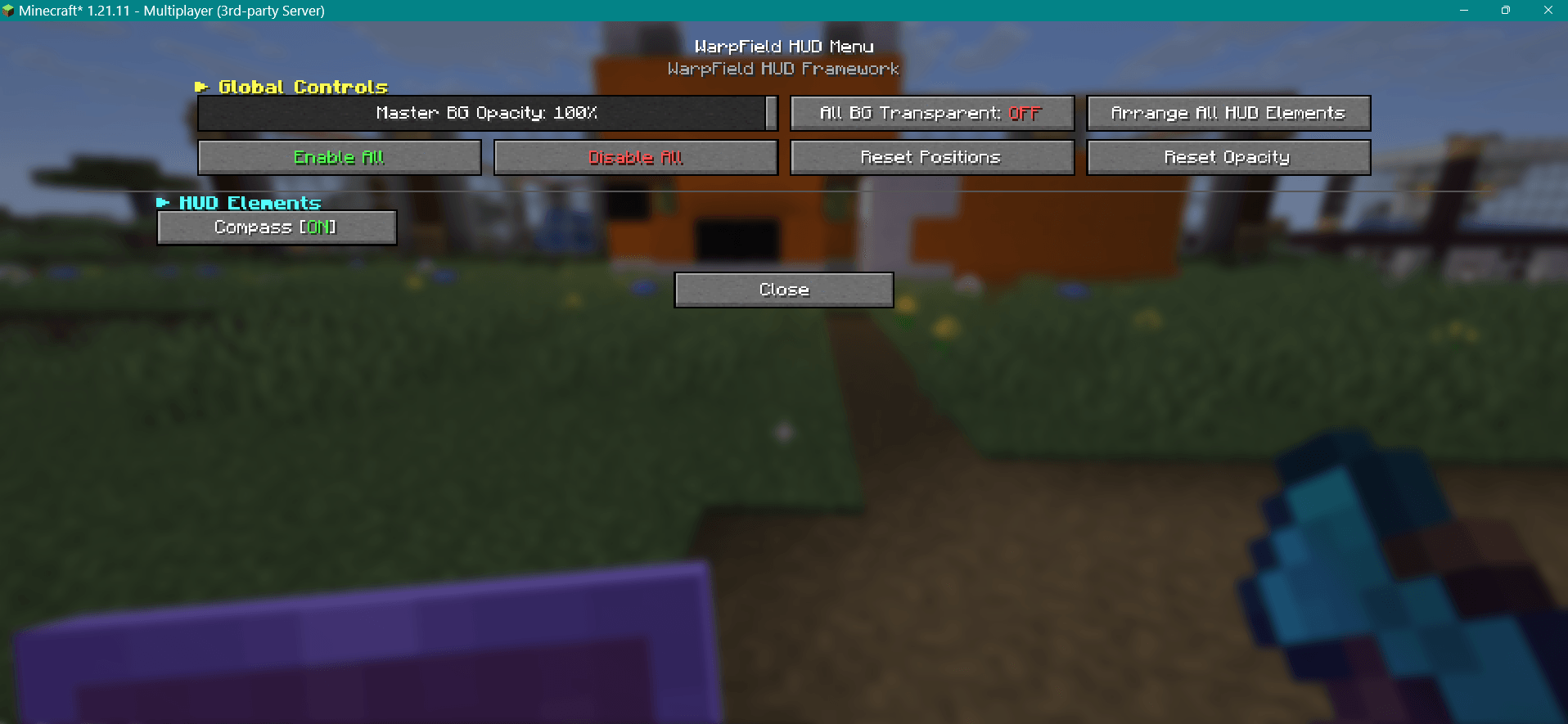
- Drag-and-drop HUD positioning -- press F8 to open the HUD menu, then move any element anywhere on screen
- Per-element transparency controls -- adjust background and foreground opacity independently for every HUD element
- Master opacity -- one slider to scale the transparency of everything at once
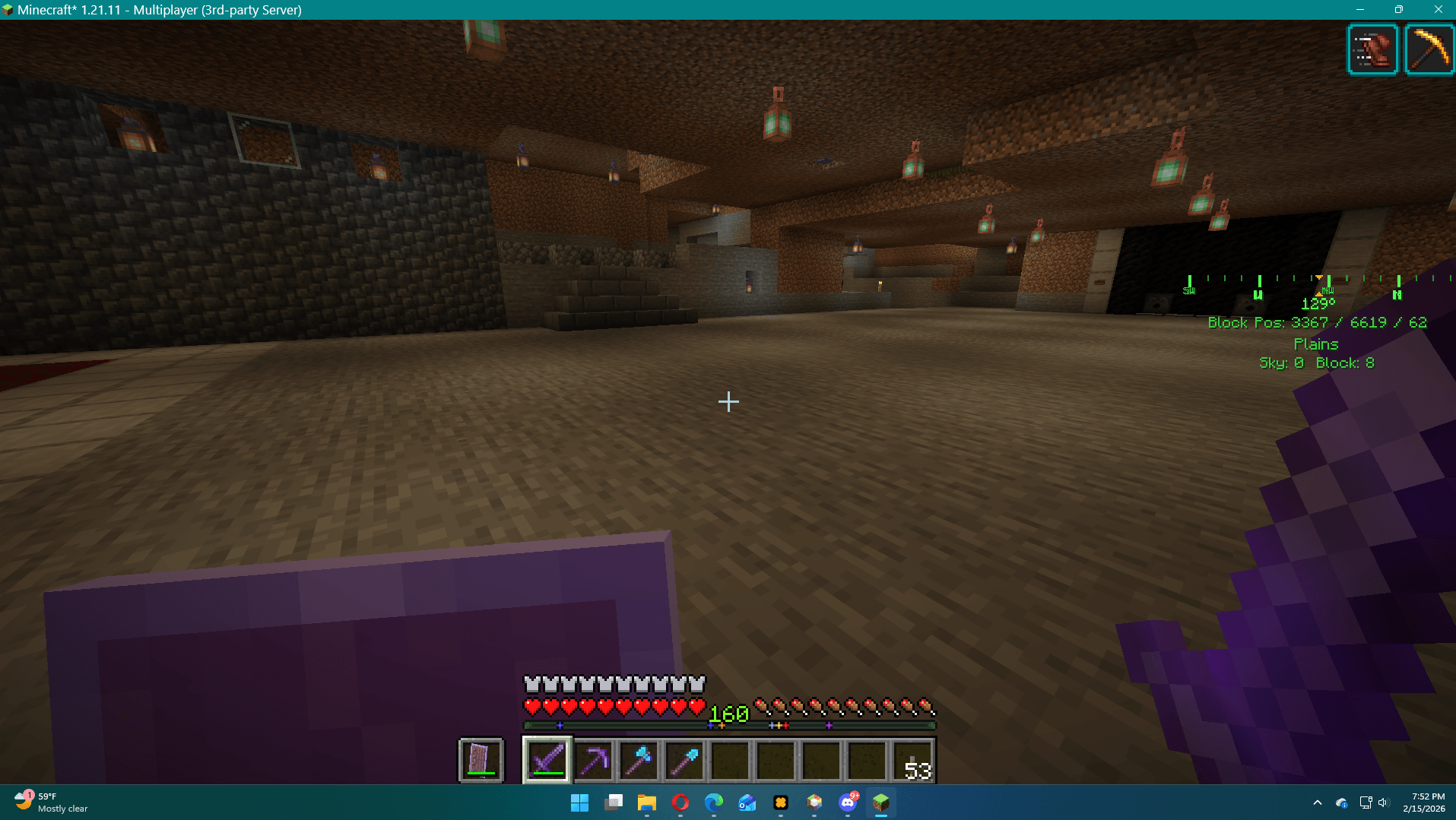
- Color themes -- choose from preset color palettes for compass foreground, background, and crosshair elements
- Smart settings -- controls that don't apply to an element (like background opacity on the crosshair) are automatically grayed out so you're never guessing
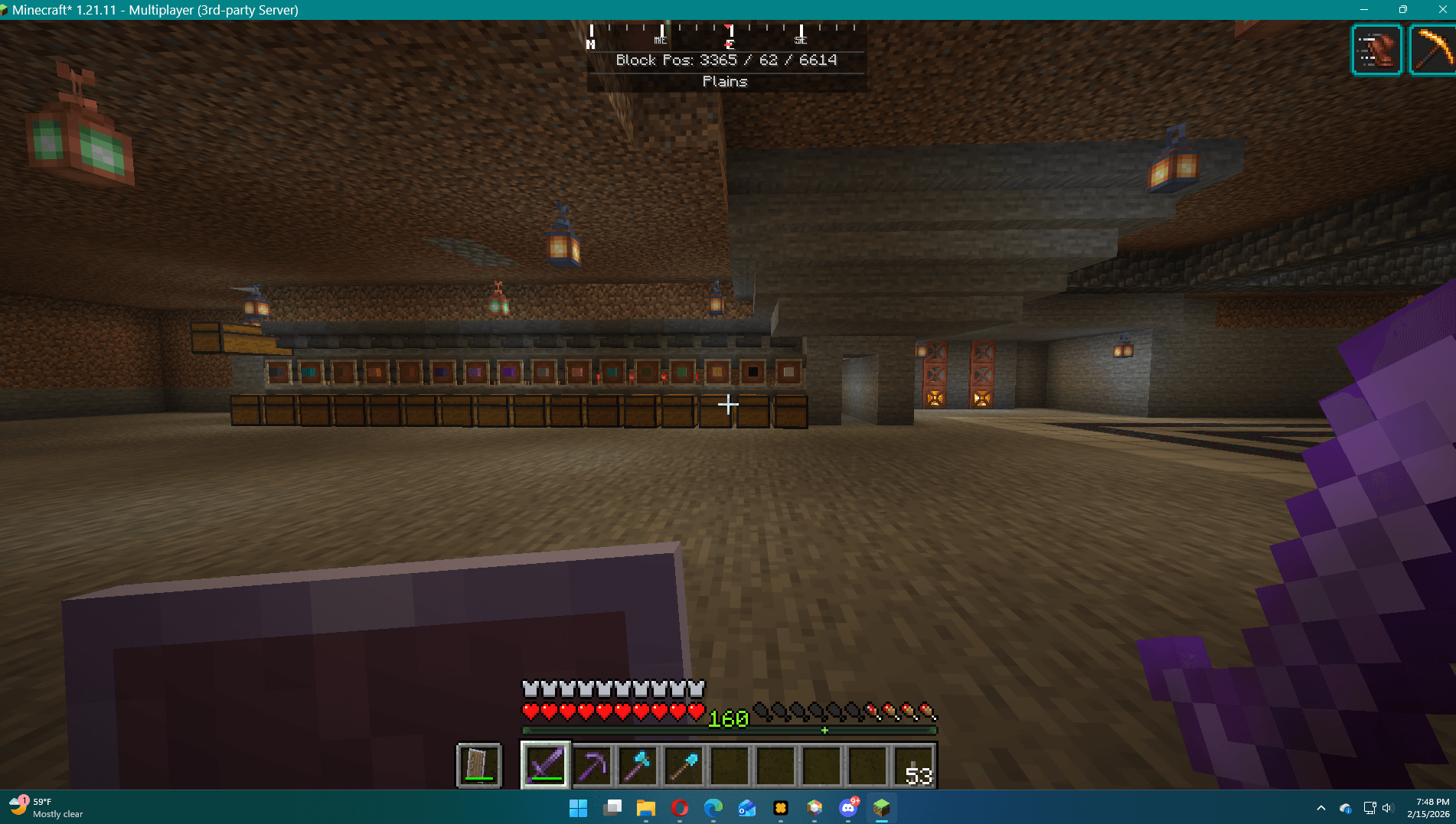
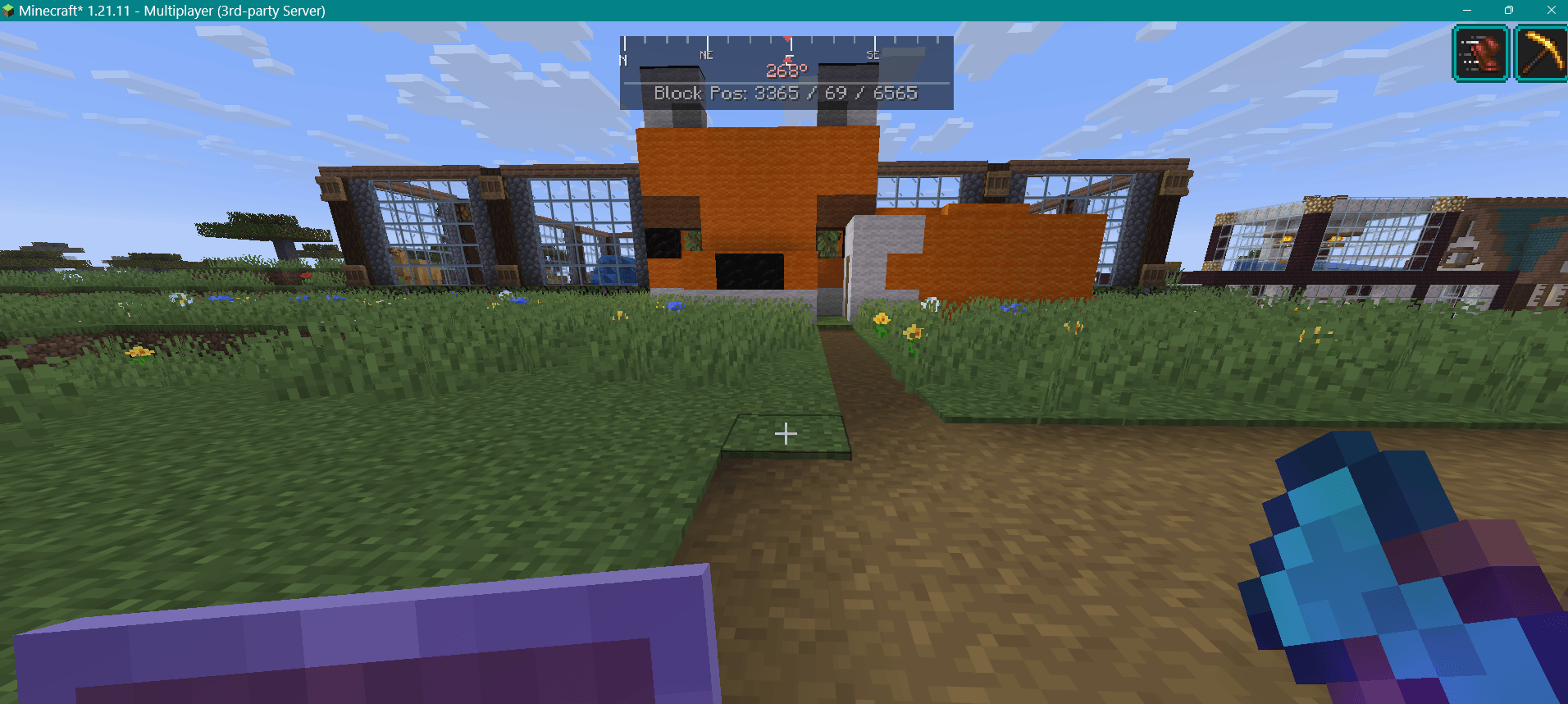
- Built-in compass -- a clean, minimal heading compass with cardinal/intercardinal markers and a numeric degree readout
- Player markers -- see other players on your compass strip as colored glyphs (players must be within your chunk simulation distance)
- Player tracking -- cycle through all online players on the server and track a specific one with a highlighted marker
- Dynamic crosshair -- a customizable crosshair overlay with 5 shapes (Cross, Dot, Circle, Chevron, T-Shape), adjustable geometry, independent center dot, hit indicator flash, and idle fade
- Spread indicator -- smooth animated crosshair spread that reacts to sprinting, sneaking, and attack cooldown
- Movement indicator -- on-screen display showing your current movement state (Sprinting, Sneaking, Flying, Swimming, Gliding) with individually toggleable states and optional text labels
- Status bars -- durability bars for equipped armor and held items, plus active potion effects with timer and amplifier display; supports bar-only, text-only, or combined display in vertical or horizontal orientation with auto-gradient coloring and low-durability flash
- HUD profiles -- save, load, and cycle named profiles; auto-load per server
- Import/Export -- share your full HUD layout as a single .warpfield file
How to Use
- Install Fabric Loader and Fabric API for 1.21.11
- Drop
warpfield-1.4.0.jarinto your mods folder - Launch the game and press F8 to open the Warp Field menu
- From there you can:
- Toggle elements on/off
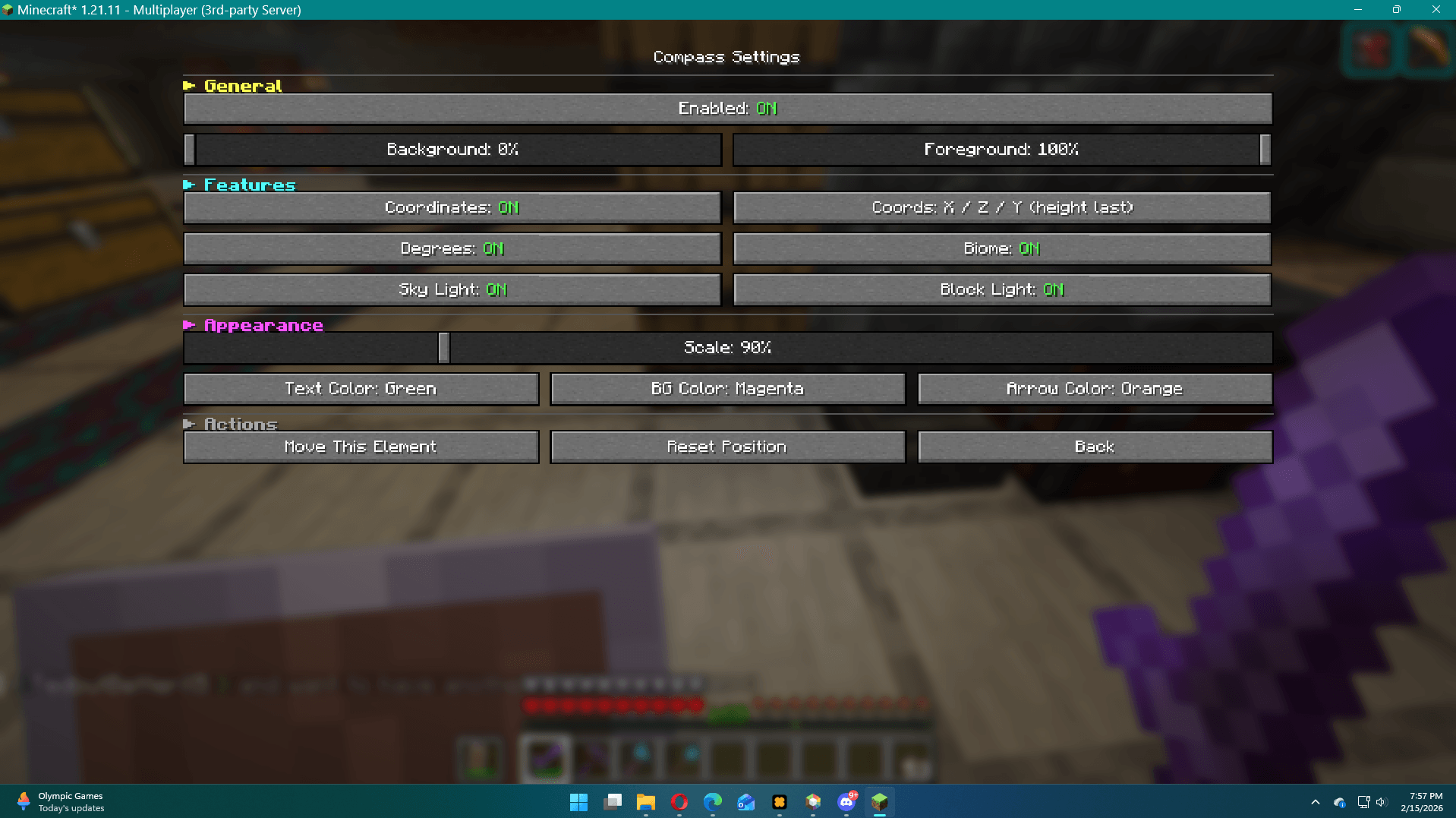
- Open per-element settings to tweak opacity, colors, and behavior
- Enter "Arrange All" mode to drag elements around your screen
- Click any single element to move just that one
Compass Details
- Displays your facing direction with a smooth scrolling strip
- Shows N, NE, E, SE, S, SW, W, NW markers with a pointed center indicator
- Numeric heading in degrees below the strip
- Adjustable background and foreground transparency via settings
- Player markers render as colored glyphs for nearby players
- Track Player button cycles through all online players (uses the server player list, not just render distance)
Crosshair Details
- Replaces the vanilla crosshair with a fully configurable overlay
- Adjust line length, thickness, gap, and color
- Optional center dot
- Spread animation reacts smoothly to movement state and attack cooldown
- Always centered -- not affected by HUD repositioning
Movement Indicator Details
- Shows your current movement state as colored on-screen labels
- Supported states: Sprinting, Sneaking, Flying, Swimming, Gliding
- Each state can be individually toggled on/off
- Optional text labels with adjustable scale
- Repositionable and scalable like all WarpField elements
Status Bars Details
- Displays durability bars for helmet, chestplate, leggings, boots, and held items
- Shows active potion effects with remaining duration countdown
- Gradient-colored bars shift from green to yellow to red as durability/duration decreases
- Each armor slot and potion display can be individually toggled
- Configurable low-durability warning threshold
Info
- Client-side only -- no server installation needed, safe for multiplayer
- Lightweight -- no dependencies beyond Fabric API
- Configurable -- all settings persist in
config/warpfield/as JSON files
Features
- Drag-and-drop HUD positioning -- press F8 to open the HUD menu, then move any element anywhere on screen
- Per-element transparency controls -- adjust background and foreground opacity independently for every HUD element
- Master opacity -- one slider to scale the transparency of everything at once
- Color themes -- choose from preset color palettes for compass foreground, background, and crosshair elements
- Smart settings -- controls that don't apply to an element (like background opacity on the crosshair) are automatically grayed out so you're never guessing
- Built-in compass -- a clean, minimal heading compass with cardinal/intercardinal markers and a numeric degree readout
- Player markers -- see other players on your compass strip as colored glyphs (players must be within your chunk simulation distance)
- Player tracking -- cycle through all online players on the server and track a specific one with a highlighted marker
- Dynamic crosshair -- a customizable crosshair overlay with 5 shapes (Cross, Dot, Circle, Chevron, T-Shape), adjustable geometry, independent center dot, hit indicator flash, and idle fade
- Spread indicator -- smooth animated crosshair spread that reacts to sprinting, sneaking, and attack cooldown
- Movement indicator -- on-screen display showing your current movement state (Sprinting, Sneaking, Flying, Swimming, Gliding) with individually toggleable states and optional text labels
- Status bars -- durability bars for equipped armor and held items, plus active potion effects with timer and amplifier display; supports bar-only, text-only, or combined display in vertical or horizontal orientation with auto-gradient coloring and low-durability flash
- HUD profiles -- save, load, and cycle named profiles; auto-load per server
- Import/Export -- share your full HUD layout as a single .warpfield file
How to Use
- Install Fabric Loader and Fabric API for 1.21.11
- Drop
warpfield-1.4.0.jarinto your mods folder - Launch the game and press F8 to open the Warp Field menu
- From there you can:
- Toggle elements on/off
- Open per-element settings to tweak opacity, colors, and behavior
- Enter "Arrange All" mode to drag elements around your screen
- Click any single element to move just that one
Compass Details
- Displays your facing direction with a smooth scrolling strip
- Shows N, NE, E, SE, S, SW, W, NW markers with a pointed center indicator
- Numeric heading in degrees below the strip
- Adjustable background and foreground transparency via settings
- Player markers render as colored glyphs for nearby players
- Track Player button cycles through all online players (uses the server player list, not just render distance)
Crosshair Details
- Replaces the vanilla crosshair with a fully configurable overlay
- Adjust line length, thickness, gap, and color
- Optional center dot
- Spread animation reacts smoothly to movement state and attack cooldown
- Always centered -- not affected by HUD repositioning
Movement Indicator Details
- Shows your current movement state as colored on-screen labels
- Supported states: Sprinting, Sneaking, Flying, Swimming, Gliding
- Each state can be individually toggled on/off
- Optional text labels with adjustable scale
- Repositionable and scalable like all WarpField elements
Status Bars Details
- Displays durability bars for helmet, chestplate, leggings, boots, and held items
- Shows active potion effects with remaining duration countdown
- Gradient-colored bars shift from green to yellow to red as durability/duration decreases
- Each armor slot and potion display can be individually toggled
- Configurable low-durability warning threshold
Info
- Client-side only -- no server installation needed, safe for multiplayer
- Lightweight -- no dependencies beyond Fabric API
- Configurable -- all settings persist in
config/warpfield/as JSON files
Screenshots
Gallery
-
 Screenshot 2026-02-15 194900.png Screenshot 2026-02-15 194900.png
 -
 Screenshot 2026-02-15 195700.png Screenshot 2026-02-15 195700.png
 -
 Screenshot 2026-02-15 195711.png Screenshot 2026-02-15 195711.png
 -
 Screenshot 2026-02-15 125004.png Screenshot 2026-02-15 125004.png
 -
 Screenshot 2026-02-15 125017.png Screenshot 2026-02-15 125017.png
 -
 Screenshot 2026-02-15 195026.png Screenshot 2026-02-15 195026.png
 -
 Screenshot 2026-02-15 195239.png Screenshot 2026-02-15 195239.png
 -
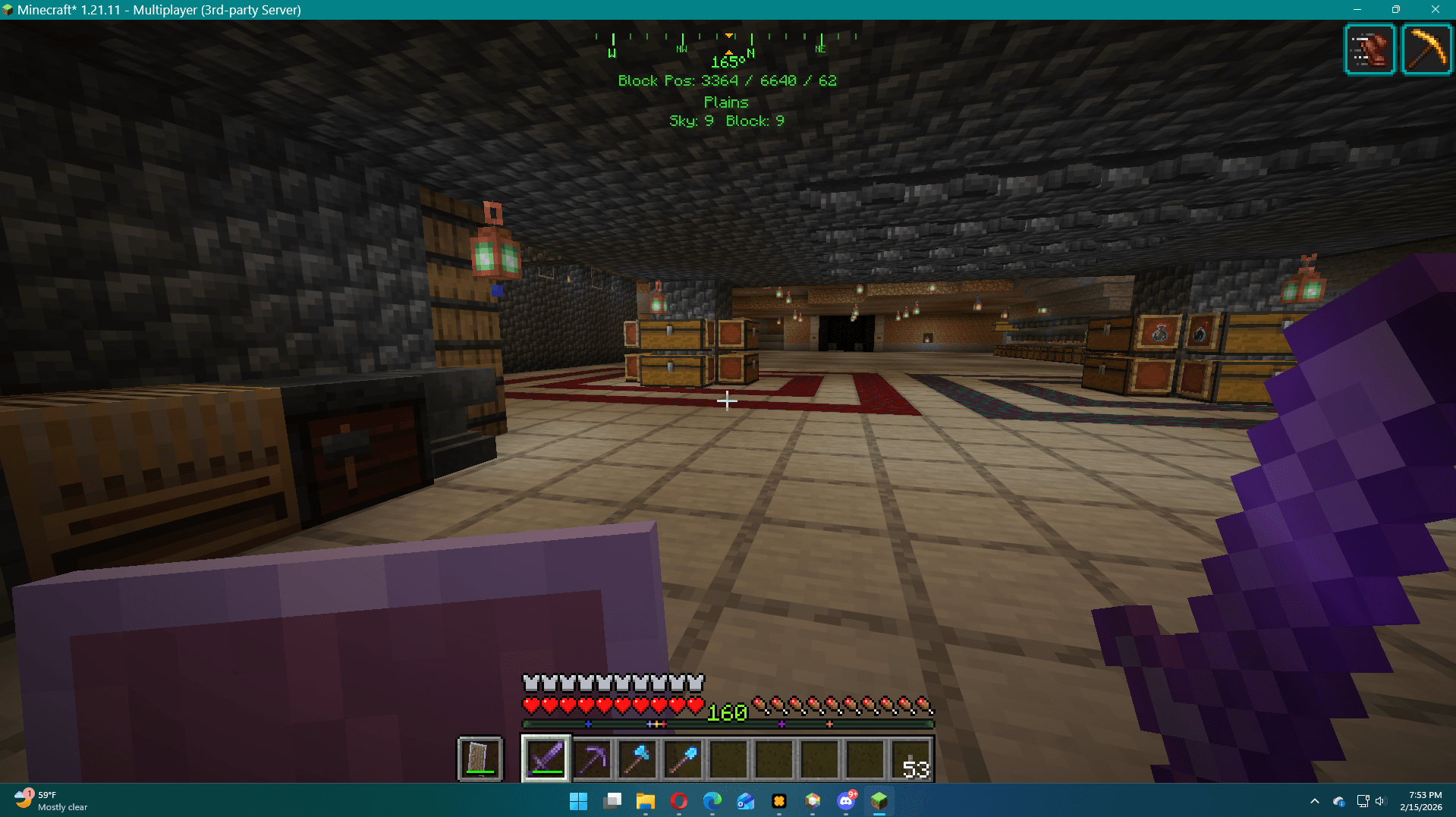 Screenshot 2026-02-15 195349.png Screenshot 2026-02-15 195349.png
-
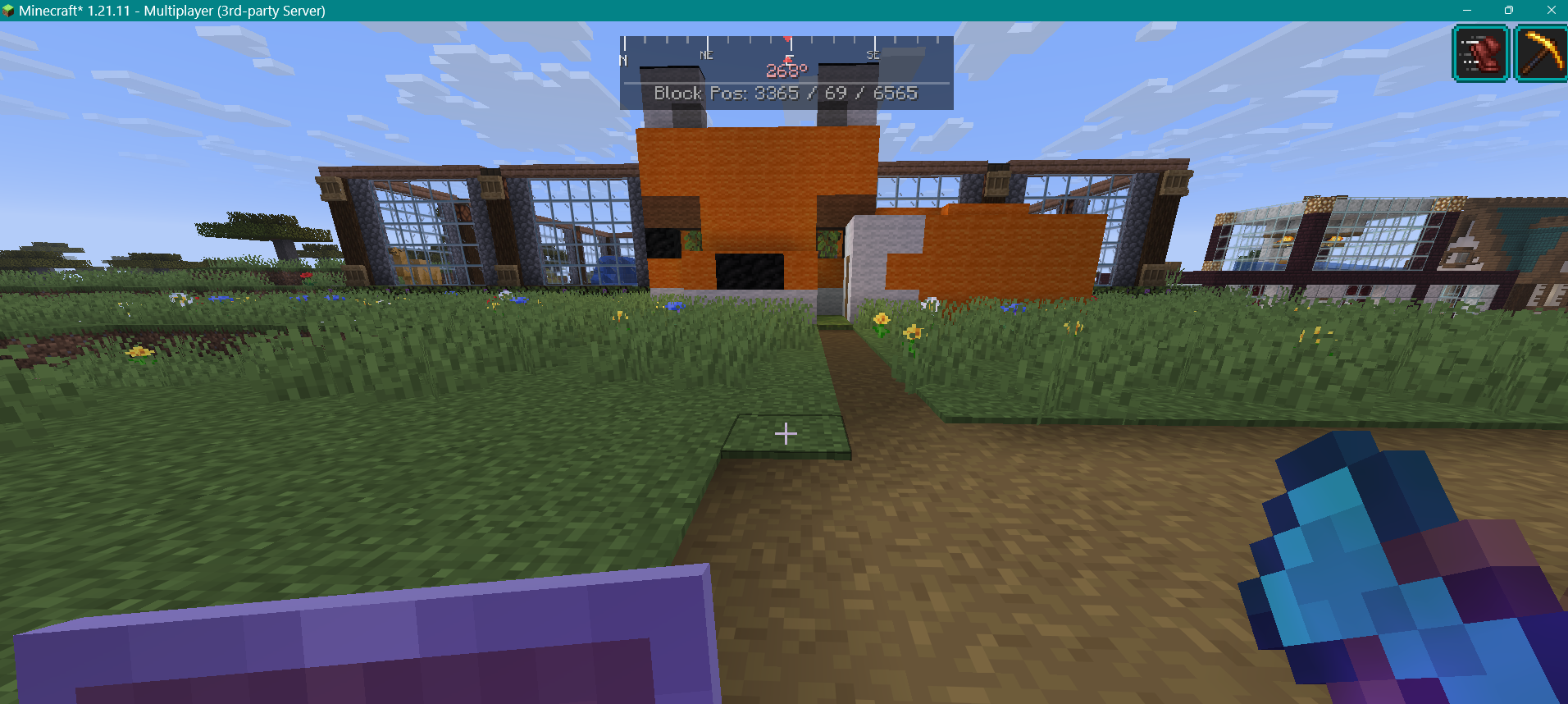 Compass HUD in-game The Warp Field compass displaying heading and cardinal directions during gameplay.
 -
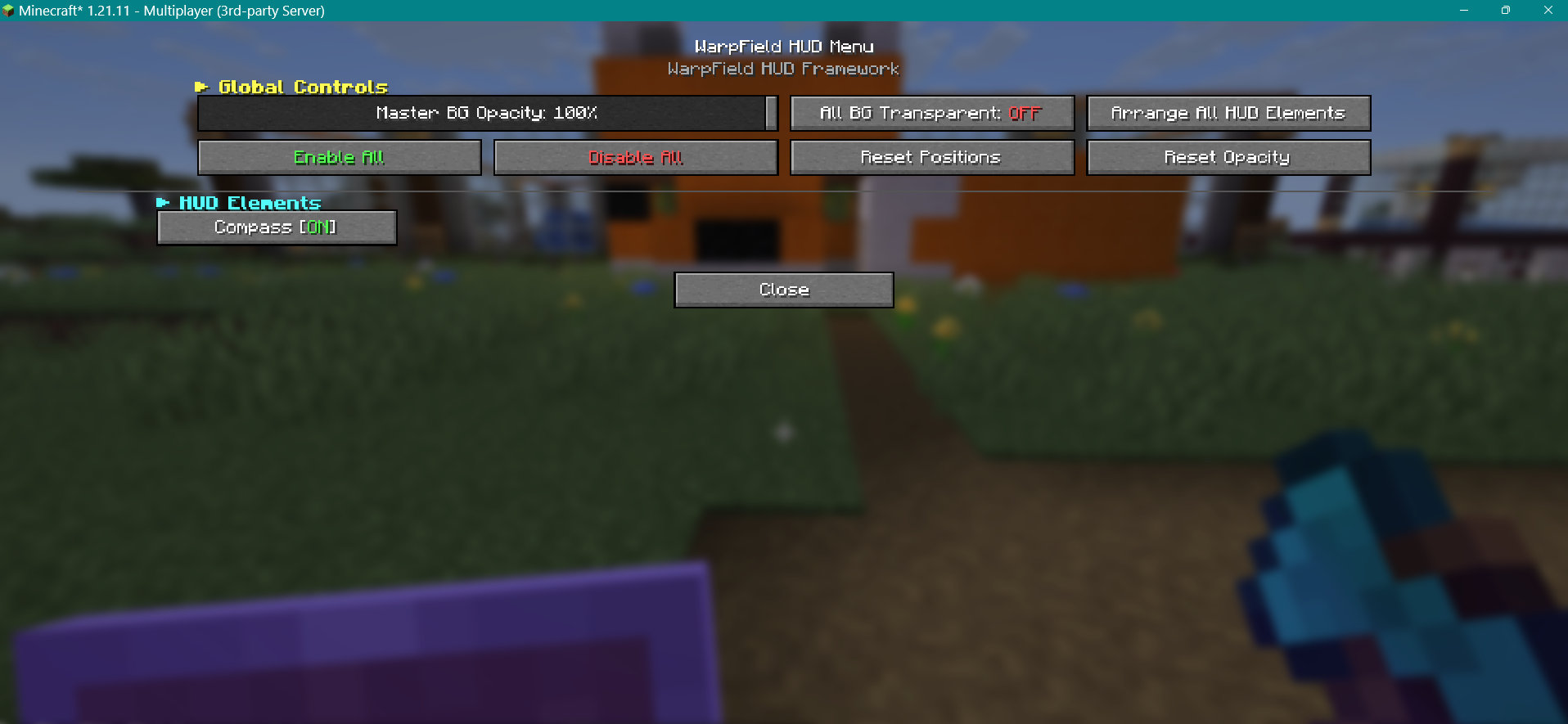 Warp Field HUD Menu (F8) The main configuration menu with global controls, master opacity, transparency toggle, and element list.
 -
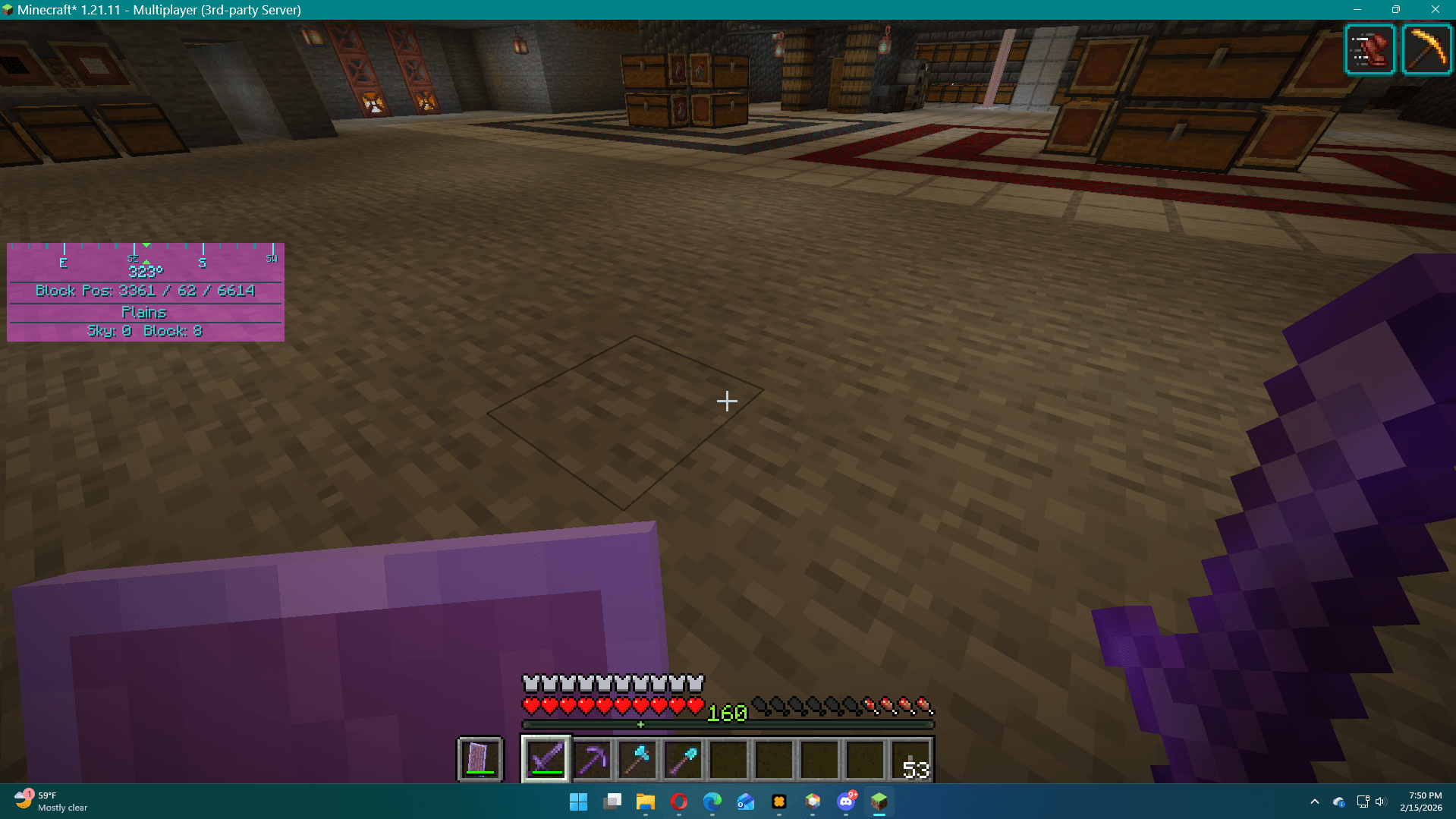
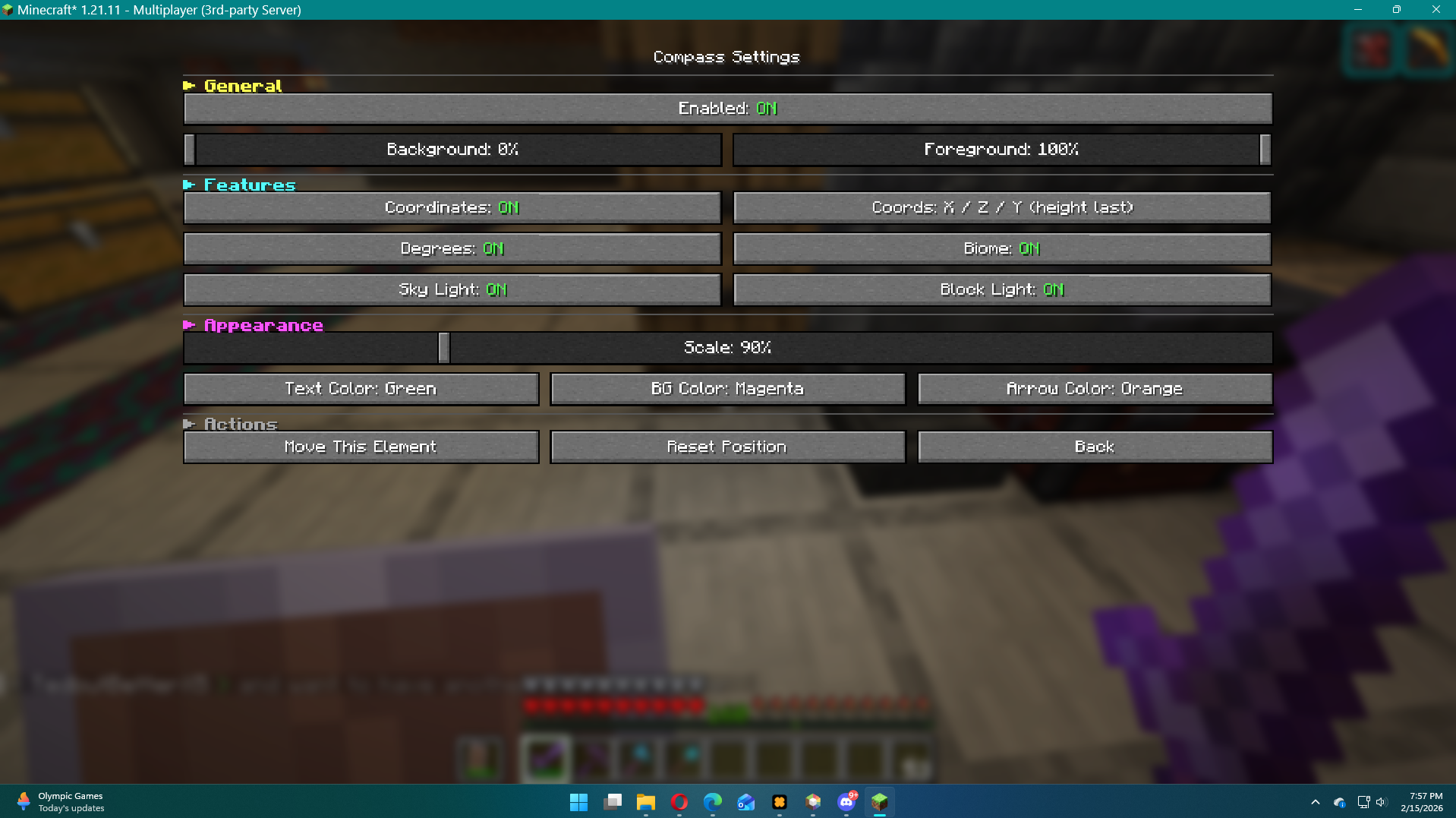 Compass Settings Settings for the Compass module.
 -
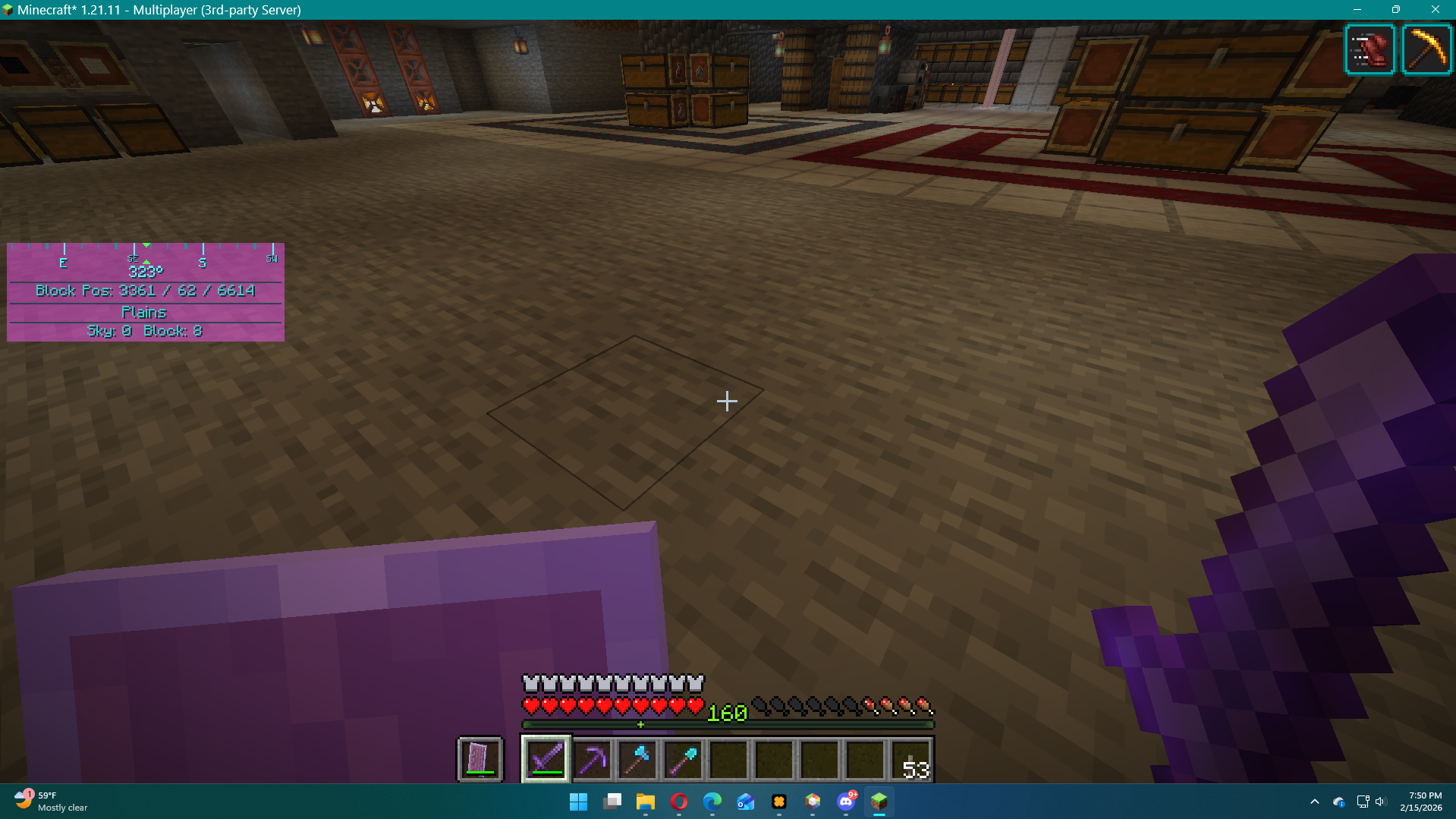 Colored Compass Window Color the compass window as you see fit!
Versions
Files
Relations
Project Relations
More like this
Similar Mods
Suggestions use data such as tags, dependencies, dependents, descriptions, titles, and more to rank how much they overlap with this mod.
On ModDex
Community snapshot
By the numbers
Statistics
Want to reach Minecraft players?
We're looking for a server hosting partner to feature here and other parts of the site. Interested? Send us a message!
Get in touchGet it on
Available Platforms
On ModDex
Community snapshot
By the numbers
Statistics
Resources