
Community listing page, reviews here may not be monitored by the author.
MakeMeVtuber

No reviews yet
A lightweight client-side mod for Minecraft 1.21.1 Transform your player into a VTuber-style avatar with a single command.
Community voices
Reviews
No reviews yet. Be the first to review this project!
Get it on
Available Platforms
About
Project Details
For authors
Embed Badge
If you're the author of this project, you can embed a live badge anywhere that supports HTML or Markdown. It updates automatically whenever ratings change.
Use HTML for any page that supports it, or Markdown for README files and Markdown-based descriptions.
Identifiers
Platform IDs
Resources
External Links
About
Description
MakeMeVtuber
Transform your Minecraft player into a VTuber-style avatar with a single command.
What does it do?
MakeMeVtuber opens a separate render window that displays your player model on a chromakey background — ready for OBS or any streaming software. The camera follows your head, the mouth moves with your microphone, and everything is customizable.
Features
- VTuber avatar window — renders your player model in a separate window with green/blue/transparent background
- Microphone lip-sync — mouth opens in real-time based on your mic volume
- Spring camera — smooth camera that follows your head rotation
- Chromakey backgrounds — green, blue, or transparent (experimental)
- Customizable mouth — adjust position, size, threshold, gain, and intensity
- Dither fade — body parts dissolve when looking down to keep focus on the face
- Lightweight — runs on a separate thread, minimal FPS impact
How to use
- Install the mod
- Join a world
- Type
/mmvin chat - Two windows open: Preview (your avatar) and Settings (configuration)
- Capture the Preview window in OBS with Window Capture
Settings
- Chromakey — choose green, blue, or transparent background
- Microphone — select your mic device from the list
- Threshold — minimum volume to open the mouth
- Mic Gain — amplify quiet microphones
- Width / Height — mouth size
- Intensity — how wide the mouth opens
- Mouth Position — drag to place the mouth anywhere on the face
Requirements
- Minecraft 1.21.1
- Fabric Loader ≥ 0.18.4
- Fabric API
Links
- Source: GitHub
Screenshots
Gallery
-
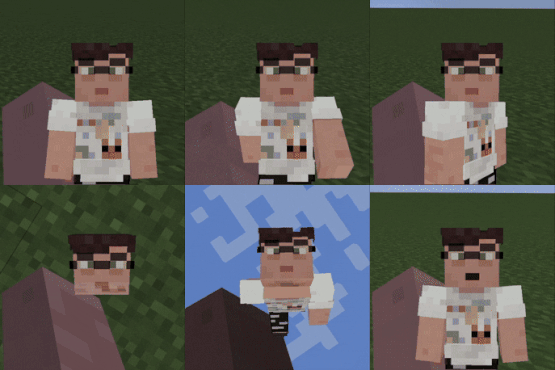 minecraftpreview-ezgif.com-resize.gif minecraftpreview-ezgif.com-resize.gif
 -
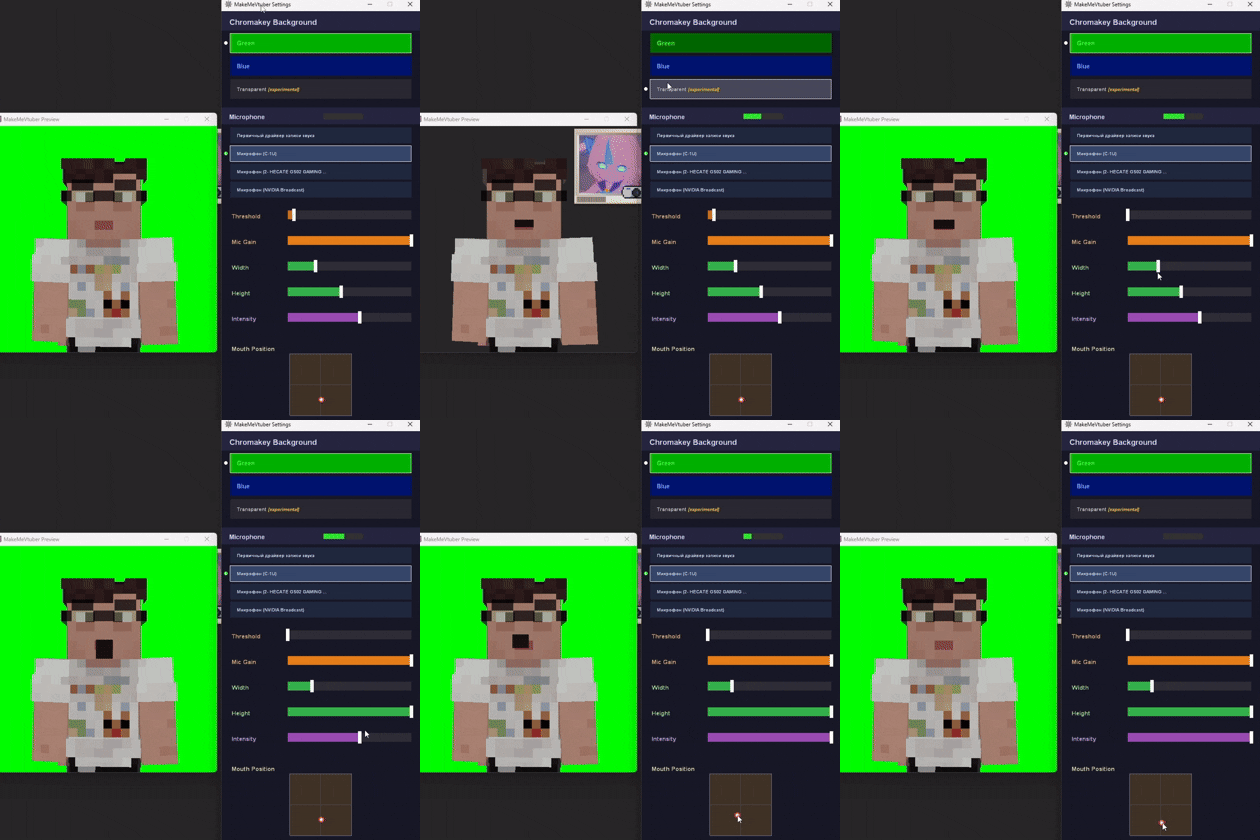 settingspreview.gif settingspreview.gif
Versions
Files
Relations
Project Relations
More like this
Similar Mods
Suggestions use data such as tags, dependencies, dependents, descriptions, titles, and more to rank how much they overlap with this mod.
On ModDex
Community snapshot
By the numbers
Statistics
Want to reach Minecraft players?
We're looking for a server hosting partner to feature here and other parts of the site. Interested? Send us a message!
Get in touchGet it on
Available Platforms
On ModDex
Community snapshot
By the numbers
Statistics
Resources