Community listing page, reviews here may not be monitored by the author.
Map Making Tools - Item Editor, Quick Builder..

No reviews yet
Edit NBT data, quickly create structures all in-game!
Community voices
Reviews
No reviews yet. Be the first to review this project!
Get it on
Available Platforms
About
Project Details
For authors
Embed Badge
If you're the author of this project, you can embed a live badge anywhere that supports HTML or Markdown. It updates automatically whenever ratings change.
Use HTML for any page that supports it, or Markdown for README files and Markdown-based descriptions.
Identifiers
Platform IDs
About
Description
Map Making Tools
All this mod does is allow you to edit things that are in vanilla minecraft and makes it easier and faster to create the world you desire. So this means any changes you make with the mod will persist when you remove the mod. Please note this mod is a Work in Progress to get it back to the days of old!
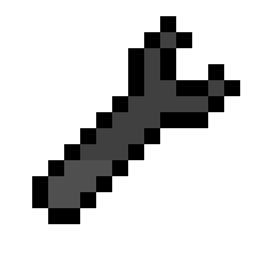
The mod revolves around the 'M' key and the Wrench item. You can obtain the wrench item via the chat using /give @s mapmakingtools:wrench
Item Editor
The Item Editor provides an interface with the item's NBT data via a user friendly interface. You can access the interface by clicking M while hovering above an item in the player's inventory.


Tip: The current item being edited can be changed using the scroll wheel while hoving above the item in the top left.
Wrench
The Wrench has a couple of modes: Quick Build & Block Edit.. The mode can be changed by scrolling above it in the player inventory.
Quick Build
Inspired by the server side mod 'World Edit' this feature provides a power yet user friendly experience to editing the world on mass. To get started you need to assign a primary and secondary selection position, this can be done via the left and right click respectively.

Tip: Shift clicking while setting a selection position will offset the position according to the side clicked.
Once an area has been selected you can various commands to manipulate the blocks within the selected area. All commands are prefixed with a double slash // to differentiate them from others. The format of the commands can be configured in the common config to avoid conflicts with mods such as world edit.
//set blockSets all blocks in the selection to the given block//floor blockSets the lowest layer of the selection to the given block//roof blockSets the highest layer of the selection to the given block//maze blockCreates a maze within the selection, the algorithm guarantees that any position in the maze can be reached from any other position

Two commands that will save the today far to many times
//undo- Will restore any blocks replaced by any commands above to exactly their old state//redo- Will re-apply any actions reverted by the//undocommand
The undo & redo feature will store a history of 10 actions each.
Last Command
The last command a player executes is stored and is displayed in the top left while holding the Wrench. To execute the last command again tap the 'M' key twice.
Block Edit
Very much a work in progress, but currently it will rotate various blocks when right clicked.
N.b While the 1.16/1.17 versions share similar features with other verisons there are subtle differences betwen them. Only the 1.16+ versions are supported
- 1.7 was stable but is very old so use with care (backup worlds etc...)
- 1.12 was never finished so contains unfinished features and bugs1. -
Screenshots
Gallery
Versions
Files
Relations
Project Relations
More like this
Similar Mods
Suggestions use data such as tags, dependencies, dependents, descriptions, titles, and more to rank how much they overlap with this mod.
On ModDex
Community snapshot
By the numbers
Statistics
Want to reach Minecraft players?
We're looking for a server hosting partner to feature here and other parts of the site. Interested? Send us a message!
Get in touchGet it on
Available Platforms
On ModDex
Community snapshot
By the numbers