Community listing page, reviews here may not be monitored by the author.
Map Marker

No reviews yet
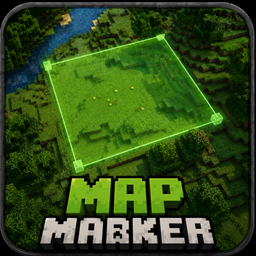
Mark out a region with two key presses, give it a name and a colour, and see it through walls from anywhere. Block-precise, not chunk-sized. Client-side only: no server mod, no operator rights, works on any server you can join.
Community voices
Reviews
No reviews yet. Be the first to review this project!
Get it on
Available Platforms
About
Project Details
For authors
Embed Badge
If you're the author of this project, you can embed a live badge anywhere that supports HTML or Markdown. It updates automatically whenever ratings change.
Use HTML for any page that supports it, or Markdown for README files and Markdown-based descriptions.
Identifiers
Platform IDs
Resources
External Links
About
Description
# Map Marker
**Mark out a region with two key presses. Name it, colour it, and find it through walls.**
## The gap this fills
You build a trap and three days later walk into it yourself, because you no longer remember
which pressure plate was the live one.
You dig out a room for a farm, log off, and come back unsure where you meant the wall to go.
You leave a redstone line half-finished across a hillside and cannot tell later which blocks
belong to it.
Every existing answer solves a *different* problem:
| What people use | Why it does not fit |
|---|---|
| **Waypoint mods** (Xaero, JourneyMap) | A waypoint is a point. It says "something is around here", never "this region, these exact blocks, up to this height". |
| **Claim mods** (FTB Chunks and friends) | Server-side, chunk-sized, and built to control who may build. You cannot claim anything on a server where you are a plain player, and a chunk is 16 blocks wide when you needed three. |
| **WorldEdit selections** | One selection at a time, unnamed, gone when you pick the next. And it needs permissions you usually do not have. |
| **Signs and torches** | Take space, everybody sees them, break, despawn — and in a trap they are the last thing you want. |
| **Writing down coordinates** | F3 and a notepad on the second monitor. |
**Map Marker is the missing one:** as many named regions as you like, block-precise, private to
you, and readable through terrain.
## How it works
Look at a block and press **`B`**. Look at the opposite corner and press **`B`** again. The
region between them becomes a field — and the configuration screen opens straight away with
the cursor in the name box, because a region called "Field 3" helps nobody.
| Key | Action |
|---|---|
| **`B`** | Set a corner — press twice to complete a region |
| **`Shift`** + **`B`** | Cancel a selection in progress |
| **`K`** | Open the region list |
Two keys, that is the whole thing. Both can be changed under **Options → Controls**, where
they sit in their own **Map Marker** section rather than being scattered through the vanilla
list. `B` and `K` are unused by vanilla Minecraft, so nothing is taken away from you by
default — but if a mod you already run claims them, rebinding takes ten seconds.
- **The outline** is depth-tested like vanilla's own block selection, so once you can see the
region you can see exactly where it ends.
- **The label** — name above, distance below — stays readable **through walls**, and keeps the
same size on screen however far away it is. Finding a region from across the map is the
whole point, so it does not shrink into an unreadable speck.
- While you are choosing, the first corner is highlighted and the region you would get is
previewed live. Sneak cancels.
## Managing regions
One key opens the list. Per region:
- Click the **colour** to cycle through the palette
- Click the **name** to select it, then rename it in the box below
- **shown / hidden** takes a region out of the world without deleting it
- **X** deletes it
Ten palette colours, chosen to differ in **brightness** as well as hue, so they stay apart
for red-green colour blindness.
## Deliberately out of your way
There is **no permanent overlay**. No panel in the corner, no line stuck under your
crosshair. Everything you need is in the world itself; confirmations appear briefly above the
hotbar and fade on their own. A panel that sits there forever costs attention every second
and earns it back only in the few moments something changes.
## Good to know
- **Client-side only.** No server mod, no operator rights, no commands. Works on any server
you can join, including ones where you are a plain player.
- **Nobody else sees your regions.** They live in a file on your machine.
- Stored **per world and per server**, so your singleplayer traps do not follow you onto a
server.
- Saved automatically; written to a temporary file and renamed, so a crash mid-save costs at
most the last change.
## Limits, stated plainly
- Regions are tied to **coordinates**, not to the blocks inside them. Mine everything out and
the region stays — usually what you want when planning, but you clear it yourself.
- Nothing is shared between players. This is a personal notebook, not a claim system.
Screenshots
Gallery
Versions
Files
Relations
Project Relations
More like this
Similar Mods
Suggestions use data such as tags, dependencies, dependents, descriptions, titles, and more to rank how much they overlap with this mod.
On ModDex
Community snapshot
By the numbers
Statistics
Want to reach Minecraft players?
We're looking for a server hosting partner to feature here and other parts of the site. Interested? Send us a message!
Get in touchGet it on
Available Platforms
On ModDex
Community snapshot
By the numbers
Statistics
Resources