![[TACZ] Zombie Map Maker](https://media.forgecdn.net/avatars/thumbnails/1527/4/256/256/638991685880999649.png)
Community listing page, reviews here may not be monitored by the author.
[TACZ] Zombie Map Maker

No reviews yet
TACZ Call Of Duty Zombies Map Maker Neo TACZ

Community voices
Reviews
No reviews yet. Be the first to review this project!
Get it on
Available Platforms
About
Project Details
For authors
Embed Badge
If you're the author of this project, you can embed a live badge anywhere that supports HTML or Markdown. It updates automatically whenever ratings change.
Use HTML for any page that supports it, or Markdown for README files and Markdown-based descriptions.
Identifiers
Platform IDs
Resources
External Links
About
Description
[TACZ] Zombie Mod – Survival Mode
>> TEST Server CLICK HERE <<
Description
Zombie Mod turns your Minecraft server into an intense zombie survival experience inspired by classic round-based zombie modes. Face endless waves of the undead that get stronger over time, manage your points to buy weapons and open new areas, and try to survive as long as you can with your friends!
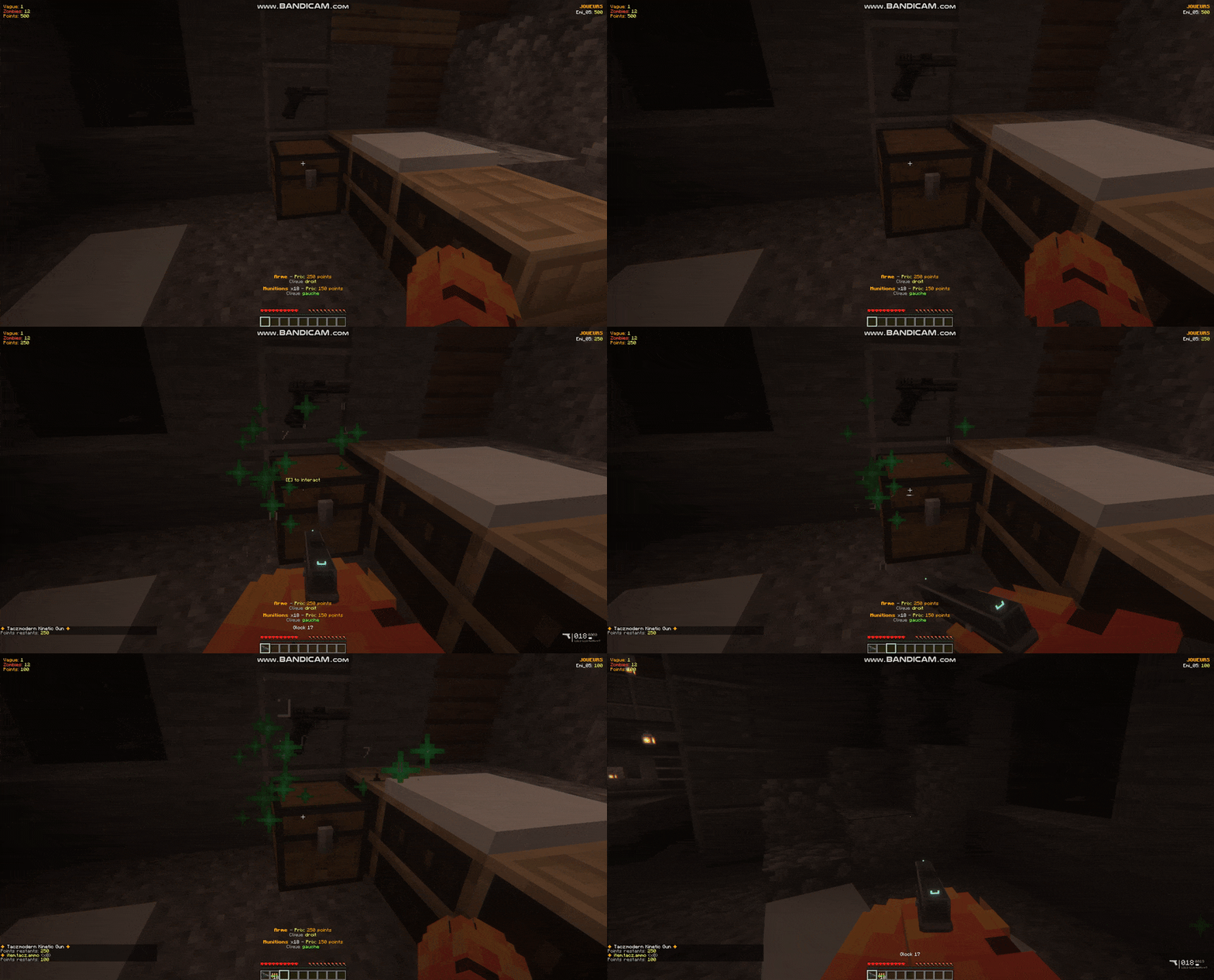
This mod brings a complete zombie survival experience: wave system, points, Mystery Box weapon crates, buyable doors that unlock new areas, and much more.
Main Features
🧟 Wave System
- Infinite waves with increasing difficulty
- Number of zombies per wave: 6 + (wave × 6)
- Zombie HP: 1 heart + 0.5 heart per wave
- 15% chance for zombies to spawn with armor
- 10-second cooldown between each wave
💰 Point System
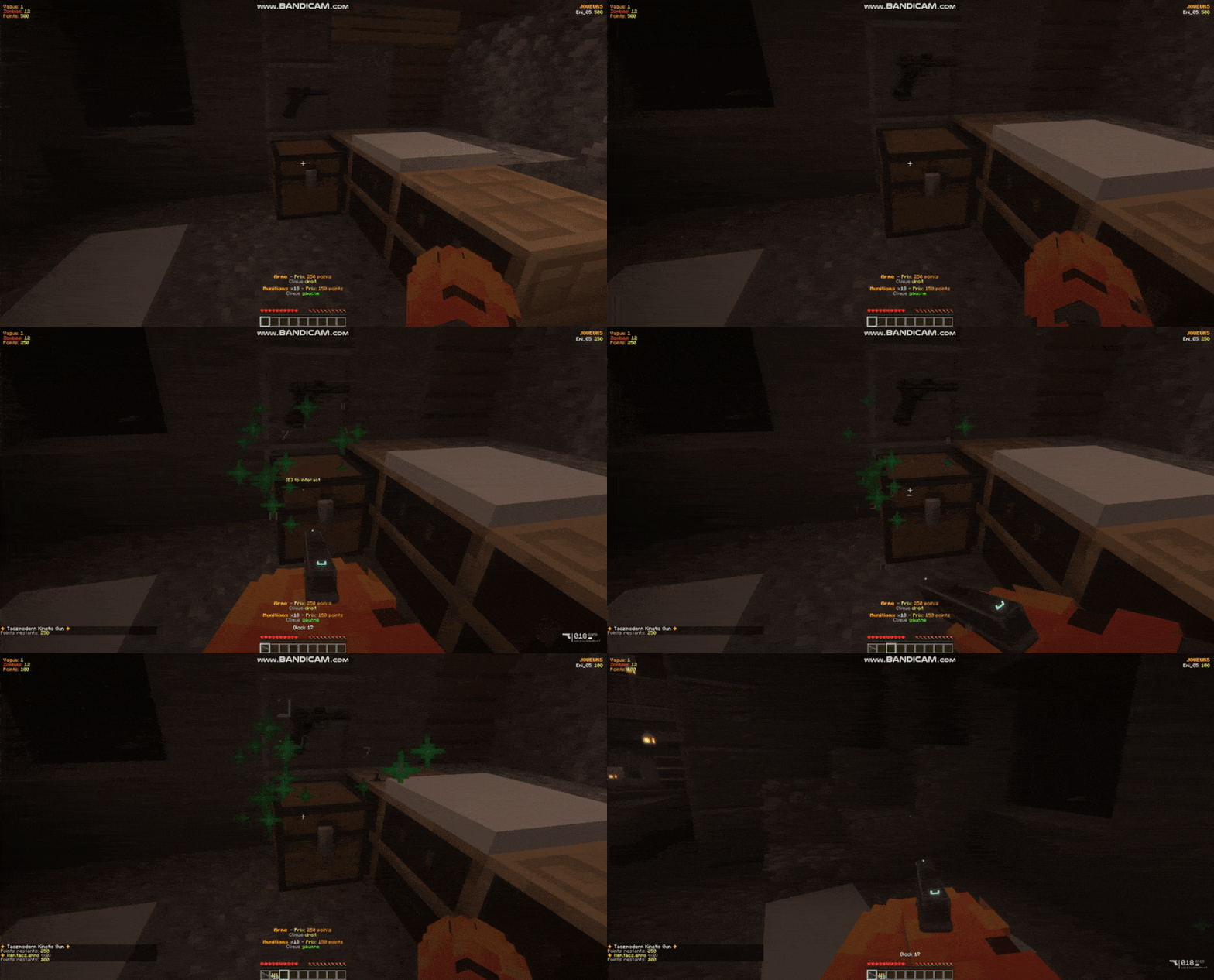
- Starting points: 500 points
- Zombie kill: +100 points
- Spend points to buy weapons, ammo, open doors, and activate music
🎁 Mystery Box (Weapon Crates)
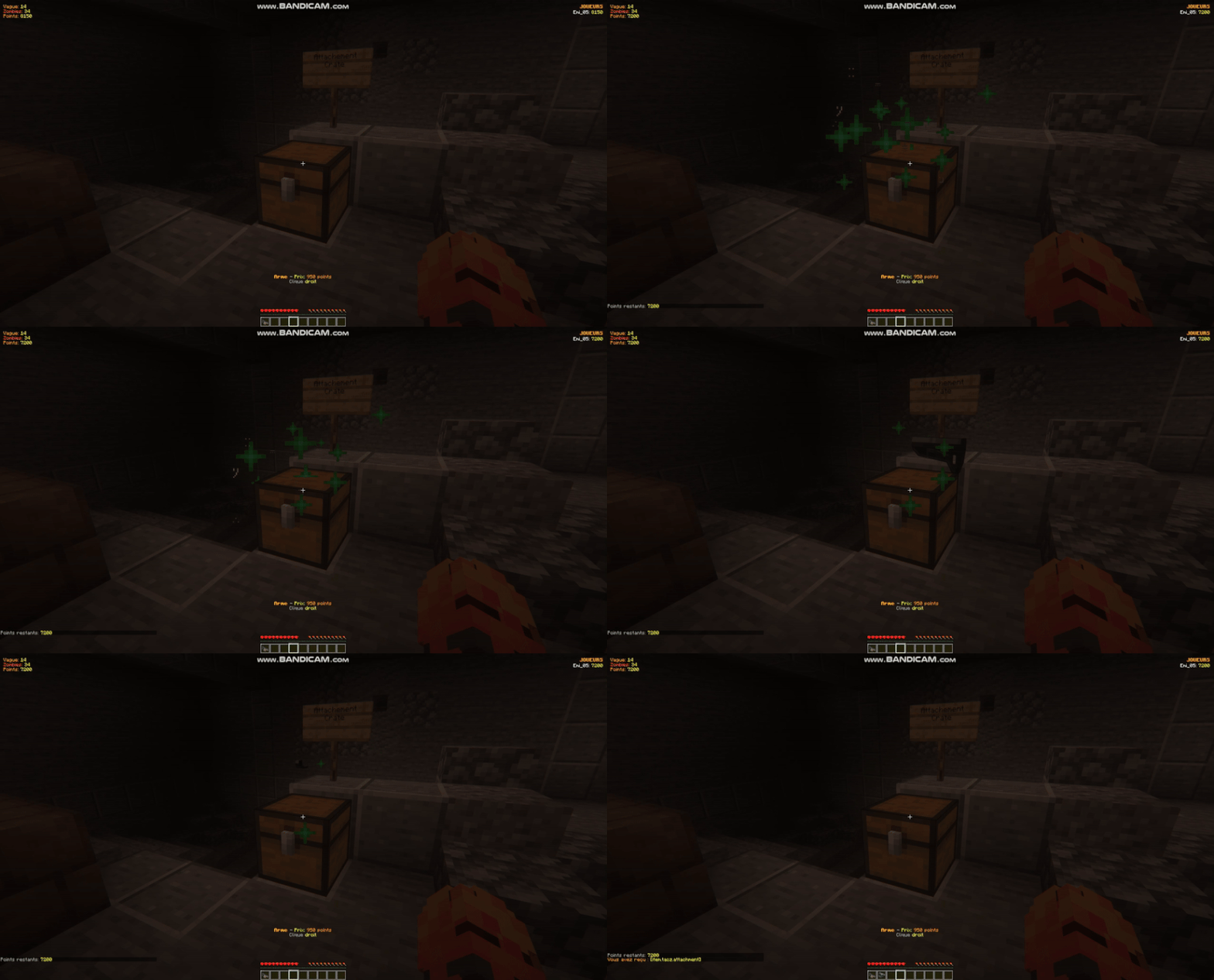
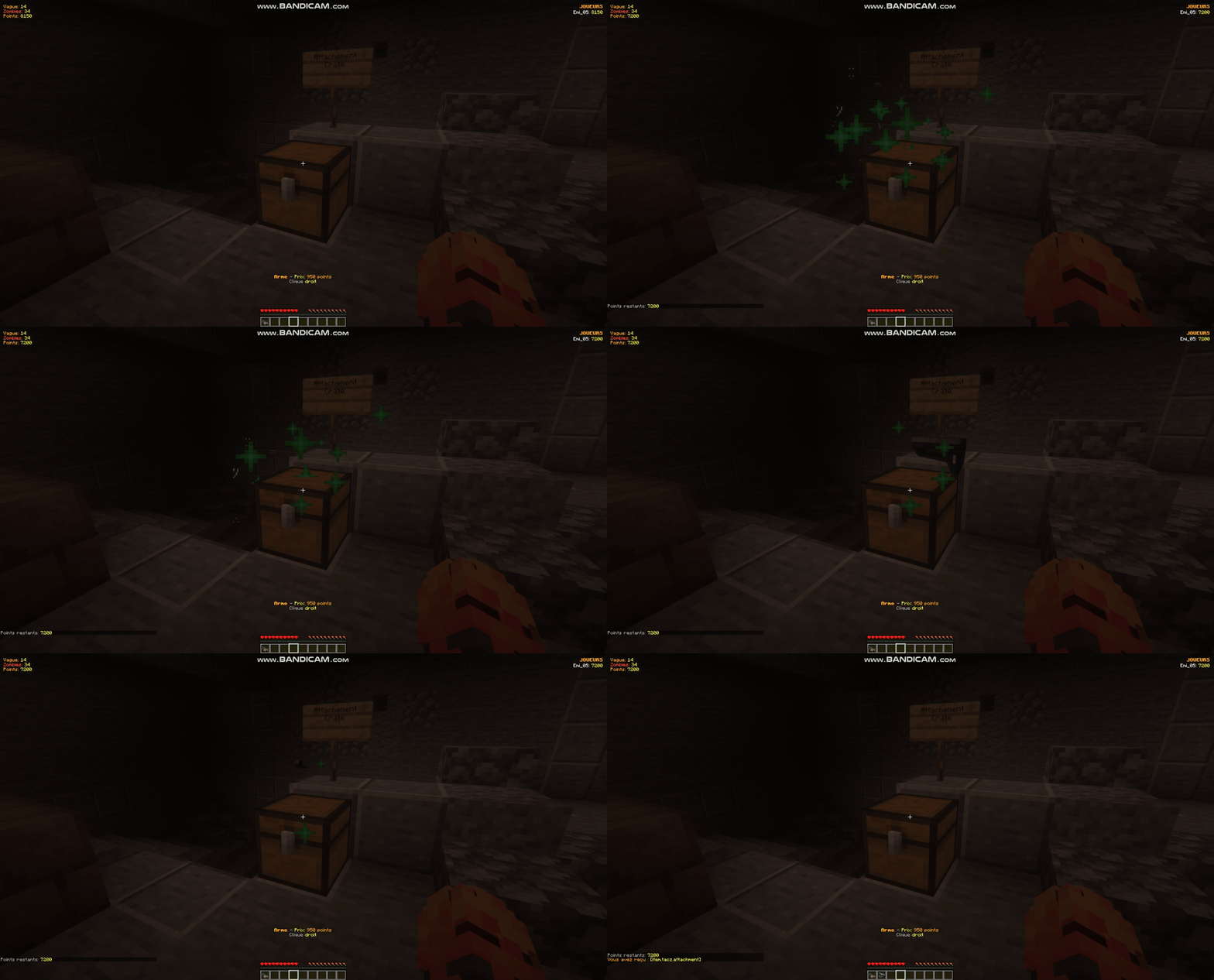
- Customizable weapon crates with roulette-style animation
- Supports both vanilla and modded weapons (fully compatible with TACZ and other gun mods)
- Buy ammo with left-click
- 3D display of the current weapon above the chest, automatically rotated based on orientation
- Smooth opening animation with immersive sound
🚪 Door System
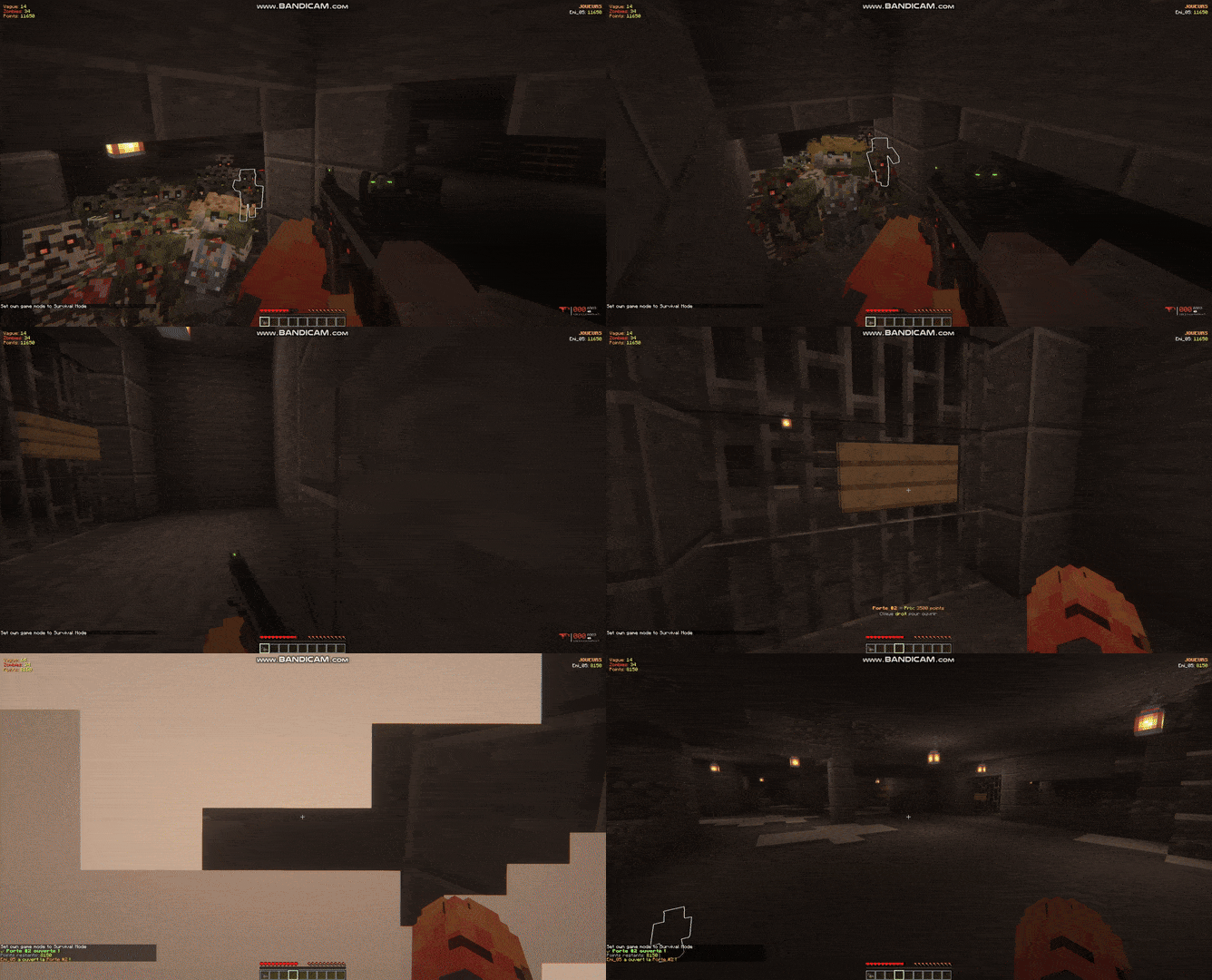
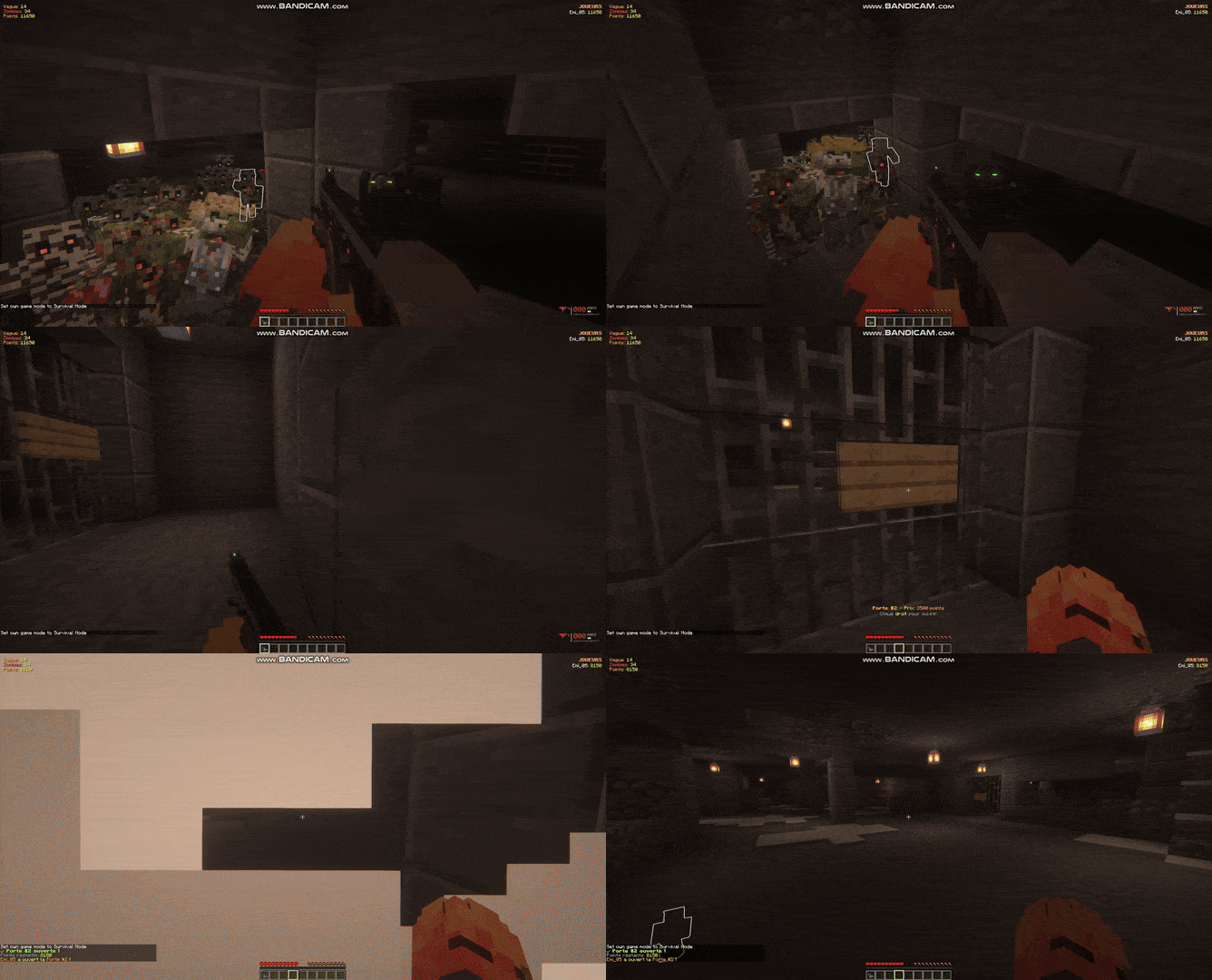
- Create buyable doors to unlock new areas
- Wall-mounted sign system with informative HUD
- Automatic block saving (sign + 3×3 wall behind it)
- Automatic restoration at the end of the game
- Link zombie spawn points to specific doors
🎵 Custom Jukeboxes
- Place paid jukeboxes to trigger ambient music
- Customize activation cost
- Add your own music discs
🗺️ Map System
- Create and manage multiple playable maps
- Each map keeps its own configuration:
- Player spawn points
- Zombie spawn points (linked or not to doors)
- Doors with their prices and positions
- Weapon crates with their full setup
👥 Multiplayer Mode
- Full multiplayer support
- Real-time scoreboard showing players and their points
- Respawn system: dead players return at the end of the wave
- Optimized client–server synchronization
📋 Commands
Game Management
| Command | Description | Permission |
|---|---|---|
/zombiestart [mapName] |
Starts a game with a 60-second countdown. Optionally specify a map. | OP (level 2) |
/zombiestop |
Stops the current game and resets everything (doors closed, animations stopped) | OP (level 2) |
/zombiejoin |
Join the current game | Everyone |
/zombieleave |
Leave the current game | Everyone |
/zombiestatus |
Shows game status (wave, zombies, players) | Everyone |
/zombieskip |
Instantly skip to the next wave (for testing) | OP (level 2) |
Examples:
/zombiestart
/zombiestart nacht_der_untoten
/zombiejoin
Map Management
| Command | Description |
|---|---|
/zombiemap create <name> |
Creates a new map |
/zombiemap delete <name> |
Deletes an existing map |
/zombiemap select <name> |
Selects the active map for the next game |
/zombiemap list |
Lists all available maps |
/zombiemap info [name] |
Shows detailed information about a map |
Examples:
/zombiemap create nacht_der_untoten
/zombiemap select nacht_der_untoten
/zombiemap info nacht_der_untoten
Spawn Point Configuration
Player Spawn
| Command | Description |
|---|---|
/zombierespawn set <mapname> |
Sets the player respawn point to your current position |
Zombie Spawns
| Command | Description |
|---|---|
/zombiespawn add <mapname> [doorNumber] |
Adds a zombie spawn point at your position. Without doorNumber: spawn is always active. With doorNumber: spawn becomes active only when this door is opened. |
/zombiespawn clear <mapname> |
Clears all zombie spawns on the map |
/zombiespawn list <mapname> |
Lists all spawn points and their status |
Examples:
/zombiespawn add nacht_der_untoten
/zombiespawn add nacht_der_untoten 1
/zombiespawn add nacht_der_untoten 2
Door System
| Command | Description |
|---|---|
/zombiedoor add <mapname> <number> <cost> |
Look at a wall sign, then run the command. Saves the sign + the 3×3 wall behind it. |
/zombiedoor remove <mapname> <number> |
Removes a door from the map |
/zombiedoor list <mapname> |
Lists all doors on the map |
/zombiedoor open <mapname> <number> |
Opens a door (destroys the saved blocks) |
/zombiedoor close <mapname> <number> |
Closes a door (restores the saved blocks) |
Examples:
/zombiedoor add nacht_der_untoten 1 750
/zombiedoor add nacht_der_untoten 2 1250
/zombiedoor list nacht_der_untoten
Important: Doors automatically close at the end of every game!
Weapon Crates (Mystery Box)
| Command | Description |
|---|---|
| /weaponcrate create <cost> | Look at a chest, then run the command. Create a crate with a price |
/weaponcrate addweapon hand |
Look at a chest, then run the command. Adds a weapon crate with the given item.item in hand can be vanilla (minecraft:diamond_sword) or modded (tacz:ak47). |
/weaponcrate addammo hand <cost> |
Adds purchasable ammo with left-click on the crate |
/weaponcrate remove |
Look at a crate, then run the command to remove it |
/weaponcrate reload |
Reloads all 3D displays for crates (useful after clearing entities) |
Examples:
In-game usage:
-
Right-click: Buy a random weapon (roulette animation if multiple weapons are configured)
-
Left-click: Buy all configured ammo types
Music Jukeboxes
| Command | Description |
|---|---|
/zombiejukebox add <cost> |
Look at a jukebox containing a disc, then run the command |
/zombiejukebox remove |
Look at a zombie jukebox, then run the command to remove it |
/zombiejukebox list |
Lists all configured jukeboxes in the world |
Example:
/zombiejukebox add 1000
Help
| Command | Description |
|---|---|
/zombiehelp |
Displays the full help with all commands and mechanics |
🎮 Gameplay Mechanics
Wave System
-
The game starts after a 60-second countdown.
-
Players begin with 500 points.
-
Each wave spawns 6 + (wave × 6) zombies.
-
Zombies have 1 heart + 0.5 heart per wave.
-
15% chance for zombies to spawn with random armor.
-
There is a 10-second cooldown between waves.
Point System
- +100 points per zombie kill
- Points are used to:
- Buy weapons (cost depends on the crate)
- Buy ammo (cost per type is configurable)
- Open doors (cost per door is configurable)
- Activate jukeboxes (cost per jukebox is configurable)
Death & Respawn System
- When a player dies, they enter “Waiting” mode.
- They automatically respawn at the end of the current wave.
- Their points are preserved.
- If no players are alive: GAME OVER.
Doors & Zones
- Doors block access to new areas.
- Opening a door activates additional zombie spawn points.
- This increases difficulty but gives more room to move and kite.
- All doors automatically close at the end of the game.
Mystery Box (Weapon Crates)
- Each chest can contain multiple weapons.
- The obtained weapon is random (animated roulette).
- If only one weapon is configured, no roulette animation (static display).
- Bows and crossbows automatically grant 64 arrows.
- 3D weapon display with rotation adjusted to the chest’s orientation.
📁 Configuration Files
All configuration files are located in the config/ folder:
| File | Description |
|---|---|
zombiemod.json |
General gameplay configuration (starting points, cooldowns, etc.) |
zombiemod-maps.json |
Saves all maps and their configurations (spawns, doors, etc.) |
zombiemod-drops.json |
Configuration for zombie drops |
zombiemod-mobs.json |
Configuration for mobs (HP, armor, etc.) |
🔧 Installation
-
Install NeoForge 1.21 / FORGE 1.20.1 on your server or client.
-
Download Zombie Mod from CurseForge.
-
Place the
.jarfile into yourmods/folder. -
Start the server/client.
-
Configuration files will be automatically generated in
config/.
Compatible Mods
- TACZ (Timeless and Classics Zero) – full weapon support
- Any mod that adds custom items
- Protection plugins (WorldGuard, GriefPrevention, etc.)
🎯 Quick Start Guide
For Admins
-
Create your first map:
/zombiemap create my_first_map /zombiemap select my_first_map -
Set the player spawn:
(Stand where you want players to spawn) /respawnpoint my_first_map -
Add zombie spawns:
(Stand at each spawn location) /zombiespawn add my_first_map /zombiespawn add my_first_map /zombiespawn add my_first_map -
Create a door (optional):
(Place a wall sign in front of a wall) (Look at the sign) /zombiedoor add my_first_map 1 750 -
Add a spawn linked to the door:
(Stand in the area behind the door) /zombiespawn add my_first_map 1 -
Create a weapon crate:
(Place a chest) (Look at the chest) /weaponcrate addweapon 500 (exemple of held item in hand tacz:AK47) /weaponcrate addweapon 950 hand (exemple of held item in hand tacz:m4a1) /weaponcrate addammo (exemple of held item in hand tacz:ammo_762x39) 100 -
Start the game:
/zombiestart my_first_map
For Players
-
Wait for an admin to start a game with
/zombiestart. -
Join the game with
/zombiejoin. -
Kill zombies to earn points (+100 per kill).
-
Buy weapons from Mystery Boxes (right-click chests).
-
Buy ammo (left-click chests).
-
Open doors to access new areas (right-click signs).
-
Survive as long as possible!
🎨 HUD & Interface
Main In-Game Display
- Current wave (top-left)
- Zombies remaining (top-left)
- Your points (top-left)
- Player scoreboard (top-right)
Contextual HUD
When you look at an interactive element, a HUD appears above your hotbar:
- Weapon crate: Weapon price (right-click) + ammo price (left-click)
- Door: Door number + price + “Right-click to open” (or “OPEN” if already opened)
- Jukebox: Price + “♪ Activate Music”
Animations
- Mystery Box: Roulette animation with immersive sound (3 seconds)
- Floating points: “+100” pops up near your point counter whenever you kill a zombie
- Particles: Visual effects when purchasing (HAPPY_VILLAGER + ENCHANT)
New Update ZombieTD
# 🏰 Tutoriel — Mode Tower Defense « Zombie Siege »
Guide complet pour **configurer**, **jouer** et **tester** le mode Tower Defense du modZombie Mode (1.2.7, Forge 1.20.1).
> Dans ce mode, les joueurs défendent un **Cœur** fixe contre des vagues de zombies qui suivent> des **lanes** (chemins balisés). Entre les vagues, ils dépensent leurs points pour **construire> et améliorer des tourelles** sur des socles. On gagne en survivant à un nombre de vagues donné ;> on perd si le Cœur tombe à 0 PV.
---
## 1. Prérequis
- Être **opérateur** (permission niveau 2) pour les commandes de configuration.- Toutes les commandes de config TD passent par **`/zombietd`**.- Touche d'interaction par défaut : **F** (configurable dans *Options → Commandes → Zombie Mode*).- (Optionnel) Le mod **TACZ** pour les armes des tourelles à projectiles ; sinon les tourellesutilisent un tir de secours.
---
## 2. Configuration d'une map (pas à pas)
Exemple avec une map nommée `siege1`. Place-toi physiquement aux endroits voulus : la plupartdes commandes prennent **ta position** comme référence.
### Étape 1 — Créer la map et le respawn```/zombiemap create siege1/respawnpoint siege1 (place-toi où les joueurs apparaîtront, puis lance)```
### Étape 2 — Définir les départs (spawns zombies)Chaque « départ » est un point d'apparition des zombies. Il correspondra à une **lane**.```/zombiespawn siege1 (place-toi au départ A, puis lance)/zombiespawn siege1 (répète pour d'autres départs : B, C…)```
### Étape 3 — Activer le mode Tower Defense```/zombietd mode siege1 TOWER_DEFENSE```
### Étape 4 — Activer l'aperçu du tracé (recommandé pour la suite)```/zombietd show siege1```À partir d'ici, le Cœur, les socles et les lanes que tu poses **s'affichent en jeu** en tempsréel (et se mettent à jour après chaque commande). Utilise `/zombietd hide` pour masquer.
### Étape 5 — Placer le Cœur```/zombietd core siege1 (place-toi à l'emplacement du Cœur)```→ Un cristal rouge avec une barre de PV apparaît.
### Étape 6 — Tracer les lanes (waypoints)Pour chaque départ, pose des waypoints **du départ vers le Cœur**. Le nom de la lane regroupeses waypoints (lane `A` → A1, A2, A3…). Les zombies du départ le plus proche suivront cette lane.```(place-toi sur le 1er point de passage de la lane A)/zombietd lane add siege1 A(avance, place-toi sur le 2e point)/zombietd lane add siege1 A(continue jusqu'à l'approche du Cœur)/zombietd lane add siege1 A```Répète pour chaque lane (`B`, `C`…). Tu vois la **ligne verte** se tracer du départ au Cœur.
Réglages utiles :```/zombietd lane list siege1 voir tous les waypoints/zombietd lane remove siege1 A retire le dernier waypoint de A/zombietd lane clear siege1 A supprime toute la lane A/zombietd waypointradius siege1 3 rayon de validation d'un waypoint (def. 3 blocs)```
### Étape 7 — Poser les socles de tourellesPlace-toi sur chaque emplacement où une tourelle pourra être construite (le long des lanes).```/zombietd socket add siege1 socle standard/zombietd socket add siege1 true socle nécessitant le courant/zombietd socket add siege1 false GUNNER,CRYO socle limité à certains types```Gestion :```/zombietd socket list siege1/zombietd socket remove siege1 (place-toi sur le socle à retirer)/zombietd socket clear siege1```→ Les socles libres apparaissent en **bleu** (libre) ou **orange** (courant requis).
### Étape 8 (optionnel) — Le CourantLes tourelles **Mortier** et **Tesla** (et les socles `requiresPower`) exigent le courant.Pose un interrupteur de courant que les joueurs devront activer en jeu :```/zombiepower set siege1 (place-toi sur le bloc interrupteur)```
### Étape 9 (optionnel) — Machines classiquesLe mode TD reste compatible avec les systèmes existants, à placer comme d'habitude :- Pack-a-Punch (`/zombiepap …`), Perks (`/zombieperk …`), Caisses d'armes (`/weaponcrate …`),Portes (`/zombiedoor …`), Jukebox, etc.
### Étape 10 — Masquer l'aperçu et vérifier```/zombietd hide/zombietd lane list siege1/zombietd socket list siege1```
---
## 3. Réglages globaux : `config/zombietd.json`
Généré au premier lancement du serveur, **rechargeable à chaud** (modifie et sauvegarde, lesvaleurs s'appliquent sans redémarrer). Principaux réglages :
| Clé | Effet | Défaut ||-----|-------|--------|| `coreHp` | PV du Cœur | 1000 || `victoryWave` | Vague à survivre pour gagner | 20 || `prepSeconds` | Durée de préparation entre vagues | 30 || `prepSecondsBeforeBoss` | Préparation avant une vague de boss | 45 || `coreDamagePerZombie` | Dégâts d'un zombie au Cœur | 50 || `coreDamagePerBoss` | Dégâts d'un boss au Cœur | 250 || `maxTowers` | Limite de tours par partie | 12 || `leakRadius` | Rayon de contact avec le Cœur | 1.4 || `bossWaveInterval` | Vague de boss tous les N | 5 || `waveBaseZombies` / `waveZombiesPerWave` | Taille des vagues (= base + parVague × n°) | 8 / 6 || `towers` | Stats de chaque tourelle par palier | voir fichier |
Les stats des tours sont **synchronisées au client**, donc les menus affichent toujours lesvaleurs configurées.
---
## 4. Lancer et jouer
### Démarrer la partie```/zombiestart siege1 (op) lance la partie/zombiejoin siege1 chaque joueur rejoint```
### Boucle de jeu1. **Phase de préparation** (compteur visible) : construis et améliore tes tourelles.2. **Vague** : les zombies sortent des départs, suivent les lanes vers le Cœur. Tourelles etjoueurs les abattent.3. Fin de vague → préparation → vague suivante (plus dure).4. **Victoire** en survivant à `victoryWave` vagues. **Défaite** si le Cœur tombe à 0.
### Construire une tourelle- En **préparation**, vise un **socle libre** (hologramme bleu) et appuie sur **F**.- Le **menu radial** s'ouvre : 6 tourelles avec coût et DPS. Clique pour acheter.- Grisé = pas assez de points. Cadenas/`[⚡]` = nécessite le courant.
### Gérer une tourelle posée- Vise une tourelle et appuie sur **F** → menu :- **Améliorer** (Lv+1), **Pack-a-Punch** (au Lv3), **Vendre** (rembourse 70 %).
### Le courant- Active l'interrupteur de courant (vise-le + **F**) pour débloquer Mortier/Tesla et les soclesqui l'exigent.
### Aides visuelles- **Cercle de portée** : vise une tourelle pour voir sa portée au sol.- **Tracé des lanes** et **hologrammes des socles** visibles en préparation.
---
## 5. Les 6 tourelles (récap)
| Tourelle | Rôle | Courant ? | Spécial ||----------|------|:---------:|---------|| 🔫 Mitrailleuse | DPS mono-cible | non | perce l'armure (PaP) || 💥 Mortier | Dégâts de zone | **oui** | knockback, mini-nuke (PaP) || 🧊 Cryotourelle | Ralentissement | non | gel, givre persistant (PaP) || ⚡ Tesla | Chaîne d'éclairs | **oui** | stun (PaP) || 🔥 Lance-flammes | Cône + brûlure | non | flaque enflammée (PaP) || 🪙 Collecteur | Économie (points passifs) | non | drop de pièces (PaP) |
Chaque tour : **Lv1 → Lv2 → Lv3 → Pack-a-Punch**. Détails chiffrés dans`docs/tower-defense-design.md` et `config/zombietd.json`.
---
## 6. ✅ Checklist de test complète
À tester en jeu (`runClient` / serveur de test). Coche au fur et à mesure.
### A. Configuration / commandes- [ ] `/zombietd mode` bascule la map en TOWER_DEFENSE (et inversement en CLASSIC).- [ ] `/zombietd core` place le Cœur (cristal + barre PV visibles).- [ ] `/zombietd socket add/remove/list/clear` fonctionne ; `requiresPower` et `allowedTypes`sont pris en compte.- [ ] `/zombietd lane add/remove/list/clear` ; `waypointradius` modifie le rayon.- [ ] `/zombietd show` affiche le tracé hors partie ; `/zombietd hide` le masque.- [ ] L'aperçu se met à jour automatiquement après chaque commande de config.
### B. Visuels- [ ] Hologrammes des socles : **bleu** (libre) / **orange** (courant requis), seulement enpréparation (ou en aperçu éditeur).- [ ] Tracé des lanes : cubes verts reliés du départ jusqu'au Cœur.- [ ] Les 6 **modèles de tourelles** s'affichent et s'orientent vers leur cible ; animations(canon, anneaux, tarière, flammes) OK.- [ ] **Cercle de portée** visible en visant une tourelle, taille = portée du palier.- [ ] Le Cœur affiche ses PV et change de couleur selon la vie restante.
### C. Construction & économie- [ ] Construire une tourelle déduit les points (menu radial + F sur un socle).- [ ] Fonds insuffisants → refus + message + son.- [ ] Socle déjà occupé → ouvre le menu de gestion, pas la construction.- [ ] Tour nécessitant le courant → refusée tant que le courant est éteint, OK après activation.- [ ] Limite de tours (`maxTowers`) respectée.- [ ] **Améliorer** Lv1→Lv2→Lv3 puis **Pack-a-Punch** : coûts déduits, stats mises à jour(liseré de couleur change).- [ ] **Vendre** rembourse 70 % et libère le socle ; seul le propriétaire peut vendre.- [ ] Construction/amélioration **uniquement en préparation** (refus pendant une vague).
### D. Combat (effets par tourelle)- [ ] Mitrailleuse : tir mono-cible régulier.- [ ] Mortier : dégâts de zone (plusieurs zombies touchés) + knockback (Lv3+).- [ ] Cryotourelle : ralentit les zombies dans son rayon (gel au Lv3+).- [ ] Tesla : l'éclair saute entre plusieurs zombies proches.- [ ] Lance-flammes : touche tout un cône + met le feu.- [ ] Collecteur : génère des points passifs à son propriétaire (~toutes les 5 s).- [ ] Les kills des tourelles **créditent les points** au propriétaire (et comptent pour la vague).
### E. IA des zombies / lanes- [ ] Les zombies sortent des départs et **suivent les waypoints** dans l'ordre.- [ ] Ils **ignorent les joueurs** et se dirigent vers le Cœur.- [ ] À l'arrivée sur le Cœur : le zombie disparaît et le Cœur **perd des PV**.- [ ] Un boss inflige plus de dégâts au Cœur (`coreDamagePerBoss`).- [ ] Sans lane définie : les zombies vont directement au Cœur (fallback).
### F. Vagues / progression- [ ] Taille des vagues = `waveBaseZombies + waveZombiesPerWave × n°` (vérifier le compteur).- [ ] Durée de préparation = `prepSeconds` (et `prepSecondsBeforeBoss` avant une vague de boss).- [ ] Vagues de boss tous les `bossWaveInterval`.
### G. Victoire / défaite- [ ] Survivre à `victoryWave` vagues → message **VICTOIRE** + son + fin de partie.- [ ] Cœur à 0 PV → message **DÉFAITE** + fin de partie ; entités TD nettoyées.
### H. Config & synchronisation- [ ] Modifier `zombietd.json` et sauvegarder → valeurs appliquées **sans redémarrage**(hot-reload).- [ ] Les **chiffres affichés dans les menus** (coût, DPS, portée) correspondent à la config.
### I. Multijoueur- [ ] Les points sont **par joueur** ; chacun construit avec sa propre cagnotte.- [ ] L'occupation des socles se met à jour chez **tous** les joueurs après pose/vente.- [ ] Plusieurs joueurs peuvent défendre ensemble.
### J. Cas limites- [ ] Quitter (`/zombieleave`) puis rejoindre : état cohérent.- [ ] Déconnexion/reconnexion : config et tracé resynchronisés.- [ ] Le mode **classique** d'une autre map n'est pas affecté (zombies ciblent les joueurs).- [ ] Fin de partie : tourelles et Cœur disparaissent ; pas d'entités fantômes.
### K. Performance- [ ] Avec `maxTowers` tours + beaucoup de zombies, pas de chute de TPS notable.
---
## 7. Dépannage
| Problème | Cause probable / solution ||----------|---------------------------|| Le menu ne s'ouvre pas sur un socle | Pas en préparation, ou tu n'es pas un joueur **actif** de la partie, ou la map n'est pas en mode TD. || « Activez l'électricité » | La tour/le socle exige le courant : active l'interrupteur (`/zombiepower set` côté admin). || Les zombies ne suivent pas le chemin | Aucune lane définie, ou le 1er waypoint trop loin du départ. Vérifie `/zombietd lane list`. || Le Cœur ne perd jamais de PV | Les lanes ne mènent pas assez près du Cœur, ou `leakRadius` trop petit. || Tracé invisible en map-making | Lance `/zombietd show <map>` (ou exécute une commande de config). || Chiffres de menu incohérents | Reconnecte-toi pour resynchroniser la config (`zombietd.json`). || Tourelles sans projectile visible | TACZ non installé : tir de secours utilisé (normal). |
🛠️ Support & Contributions
Bugs & Suggestions:
Please report bugs or submit suggestions on the GitHub page or directly on CurseForge.
Compatibility:
This mod is built for NeoForge 1.21 and is compatible with most content mods (weapons, armor, etc.).
📜 Credits
Developed for NeoForge 1.21
Sounds used:
- Mystery Box sound (Call of Duty: Zombies)
- Round start/end sounds (Call of Duty: Zombies)
⚖️ License
This mod is provided as-is for personal use and private servers. All sounds remain the property of their respective creators.
Screenshots
Gallery
-
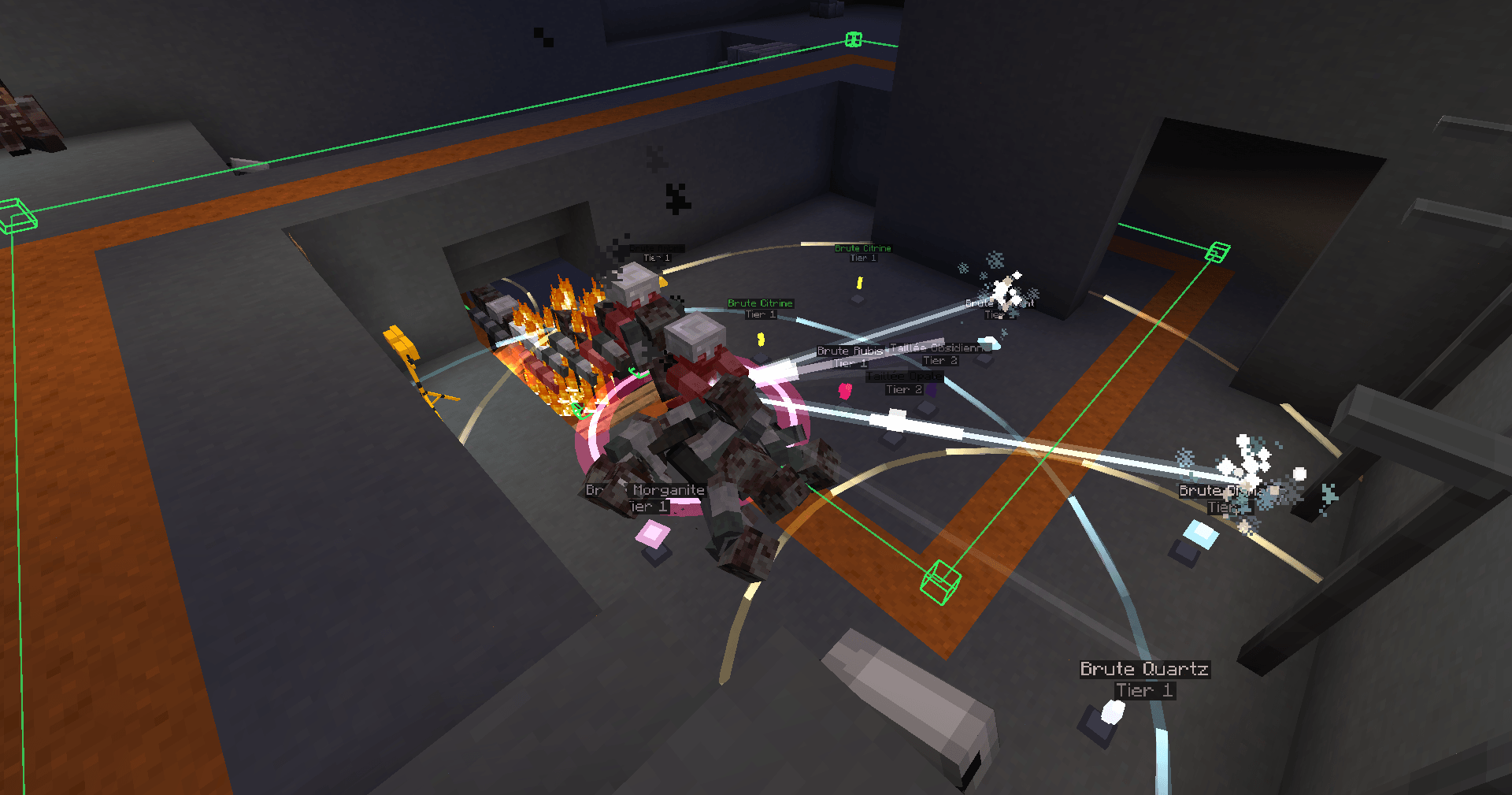 image-attachment_e40d3af7-4e11-4444-aedd-719560cb0a82.png
 -
 Buy Arm Buy your first Weapon
 -
 Mystery Box Opening Mystery Box Opening
 -
 Door Opening Door Opening
 -
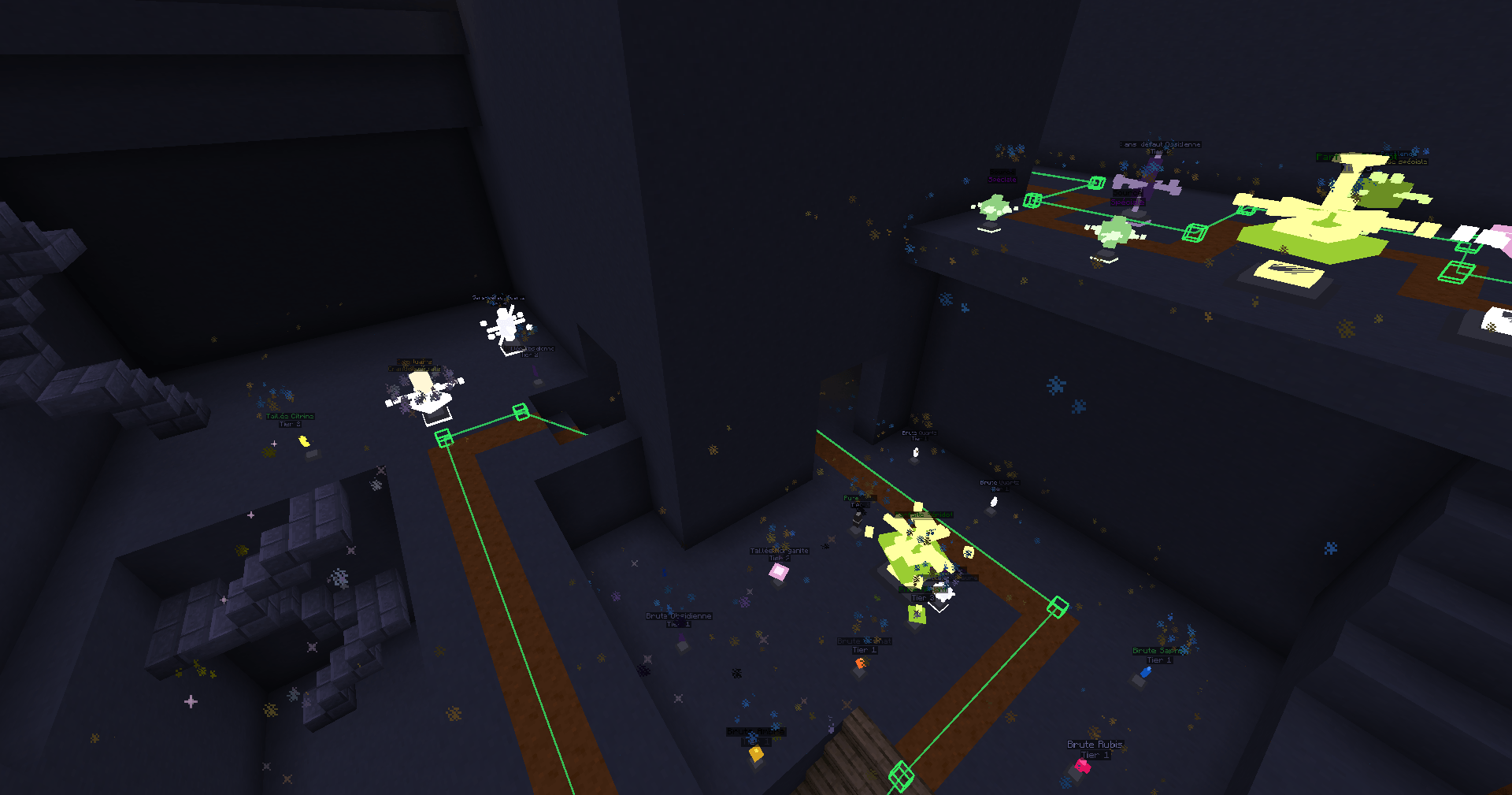 2026-06-03_18.16.31.png 2026-06-03_18.16.31.png
 -
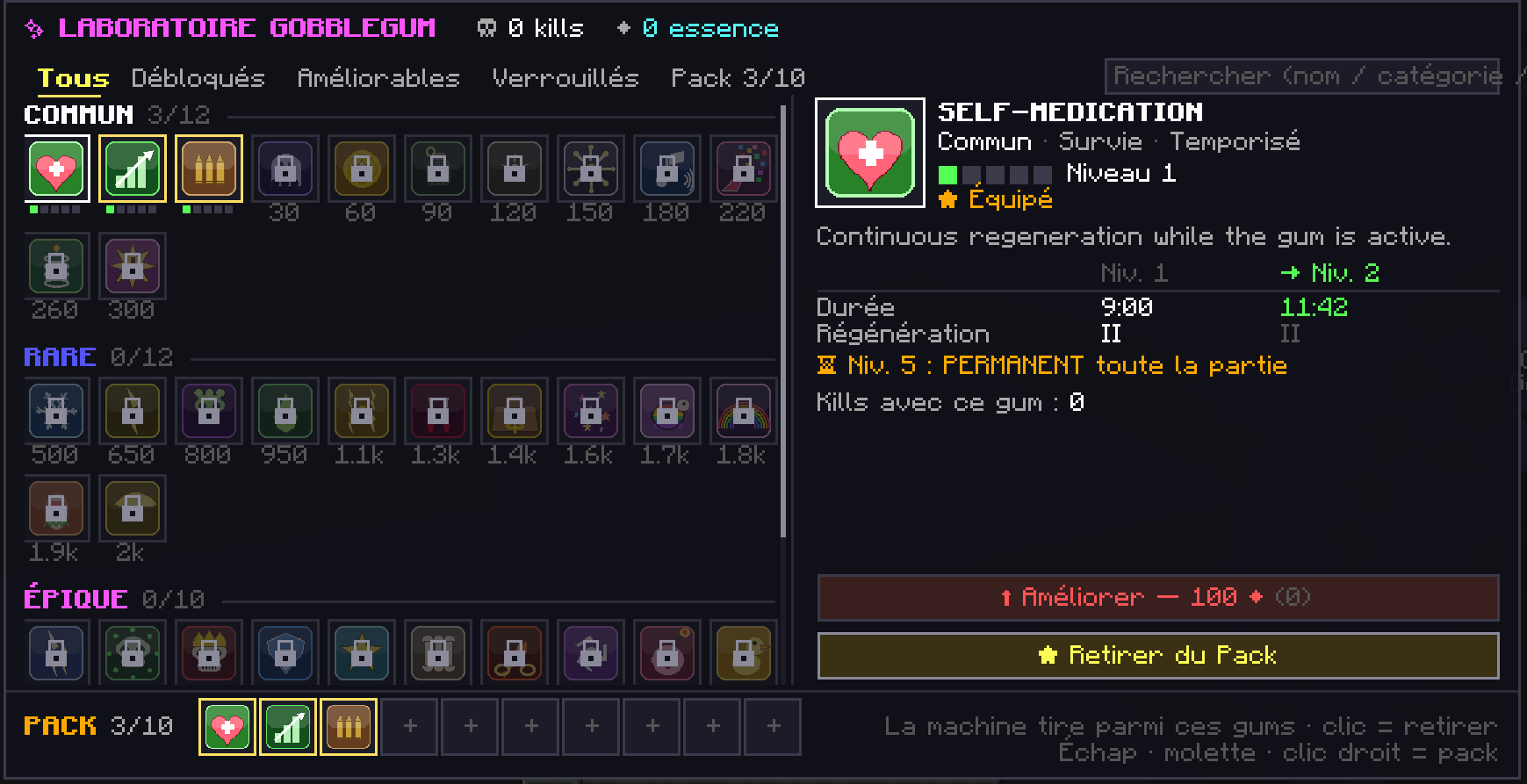 image-attachment_95fcfa2b-8a44-495d-bd86-2d66e8e94165.png
 -
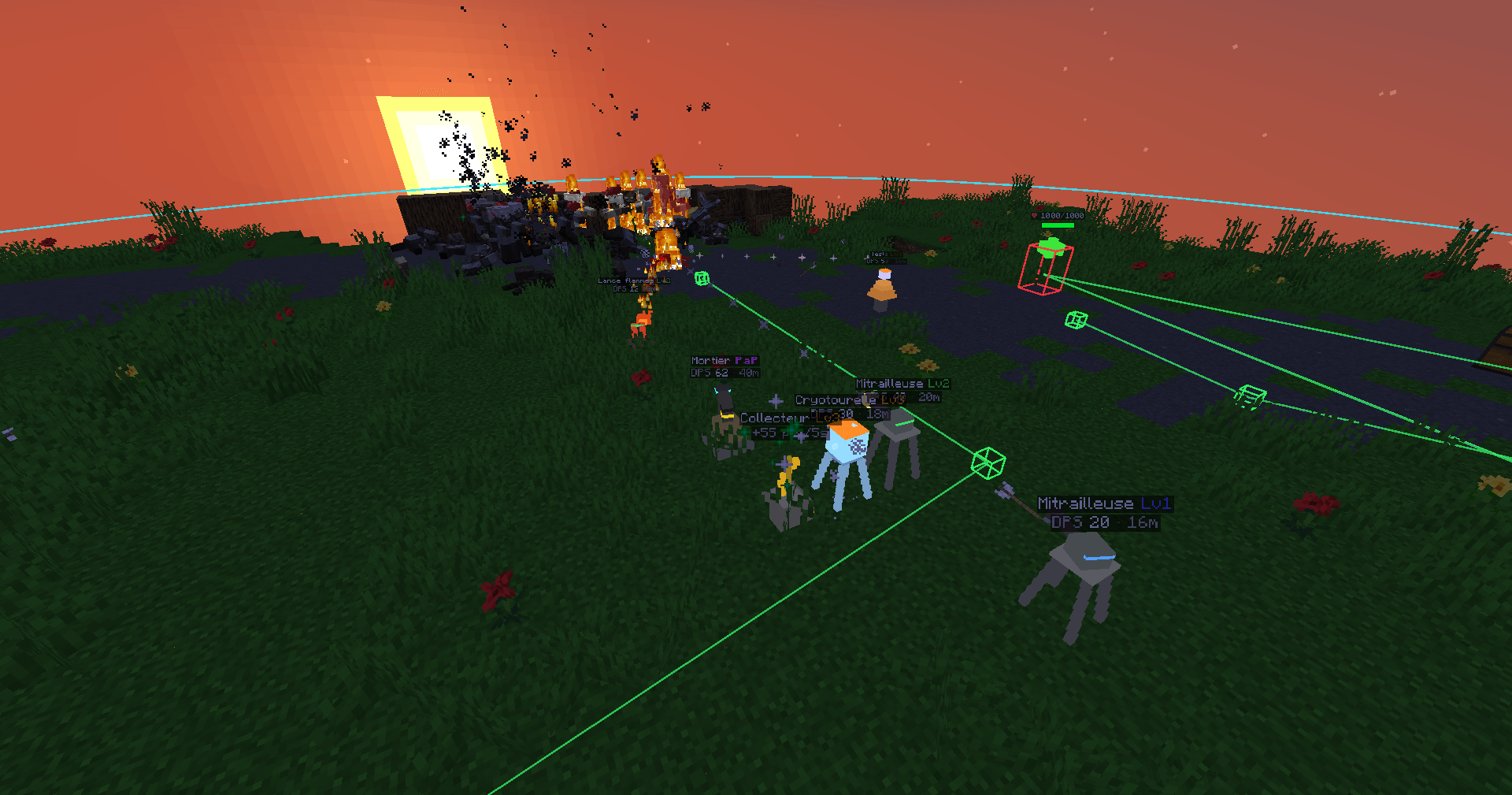 2026-06-03_03.10.48.png 2026-06-03_03.10.48.png
Versions
Files
Relations
Project Relations
More like this
Similar Mods
Suggestions use data such as tags, dependencies, dependents, descriptions, titles, and more to rank how much they overlap with this mod.
- Survive in the Winter Frontier
- TACZ: Npcs
- Just Barricades
- Project TacZ NPCs (LEGACY)
- For The Motherland!:The Final Soviet Front (FTM:TFSF)
- Qarsan's Insurgency
- Project TaCZ (Timeless & Classic Zero Addon)
- Attract to Sound ([NEO]Forge/Fabric): Realistic mob hearing & stealth AI.
- TaCZ: Special Forces
- Iron Golem 's Gun
- Project Overhaul (LEGACY)
- TaCZ : Simple Enemy
On ModDex
Community snapshot
By the numbers
Statistics
 (opens in a new tab)
Get it on
Available Platforms
On ModDex
Community snapshot
By the numbers
Statistics
Resources