Community listing page, reviews here may not be monitored by the author.
Mapart Helper


No reviews yet
Client-side mod for working with maps: editing images and converting them to mapart format, generating .nbt files, saving maps from the world as .png files, and other features
Community voices
Reviews
No reviews yet. Be the first to review this project!
Get it on
Available Platforms
Compatibility
Supported Environments
Runs entirely on the client. Works on vanilla servers.
About
Project Details
For authors
Embed Badge
If you're the author of this project, you can embed a live badge anywhere that supports HTML or Markdown. It updates automatically whenever ratings change.
Use HTML for any page that supports it, or Markdown for README files and Markdown-based descriptions.
Identifiers
Platform IDs
About
Description
 Mapart Helper
If you run into any bugs or rough edges, please report them on the Issues page — your feedback will be a huge help
Mapart Helper aims to make working with maparts as convenient and enjoyable as possible.
The mod generates blocks palette directly from the client, giving you a complete list of blocks available for each specific color. The mod has some default filters to exclude most of the unsuitable or problematic blocks, but it can be configured in the config screen.
It also includes other map-related features, such as saving maps from the world as PNG files or displaying beams at the north-western positions of map areas.
<details> <summary>Supported versions</summary>
| Version | Status |
|---|---|
| 1.21.8 | ✔️ Active |
⚠️ Last version 0.12.0 |
|
| 1.21.11 | ✔️ Active |
| 26.1 | ✔️ Active |
| 26.2 | ✔️ Active |
| 1.21.4-5 | ✔️ Backport* 0.13.1 |
*Backport versions won't be getting every new update. They will be updated only for some major versions (with a delay) and critical fixes
</details>
How to:
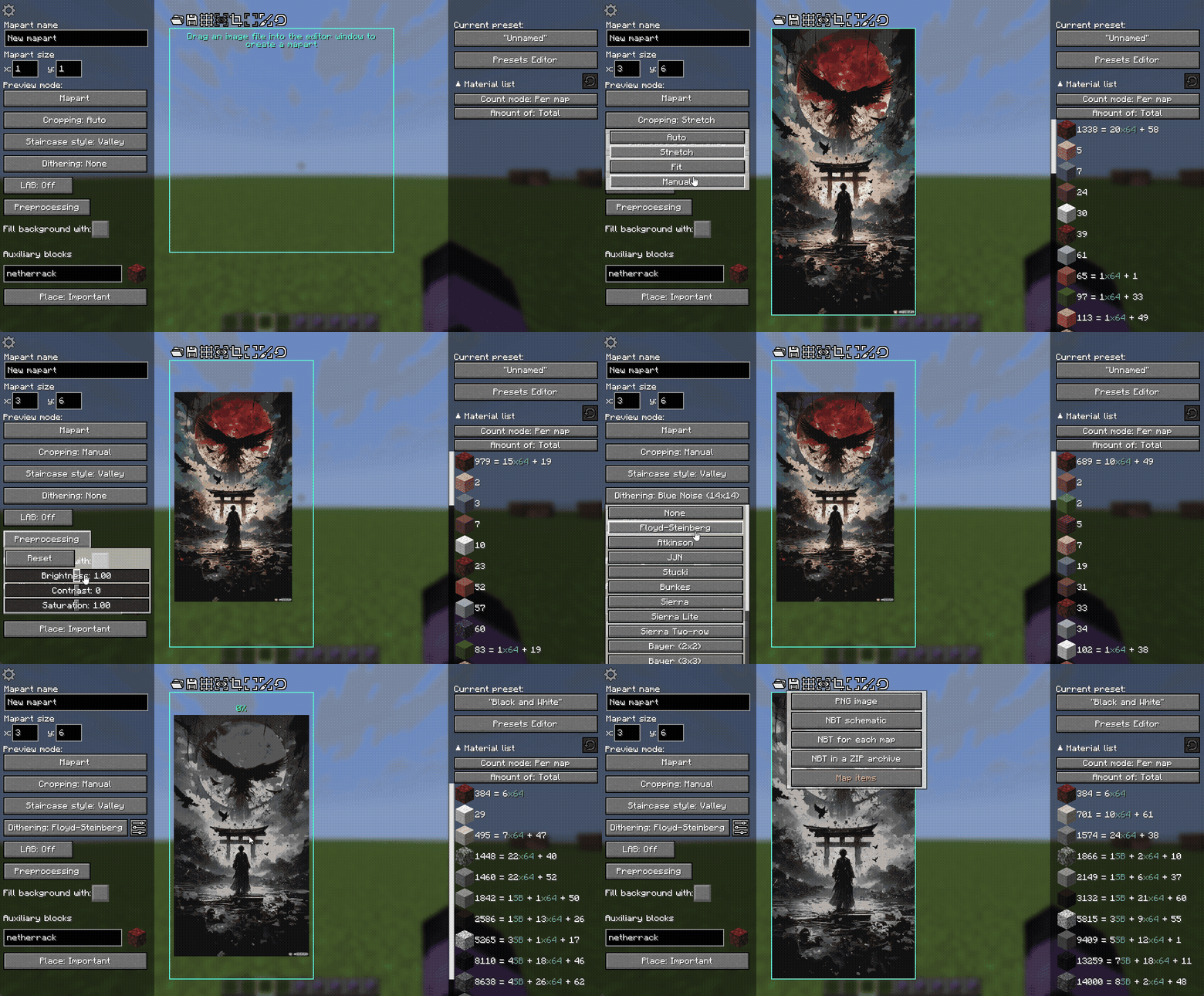
Create a Mapart:
- Launch the game with the mod installed
- Join a world or server
- Open the Mapart editor screen with the
Ykey (this can be changed in the "Miscellaneous" key binds settings) - Use the user-friendly GUI to create some cool maparts
- Save your mapart as NBT file(s)
- Use other tools (such as Litematica) to build or place your NBT in the world
- After you correctly placed the schematic and built it, you can use map item to get the image
(If you haven't built maparts yet, I strongly recommend to watch some video guides about maparts)
Edit Mapart image:
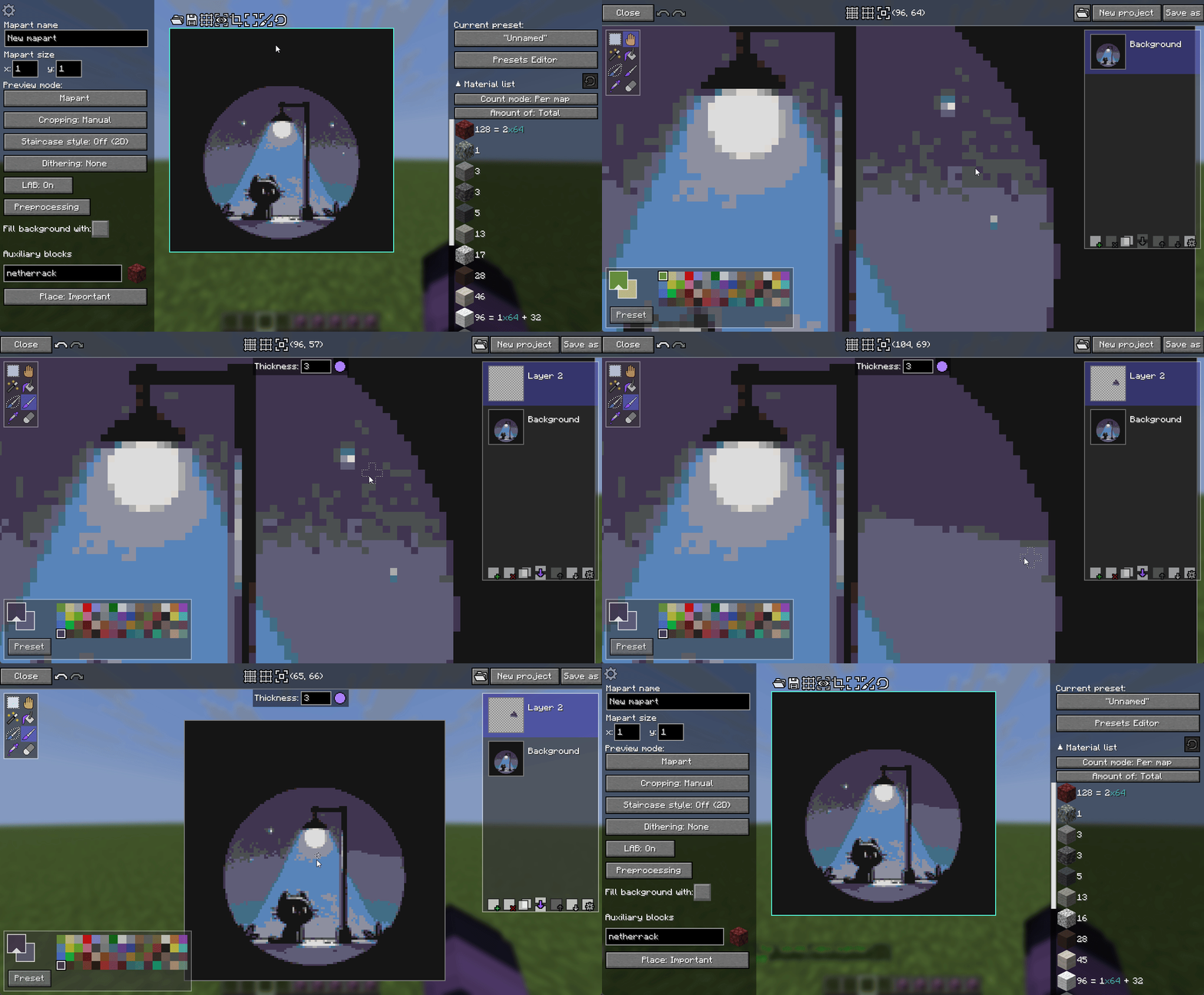
After you completed image preprocessing, the image can still have some dirty places. The best solution to fix them is to use any image editor. And Mapart Helper provides such an editor - Mapart Painter. You can open it from the Mapart Editor screen.
Mapart Painter is a simple image editor to edit your image or to paint a completely new one. It has a fairly intuitive user interface and doesn't have too complicated features.
Use palette presets:
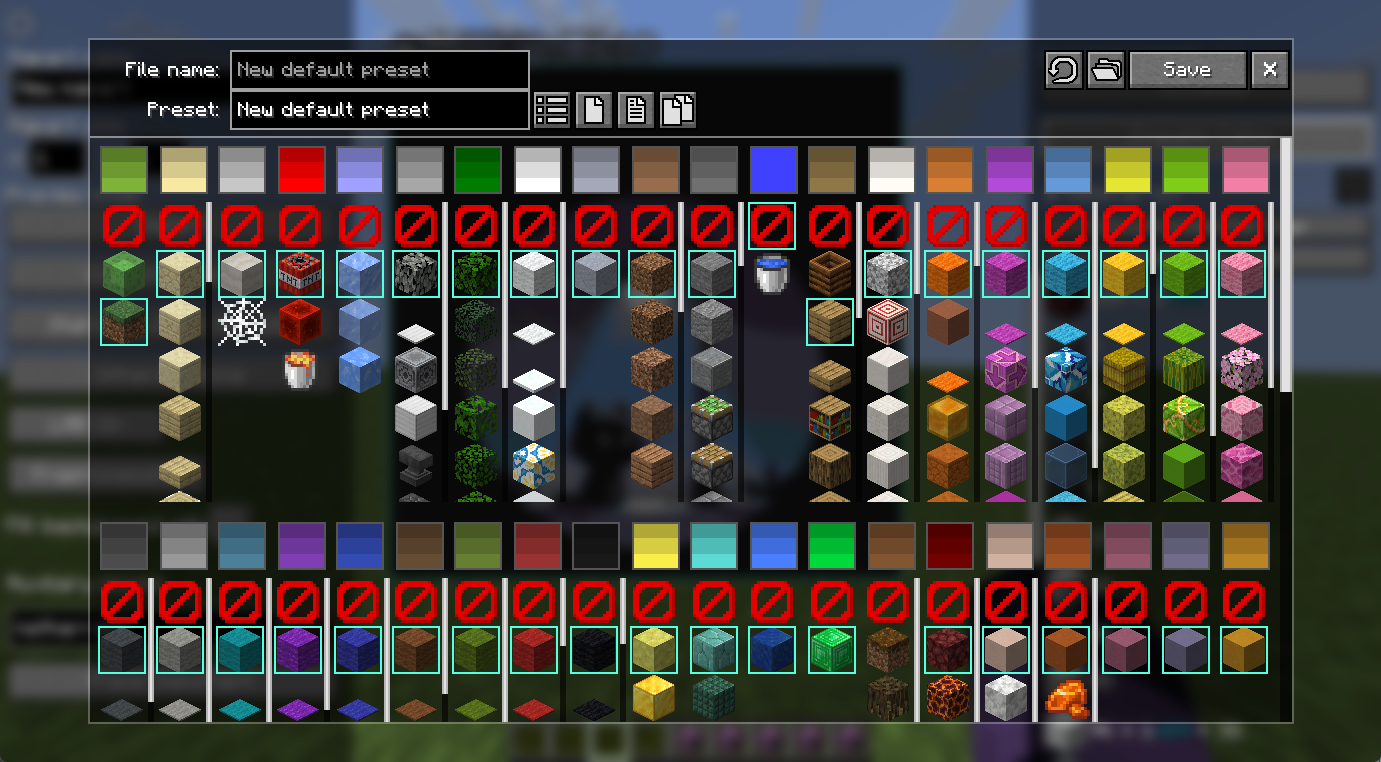
Palette presets let you quickly switch between different sets of blocks and colors used to create a mapart. You can manage them in the Presets Editor screen, accessible from the Mapart Editor screen.
Each preset is stored as a separate .json file, and they are very easy to transfer: just add a new preset file into
presets folder and update presets in the game. You can find "Open presets folder" and "Update presets list from files"
in the Presets Editor screen.
Save maps from the world as PNG:
Mapart Helper provides /mart save commands to save an image from:
- a map you are holding;
- a map from the item frame you are looking at;
- a map area to combine multiple maps into one image.
After you use it, you will get a clickable message in the chat, and the image will be saved to the saved_maps folder.
Commands
The following commands can be used everywhere, including servers:
/mart— Shows a list of commands in the chat/mart save frame [filename]— Saves the map's image you are looking at to thesaved_mapsfolder/mart save hand [filename]— Saves the map's image you are looking at to thesaved_mapsfolder/mart save selection [filename]— Saves the image from the selection area to thesaved_mapsfolder/mart beams— Toggles displaying the beams at the map areas' north-western points/mart palette regenerate— Regenerates blocks palette/mart palette update— Updates palette and presets from config files
There are also a few miscellaneous singleplayer-only commands for some unique cases:
/mart-creative palette give-map-palette— Gives you the map with every available map color/mart-creative palette place <height>— Places all blocks from the generated blocks palette into the world from the current map area's starting coordinates and at the given y-coordinate
Official links to download the mod
Contacts
- GitHub: https://github.com/Redheris/Mapart-Helper/issues
- Discord: Server
Rebane's MapartCraft
As someone who builds maparts in survival, I have always used this great website for that purpose. So, of course, the main idea for this mod was inspired by MapartCraft. As a novice modder, I decided to create a similar tool, but integrated directly into the game.
Mapart Helper is an alternative that provides in-game GUI for the same purposes, with some differences and its own features.
MapartCraft and Mapart Helper use different programming languages, algorithms, and logic. For this reason, the results may and will differ. Please keep this in mind if you want to use both tools for the same mapart.
 Mapart Helper
If you run into any bugs or rough edges, please report them on the Issues page — your feedback will be a huge help
Mapart Helper aims to make working with maparts as convenient and enjoyable as possible.
The mod generates blocks palette directly from the client, giving you a complete list of blocks available for each specific color. The mod has some default filters to exclude most of the unsuitable or problematic blocks, but it can be configured in the config screen.
It also includes other map-related features, such as saving maps from the world as PNG files or displaying beams at the north-western positions of map areas.
Supported versions
| Version | Status |
|---|---|
| 1.21.8 | ✔️ Active |
⚠️ Last version 0.12.0 |
|
| 1.21.11 | ✔️ Active |
| 26.1 | ✔️ Active |
| 26.2 | ✔️ Active |
| 1.21.4-5 | ✔️ Backport* 0.13.1 |
*Backport versions won't be getting every new update. They will be updated only for some major versions (with a delay) and critical fixes
How to:
Create a Mapart:
- Launch the game with the mod installed
- Join a world or server
- Open the Mapart editor screen with the
Ykey (this can be changed in the "Miscellaneous" key binds settings) - Use the user-friendly GUI to create some cool maparts
- Save your mapart as NBT file(s)
- Use other tools (such as Litematica) to build or place your NBT in the world
- After you correctly placed the schematic and built it, you can use map item to get the image
(If you haven't built maparts yet, I strongly recommend to watch some video guides about maparts)
Edit Mapart image:
After you completed image preprocessing, the image can still have some dirty places. The best solution to fix them is to use any image editor. And Mapart Helper provides such an editor - Mapart Painter. You can open it from the Mapart Editor screen.
Mapart Painter is a simple image editor to edit your image or to paint a completely new one. It has a fairly intuitive user interface and doesn't have too complicated features.
Use palette presets:
Palette presets let you quickly switch between different sets of blocks and colors used to create a mapart. You can manage them in the Presets Editor screen, accessible from the Mapart Editor screen.
Each preset is stored as a separate .json file, and they are very easy to transfer: just add a new preset file into
presets folder and update presets in the game. You can find "Open presets folder" and "Update presets list from files"
in the Presets Editor screen.
Save maps from the world as PNG:
Mapart Helper provides /mart save commands to save an image from:
- a map you are holding;
- a map from the item frame you are looking at;
- a map area to combine multiple maps into one image.
After you use it, you will get a clickable message in the chat, and the image will be saved to the saved_maps folder.
Commands
The following commands can be used everywhere, including servers:
/mart— Shows a list of commands in the chat/mart save frame [filename]— Saves the map's image you are looking at to thesaved_mapsfolder/mart save hand [filename]— Saves the map's image you are looking at to thesaved_mapsfolder/mart save selection [filename]— Saves the image from the selection area to thesaved_mapsfolder/mart beams— Toggles displaying the beams at the map areas' north-western points/mart palette regenerate— Regenerates blocks palette/mart palette update— Updates palette and presets from config files
There are also a few miscellaneous singleplayer-only commands for some unique cases:
/mart-creative palette give-map-palette— Gives you the map with every available map color/mart-creative palette place <height>— Places all blocks from the generated blocks palette into the world from the current map area's starting coordinates and at the given y-coordinate
Official links to download the mod
Contacts
- GitHub: https://github.com/Redheris/Mapart-Helper/issues
- Discord: Server
Rebane's MapartCraft
As someone who builds maparts in survival, I have always used this great website for that purpose. So, of course, the main idea for this mod was inspired by MapartCraft. As a novice modder, I decided to create a similar tool, but integrated directly into the game.
Mapart Helper is an alternative that provides in-game GUI for the same purposes, with some differences and its own features.
MapartCraft and Mapart Helper use different programming languages, algorithms, and logic. For this reason, the results may and will differ. Please keep this in mind if you want to use both tools for the same mapart.
Screenshots
Gallery
-
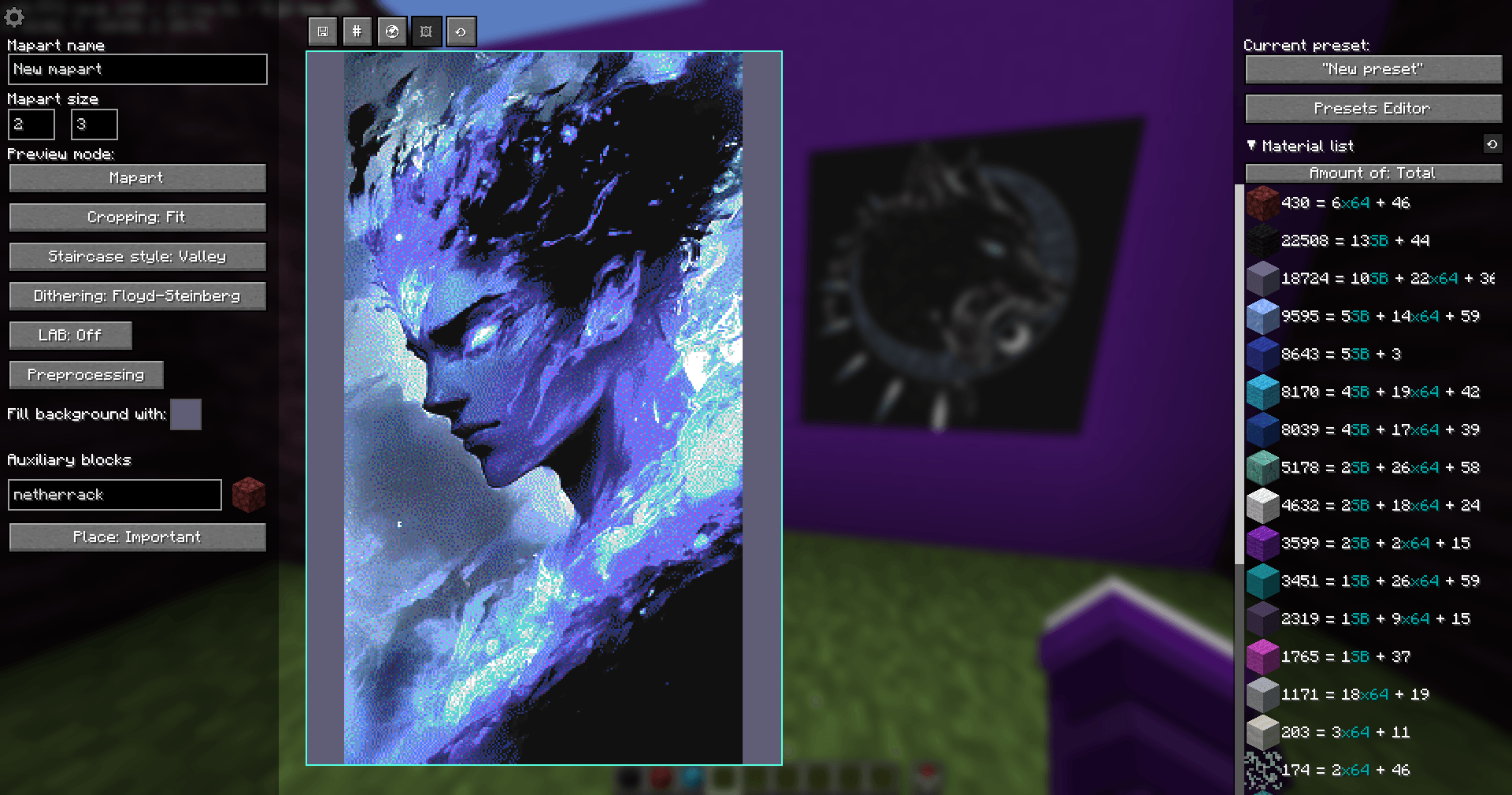 Example of a configured mapart Example of a configured mapart
 -
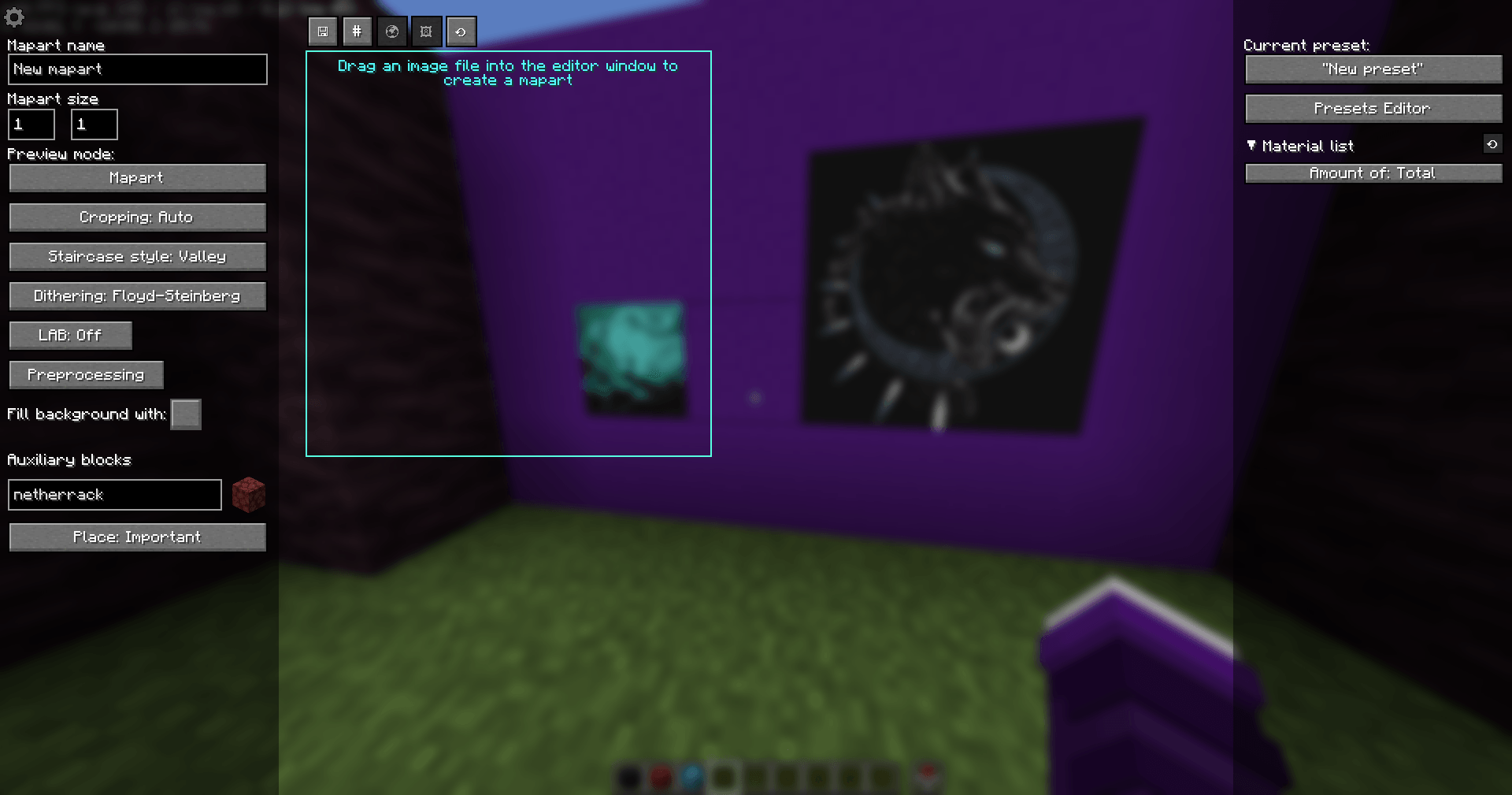 Mapart editor screen
 -
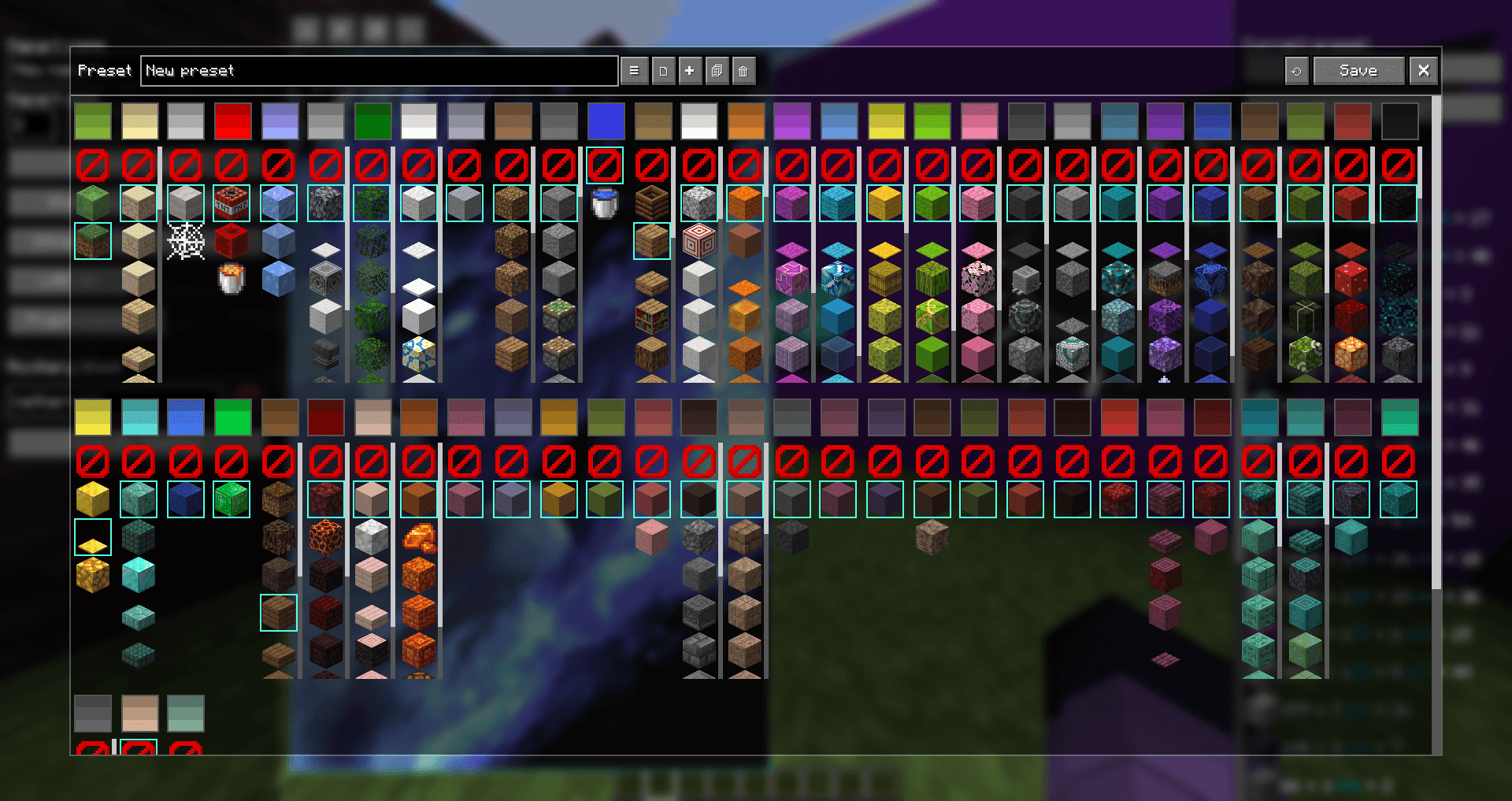 Preset editor screen Here you can create and configure custom presets
 -
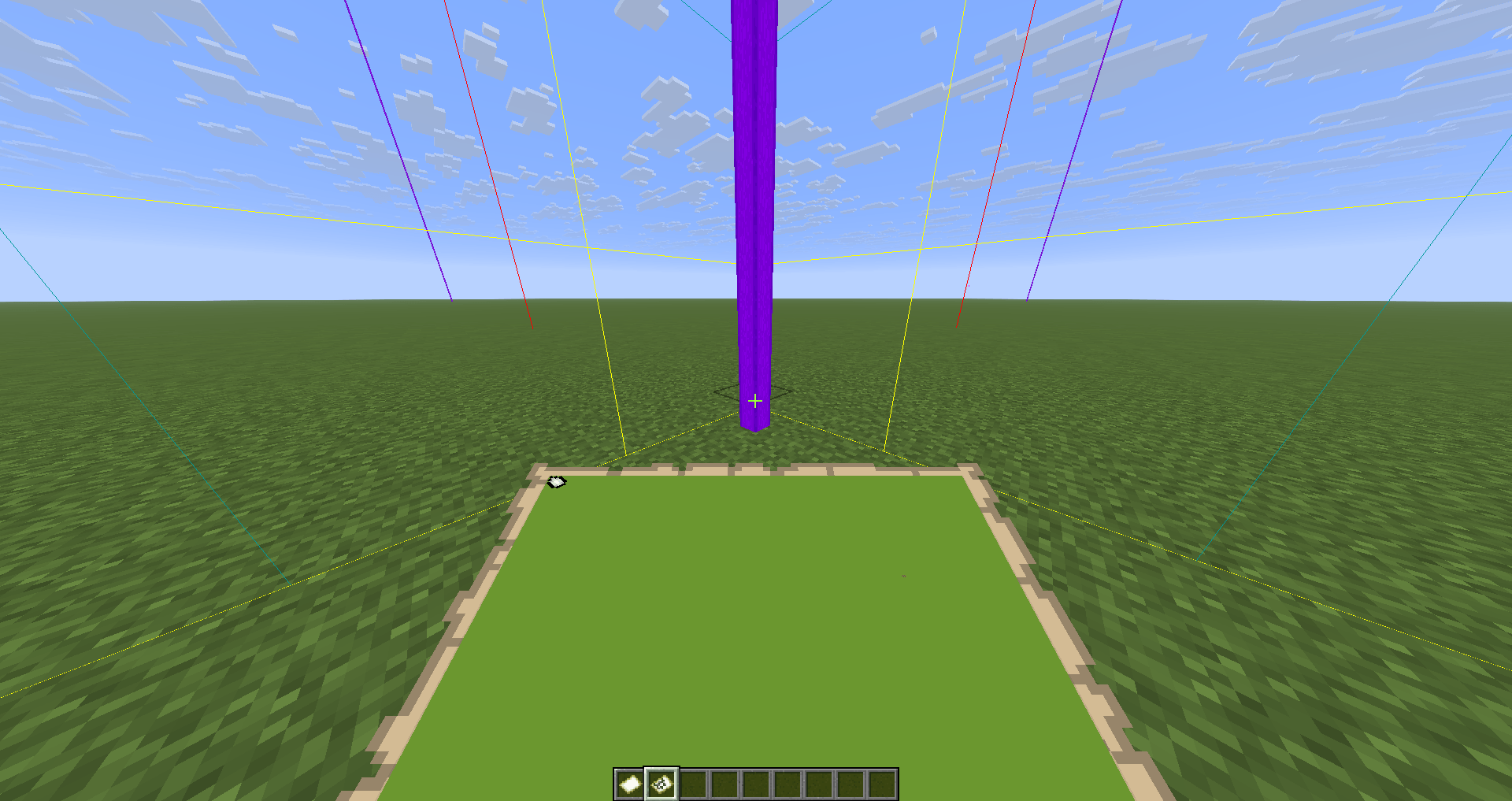 Simpler search for the starting point Using `/mart beams` to display auxiliary beams at the starting points of map areas
-
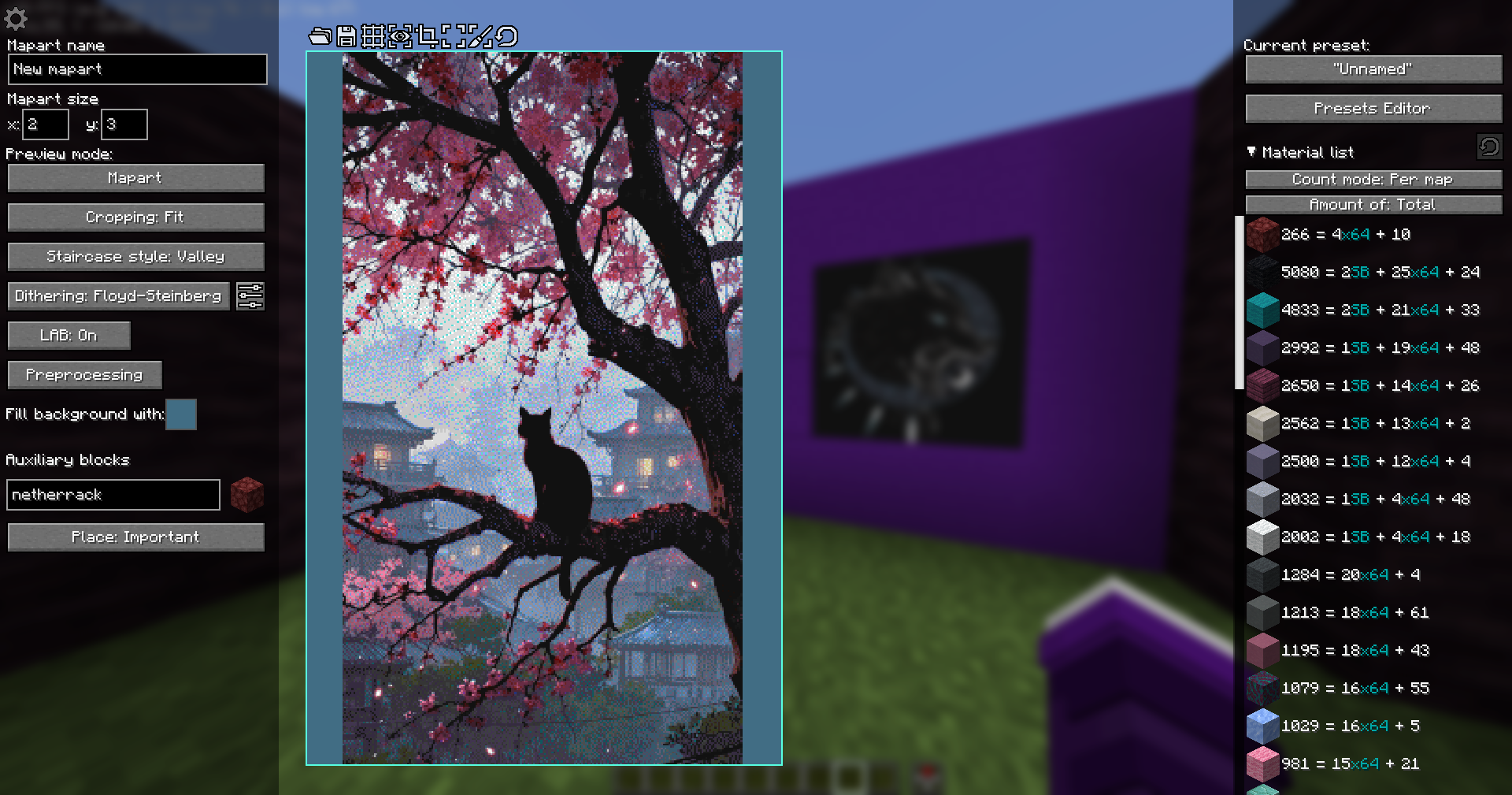 Example of a configured mapart
 -
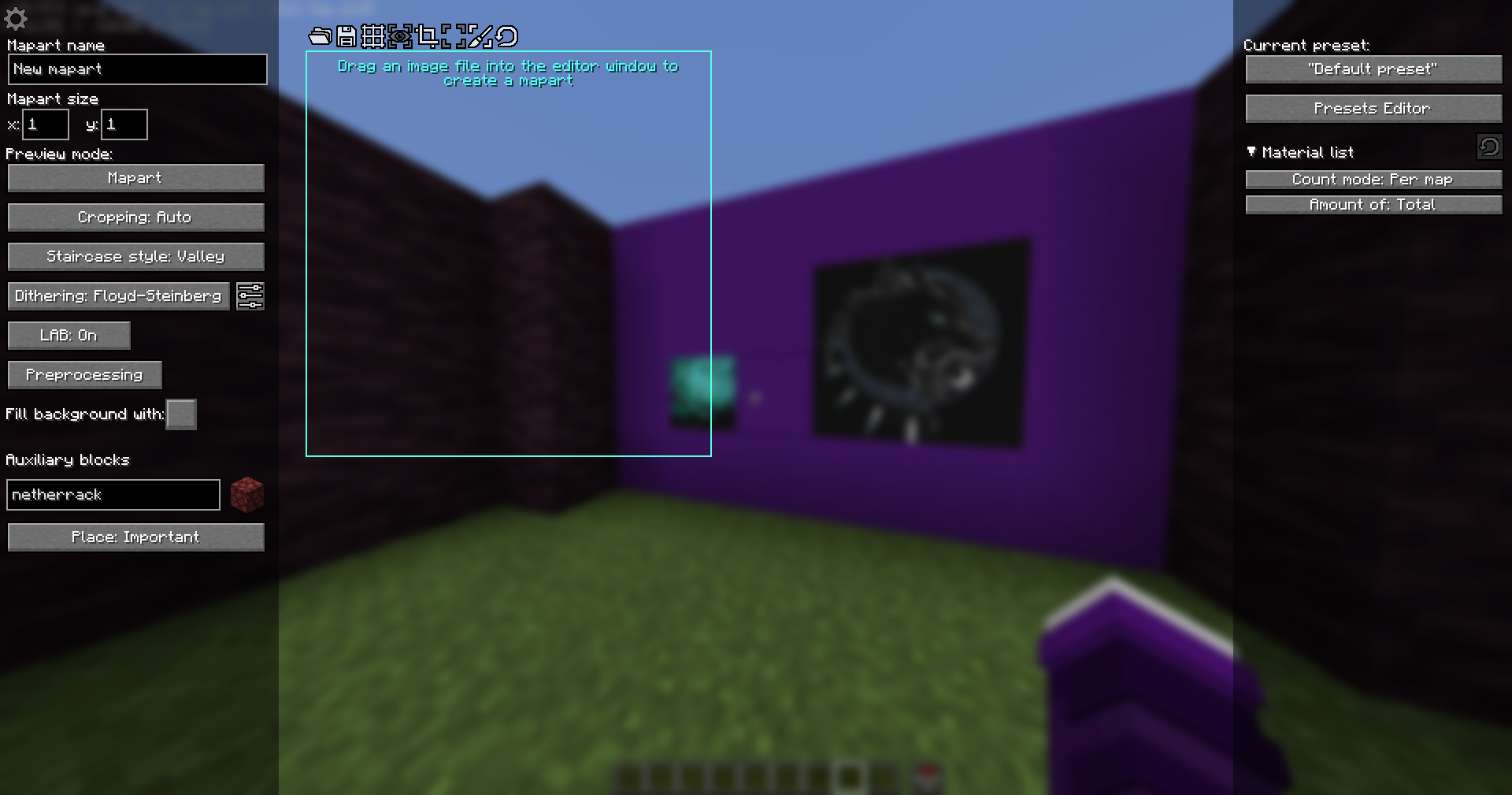 Mapart Editor screen
 -
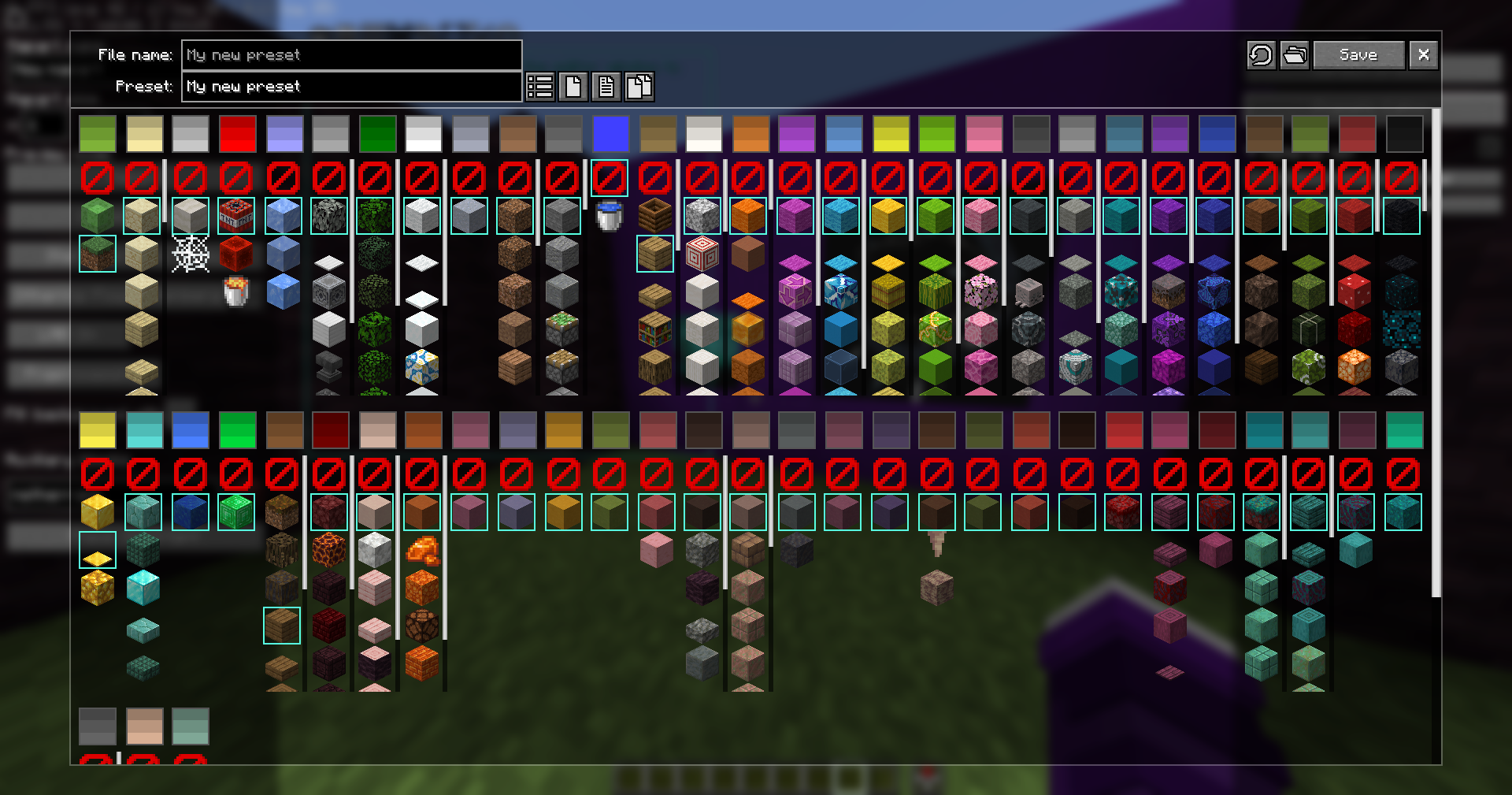 Presets Editor screen Here you can create and configure custom palette presets
 -
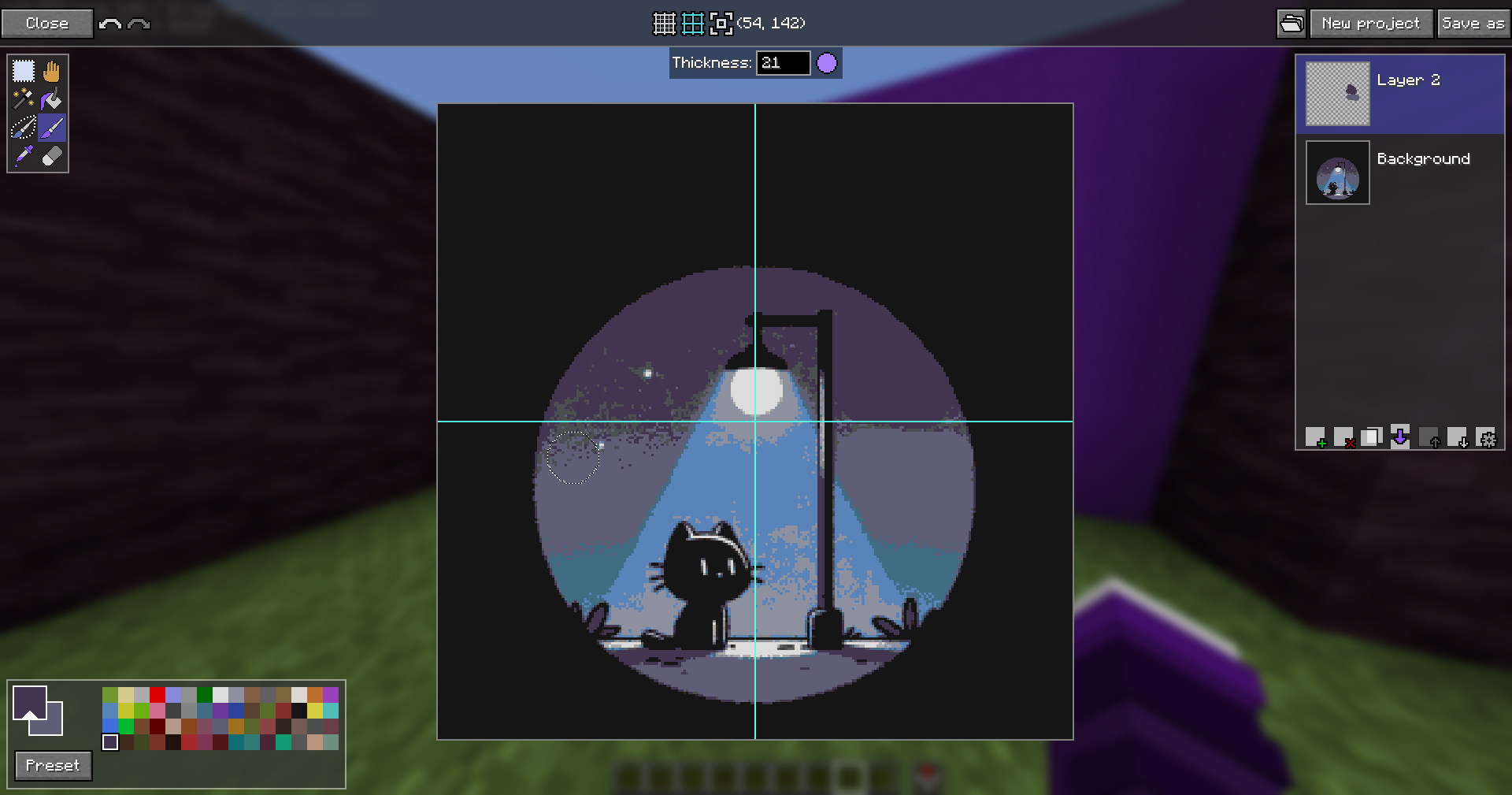 Mapart Painter screen A simple pixel image editor
 -
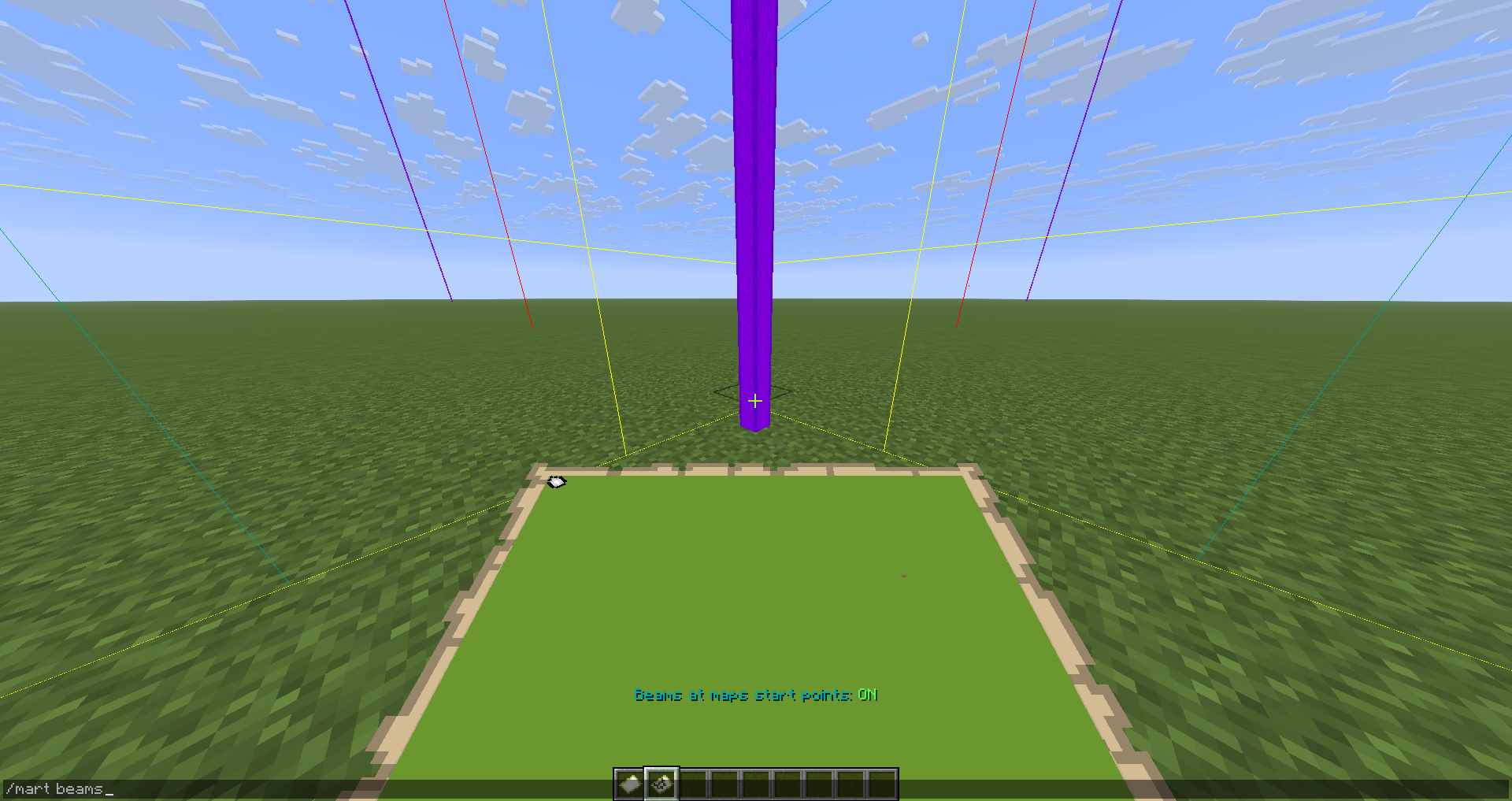 Simpler search for the starting point Using `/mart beams` to display auxiliary beams at the starting points of map areas
Versions
Files
Relations
Project Relations
More like this
Similar Mods
Suggestions use data such as tags, dependencies, dependents, descriptions, titles, and more to rank how much they overlap with this mod.
On ModDex
Community snapshot
By the numbers
Statistics
Want to reach Minecraft players?
We're looking for a server hosting partner to feature here and other parts of the site. Interested? Send us a message!
Get in touchGet it on
Available Platforms
On ModDex
Community snapshot
By the numbers