Community listing page, reviews here may not be monitored by the author.
Maps 3D

No reviews yet
Vanilla maps, but in 3D! Hold a little piece of the world in your hands or show it off in a map item frame.
Community voices
Reviews
No reviews yet. Be the first to review this project!
Get it on
Available Platforms
About
Project Details
For authors
Embed Badge
If you're the author of this project, you can embed a live badge anywhere that supports HTML or Markdown. It updates automatically whenever ratings change.
Use HTML for any page that supports it, or Markdown for README files and Markdown-based descriptions.
Identifiers
Platform IDs
Resources
External Links
About
Description

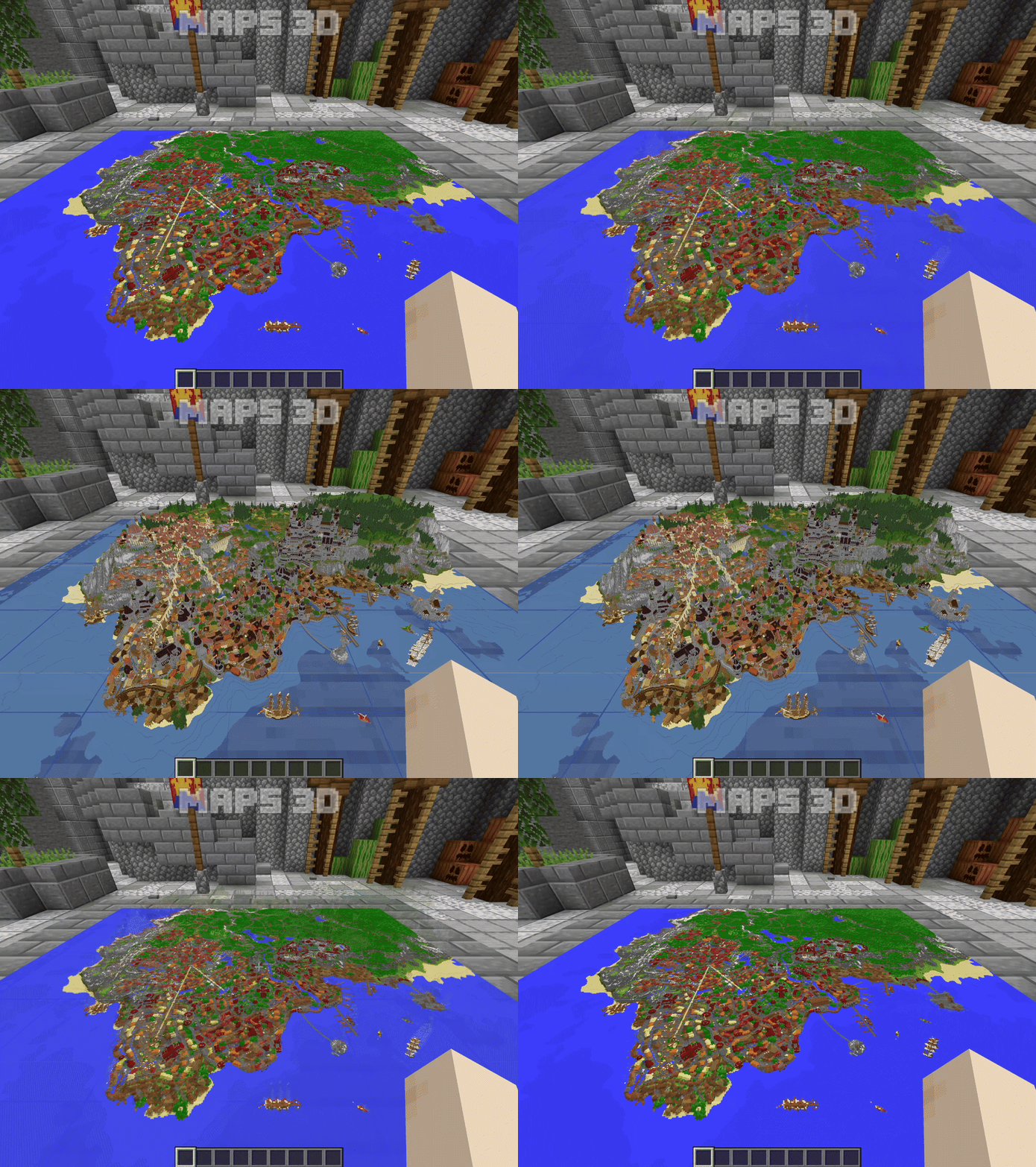
Maps 3D is a client and server mod for Forge, NeoForge, and Fabric that captures a piece of your world as a 3D map. Hold it in your hands or display it in a dedicated 3D map frame.
Works Best With


Rendering optimization mods like Sodium or Embeddium are recommended for large maps that cover millions of blocks. They can help improve FPS and keep gameplay smooth.
Features

3D maps generation:
- Works in the Overworld, Nether, and End.
- Area: 4×4, 6×6, 8×8, 10×10, 12×12, 14×14, or 16×16 chunks.
- Max height: 128–384 blocks, in steps of 32. The default is 256.
- Y value: Chosen automatically when left blank, or set to the value you enter.
- Positioning:
- Auto: Follows vanilla map alignment rules.
- Manual: Enter your own X/Z coordinates or drag the map preview with your mouse.
- Map types:
- Static: Keeps the map as it was when created. Changes to the world are not shown.
- Dynamic: Updates the map 3 seconds after the last change within its area.

3D Map Frames:
- 3D maps can be placed in 3D map frames.
- Maps in 3D map frames start loading when you look at them or enter the world.
- Player icons show each player’s location on the map.
- Regular items can also be placed in 3D map frames.
- By default, up to 25 maps can be loaded at once. This limit can be adjusted with commands.
Crafting
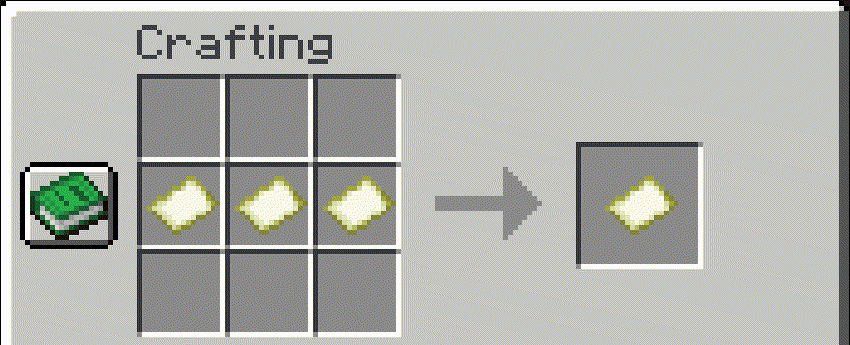
3D map recipe
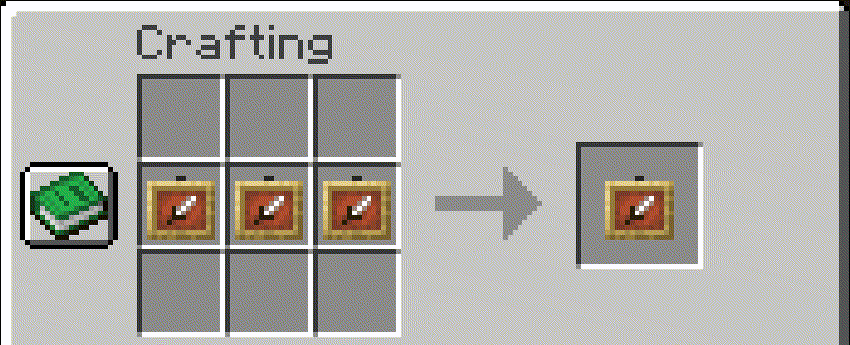
3D map frame recipe
Commands
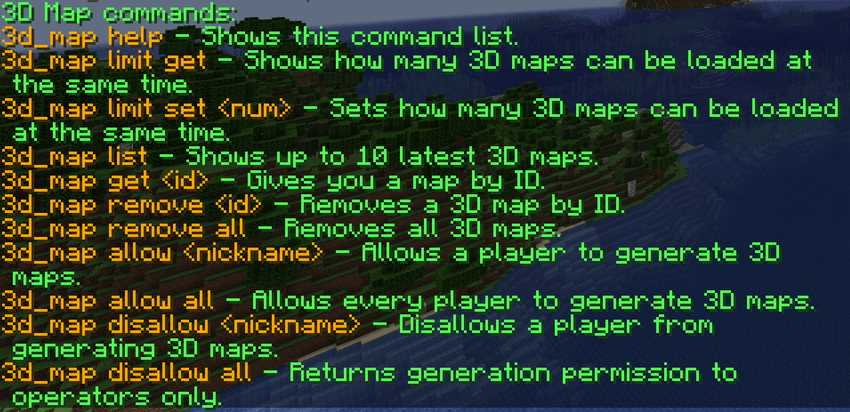
Commands for singleplayer:
/3d_map help— Shows available mod commands./3d_map limit get— Shows the current client map cache limit./3d_map limit set <num>— Sets the client map cache limit (1–1000)./3d_map list— Shows up to 10 of the latest 3D maps./3d_map get <id>— Gives you a map by ID. Requires cheats./3d_map remove <id>— Deletes a 3D map and its stored data./3d_map remove all— Deletes all 3D maps and their stored data.
Commands for servers and LAN worlds that are available to everyone:
/3d_map help— Shows available mod commands./3d_map limit get— Shows your client map cache limit./3d_map limit set <num>— Sets your client map cache limit (1–1000).
Available to OPs and the LAN host:
/3d_map list— Shows up to 10 of the latest 3D maps./3d_map get <id>— Gives you a map by ID. Always requires permission level 2; the LAN host needs cheats enabled./3d_map remove <id>— Deletes a 3D map and its stored data./3d_map remove all— Deletes all 3D maps and their stored data./3d_map allow <nickname>— Allows a player to generate 3D maps./3d_map allow all— Allows everyone to generate 3D maps and clears individual denials./3d_map disallow <nickname>— Revokes a player’s permission to generate 3D maps./3d_map disallow all— Clears all grants, restricting generation to operators and the world owner.
Operators and the world owner always retain generation access. Allow/disallow commands become available when a singleplayer world is opened to LAN.
Screenshots
Gallery
Versions
Files
Relations
Project Relations
More like this
Similar Mods
Suggestions use data such as tags, dependencies, dependents, descriptions, titles, and more to rank how much they overlap with this mod.
On ModDex
Community snapshot
By the numbers
Statistics
Want to reach Minecraft players?
We're looking for a server hosting partner to feature here and other parts of the site. Interested? Send us a message!
Get in touchGet it on
Available Platforms
On ModDex
Community snapshot
By the numbers
Statistics
Resources