Community listing page, reviews may not be monitored by the author.
MapSketch | Draw on Xaero's Maps

No reviews yet
Excalidraw-style drawing on Xaero's World Map and Minimap: shapes, arrows that stick to shapes, text, freehand, stamps and Minecraft map icons, all synced live between players with FTB Teams visibility.

Community voices
Reviews
No reviews yet. Be the first to review this project!
Get it on
Available Platforms
About
Project Details
For authors
Embed Badge
If you're the author of this project, you can embed a live badge anywhere that supports HTML or Markdown. It updates automatically whenever ratings change.
Use HTML for any page that supports it, or Markdown for README files and Markdown-based descriptions.
Identifiers
Platform IDs
Resources
External Links
About
Description
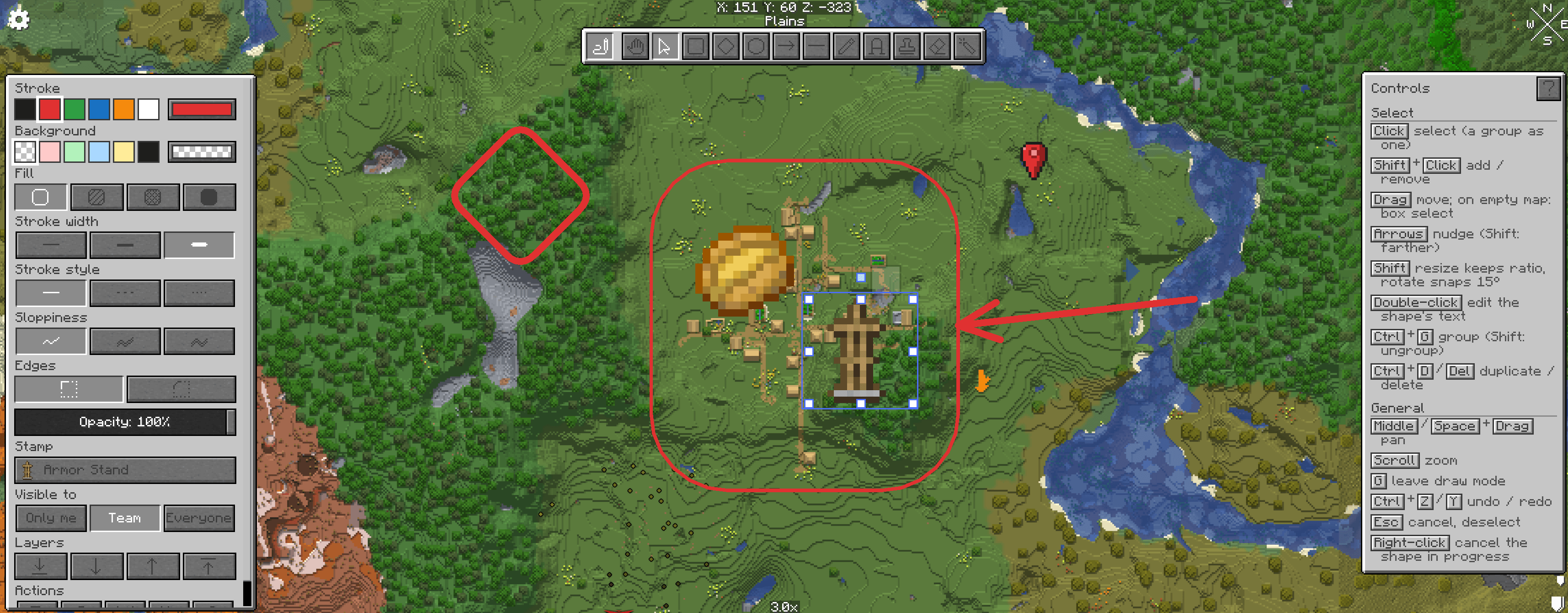
MapSketch turns Xaero's World Map into a shared whiteboard. Plan bases, mark routes, label regions and leave notes for your friends, right on the map, and watch them draw with you in real time.
Press G on the world map to start drawing. Everything you draw is pinned to the world, shows on the minimap as you travel, and is saved with the world.
Tools
• Select, move, resize and rotate, with box select, groups, layers, copy/paste and undo/redo
• Rectangle, diamond, ellipse, line and arrow
• Arrows attach to shapes and follow them when moved: snap to an edge, a link node, or any point inside
• Freehand pen, text (with optional background), eraser and laser pointer
• Stamps: 24 pixel-art symbols, Minecraft's own map icons (banners, villages, monuments…) and any item or block, with search.
Style
• Stroke and fill colours with a full colour picker
• Hachure, cross-hatch or solid fill; stroke width; solid, dashed or dotted lines
• Hand-drawn "sloppiness" (off by default), sharp or round corners, opacity, arrowheads
• Draw under or over map icons, per drawing
Multiplayer
• Live: see other players' cursors, strokes and drags as they happen
• Built for groups: grabbing a shape someone else is editing shows who has it, so two people can't fight over it
• Visibility per drawing: Only me, Team (FTB Teams) or Everyone
• The server checks every change, so modified clients can't edit what they shouldn't
• Admin commands: /mapsketch stats, release, clear
Feels like Minecraft
• Vanilla-style panels, buttons and pixel-art icons in the Minecraft font
• A built-in controls guide that shows the keys for the current tool
• Middle mouse or Space to pan, scroll to zoom
Settings: Mods > MapSketch > Config, or the MapSketch… button in Xaero's World Map settings.
Requires: NeoForge 1.21.1, Xaero's World Map
Optional: Xaero's Minimap (drawings on the minimap), FTB Teams (team visibility)
Install on the client, and on the server for sharing.
Without the server mod, drawings are local to you.
Screenshots
Gallery
-
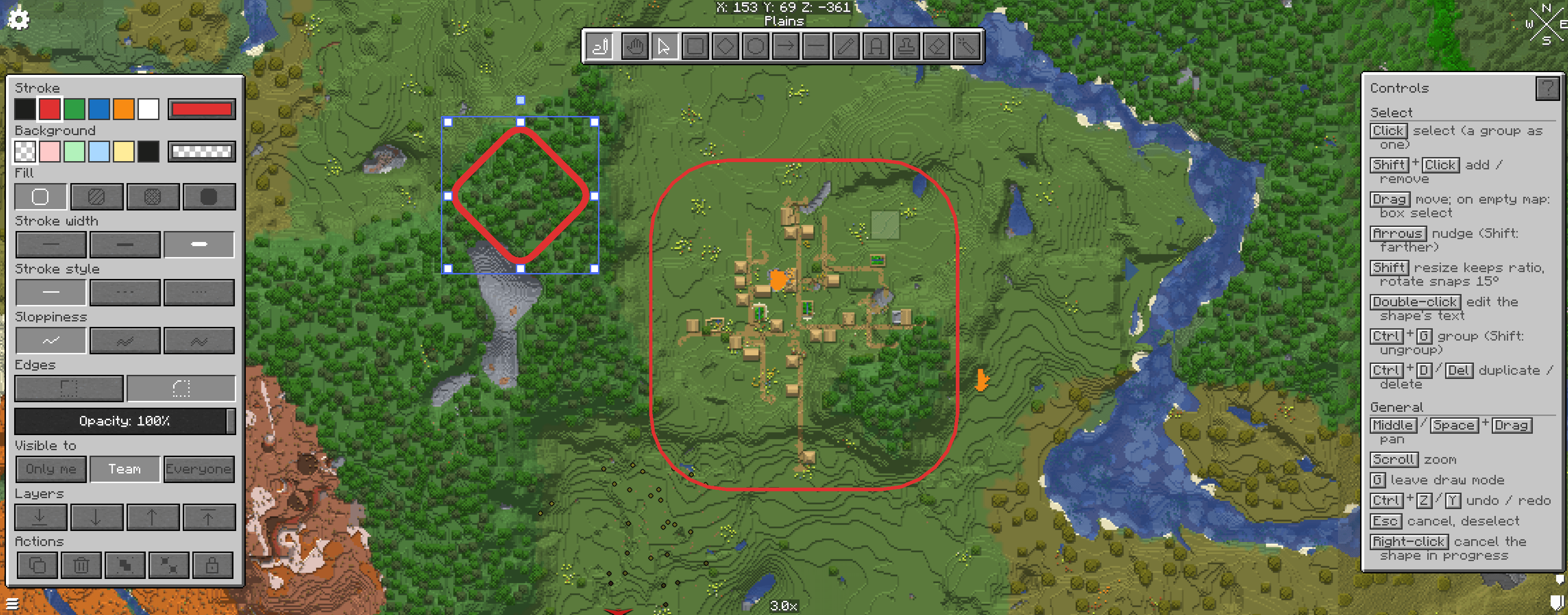 Screenshot 2026-10-25 182313.png Screenshot 2026-10-25 182313.png
-
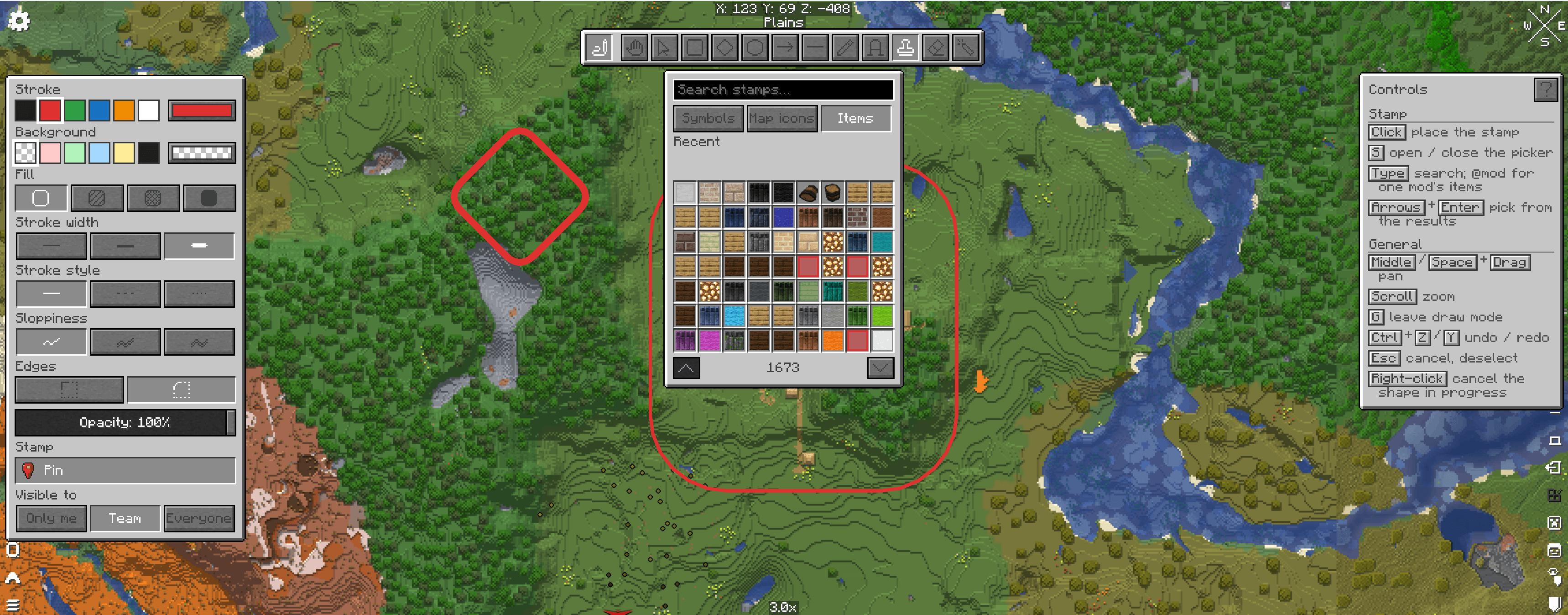 Screenshot 2026-10-25 182405.png Screenshot 2026-10-25 182405.png
-
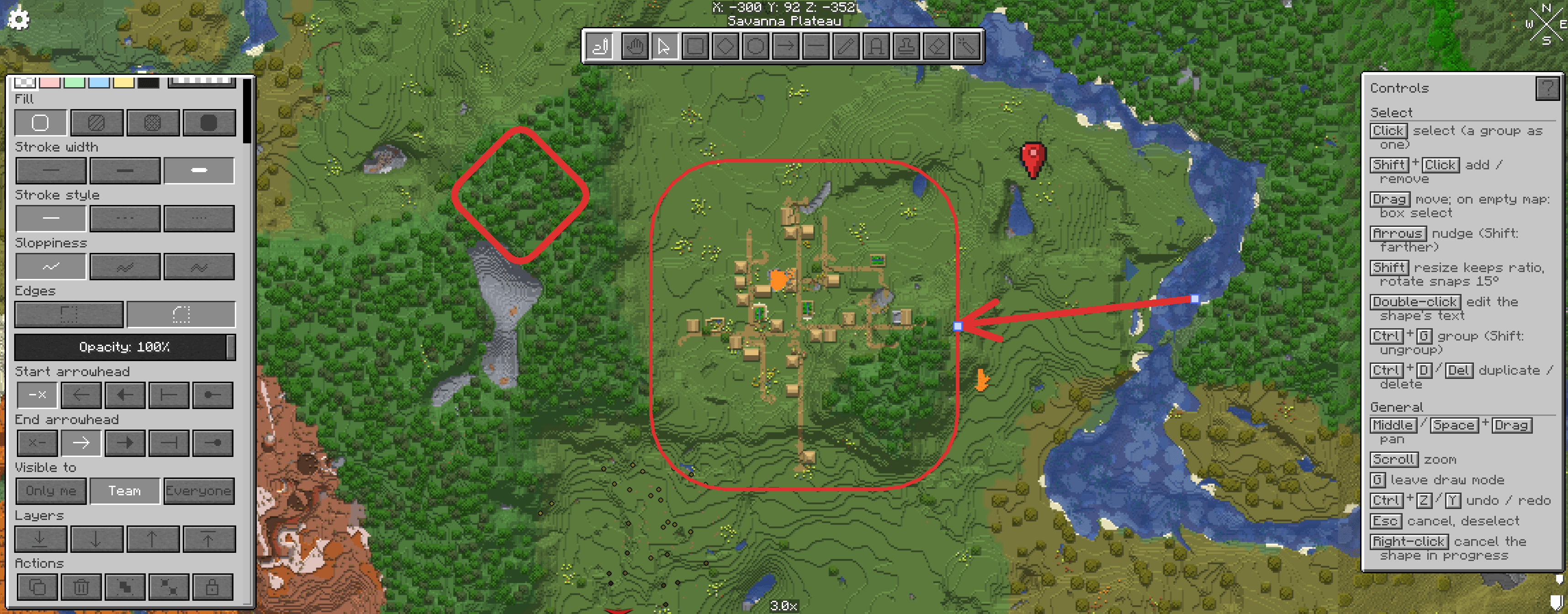 Screenshot 2026-10-25 182501.png Screenshot 2026-10-25 182501.png
-
 Screenshot 2026-10-25 182610.png Screenshot 2026-10-25 182610.png
Versions
Files
Relations
Project Relations
More like this
Similar Mods
Suggestions use data such as tags, dependencies, dependents, descriptions, titles, and more to rank how much they overlap with this mod.
On ModDex
Community snapshot
By the numbers
Statistics

Get it on
Available Platforms
On ModDex
Community snapshot
By the numbers
Statistics
Resources