
Community listing page, reviews here may not be monitored by the author.
Material Counter

No reviews yet
Count all materials needed to build any selected area. Fast, simple, and survival-friendly.
Community voices
Reviews
No reviews yet. Be the first to review this project!
Get it on
Available Platforms
About
Project Details
For authors
Embed Badge
If you're the author of this project, you can embed a live badge anywhere that supports HTML or Markdown. It updates automatically whenever ratings change.
Use HTML for any page that supports it, or Markdown for README files and Markdown-based descriptions.
Identifiers
Platform IDs
Resources
External Links
About
Description
Material Counter
Material Counter is a datapack that lets you quickly calculate which materials and how many of each are required to recreate a selected structure in Minecraft.
Simply select an area using the dedicated Material Counter Position Selector, and the datapack will automatically analyze every block and generate a complete list of the required materials.
Features
- Counts every block within the selected area.
- Displays a complete list of the required materials.
- Shows the exact quantity of every block needed.
- Dedicated Position Selector tool.
- Automatic in-game User Guide.
- Chat Mode and Book Mode for displaying results.
- Toggleable position outline particles.
- Crafting recipes for both the Position Selector and the User Guide.
Usage
1. Obtain the Position Selector
You can get the tool in two ways.
a) Craft it using the following recipe:
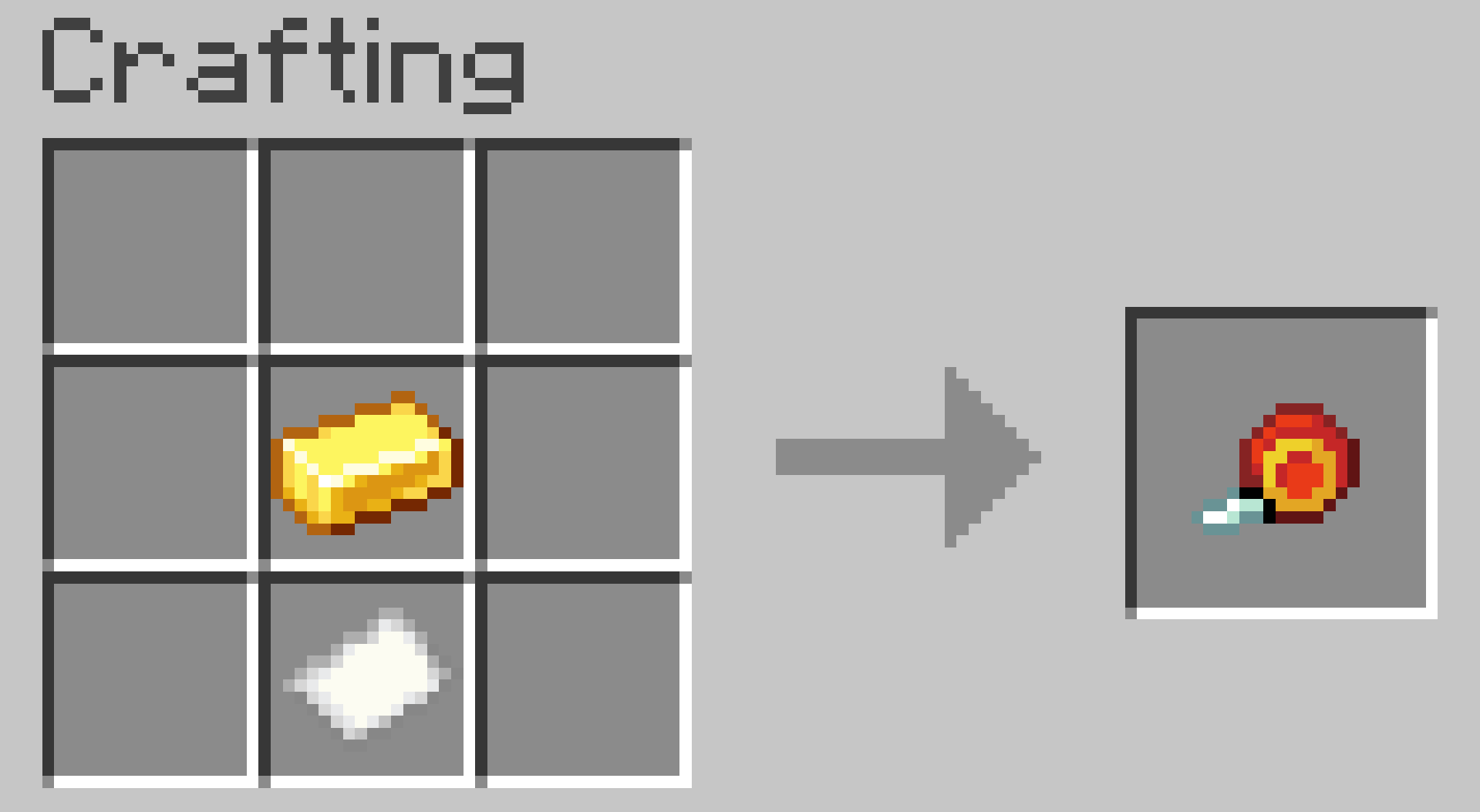
b) Obtain it instantly by running:
/trigger give
2. Select Position 1
Go to one corner of your build and right-click an empty block face.
The Position Selector will change its appearance, indicating that the next step is selecting Position 2.
3. Select Position 2
Go to the opposite corner of the build and right-click again.
4. Wait for the calculation
The datapack will analyze every block inside the selected area.
Large selections may take longer depending on the size of the build and your computer's performance.
5. View the results
By default, the material list appears in chat.
If you prefer, you can switch to Book Mode, which generates a book containing the complete material list.
Settings
The datapack includes two optional settings.
/trigger list
Switches between:
- Chat Mode (default)
- Book Mode
- Dialog Mode
/trigger position_outlines
Enables or disables the particles that mark Position 1 and Position 2.
Enabled by default.
User Guide
The first time you join a world with the datapack installed, you'll automatically receive an in-game User Guide explaining every feature.
If you lose it, you can craft another copy using its crafting recipe.
Compatibility
No additional mods or libraries are required.
Place the datapack in your world's datapacks folder.
To enable the custom textures for the Position Selector, place the same ZIP file in the
resourcepacksfolder as well.
Warning
Selecting extremely large areas may cause Minecraft to freeze or crash.
Your world should remain safe, as Minecraft Java Edition can restore backups if a crash occurs during datapack execution.
Credits
Creator: MrKazanek
Special thanks: Bluezers
Thank you to everyone who supported this project! ❤️
Screenshots
Gallery
-
 Material Counter Plan your builds with an accurate material counter.
 -
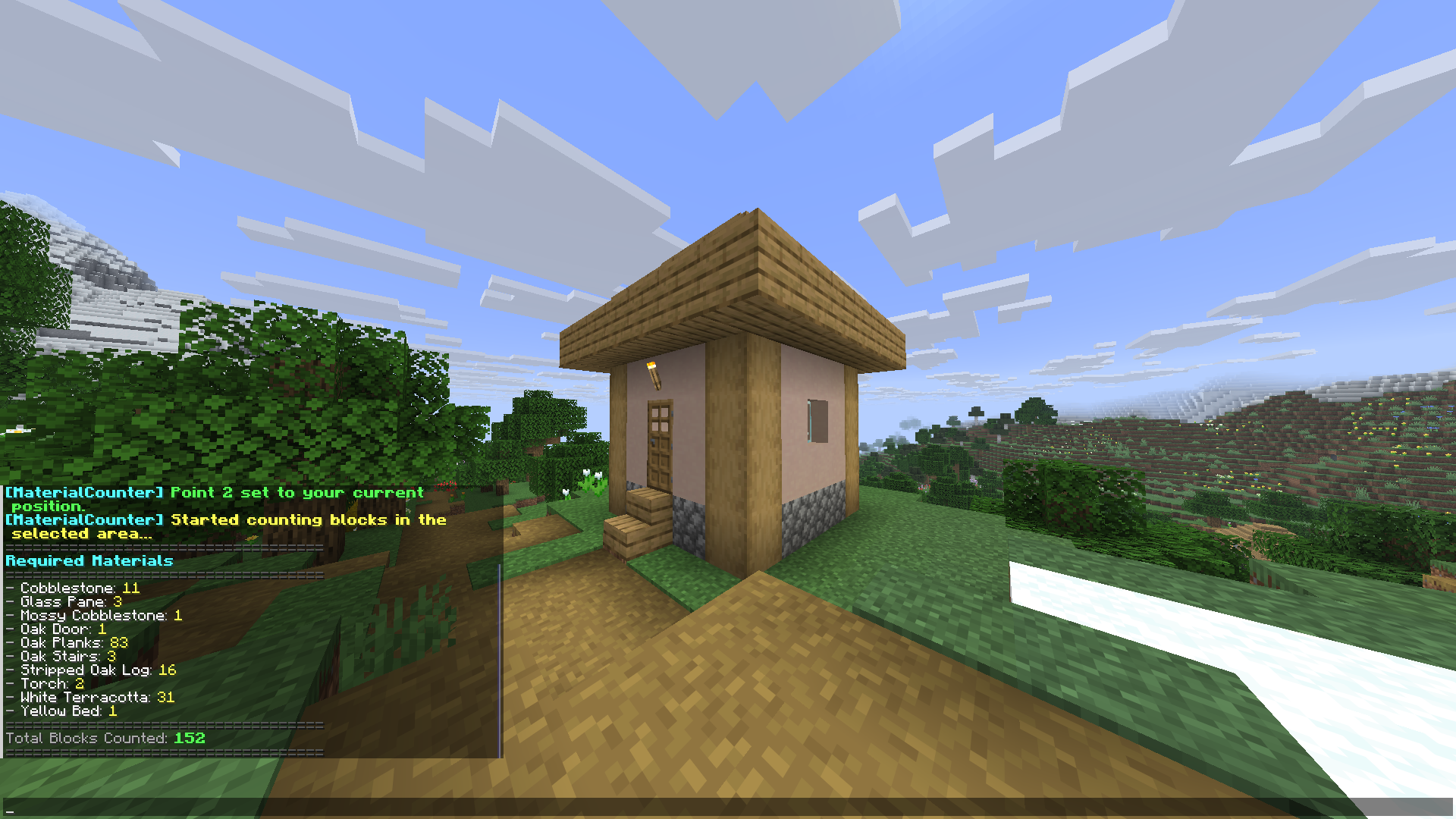 Feature Preview #1 The datapack analyzes the selected structure and displays the exact amount of each material required to rebuild it.
 -
 Feature Preview #2 The screenshot shows the selection tool used to mark an area and count the materials required within it.
 -
Feature Preview #3 Material Counter Position Selector Crafting Recipe.
-
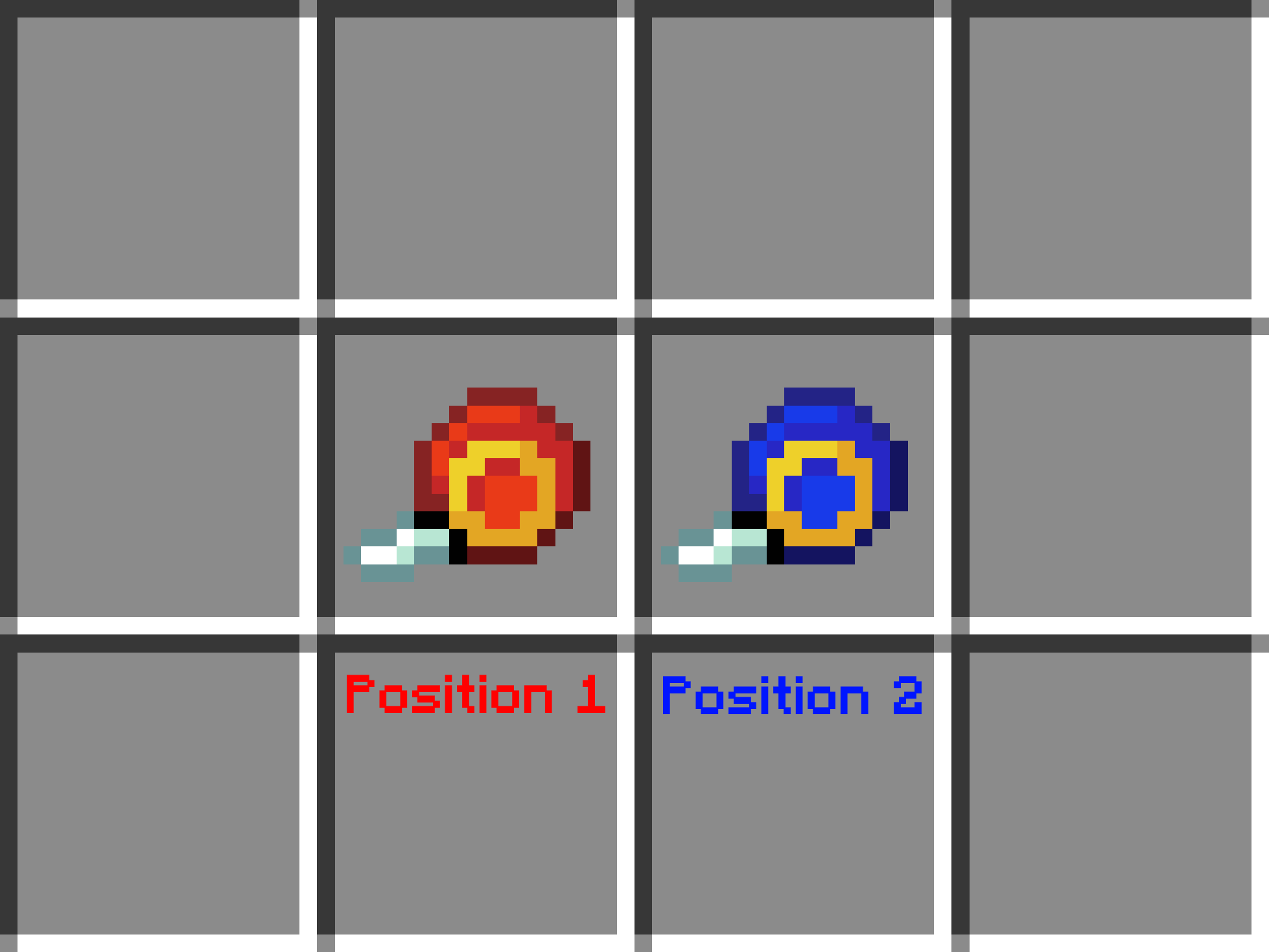 Feature Preview #4 Tool Appearance Based on the Selected Position.
 -
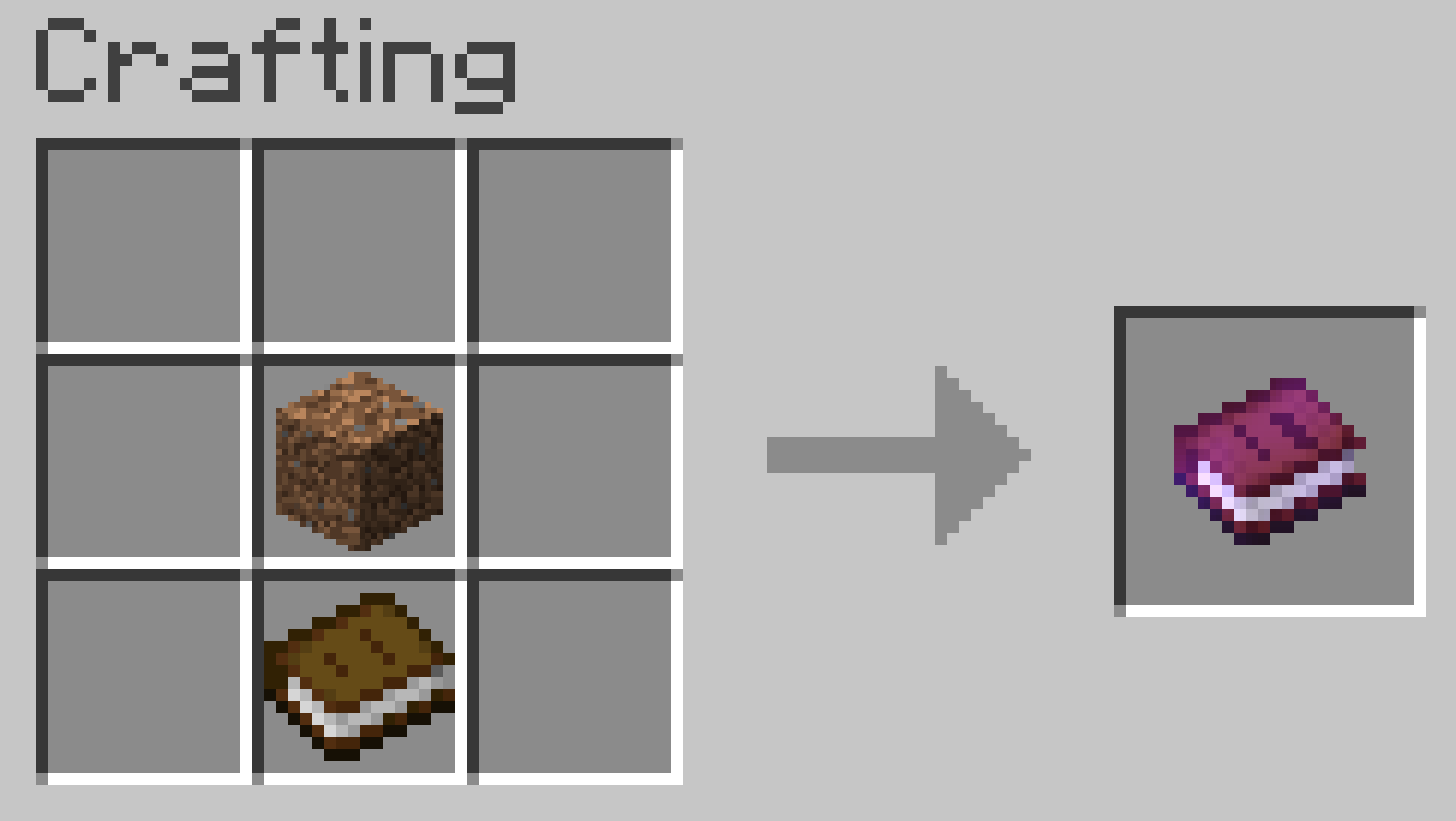 Feature Preview #5 Datapack User Guide Crafting Recipe.
 -
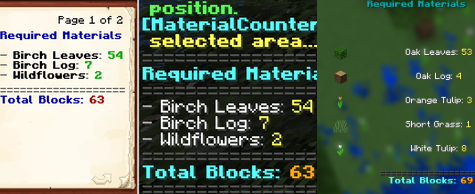 Feature Preview #6 Three Material List Display Modes.
Versions
Files
Relations
Project Relations
More like this
Similar Mods
Suggestions use data such as tags, dependencies, dependents, descriptions, titles, and more to rank how much they overlap with this mod.
- Material Changer
- Material Elements
- Material Master [Archived]
- Material Elements: Armor, Tools and Weapons
- Material Elements: Panels, Plates and Slabs
- Material Elements: Decorative
- Material Replication
- Material Rework PS1
- Material Decorations
- Material Lib
- Copper Material Pack for Basic Weapons
- Material Beacons
On ModDex
Community snapshot
By the numbers
Statistics

Want to reach Minecraft players?
We're looking for a server hosting partner to feature here and other parts of the site. Interested? Send us a message!
Get in touchGet it on
Available Platforms
On ModDex
Community snapshot
By the numbers
Statistics
Resources