
Community listing page, reviews here may not be monitored by the author.
MCDisplays

No reviews yet
A small addon mod to display informations (from books/quil, minecolonies resourcescroll and clipboard) keep up to date.
Community voices
Reviews
No reviews yet. Be the first to review this project!
Get it on
Available Platforms
About
Project Details
For authors
Embed Badge
If you're the author of this project, you can embed a live badge anywhere that supports HTML or Markdown. It updates automatically whenever ratings change.
Use HTML for any page that supports it, or Markdown for README files and Markdown-based descriptions.
Identifiers
Platform IDs
About
Description
Long Description
MC Displays adds clean, rectangular multiblock display panels for Minecraft. Build a display wall, insert a supported item, and the screen will render its content directly in the world.
The mod is designed for practical survival use as well as colony management. Vanilla books work out of the box, the Markdown Pad lets players write custom screen content in-game, and optional MineColonies integration lets you surface builder resource lists, clipboard request data, and a full Colony Dashboard on large wall-mounted panels.
Available for Minecraft 1.20.1 (Forge) and 1.21.1 (NeoForge).
Features
- Build rectangular multiblock display walls from individual display panels.
- Show written books, books and quills, Markdown Pads, MineColonies Resource Scrolls, MineColonies Clipboards, and the Colony Dashboard directly in the world.
- Render larger multiblock displays with improved text scaling across the available screen area.
- Refresh live content automatically on a configurable interval.
- Turn pages manually with an empty hand when enabled.
- Protect displays with ownership and private mode.
- Illuminate displays with Glow Ink Sacs for bright text, outline rendering, and a visible lit frame.
- Configure refresh interval and maximum display size through the server config.
- Keep colony and builder links separated from item data, which is especially useful on multiplayer servers with multiple colonies.
Colony Dashboard
The Colony Dashboard is a dedicated item for displaying live MineColonies colony data on your display walls. It offers six switchable views:
- Citizens — Full citizen roster grouped by job, showing name, age, and gender.
- Builders — Each builder with their current work order, target level, and build progress.
- Sick — Sick citizens with their disease and home location.
- Deaths — Death log from the colony's graveyard and event records.
- Statistics — Colony-wide production and combat totals (ores mined, blocks placed, mobs killed, and more).
- Warehouse — Warehouse buildings with their level and capacity status.
How to use:
- Sneak-right-click any MineColonies building to link the dashboard to that colony.
- Right-click to cycle through the six display modes.
- Place the dashboard into a display panel — it auto-refreshes every 5 seconds.
- The current mode and page survive server restarts.
Markdown Pad
The Markdown Pad is a dedicated item for writing custom display content directly in Minecraft.
- Edit text in an in-game screen with a live preview.
- Store title and content inside the item.
- Place the item into a display just like a book.
Markdown Support
Markdown rendering is tuned for in-world display readability.
- Headings using # and underline-style headings
- Ordered lists, unordered lists, and task lists
- Nested blockquotes
- Bold, italic, strikethrough, and inline code
- Fenced code blocks with preserved spacing
- Pipe tables with alignment support
- Links converted into readable text output
- Color tags such as [red], [green], [blue], [color=#ff8800], [#55ff55], and [/]
This makes the Markdown Pad useful for signs, dashboards, colony planning boards, task trackers, and wall-mounted information panels.
MineColonies Integration
- Display MineColonies Resource Scroll data.
- Display MineColonies Clipboard request data.
- Display live colony data with the Colony Dashboard (Citizens, Builders, Sick, Deaths, Statistics, Warehouse).
- Refresh live colony information instead of relying on stale snapshots.
MineColonies support is optional, but required for Resource Scroll, Clipboard, and Colony Dashboard displays.
Controls
- Right-click a display with a supported item to insert it directly.
- Right-click with a Glow Ink Sac to enable illuminated mode.
- Right-click with an Ink Sac to disable illuminated mode.
- Sneak-right-click to open the source menu.
- Use an empty hand to turn pages when manual page turning is enabled.
Multiplayer
- Displays are claimed automatically by the first player who edits them.
- Private displays can only be edited by their owner.
- Ownership, privacy, and illumination are shared across the whole rectangular multiblock.
Compatibility
- Minecraft 1.20.1 (Forge 47.4.20)
- Minecraft 1.21.1 (NeoForge 21.1)
Credits
Special thanks to Bludeuwedd, the creator of the Colony Dashboard mod. The Colony Dashboard feature in MC Displays was built in collaboration with Bludeuwedd, who generously agreed to have their work integrated into this mod. Thank you for your contribution to the MineColonies community!
Notes
Clipboard and Colony Dashboard content is generated from live MineColonies data, so the display always reflects the current state of the linked colony instead of a static snapshot.
Markdown support is intentionally tuned for practical in-world display use rather than full browser-grade rendering.
Screenshots
Gallery
-
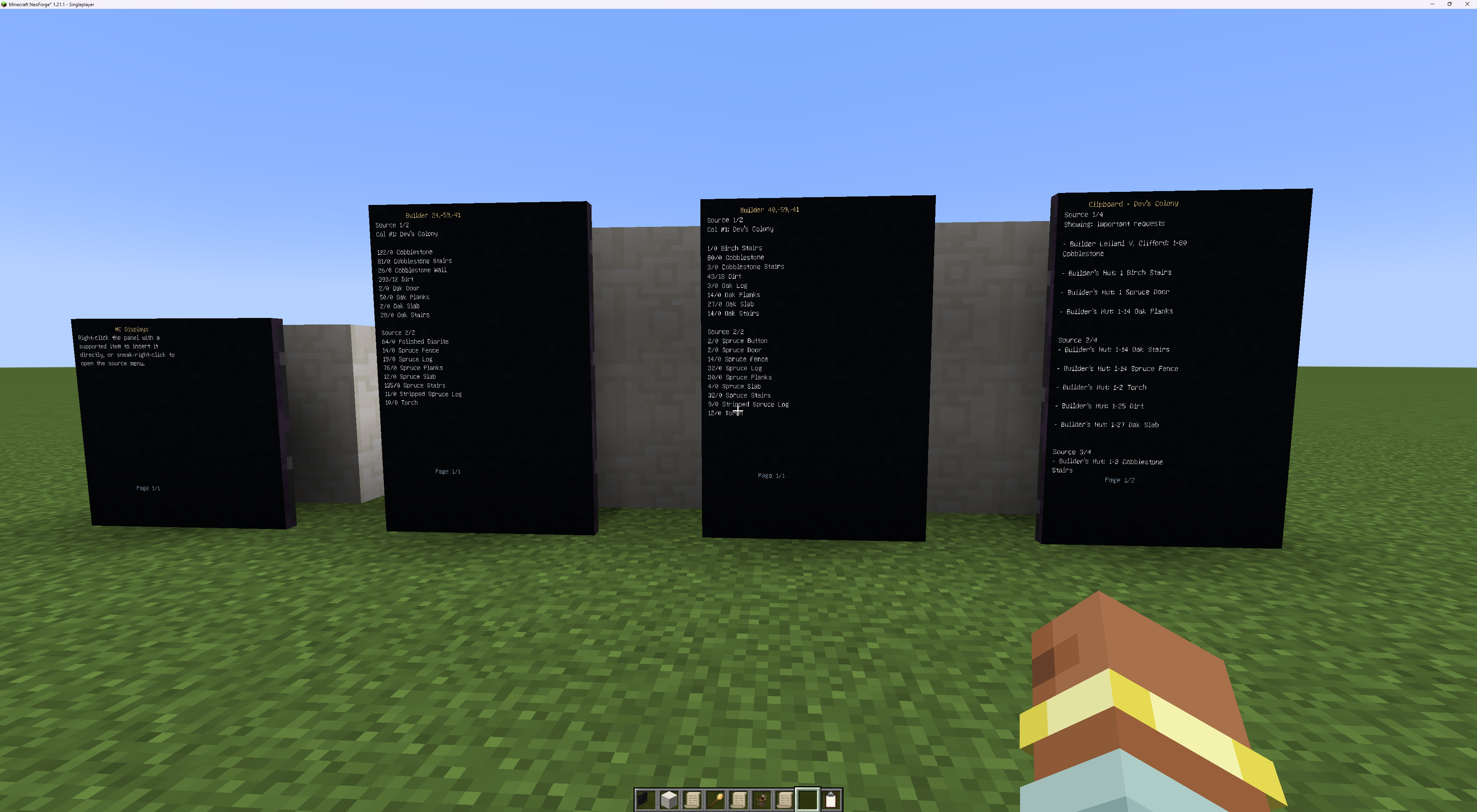 Displays in World
 -
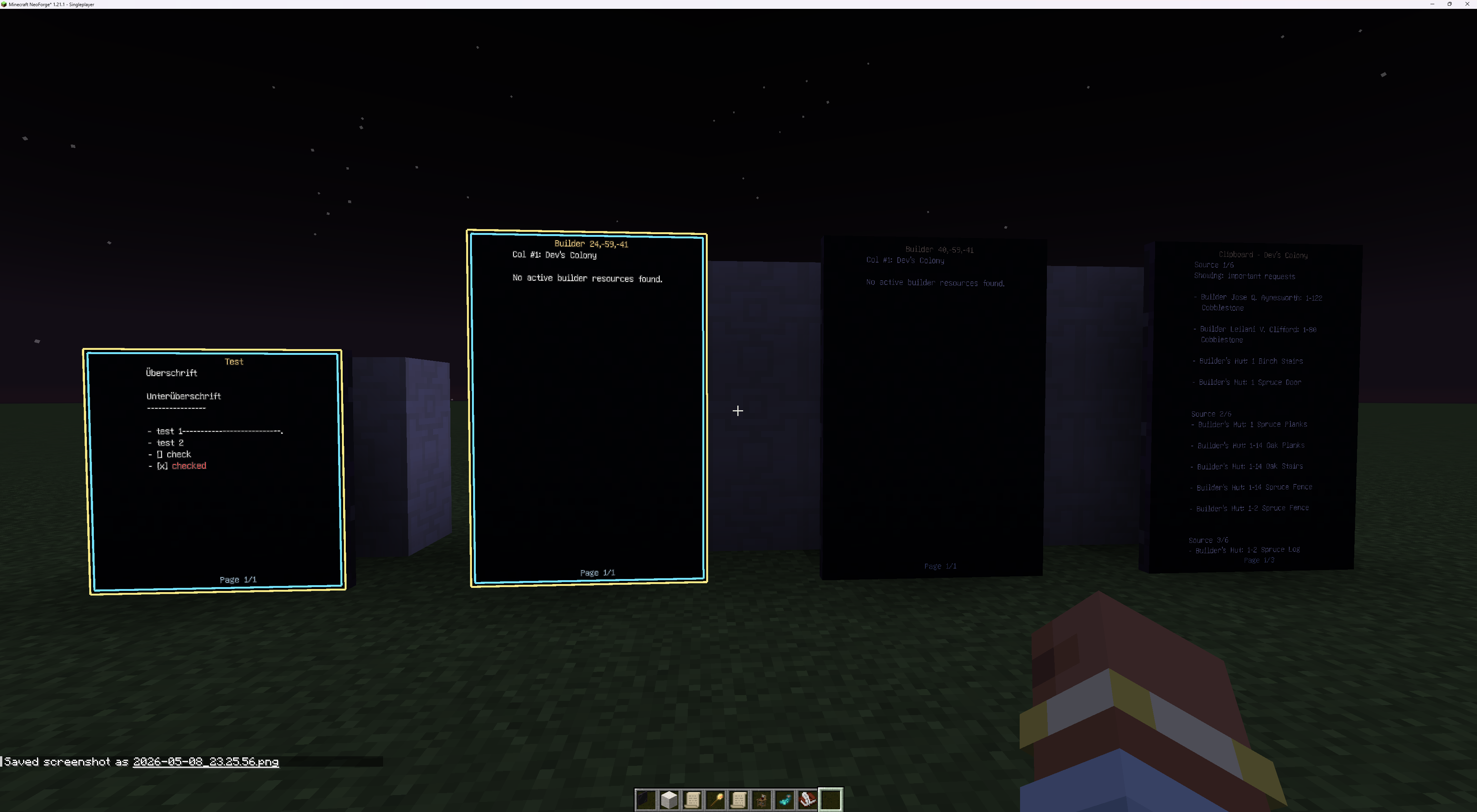 Night Mode with updates
Versions
Files
Relations
Project Relations
More like this
Similar Mods
Suggestions use data such as tags, dependencies, dependents, descriptions, titles, and more to rank how much they overlap with this mod.
On ModDex
Community snapshot
By the numbers
Statistics
Want to reach Minecraft players?
We're looking for a server hosting partner to feature here and other parts of the site. Interested? Send us a message!
Get in touchGet it on
Available Platforms
On ModDex
Community snapshot
By the numbers