
Community listing page, reviews here may not be monitored by the author.
WATERViSION: Videoplayer


No reviews yet
Record, Watch and Broadcast multimedia in the game using commands
Community voices
Reviews
No reviews yet. Be the first to review this project!
Get it on
Available Platforms
Compatibility
Supported Environments
Must be installed on both the client and the server.
About
Project Details
For authors
Embed Badge
If you're the author of this project, you can embed a live badge anywhere that supports HTML or Markdown. It updates automatically whenever ratings change.
Use HTML for any page that supports it, or Markdown for README files and Markdown-based descriptions.
Identifiers
Platform IDs
About
Description
WHAT ITS WATERVISION?
Watervision its my brand new mod that [REDACTED]
For now, its a temporal replacement of the VideoPlayer mod, which let you play full screen videos in your game using commands. Powered by WATERMeDIA and VLC
Not affiliated with Mr.Puzzle or PuzzleVision
USAGE
This mod adds 2 commands
/video "<url>" <targets> [volume] [speed] [stretch_video] [game_fade_duration] [video_fade_duration] [allow_controls] [allow_exit]- Plays a video from the given URL at the specified properties, by default, volume 100, speed 1.0, stretch_video false, game_fade_duration 20.0, video_fade_duration 20.0, allow_controls true, allow_exit true
- Example:
/video "https://streamable.com/jzqiek" @a 100 1.0 false 20.0 20.0 true true - Requires OP permission level 4 (default)
- Arguments:
- url: The URL of the video to play. Must be a direct link to a video file (e.g., .mp4, .webm). MUST be quoted
- targets: The player(s) to play the video for
- volume: The volume of the video (0-120)
- speed: The speed of the video (0.1-2.0)
- stretch_video: Whether to stretch the video to fit the screen (true/false)
- game_fade_duration: The duration of the fade-in/out effect for the game to the video screen (in ticks)
- video_fade_duration: The duration of the fade-in/out effect for the darkness to the video (in ticks)
- allow_controls: Whether to allow players to control the video playback (true/false) [UNUSED]
- allow_exit: Whether to allow players to exit the video playback using ESC key (true/false)
/videoclient "<url>"- Plays a video from the given URL on the client side only, without any server interaction
- Example:
/videoclient "https://streamable.com/jzqiek" - Requires no permission level and only had effects on your client
- Arguments:
- url: The URL of the video to play. Must be a direct link to a video file (e.g., .mp4, .webm). MUST be quoted
- volume: The volume of the video (0-120)
- speed: The speed of the video (0.1-2.0)
- stretch_video: Whether to stretch the video to fit the screen (true/false)
LOADING ANIMATION
The loading animation its provided by the WATERMeDIA API, and can be customized to place your own file by adding it in the following path: <minecraft folder>/config/watermedia/assets/watervision/loading.gif
If the file is not found, it will use the default one, which can be also customized to place your own file by adding it in the following path: <minecraft folder>/config/watermedia/assets/loading.gif NOTE: Customizing the default one will affect all the mods that use the WATERMeDIA API
LICENSE
This mod is licensed under the PolyForm Strict License 1.0.0.
WHAT ITS WATERVISION?
Watervision its my brand new mod that [REDACTED]
For now, its a temporal replacement of the VideoPlayer mod, which let you play full screen videos in your game using commands. Powered by WATERMeDIA and VLC
Not affiliated with Mr.Puzzle or PuzzleVision
USAGE
This mod adds 2 commands
/video <"url"> <targets> [volume] [speed] [stretch_video] [game_fade_duration] [video_fade_duration] [allow_controls] [allow_exit]- Plays a video from the given URL at the specified properties, by default, volume 100, speed 1.0, stretch_video false, game_fade_duration 20.0, video_fade_duration 20.0, allow_controls true, allow_exit true
- Example: `/video https://streamable.com/jzqiek @a 100 1.0 false 20.0 20.0 true true
- Requires OP permission level 4 (default)
- Arguments:
- url: The URL of the video to play. Must be a direct link to a video file (e.g., .mp4, .webm). MUST be quoted
- targets: The player(s) to play the video for
- volume: The volume of the video (0-120)
- speed: The speed of the video (0.1-2.0)
- stretch_video: Whether to stretch the video to fit the screen (true/false)
- game_fade_duration: The duration of the fade-in/out effect for the game to the video screen (in ticks)
- video_fade_duration: The duration of the fade-in/out effect for the darkness to the video (in ticks)
- allow_controls: Whether to allow players to control the video playback (true/false) [UNUSED]
- allow_exit: Whether to allow players to exit the video playback using ESC key (true/false)
/videoclient <"url">- Plays a video from the given URL on the client side only, without any server interaction
- Example:
/videoclient https://streamable.com/jzqiek - Requires no permission level and only had effects on your client
- Arguments:
- url: The URL of the video to play. Must be a direct link to a video file (e.g., .mp4, .webm). MUST be quoted
- volume: The volume of the video (0-120)
- speed: The speed of the video (0.1-2.0)
- stretch_video: Whether to stretch the video to fit the screen (true/false)
LOADING ANIMATION
The loading animation its provided by the WATERMeDIA API, and can be customized to place your own file by
adding it in the following path:
<minecraft folder>/config/watermedia/assets/watervision/loading.gif
If the file is not found, it will use the default one, which can be also customized to place your own file by
adding it in the following path:
<minecraft folder>/config/watermedia/assets/loading.gif
NOTE: Customizing the default one will affect all the mods that use the WATERMeDIA API
LICENSE
This mod is licensed under the PolyForm Strict License 1.0.0.
Screenshots
Gallery
-
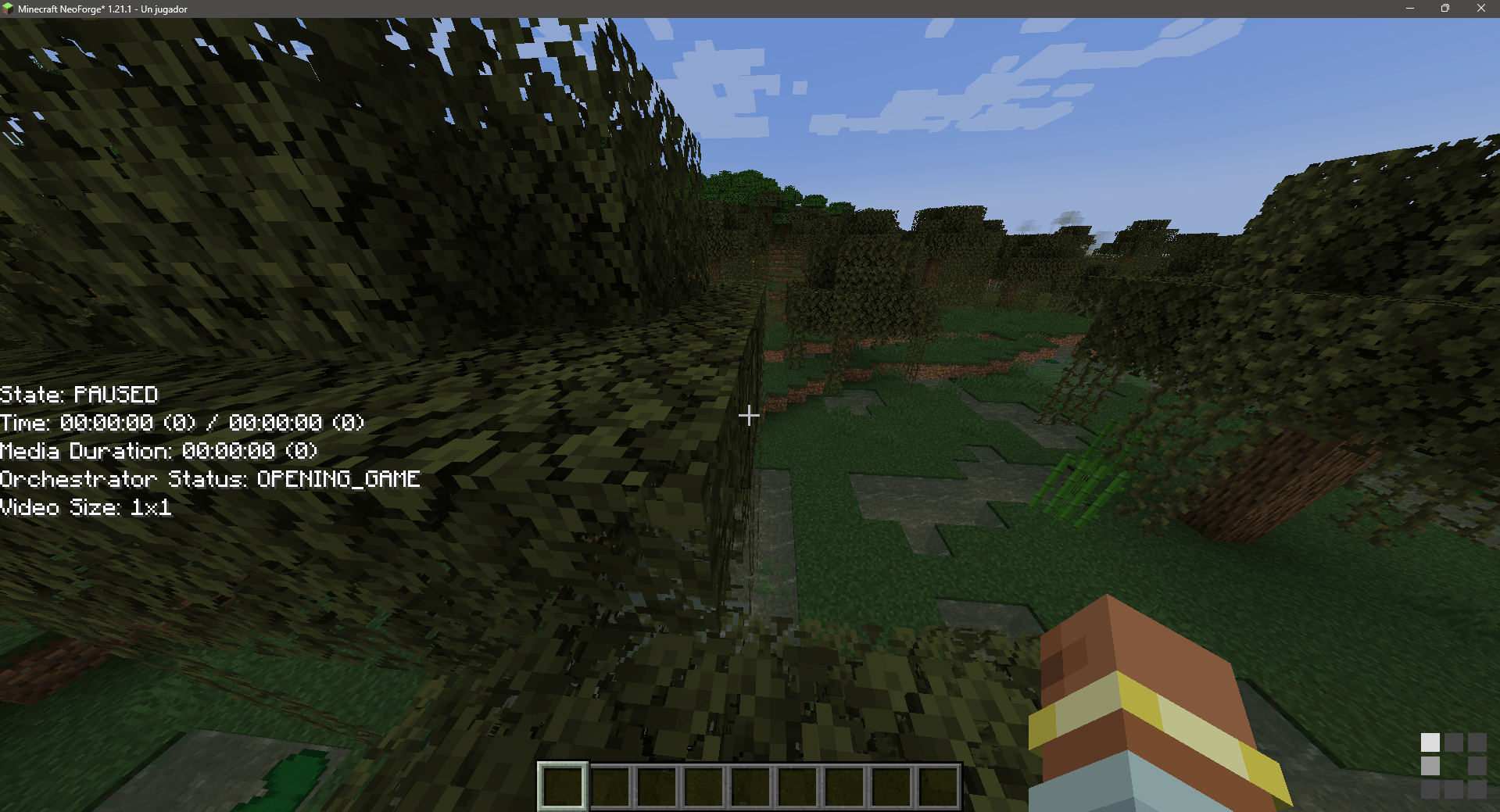 Before watch video Debug screen after run the command, loading animation at the corner
 -
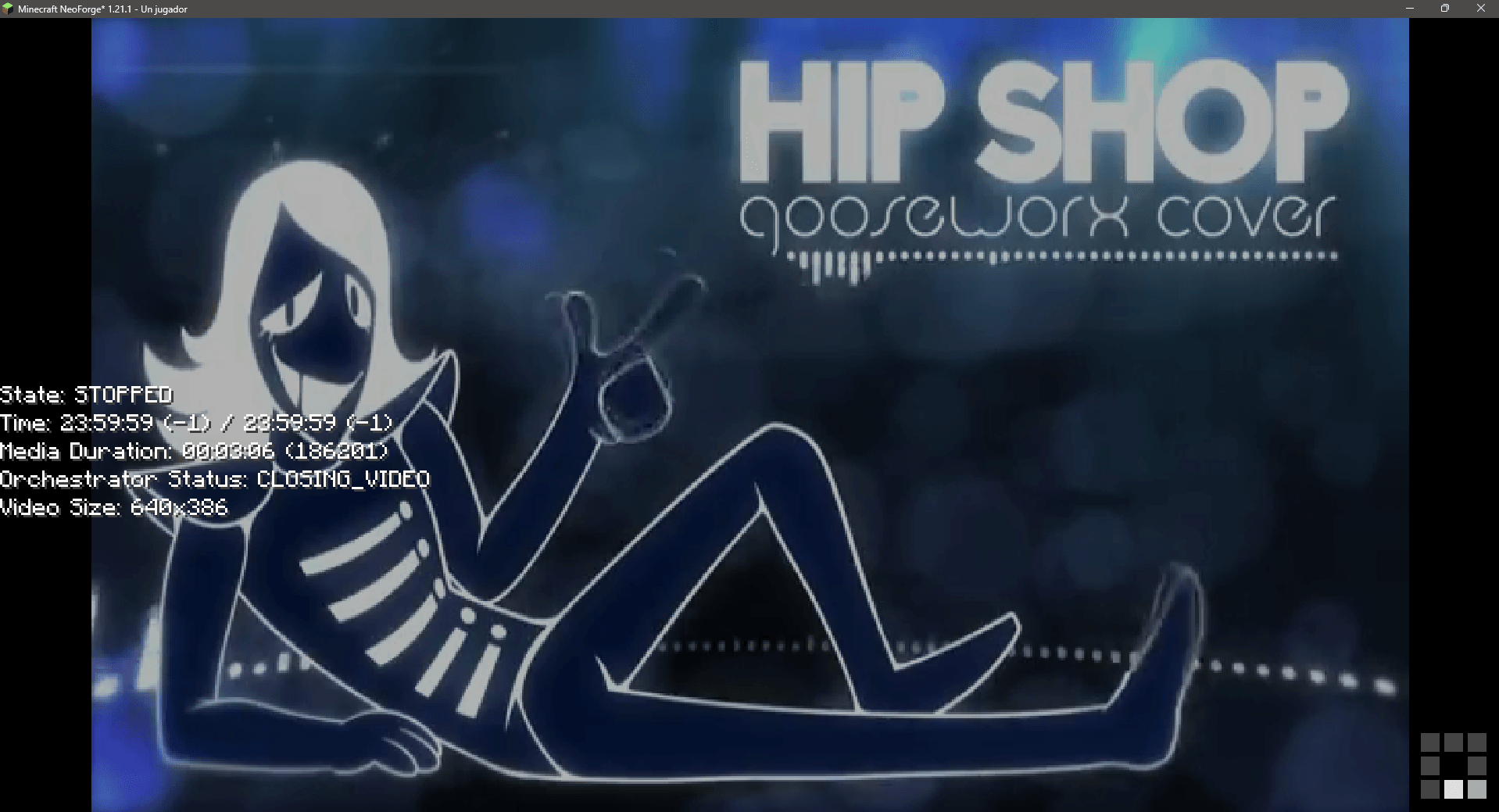 After Watch video Video fades out and reveals the world again. debug text isn't visible in non-development environments
Versions
Files
Relations
Project Relations
More like this
Similar Mods
Suggestions use data such as tags, dependencies, dependents, descriptions, titles, and more to rank how much they overlap with this mod.
On ModDex
Community snapshot
By the numbers
Statistics
Want to reach Minecraft players?
We're looking for a server hosting partner to feature here and other parts of the site. Interested? Send us a message!
Get in touchGet it on
Available Platforms
On ModDex
Community snapshot
By the numbers