
Community listing page, reviews here may not be monitored by the author.
Mcedia Core

No reviews yet
Watch Bilibili videos, live streams, and Douyin clips directly inside Minecraft using armor stands as TV!
Community voices
Reviews
No reviews yet. Be the first to review this project!
Get it on
Available Platforms
Compatibility
Supported Environments
Runs entirely on the client. Works on vanilla servers.
About
Project Details
For authors
Embed Badge
If you're the author of this project, you can embed a live badge anywhere that supports HTML or Markdown. It updates automatically whenever ratings change.
Use HTML for any page that supports it, or Markdown for README files and Markdown-based descriptions.
Identifiers
Platform IDs
Resources
External Links
About
Description
Mcedia Core 是一个客户端媒体播放模组,为 Minecraft 提供本地运行的媒体播放基础能力,重点放在游戏内视频画面渲染、音频播放、弹幕显示以及播放性能控制。
它面向需要在客户端内加载和播放媒体内容的使用场景,提供稳定的播放宿主、屏幕渲染能力,以及围绕解码与上传开销的运行时调度。
主要特性
- 在客户端内播放媒体内容,并将画面渲染到游戏世界中的屏幕表面
- 支持空间音频播放,可结合左右声道实现更有方向感的声音表现
- 支持弹幕显示,可按需开启或关闭
- 提供全局视频音量控制,并集成到原版声音设置界面
- 支持播放过程中的基础控制,包括暂停、恢复、倍速与跳转
- 提供分辨率上限、活跃解码器数量、节流解码器数量等性能相关配置
- 对不可见或距离较远的播放实例进行节流或挂起,降低不必要的解码与纹理上传开销
- 在检测到
Sound Physics Remastered时启用兼容,使视频声音可参与物理声效处理
性能与行为
Mcedia Core 不只是简单地“播放视频”,还会根据可见性与距离动态管理解码器状态:
- 优先保证当前可见、正在播放的内容
- 对次要内容启用低开销模式
- 对长时间不需要更新的内容暂停解码
- 在屏幕不可见时跳过纹理上传,减少客户端负担
这使它在存在多个播放实例时,仍能尽量维持可用的性能表现。
配置项
模组当前提供的可调项主要包括:
- 最大视频分辨率上限
- 全局音量倍率
- 活跃解码器数量上限
- 节流解码器数量上限
- 低开销上传帧率
- 弹幕显示开关
这些设置会保存在客户端配置文件中,并在游戏启动时自动加载。
Mcedia Core is a client-side media playback mod for Minecraft. It provides the core runtime needed to play media inside the game, with a focus on in-world video rendering, audio playback, danmaku display, and playback performance management.
It is designed for client-side media playback scenarios that need a stable playback host, screen rendering support, and practical runtime controls around decoding and texture upload cost.
Features
- Plays media on the client and renders video onto in-world screen surfaces
- Supports spatial audio playback, including left/right channel separation for better directional sound
- Supports danmaku display, with the ability to enable or disable it as needed
- Adds a global video volume control and integrates it into the vanilla sound settings screen
- Provides basic playback controls such as pause, resume, playback speed adjustment, and seeking
- Includes performance-related settings such as maximum video resolution, active decoder limit, and throttled decoder limit
- Dynamically throttles or suspends less important playback instances to reduce unnecessary decoding and texture upload overhead
- Enables compatibility with
Sound Physics Remasteredwhen present, allowing video audio to participate in sound physics processing
Performance Behavior
Mcedia Core does more than just play video. It actively manages decoder state based on visibility and distance:
- Prioritizes visible and actively playing content
- Uses a lower-overhead mode for less important instances
- Suspends decoding for content that no longer needs active updates
- Skips texture uploads when a screen is not visible
This helps keep client performance under control, especially when multiple playback instances exist at the same time.
Configuration
The mod currently exposes configuration for:
- Maximum video resolution
- Global volume factor
- Active decoder limit
- Throttled decoder limit
- Low-overhead upload FPS
- Danmaku visibility
These settings are stored in the client configuration file and loaded automatically when the game starts.
Screenshots
Gallery
-
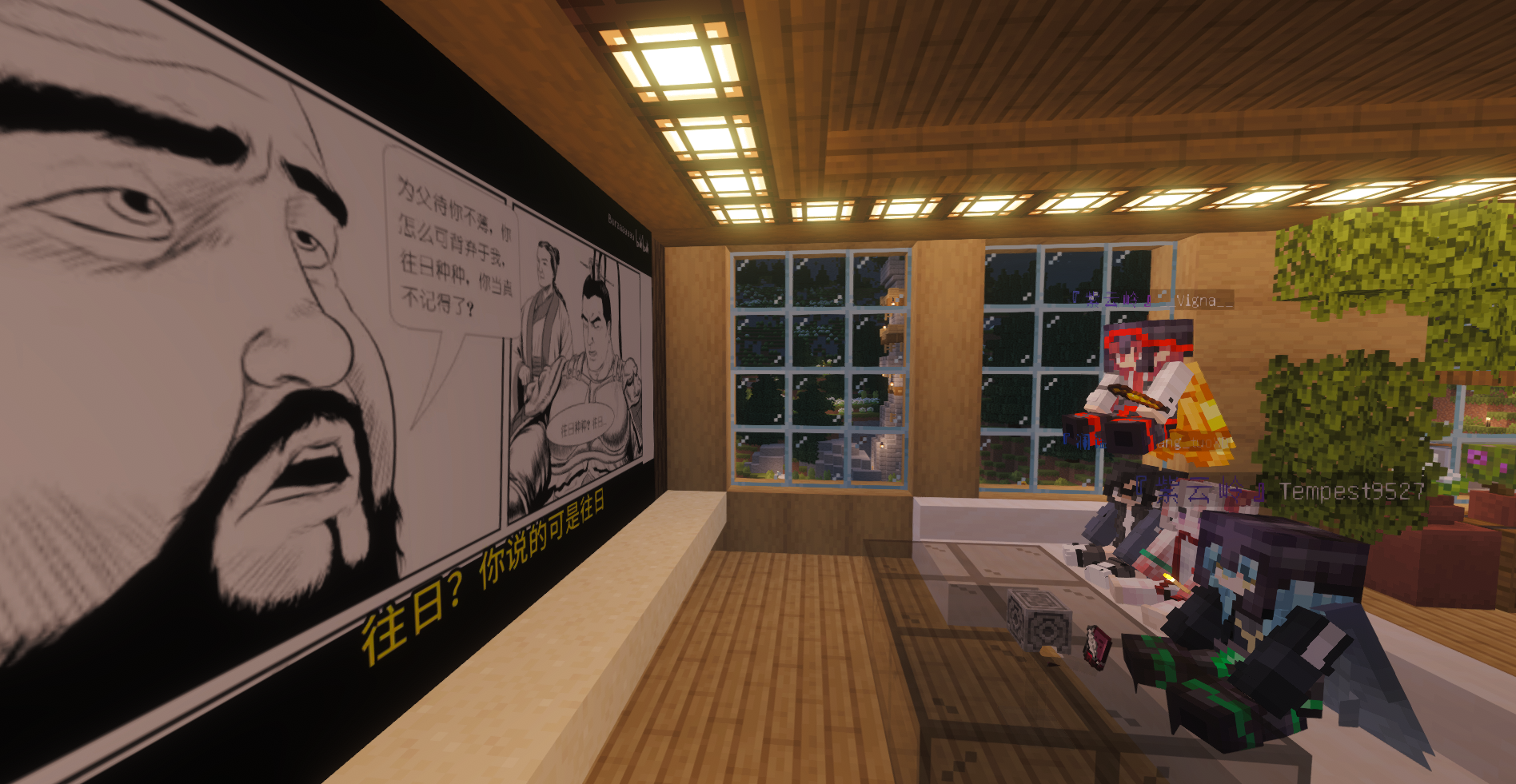 TSL服务器 中的 Mcedia
 -
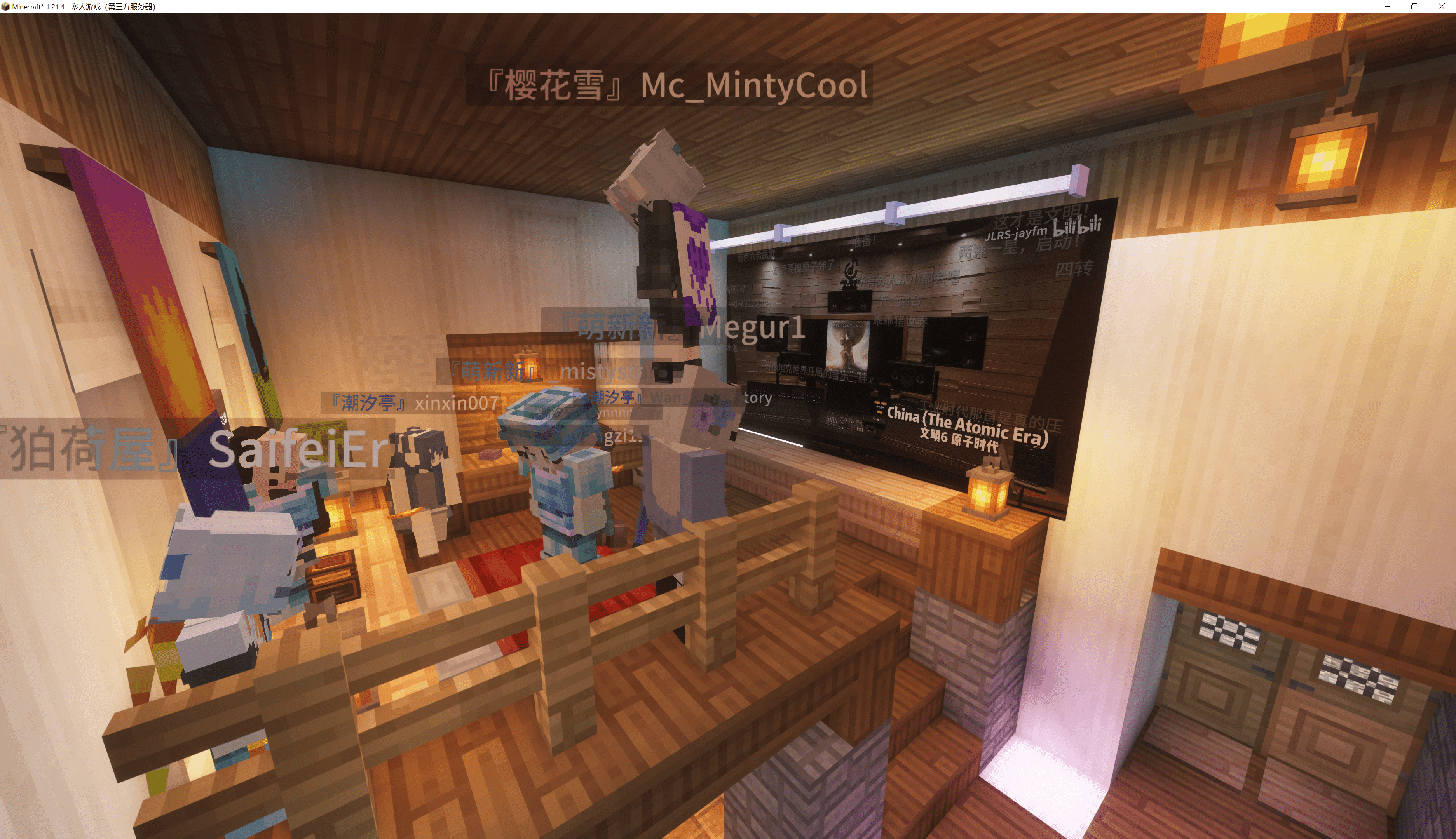 TSL 服务器中的 Mcedia
Versions
Files
Relations
Project Relations
More like this
Similar Mods
Suggestions use data such as tags, dependencies, dependents, descriptions, titles, and more to rank how much they overlap with this mod.
On ModDex
Community snapshot
By the numbers
Statistics

Want to reach Minecraft players?
We're looking for a server hosting partner to feature here and other parts of the site. Interested? Send us a message!
Get in touchGet it on
Available Platforms
On ModDex
Community snapshot
By the numbers
Statistics
Resources