Community listing page, reviews here may not be monitored by the author.
MCGamepad

No reviews yet
Adds gamepad controller support to Minecraft.
Forge is a popular mod loader for versions 1.1+ of Minecraft.
Community voices
Reviews
Filters
Click once to include, again to exclude, again to clear
No reviews yet. Be the first to review this project!
Get it on
Available Platforms
About
Project Details
For authors
Embed Badge
If you're the author of this project, you can embed a live badge anywhere that supports HTML or Markdown. It updates automatically whenever ratings change.
Use HTML for any page that supports it, or Markdown for README files and Markdown-based descriptions.
Identifiers
Platform IDs
Resources
External Links
About
Description
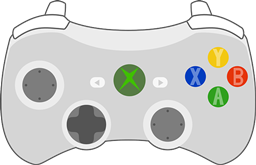
MCGamepad is a small Forge mod that uses the LWJGL JInput bindings to provide gamepad controls to Minecraft. Currently the mod only correctly XInput-like controllers (including those provided by the ScpServer PS3 and PS4 bluetooth controller interface on Windows) and has no button reconfiguration options. The mod is being developed for the Forge beta for 1.8. Forge for 1.8 is required.
You can use the mod on any platform that JInput has modules for, but the mod is only tested for Windows. Future versions may alternatively use an XInput binding for rumble support on Windows.
Controls
- Left stick to move, Right Stick to look. Looking is accelerated (acceleration curve will be configurable in future versions).
- A - Jump
- B - Sneak
- Y - Open inventory
- LB/RB - Cycle items on hotbar
- RT - Attack/dig
- LT - Place/use
- LS - Sprint (stick button)
- RS - Pick block (in Creative) (stick button)
- Left stick: aim mouse (on acceleration curves, less than that of the view curve)
- A - Left Click
- B - Escape
- LT+A - Right Click (for splitting stacks in inventory)
Known Issues
- It is currently not possible to open horse inventories via the controller while riding them. Use the PC controls to do this.
- Not possible to drag sliders in GUIs with controller
- Not possible to click on list items in GUIs with controller (notably the World Select). Please use the mouse to select them for now.
- The viewmodel flickers a lot when panning the view.
- There may be some issues with mounted entities.
- The controller state is not zeroed out on startup and may present various issues i.e. uncloseable main menu, cursor locked to top left corner. Workaround: press all buttons and manipulate all analogs at the main menu.
Screenshots
Gallery
Versions
Files
Relations
Project Relations
More like this
Similar Mods
Suggestions use data such as tags, dependencies, dependents, descriptions, titles, and more to rank how much they overlap with this mod.
On ModDex
Community snapshot
By the numbers
Statistics
Want to reach Minecraft players?
We're looking for a server hosting partner to feature here and other parts of the site. Interested? Send us a message!
Get in touchGet it on
Available Platforms
On ModDex
Community snapshot
By the numbers
Statistics
Resources