
Community listing page, reviews may not be monitored by the author.
Custom Markup Language

No reviews yet
This mod is an easy way to create, animate and use your custom UI's by using close to if not no Java, it uses it's custom format called .mcml here is the sample on how the code works

Community voices
Reviews
No reviews yet. Be the first to review this project!
Get it on
Available Platforms
About
Project Details
For authors
Embed Badge
If you're the author of this project, you can embed a live badge anywhere that supports HTML or Markdown. It updates automatically whenever ratings change.
Use HTML for any page that supports it, or Markdown for README files and Markdown-based descriptions.
Identifiers
Platform IDs
Resources
External Links
About
Description
# MCML
This mod is an easy way to create, animate and use your custom UI's by using close to if not no Java, it uses it's custom format called .mcml here is the sample on how the code works.
1.20.1 Fabric only for now!
expect change very soon!
<box style="color=@transparent; width=100%; height=100%; animation=fade-in 300 ease-out;">
    <box style="color=@transparent; height=44%;" />

    <box style="color=@transparent; width=100%; height=11%; direction=row;">
        <box style="color=@transparent; width=5%; height=100%;" />
        <box style="color=@headerColor; borderColor=@panelBorderColor; borderWidth=1; width=30%; height=100%; padding=6 12 6 12;">
            <text style="color=@nameColor">@name</text>
        </box>
    </box>

    <box style="animation=fade-in 250 ease-out; color=@transparent; width=100%; height=40%; direction=row;">
        <box style="color=@transparent; width=5%; height=100%;" />
        <box style="color=@panelColor; borderColor=@panelBorderColor; borderWidth=1; width=90%; height=100%; padding=16 16 16 16; direction=row;">
            <avatar style="color=@avatarColor; width=14%; height=100%;" />

            <box style="color=@dividerColor; width=1; height=100%; margin=0 8 0 8;" />

            <box style="color=@transparent; width=42%; height=100%;">
                @subtitle
            </box>

            <box style="color=@dividerColor; width=1; height=100%; margin=0 8 0 8;" />

            <box style="color=@transparent; width=30%; height=100%;">
                <button id="message" style="color=@rowColor; width=100%; height=22%; resize=grow-only; margin=0 0 6 0; padding=6 10 6 10;">
                    <text style="color=@rowTextColor">@actionOne</text>
                </button>
                <button link="profile" style="color=@rowColor; width=100%; height=22%; resize=grow-only; margin=0 0 6 0; padding=6 10 6 10;">
                    <text style="color=@rowTextColor">@actionTwo</text>
                </button>
                <button id="add_friend" style="color=@rowColor; width=100%; height=22%; resize=grow-only; padding=6 10 6 10;">
                    <text style="color=@rowTextColor">@actionThree</text>
                </button>
            </box>
        </box>
    </box>
</box>
Screenshots
Gallery
-
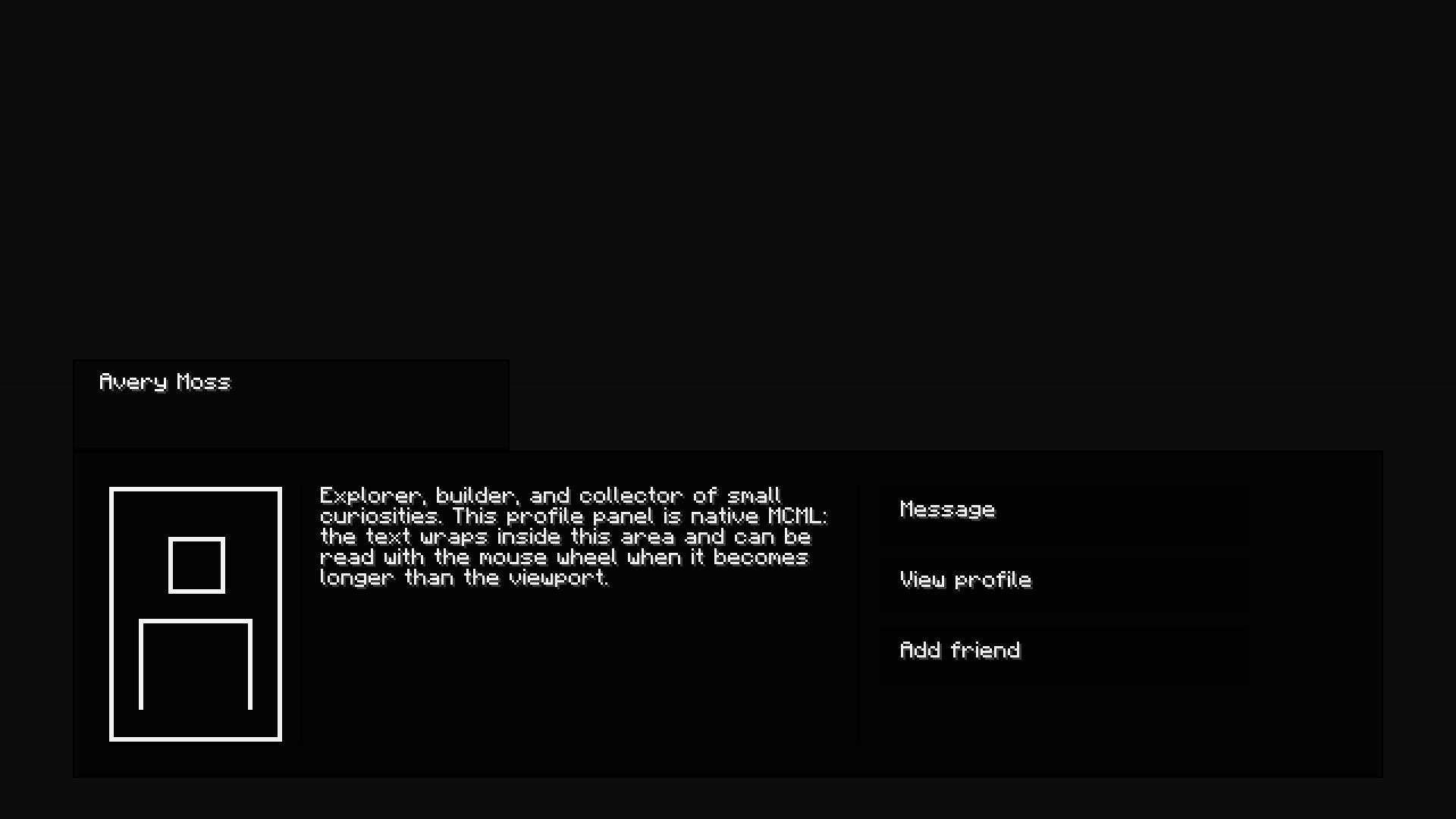 2026-10-05_23.12.53.png 2026-10-05_23.12.53.png
Versions
Files
Relations
Project Relations
More like this
Similar Mods
Suggestions use data such as tags, dependencies, dependents, descriptions, titles, and more to rank how much they overlap with this mod.
On ModDex
Community snapshot
By the numbers
Statistics

Get it on
Available Platforms
On ModDex
Community snapshot
By the numbers
Statistics
Resources