
Community listing page, reviews here may not be monitored by the author.

Community voices
Reviews
No reviews yet. Be the first to review this project!
Get it on
Available Platforms
About
Project Details
For authors
Embed Badge
If you're the author of this project, you can embed a live badge anywhere that supports HTML or Markdown. It updates automatically whenever ratings change.
Use HTML for any page that supports it, or Markdown for README files and Markdown-based descriptions.
Identifiers
Platform IDs
Resources
External Links
About
Description
MCRadio
Take full control of Minecraft's music. MCRadio adds an in-game GUI that lets you manage, play, and customize every music track — vanilla, modded, and your own files.
Opening the GUI
Press P (rebindable in Controls → MCRadio) to open the MCRadio panel at any time while in-game.
Features
All music in one place
Every vanilla Minecraft music track is listed automatically — overworld, nether biomes, the end, menus, and more. Music added by other mods is also detected and shown automatically.
Enable / Disable tracks
Each track has a checkbox. Uncheck a track to prevent it from ever playing naturally in-game. Re-check it to allow it again. Your choices are saved between sessions.
Play any track on demand
Every track has a play button. Click it to start that track immediately. Click again (or press Stop) to stop it. Only one track plays at a time.
Block music overlap
While MCRadio is playing a track, the game's music system is suppressed — no other music will start on top of it.
Custom tracks (MP3 & WAV)
Drag and drop .mp3 or .wav files directly onto the MCRadio panel to add your own music. Custom tracks appear in a separate section of the list and can be played, enabled/disabled, renamed, or removed.
Rename custom tracks
Custom tracks can be renamed to anything you like using the rename button on each row.
Persistent settings
All enabled/disabled states, custom track names, and custom file paths are saved to <game directory>/mcradio/data.json and restored every time you launch.
Compatibility
- Works alongside other mods — music added by other mods is automatically picked up
- Client-side only — does not need to be installed on servers
Screenshots
Gallery
-
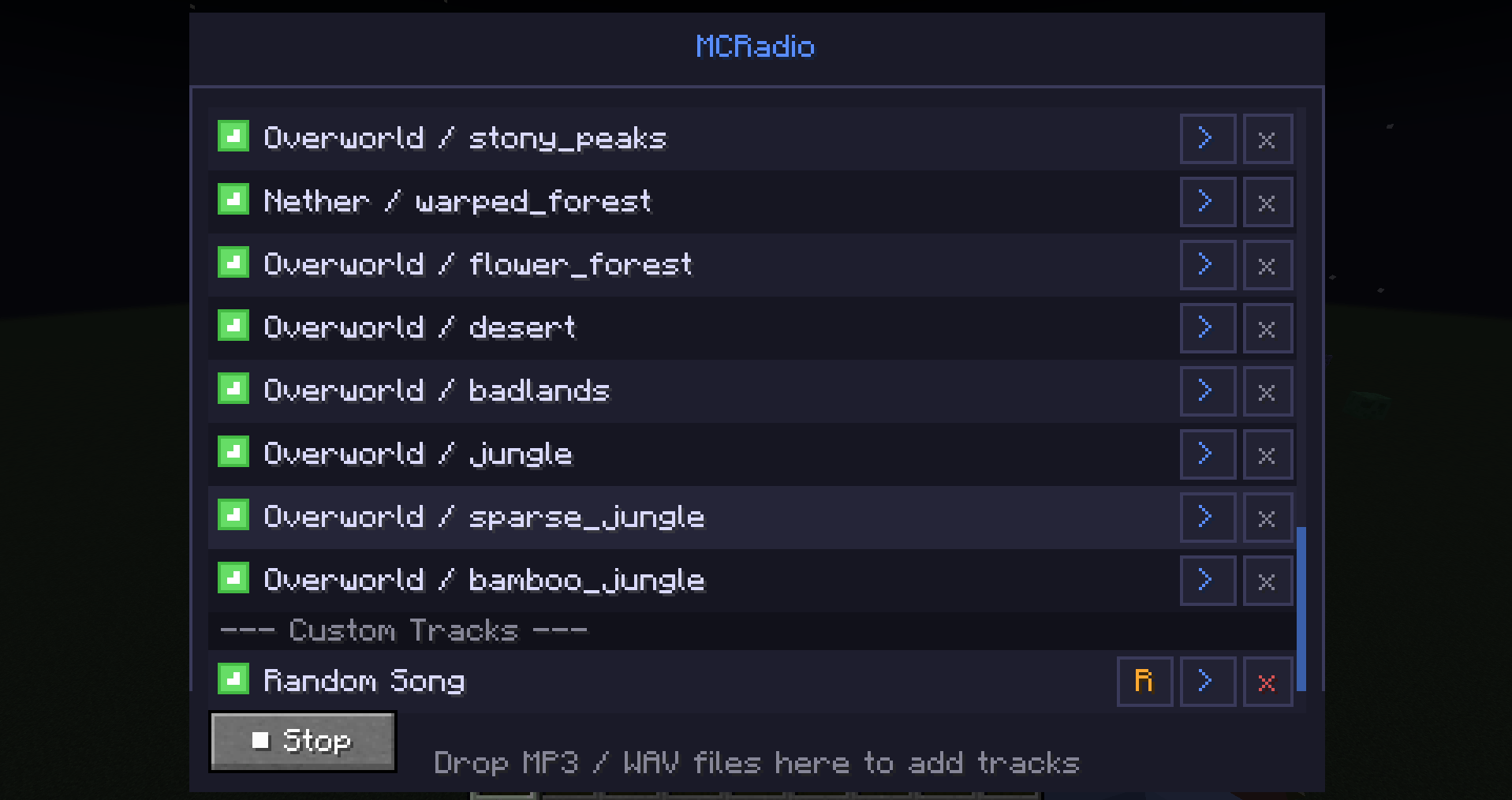 Custom Tracks Custom tracks.
 -
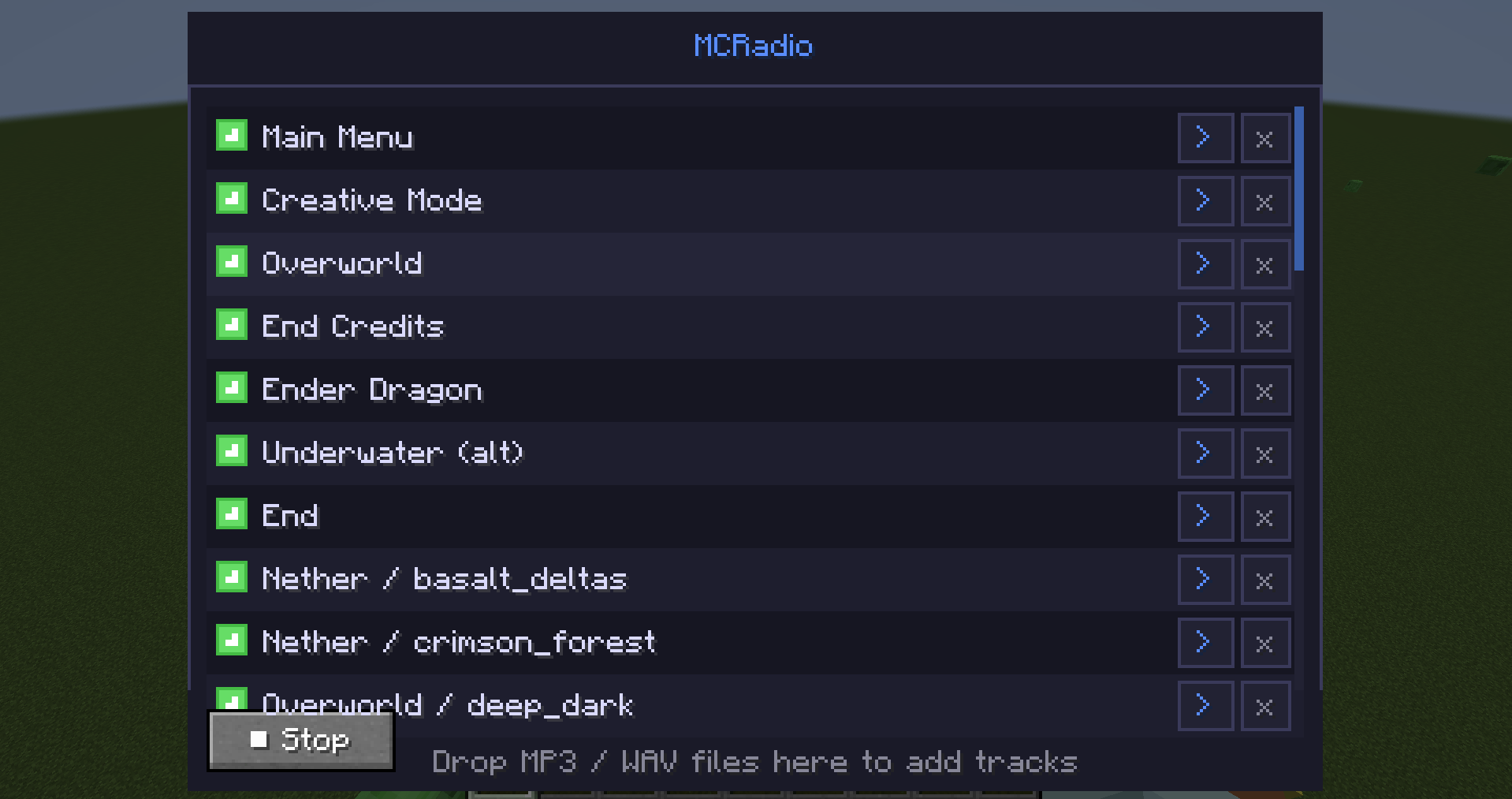 GUI This is the GUI
Versions
Files
Relations
Project Relations
More like this
Similar Mods
Suggestions use data such as tags, dependencies, dependents, descriptions, titles, and more to rank how much they overlap with this mod.
On ModDex
Community snapshot
By the numbers
Statistics
Want to reach Minecraft players?
We're looking for a server hosting partner to feature here and other parts of the site. Interested? Send us a message!
Get in touchGet it on
Available Platforms
On ModDex
Community snapshot
By the numbers
Statistics
Resources