
Community listing page, reviews here may not be monitored by the author.


Community voices
Reviews
No reviews yet. Be the first to review this project!
Get it on
Available Platforms
Compatibility
Supported Environments
Must be installed on both the client and the server.
About
Project Details
For authors
Embed Badge
If you're the author of this project, you can embed a live badge anywhere that supports HTML or Markdown. It updates automatically whenever ratings change.
Use HTML for any page that supports it, or Markdown for README files and Markdown-based descriptions.
Identifiers
Platform IDs
Resources
External Links
About
Description
⚡ MekaLights ⚡
One block. Full base lighting. Powered by Mekanism.
Stop torch-spamming your caves, factories and farms. Place one MekaLight Block, feed it Mekanism power, pick a shape, range and brightness — the machine floods the area with invisible, full-brightness light emitters. One block, up to a 48-block radius, zero clutter.
🟢 Actively developed — balance and features may still change.
Features
- 💡 Five light shapes:
- 🌐 Sphere — full 3D volume, ideal for caves and big rooms
- ⭕ Disc — flat layer for floors, fields and mob-proofing
- 🔦 Cone — real spotlight: aperture 15°–90°, 6 aimable directions
- 🛕 Dome — half-sphere, aimable up (dome) or down (bowl)
- 🛢️ Cylinder — vertical column with adjustable height (4–32 blocks)
- 🔆 Adjustable brightness — dial the light intensity from dim to full
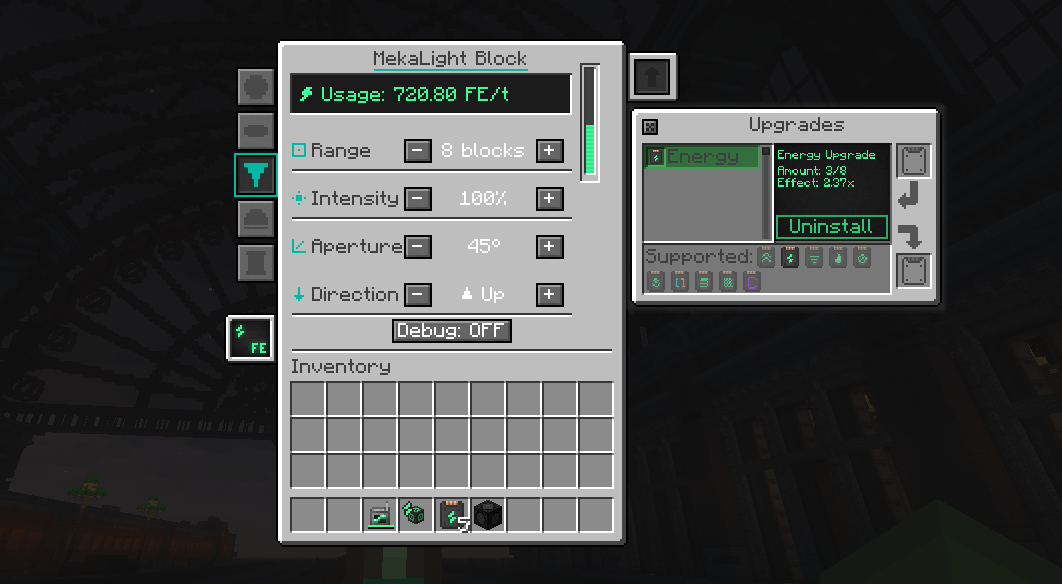
- ⚙️ Clean Mekanism-style GUI — shape side panel with pixel icons, range, brightness, aperture, direction, height and a live energy readout
- 🔋 Mekanism energy — consumption scales with range, brightness and shape; bigger, brighter lights ask for beefier cable lines. Energy Upgrades cut the cost
- 👻 Invisible ghost emitters — no collision, build right through them, cleaned up automatically when the machine is broken or unpowered
- 🛠 Debug view (per machine) — green wireframe outline of the configured area, works even before powering on. Perfect for planning
- 🔍 Jade support — status and energy usage on hover
- 🌐 Multiplayer ready — built and tested for servers
Getting Started
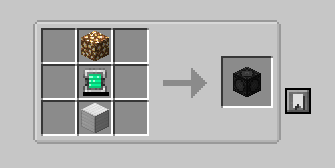
- Craft the MekaLight Block
- Place it and connect Mekanism cables
- Right-click → pick shape, range, brightness and aim
- Done — darkness gone
Requirements
Minecraft 1.20.1 · Forge · Mekanism 10.4+ · Optional: Jade
Roadmap
Colored lighting experiments · more upgrade interactions · additional shapes · GUI polish
MekaLights — industrial-scale lighting for serious Mekanism bases.
⚡ MekaLights ⚡
One block. Full base lighting. Powered by Mekanism.
Stop torch-spamming your caves, factories and farms. Place one MekaLight Block, feed it Mekanism power, pick a shape, range and brightness — the machine floods the area with invisible, full-brightness light emitters. One block, up to a 48-block radius, zero clutter.
🟢 Actively developed — balance and features may still change.
Features
- 💡 Five light shapes:
- 🌐 Sphere — full 3D volume, ideal for caves and big rooms
- ⭕ Disc — flat layer for floors, fields and mob-proofing
- 🔦 Cone — real spotlight: aperture 15°–90°, 6 aimable directions
- 🛕 Dome — half-sphere, aimable up (dome) or down (bowl)
- 🛢️ Cylinder — vertical column with adjustable height (4–32 blocks)
- 🔆 Adjustable brightness — dial the light intensity from dim to full
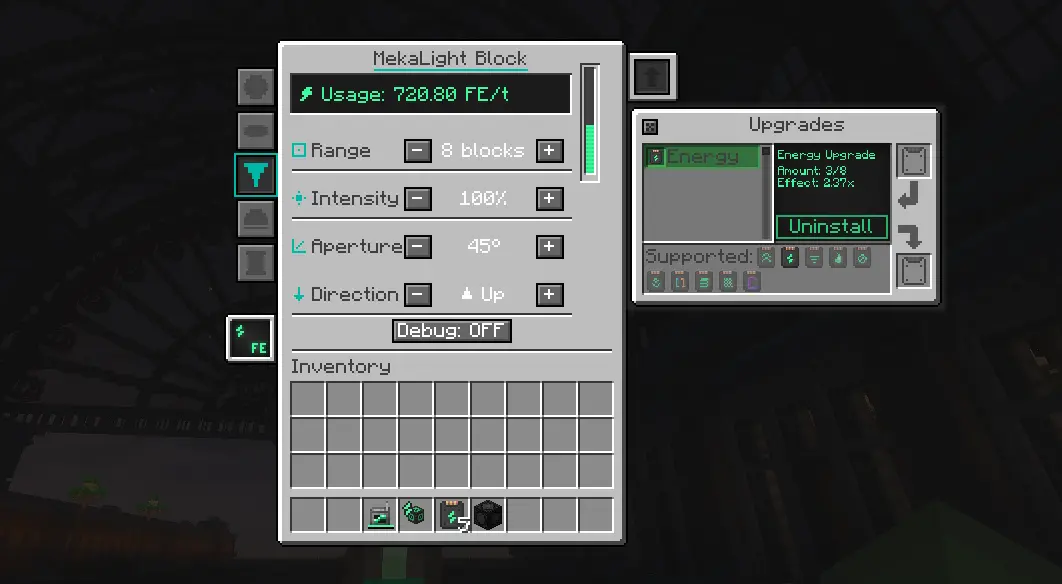
- ⚙️ Clean Mekanism-style GUI — shape side panel with pixel icons, range, brightness, aperture, direction, height and a live energy readout
- 🔋 Mekanism energy — consumption scales with range, brightness and shape; bigger, brighter lights ask for beefier cable lines. Energy Upgrades cut the cost
- 👻 Invisible ghost emitters — no collision, build right through them, cleaned up automatically when the machine is broken or unpowered
- 🛠 Debug view (per machine) — green wireframe outline of the configured area, works even before powering on. Perfect for planning
- 🔍 Jade support — status and energy usage on hover
- 🌐 Multiplayer ready — built and tested for servers
Getting Started
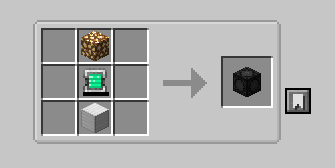
- Craft the MekaLight Block
- Place it and connect Mekanism cables
- Right-click → pick shape, range, brightness and aim
- Done — darkness gone
Requirements
Minecraft 1.20.1 · Forge · Mekanism 10.4+ · Optional: Jade
Roadmap
Colored lighting experiments · more upgrade interactions · additional shapes · GUI polish
MekaLights — industrial-scale lighting for serious Mekanism bases.
Screenshots
Gallery
-
Crafting Crafting
-
MekaLight GUI — shapes, range, brightness & Mekanism upgrades The MekaLight Block interface in Cone mode: pick a shape, range, brightness, aperture and aim with a live FE/t energy readout — plus the standard Mekanism Energy Upgrade window to cut power use.
-
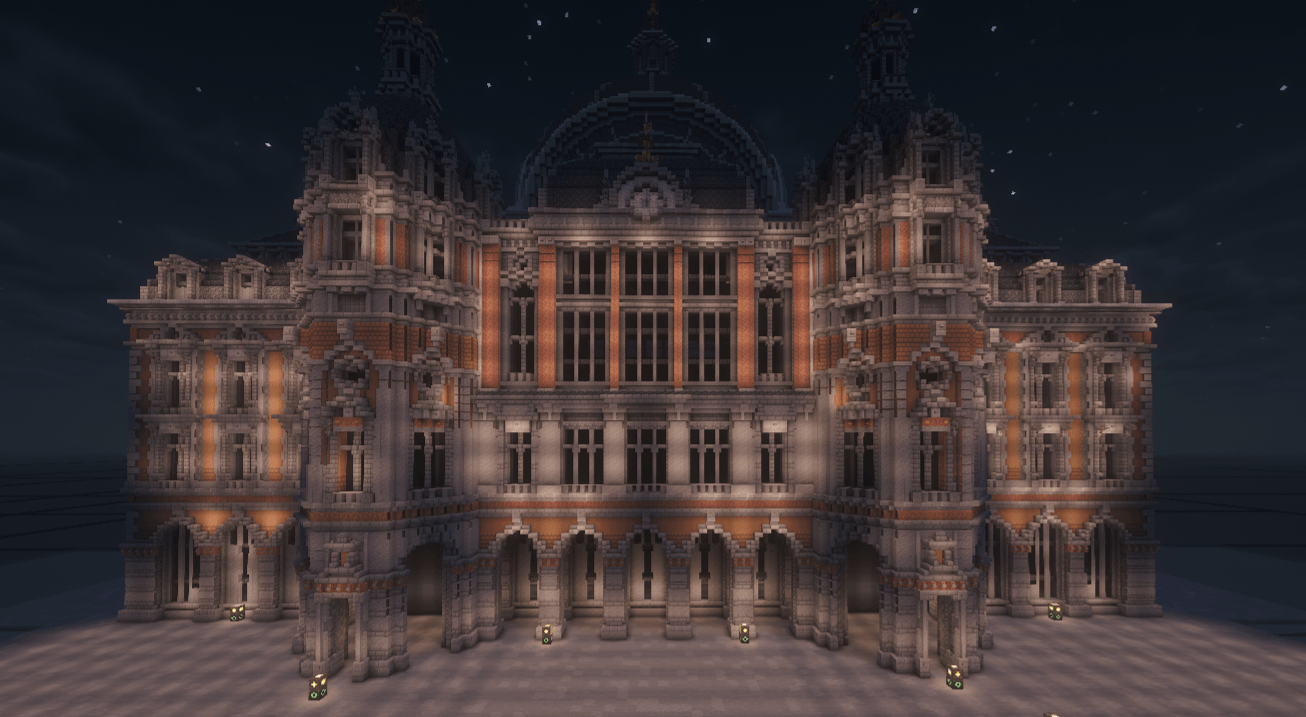 Lit by MekaLights — no torches needed The same palace, powered up: a handful of hidden MekaLight blocks flood the entire façade with clean, even light — zero torch clutter.
 -
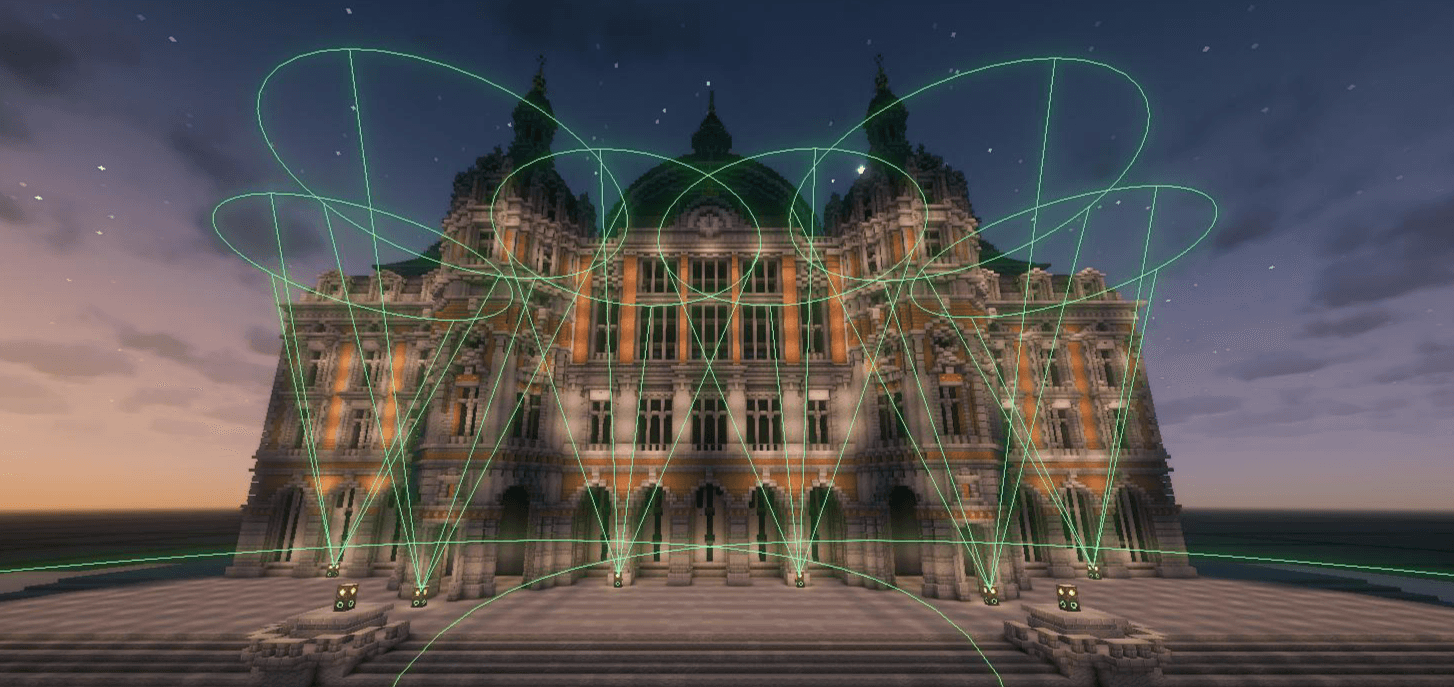 MekaLights Debug view — visualize each light's shape & reach Debug mode draws a green wireframe of every MekaLight's configured area, so you can see exactly what each one lights up and plan large builds at a glance.
-
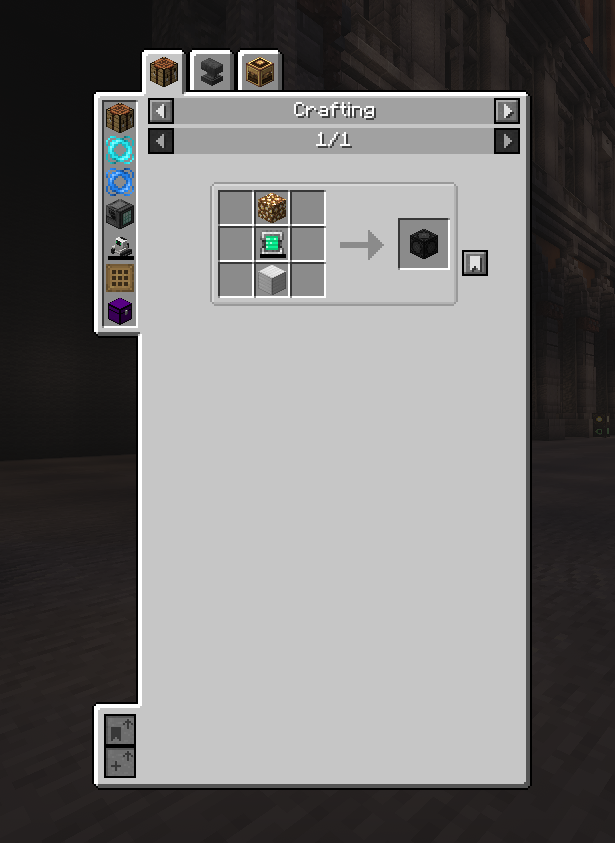 Crafting
 -
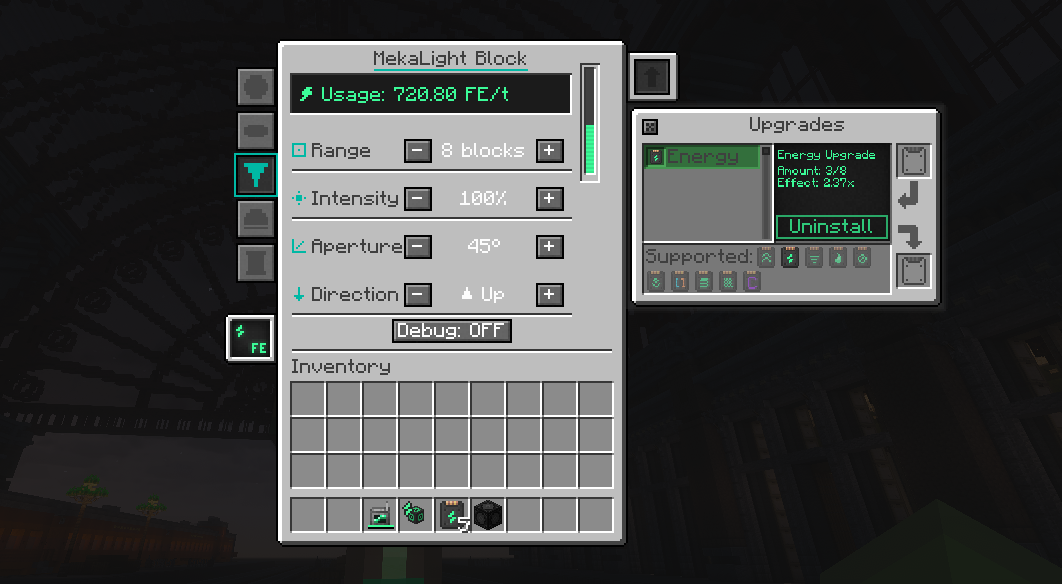 GUI
GUI -
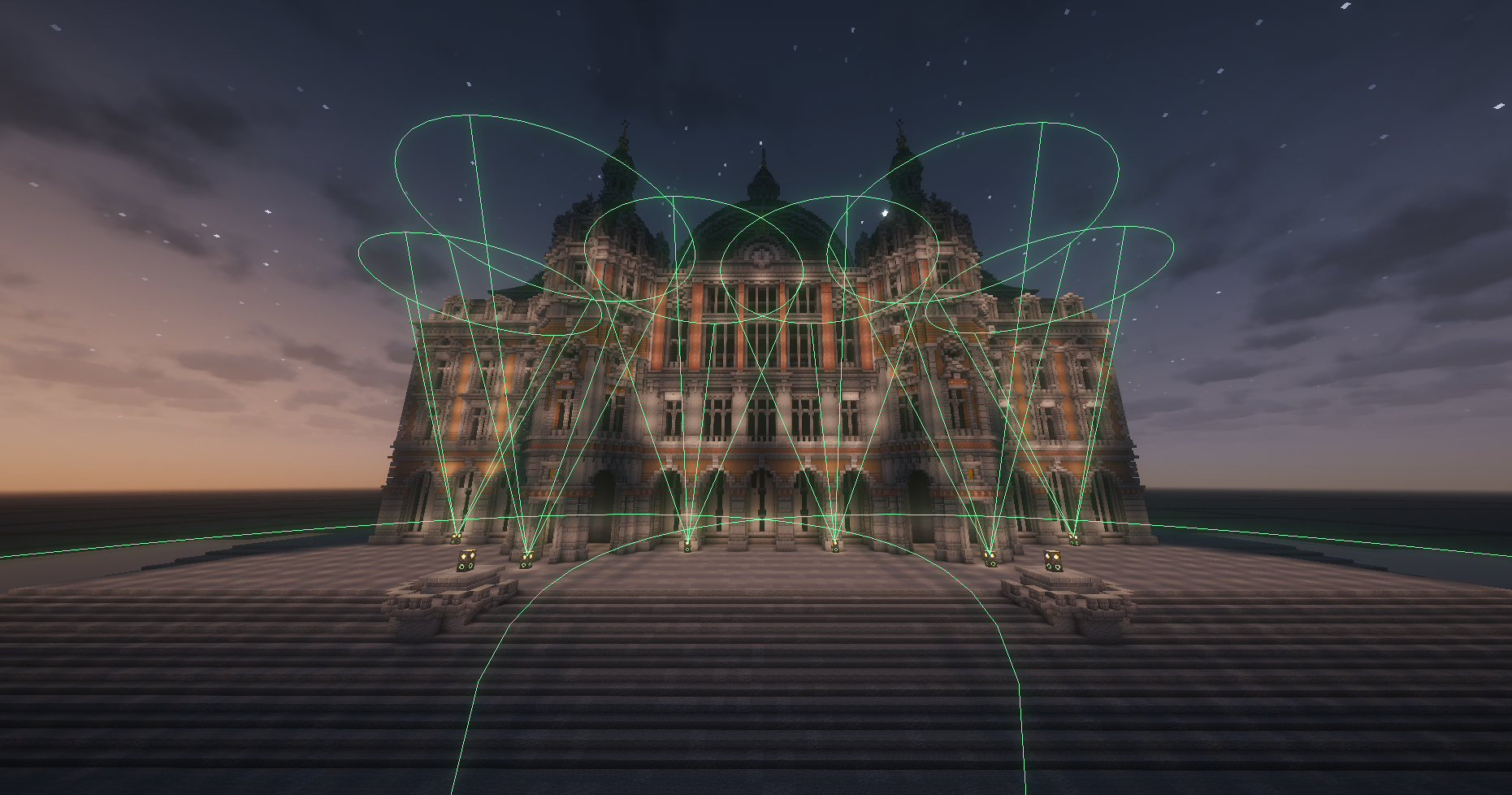 Mekalights debug mode
 -
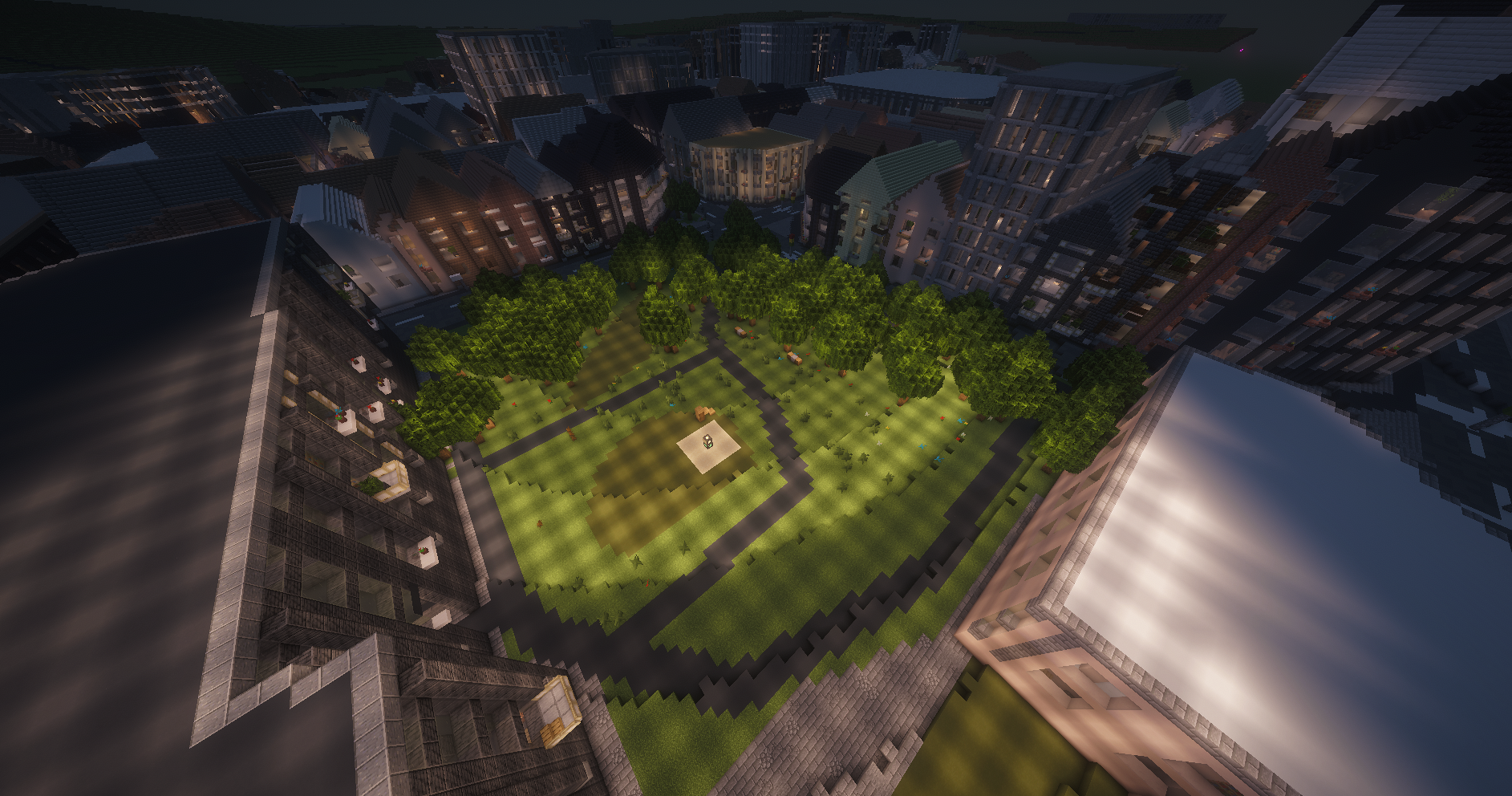 One Mekalight
 -
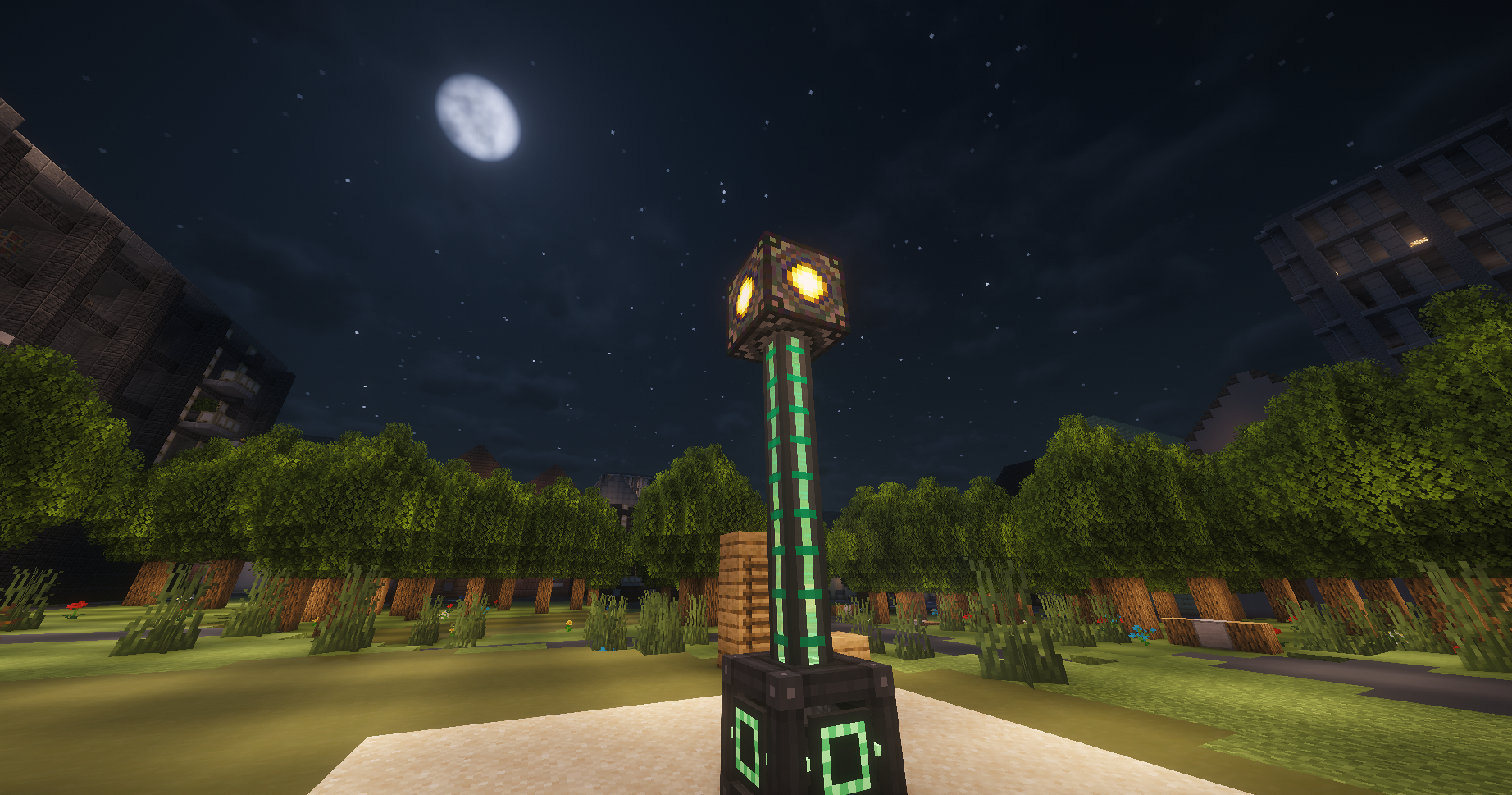 Mekalight
 -
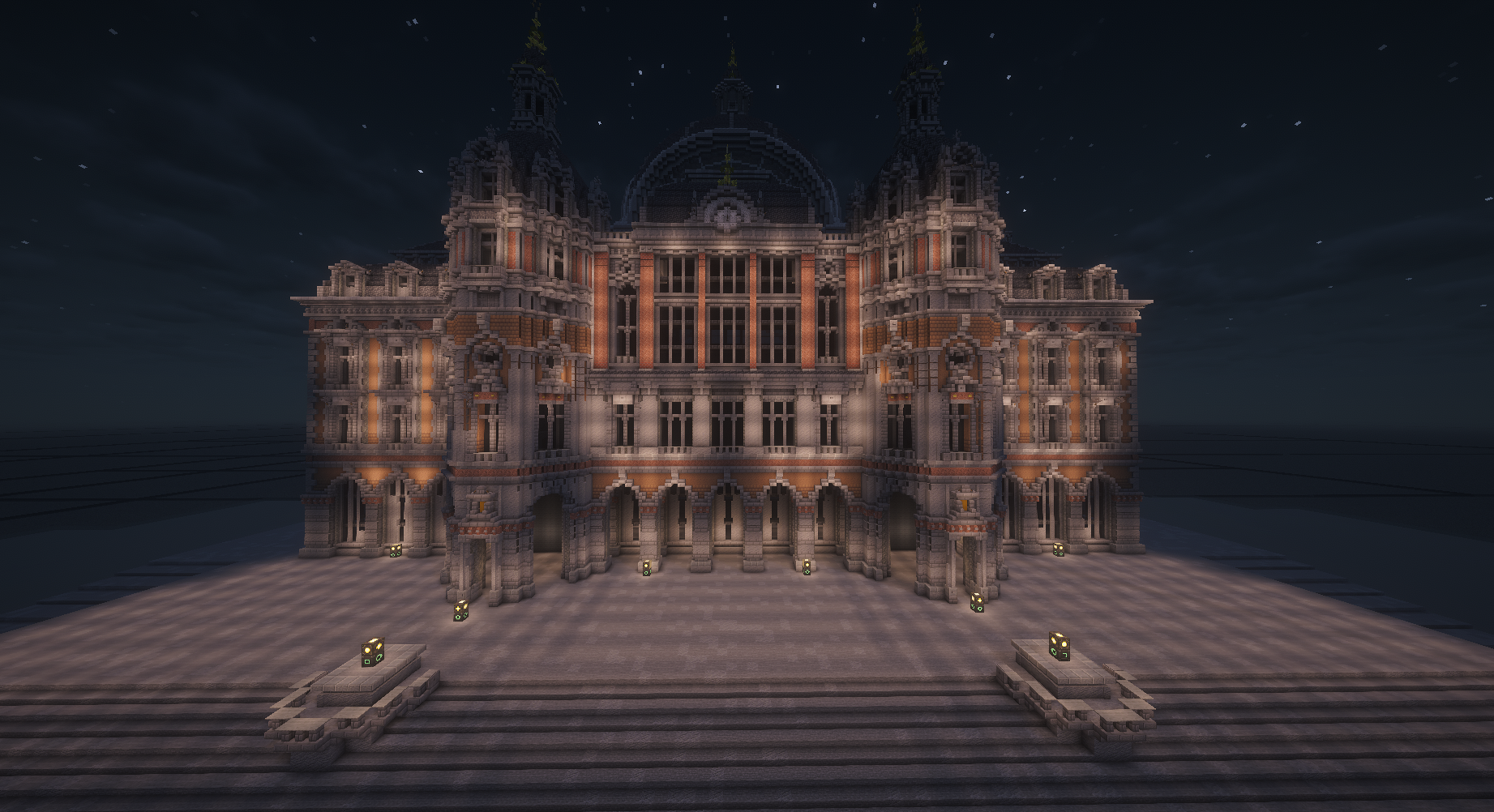 Mekalight
Versions
Files
Relations
Project Relations
More like this
Similar Mods
Suggestions use data such as tags, dependencies, dependents, descriptions, titles, and more to rank how much they overlap with this mod.
On ModDex
Community snapshot
By the numbers
Statistics
Want to reach Minecraft players?
We're looking for a server hosting partner to feature here and other parts of the site. Interested? Send us a message!
Get in touchGet it on
Available Platforms
On ModDex
Community snapshot
By the numbers
Statistics
Resources