
Community listing page, reviews here may not be monitored by the author.
Melon Loader

No reviews yet
A Forge 1.8.9 mod lets you change backgrounds of minecraft.
Community voices
Reviews
No reviews yet. Be the first to review this project!
Get it on
Available Platforms
Compatibility
Supported Environments
Runs entirely on the client. Works on vanilla servers.
About
Project Details
For authors
Embed Badge
If you're the author of this project, you can embed a live badge anywhere that supports HTML or Markdown. It updates automatically whenever ratings change.
Use HTML for any page that supports it, or Markdown for README files and Markdown-based descriptions.
Identifiers
Platform IDs
Resources
External Links
About
Description
🍉 Melon Loader
The ultimate, seamlessly integrated custom background mod for Minecraft 1.8.9.
Melon Loader completely overhauls the vanilla Minecraft menus, allowing you to easily set your own gorgeous 16:9 wallpapers for the Loading Screen, Main Menu, Multiplayer/Singleplayer, and Settings menus.
Built with heavy modpacks in mind, Melon Loader is designed to be 100% compatible with Essential, Patcher, and PolishedGUI, seamlessly replacing their backgrounds without crashing or causing black screen glitches.
✨ Key Features
- Four Custom Background Slots: Set distinct images for your Forge Loading Screen, Home Page, Play Menus, and Settings Menus.
- Perfect 16:9 Smart Cropping: No more stretched or distorted images! Melon Loader uses dynamic UV math to act like a desktop wallpaper—smoothly zooming and cropping your image to perfectly fill the screen, no matter how you resize your window.
- In-Game Transparency: When you are actively playing in a world or on a server, Melon Loader gets out of your way. Opening your settings or resource packs in-game will beautifully blur your active gameplay in the background instead of covering it up.
- Smart Text Overlay: Menus with lots of text (like Multiplayer or Controls) automatically receive a sleek, 45% dark gradient overlay, ensuring white text remains perfectly readable without ruining the brightness of your Home Page.
- Native File Explorer: Powered by OneConfig, simply open the mod menu and click "Browse" to open a standard Windows/Mac file explorer. Select any
.pngor.jpgright from your computer—no need to type out complicated file paths!
🚀 Bulletproof Compatibility
Tired of UI mods breaking your background? Melon Loader uses advanced OpenGL rendering to bypass the hardcoded black boxes from UI mods and PvP Resource Packs (like Bombies).
- Compatible with Essential
- Compatible with Patcher
- Compatible with PolishedGUI
- Compatible with all PvP Resource Packs
⚙️ Getting Started
- Drop
MelonLoader-1.0.jarinto yourmodsfolder. - Launch Minecraft 1.8.9.
- Open your OneConfig menu (usually
RSHIFT). - Find Melon Loader and click the Browse... buttons to select your favorite 16:9 wallpapers.
- Click Save, and your game will instantly update!
Note on Forge Loading Screens: For the custom splash screen to work, Forge's default loading UI must be disabled. Melon Loader includes a handy "Fix Loading Screen" button right inside the config menu that will automatically configure your splash.properties file for you with one click!
📥 Requirements
- Minecraft Forge 1.8.9
- OneConfig (Required for the settings menu)
Screenshots
Gallery
-
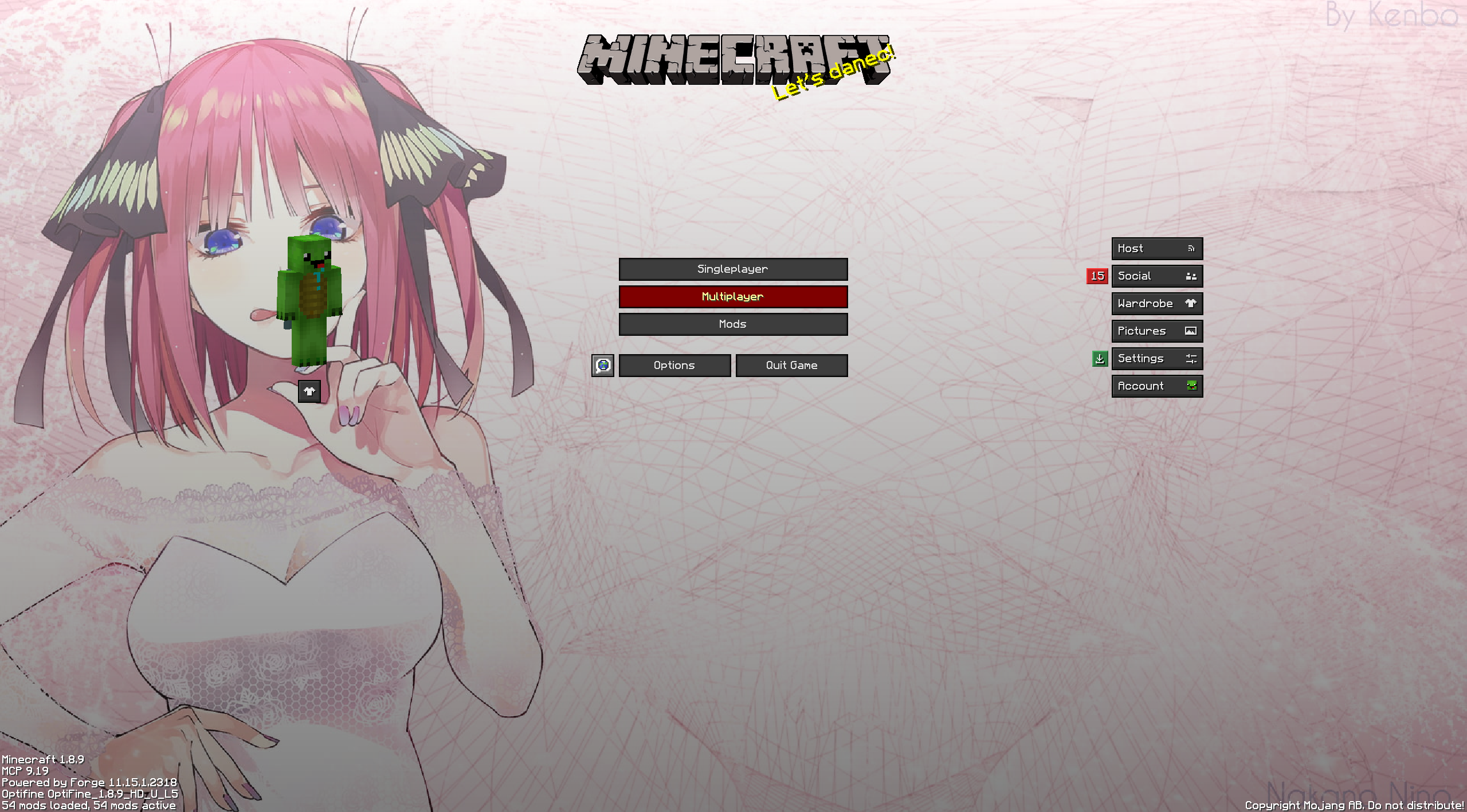 Home Page Custom background
 -
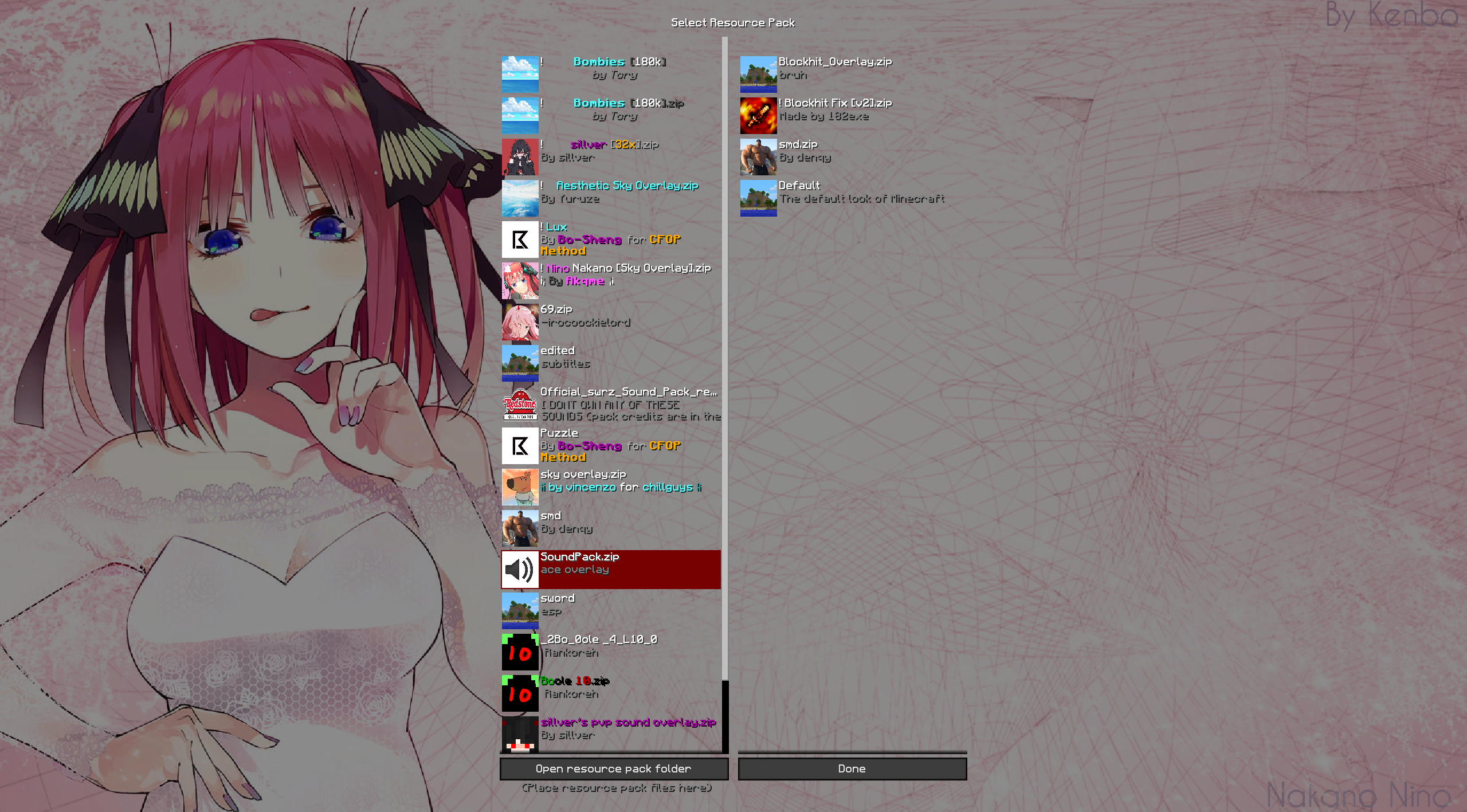 Settings Changes settings screen background
 -
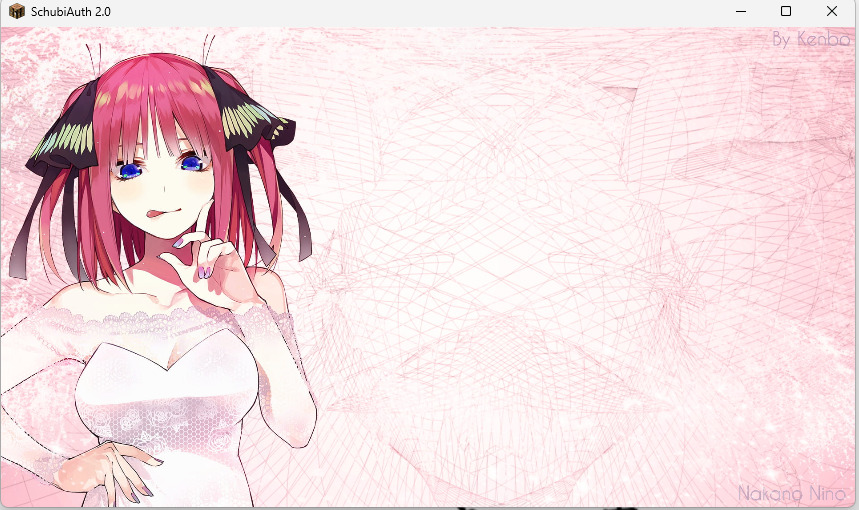 Loading Changes Loading screen
Versions
Files
Relations
Project Relations
More like this
Similar Mods
Suggestions use data such as tags, dependencies, dependents, descriptions, titles, and more to rank how much they overlap with this mod.
On ModDex
Community snapshot
By the numbers
Statistics

Want to reach Minecraft players?
We're looking for a server hosting partner to feature here and other parts of the site. Interested? Send us a message!
Get in touchGet it on
Available Platforms
On ModDex
Community snapshot
By the numbers
Statistics
Resources