Community listing page, reviews may not be monitored by the author.


Community voices
Reviews
No reviews yet. Be the first to review this project!
Get it on
Available Platforms
About
Project Details
For authors
Embed Badge
If you're the author of this project, you can embed a live badge anywhere that supports HTML or Markdown. It updates automatically whenever ratings change.
Use HTML for any page that supports it, or Markdown for README files and Markdown-based descriptions.
Identifiers
Platform IDs
Resources
External Links
About
Description
Menu Themes
Make Minecraft’s menus your own.
Menu Themes brings a consistent appearance to the main menu, settings, controls, pause menu, and supported inventory panels. Choose a complete theme, customize any detail, and preview your changes before applying them.
Choose your style
- 17 coordinated themes: Midnight, Aurora, Crimson, Forest, Sandstone, Runic, Fractured, Rainbow, High Contrast, Blossom, Tidal, Autumn, Frost, Celestial, Dune, Obsidian, and Neon. Each combines a palette, button shape, surface artwork, background, hover effect, click sound, and loading style.
- 15 button shapes: choose pointed, rounded, slanted, diamond, chevron, ticket, shield, wave, leaf, runic, fractured, and more. Clickable regions follow the visible silhouettes.
- Custom colors: edit six palette colors with RGB and HSV sliders, a draggable color pad, or exact hex values.
- 9 scenic backgrounds: discover cherry groves at sunrise, tropical islands, autumn villages, moonlit desert ruins, snowy cabins, volcanic landscapes, and more. Choose a favorite or use the crossfading slideshow.
- Your own images: import PNG backgrounds and adjust fit, zoom, focus, dimming, tint, and vignette. Extend your chosen backdrop to other menus and loading screens.
- Smooth interactions: enjoy gentle menu fades, blended hover highlights, and button press effects. Adjust animation speed, enable optional background and rainbow drift, or use reduced motion.
- Matching panels and loading screens: supported vanilla inventories, chests, recipe-book tabs, creative tabs, text fields, and sliders share your palette. Choose Card, Minimal, or Segmented loading designs.
Go further with Advanced Theme Studio
Advanced editing lives in a separate menu, keeping everyday customization simple.
- Edit individual buttons: move, resize, rotate, flip, recolor, rename, and adjust their opacity and layering while keeping their original actions.
- Create custom artwork: cut silhouettes and openings with scissors, paint directly on buttons, erase strokes, or import PNG textures.
- Choose hover animations: Glow, Lift, Zoom, Bounce, Wiggle, Sweep, or None. Customize effects globally or per button.
- Change click sounds: select a built-in Minecraft sound or import your own OGG Vorbis clips. Adjust volume and pitch, or silence clicks entirely.
- Compose backgrounds: crop, arrange, rotate, and merge scenic or custom image layers into your own backdrop.
- Save and share: keep named presets and studio projects, undo and redo edits, and share configurations through JSON or complete ZIP packages containing custom images and sounds.
Custom button edits and reduced-motion preferences remain intact when switching themes. Restore a theme’s recommended sound and hover effect whenever you want.
Getting started
Click Menu Themes on the main, options, or pause menu—or press F8. Choose a theme, customize it, and click Save. Open Advanced… for detailed editing.
Client-side only—servers do not need the mod.
Screenshots
Gallery
-
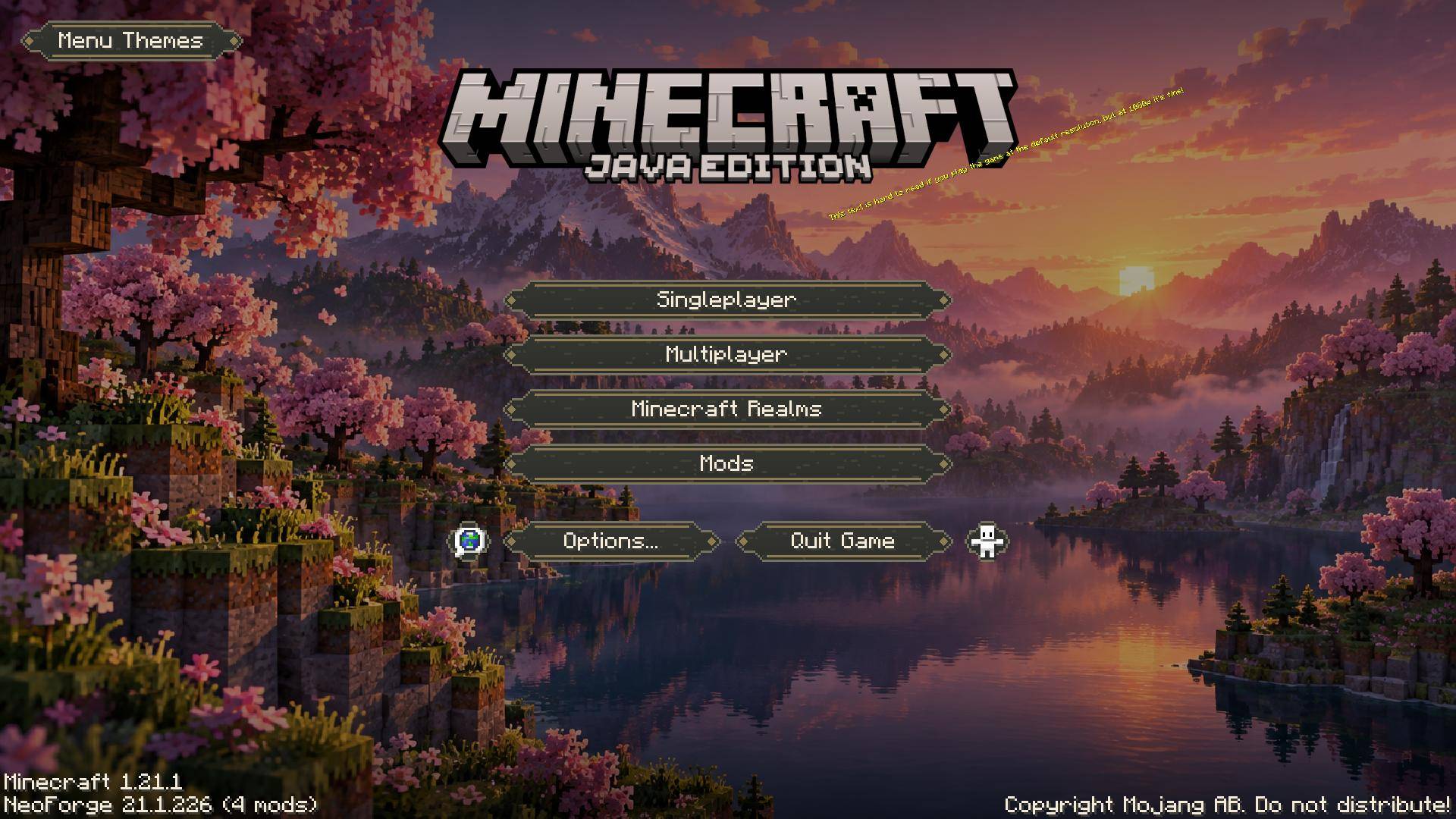 01-runic-cherry-main-menu.jpeg 01-runic-cherry-main-menu.jpeg
 -
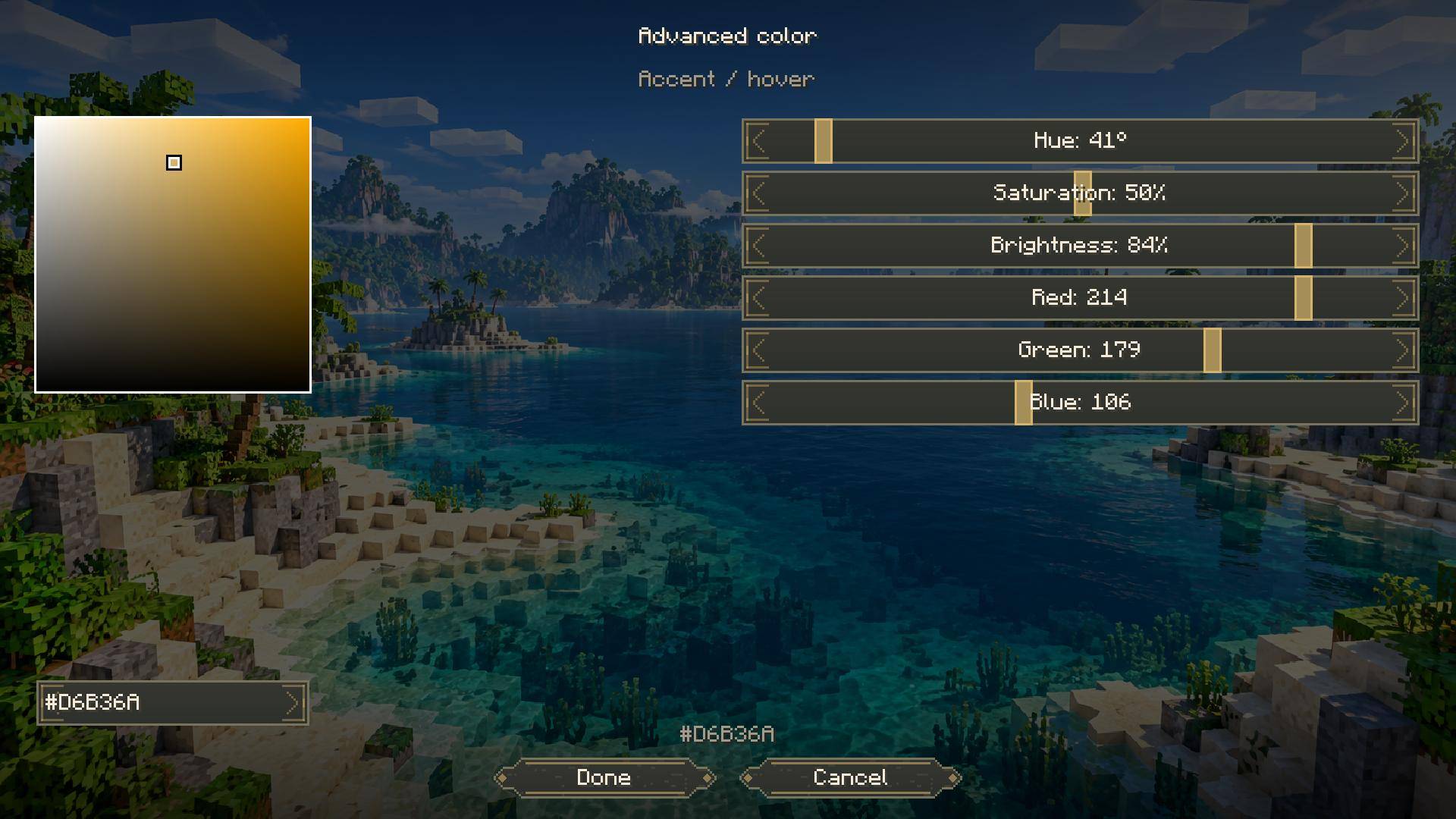 image-attachment_3b4c2387-c10b-4d6e-a2c3-170a268cd0ec.jpeg
 -
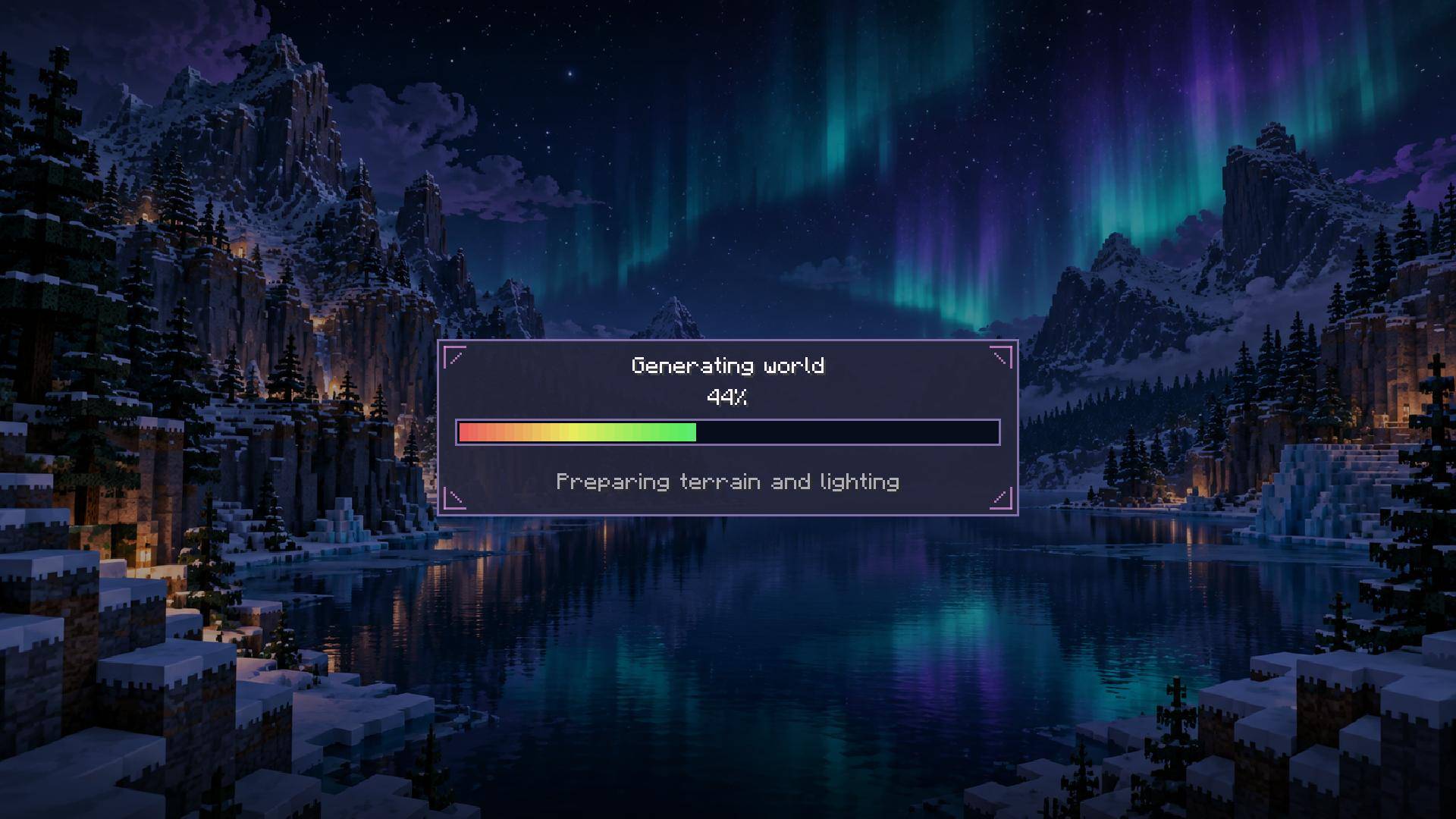 image-attachment_03338481-d0e8-44e2-b71d-382058d103c7.jpeg
 -
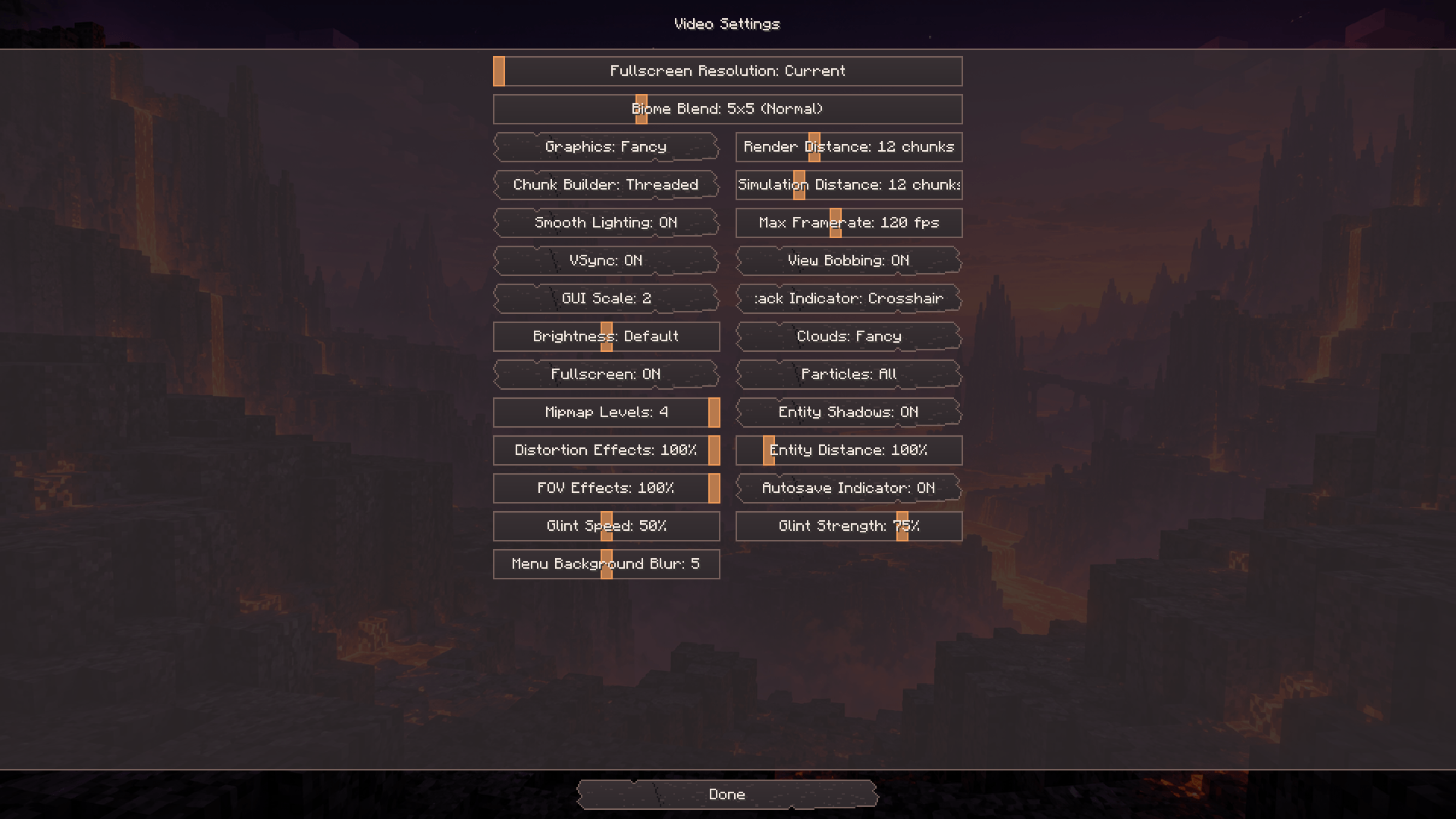 image-attachment_44797fb2-13cc-4986-afd4-dfd201949f3b.png
 -
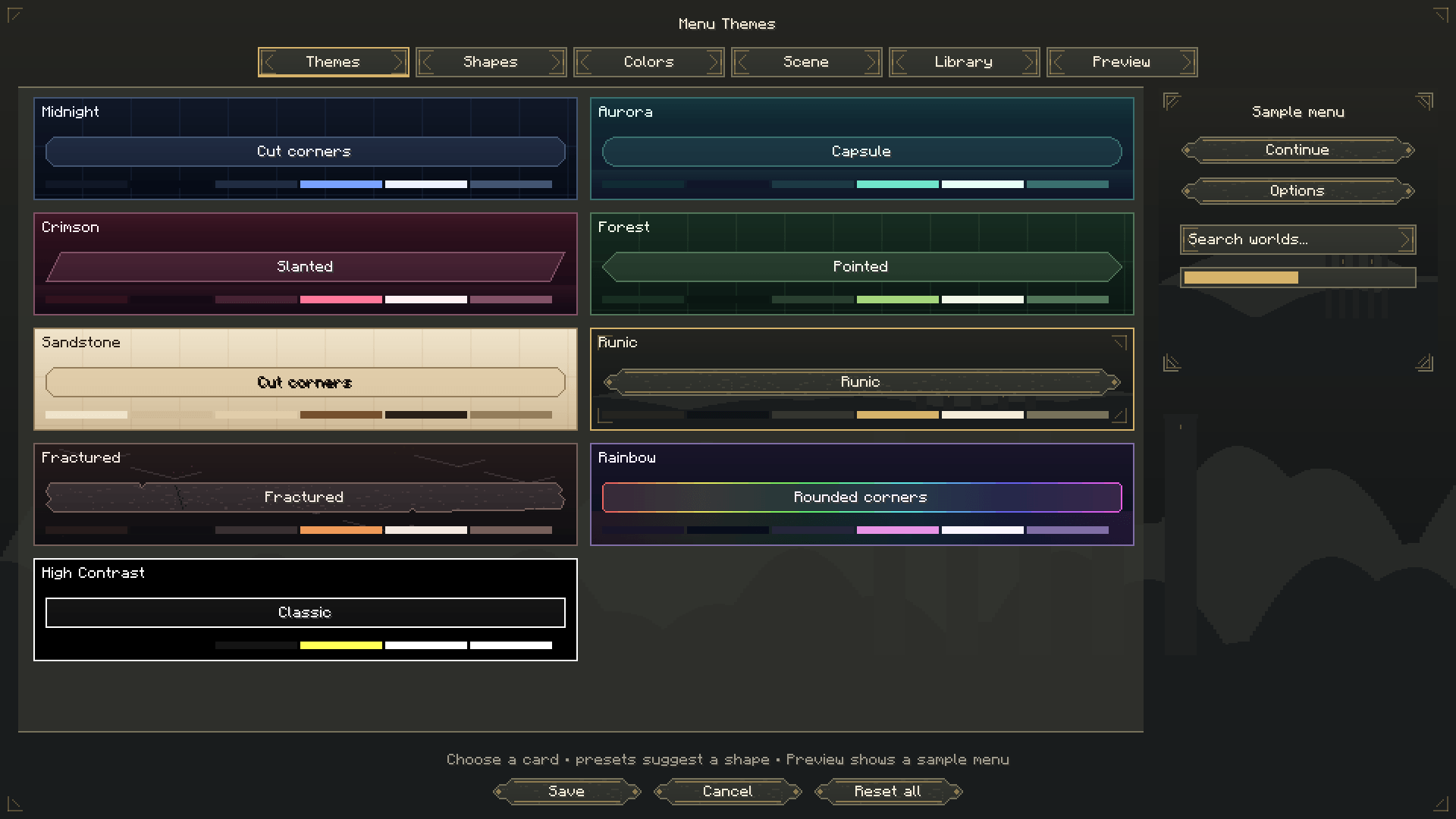 image-attachment_86aebb51-a1c3-4b41-a044-3e41850f68a0.png
 -
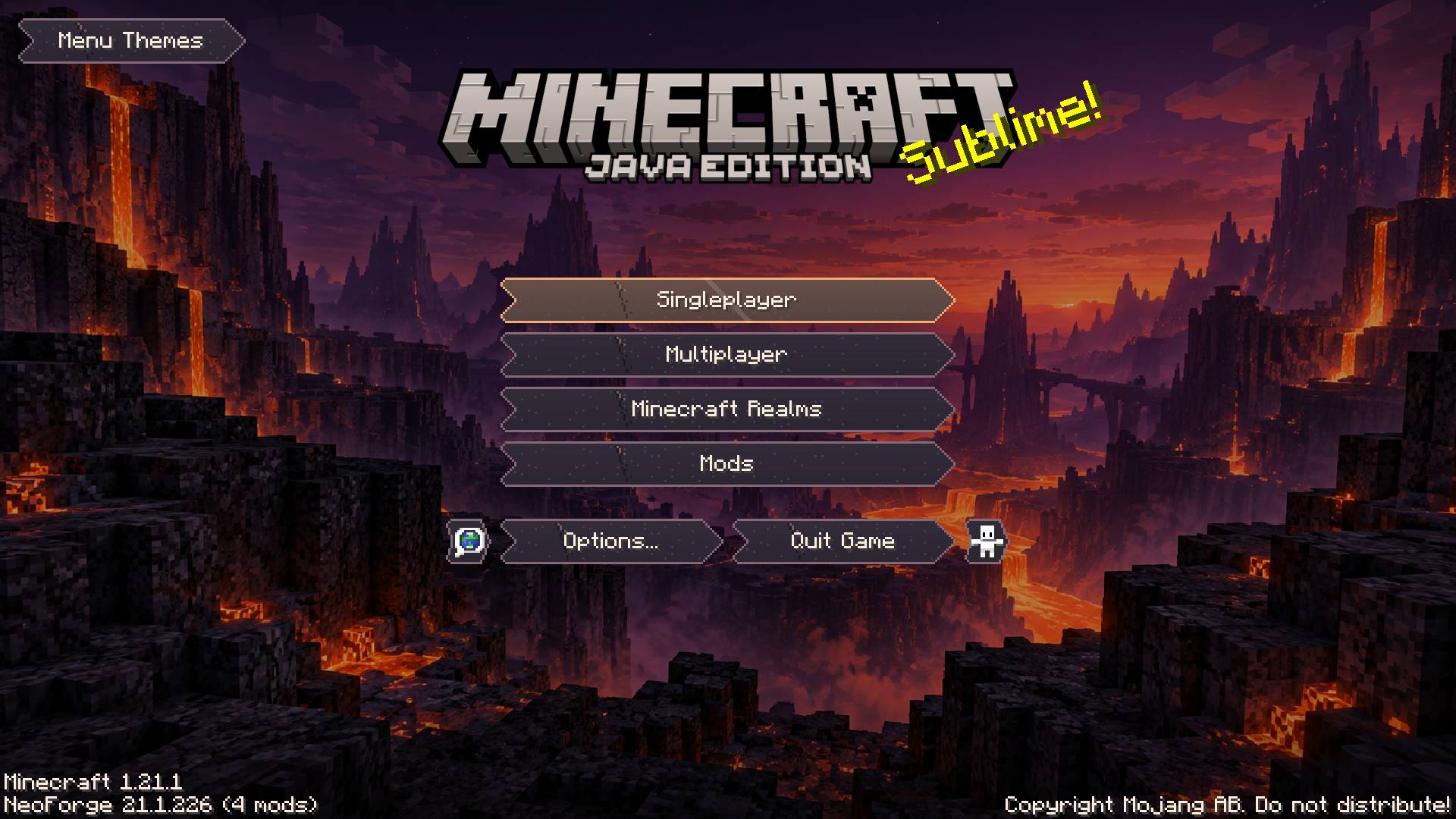 image-attachment_2c624977-b5b8-4cb9-b1eb-58b6dd1b662f.jpg
 -
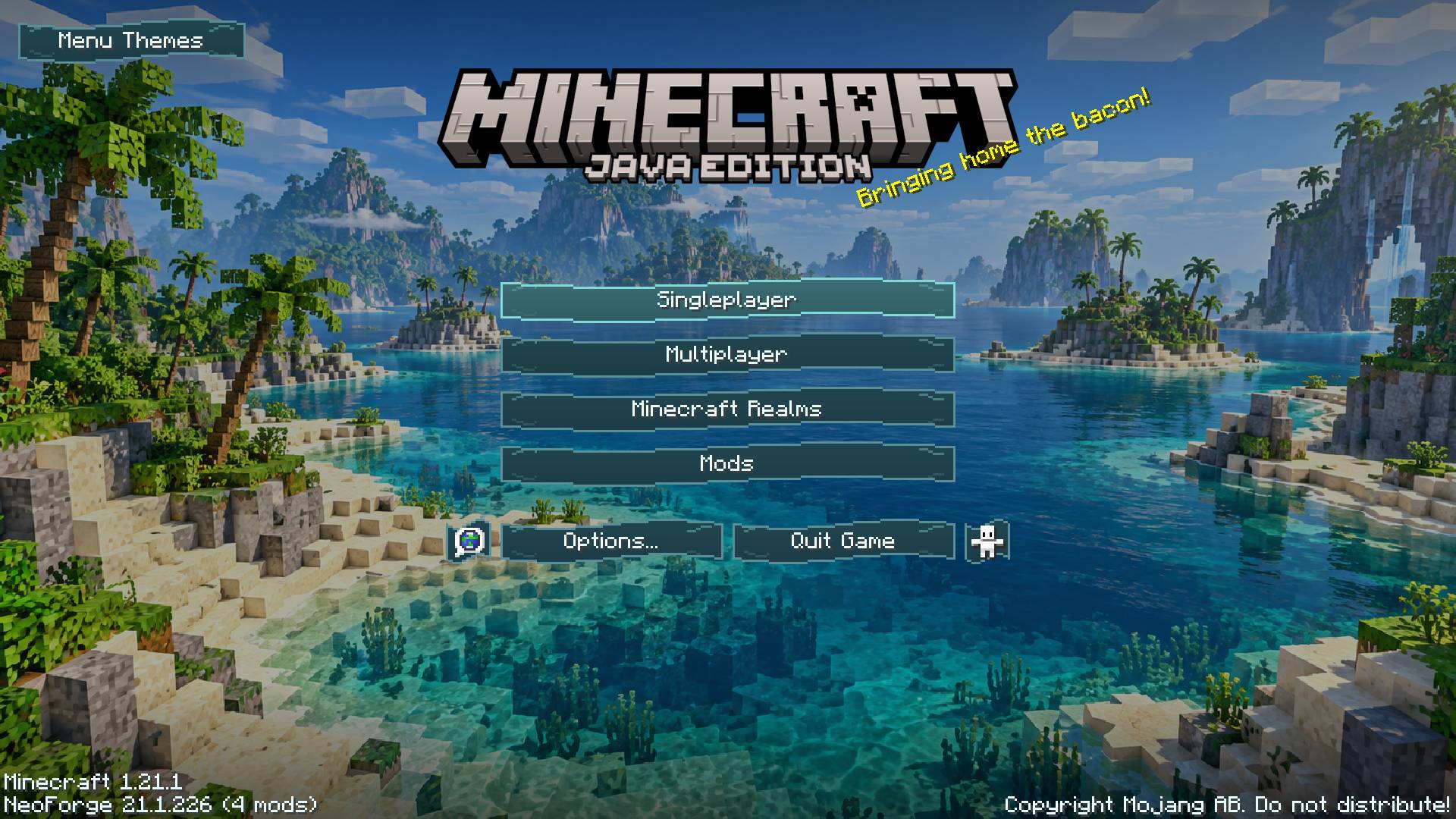 image-attachment_ab4cfbd5-1405-4e7c-996b-9b3806615ec1.jpg
 -
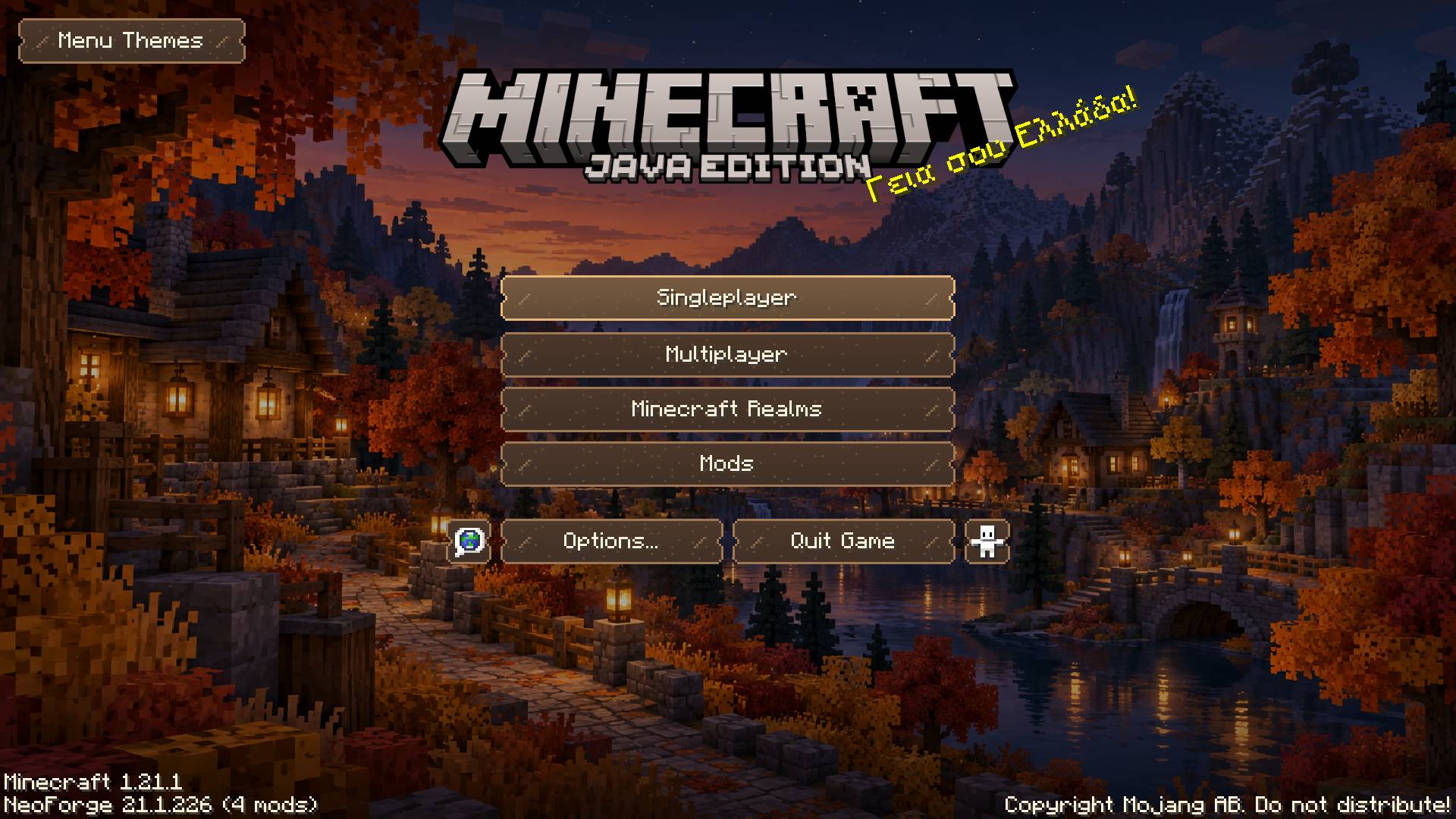 image-attachment_0881a40b-e356-41d2-81d9-05133f98cbd7.jpg
 -
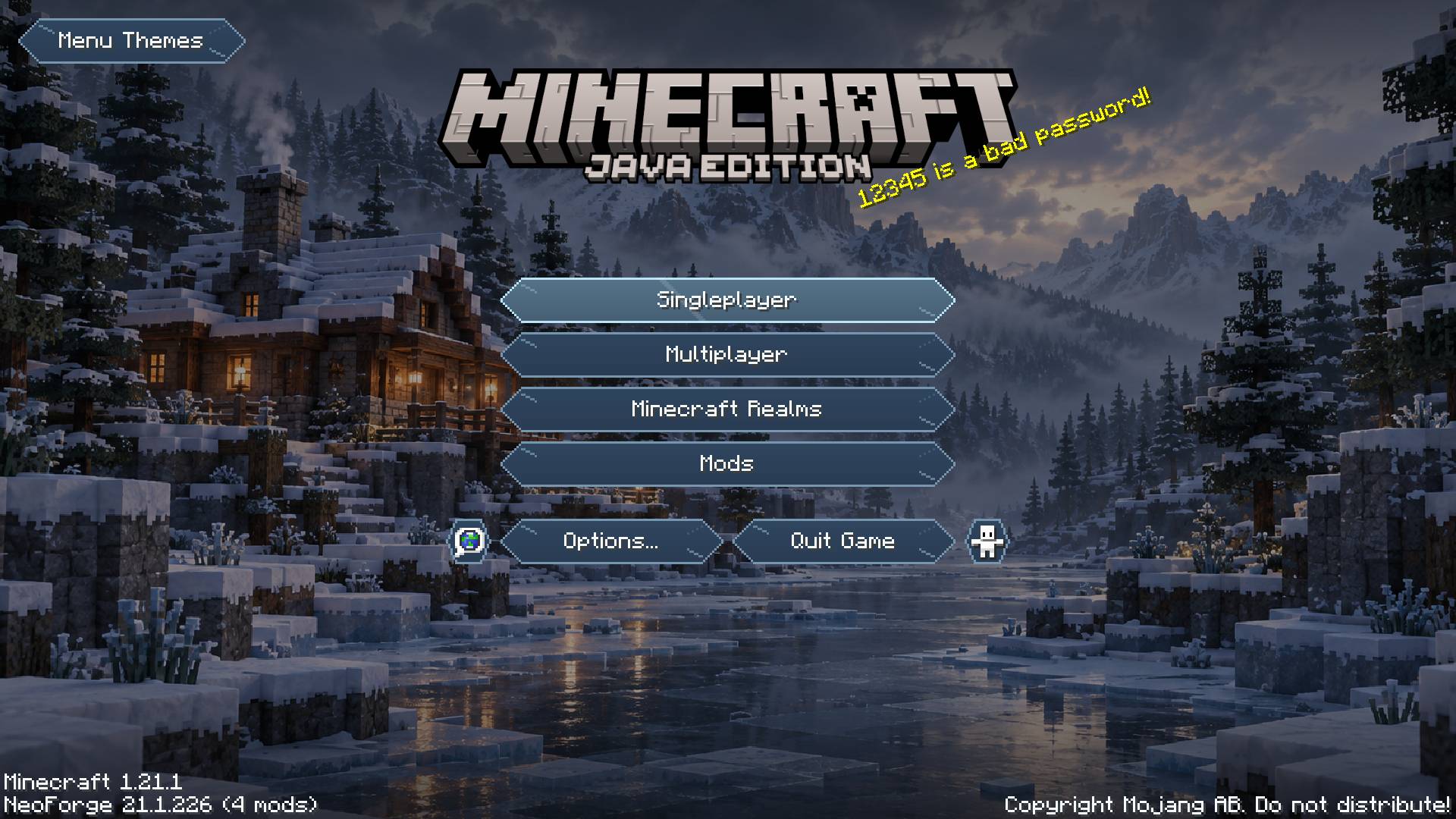 image-attachment_76ef2900-0e6a-47f4-8688-991c63f6d535.jpg
Versions
Files
Relations
Project Relations
More like this
Similar Mods
Suggestions use data such as tags, dependencies, dependents, descriptions, titles, and more to rank how much they overlap with this mod.
On ModDex
Community snapshot
By the numbers
Statistics

Get it on
Available Platforms
On ModDex
Community snapshot
By the numbers
Statistics
Resources