
Community listing page, reviews here may not be monitored by the author.
MenuСanvas

No reviews yet
Replace the main menu panorama with your own image or a built-in wallpaper, with adjustable blur — all from a small button on the title screen.
Community voices
Reviews
No reviews yet. Be the first to review this project!
Get it on
Available Platforms
Compatibility
Supported Environments
Runs entirely on the client. Works on vanilla servers.
About
Project Details
For authors
Embed Badge
If you're the author of this project, you can embed a live badge anywhere that supports HTML or Markdown. It updates automatically whenever ratings change.
Use HTML for any page that supports it, or Markdown for README files and Markdown-based descriptions.
Identifiers
Platform IDs
Resources
External Links
About
Description
What it does
MenuCanvas adds a small button in the top right corner of the Minecraft title screen. One click opens a picker where you can replace the rotating vanilla panorama with any image you want — either one of the ten wallpapers bundled with the mod, or your own picture loaded from your computer.
Features
- Small, unobtrusive button in the top right of the main menu — it can be hidden entirely in the settings
- Built-in library of 10 wallpapers — 5 in a blocky Minecraft style (plains at sunset, amethyst geode, nether fortress, End islands, cherry grove) and 5 in other styles (aurora peaks, neon city, deep space, gradient waves, a cosy lo-fi room)
- Upload your own images through a native file dialog, or just drop files into the
menucanvasfolder - Supported formats: PNG, JPG/JPEG, BMP, TGA
- Blur — a separate on/off toggle plus a 0–100% strength slider
- Darkening slider so the menu text stays readable over bright wallpapers
- Fit modes: Cover, Contain, Stretch, Tile
- Smoothing toggle — turn it off for crisp pixel art
- Optional slow pan (Ken Burns effect) and a fade-in when the menu opens
- Scrollable gallery with live previews of every background
- English and Russian translations
How to use
- Launch the game and look at the top right of the title screen — there is a small picture icon.
- Click it to open MenuCanvas.
- Pick any tile in the gallery to apply it instantly. The first tile restores the default panorama.
- Press Upload image... to choose a file from your computer, or Open folder and drop images into
.minecraft/menucanvas/, then press Refresh library. - Toggle Blur and drag the slider to taste.
Settings are also reachable through Mod Menu, and are saved to .minecraft/config/menucanvas.json.
Requirements
- Minecraft 1.21.11
- Fabric Loader 0.19.3 or newer
- Fabric API — required
- Mod Menu — optional, adds a settings entry in the mod list
Good to know
- This mod is client side only. It changes nothing about gameplay and works on any server, including vanilla ones.
- Images larger than 4096 px on a side are automatically downscaled so they do not eat video memory.
- Blur is generated once per image and cached, so it does not cost frames while the menu is open.
- Your own images are never uploaded anywhere — they are copied into your
.minecraft/menucanvas/folder and stay on your machine.
Screenshots
Gallery
-
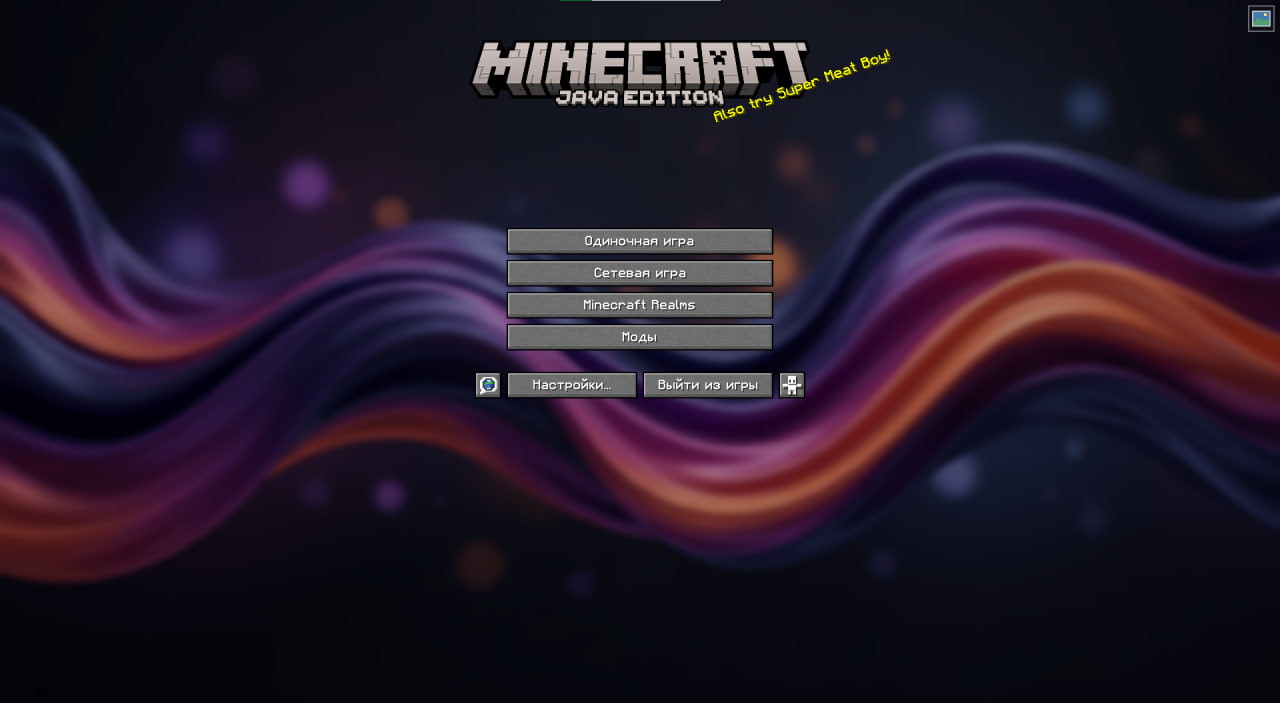 Modified main menu v3
 -
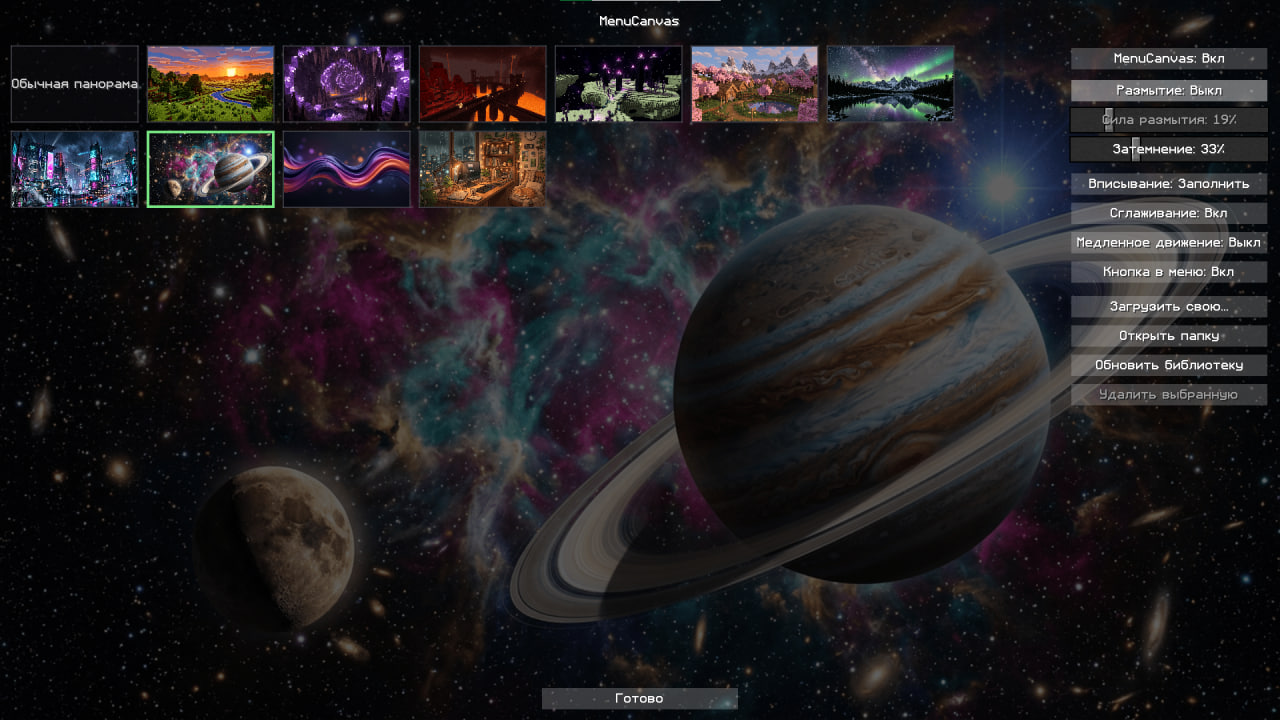 Mod main menu v2
 -
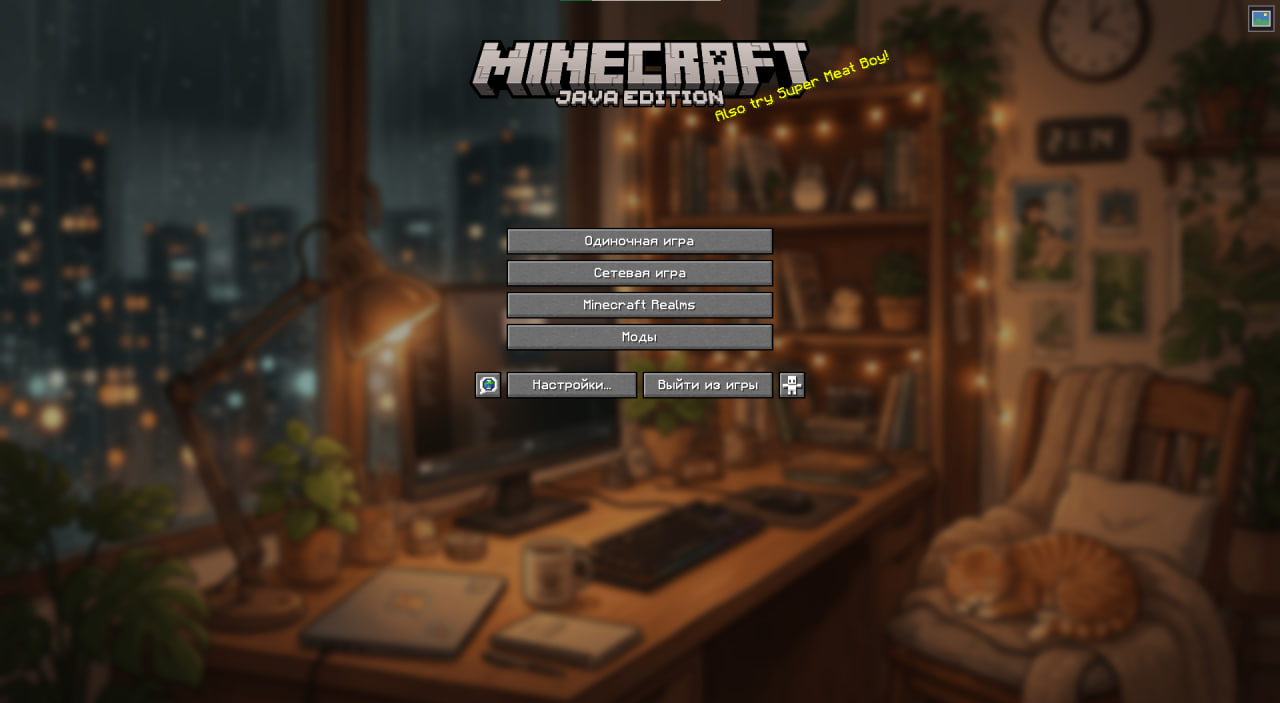 Modified main menu v2
 -
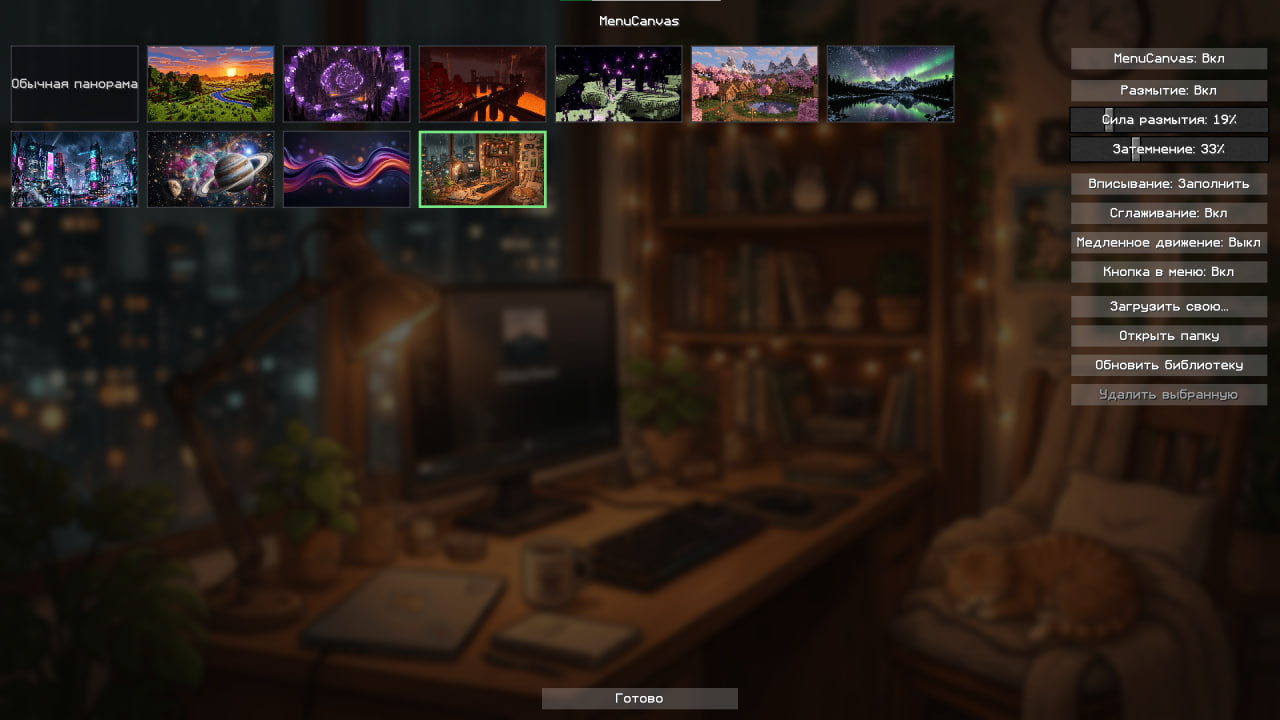 Mod main menu
 -
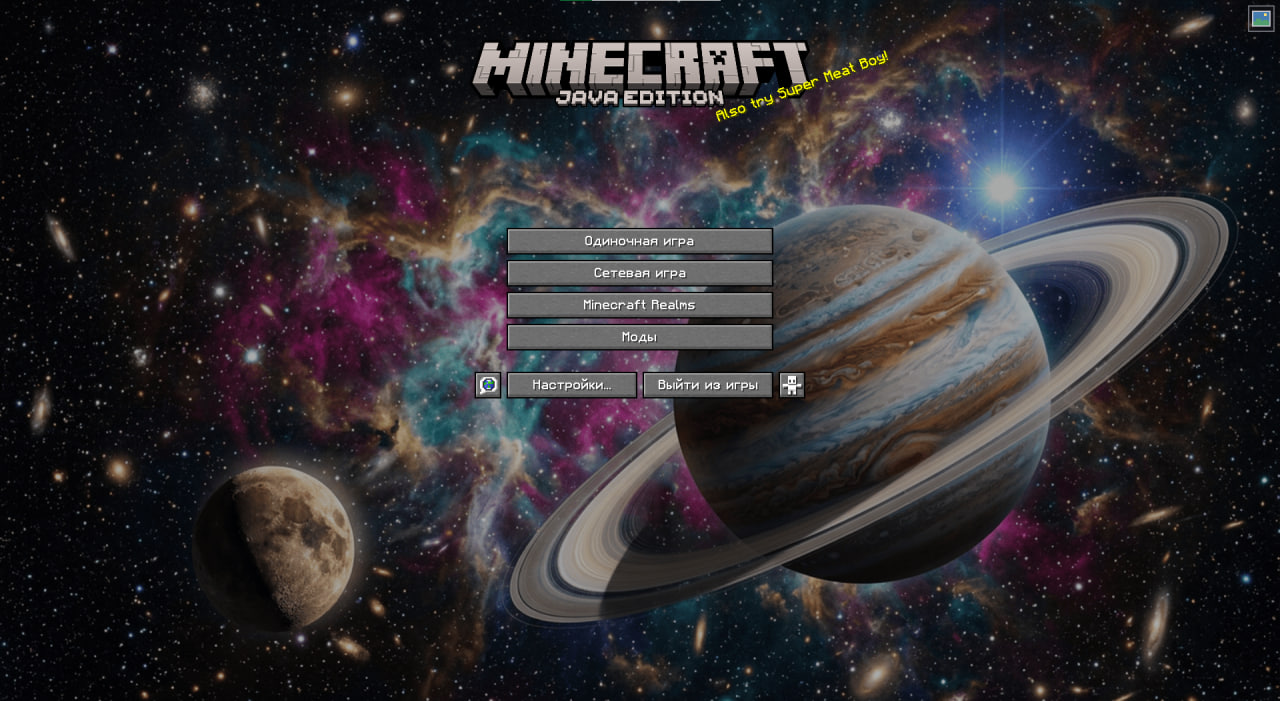 Modified main menu
 -
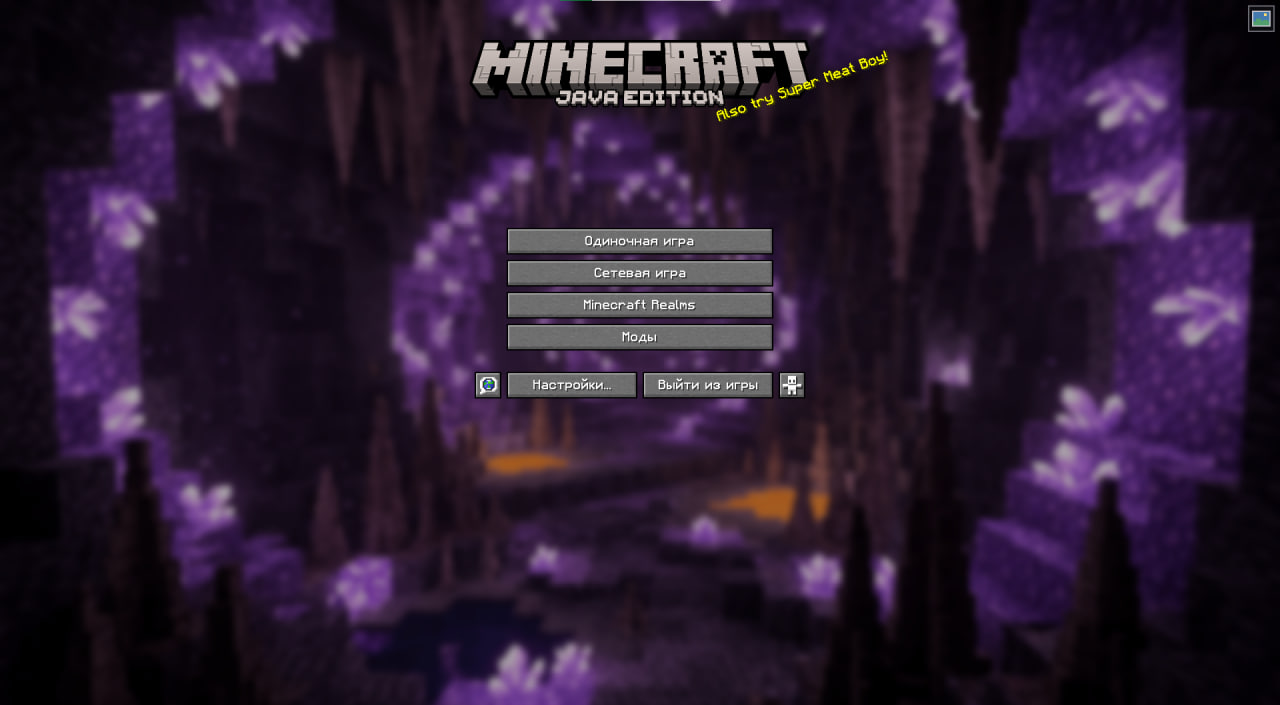 Modified main menu v4
Versions
Files
Relations
Project Relations
More like this
Similar Mods
Suggestions use data such as tags, dependencies, dependents, descriptions, titles, and more to rank how much they overlap with this mod.
On ModDex
Community snapshot
By the numbers
Statistics

Want to reach Minecraft players?
We're looking for a server hosting partner to feature here and other parts of the site. Interested? Send us a message!
Get in touchGet it on
Available Platforms
On ModDex
Community snapshot
By the numbers
Statistics
Resources