
Community listing page, reviews may not be monitored by the author.
Menuly

No reviews yet
🎨 Design any Minecraft menu with drag & drop! Gallery with 75+ ready-made menus, button styles, animations & backgrounds with particles. Move/hide buttons, add text, images, panels. Undo, smart guides. No config ✨

Community voices
Reviews
No reviews yet. Be the first to review this project!
Get it on
Available Platforms
About
Project Details
For authors
Embed Badge
If you're the author of this project, you can embed a live badge anywhere that supports HTML or Markdown. It updates automatically whenever ratings change.
Use HTML for any page that supports it, or Markdown for README files and Markdown-based descriptions.
Identifiers
Platform IDs
Resources
External Links
About
Description
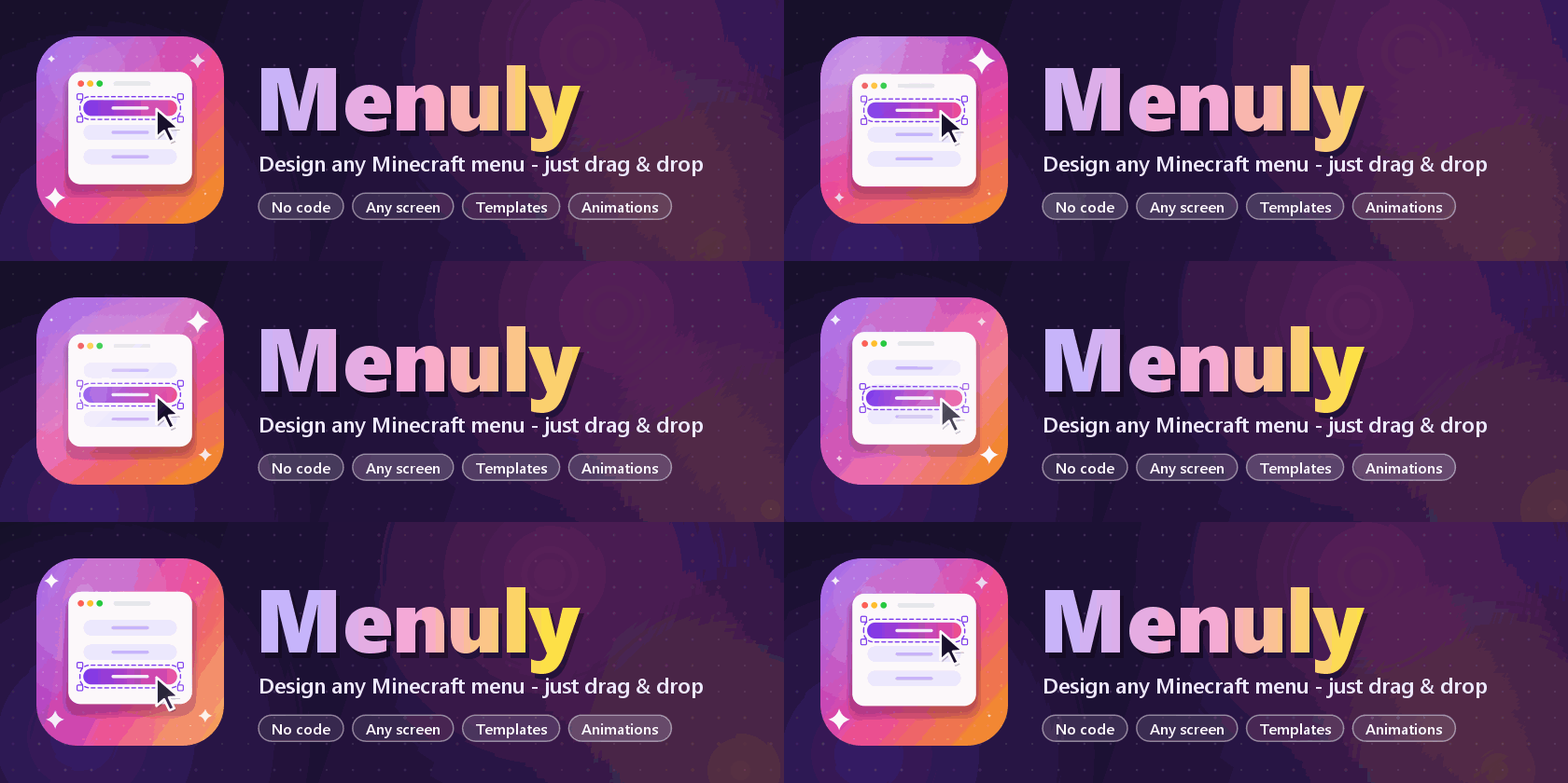
🎨 Menuly — Design any Minecraft menu, just drag & drop
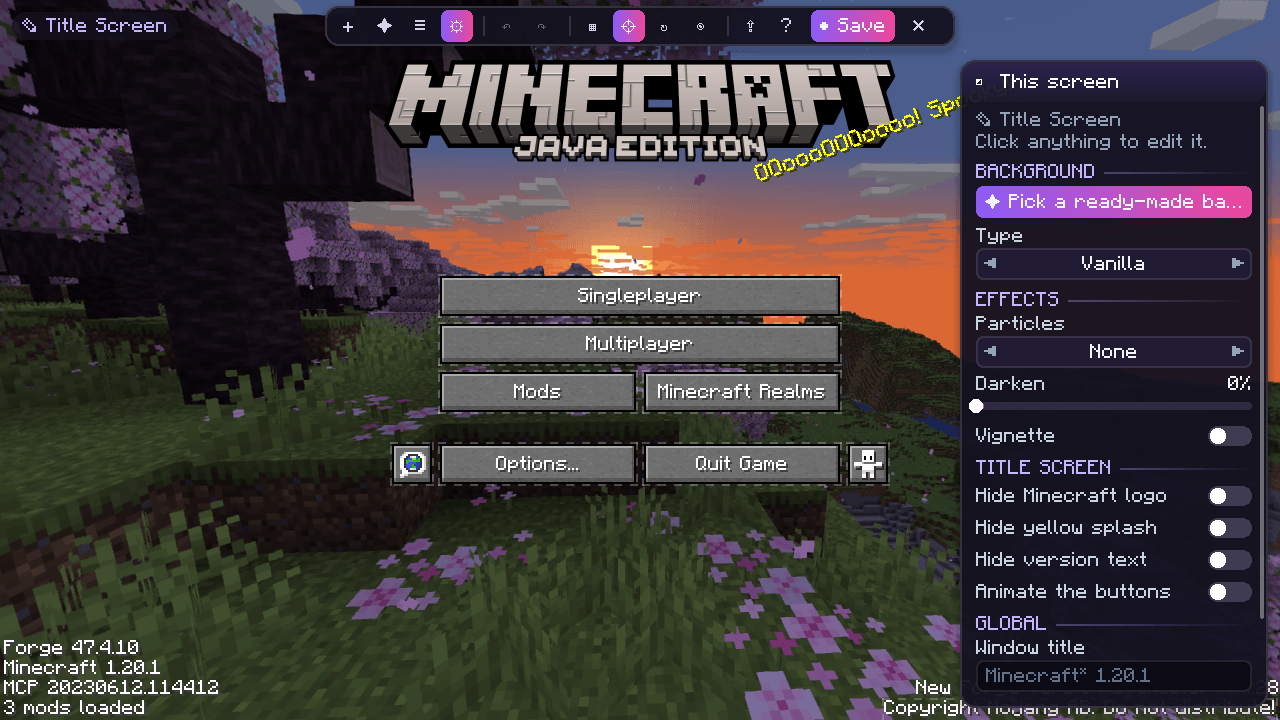
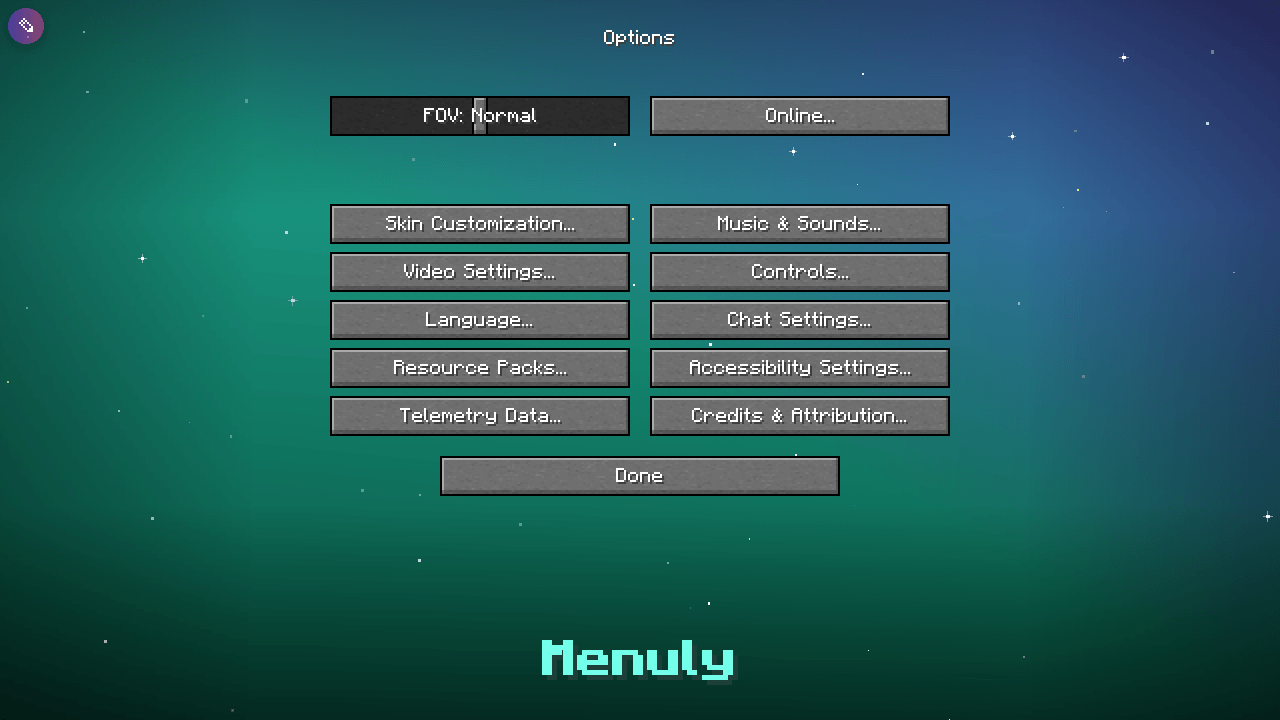
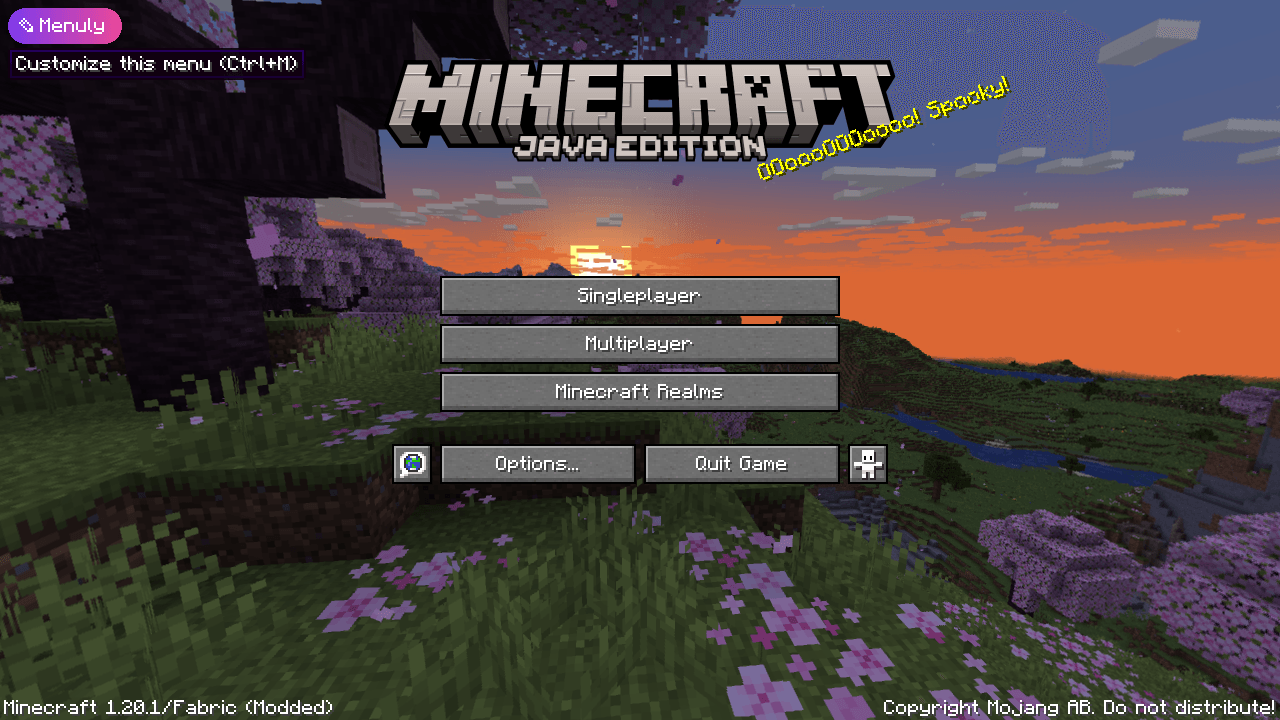
Menuly turns every Minecraft menu into a canvas. Open the title screen (or any screen!), press the little ✎ Menuly button in the corner and start designing — move buttons, add text, images, panels and animations, change the background… no config files, no scripting, no tutorials needed.
💡 If you ever got lost in a menu-customization mod, Menuly is for you: everything is visual, everything has a preview, and everything can be undone.
⚡ Get started in 10 seconds
- 🚀 Launch the game.
- ✎ Click the Menuly button in the top-left corner of the title screen (or press Ctrl + M on any menu).
- ➕ Click Add and pick an element — or apply a one-click template 🧩.
- 🖱️ Drag it where you want. Resize with the corner handles.
- 💾 Click Save. Done! 🎉
✨ Features
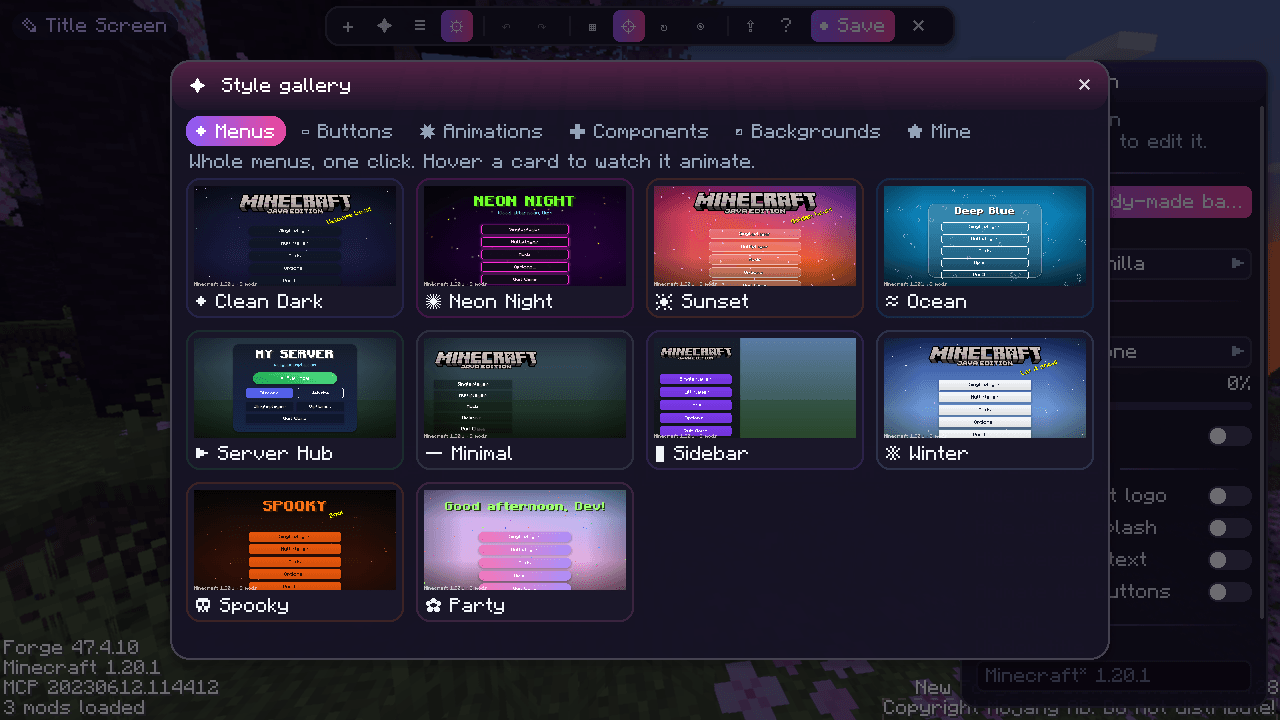
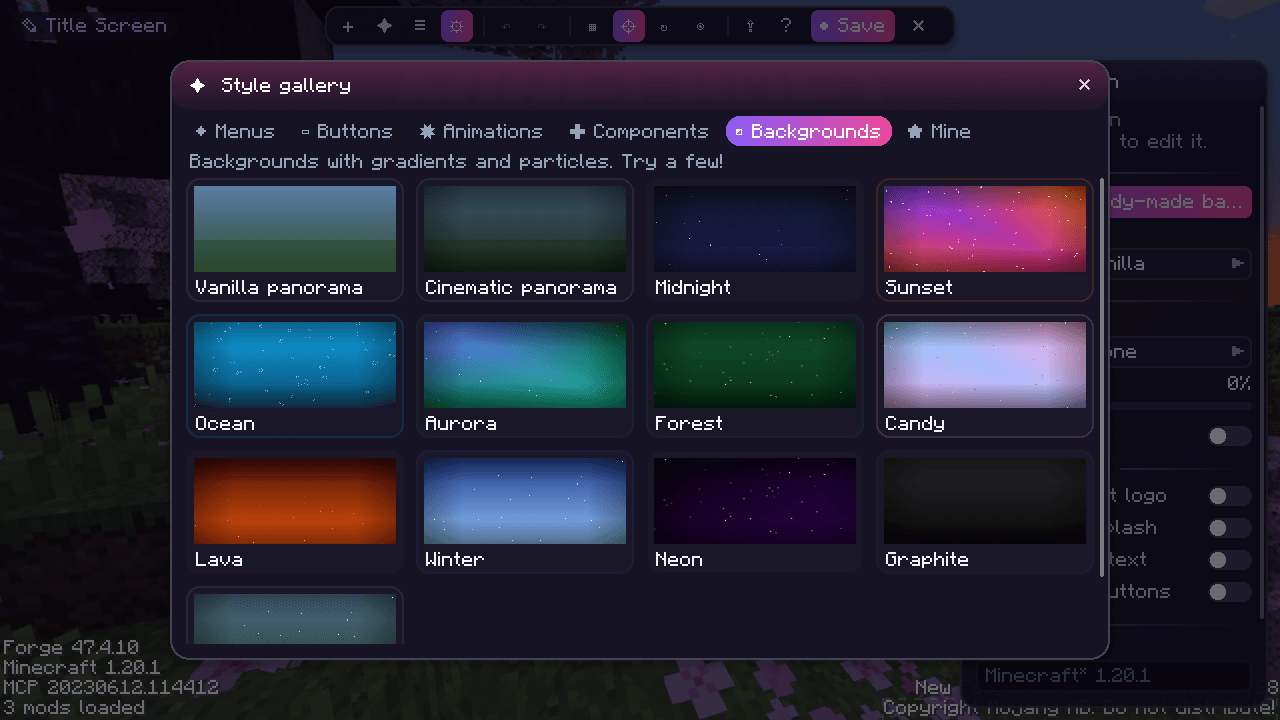
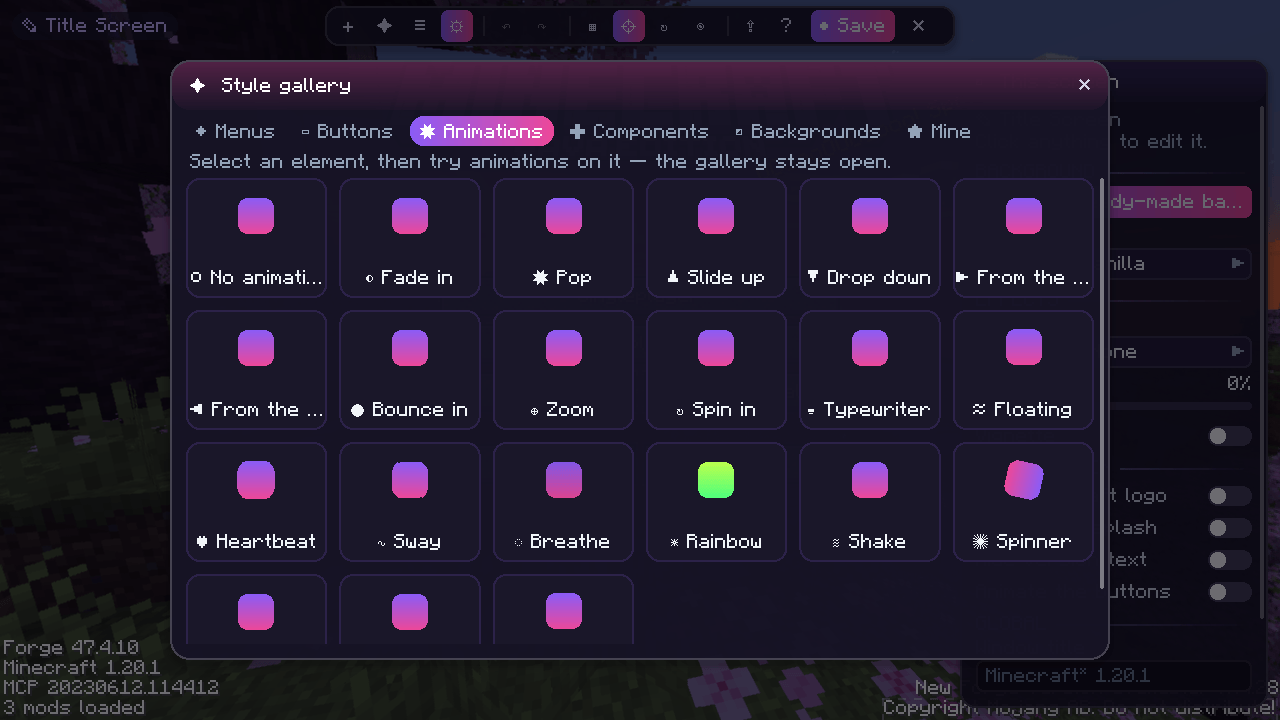
🎁 The Style Gallery — 75+ ready-made pieces to play with
Open ✦ Gallery in the editor and just click. Every card is a live, animated preview: hover it and watch it move!
| Tab | What's inside |
|---|---|
| ◆ Menus | 10 complete title screens: Clean Dark, Neon Night, Sunset, Ocean, Server Hub, Minimal, Sidebar, Winter, Spooky, Party |
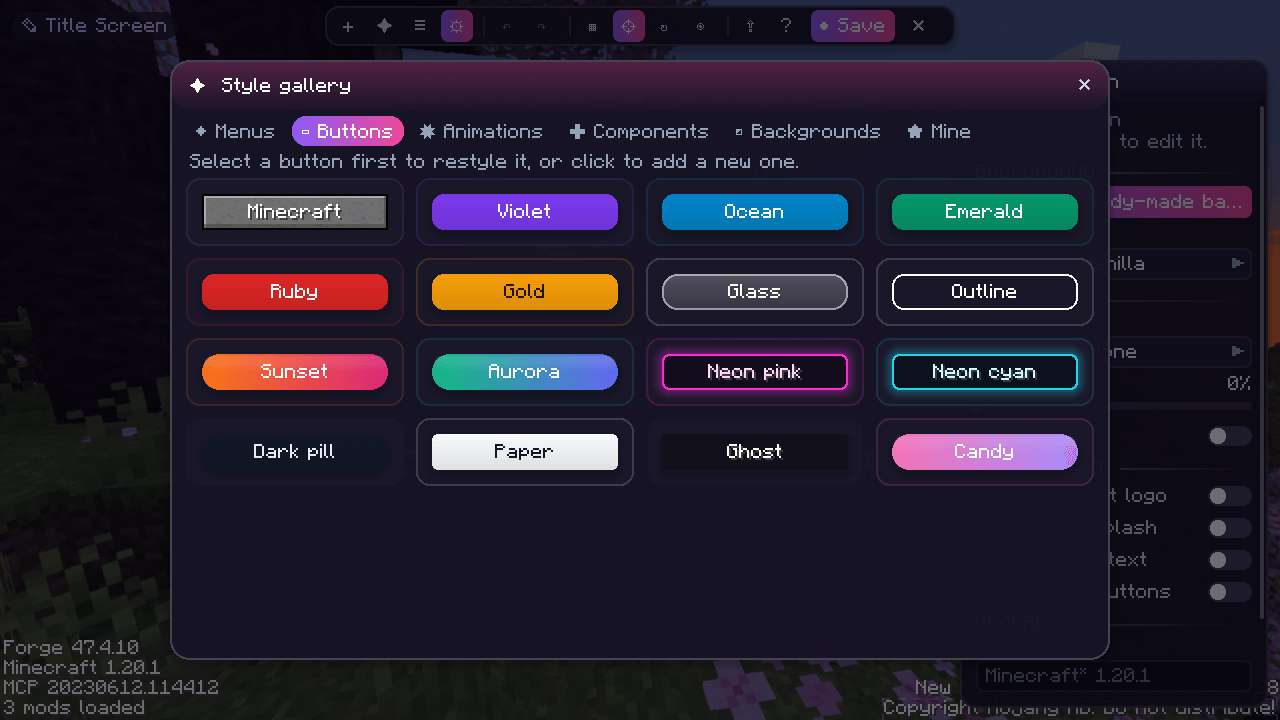
| ▭ Buttons | 16 button styles: Minecraft, Violet, Ocean, Emerald, Ruby, Gold, Glass, Outline, Sunset, Aurora, Neon pink, Neon cyan, Dark pill, Paper, Ghost, Candy |
| ✸ Animations | 21 animation presets: Pop, Bounce in, Spin in, Typewriter, Floating, Heartbeat, Sway, Rainbow, Shake, Hero… |
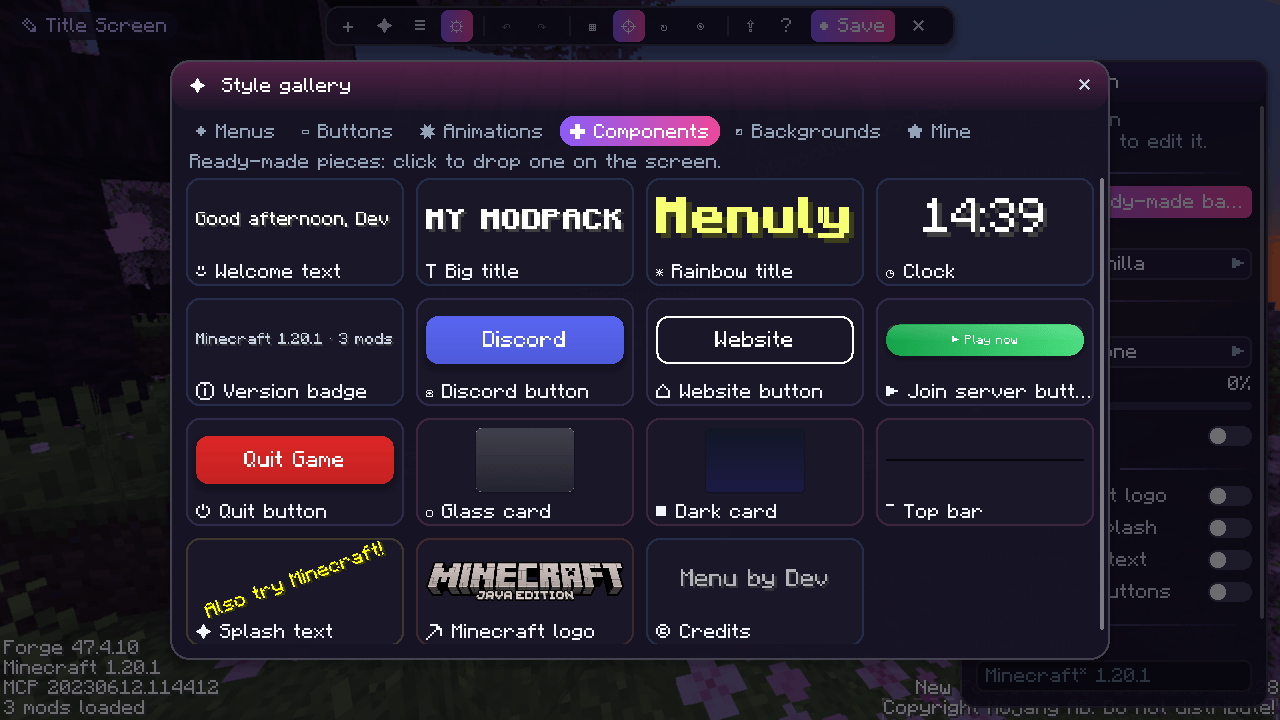
| ✚ Components | 15 ready-made pieces: Welcome text, Rainbow title, Clock, Discord / Website / Join-server buttons, Glass card, Top bar… |
| ◩ Backgrounds | 13 backgrounds with gradients and particles: Midnight, Sunset, Aurora, Ocean, Forest, Candy, Lava, Winter, Neon… |
| ★ Mine | Your own saved presets and templates — make a style once, reuse it everywhere |
🧪 Select a button and click styles one after another to try them; select anything and click animations to preview them instantly. Everything can be undone with Ctrl+Z.
🖌️ A visual editor that feels like a design app
- 🖱️ Drag & drop to move, corner handles to resize
- 🧲 Smart guides snap to the screen centre and to other elements
- ▦ Optional grid with snapping
- ↶ ↷ Unlimited undo / redo
- 📋 Copy, paste & duplicate
- 📚 Layers list — reorder, hide or lock any element
- 🎛️ A clean properties panel grouped in sections: General · Style · Action · Animation · Visibility
- ⚓ 3×3 anchor picker so your layout looks right on every window size
- ❓ Press F1 for a cheat-sheet of every shortcut
🧱 Elements
| Element | What it does | |
|---|---|---|
| 🔤 | Text | Multi-line, any color, size, shadow, alignment and live variables |
| 🖼️ | Image | Any PNG from config/menuly/images/ with opacity |
| 🔘 | Button | 6 styles (Vanilla, Flat, Glass, Outline, Gradient, Neon) + a click action |
| ▭ | Panel | Rounded rectangles, gradients and borders |
| 💬 | Splash | The classic bouncing yellow text — with your phrases |
| 🎞️ | Slideshow | Images that cross-fade automatically |
| ⛏️ | Minecraft logo | The original logo, now movable and scalable |
🔗 Button actions
🌐 Open a link · 🖥️ Join a server · 🧭 Open a screen (singleplayer, multiplayer, options, mods, language, resource packs) · 📋 Copy to clipboard · 📁 Open a folder · 💬 Run a command · 🚪 Quit the game
🧩 Vanilla buttons, your way
👁 Hide, ↔ move or ✏️ rename any vanilla (or modded!) button straight from the editor. Hidden buttons stay visible as ghosts while editing, so you never lose them.
🌄 Backgrounds
🟦 Solid color · 🌈 Gradient · 💫 Animated gradient · 🖼️ Image with mouse parallax · 🎞️ Image slideshow (with slow zoom) · 🌐 Custom panorama (6 images) · 🌀 Vanilla panorama ✨ Add particles on top: stars, snow, fireflies, bubbles, petals, embers, confetti — plus darken & vignette.
🎬 Animations everywhere
- Entrance (11): fade, slide up/down, from left/right, zoom, pop, bounce, spin, typewriter — with delay & duration
- Loop (7): float, heartbeat, sway, breathe, rainbow, shake, spin
- Hover (5): grow, glow, lift, shrink, wiggle
- The title screen's own buttons can slide in one after another
- Even the editor is animated: panels slide, popups pop, cards bounce in 🎉
👁️ Smart visibility
Show elements only… 🕒 at certain hours · 🎃 on certain dates (Halloween! Christmas!) · 🧩 if a mod is installed · 🎲 with a random chance · 🖥️ on big windows
🔤 Text variables
{player} {greeting} {time} {date} {day} {fps} {mods} {version} {loader} {random:Hello|Hi|Hey} — and & colour codes like &l or &6. Click a chip in the editor to insert one.
📤 Share your designs
Copy a whole layout as a share code and paste it in another instance. Layouts are also plain JSON files in config/menuly/layouts/ — easy to ship in a modpack.
🪟 Extras
Custom window title · global on/off switch · works on any screen, including screens from other mods.
🆚 Why Menuly?
| Menuly | |
|---|---|
| 🧠 Learning curve | Minutes. Everything is on screen. |
| 🎨 Default look | Modern and polished out of the box |
| 🔁 Undo | Unlimited |
| 📐 Resolutions | Anchors + smart guides |
| 📦 Modpacks | Just copy config/menuly/ |
| 🪶 Performance | Only active on screens you customised |
📦 Requirements & compatibility
- ⛏️ Minecraft 1.20.1 · Forge 47+ or Fabric (+ Fabric API)
- 💻 Client-side only — not needed on servers
- 🤝 No dependencies
❓ FAQ
Can I use it in my modpack? ✅ Yes! Ship your config/menuly/ folder with it. Does it work with other mods' screens? ✅ Yes, open the editor on any screen. I broke my menu! 😅 Open the editor and press Reset, or delete the file in config/menuly/layouts/. Forge or Fabric? ✅ Both! Same features, same layout files. NeoForge is on the roadmap 🗺️
💜 Made with love 💜
Found a bug or have an idea? Open an issue — feedback shapes the roadmap!
Screenshots
Gallery
-
 1
-
 2
-
 3
-
 4
-
 5
-
 6
-
 7
-
 8
Versions
Files
Relations
Project Relations
More like this
Similar Mods
Suggestions use data such as tags, dependencies, dependents, descriptions, titles, and more to rank how much they overlap with this mod.
On ModDex
Community snapshot
By the numbers
Statistics

Get it on
Available Platforms
On ModDex
Community snapshot
By the numbers
Statistics
Resources