
Community listing page, reviews here may not be monitored by the author.
Messages On Head

No reviews yet
Paper plugin (1.19.4+) that shows messages of players (chat bubbles) above their heads.

Community voices
Reviews
No reviews yet. Be the first to review this project!
Get it on
Available Platforms
About
Project Details
For authors
Embed Badge
If you're the author of this project, you can embed a live badge anywhere that supports HTML or Markdown. It updates automatically whenever ratings change.
Use HTML for any page that supports it, or Markdown for README files and Markdown-based descriptions.
Identifiers
Platform IDs
Resources
External Links
About
Description
MessagesOnHead is a Paper (1.19.4+) plugin that shows messages above players' heads for a little time when they send messages to the chat.
The plugin's functionality is based on the Text Display entity.
[IMPORTANT] The plugin might not work correctly in Minecraft versions 1.20.2 to 1.21.5. You may notice unusually large gaps between messages. Unfortunately, this issue cannot be fixed because of version-specific changes in these Minecraft versions.
If you have any issues/bugs, you may leave them here.
👀 Preview
🌠 Key features
- Limit per line: you can configure the symbols limit for each line in the
symbolsPerLinefield. - Max symbols limit: you can configure the max amount of symbols per message in the
symbolsLimitfield ('...' will be appended if the limit is reached). - Timer: you can enable/disable the timer at the end of the message that shows how much time is left until the message is gone.
- Time scaling: you can make longer messages exist for more time.
- Colors and style: you can choose the color of the text, its background, whether the text is shadowed and the color for the timer.
- Rotation: you may configure how a text display will rotate in the
pivotAxisfield. - Visibility: you may hide messages from their sender via the
visibleToSenderfield as well as choose whose messages will be shown globally using themessagesonhead.showpermission. - Adjustable gaps: you may configure gaps between messages and above player's head in
gapBetweenMessagesandgapAboveHeadfields. - PlaceholderAPI support: you can configure a placeholder that will color your text displays.
🔞 Permissions
messagesonhead.show(true by default) — Whether messages will appear above player's head.messagesonhead.admin(for operators by default) — Allows to use the/mohcommand.
💻 Commands
/moh info— shows commands info./moh reload— reloads the config and makes a cleanup by removing all entities related to the plugin./moh say <player> <msg>— says a message on behalf of the player.
Aliases: /messagesonhead.
📄 Default config
symbolsPerLine: 30
# If the limit is reached, the three dots will be added at the end. -1 means there's no limit
symbolsLimit: -1
# Initial amount of seconds for the message to exist
timeToExist: 2
# Whether a message will be visible to its sender
visibleToSender: true
# Hide the message when the player is under an invisibility effect
hideWhenInvisible: true

# Whether a longer message will exist for more time
scalingEnabled: true
# Scaling coefficient per symbol in seconds. For example, a message with 50 symbols
# will exist for extra 5 seconds if the coefficient is set to 0.1 (because 0.1 * 50 = 5)
scalingCoefficient: 0.05

# Distances between messages / above player's head
gapBetweenMessages: 0.3
gapAboveHead: 0.4

textColor: "#FFFFFF"

timerEnabled: true
# Minimum message length threshold for the timer to be displayed
minSymbolsForTimer: 0
timerFormat: " (%.1f)"
timerColor: "#F4CA16"

backgroundEnabled: true
backgroundColor: "#000000"
# Range: [0, 100]
backgroundTransparencyPercentage: 100

# Whether a text will have a shadow
isShadowed: true

# How a text display can pivot:
# VERTICAL - Can pivot around vertical axis
# HORIZONTAL - Can pivot around horizontal axis
# CENTER - Can pivot around center point
# FIXED - No rotation
pivotAxis: "VERTICAL"

# You may enable this if you use a plugin for per-player chat color customization (e.g., EZColors, ChatColor etc.)
placeholderApiIntegration: false
# Name of a placeholder that will be put before each text line
colorPlaceholder: "%ezcolors_color%"
# Format for text lines if `placeholderApiIntegration` is true
lineFormat: "&[defaultColor]&[colorPlaceholder][message]"

messages:
  "prefix": "&#F4CA16[MessagesOnHead]"
  "info-title": "<prefix> &#D9E6EDCommands list:"
  "info-toggle-command-description": " &f/moh toggle - &#D9E6EDAllows you to toggle the visibility of messages on heads."
  "info-reload-command-description": " &f/moh reload - &#D9E6EDReloads the config and makes a cleanup by removing all entities related to the plugin."
  "info-say-command-description": " &f/moh say - &#D9E6EDSay a message on behalf of the player."
  "reloaded": "<prefix> &#D9E6EDReloaded!"
  "visibility-toggled-on": "<prefix> &#D9E6EDYou will &a&nnow see&#D9E6ED messages over other players' heads."
  "visibility-toggled-off": "<prefix> &#D9E6EDYou will &c&nno longer see&#D9E6ED messages over other players' heads."
  "only-players": "<prefix> &cOnly players can use this command!"
  "player-not-found": "<prefix> &cPlayer not found."
  "command-not-found": "<prefix> &cCommand not found."
  "error-during-reload": "<prefix> &cAn error occurred during reload! Check console for details."
🚀 Installation guide
[IMPORTANT] Before getting started, make sure that the plugin's version is compatible with your server version.
- Download the latest version of the plugin from the Releases tab.
- Put the downloaded
.jarinto the/pluginsfolder of your server. - Restart your server or enter the
/reloadcommand.
Screenshots
Gallery
-
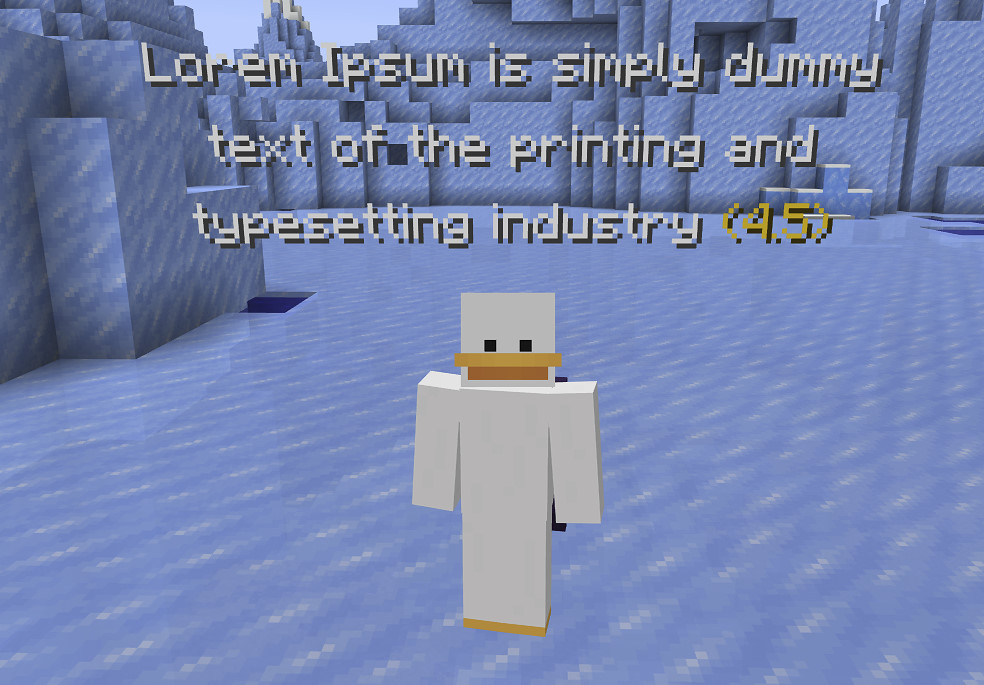 Default settings
 -
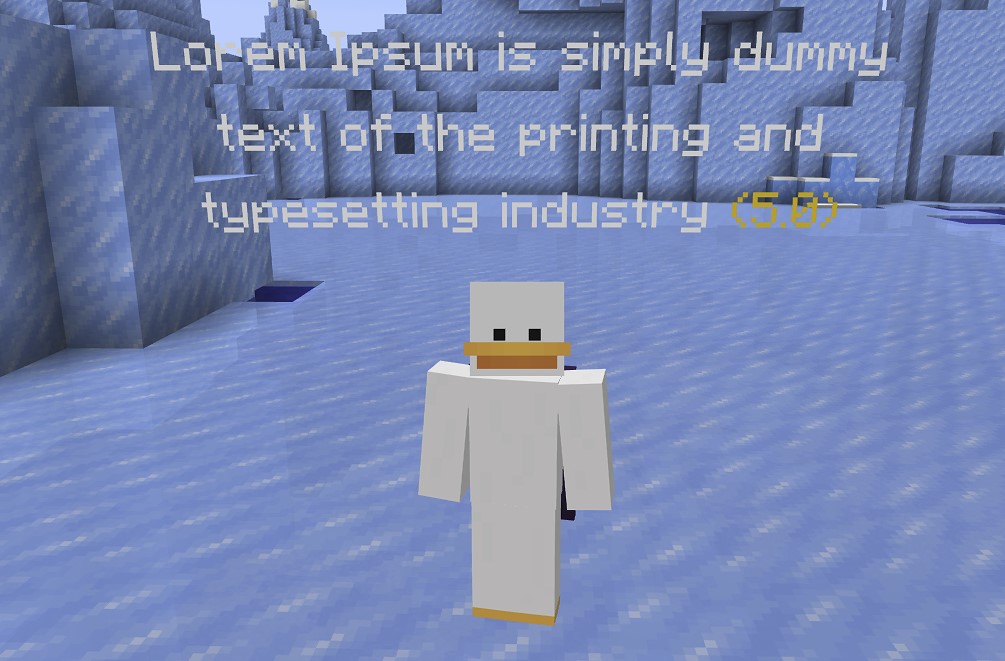 Without shadow
 -
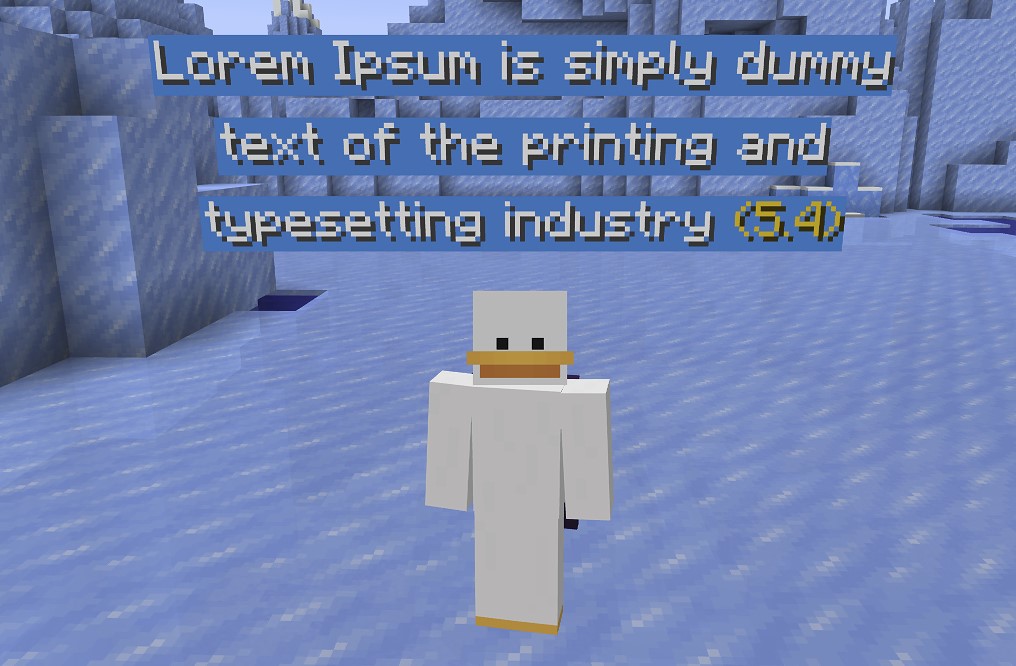 Custom background
 -
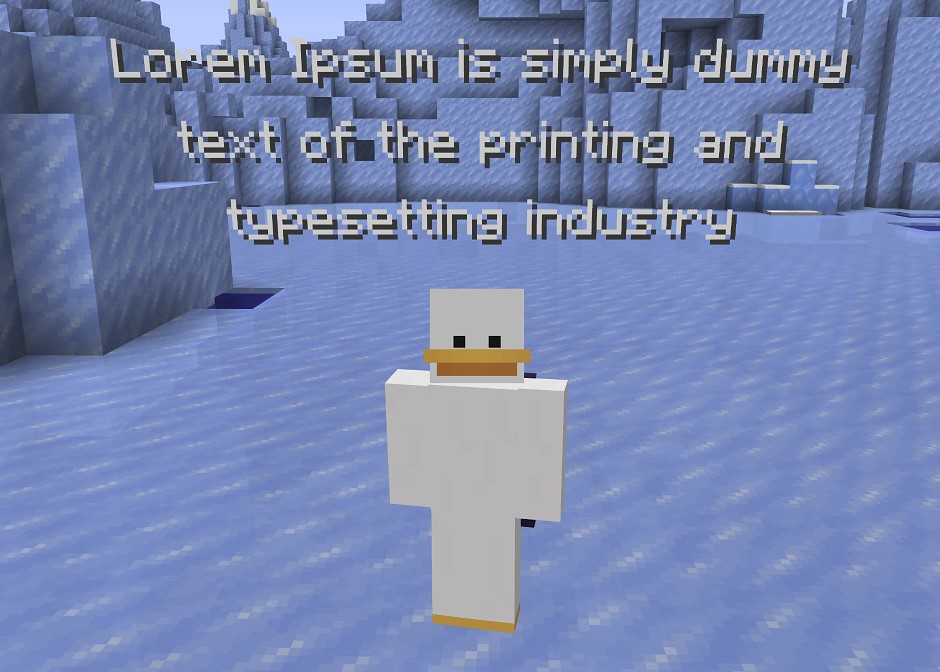 Without timer
 -
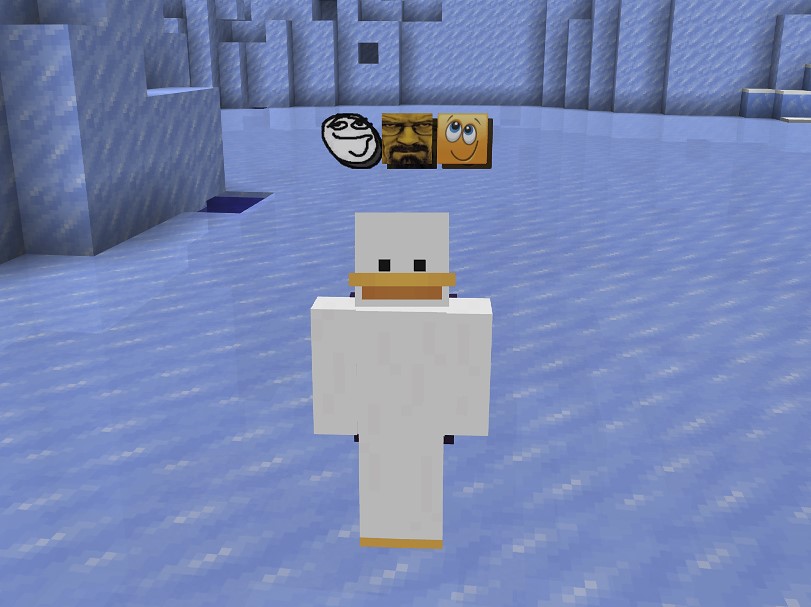 Compatible with 'ImageEmojis' plugin
Versions
Files
Relations
Project Relations
More like this
Similar Mods
Suggestions use data such as tags, dependencies, dependents, descriptions, titles, and more to rank how much they overlap with this mod.
On ModDex
Community snapshot
By the numbers
Statistics

 (opens in a new tab)
Get it on
Available Platforms
On ModDex
Community snapshot
By the numbers
Statistics
Resources