Community listing page, reviews may not be monitored by the author.
Mind Your Own Block

No reviews yet
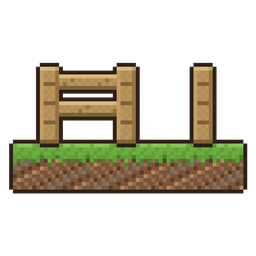
Hold a button and blocks stay exactly the way you place them: no fences joining, no stairs bending into corners, no blocks filling with water.

Community voices
Reviews
No reviews yet. Be the first to review this project!
Get it on
Available Platforms
About
Project Details
For authors
Embed Badge
If you're the author of this project, you can embed a live badge anywhere that supports HTML or Markdown. It updates automatically whenever ratings change.
Use HTML for any page that supports it, or Markdown for README files and Markdown-based descriptions.
Identifiers
Platform IDs
Resources
External Links
About
Description
You place a fence post and it joins the fence next to it. You place a stair and it bends into a corner. You place a lantern post in a pond and it fills with water. Hold your mouse's side button while you place, and the block stays exactly as you put it, minding its own business.
What it does
- Fences, walls, glass panes and iron bars stand on their own instead of joining their neighbours.
- Stairs stay straight instead of bending into an inner or outer corner.
- Blocks placed into water stay dry. A bucket of water still fills them if you want it later.
- They stay that way while you build around them, until you break them. Break one and place it again to go back to normal. A block pushed by a piston goes back to normal too.
Made for building
- It's its own button, not sneak, so it works while you stand on scaffolding and while you sneak along a roof edge.
- No side button, or on a touchpad? Pick any key in Controls, under Mind Your Own Block.
- A small padlock beside the crosshair shows while you're holding it.
- No new blocks, no new items, no settings to learn. Let go and placing is vanilla again.
Works with
- Modded fences and walls built on vanilla's, like Macaw's Fences and Walls (tested).
- Build Better (tested together).
- Install it on both the server and your game. On a server without it, the button just does nothing, and players without it can still join a server that has it.
Made by Gabby with help from Claude, an AI assistant.
More of my mods, in short videos: youtube.com/@gabmaybelle
Screenshots
Gallery
Versions
Files
Relations
Project Relations
More like this
Similar Mods
Suggestions use data such as tags, dependencies, dependents, descriptions, titles, and more to rank how much they overlap with this mod.
On ModDex
Community snapshot
By the numbers
Statistics

Get it on
Available Platforms
On ModDex
Community snapshot
By the numbers
Statistics
Resources