Community listing page, reviews may not be monitored by the author.
Mine Trading Cards Open Source Edition


No reviews yet
A mod about collecting trading cards!

Community voices
Reviews
No reviews yet. Be the first to review this project!
Get it on
Available Platforms
Compatibility
Supported Environments
Must be installed on both the client and the server.
About
Project Details
For authors
Embed Badge
If you're the author of this project, you can embed a live badge anywhere that supports HTML or Markdown. It updates automatically whenever ratings change.
Use HTML for any page that supports it, or Markdown for README files and Markdown-based descriptions.
Identifiers
Platform IDs
About
Description

Mine Trading Cards is a mod about collecting trading cards.
Mobs will occasionally drop Cards Packs, Edition Packs, or packs of a given rarity. These packs contain Common, Uncommon, Rare, Ancient and Legendary cards.
You can also meet various villagers who specialize in selling or trading cards.
Cards are loaded in "editions" (sets or groups) from files separate from the mod. New cards and even new editions can be created by adding new files to the mtc folder.
Installation
Installing the mod works just like any other forge mod—put the .jar file in your mods folder.
Mine Trading Cards has extra files that must be downloaded and installed separately to load the default card sets.
Before update 3.1:
Download the "mtc" folder here (both branches have the same mtc folder) and extract it to a folder in your Minecraft directory.
Alternatively, create an "mtc" folder in your Minecraft directory and extract any of the content packs found here or in the discord server's #content-packs channel into that folder.
After installation, you should have a structure like the following, with \assets, \cards and \editions inside your \mtc folder:
.minecraft
      ---->mtc
            ---->assets
            ---->cards
            ---->editions
            ---->packs (optional—see "Custom Packs" section below)
As of update 3.1, MTC loads content packs from resource packs to save memory
Extract any of the content packs found [here](https://mega.nz/folder/Ssdl2YqI#XPktl7Ioj7s3j512T6Q1_Q) or in the discord server's #content-packs channel into that resource pack
There are template resource packs in the mega link
This new structure should look like this:
<resource pack folder or zip>
      ---->assets
            ---->is_mtc
                  ---->mtc
                        ---->assets
                        ---->cards
                        ---->editions
                        ---->packs (optional—see "Custom Packs" section below)
Edition Packs:
Various pack editions are specified in the /editions folder, like so:
{
    "id": "my_edition",
    "name": "My Edition Pack",
    "color": "#55ff00" (optional—see below)
}
You do not need to specify a "color" field. If you don't, MTC will procedurally generate a color for the pack icon based on the id.
Custom Packs:
You can create custom packs, with amounts of cards based on categories and rarities!
Example:
{
    "id": "test_pack",
    "name": "Test Custom Pack",
    "categories": [
        "Minecraft Mob:2:common",
        "World Item:3:common"
    ],
    "color": "#ff0088"  (optional—see below)
}
Place this .json file into the /mtc/packs/ folder.
You do not need to specify a "color" field. If you don't, MTC will procedurally generate a color for the pack icon based on the id.
This pack would contain two common cards with the "Minecraft Mob" category, and three common cards with the "World Item" category.
All .json files in /mtc/packs will be loaded as custom packs.
Discord Server:
If you want to post a content pack, put a link in the discord server!
I (Powerthegreat) WILL NOT BE ACTIVE ON DISCORD FOR THE FORESEEABLE FUTURE. Please be respectful of the moderators there.
Forum thread:
This mod was originally developed by Tradeworld (Minecraft Forums username, AKA nogier (github) or R4p3lay (here on curseforge)), then made open source.
Source code for 1.7.10 - https://github.com/Powerthegreat/Mine-Trading-Cards-Source
Source code for 1.12.2 - https://github.com/Powerthegreat/Mine-Trading-Cards-Source-1.12.2
Mine Trading Cards is a mod about collecting trading cards.
Mobs will occasionally drop Cards Packs, Edition Packs, or packs of a given rarity. These packs contain Common, Uncommon, Rare, Ancient and Legendary cards.
You can also meet various villagers who specialize in selling or trading cards.
Cards are loaded in "editions" (sets or groups) from files separate from the mod. New cards and even new editions can be created by adding new files to the mtc folder.
Installation
Installing the mod works just like any other forge mod—put the .jar file in your mods folder.
Mine Trading Cards has extra files that must be downloaded and installed separately to load the default card sets.
Earlier versions
Before 3.1 Download the "mtc" folder [here](https://github.com/Powerthegreat/Mine-Trading-Cards-Mod) (both branches have the same mtc folder) and extract it to a folder in your Minecraft directory. Alternatively, create an "mtc" folder in your Minecraft directory and extract any of the content packs found [here](https://mega.nz/folder/Ssdl2YqI#XPktl7Ioj7s3j512T6Q1_Q) or in the discord server's #content-packs channel into that folder.After installation, you should have a structure like the following, with \assets, \cards and \editions inside your \mtc folder:
.minecraft
---->mtc
---->assets
---->cards
---->editions
---->packs (optional—see "Custom Packs" section below)
As of update 3.1, MTC loads content packs from resource packs to save memory
Extract any of the content packs found here or in the discord server's #content-packs channel into that resource pack
There are template resource packs in the mega link
This new structure should look like this:
<resource pack folder or zip>
---->assets
---->is_mtc
---->mtc
---->assets
---->cards
---->editions
---->packs (optional—see "Custom Packs" section below)
Edition Packs:
Various pack editions are specified in the /editions folder, like so:
{
"id": "my_edition",
"name": "My Edition Pack",
"color": "#55ff00" (optional—see below)
}
You do not need to specify a "color" field. If you don't, MTC will procedurally generate a color for the pack icon based on the id.
Custom Packs:
You can create custom packs, with amounts of cards based on categories and rarities!
Example:
{
"id": "test_pack",
"name": "Test Custom Pack",
"categories": [
"Minecraft Mob:2:common",
"World Item:3:common"
],
"color": "#ff0088" (optional—see below)
}
Place this .json file into the /mtc/packs/ folder.
You do not need to specify a "color" field. If you don't, MTC will procedurally generate a color for the pack icon based on the id.
This pack would contain two common cards with the "Minecraft Mob" category, and three common cards with the "World Item" category.
All .json files in /mtc/packs will be loaded as custom packs.
Discord Server:
If you want to post a content pack, put a link in the discord server!
https://discord.gg/TWDcAaX
I (Powerthegreat) WILL NOT BE ACTIVE ON DISCORD FOR THE FORESEEABLE FUTURE. Please be respectful of the moderators there.
Forum thread:
https://www.minecraftforum.net/forums/mapping-and-modding-java-edition/minecraft-mods/2913625-mine-trading-cards-open-source-updated-by
This mod was originally developed by Tradeworld (Minecraft Forums username, AKA nogier (github) or R4p3lay (on curseforge)), then made open source.
Source code for 1.7.10 - https://github.com/Powerthegreat/Mine-Trading-Cards-Source
Source code for 1.12.2 - https://github.com/Powerthegreat/Mine-Trading-Cards-Source-1.12.2
Screenshots
Gallery
-
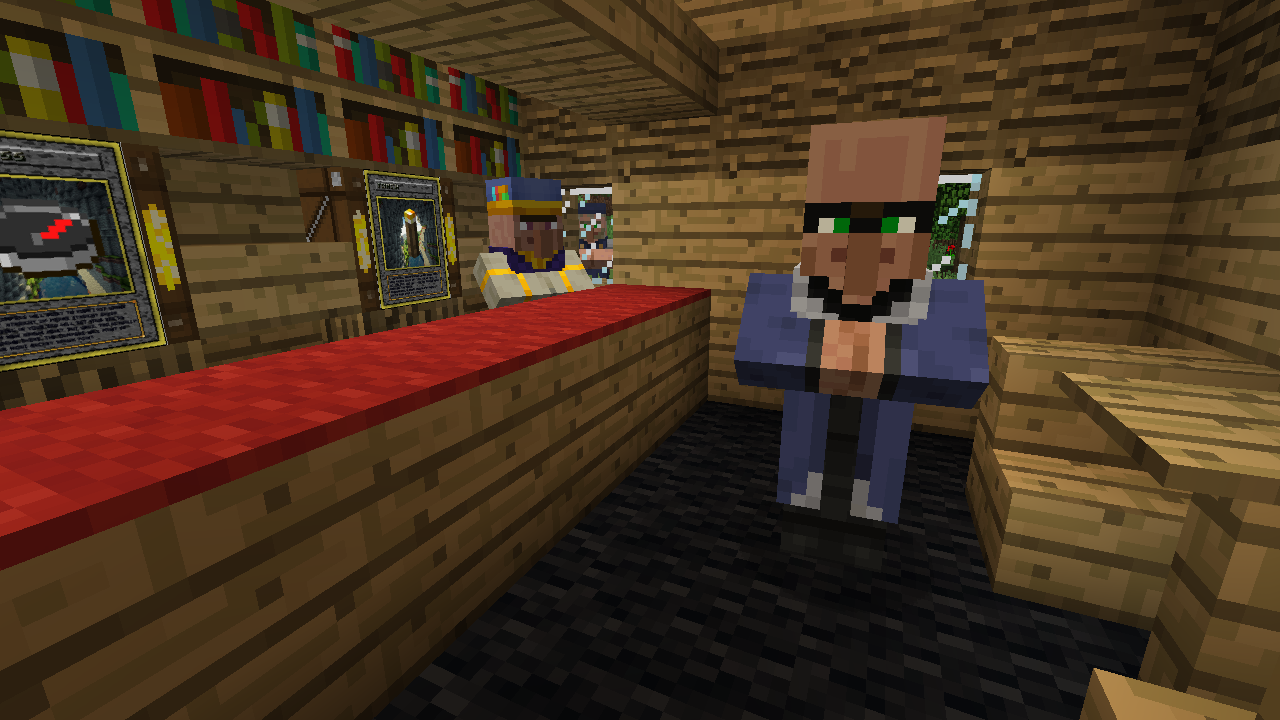 Card Trader Card shop patron, who will offer you cards in exchange for other cards
 -
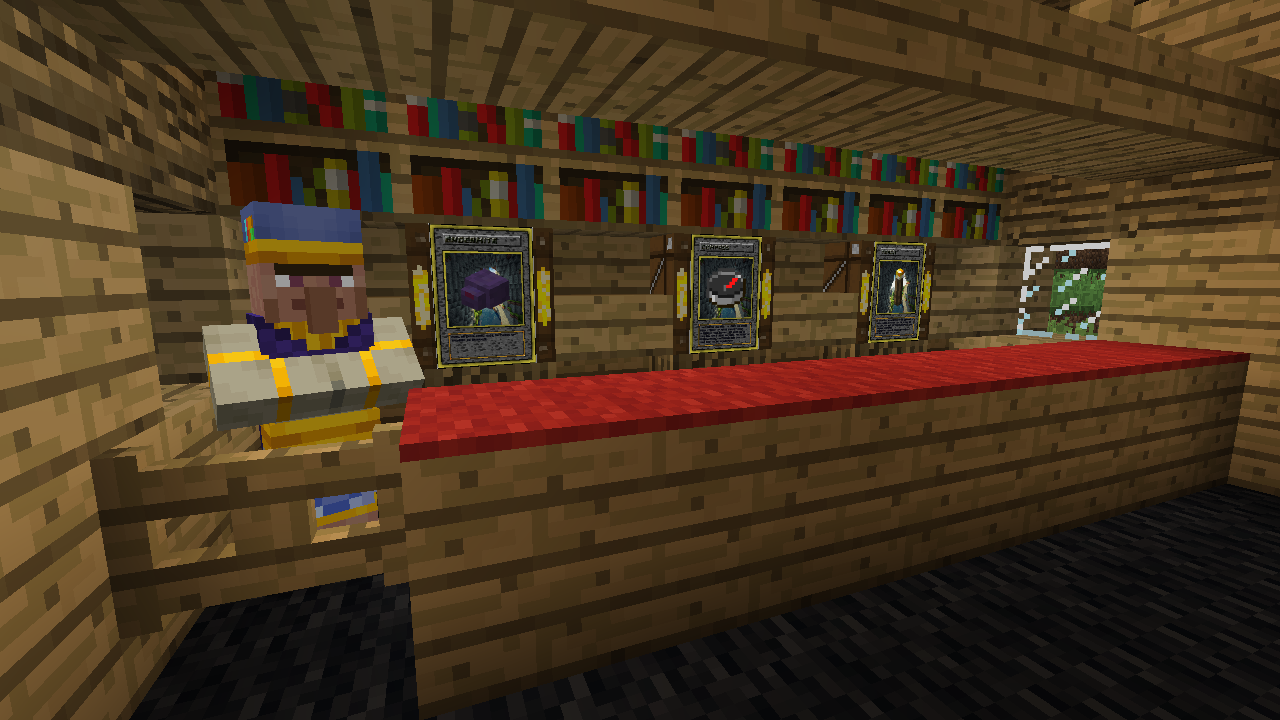 Card Master Owner of the card shop, who will sell you cards and packs
 -
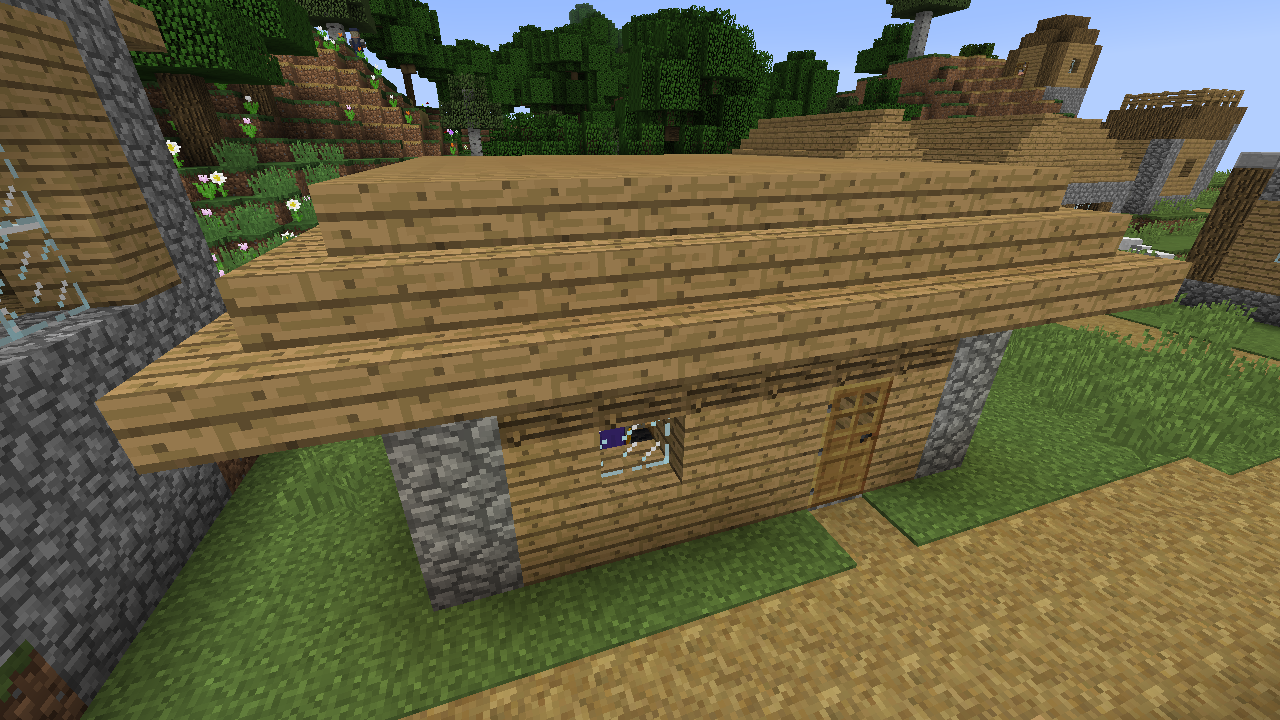 Card Master Shop A place where villagers can indulge in their card collecting hobby!
 -
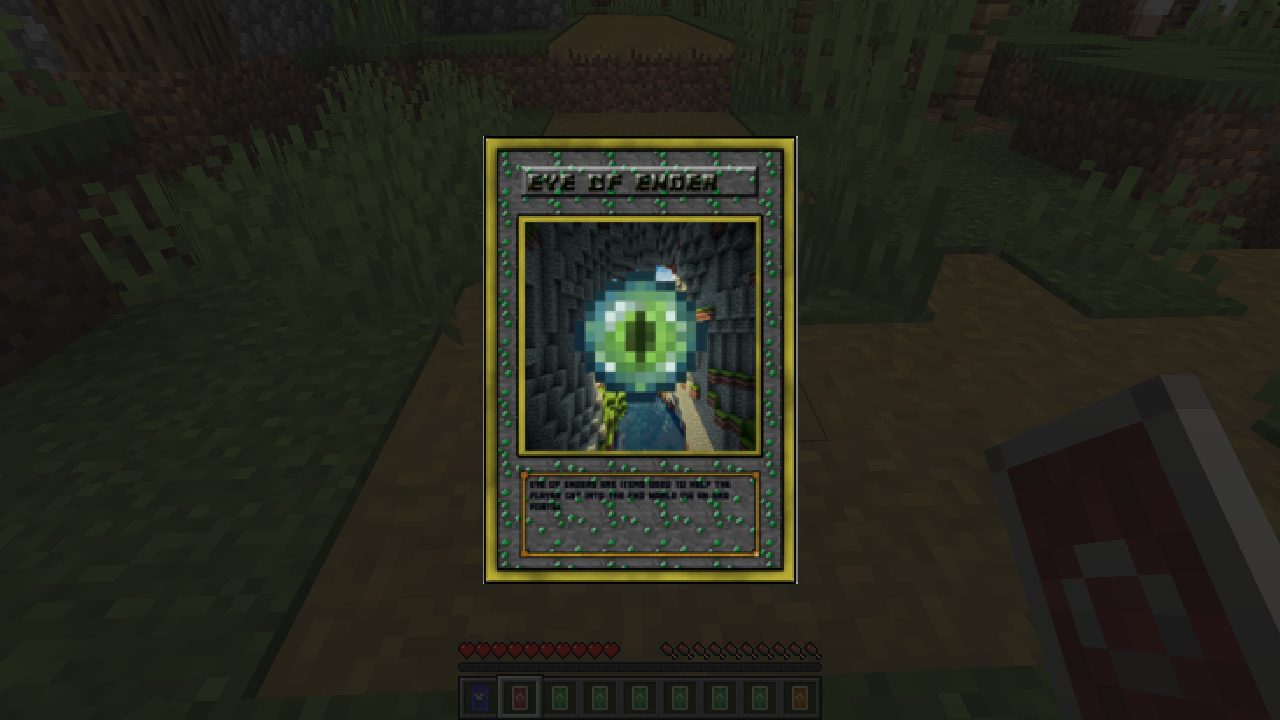 Sample Card An example of a card from a custom edition pack
 -
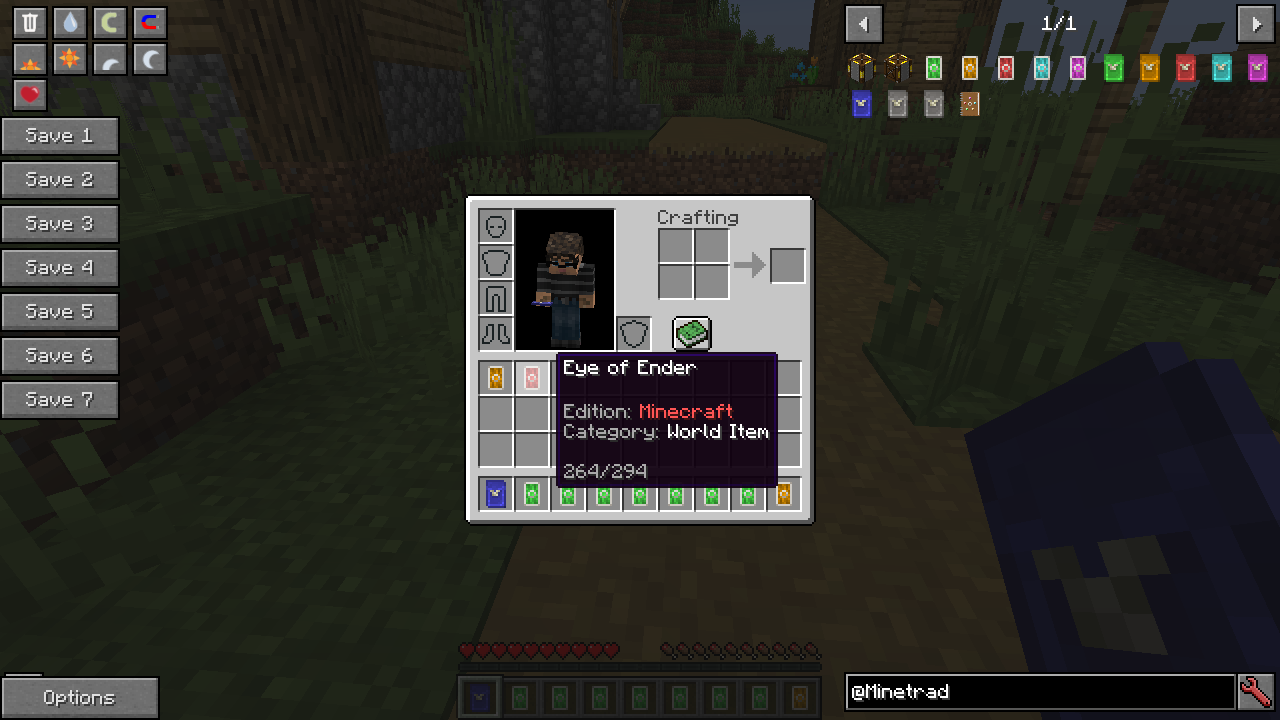 Opened card pack Opening a pack will give you an assortment of cards of different rarities
 -
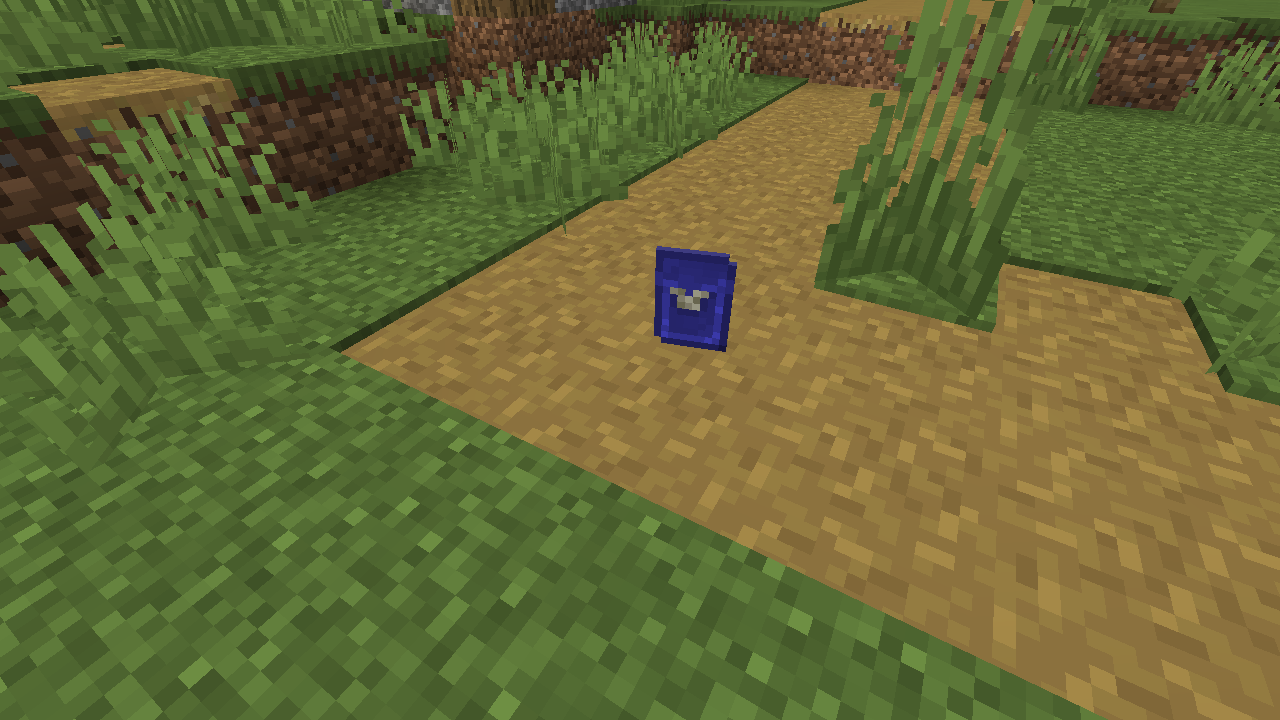 Card Pack One of many packs that can be dropped
-
MTC banner image
-
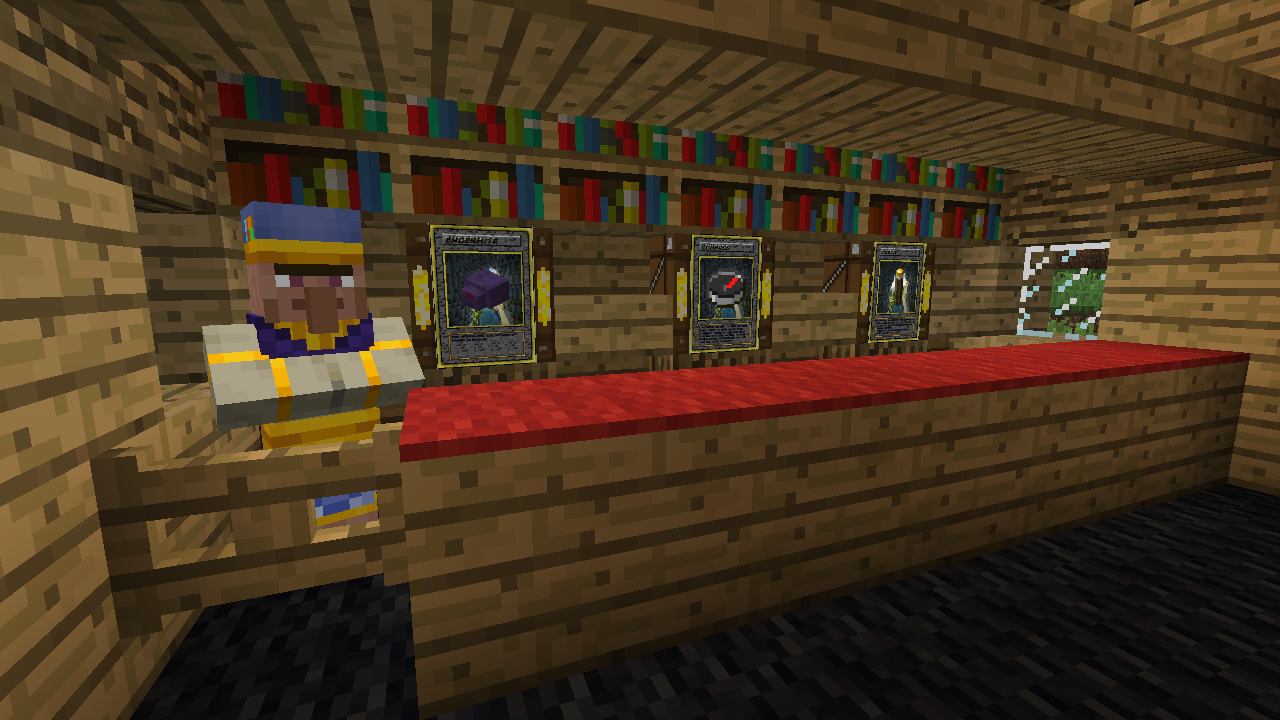 Card Master Owner of the card shop, who will sell you cards and packs
Versions
Files
Relations
Project Relations
More like this
Similar Mods
Suggestions use data such as tags, dependencies, dependents, descriptions, titles, and more to rank how much they overlap with this mod.
On ModDex
Community snapshot
By the numbers
Statistics

Get it on
Available Platforms
On ModDex
Community snapshot
By the numbers