Community listing page, reviews here may not be monitored by the author.
MineCat

No reviews yet
A Minecraft mod that makes cats useful
Includes quality of life improvements and small tweaks to enhance and customize gameplay.
Fabric is a mod loader for versions 1.14+ of Minecraft, particularly popular for client side and optimization mods.
Community voices
Reviews
Filters
Click once to include, again to exclude, again to clear
No reviews yet. Be the first to review this project!
Get it on
Available Platforms
About
Project Details
For authors
Embed Badge
If you're the author of this project, you can embed a live badge anywhere that supports HTML or Markdown. It updates automatically whenever ratings change.
Use HTML for any page that supports it, or Markdown for README files and Markdown-based descriptions.
Identifiers
Platform IDs
Resources
External Links
About
Description
MineCat Mod
A Minecraft mod that makes cats useful! This mod adds various breeds of cats with unique abilities and interactions, making your feline friends more than just pets.
Description
MineCat turns new cats into useful friends who can help you with a variety of jobs, such woodcutting and mining. Every breed of cat has distinct traits and preferred biomes of its own.
Requirements
- Minecraft 1.20.1
- Fabric Loader ≥0.16.9
- Java 17 or higher
- Fabric API
Features
Custom Cat Breeds
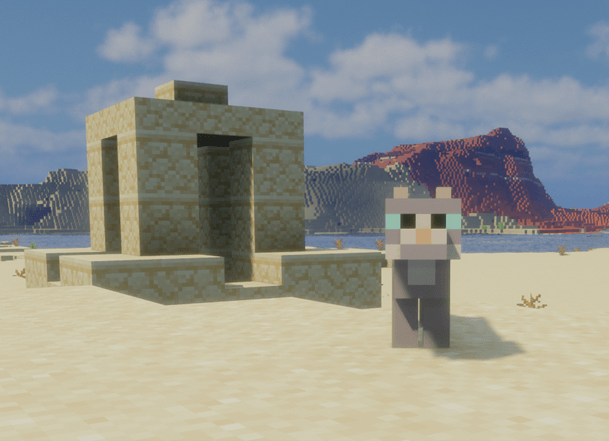
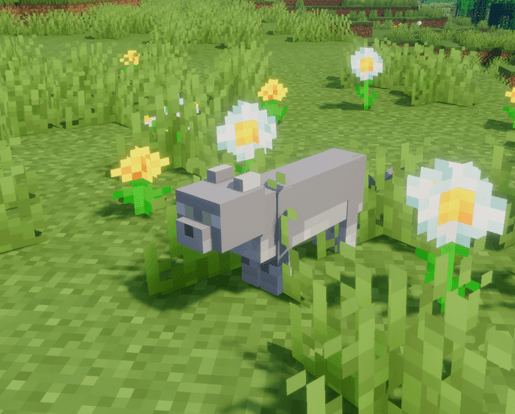
- Sphynx Cat: Desert dweller, found in desert and badlands biomes
- Korat Cat: Plains dweller, specializes in mining
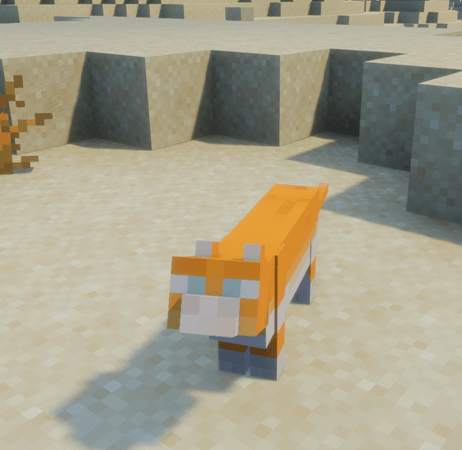
- Persian Cat: Desert biome cat with unique characteristics
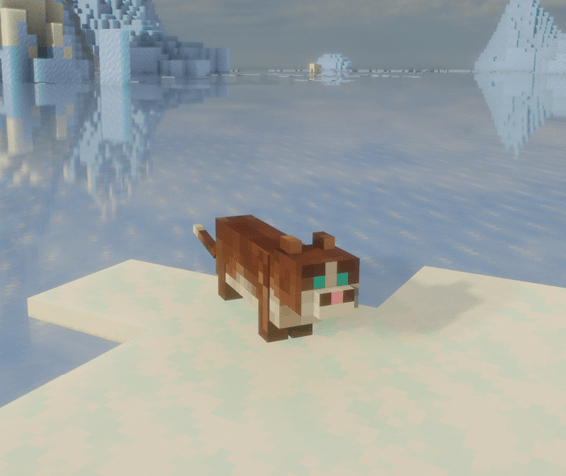
- Snowshoe Cat: Found in snowy biomes
- Scottish Cat: Inhabits plains and cold biomes
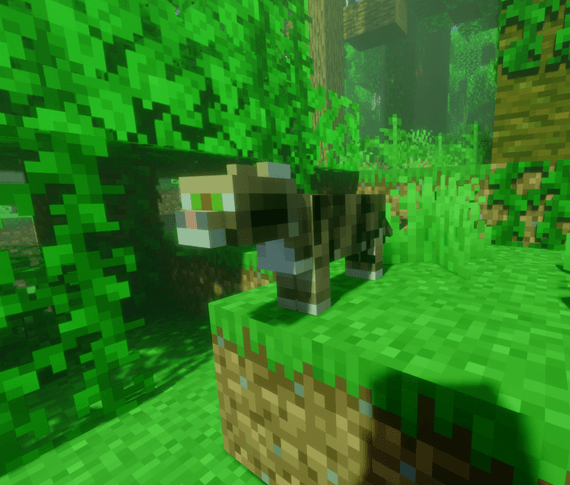
- Bengal Cat: Jungle cat with special abilities
Special Abilities
- Mining: Cats can help you mine ores
- Woodcutting: Cats can assist in chopping trees
- Following: Cats will follow their owner and help with tasks
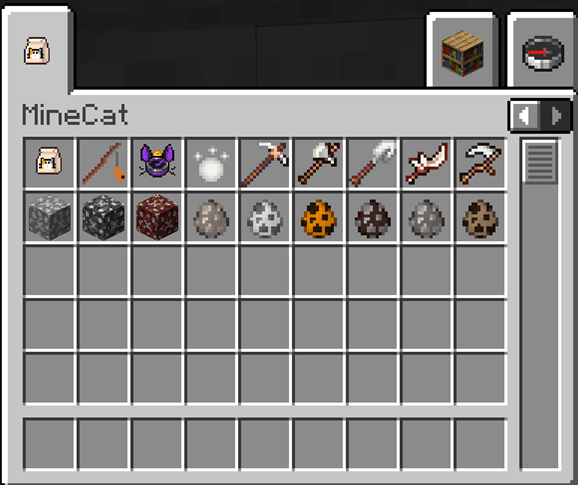
New Items
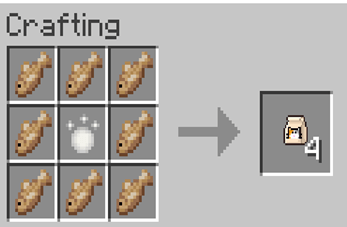
- Cat Food: Used to tame wild cats
- Cat Teaser: Special toy to interact with cats
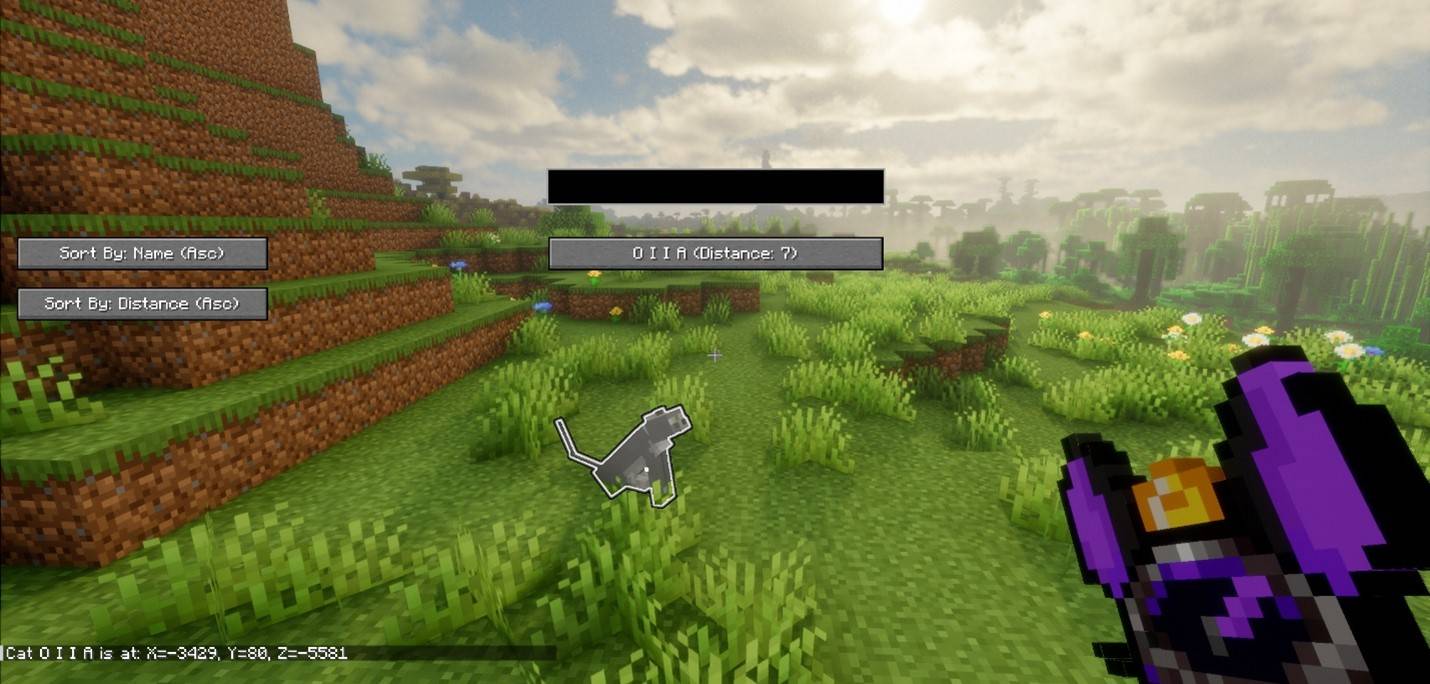
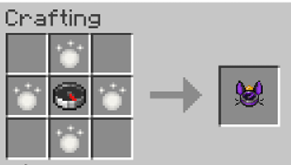
- Cat Locator: Helps find your tamed cats
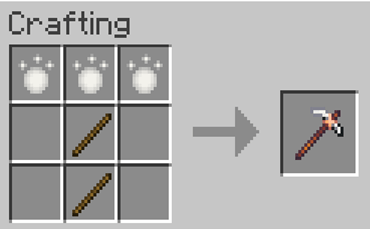
- Purrium Tools: Special set of tools for working with your cats
- Purrium Pickaxe (for mining assistance)
- Purrium Axe (for woodcutting assistance)
- Purrium Shovel
- Purrium Sword
- Purrium Hoe
New Resources
- Purrium Ore: Found in various biomes
- Regular Purrium Ore
- Deepslate Purrium Ore
- Nether Purrium Ore
Installation
1. Install Fabric Loader (https://fabricmc.net/use/) (version 0.16.9 or higher)
2. Install Fabric API (https://www.curseforge.com/minecraft/mc-mods/fabric-api)
3. Download the latest version of MineCat mod
4. Place both .jar files in your Minecraft mods folder
- Windows: %appdata%/.minecraft/mods
- Linux: ~/.minecraft/mods
- Mac: ~/Library/Application Support/minecraft/mods
Usage
Basic Controls
- Right-click with Cat Food to tame a wild cat
- Sneak + Right-click with empty hand to make cat sit/stand
- Sneak + Right-click with Purrium tools to toggle cat work modes
Cat Work Modes
1. Mining Mode (with Purrium Pickaxe):
- Cat will search for nearby ores
- Automatically mines discovered ores
- Brings resources back to you
2. Woodcutting Mode (with Purrium Axe):
- Cat will help chop down trees
- Automatically collects wood
- Assists in clearing forest areas
3. Finding Cats (with Cat Locator):
- Opens UI showing all owned cats
- Shows distance to each cat
- Highlights selected cat with glowing effect
Development
This project is developed by 6 computer science students at SUT (Suranaree University of Technology).
Building from Source
1. Clone the repository
2. Open a terminal in the project directory
3. Run:
./gradlew build
4. Find the built jar in build/libs
License
This project is licensed under CC0-1.0 (Creative Commons Zero v1.0 Universal)
Contributing
1. Fork the repository
2. Create a feature branch
3. Commit your changes
4. Push to the branch
5. Create a Pull Request
Support
For issues and suggestions:
- Open an issue on GitHub
- Contact the development team through the project's GitHub page
Made with ❤️ by SUT Computer Science students
Screenshots
Gallery
-
 Picture11.png Picture11.png
 -
 Picture10.png Picture10.png
 -
 Picture9.png Picture9.png
 -
 Picture8.png Picture8.png
 -
 Picture7.png Picture7.png
 -
 Picture6.png Picture6.png
 -
 Picture5.png Picture5.png
 -
 Picture4.png Picture4.png
 -
 Picture3.jpg Picture3.jpg
 -
 Picture2.png Picture2.png
 -
 Picture1.png Picture1.png
Versions
Files
Relations
Project Relations
More like this
Similar Mods
Suggestions use data such as tags, dependencies, dependents, descriptions, titles, and more to rank how much they overlap with this mod.
On ModDex
Community snapshot
By the numbers
Statistics
Want to reach Minecraft players?
We're looking for a server hosting partner to feature here and other parts of the site. Interested? Send us a message!
Get in touchGet it on
Available Platforms
On ModDex
Community snapshot
By the numbers
Statistics
Resources