Community listing page, reviews here may not be monitored by the author.
Mini Buttons+


No reviews yet
Minecraft 26.2 minibuttons (backport?) but with more features
Community voices
Reviews
No reviews yet. Be the first to review this project!
Get it on
Available Platforms
Compatibility
Supported Environments
Runs entirely on the client. Works on vanilla servers.
About
Project Details
For authors
Embed Badge
If you're the author of this project, you can embed a live badge anywhere that supports HTML or Markdown. It updates automatically whenever ratings change.
Use HTML for any page that supports it, or Markdown for README files and Markdown-based descriptions.
Identifiers
Platform IDs
Resources
External Links
About
Description
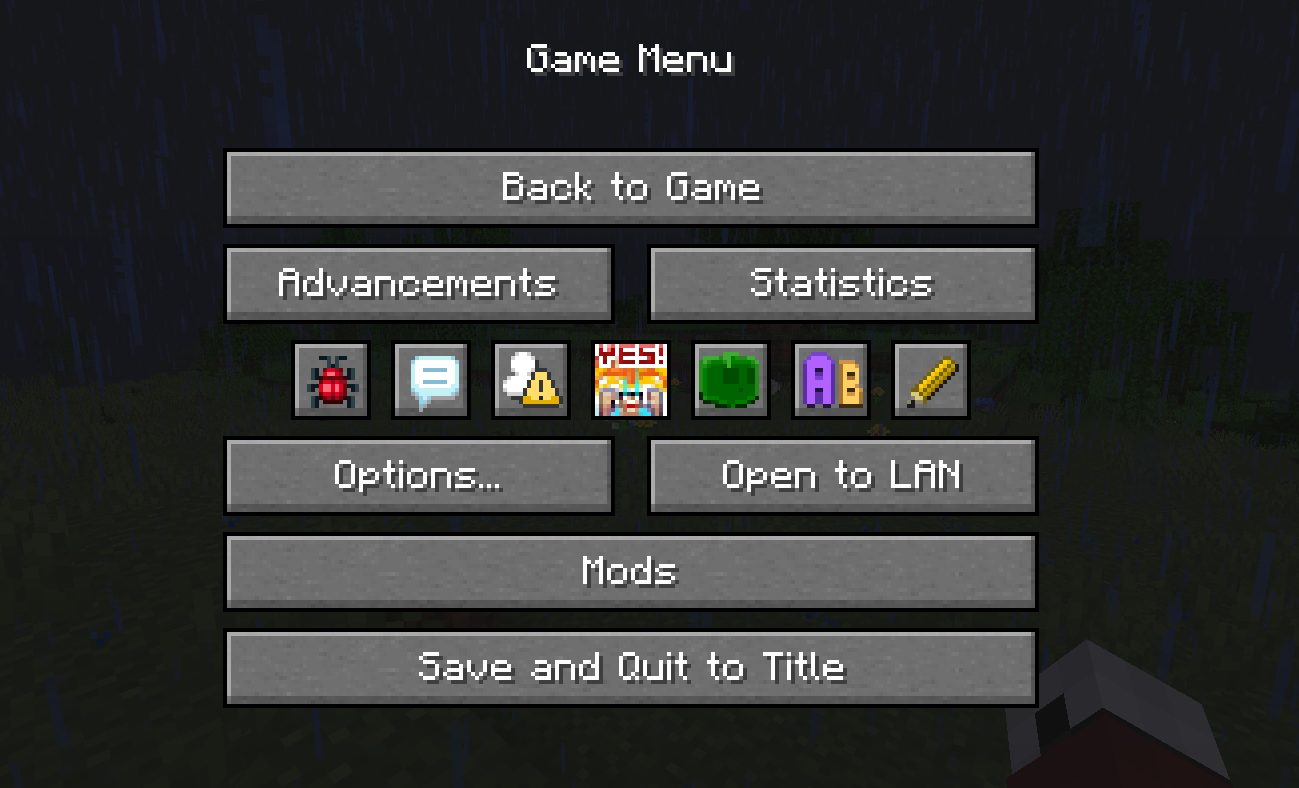
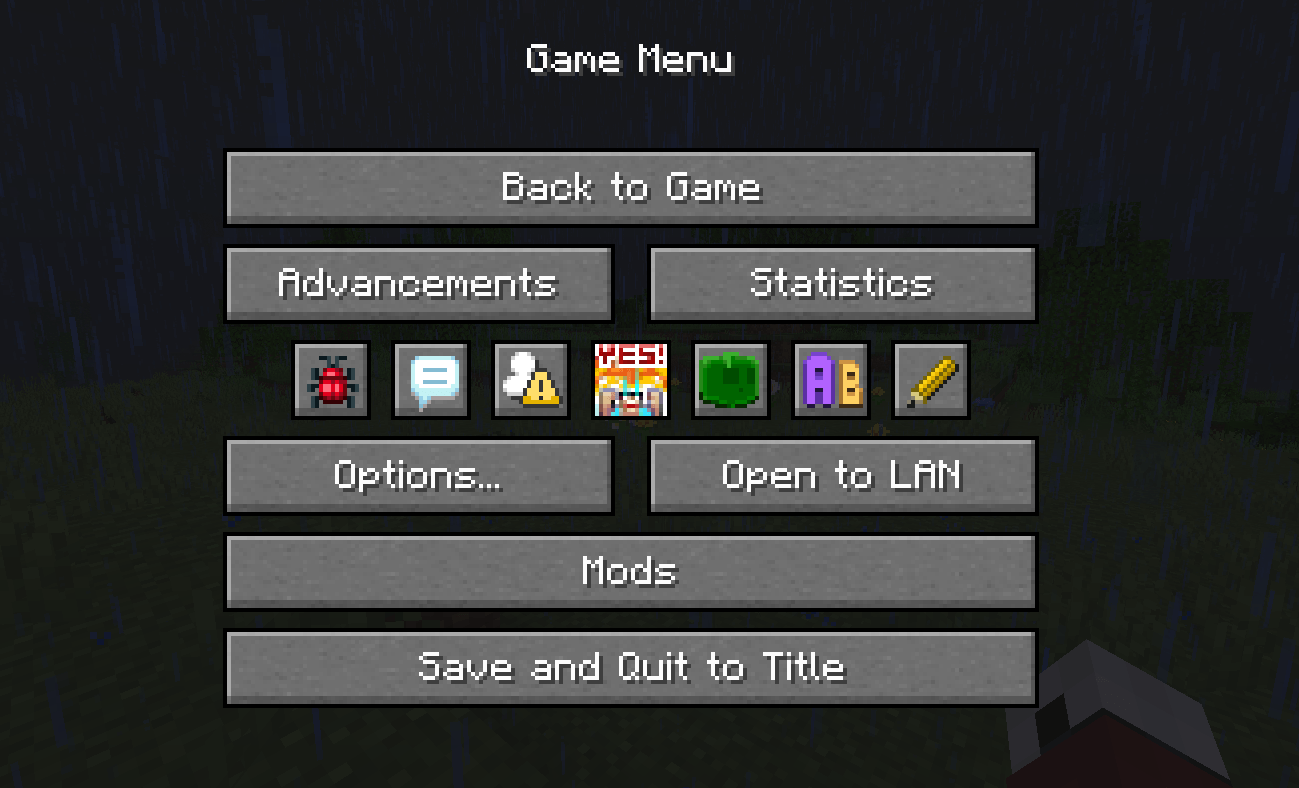
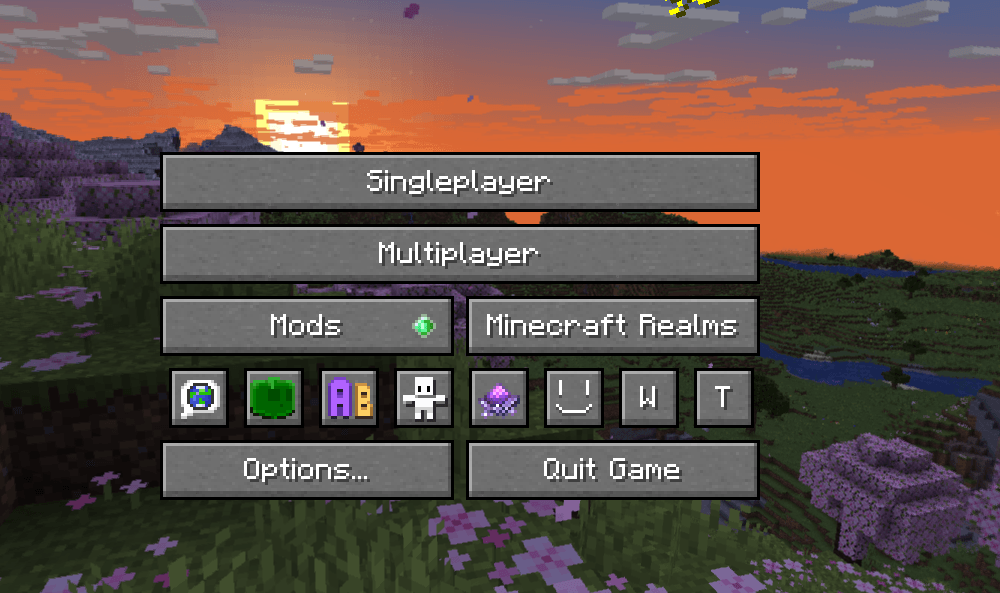
Mini Buttons+ adds a panel with small buttons similarly to Minecraft 26.2 version but with more features.
This mod replaces some vanilla buttons with small versions like in Minecraft 26.2, collects all other small modded and vanilla buttons in one place and adds new buttons for these mods if you have them installed: Yes Steve Model, Easy Mob Spawn Control, Chat Highlight & Sound.
Press the pencil button or use the /minibuttons editmode command to enter edit mode, where you can hide unneeded mini buttons or add buttons to the ignore list so the mod does not collect them into the panel.
Rearramge by hovering over a mini button and press Right or Left.
The panel is scrollable so it can contain as many buttons as you want.
Mini Buttons+ adds a panel with small buttons similarly to Minecraft 26.2 version but with more features.
This mod replaces some vanilla buttons with small versions like in Minecraft 26.2, collects all other small modded and vanilla buttons in one place and adds new buttons for these mods if you have them installed: Yes Steve Model, Easy Mob Spawn Control, Chat Highlight & Sound.
Press the pencil button or use the /minibuttons editmode command to enter edit mode, where you can hide unneeded mini buttons or add buttons to the ignore list so the mod does not collect them into the panel.
Rearramge by hovering over a mini button and press Right or Left.
The panel is scrollable so it can contain as many buttons as you want.
Screenshots
Gallery
-
 javaw_04vTKXYMqc.png javaw_04vTKXYMqc.png
 -
 javaw_xzR1MFc9Ef.png javaw_xzR1MFc9Ef.png
-
game menu
-
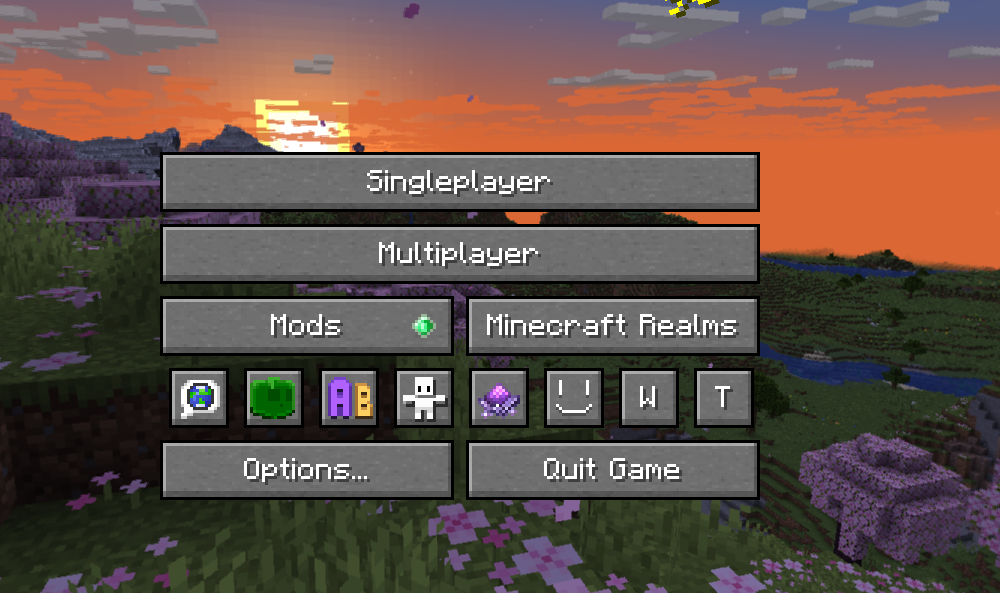 title screen
Versions
Files
Relations
Project Relations
More like this
Similar Mods
Suggestions use data such as tags, dependencies, dependents, descriptions, titles, and more to rank how much they overlap with this mod.
On ModDex
Community snapshot
By the numbers
Statistics
Want to reach Minecraft players?
We're looking for a server hosting partner to feature here and other parts of the site. Interested? Send us a message!
Get in touchGet it on
Available Platforms
On ModDex
Community snapshot
By the numbers
Statistics
Resources