
Community listing page, reviews here may not be monitored by the author.
Minimal Coords HUD

No reviews yet
Gives a clean and functional coordinates display with keybinds to copy your coordinates!

Community voices
Reviews
No reviews yet. Be the first to review this project!
Get it on
Available Platforms
Compatibility
Supported Environments
Runs entirely on the client. Works on vanilla servers.
About
Project Details
For authors
Embed Badge
If you're the author of this project, you can embed a live badge anywhere that supports HTML or Markdown. It updates automatically whenever ratings change.
Use HTML for any page that supports it, or Markdown for README files and Markdown-based descriptions.
Identifiers
Platform IDs
About
Description
Minimal Coords HUD v1.1.2
A simple, clean coordinates mod, with a readable-as-ever position display
This neat little mod displays your coordinates in bright, clean numbers anywhere you choose. But, that's not all - with the press of a key, you can copy your current coordinates to share them with friends, save them for later, or even copy your interdimensional coordinates to quickly figure out approximately where you'll end up out the other end of a Nether portal, all without a calculator. If you die and need to recover your gear, you can even copy your death coordinates as soon as you die. No more screenshots or typing required! As a nice little bonus, you can also tell which direction you're facing in order to easily go to the place you want, without the trial and error.
I developed this mod both out of a curiosity to learn, and out of necessity for a mod that does as much as this one - no more, no less. This mod lets you see your coordinates, conveniently copy them, and that's it. It's also ready to use out of the box, and you can customize it any way you want. Even more configuration options are planned in future versions.
Copy Regular and Interdimensional Coords, Save your Death Location, Customize Many Options, and More
A quick look at this mod's features
✨ Here's what's new in the latest version, v1.1!
- New Configuration Screen and Options
- New Directional Indicators
- Colorful Chat Messages for more contrast
- Sound Cues whenever you copy coordinates
- Position the HUD anywhere you want
- Change the spacing of the HUD to your liking
- Turn up the decimal digits for some extra precision
- Better coords copying logic - copy with up to 16 decimal digits
- Better stability to prevent some previously pesky crashes
💮 Here's the biggest features that this mod provides!
- Clean, Readable, and Customizable Coordinates Display
- Quickly check which direction you're facing at a glance
- Copy Current Coordinates with a key (Default
Period) - Copy Overworld-to-Nether or Nether-to-Overworld Coords with a key (Default
Comma) - Copy your Death Coordinates with a button before you respawn
- Hide the HUD at any time, with just a single key (Default
M) - Hide the Copied Coords in chat with Streamer Mode to prevent stream snipers
This mod requires Cloth Config to work properly!
This mod requires Mod Menu to customize the options easily!
⚠️ This mod is not compatible with interdimensional copying for non-vanilla dimensions. You can still display and copy current coordinates in those dimensions.
Version Compatibility
Some versions of this mod have compatibility with multiple versions of Minecraft due to minimal API changes.
If your Minecraft is crashing upon launch instead, try these steps:
- Make sure you downloaded a version listed to be compatible with your Minecraft version, like using
1.20.2-1.20.41.1.2withMC 1.20.3, for example. (Instance managers like Prism Launcher make this easier!) - Make sure your dependencies are up to date. If you use Mod Menu, it will alert you to new updates in-game - disable my mod temporarily to check. If you use Prism Launcher, it has an automatic updater in the mods list to update your mods for you. Common causes of version incompatibility crashes are due to outdated versions of Fabric API and Cloth Config.
- If that didn't fix it, try using ONLY the required mods needed alongside Minimal Coords HUD. This includes Fabric API, Cloth Config, and optionally, Mod Menu.
- If all else fails, report an issue on the GitHub Issue Tracker with an attached
.logfrom the crash. This tells me some basic information, like what mods you were using and what versions they were. This is useful for me to debug and update the mod to be more stable!
Screenshots
Gallery
-
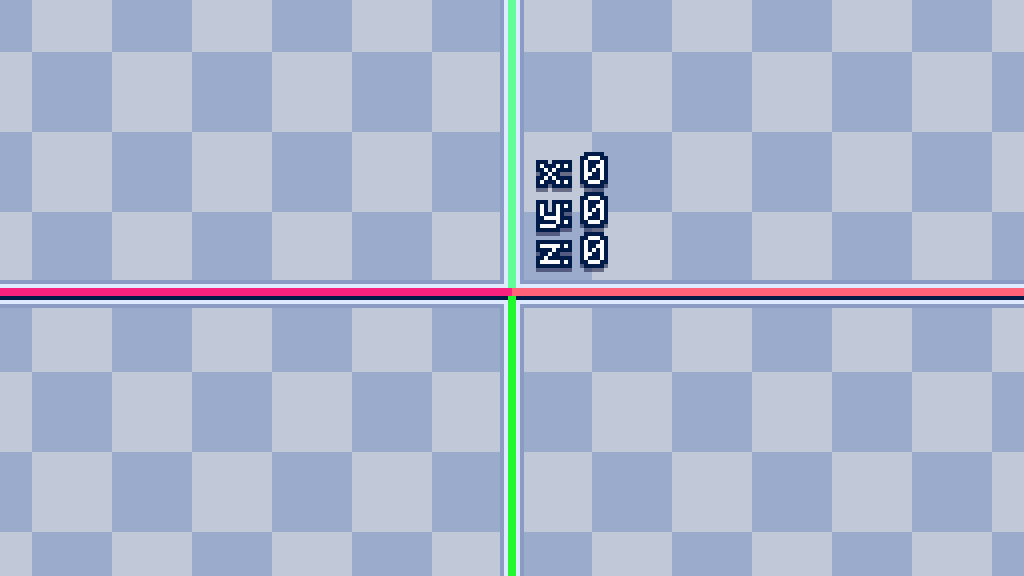 Origins
 -
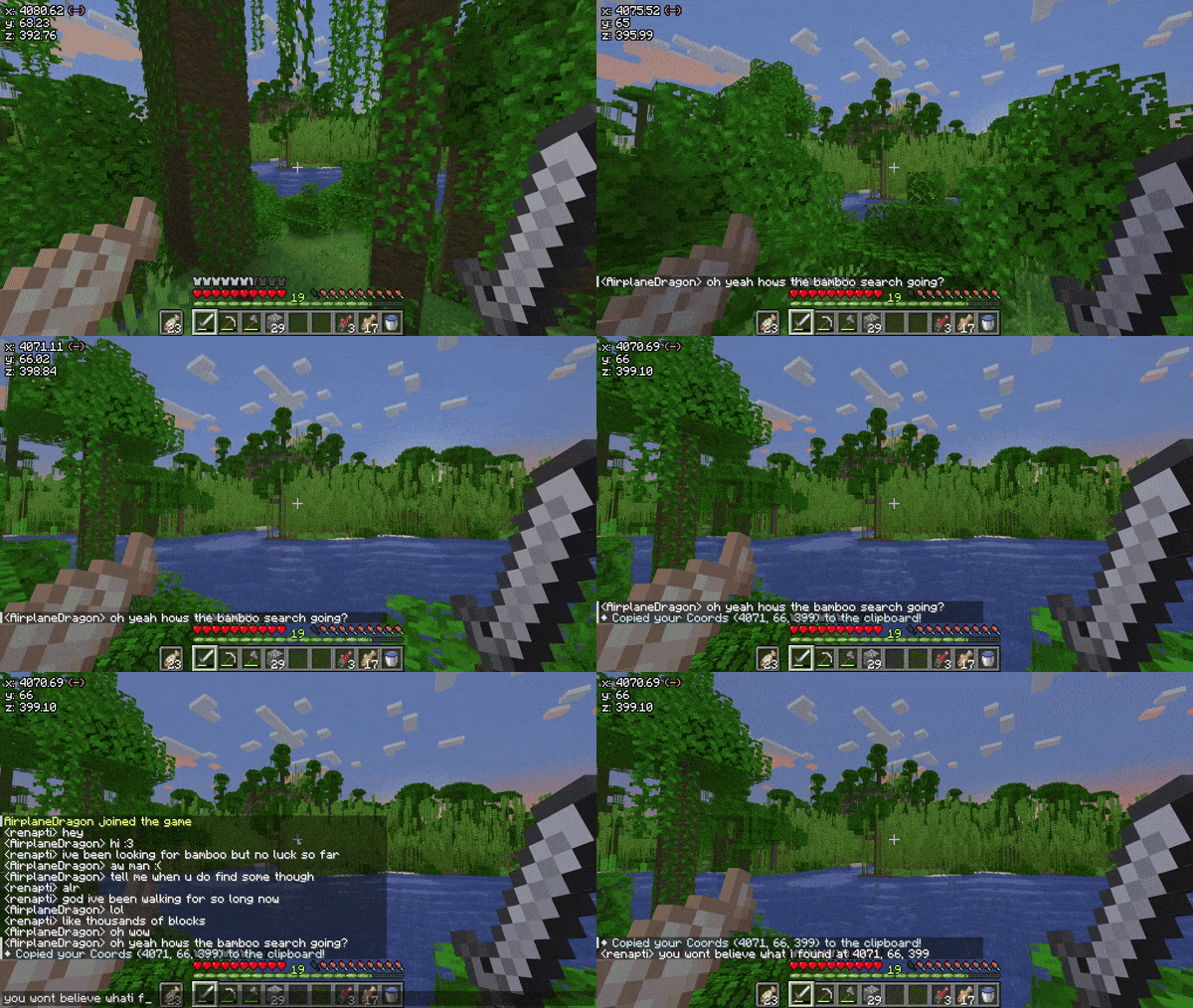 Copy Coordinates Demo
 -
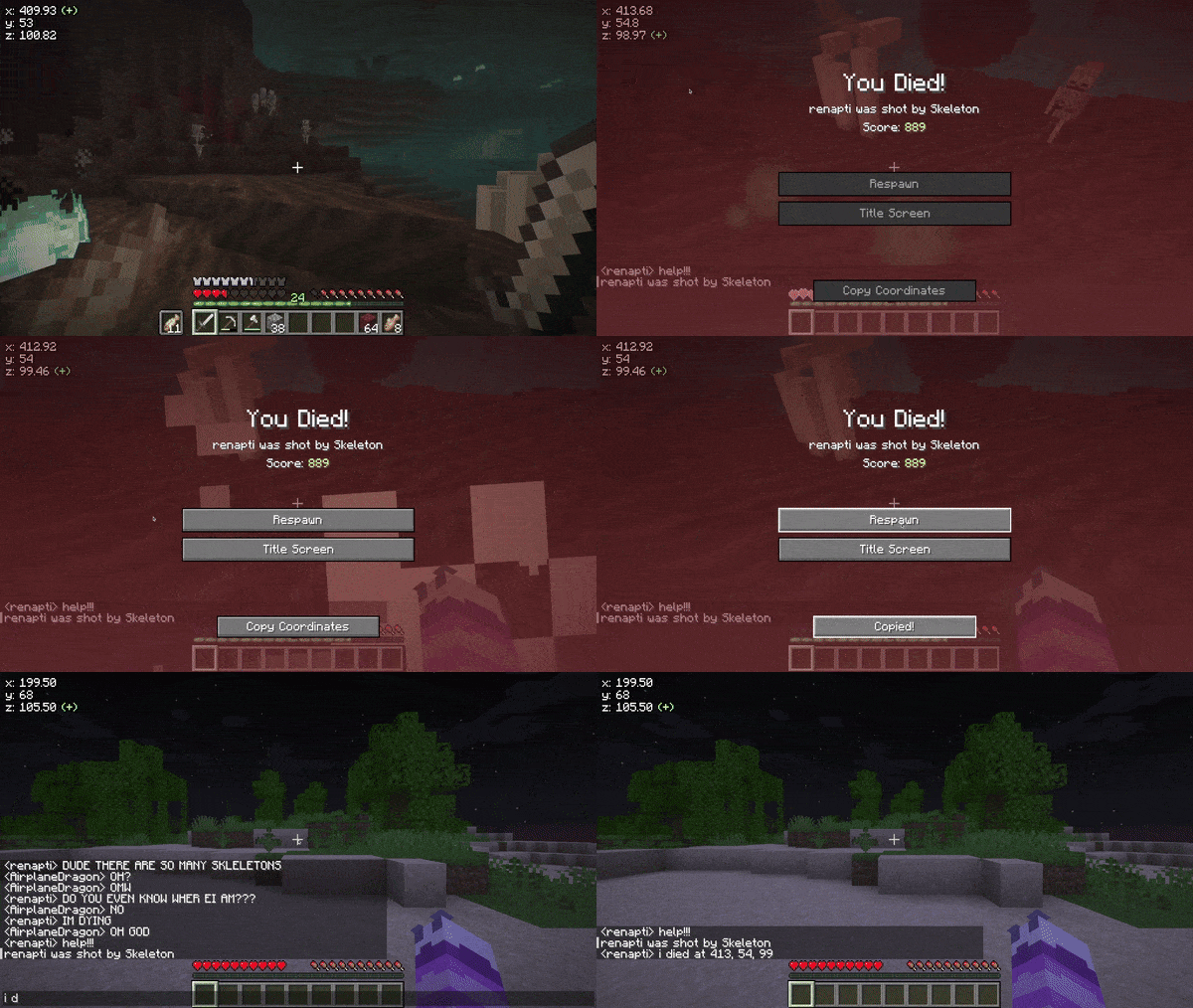 Copy Death Coordinates Demo
 -
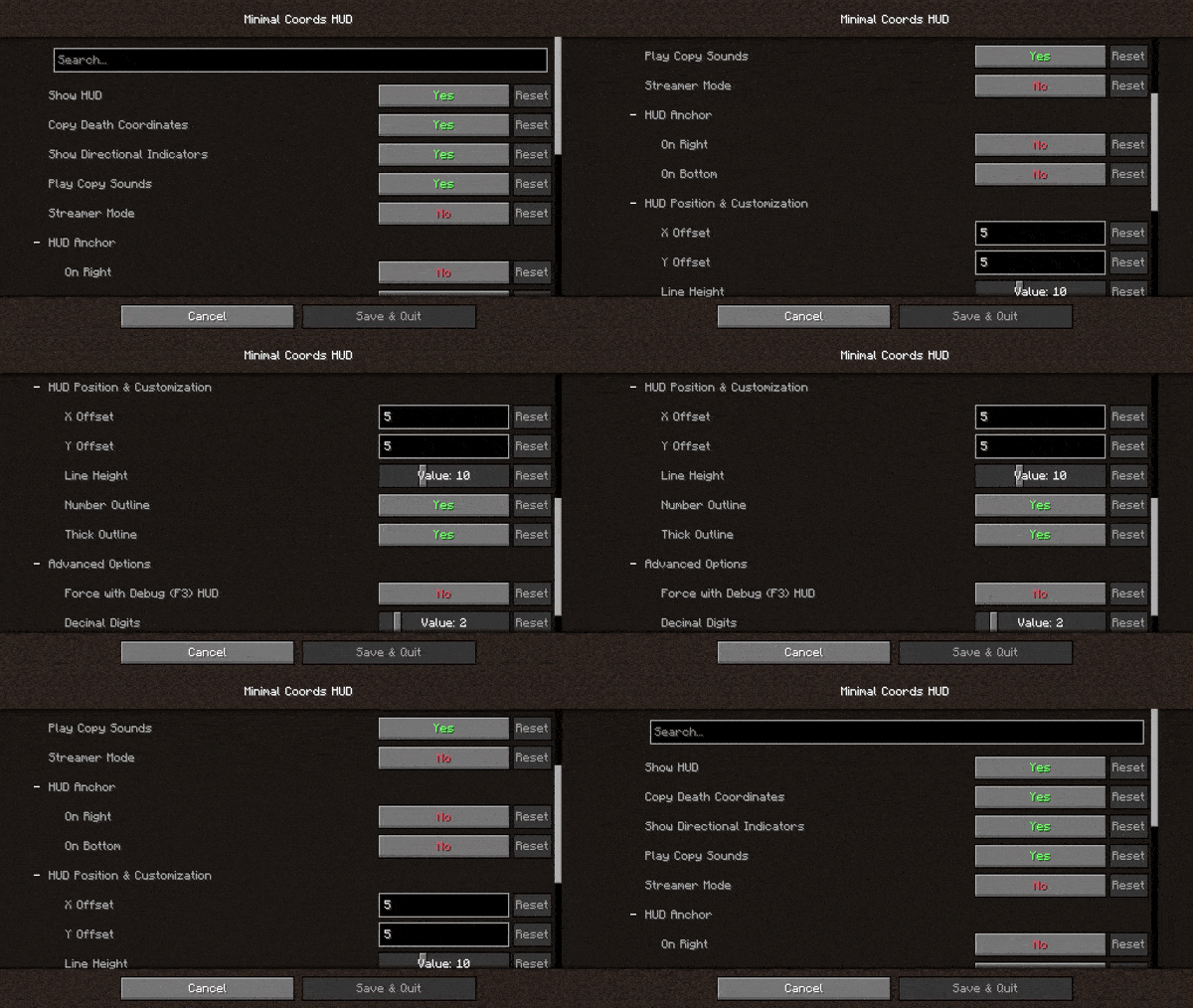 Options Demo
Versions
Files
Relations
Project Relations
More like this
Similar Mods
Suggestions use data such as tags, dependencies, dependents, descriptions, titles, and more to rank how much they overlap with this mod.
On ModDex
Community snapshot
By the numbers
Statistics

 (opens in a new tab)
Get it on
Available Platforms
On ModDex
Community snapshot
By the numbers