Community listing page, reviews here may not be monitored by the author.
Minimal Modern HUD

No reviews yet
Replaces the standard HUD UI with a new experience.

Community voices
Reviews
No reviews yet. Be the first to review this project!
Get it on
Available Platforms
About
Project Details
For authors
Embed Badge
If you're the author of this project, you can embed a live badge anywhere that supports HTML or Markdown. It updates automatically whenever ratings change.
Use HTML for any page that supports it, or Markdown for README files and Markdown-based descriptions.
Identifiers
Platform IDs
Resources
External Links
About
Description
Summary
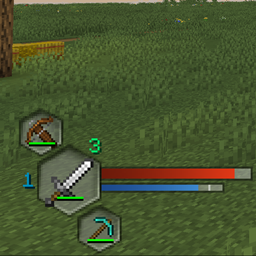
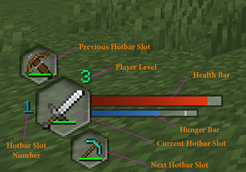
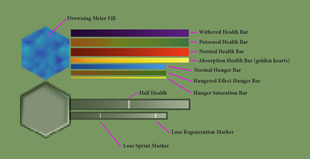
Replaces the standard HUD UI with a new experience. Collapses all of the main UI elements into a modern set of elements. Below are labled images of the various HUD elements. Other sections detail settings for the mod, configured using the config/minimalmodern.toml or config/minimalmodern-client.toml files.
Forge & NeoForge
Previously Minimal Modern HUD was a Forge loader mod. As of Minecraft version 1.21.X, I have converted the mod to be a NeoForge loader mod. I do NOT have any plans to create any further versions using Forge, nor do I have any current plans to port to other mod loaders.
- Forge versions - I have recommended the use of another mod called AutoHUD (details listed below).
- NeoForge versions - I have recreated most of the recomened features that AutoHUD provided directly into Minimal Modern HUD. I now recommend NOT using it in conjuction with this mod, at this time. In future development, I plan to make my mod play nice with AutoHUD again, but not all 1.21.x versions exists.
- Other versions: I will be releasing the other NeoForge versions for Minecraft versions 1.21.X soon. I will start with 1.21.1 and move up to 1.21.8 or beyond.
Key Binds
Additionally adds 3 new key binds to make navigating the smaller hotbar easier. Each set the player's active slot if the conditions are met.
- Find Melee Weapon: Finds the first melee weapon (sword, axe, trident) in the hotbar if none is equipped, or finds the next weapon if another is present.
- Find Ranged Weapon: Finds the first ranged weapon in the hotbar (bow, crossbow) in the hotbar if none is equipped, or finds the next weapon if another is present.
- Find Tool: Based on the block the player is looking at, finds the correct tool for mining that block, if one is present in the hotbar.
Forge - AutoHud: The forge versions of this mod require [Auto HUD](https://www.curseforge.com/minecraft/mc-mods/auto-hud) for the full recommended experience.
This allows for hiding and toggling the hotbar and other UI elements.
Change that mod's setting: hotbar.onChange to false, and hotbar onSlotChange to false.
NeoForge - AutoHud : The NeoForge versions are NOT compatible with AutoHud, and should NOT be used in conjuction at this time. I have recreated most of the recomened features that AutoHUD provided directly into Minimal Modern HUD.
AutoHud configuration: the other UI elements need to have their "policy" values set to "Disabled. The following values need updated: health, hunger, air, armor, mountHealth. Below is my Auto HUD config file (autohud.json5). This is found in your instance's "/config" folder. Within the game you can optionally bind a key for toggling the hotbar.
autohud.json5 - expand spoiler
{
"dynamicOnLoad": true,
"ticksRevealed": 40,
"animationMove": true,
"animationFade": true,
"animationSpeed": 2.0,
"animationSpeeds": {
"moveIn": 0.0,
"moveOut": 0.0,
"fadeIn": 0.0,
"fadeOut": 0.0
},
"revealType": "Stacked",
"events": {
"onScreenOpen": "Nothing",
"onMoving": "Nothing",
"onStandingStill": "Nothing",
"onPauseScreen": "Nothing",
"onSneaking": "Nothing",
"onFlying": "Nothing",
"onUsingItem": false,
"onMining": false,
"onSwinging": false,
"onAttacking": false
},
"statusEffectTimer": true,
"defaultValues": {
"speedMultiplier": 1.0,
"distance": 60,
"maximumFade": 0.0
},
"health": {
"policy": "Disabled"
},
"hunger": {
"policy": "Disabled"
},
"revealHungerWhenHoldingFoodItem": false,
"air": {
"policy": "Disabled"
},
"armor": {
"policy": "Disabled"
},
"experience": {
"active": true,
"onChange": true
},
"experienceBar": {
"active": true,
"onChange": true
},
"revealExperienceTextOnTargetingEnchantingBlock": true,
"mountJumpBar": {
"active": true,
"onChange": true
},
"mountHealth": {
"policy": "Disabled"
},
"statusEffects": {
"active": true,
"onChange": true
},
"hidePersistentStatusEffects": true,
"showHiddenStatusEffects": false,
"hotbar": {
"hotbar": {
"active": true,
"onChange": true
},
"onSlotChange": true,
"onLowDurability": true,
"durabilityPercentage": 10,
"durabilityTotal": 20,
"maximumFadeHotbarItems": 0.0,
"revealExperienceTextWithHotbar": true,
"hideTooltip": false
},
"scoreboard": {
"scoreboard": {
"active": true,
"onChange": true
},
"onScoreChange": true,
"onTeamChange": true
},
"crosshair": {
"active": true,
"onChange": true
},
"chat": {
"chat": {
"active": false
},
"displayIndicator": true
},
"actionBar": {
"active": false
},
"bossBar": {
"active": false
},
"advanced": {
"hotbar": {
"direction": "Down",
"speedMultiplier": -1.0,
"distance": -1,
"maximumFade": -1.0
},
"health": {
"direction": "Down",
"speedMultiplier": -1.0,
"distance": -1,
"maximumFade": -1.0
},
"armor": {
"direction": "Down",
"speedMultiplier": -1.0,
"distance": -1,
"maximumFade": -1.0
},
"hunger": {
"direction": "Down",
"speedMultiplier": -1.0,
"distance": -1,
"maximumFade": -1.0
},
"air": {
"direction": "Down",
"speedMultiplier": -1.0,
"distance": -1,
"maximumFade": -1.0
},
"experience": {
"direction": "Down",
"speedMultiplier": -1.0,
"distance": -1,
"maximumFade": -1.0
},
"mountJumpBar": {
"direction": "Down",
"speedMultiplier": -1.0,
"distance": -1,
"maximumFade": -1.0
},
"mountHealth": {
"direction": "Down",
"speedMultiplier": -1.0,
"distance": -1,
"maximumFade": -1.0
},
"statusEffects": {
"direction": "Up",
"speedMultiplier": -1.0,
"distance": -1,
"maximumFade": -1.0
},
"scoreboard": {
"direction": "Right",
"speedMultiplier": -1.0,
"distance": 100,
"maximumFade": -1.0
},
"crosshair": {
"speedMultiplier": 2.5,
"maximumFade": 0.1
},
"chat": {
"direction": "Left",
"speedMultiplier": -1.0,
"distance": 100,
"maximumFade": -1.0
},
"actionBar": {
"direction": "Down",
"speedMultiplier": -1.0,
"distance": -1,
"maximumFade": -1.0
},
"bossBar": {
"direction": "Up",
"speedMultiplier": -1.0,
"distance": -1,
"maximumFade": -1.0
}
}
}
HUD Elements
Check out the images tab for clearer images.
HUD Colors and extras
Settings
By updating the mod's config, this will allow a player the following customization.
- Change the corner the HUD is display in
- Adding horizontal and vertical padding to the HUD
- separate the health and hunger bars (value bars) from the main HUD elements
- choose new location and padding for value bars
["Configs for Minimal Modern"]
    #Which corner to display main GUI? 0 = TopLeft, 1 = TopRight, 2 = BottomLeft, 3 = BottomRight
    #Range: 0 ~ 3
    MainGuiCorner = 2
    #Horizontal Padding for main GUI.
    #Range: 0 ~ 50
    MainGuiHorizontalPadding = 2
    #Vertical Padding for main GUI.
    #Range: 0 ~ 50
    MainGuiVerticalPadding = 0
    #Separate the main GUI from the Value Bars.
    #The following settings will only take effect if set to true
    #The corner values must also be different.
    SeparateValueBars = false
    #Which corner to display Value Bars? 0 = TopLeft, 1 = TopRight, 2 = BottomLeft, 3 = BottomRight
    #Range: 0 ~ 3
    ValueBarsCorner = 1
    #Horizontal Padding for Value Bars.
    #Range: 0 ~ 50
    ValueBarsHorizontalPadding = 0
    #Vertical Padding for Value Bars.
    #Range: 0 ~ 50
    ValueBarsVerticalPadding = 0
Screenshots
Gallery
-
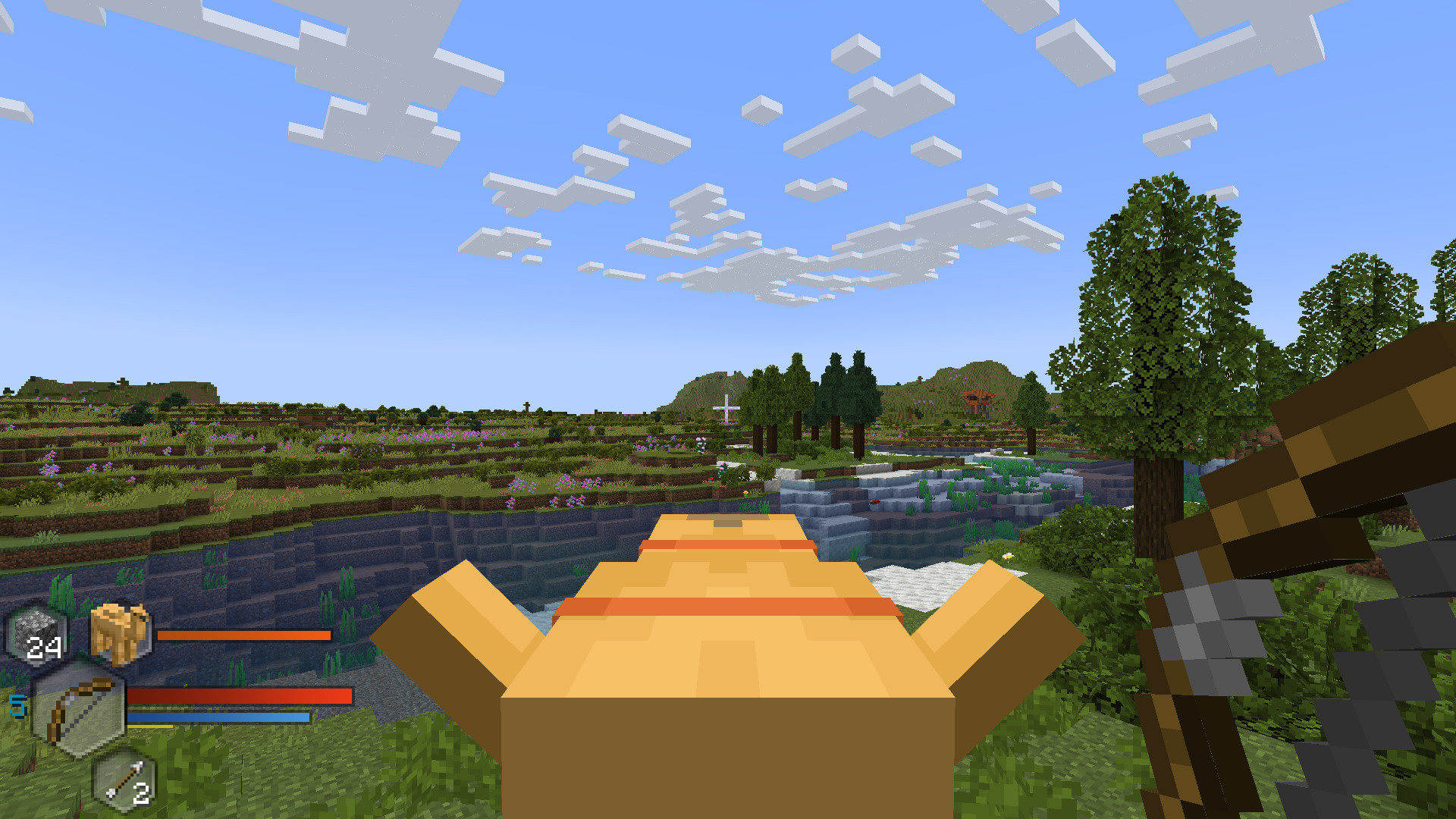 Camel Mount
 -
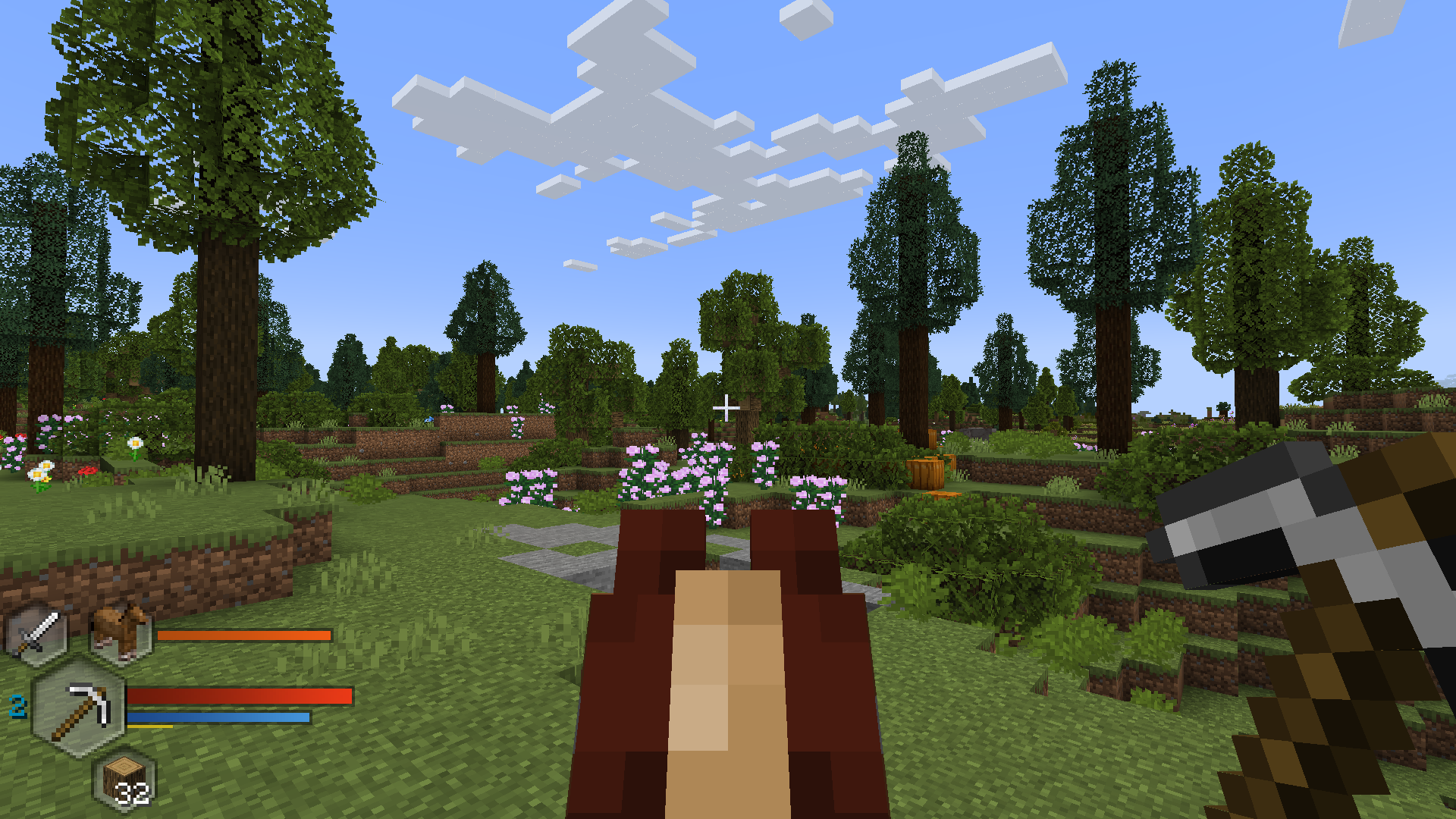 Horse Mount
 -
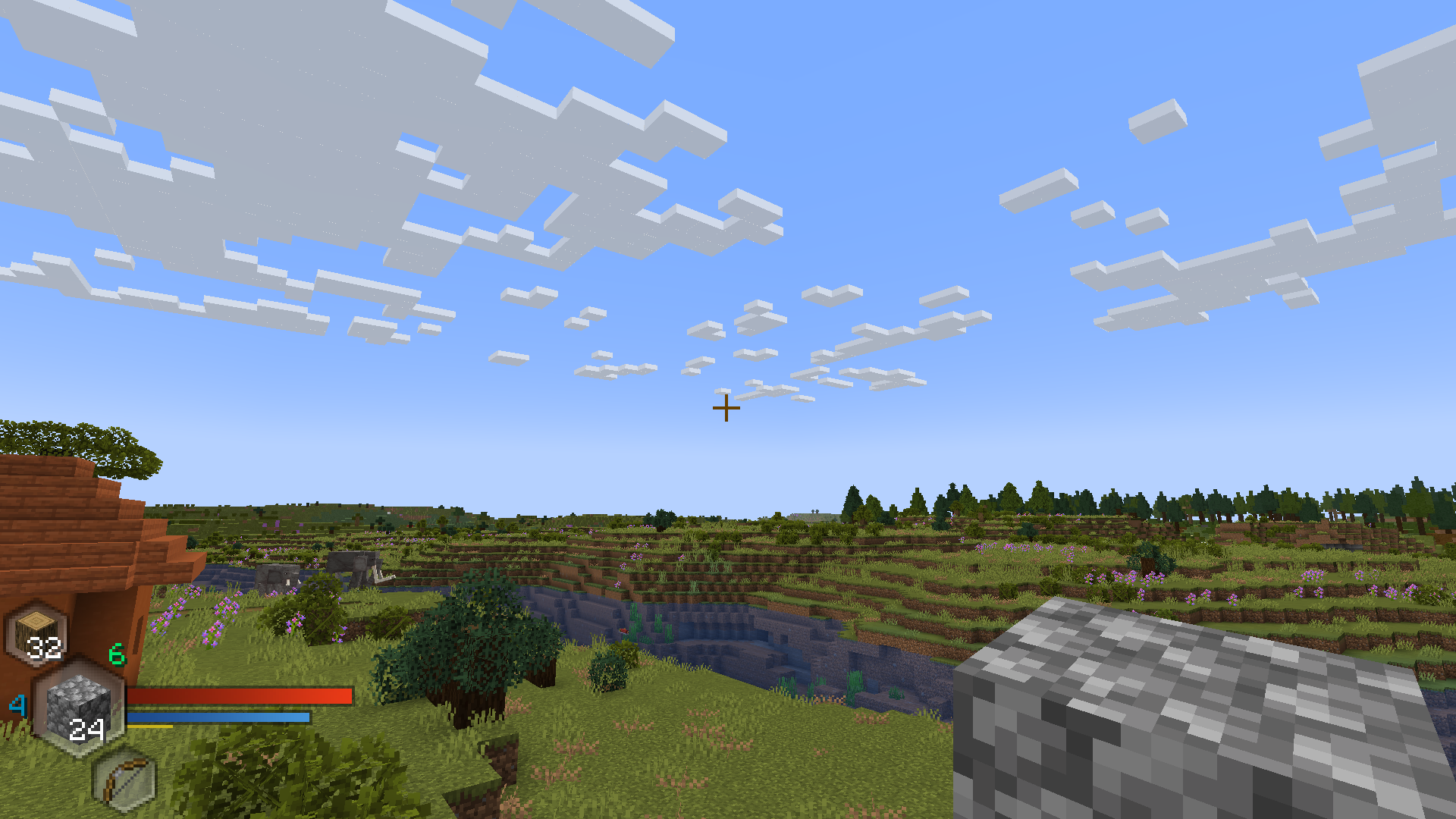 Scene 2
 -
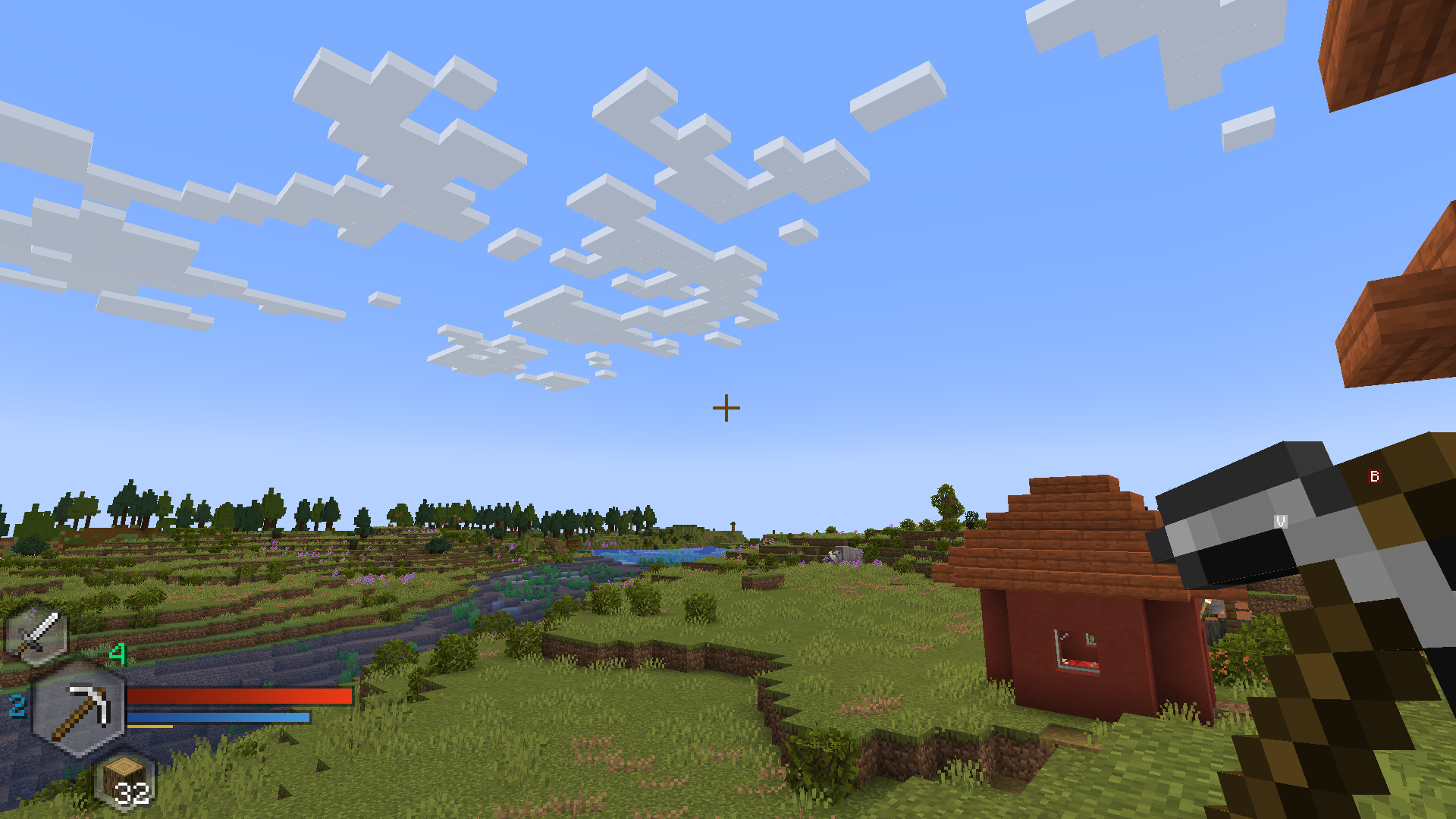 Scene 1
 -
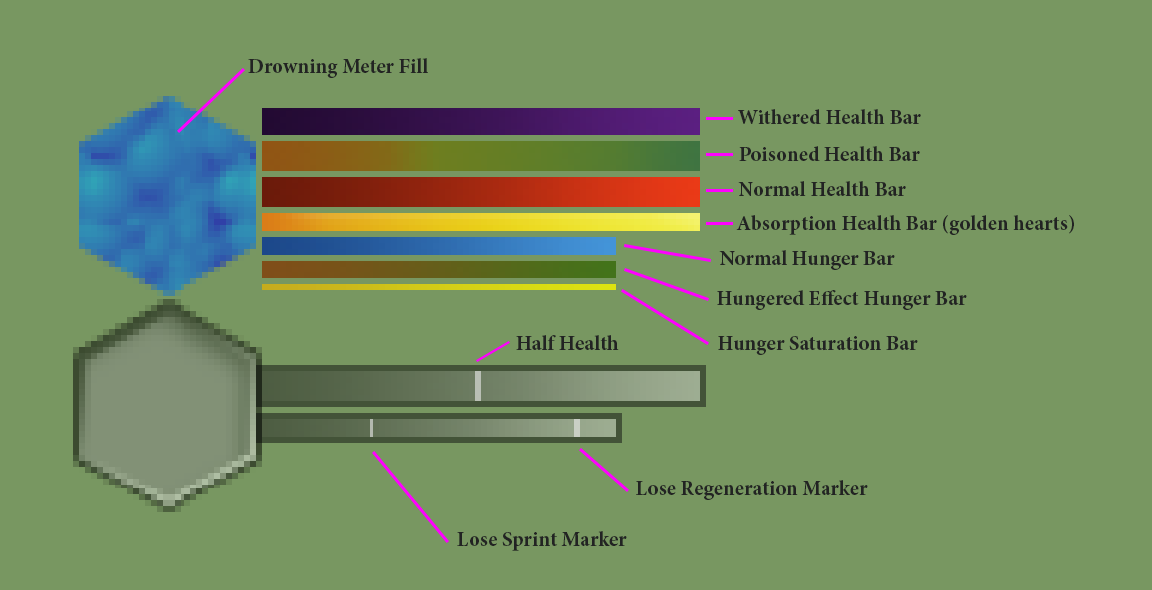 HUD Colors labels the HUD colors
 -
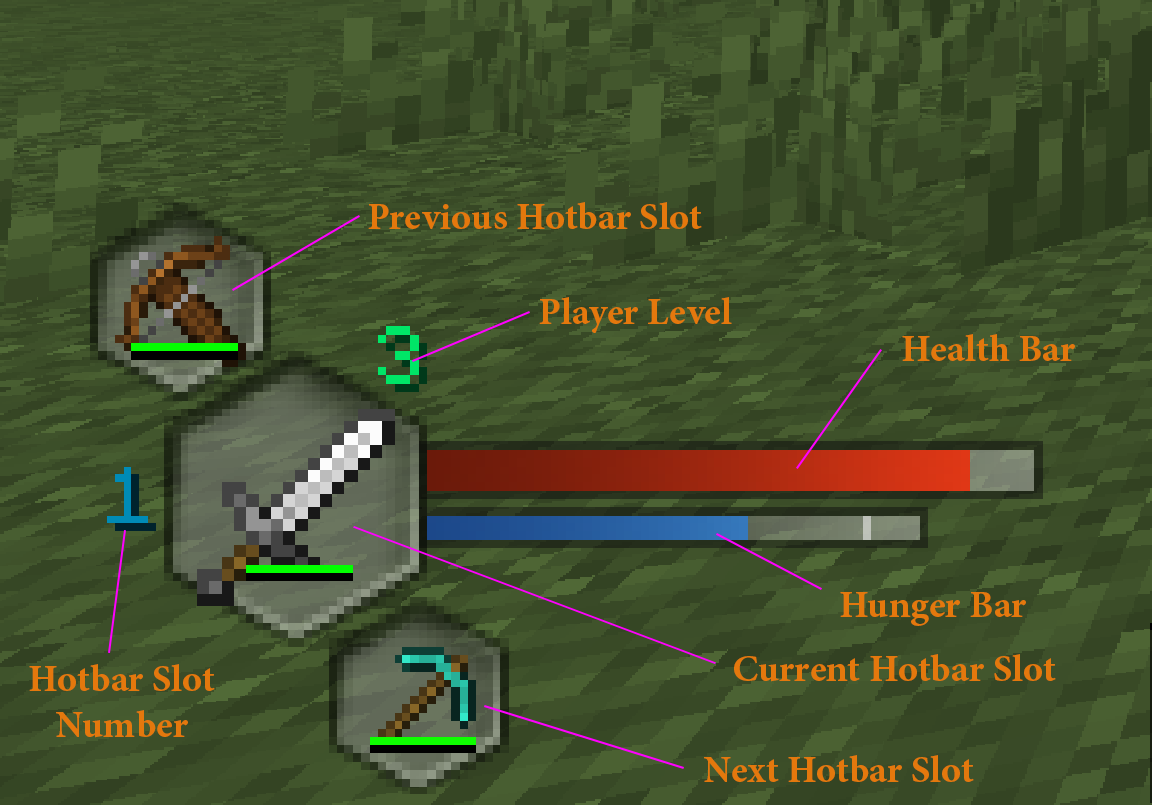 HUD Elements labels the HUD Elements
Versions
Files
Relations
Project Relations
More like this
Similar Mods
Suggestions use data such as tags, dependencies, dependents, descriptions, titles, and more to rank how much they overlap with this mod.
On ModDex
Community snapshot
By the numbers
Statistics
 (opens in a new tab)
Get it on
Available Platforms
On ModDex
Community snapshot
By the numbers
Statistics
Resources