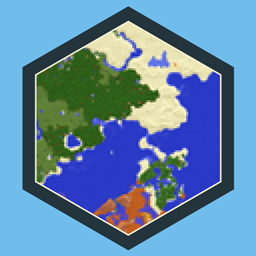
Community listing page, reviews may not be monitored by the author.
Minimap Shapes for Xaero's Minimap

No reviews yet
Give Xaero's Minimap rounded-square, hexagonal, octagonal, horizontal, and vertical shapes without stretching the terrain.

Community voices
Reviews
No reviews yet. Be the first to review this project!
Get it on
Available Platforms
About
Project Details
For authors
Embed Badge
If you're the author of this project, you can embed a live badge anywhere that supports HTML or Markdown. It updates automatically whenever ratings change.
Use HTML for any page that supports it, or Markdown for README files and Markdown-based descriptions.
Identifiers
Platform IDs
Resources
External Links
About
Description
Choose rounded-square, hexagonal, octagonal, horizontal, or vertical shapes for Xaero's Minimap.
Press K to compare the outlines and select one. The choice takes effect immediately and is saved for the next session. Select Default to return to Xaero's own shape setting. The custom outline stays fixed on screen while the map rotates according to its heading setting.
The rectangle options crop the shorter axis of the existing map area. Terrain keeps its original proportions; the cropped axis shows less of the surrounding area. On a widescreen display, the rectangle proportions follow the display aspect ratio.
This add-on requires Xaero's Minimap and Minimap Shapes Core. The JourneyMap add-on uses the same Core library and stores its selection separately.




Paid commissions for videos, streams and servers. Send me your idea: [email protected]

All Rights Reserved. Free to put in any modpack, on any platform, monetised or not - no permission needed, no credit required.
Bugs and questions: comment on the CurseForge page, or DM @kuronami333 on X.
Screenshots
Gallery
-
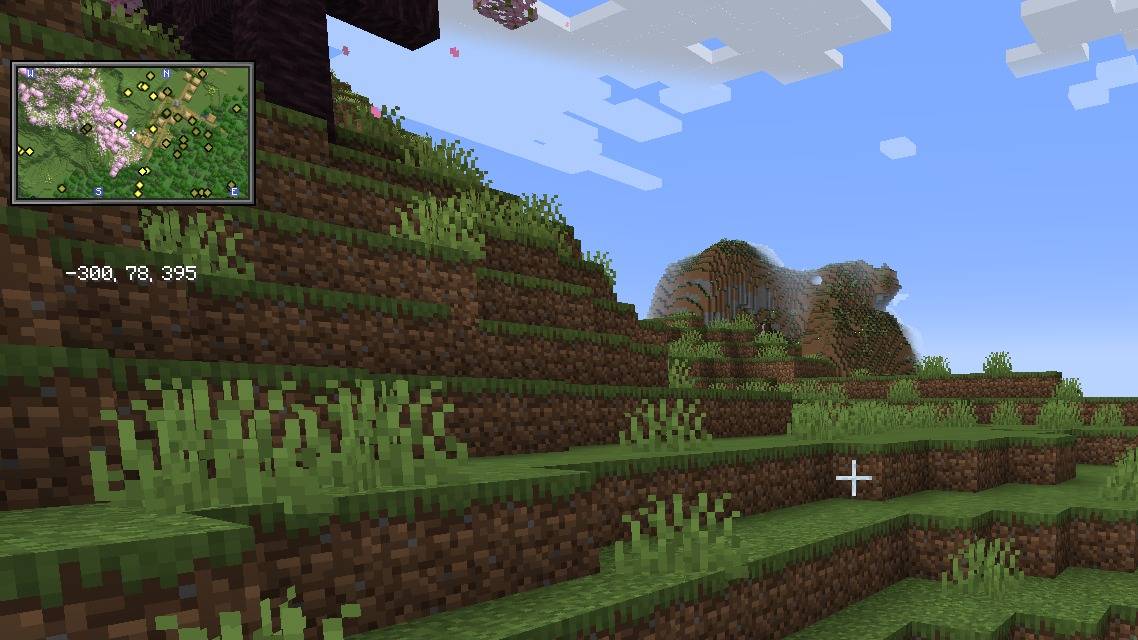 Horizontal rectangle minimap Xaero's Minimap with the horizontal rectangle shape selected, in a cherry grove. The terrain keeps its proportions.
 -
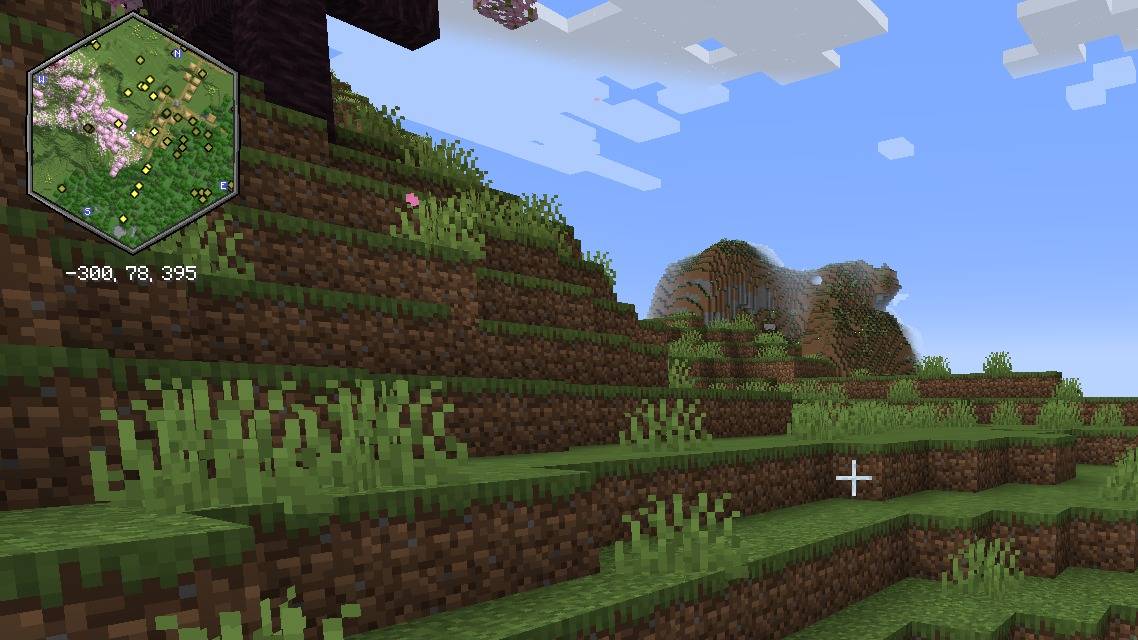 Hexagon minimap The same view with the hexagon shape selected.
 -
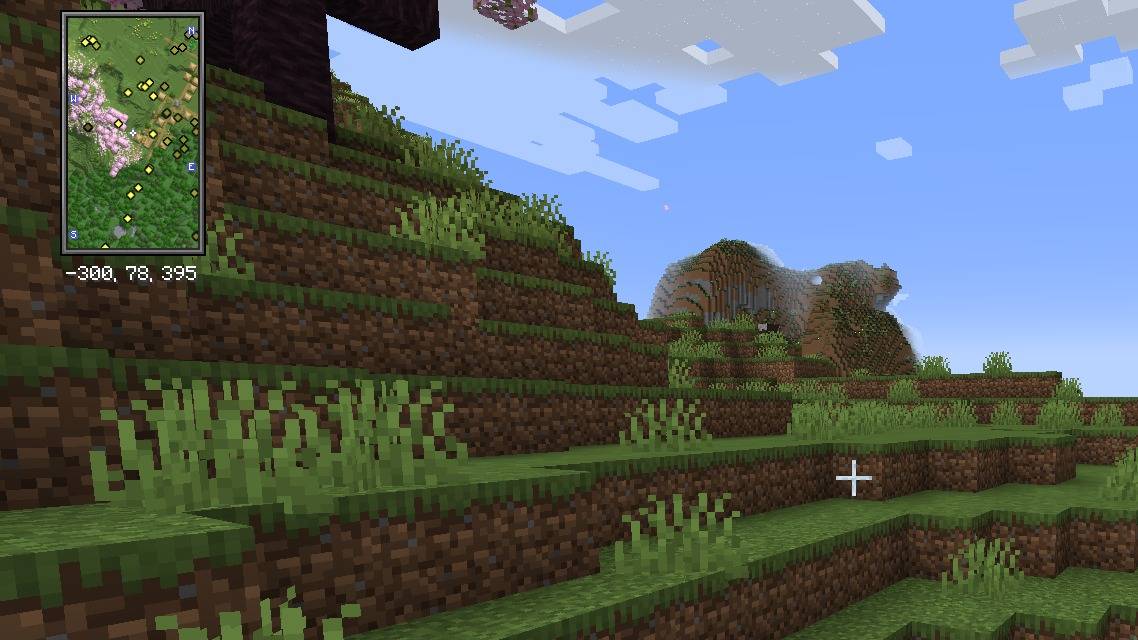 Vertical rectangle minimap The same view with the vertical rectangle shape selected.
 -
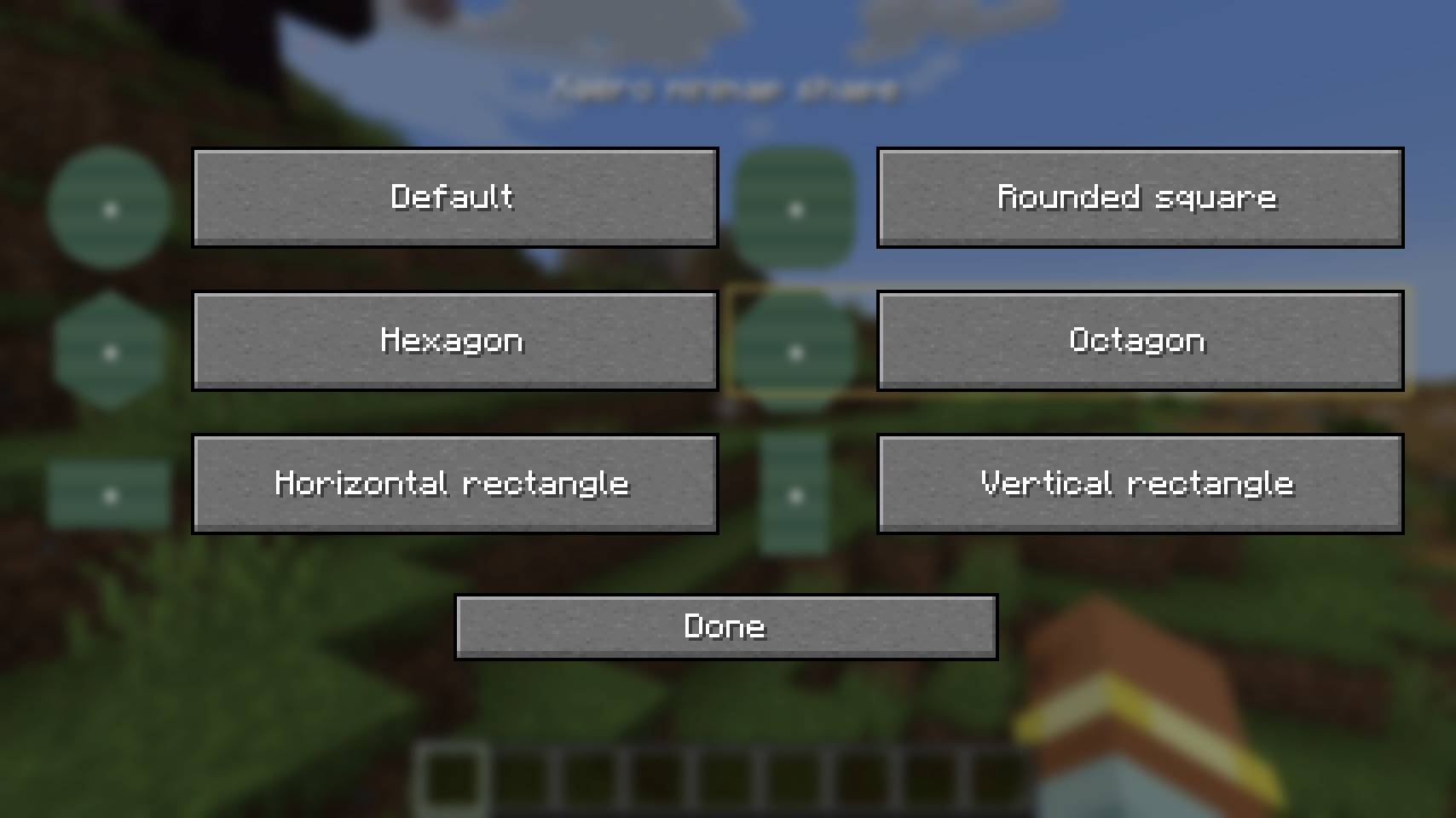 Shape selector Press K to open the selector. Each choice has a small preview, and Default returns to Xaero's own shape.
Versions
Files
Relations
Project Relations
More like this
Similar Mods
Suggestions use data such as tags, dependencies, dependents, descriptions, titles, and more to rank how much they overlap with this mod.
On ModDex
Community snapshot
By the numbers
Statistics

Get it on
Available Platforms
On ModDex
Community snapshot
By the numbers
Statistics
Resources