Community listing page, reviews may not be monitored by the author.
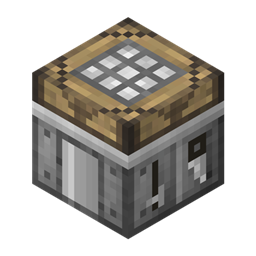
Minion's Workshop

No reviews yet
Craft, smelt, and store items in one modular workstation.

Community voices
Reviews
No reviews yet. Be the first to review this project!
Get it on
Available Platforms
About
Project Details
For authors
Embed Badge
If you're the author of this project, you can embed a live badge anywhere that supports HTML or Markdown. It updates automatically whenever ratings change.
Use HTML for any page that supports it, or Markdown for README files and Markdown-based descriptions.
Identifiers
Platform IDs
Resources
External Links
About
Description
Minion's Workshop is an unofficial modern port of Engineer's Workshop Reborn, continuing the original Steve's Workshop concept. Supports Minecraft 1.21.1, 26.1.2, and 26.3 on Fabric and NeoForge.
Features
- Four station tabs - Install crafting tables, furnaces, or chests to build the workstation you need. Each tab opens the installed station's GUI; right-click its icon to remove the block without deleting its stored items.
- Expandable side tabs - Icon-based upgrade, transfer, and item-filter panels expand when clicked and collapse when clicked again. Their controls follow the selected station, while global upgrades remain available on every tab.
- Automatic crafting - Use the Auto Crafter upgrade to craft recipes automatically while reserving one item in each occupied pattern slot.
- Expandable storage - Chest modules provide 24 storage slots each. The Storage upgrade adds six ingredient slots to crafting modules.
- Shared power - Solid fuel, external energy, and liquid fuel power the same crafting, smelting, and charging buffer, holding up to 64,000 FE-equivalent energy. Its bar stays visible beside your inventory on every station tab.
- Energy integration - The Energy Input upgrade accepts Forge Energy on NeoForge and TechReborn Energy on Fabric, plus optional Modern Industrialization and Singularity Iteration EU on NeoForge.
- Liquid fuel - The Liquid Fuel upgrade adds an 8,000 mB lava tank. Fill or drain it through the lava-bucket control beside the shared power bar, or connect compatible fluid pipes.
- Machine upgrades - Increase production speed, queue furnace inputs, or use Chargers to store operations for instant production.
- Item automation - Configure input and output independently for each module and side. Enable automatic transfers to adjacent inventories and upgrade their transfer capacity.
- Item filters - A dedicated panel lays out Input and Output filters together. Use ghost filters with exact data-component, item-identity, fuzzy, or shared-tag matching.
- JEI support - JEI reserves space around the animated side tabs so its ingredient list does not cover the workshop's controls.
- Persistent configuration - Inventories, machine progress, stored charges, exact shared power, lava, filters, and transfer settings survive world reloads. Changing a module preserves its inactive inventory; removing a power upgrade preserves stored resources.
Requirements

Compatibility
Hoppers and compatible item pipes can access enabled input and output sides. No optional integration mods are required.





Existing worlds: This port uses the new minions_workshop namespace and does not automatically convert blocks from older Engineer's Workshop versions. Back up your world before switching mods.
Credits
This is an unofficial port maintained by Minionade, based on Engineer's Workshop Reborn by Modmuss50, EwyBoy, JorVa, Vswe, and contributors. The original Steve's Workshop concept is credited to Vswe.
Original code and texture credits belong to their respective creators. This project is not an official release of or affiliated with Engineer's Workshop Reborn.
Licensed under the MIT License.
💬 Community & Support
Questions, bug reports and ideas are welcome. Please include your Minecraft version, loader and logs with bug reports.

View the source code | Report an issue | Engineer's Workshop Reborn
Screenshots
Gallery
Versions
Files
Relations
Project Relations
More like this
Similar Mods
Suggestions use data such as tags, dependencies, dependents, descriptions, titles, and more to rank how much they overlap with this mod.
On ModDex
Community snapshot
By the numbers
Statistics

Get it on
Available Platforms
On ModDex
Community snapshot
By the numbers
Statistics
Resources