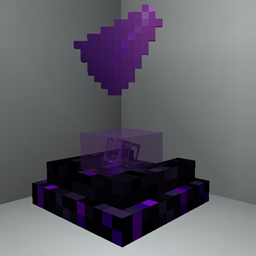
Community listing page, reviews here may not be monitored by the author.
Mirage Projector

No reviews yet
Bring holograms to your builds: project images, GIFs, items, banners, creatures and players with customizable upgradeable projectors.
Community voices
Reviews
No reviews yet. Be the first to review this project!
Get it on
Available Platforms
About
Project Details
For authors
Embed Badge
If you're the author of this project, you can embed a live badge anywhere that supports HTML or Markdown. It updates automatically whenever ratings change.
Use HTML for any page that supports it, or Markdown for README files and Markdown-based descriptions.
Identifiers
Platform IDs
Resources
External Links
About
Description
Mirage Projector
Want holograms in your Minecraft builds?
Mirage Projector lets you turn images, GIFs, items, banners, creatures and players into customizable projections.
Build animated displays, floating exhibits, signs, creature showcases, giant screens or holograms integrated directly into your builds. Start small, customize the projection to fit the space, and upgrade your projector when you want something bigger or more specialized.
Project almost anything
A projector can display:
- Images
- Animated GIFs
- Items
- Banners
- Creatures
- Players
Projections can be resized, repositioned, rotated and visually adjusted to fit everything from a tiny desk display to a massive build.
For creature and player projections, craft an Empty Scan Template with Paper in the center and 8 Iron Nuggets around it.
Sneak-right-click the creature or player you want to capture, then place the completed scan inside a projector.
Different projectors for different builds
Mirage Projector includes six projector designs with different shapes and presentation styles.
Start with the compact Mirage Projector and upgrade your setup into displays made for wider images, taller images, multiple directions or much larger projection areas.
Upgrading a projector keeps its existing setup, so expanding a finished build does not mean starting over.
Power your projections
Projectors use Projection Cores.
Different compatible materials provide different amounts of power. More demanding projections need stronger cores, while Core Boosters can push a setup even further.
The idea is simple: if you want a larger or more demanding hologram, give the projector more power.
Crying Obsidian has a purpose now
Mirage Projector also expands Crying Obsidian with shards, growing crystal buds and clusters.
Place a lava source above Crying Obsidian and crystals can gradually grow underneath it.
Harvest them with Silk Touch to keep the crystal, or break them normally to obtain Crying Obsidian Shards.
These materials are used throughout the mod and can also create the purple Mirage Light system, including special interactions with Beacons and Core Boosters.
Built for actual worlds
Mirage Projector includes:
- Six upgradeable projector designs
- Images and animated GIF support
- Item and banner projections
- Creature and player scans
- Custom projection size and positioning
- Rotation, opacity, tint and visual controls
- Projection Cores and Core Boosters
- Renewable Crying Obsidian crystal growth
- Mirage Light
- Multiplayer image synchronization
- Optional EMI integration
- Optional JEI integration
- English, Spanish and Chilean Spanish
EMI and JEI are fully optional, but both can be used to explore the mod's recipes. EMI also includes a visual guide for the Crying Obsidian growth mechanic.
Minecraft 1.21.1 · NeoForge · Java 21
Screenshots
Gallery
-
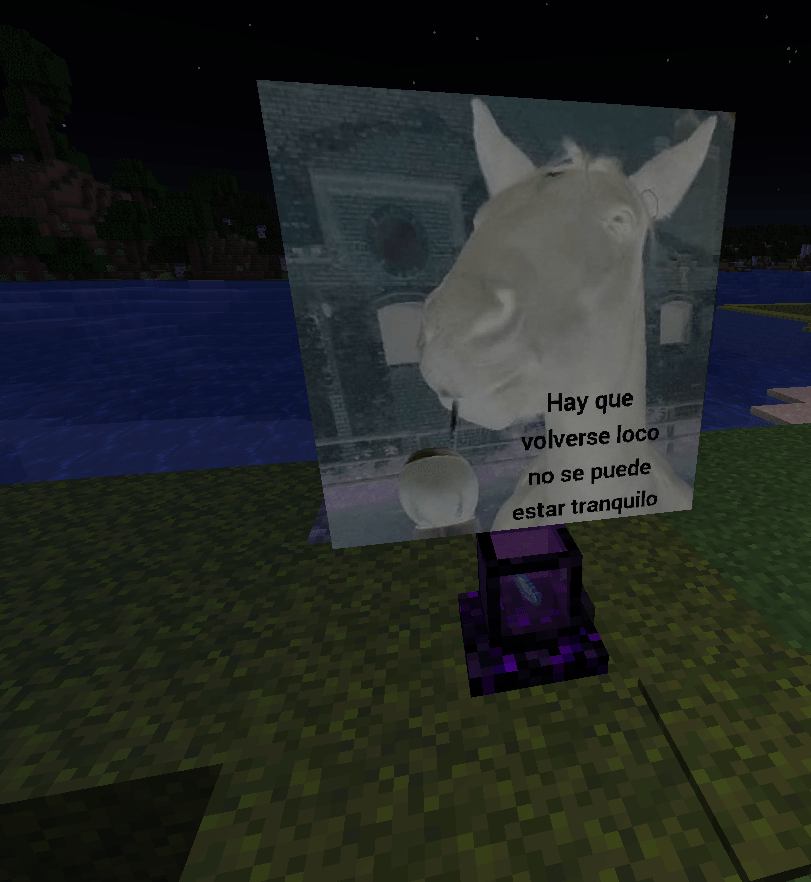 Captura de pantalla 2026-09-18 175907.png Captura de pantalla 2026-09-18 175907.png
Versions
Files
Relations
Project Relations
More like this
Similar Mods
Suggestions use data such as tags, dependencies, dependents, descriptions, titles, and more to rank how much they overlap with this mod.
On ModDex
Community snapshot
By the numbers
Statistics
Want to reach Minecraft players?
We're looking for a server hosting partner to feature here and other parts of the site. Interested? Send us a message!
Get in touchGet it on
Available Platforms
On ModDex
Community snapshot
By the numbers
Statistics
Resources