
Community listing page, reviews here may not be monitored by the author.
MiraHUD


No reviews yet
With this mod you can watch videos in your minecraft without any browser open. directly in game. photos are also possible to look at in game. easy command widgets in your inventory.
Community voices
Reviews
No reviews yet. Be the first to review this project!
Get it on
Available Platforms
Compatibility
Supported Environments
Runs entirely on the client. Works on vanilla servers.
About
Project Details
For authors
Embed Badge
If you're the author of this project, you can embed a live badge anywhere that supports HTML or Markdown. It updates automatically whenever ratings change.
Use HTML for any page that supports it, or Markdown for README files and Markdown-based descriptions.
Identifiers
Platform IDs
About
Description
MiraHUD
Your Minecraft screen, your rules. MiraHUD is a client-side Fabric mod that puts images, videos and one-click command buttons onto your HUD. Watch a movie while you mine. Pin a reference image to the corner of your screen. Open your ender chest the auction house or the shop without typing a command. No server-side setup needed. Just drop it in your mods folder. You're good to go.
What MiraHUD Can Do
Image and Video Overlays
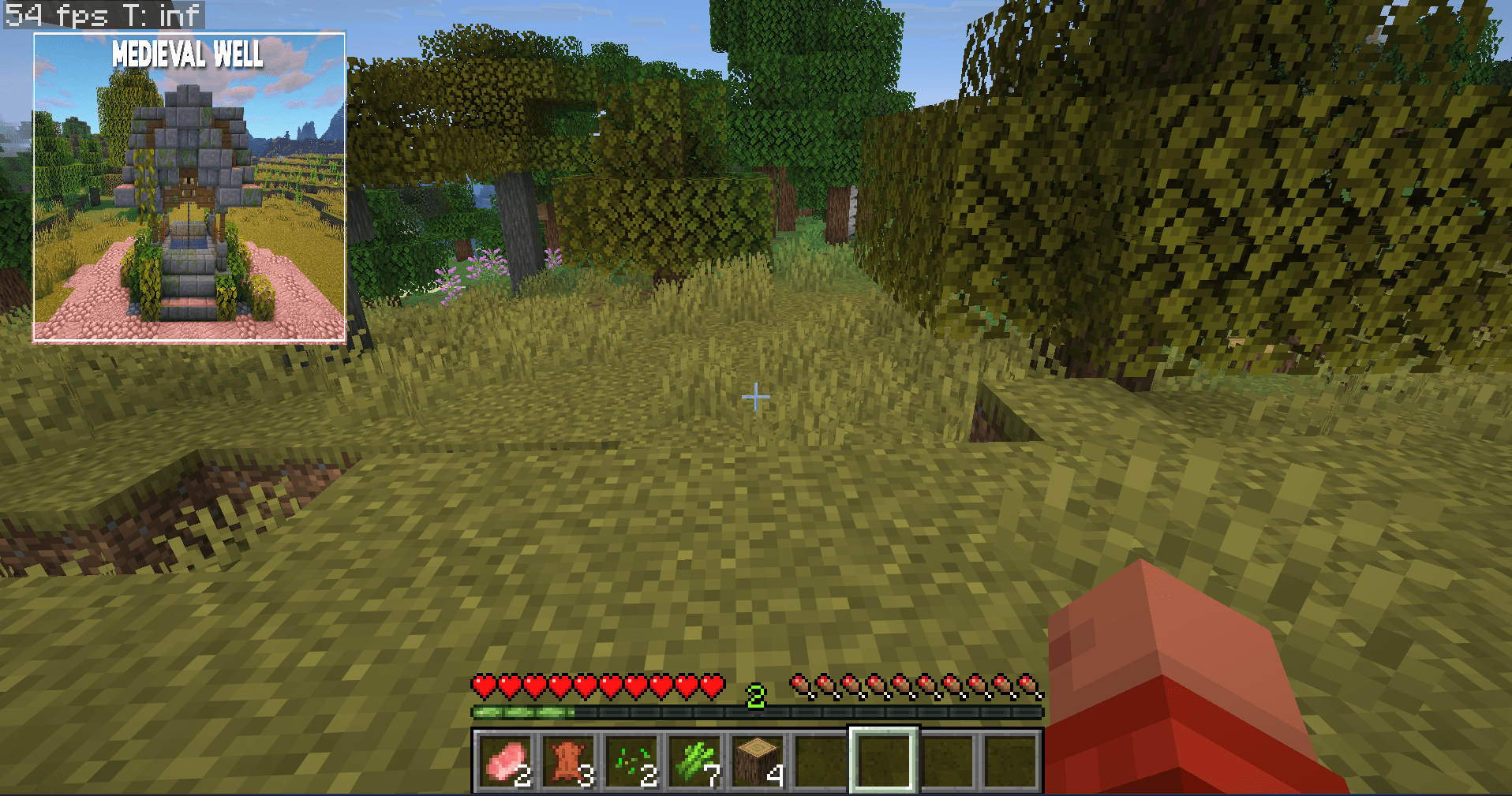
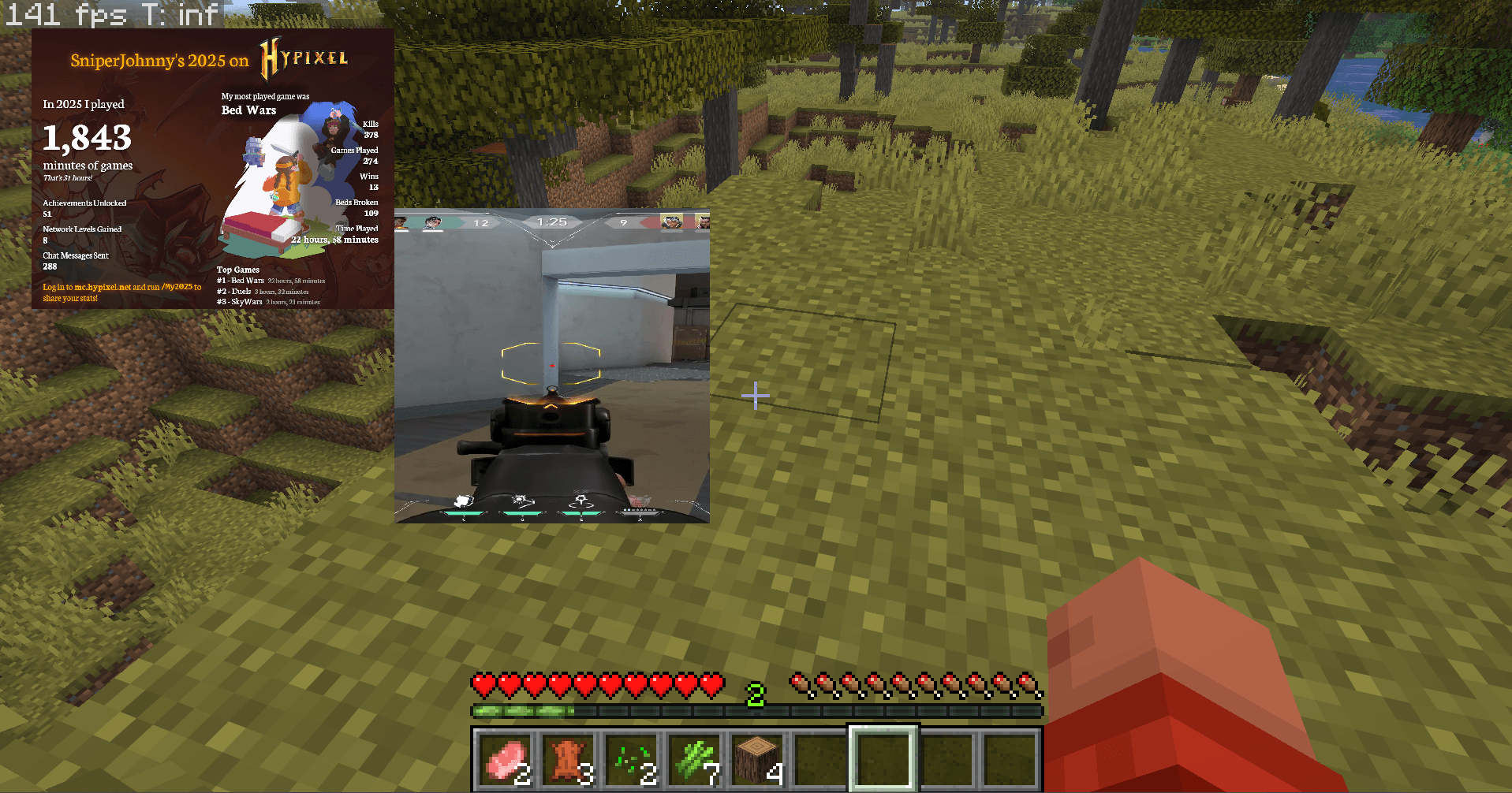
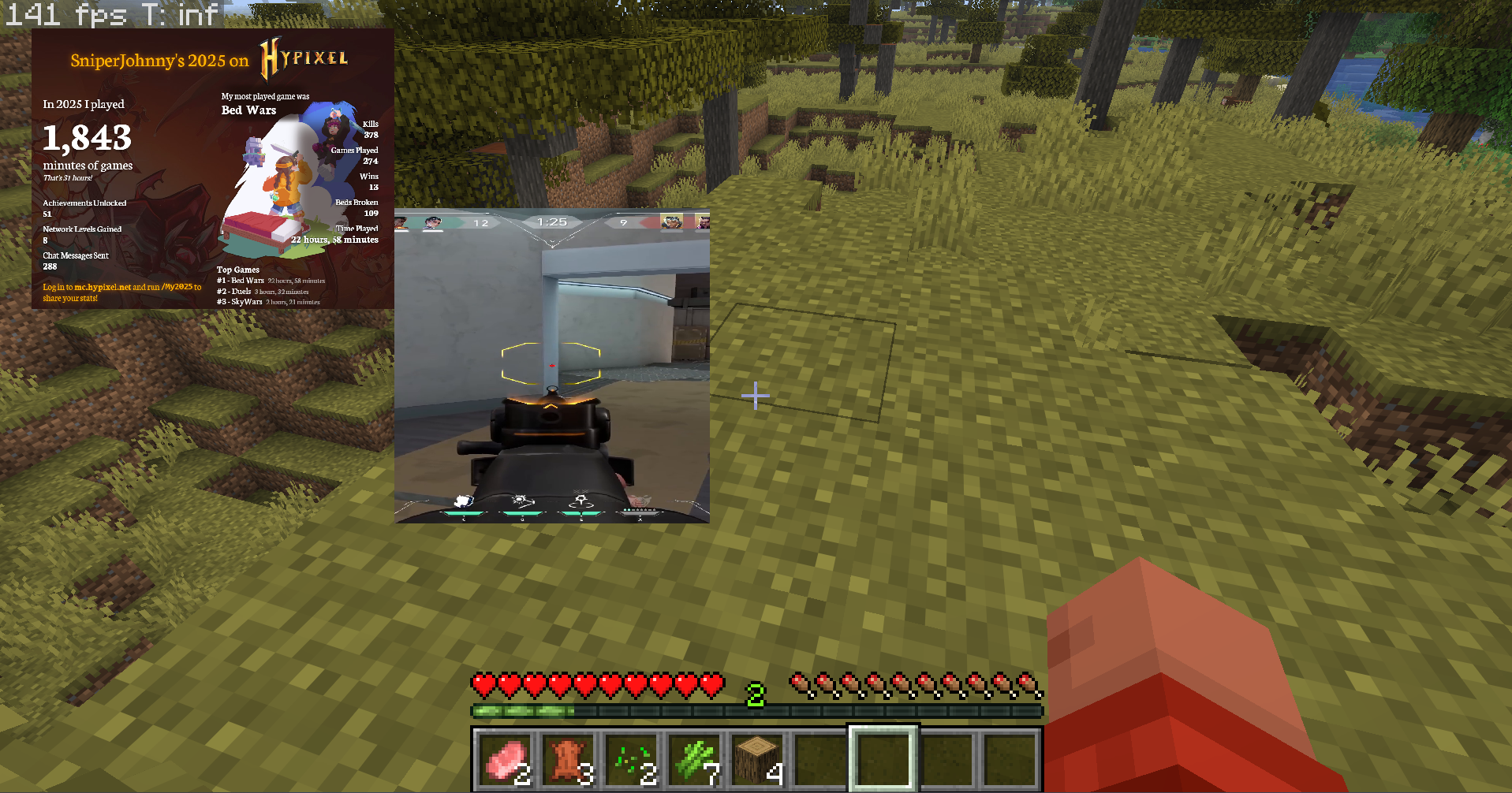
You can put anything on top of your game screen. An image, a looping video, a reference sheet, a map. Wherever you want it at whatever size feels right.
Stack many overlays as you want. Images, videos whatever combination you need. Each one gets its position, size, opacity and anchor point. No hard limits.
much any image format works. PNG, JPG, WEBP, TGA, BMP, GIF. Random stuff you downloaded off the internet. It handles all of them.
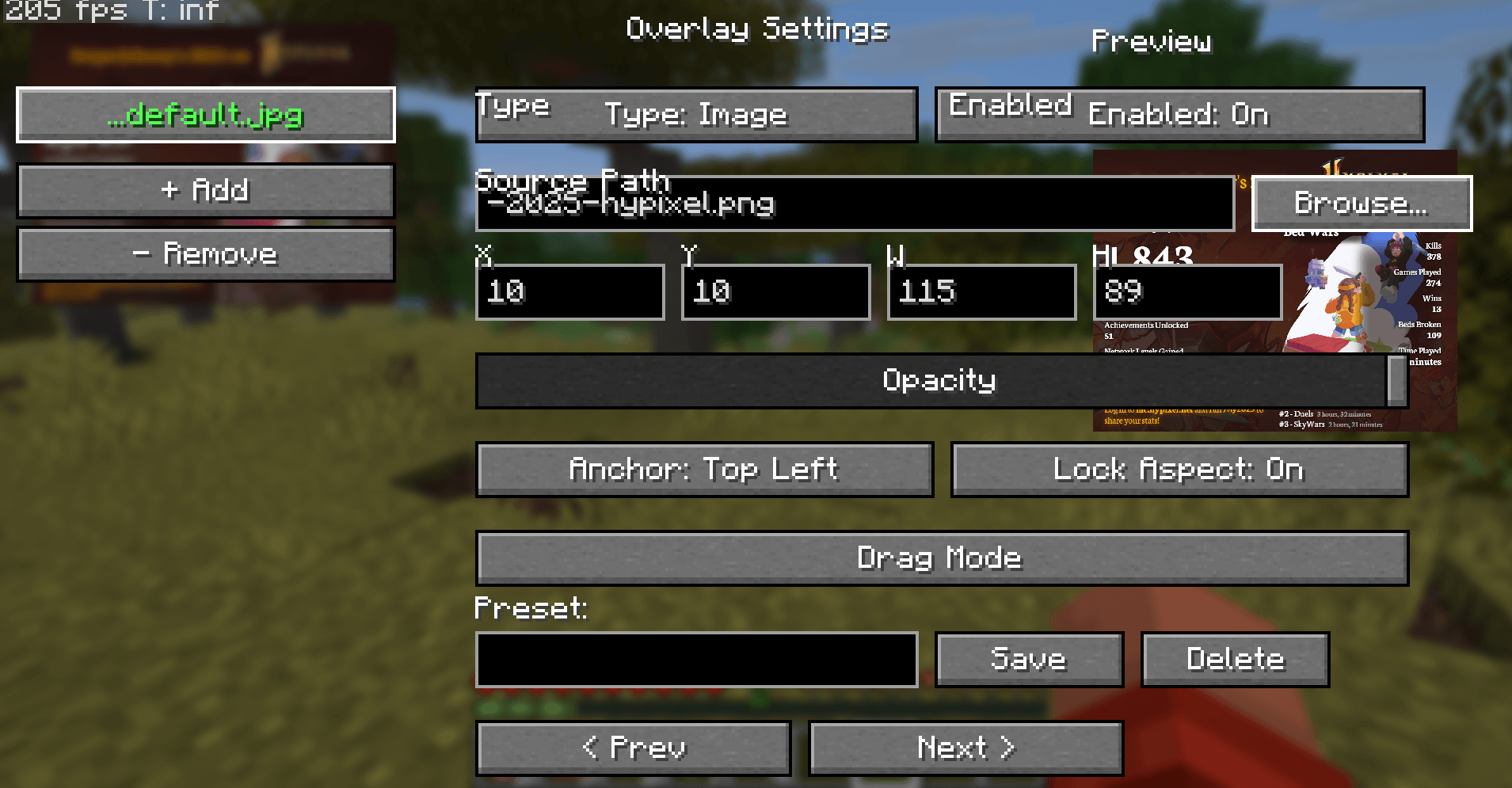
Pixel- positioning. Set exact X and Y coordinates, resize freely lock the aspect ratio so nothing stretches. Opacity goes from solid down to a barely-visible 1%, which is great for subtle reference overlays.
Five anchor points. Snap overlays to any corner or the center. They stay put regardless of what resolution you run at.
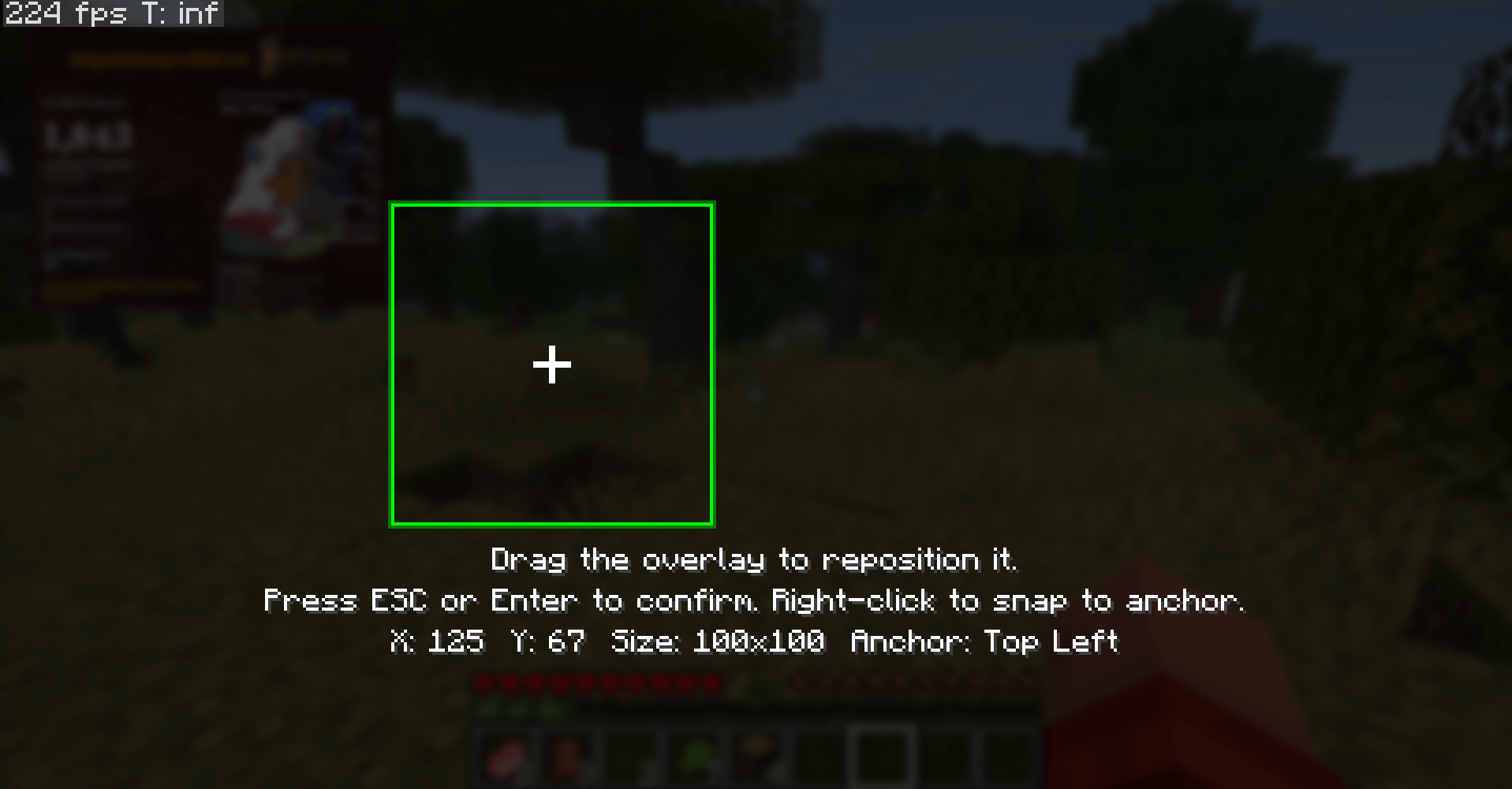
Drag Mode. If you don't want to mess with numbers just drag the overlay around until it looks right. Right-click snaps it back to an anchor point.
preview. Every change you make shows up on screen immediately before you even close the settings menu. No. Reopening to see what you did.
A Real Video Player Inside Minecraft
This is not some baked experiment. MiraHUD runs a FFmpeg video pipeline. Your videos play with their audio track and they stay in sync.
Plays pretty much everything. MP4, MKV, WEBM, AVI, MOV, FLV, WMV. If its a video format it probably works.
Audio that actually stays in sync. The audio track is the master clock. Video frames are held back to their presentation timestamps so the sound and picture never drift apart. It's frame-accurate, not "close enough."
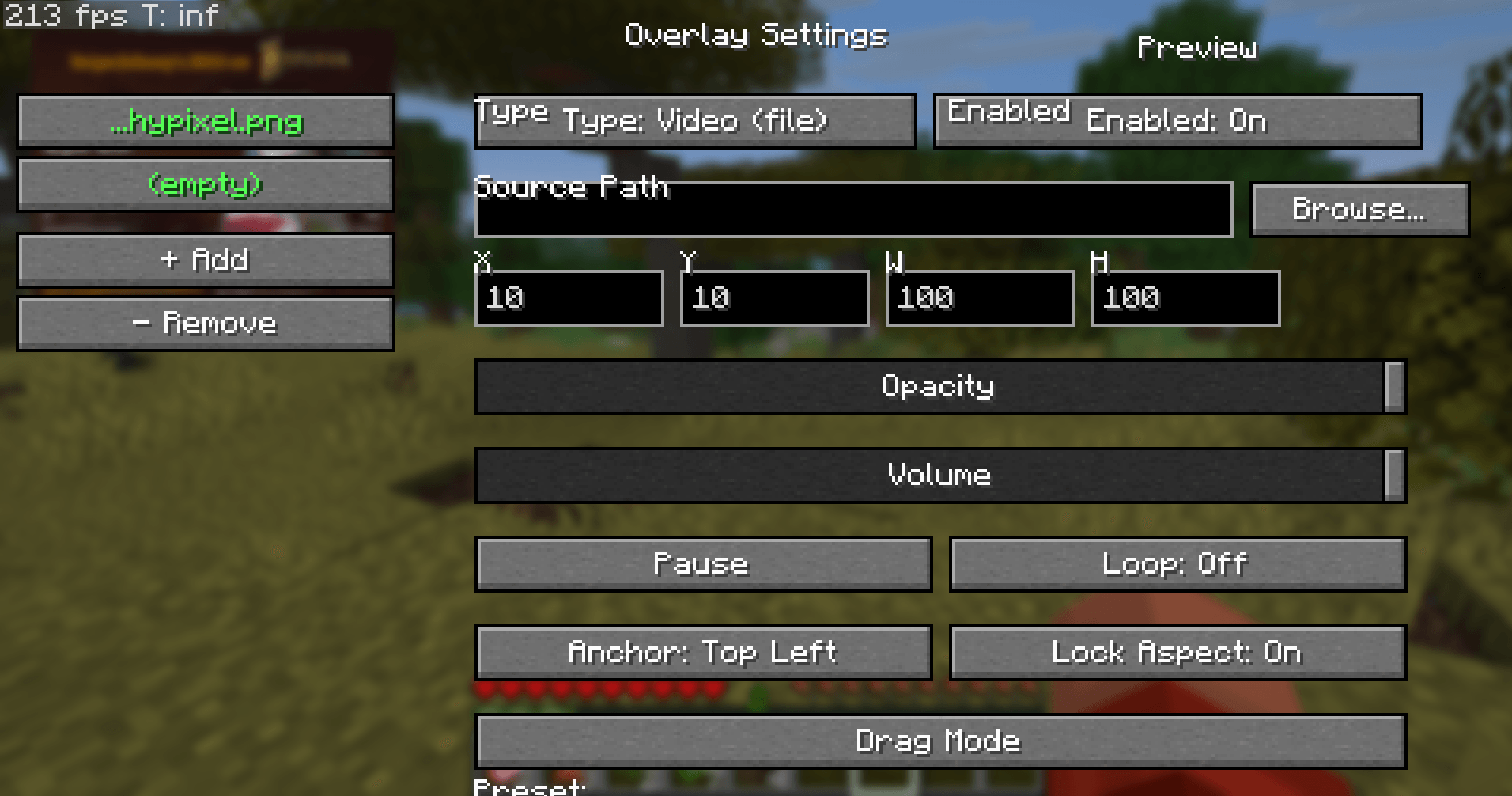
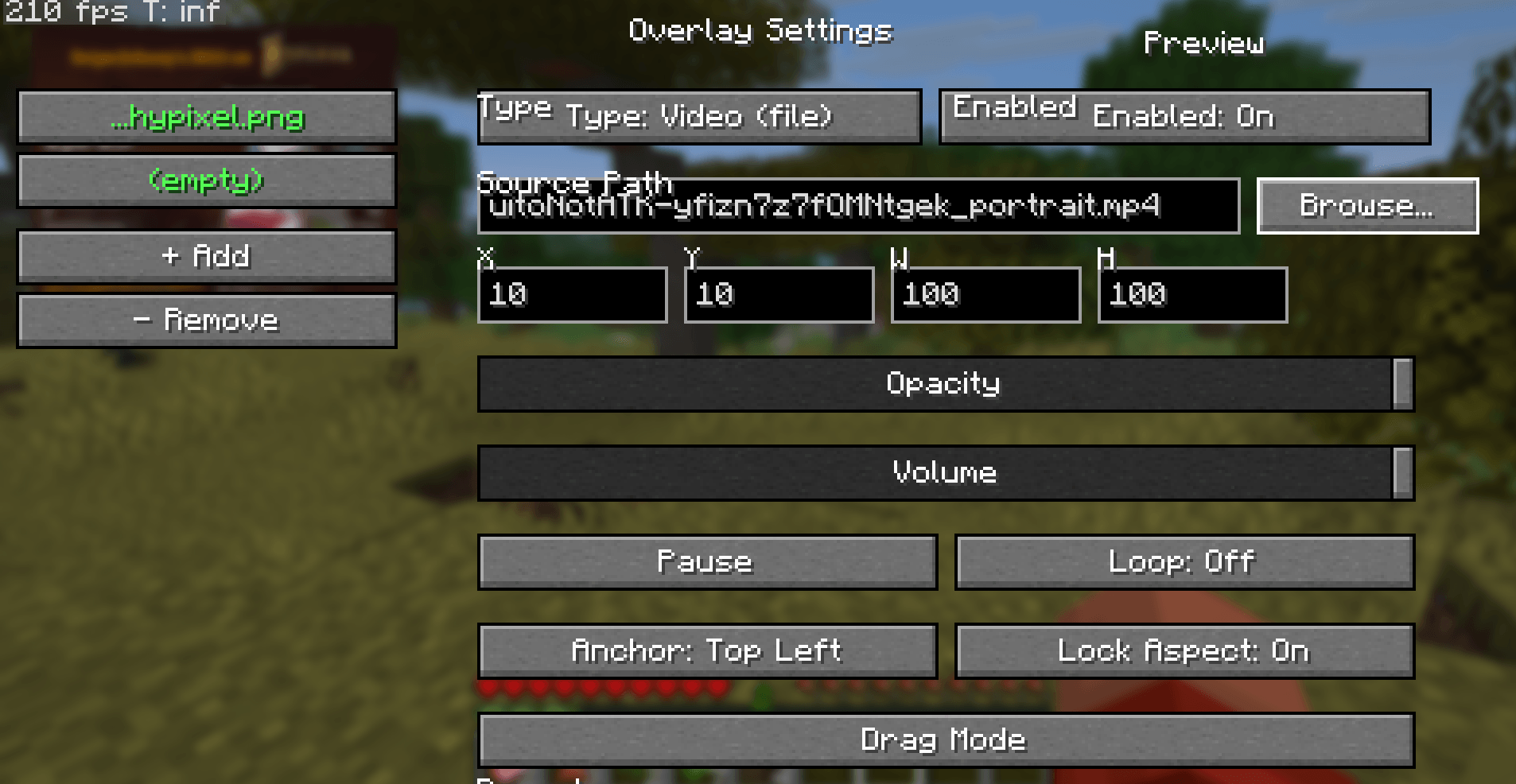
Full playback controls. Resume with P. Skip forward or back 10 seconds with the arrow keys. Restart from the beginning with R. Toggle looping on or off. Video overlays also get a VLC-style seek bar in the config screen: drag to scrub to any moment, with a live elapsed / total time readout next to it.
Loop mode is seamless. No flicker, no reloading no GPU spikes. It just restarts cleanly.
Per-overlay volume control. Each overlay has its volume slider and it respects your Minecraft master volume too. You can have a video in one corner and a quiet one in another.
FFmpeg handles itself. If you don't have FFmpeg installed MiraHUD quietly downloads a build in the background while you keep playing. Your own FFmpeg installation (if you even have one) is never touched, moved or modified. On Windows this is fully automatic. On platforms you can install FFmpeg through your package manager.
Self-healing playback. If a video pipeline crashes or a file fails to load MiraHUD notices, backs off and retries on its own. It doesn't just freeze on a frame and give up.
One-Click Inventory Widgets
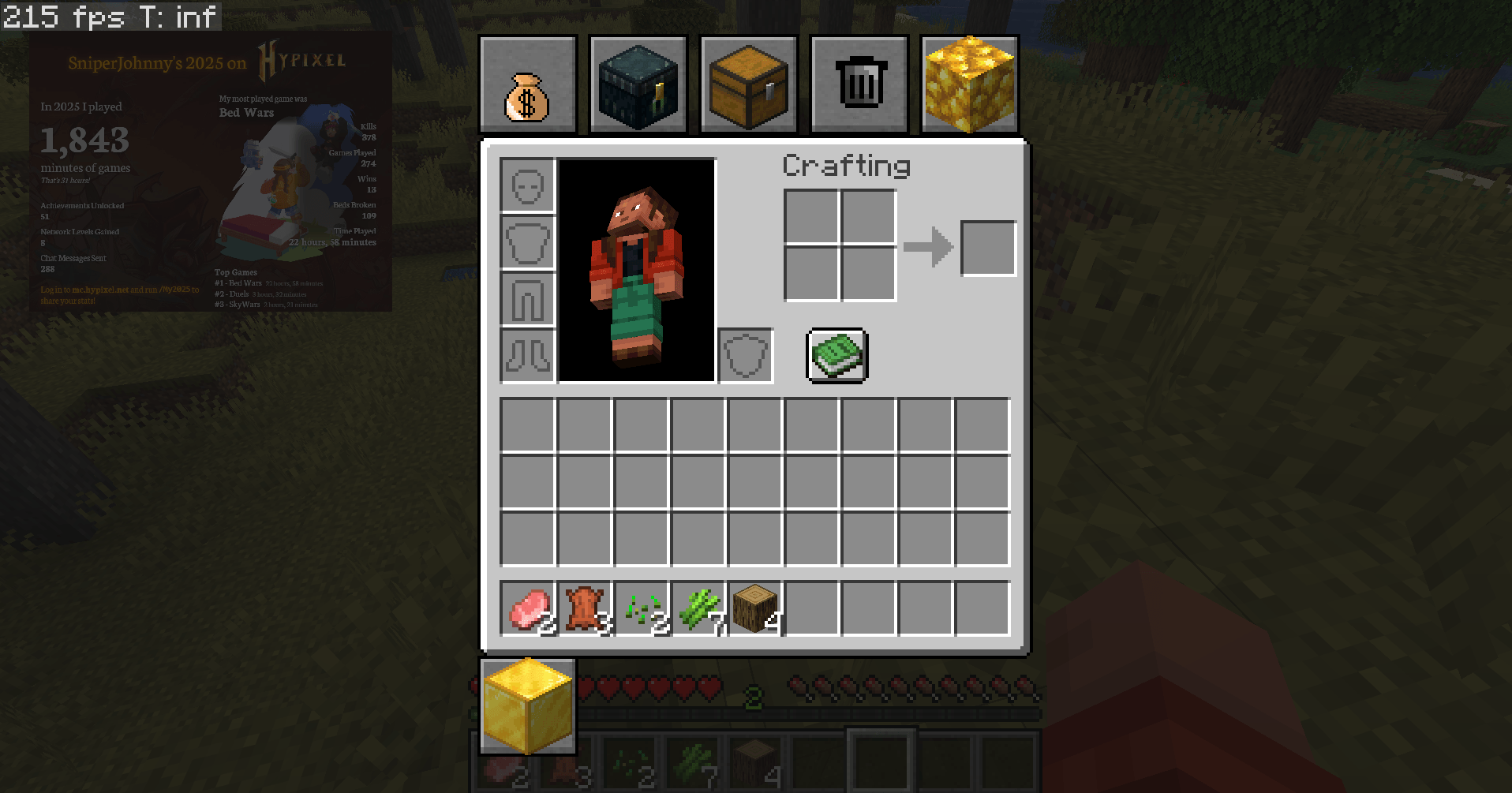
If you're tired of typing /ec. Over and over MiraHUD puts those commands into your inventory screen as clickable buttons.
Six built-in widgets: Ender Chest, Auction House, Sell, Trash, Shop and Market. Click once the command fires. Done.
auto-layout. Widgets line up neatly next to your inventory. If there are many for one row they automatically wrap to a second row. You don't have to arrange anything by hand.
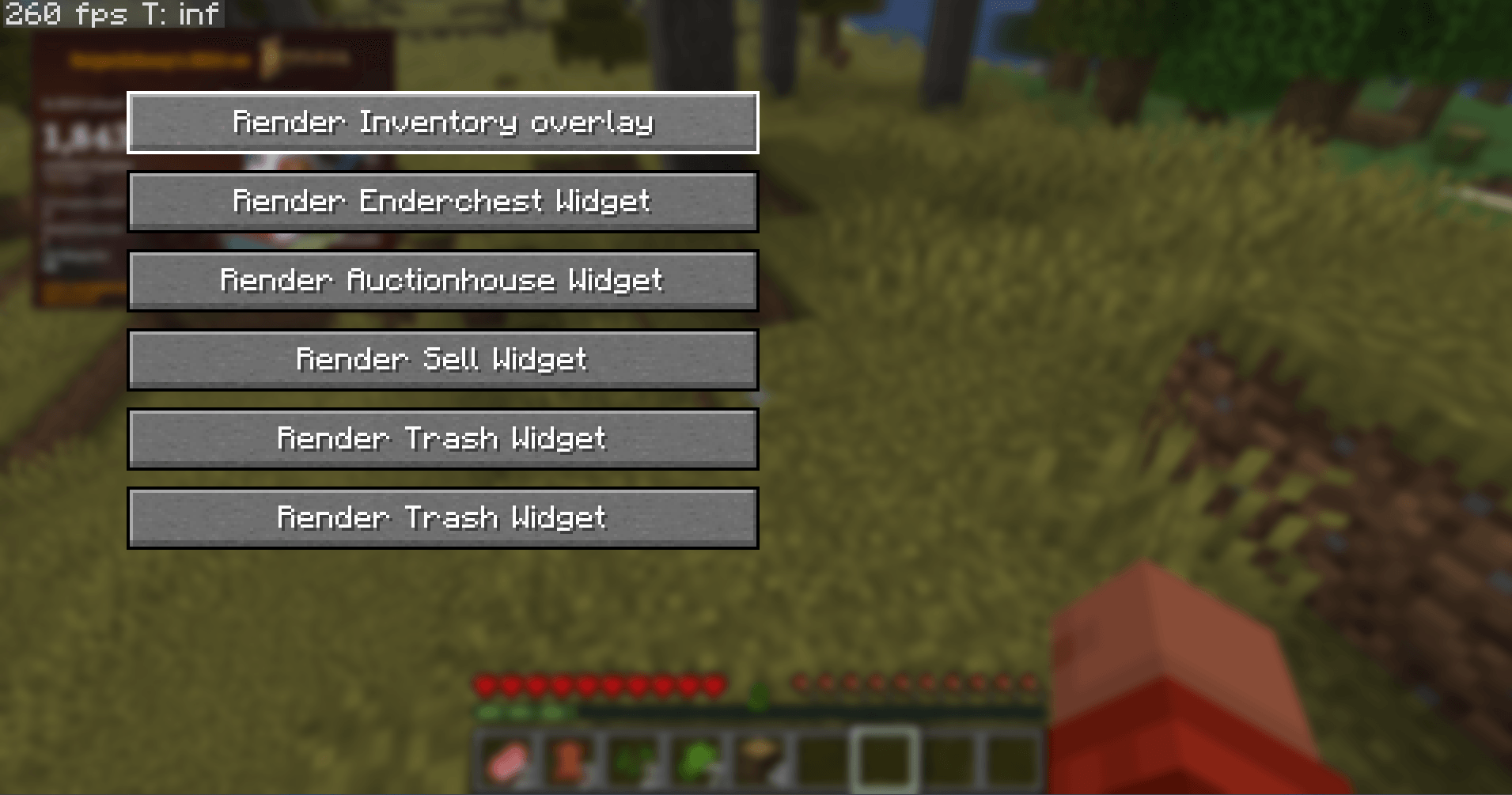
Toggle each widget. Don't use the Trash widget? Turn it off. Want all six? Turn them all on. Press I to open the widget manager where you can flip the ones you want. Each widget shows a tooltip so you know what command it runs.
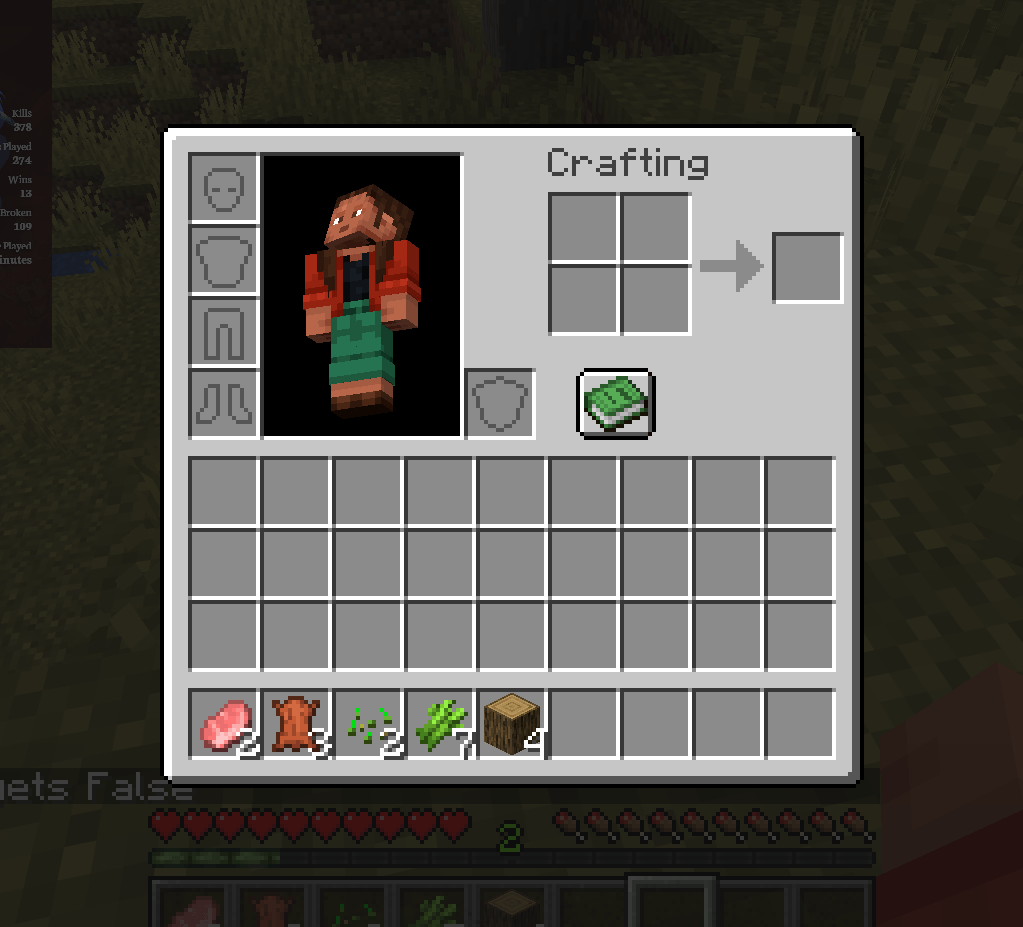
The entire inventory HUD can be turned off. If you want a clean vanilla inventory for a while flip the master switch in the widget manager. Turn it on when you need your buttons again. You're always in control of what shows up.
Custom widget support. If you're a developer you can build your widgets with custom icons, item textures and click behavior.
Configuration That Just Works
Nothing is hidden in config files. Everything is straightforward.
Everything saves automatically. Overlay positions, sizes, volumes which widgets are enabled. All written to clean JSON files inside config/mirahud/. Everything comes back how you left it the next time you launch.
Overlay presets. Got an overlay set up how you like it? Save it as a named preset. Reapply it later with one click. Cycle through your saved presets for games or situations.
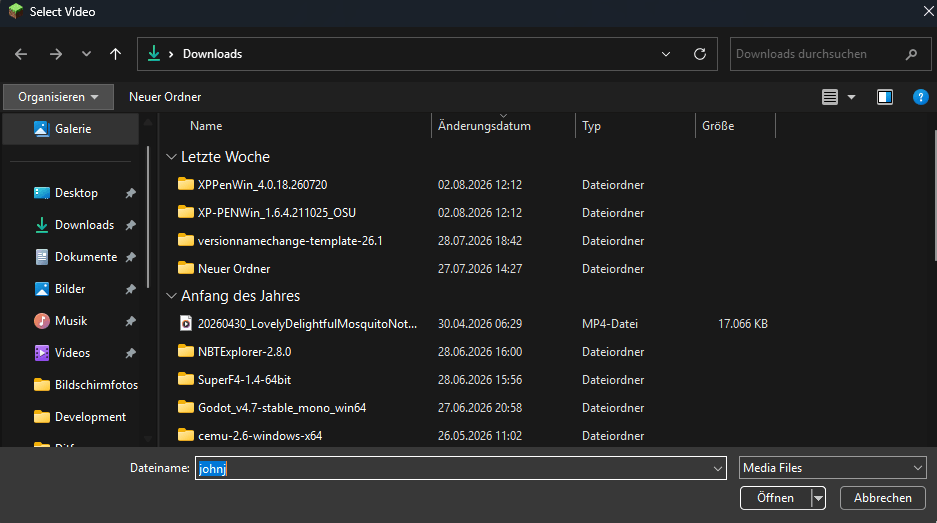
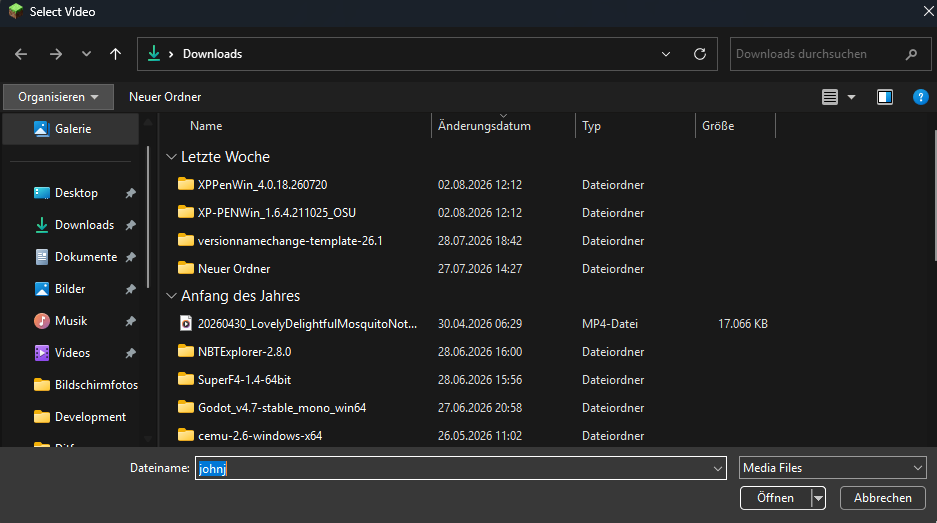
A real file picker. Click Browse. You get your operating systems actual file dialog. It runs on a background thread so the game never freezes while you look for a file.
path resolution. Typed a path wrong. Pasted something weird? MiraHUD automatically searches your Videos, Downloads, Desktop and Documents folders by filename. Fixes the path for you. It's surprisingly good at finding things.
The Overlay Tree
Press O and the config screen grows a pixel-art tree in the middle of your screen. The tree is your overlay list.
The stump is the add button. Press the stump at the base of the trunk to grow a new branch (overlay). When the tree is empty it asks whether you want an image or a video; otherwise it just grows one.
Branches are overlays. Every overlay is a branch on the trunk. An enabled overlay grows a full leaf canopy; a disabled one stays bare. Video overlays' leaves sway gently in the wind, image overlays' leaves stay still, so you can tell them apart at a glance.
Click a branch to edit it. Its settings open on the left: path, position, size, opacity, volume, play/loop, seek bar and presets. < Back returns you to the tree and - Remove chops the branch off.
At a glance. The overlay you're editing gets a purple pixel heart pinned on the trunk. Hovering a branch highlights it green and shows the full file path.
Quick Controls
Every keybind can be changed in the vanilla Minecraft Controls menu.
Key | What It Does |
|-----|-------------|
| O | Open the Overlay Config screen (the tree). Press the stump to add an overlay, click a branch to edit it |
| K | Toggle all overlays on or off at once (handy for screenshots or cutscenes) |
| I | Open the Inventory Widget manager. Toggle widgets or the whole HUD |
| P | Pause or resume whatever video is currently playing |
| Right Arrow | Skip forward 10 seconds |
| Left Arrow | Skip backward 10 seconds |
| R | Restart the video from the beginning |
What You'll Need
Minecraft 1.21.11
Fabric Loader 0.19.3 or newer
Fabric API
Java 21 or newer
MiraHUD is completely client-side. Install it on your machine. It works on any server. Vanilla, modded, minigames, anything. The server doesn't need anything installed. On Windows, Linux and macOS MiraHUD checks for FFmpeg at startup and, if it's missing, automatically downloads a portable build in the background while you play. It validates the download before using it, and if the binaries ever turn out to be corrupt it deletes them and downloads fresh ones. Your own FFmpeg installation (if you have one) is never touched.
Installation
Install Fabric Loader for Minecraft 1.21.11. Drop the Fabric API jar into your mods folder.
Drop the jar into your mods folder.
Launch the game. Press O to open the overlay tree, then press the stump at its base to grow your first overlay.
Building from Source
./gradlew buildThe compiled jar lands, in build/libs/.
License
MiraHUD is released under the MIT License.
MiraHUD
Your Minecraft screen, your rules. MiraHUD is a client-side Fabric mod that puts images, videos and one-click command buttons onto your HUD. Watch a movie while you mine. Pin a reference image to the corner of your screen. Open your ender chest the auction house or the shop without typing a command. No server-side setup needed. Just drop it in your mods folder. You're good to go.
What MiraHUD Can Do
Image and Video Overlays
You can put anything on top of your game screen. An image, a looping video, a reference sheet, a map. Wherever you want it at whatever size feels right.
-
Stack many overlays as you want. Images, videos whatever combination you need. Each one gets its position, size, opacity and anchor point. No hard limits.
-
much any image format works. PNG, JPG, WEBP, TGA, BMP, GIF. Random stuff you downloaded off the internet. It handles all of them.
-
Pixel- positioning. Set exact X and Y coordinates, resize freely lock the aspect ratio so nothing stretches. Opacity goes from solid down to a barely-visible 1%, which is great for subtle reference overlays.
-
Five anchor points. Snap overlays to any corner or the center. They stay put regardless of what resolution you run at.
-
Drag Mode. If you don't want to mess with numbers just drag the overlay around until it looks right. Right-click snaps it back to an anchor point.
-
preview. Every change you make shows up on screen immediately before you even close the settings menu. No. Reopening to see what you did.
A Real Video Player Inside Minecraft
This is not some baked experiment. MiraHUD runs a FFmpeg video pipeline. Your videos play with their audio track and they stay in sync.
-
Plays pretty much everything. MP4, MKV, WEBM, AVI, MOV, FLV, WMV. If its a video format it probably works.
-
Audio that actually stays in sync. The audio track is the master clock. Video frames are held back to their presentation timestamps so the sound and picture never drift apart. It's frame-accurate, not "close enough."
-
Full playback controls. Resume with P. Skip forward or back 10 seconds with the arrow keys. Restart from the beginning with R. Toggle looping on or off. Video overlays also get a VLC-style seek bar in the config screen: drag to scrub to any moment, with a live elapsed / total time readout next to it.
-
Loop mode is seamless. No flicker, no reloading no GPU spikes. It just restarts cleanly.
-
Per-overlay volume control. Each overlay has its volume slider and it respects your Minecraft master volume too. You can have a video in one corner and a quiet one in another.
-
FFmpeg handles itself. If you don't have FFmpeg installed MiraHUD quietly downloads a build in the background while you keep playing. Your own FFmpeg installation (if you even have one) is never touched, moved or modified. On Windows, Linux and macOS this is fully automatic.
-
Self-healing playback. If a video pipeline crashes or a file fails to load MiraHUD notices, backs off and retries on its own. It doesn't just freeze on a frame and give up.
One-Click Inventory Widgets
If you're tired of typing /ec. Over and over MiraHUD puts those commands into your inventory screen as clickable buttons.
-
Six built-in widgets: Ender Chest, Auction House, Sell, Trash, Shop and Market. Click once the command fires. Done.
-
auto-layout. Widgets line up neatly next to your inventory. If there are many for one row they automatically wrap to a second row. You don't have to arrange anything by hand.
-
Toggle each widget. Don't use the Trash widget? Turn it off. Want all six? Turn them all on. Press I to open the widget manager where you can flip the ones you want. Each widget shows a tooltip so you know what command it runs.
-
The entire inventory HUD can be turned off. If you want a clean vanilla inventory for a while flip the master switch in the widget manager. Turn it on when you need your buttons again. You're always in control of what shows up.
-
Custom widget support. If you're a developer you can build your widgets with custom icons, item textures and click behavior.
Configuration That Just Works
Nothing is hidden in config files. Everything is straightforward.
-
Everything saves automatically. Overlay positions, sizes, volumes which widgets are enabled. All written to clean JSON files inside config/mirahud/. Everything comes back how you left it the next time you launch.
-
Overlay presets. Got an overlay set up how you like it? Save it as a named preset. Reapply it later with one click. Cycle through your saved presets for games or situations.
-
A real file picker. Click Browse. You get your operating systems actual file dialog. It runs on a background thread so the game never freezes while you look for a file.
-
path resolution. Typed a path wrong. Pasted something weird? MiraHUD automatically searches your Videos, Downloads, Desktop and Documents folders by filename. Fixes the path for you. It's surprisingly good at finding things.
The Overlay Tree
Press O and the config screen grows a pixel-art tree in the middle of your screen. The tree is your overlay list.
-
The stump is the add button. Press the stump at the base of the trunk to grow a new branch (overlay). When the tree is empty it asks whether you want an image or a video; otherwise it just grows one.
-
Branches are overlays. Every overlay is a branch on the trunk. An enabled overlay grows a full leaf canopy; a disabled one stays bare. Video overlays' leaves sway gently in the wind, image overlays' leaves stay still, so you can tell them apart at a glance.
-
Click a branch to edit it. Its settings open on the left: path, position, size, opacity, volume, play/loop, seek bar and presets. < Back returns you to the tree and - Remove chops the branch off.
-
At a glance. The overlay you're editing gets a purple pixel heart pinned on the trunk. Hovering a branch highlights it green and shows the full file path.
Quick Controls
Every keybind can be changed in the vanilla Minecraft Controls menu.
Key | What It Does |
|-----|-------------|
| O | Open the Overlay Config screen (the tree). Press the stump to add an overlay, click a branch to edit it |
| K | Toggle all overlays on or off at once (handy for screenshots or cutscenes) |
| I | Open the Inventory Widget manager. Toggle widgets or the whole HUD |
| P | Pause or resume whatever video is currently playing |
| Right Arrow | Skip forward 10 seconds |
| Left Arrow | Skip backward 10 seconds |
| R | Restart the video from the beginning |
What You'll Need
-
Minecraft 26.1 – 26.2
-
Fabric Loader 0.19.5 or newer
-
Fabric API
-
Java 25 or newer
MiraHUD is completely client-side. Install it on your machine. It works on any server. Vanilla, modded, minigames, anything. The server doesn't need anything installed. On Windows, Linux and macOS MiraHUD checks for FFmpeg at startup and, if it's missing, automatically downloads a portable build in the background while you play. It validates the download before using it, and if the binaries ever turn out to be corrupt it deletes them and downloads fresh ones. Your own FFmpeg installation (if you have one) is never touched.
Installation
-
Install Fabric Loader for Minecraft 26.1 or 26.2. Drop the Fabric API jar into your mods folder.
-
Drop the jar into your mods folder.
-
Launch the game. Press O to open the overlay tree, then press the stump at its base to grow your first overlay.
Building from Source
./gradlew build
The compiled jar lands, in build/libs/.
License
MiraHUD is released under the MIT License.
Screenshots
Gallery
-
 Screenshot 2026-08-04 132959.png Screenshot 2026-08-04 132959.png
 -
 Screenshot 2026-08-04 133009.png Screenshot 2026-08-04 133009.png
 -
 Screenshot 2026-08-04 133016.png Screenshot 2026-08-04 133016.png
 -
 Screenshot 2026-08-04 133021.png Screenshot 2026-08-04 133021.png
 -
 Screenshot 2026-08-04 132744.png Screenshot 2026-08-04 132744.png
 -
 Screenshot 2026-08-04 132828.png Screenshot 2026-08-04 132828.png
 -
 Screenshot 2026-08-04 132842.png Screenshot 2026-08-04 132842.png
 -
 Screenshot 2026-08-04 132903.png Screenshot 2026-08-04 132903.png
 -
 Screenshot 2026-08-04 132915.png Screenshot 2026-08-04 132915.png
 -
 Screenshot 2026-08-04 132924.png Screenshot 2026-08-04 132924.png
 -
 Screenshot 2026-08-04 132945.png Screenshot 2026-08-04 132945.png
-
 Video and image at the same time
 -
 windows select screen
 -
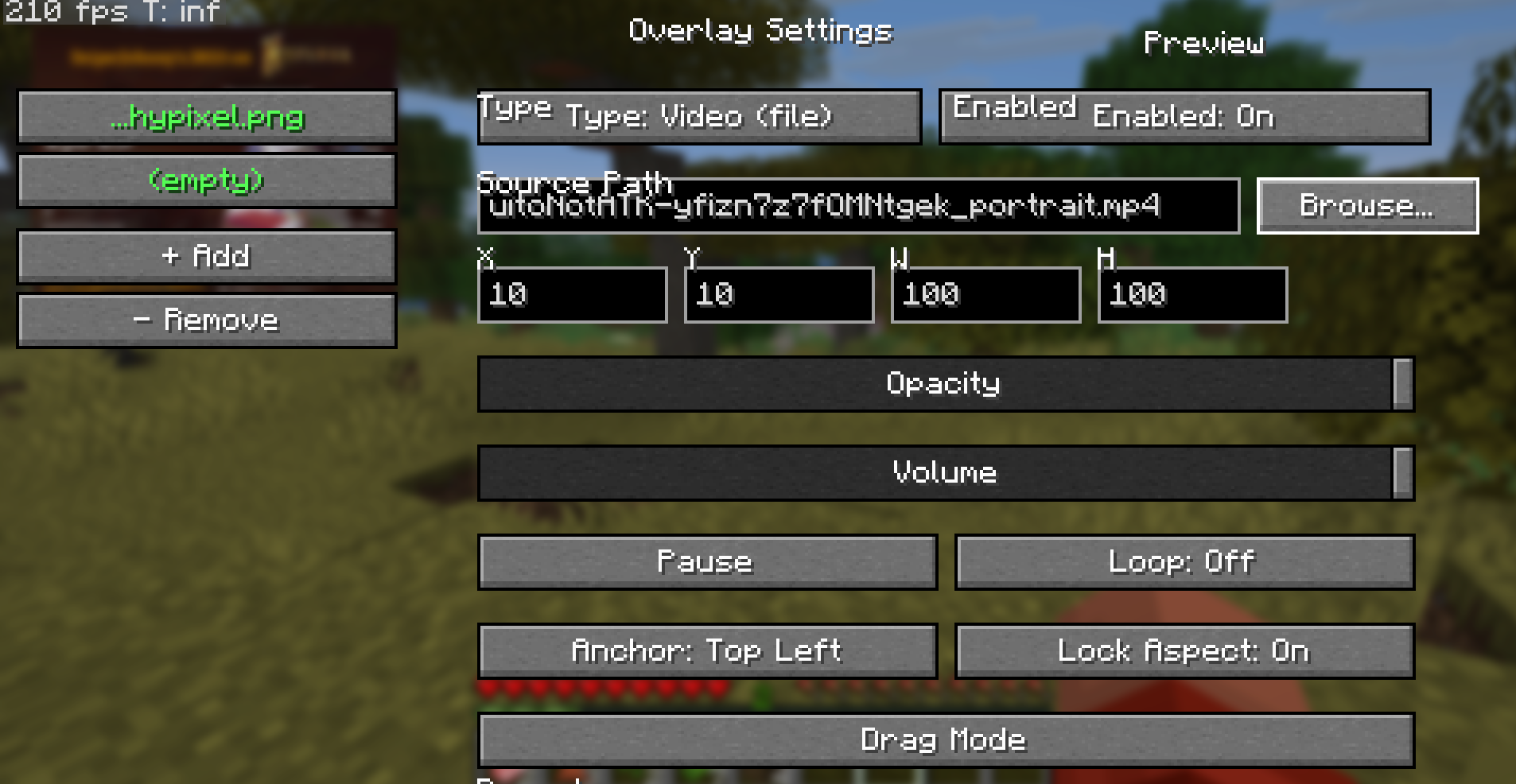 video selected
 -
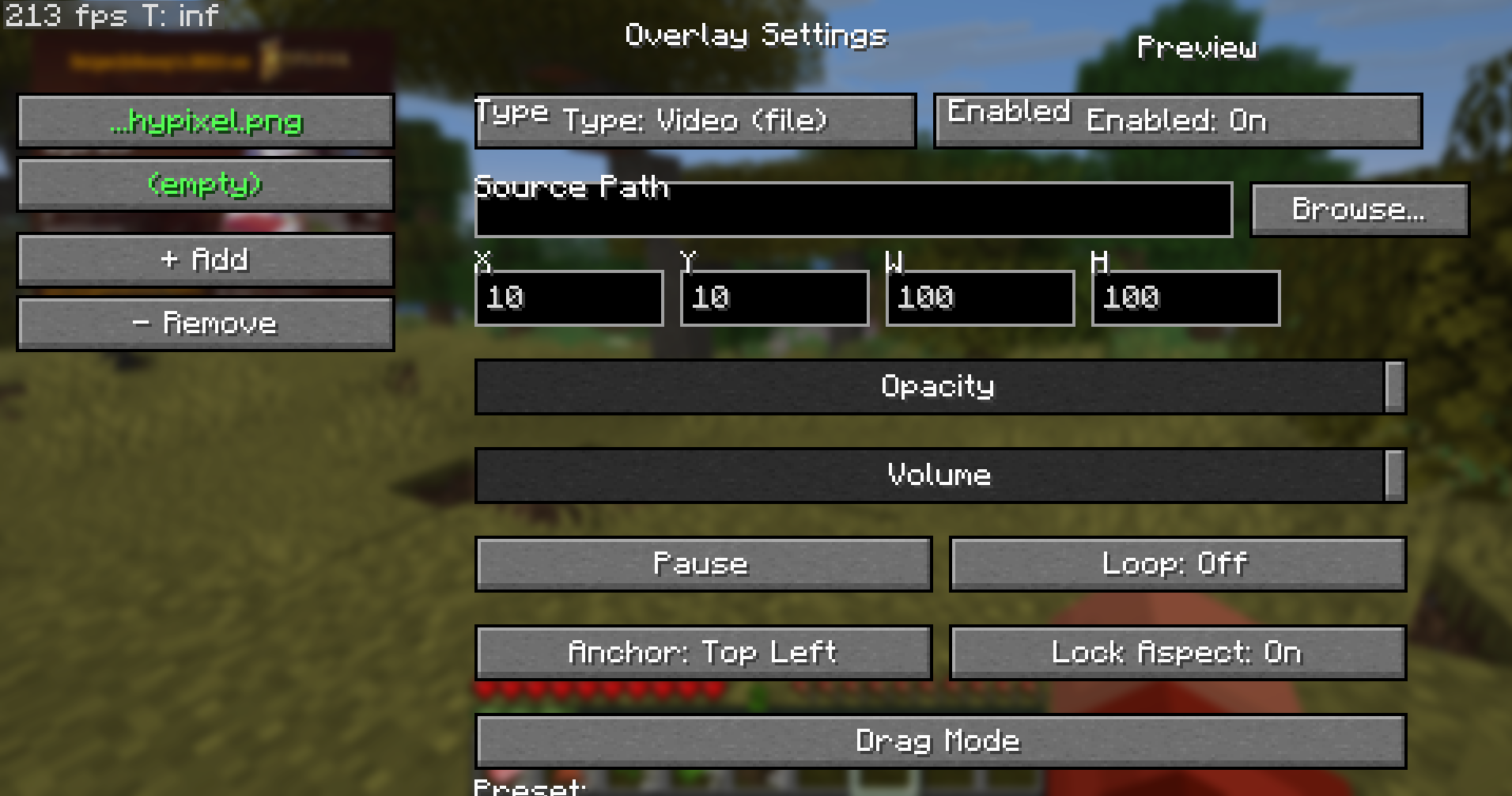 even images are choosable
 -
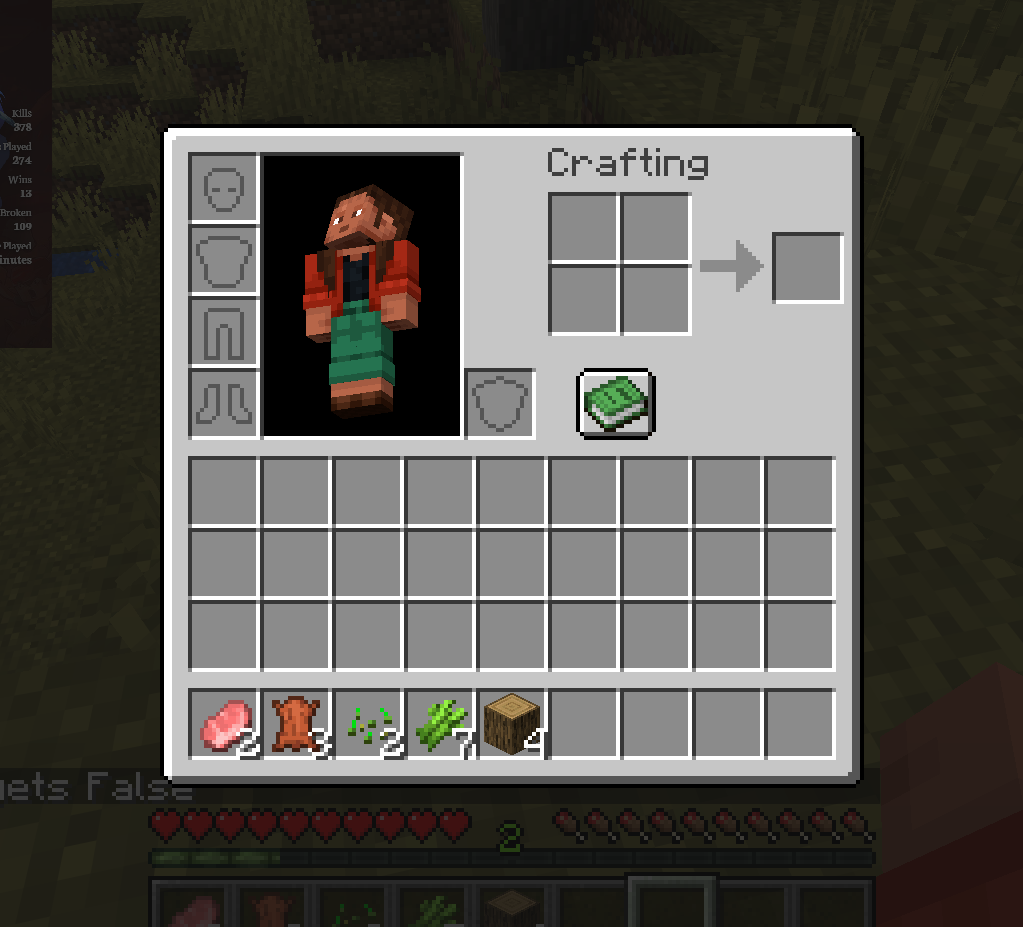 widgets arent there anymore
 -
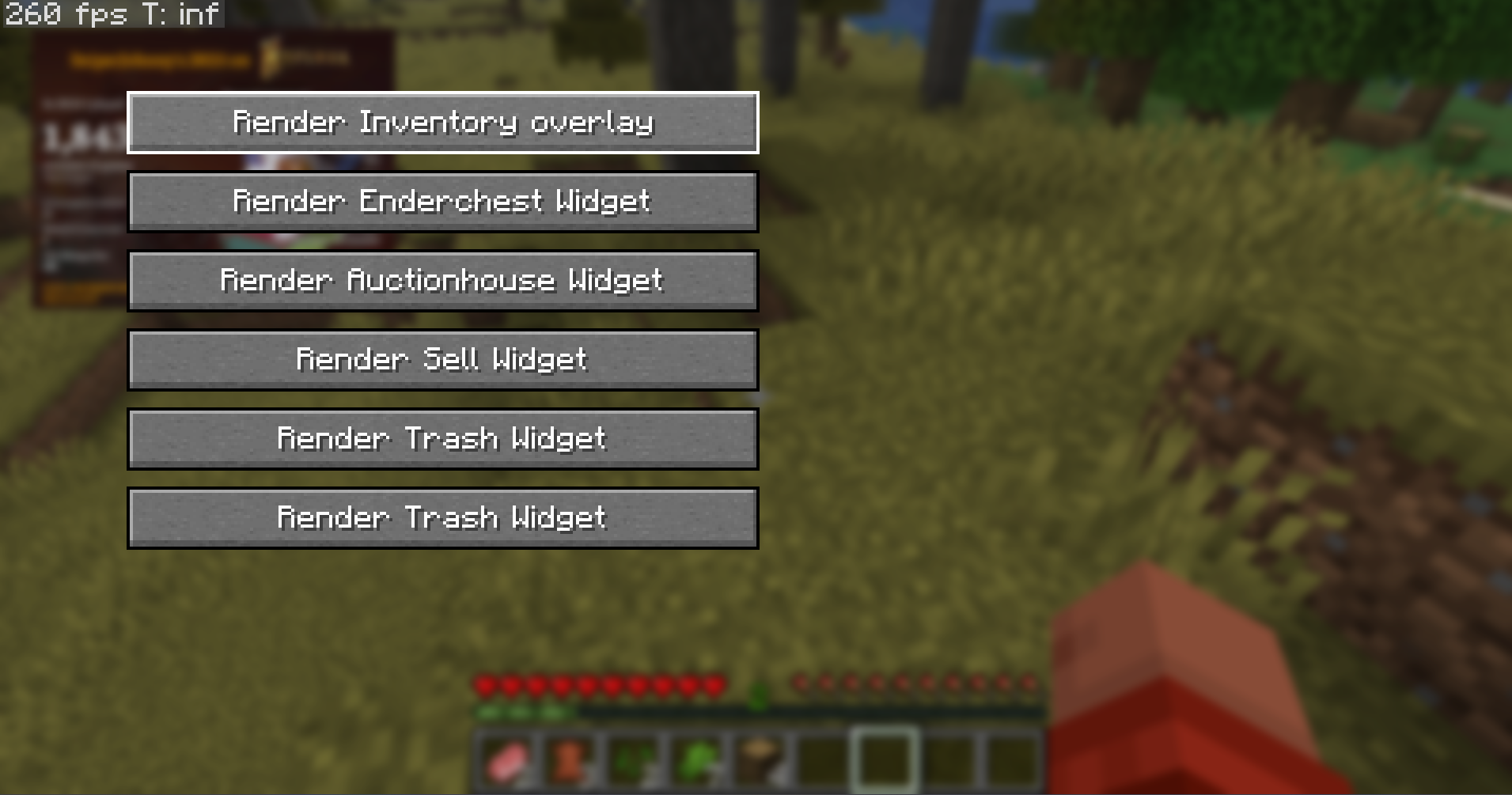 toggle inv widgets on and off
 -
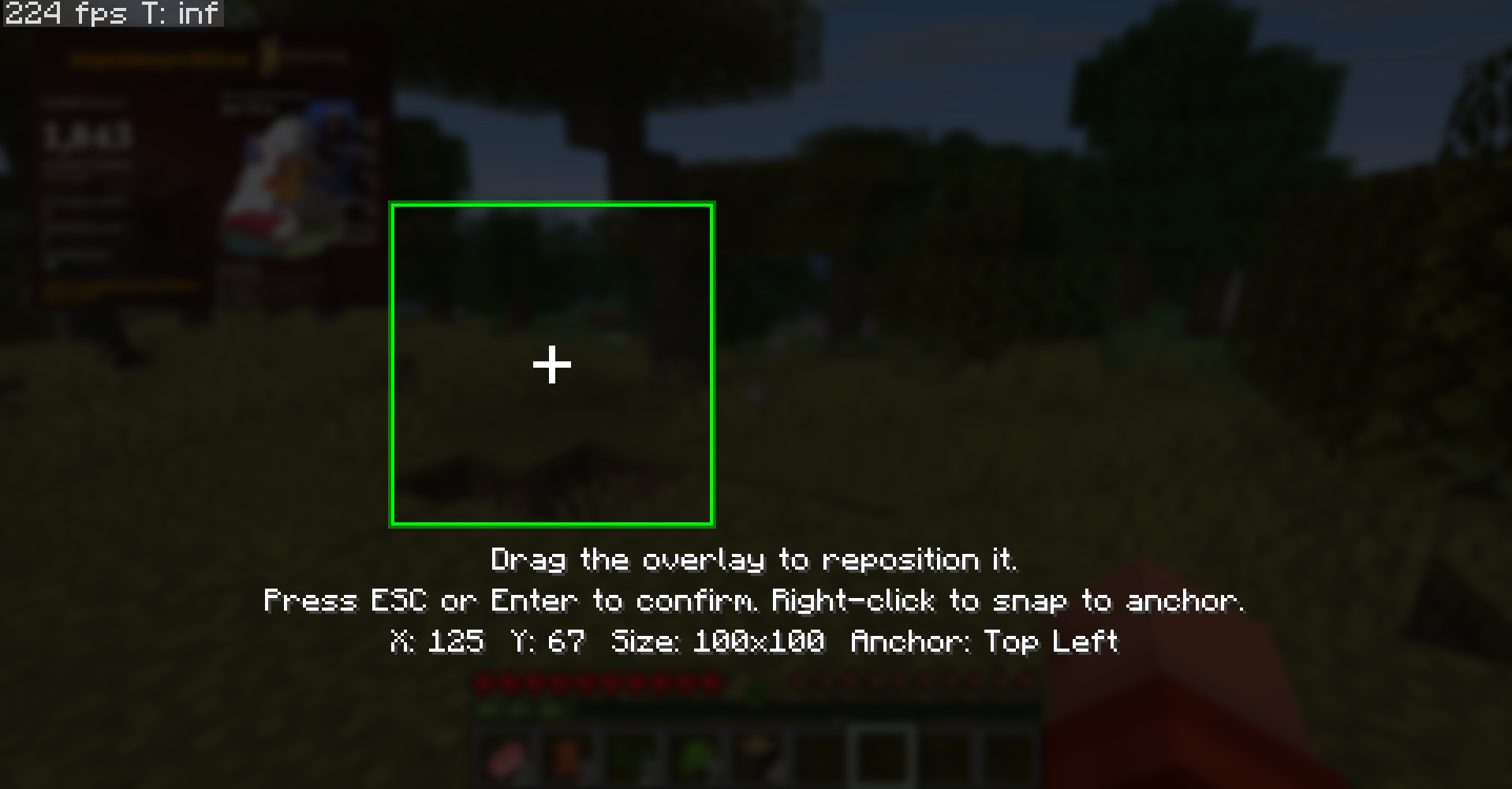 drag screen
 -
 inventory widgets toggled off
 -
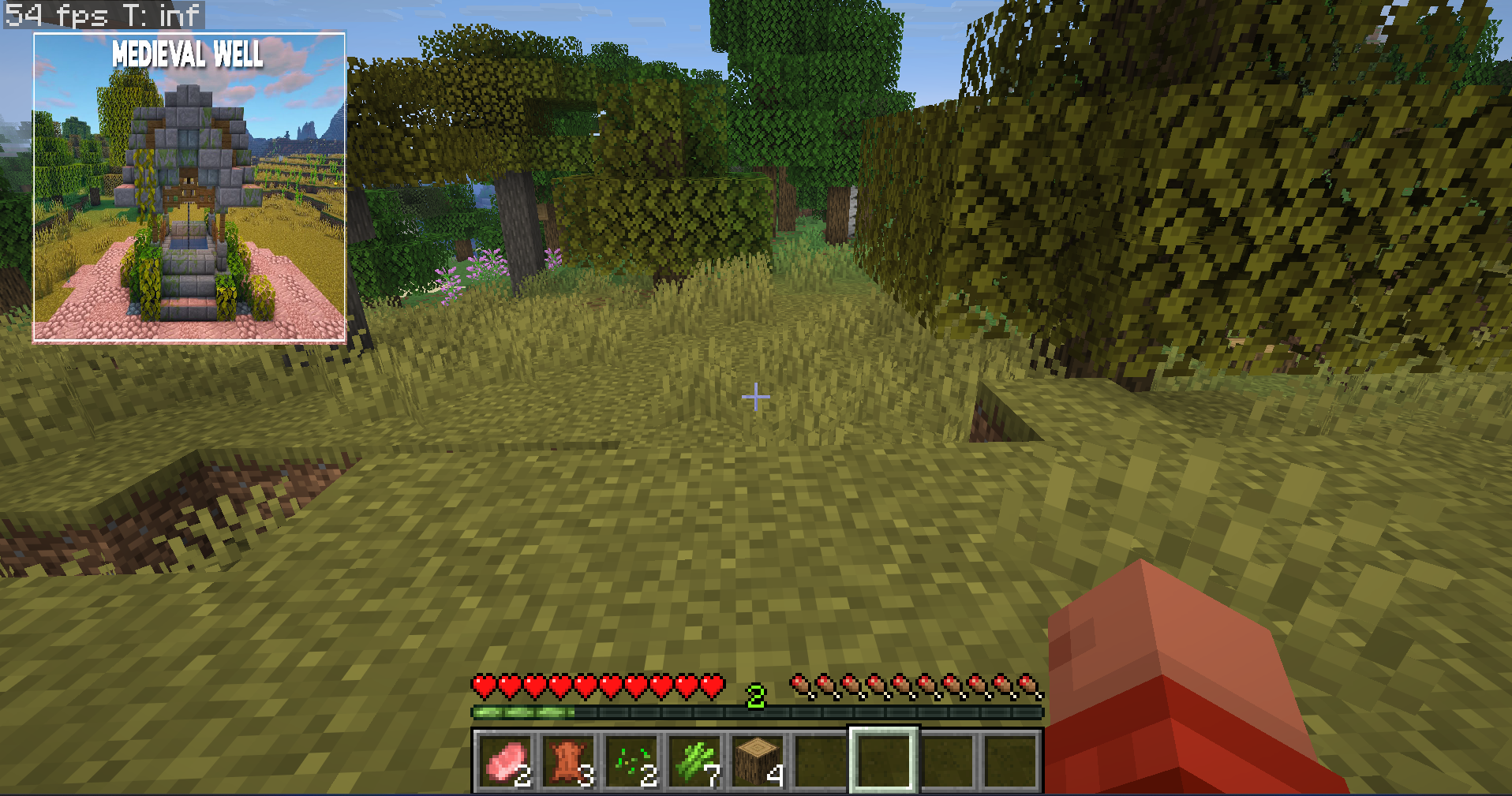 Overlay with picture
 -
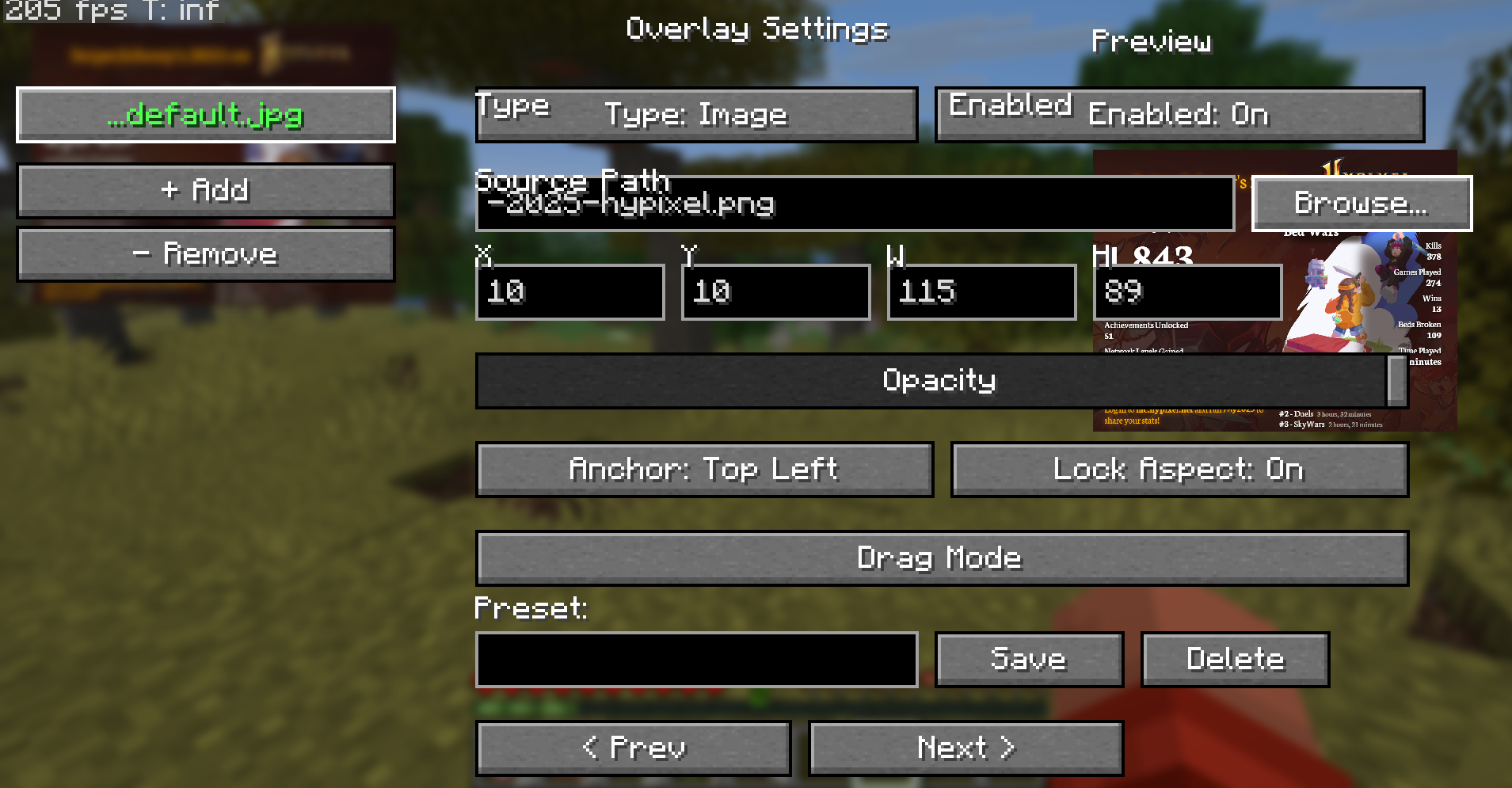 so it looks when selected
 -
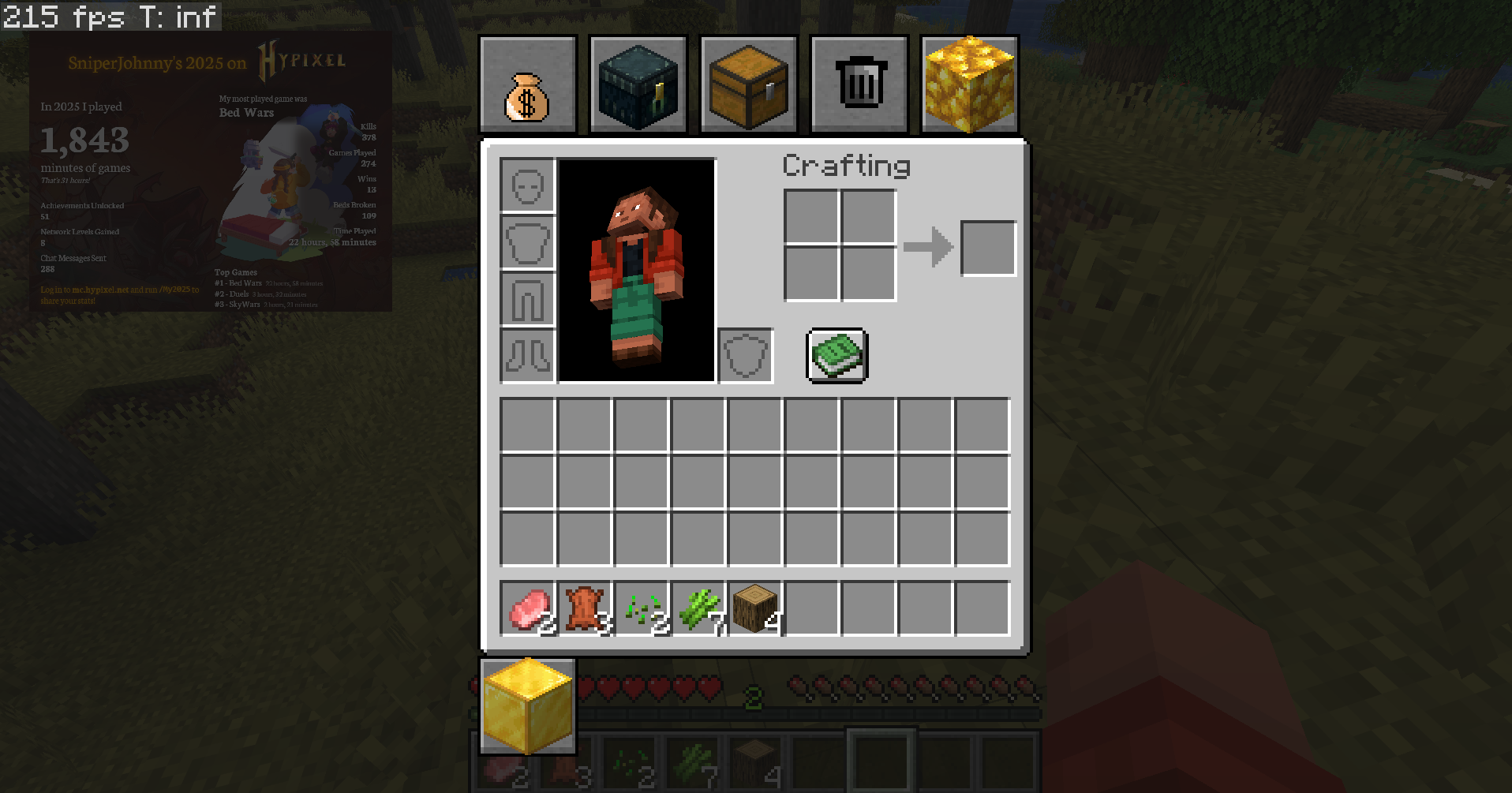 Inventory Widgets
Versions
Files
Relations
Project Relations
More like this
Similar Mods
Suggestions use data such as tags, dependencies, dependents, descriptions, titles, and more to rank how much they overlap with this mod.
On ModDex
Community snapshot
By the numbers
Statistics
Want to reach Minecraft players?
We're looking for a server hosting partner to feature here and other parts of the site. Interested? Send us a message!
Get in touchGet it on
Available Platforms
On ModDex
Community snapshot
By the numbers