Community listing page, reviews here may not be monitored by the author.
MobHealth ReForged

No reviews yet
Simple NeoForge plugin to let you know the damage you just caused to a mob, and how much health it has left.
Community voices
Reviews
No reviews yet. Be the first to review this project!
Get it on
Available Platforms
About
Project Details
For authors
Embed Badge
If you're the author of this project, you can embed a live badge anywhere that supports HTML or Markdown. It updates automatically whenever ratings change.
Use HTML for any page that supports it, or Markdown for README files and Markdown-based descriptions.
Identifiers
Platform IDs
Resources
External Links
About
Description
MobHealth ReForged
This simple but invaluable mod lets you know the damage you just caused to a mob (including other players), and how much health it has left.
MobHealth is a modern NeoForge rewrite of the classic MobHealth Bukkit plugin — the same idea it had in 2011, rebuilt for Minecraft 1.21.11, 26.1 and 26.2 with seven display modes you can mix and match.
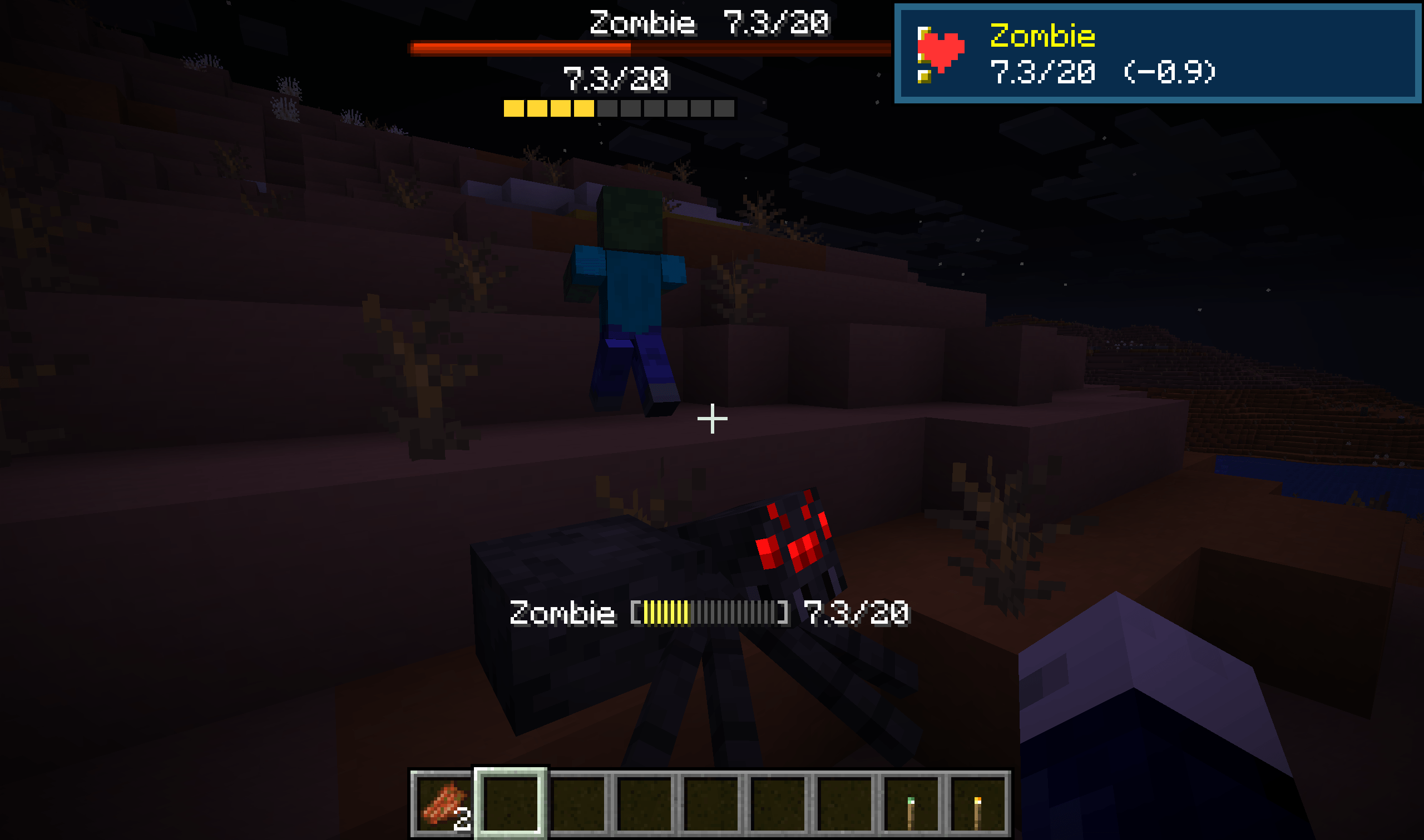
Hit a zombie, and MobHealth tells you exactly what you did to it:
Zombie [||||||||||] 14/20 (-6)
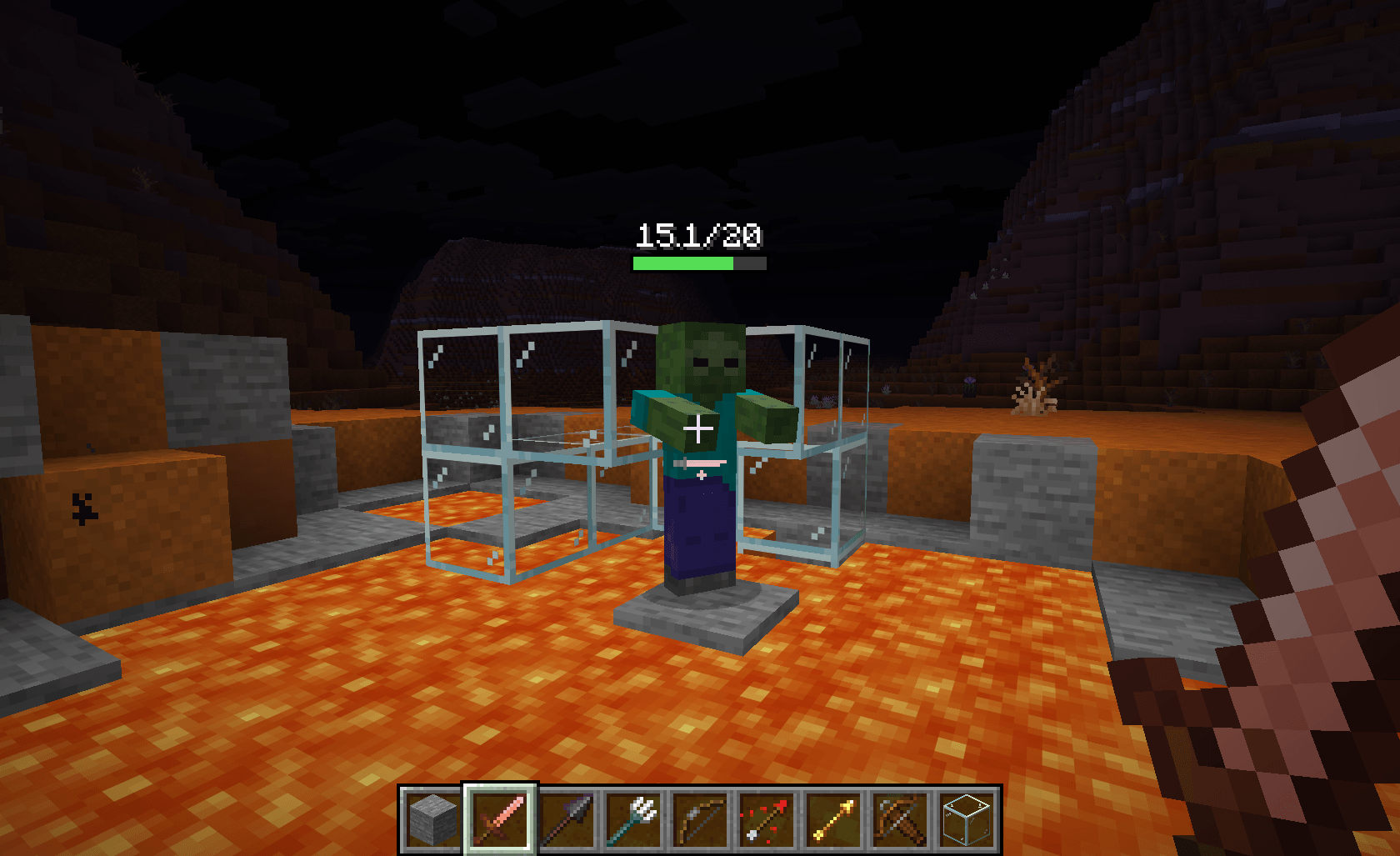
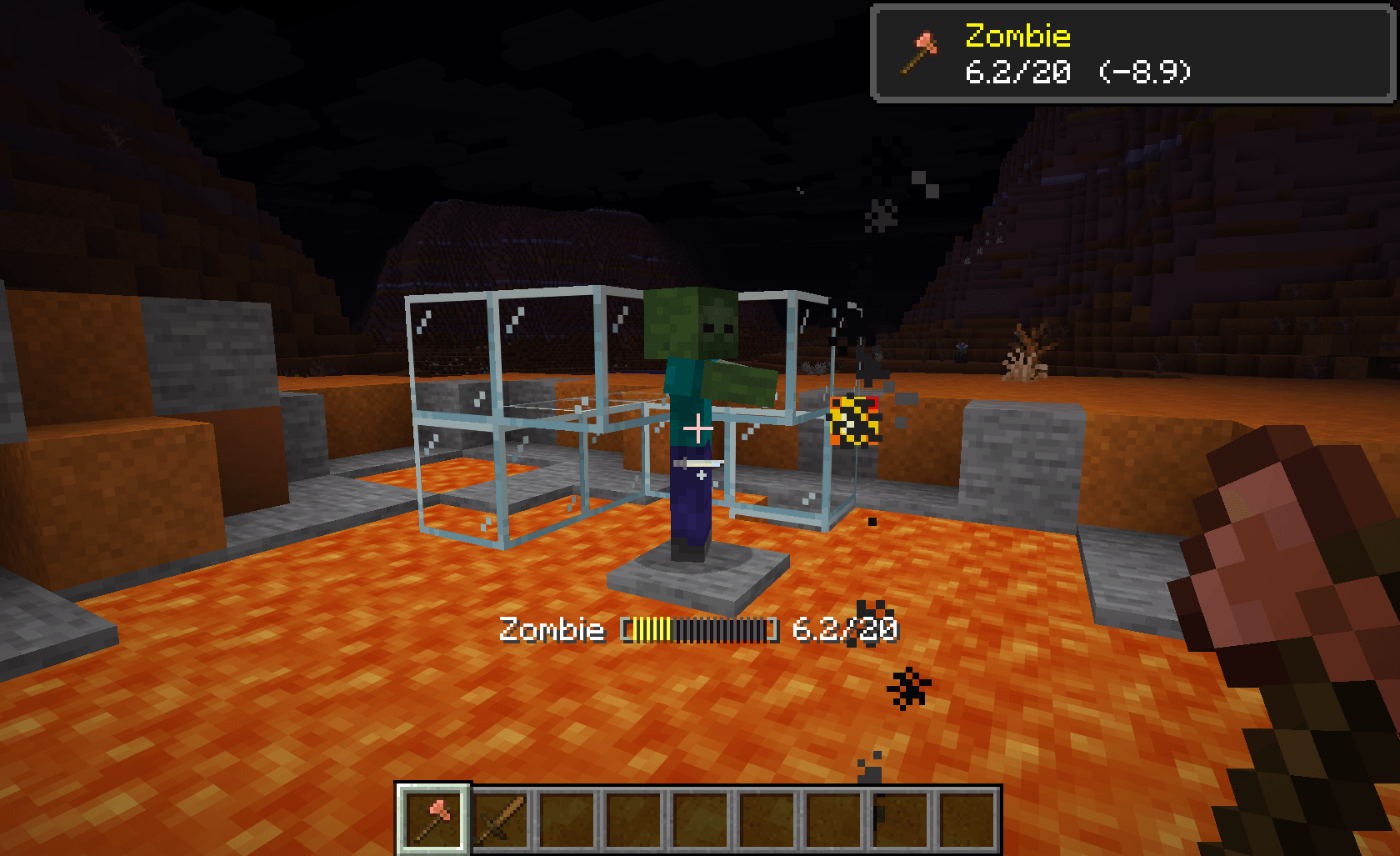
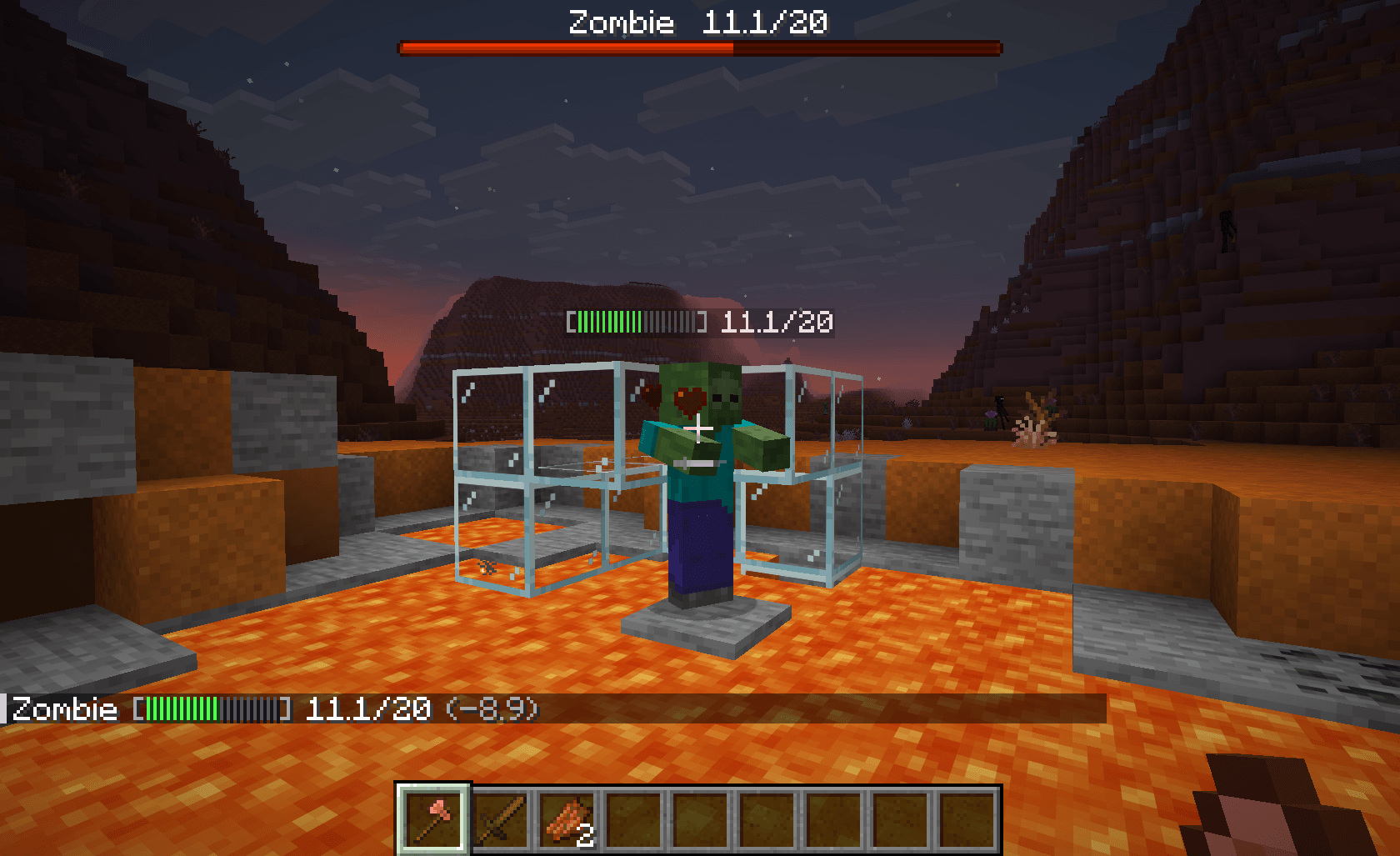
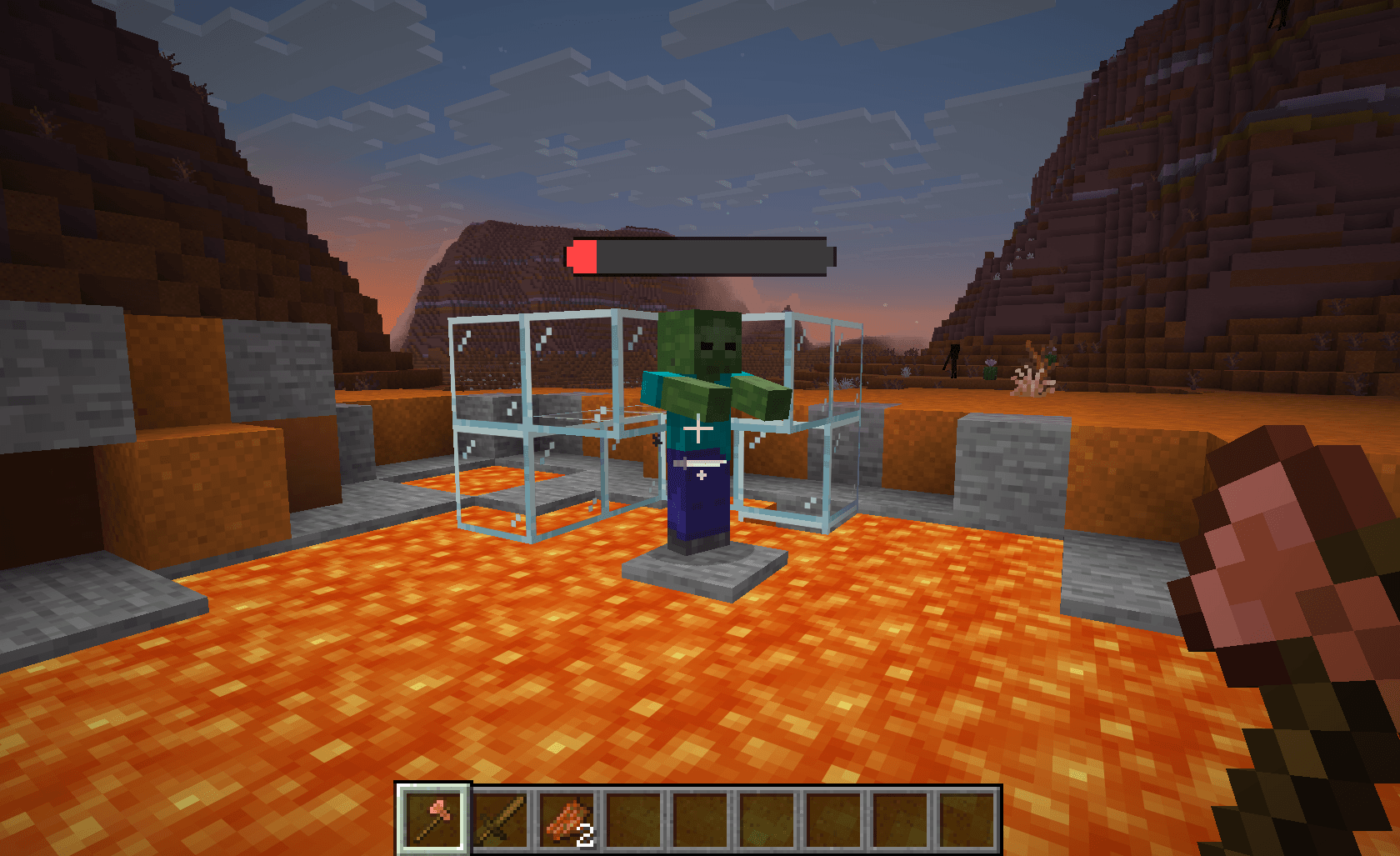
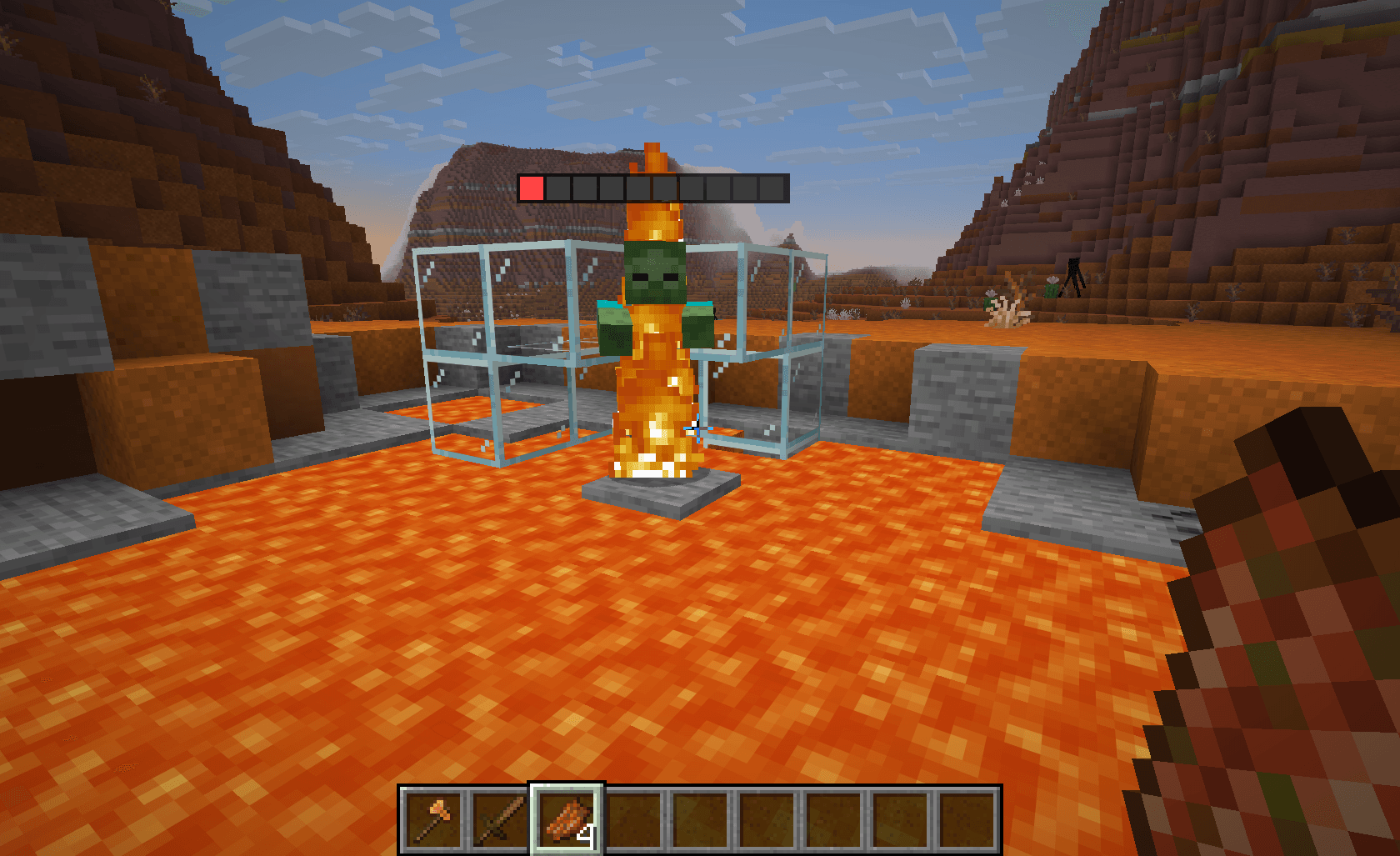
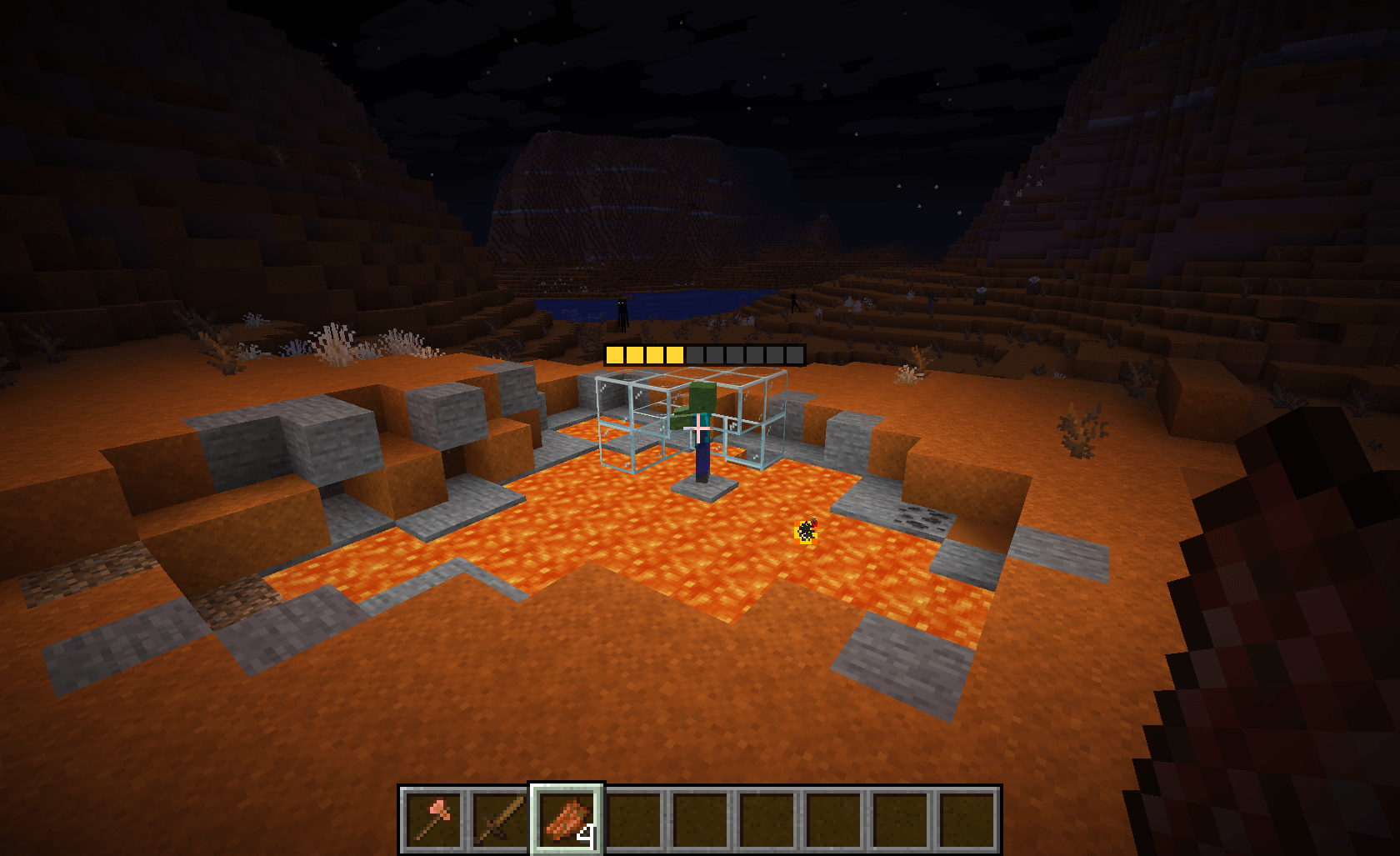
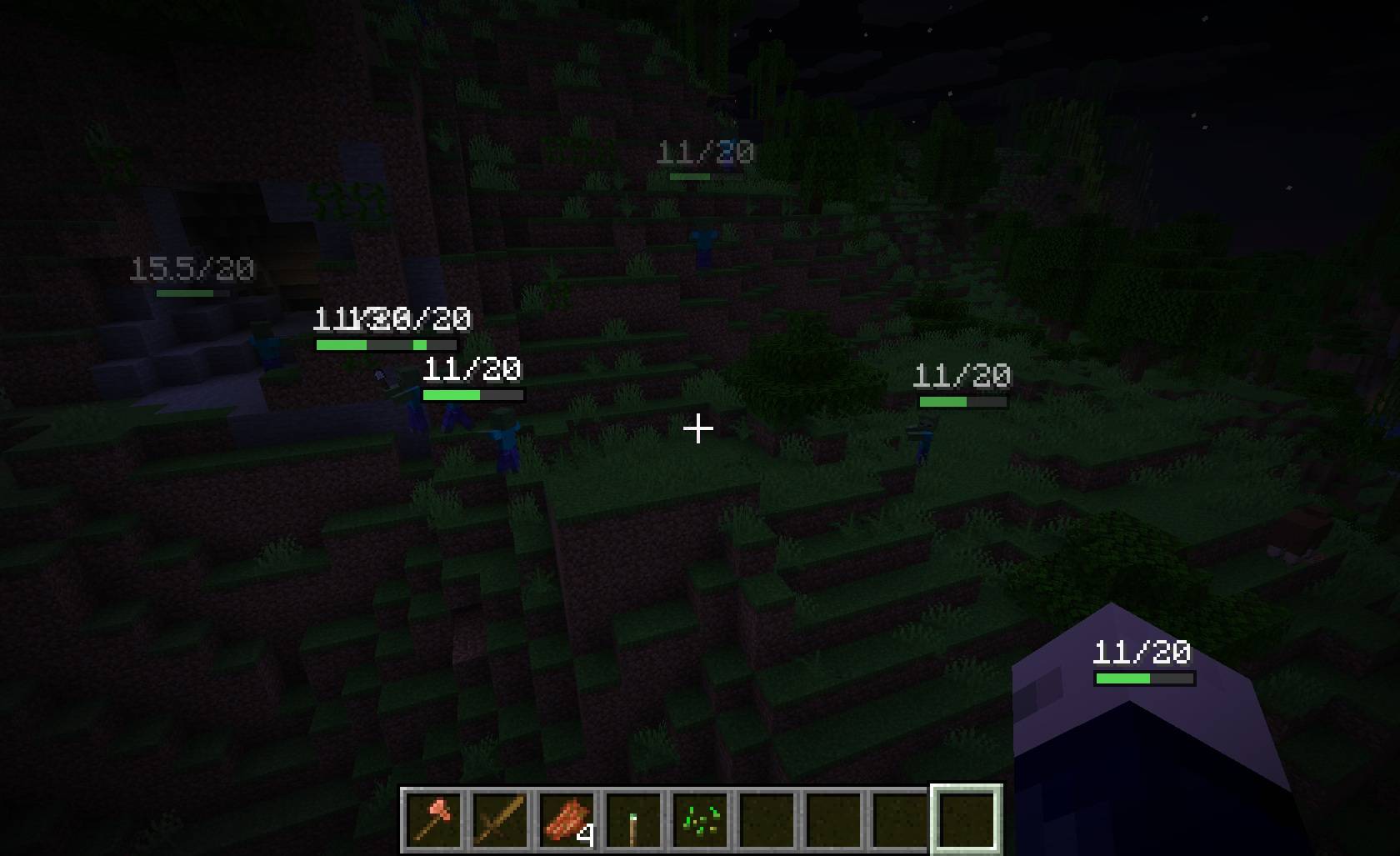
Or shows you a floating health bar above its head. Or a boss bar. Or a name-tag bar. Or throws a red -6 into the air where you hit it. Your call — every mode is independent, and you can enable as many as you like.
Display modes
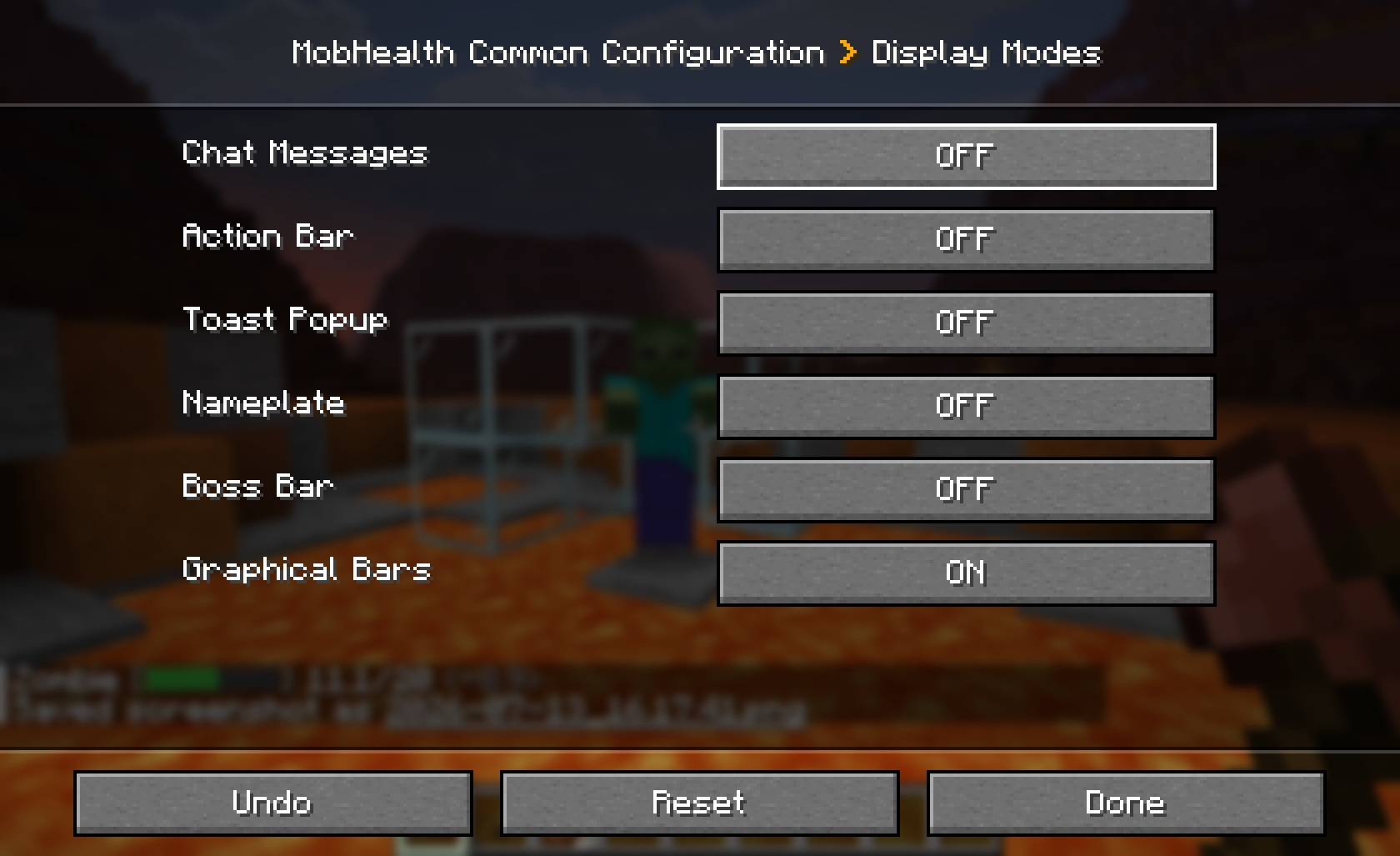
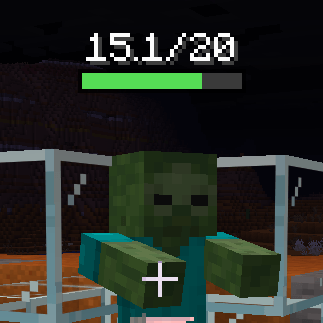 Graphical A floating bar above the mob |
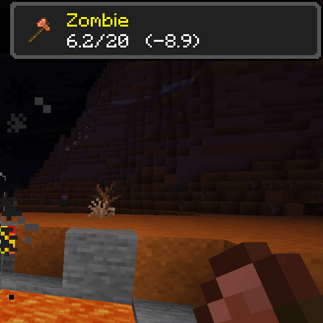 Toast Popup, with the weapon used |
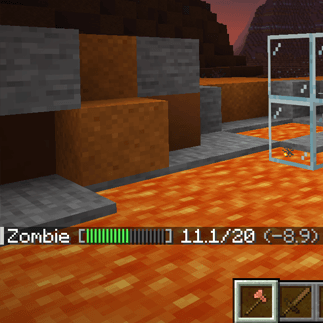 Chat Damage and health, in chat log |
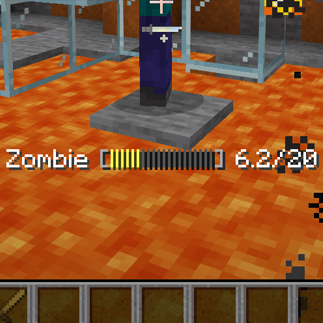 Action bar The readout above your hotbar |
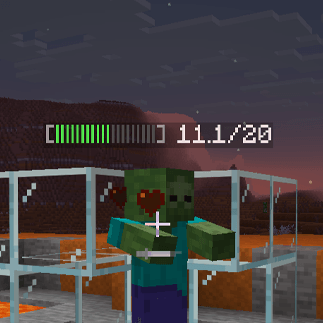 Nameplate Health bar on the mob's name tag |
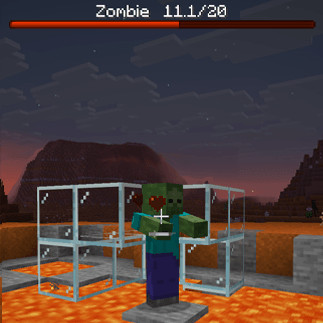 Boss bar Vanilla bar, top of the screen |
| Mode | What it looks like | Needs the mod on the client? |
|---|---|---|
| Chat | A message with damage dealt and health remaining | No |
| Action bar | The same readout on the line above your hotbar | No |
| Nameplate | A coloured health bar on the mob's name tag | No |
| Boss bar | The vanilla boss-bar widget at the top of the screen | No |
| Toast | An achievement-style popup showing the mob, the weapon used, and its health | Yes |
| Graphical | A crisp pixel health bar floating above the mob in the world | Yes |
| Damage indicators | Red numbers that pop off the mob for each hit, rise and fade | Yes |
Bars are coloured by remaining health — green, to yellow, to red.
New in 2.5.0 — damage indicators
Every other mode reports the mob's state. Damage indicators report the hit: each blow throws a red number into the world where it landed, which drifts upward and fades over about a second. The killing blow is drawn bold, larger and amber, so you can see the one that finished the job.
They follow exactly the same rules as everything else — target groups, per-entity overrides,
audience, permissions and your personal /mobhealth toggle. Your client controls how they look:
size, how long they live, how far they rise, how much they scatter, draw distance, a minimum damage
threshold, and both colours. You can also read damage in hearts instead of health points.
Servers get two settings of their own: a minDamage floor, so poison and thorns don't fill the
screen, and whether to flag the killing blow at all.
Damage indicators need MobHealth on both sides. The number genuinely only exists on the server — a client can see health drop, but a drop is not a hit, and absorption, regeneration and healing all move the same number.
The first four modes work on completely unmodified vanilla clients. Install MobHealth on your server and every player gets chat, action bar, nameplate and boss-bar health readouts without downloading anything. Players who also install the mod additionally get toasts, graphical bars and damage indicators.
MobHealth runs happily as a server-only, client-only, or both-sides install. Client-only on a vanilla server? You still get graphical bars over everything you can see — those are drawn from health the client can already read. Damage indicators are the one mode that needs both sides.
Choose what gets a health bar
- Per-group toggles for hostile, neutral, passive, boss mobs and other players (PvP).
- Per-entity overrides that beat the group setting —
"minecraft:villager=false","somemod:custom_boss=true". Works with modded mobs. - Hide until damaged, so untouched mobs stay clean.
- Choose the audience: only the attacker, or everyone within a configurable radius.
- Per-group display timers — let boss bars linger, let chicken bars vanish.
Make the bars yours
Text bars (chat / action bar / nameplate) let you set the segment count, the filled and empty glyphs, and whether the numbers show as 14/20, 70%, or not at all.
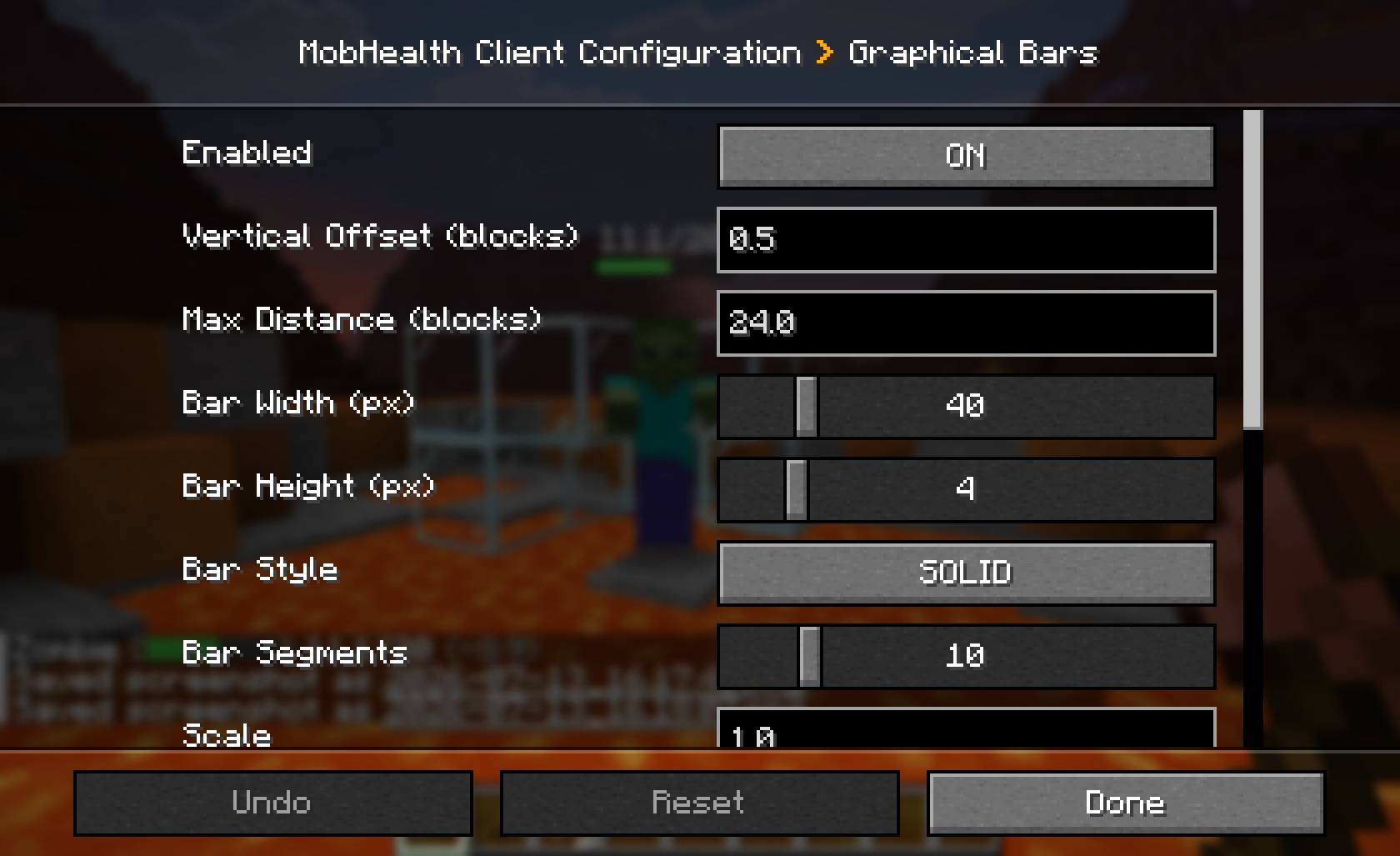
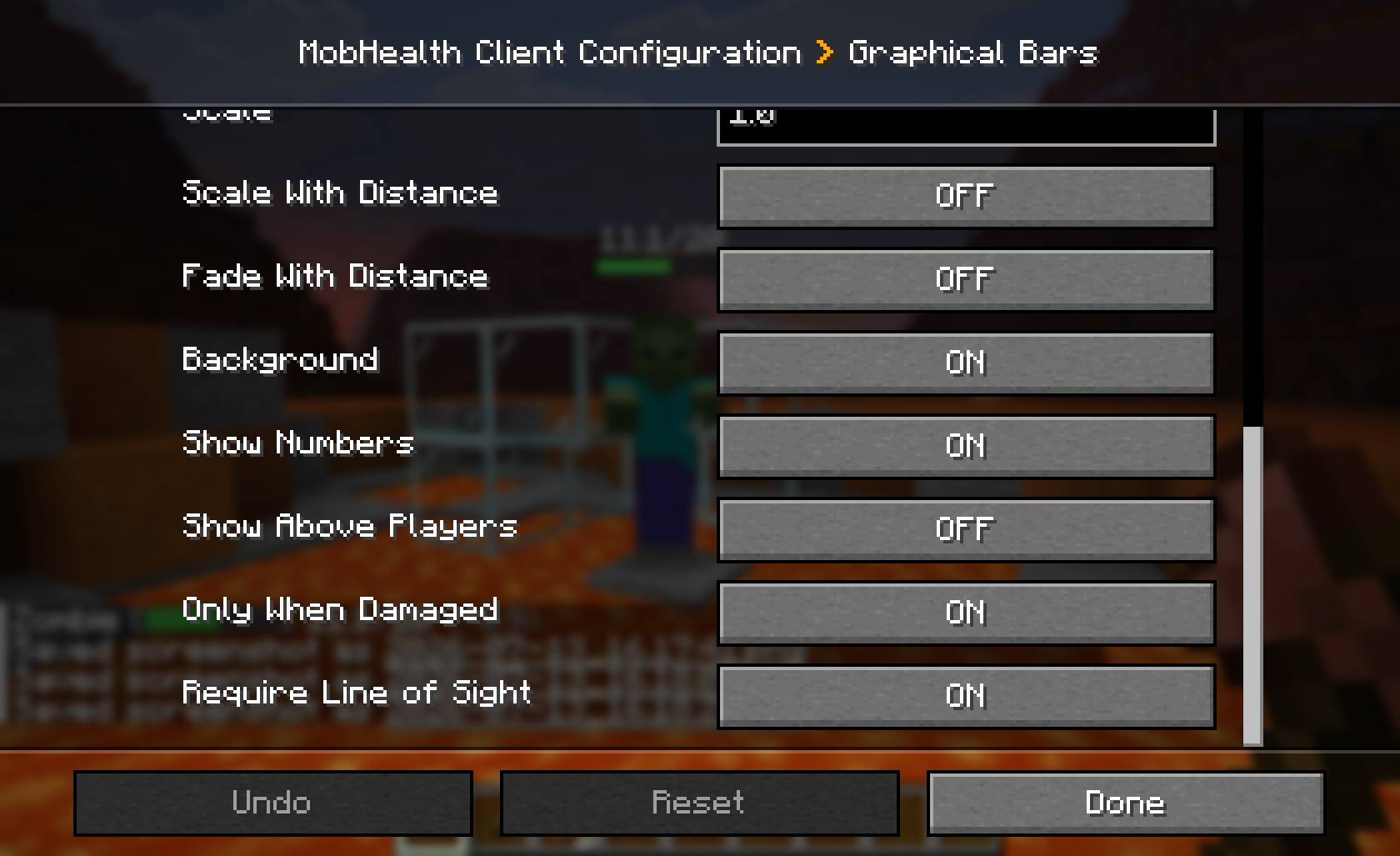
Graphical bars have four styles — solid, rounded, segmented, tapered — plus width, height, scale, vertical offset, draw distance, optional line-of-sight checks, and optional scale-and-fade with distance so they feel anchored in the world rather than pasted on the screen.
Server-enforced graphical settings
Graphical bars are drawn by the client, but a server can enforce any of them. Each option resolves as server override if set, otherwise the client's own choice, so admins can force line-of-sight (no seeing mobs through walls), cap the draw distance, or lock a consistent look — while leaving everything else up to the player. On a vanilla server, nothing is enforced and the client keeps full control.
Commands
| Command | Who | Description |
|---|---|---|
/mobhealth toggle [on|off] |
Everyone | Turn your own displays on or off. Your choice persists across logouts and deaths. |
/mobhealth reload |
Ops (level 2+) | Re-push settings to online players. Config edits auto-apply on save, so this is rarely needed. |
Permissions
MobHealth uses NeoForge's permission system, so it works out of the box with vanilla operator levels — and if you run LuckPerms you can manage the nodes per-group with no extra setup.
| Node | Default | Controls |
|---|---|---|
mobhealth.see |
everyone | Whether a player receives displays at all. Deny it to hide MobHealth from a rank. |
/lp group guest permission set mobhealth.see falseConfiguration
Two TOML files are generated on first run, and both are editable in-game via Esc → Mods → MobHealth → Config:
mobhealth-common.toml— server side: what is shown, to whom, and how.mobhealth-client.toml— client side: the appearance of your graphical bars.
Changes apply as soon as you save. The full config reference, plus ready-made recipes (vanilla-friendly server, MMO always-on bars, PvP fairness, classic chat-only, immersive graphical-only), is on the GitHub page linked below.
Requirements
Pick the file matching your Minecraft version — each jar's name carries it.
| Minecraft | NeoForge | Java | File |
|---|---|---|---|
| 1.21.11 | 21.11.42+ | 21 | mobhealth-<version>+mc1.21.11.jar |
| 26.1.2 | 26.1.2.95+ | 25 | mobhealth-<version>+mc26.1.2.jar |
| 26.2 | 26.2.0.59+ | 25 | mobhealth-<version>+mc26.2.jar |
The Java version tracks Minecraft, not MobHealth — 26.1 ships its own Java 25 runtime, so the launcher handles it for you.
No other dependencies.
About
MobHealth was originally a Bukkit plugin (2011–2016, ~1 million downloads) by Sablednah. This is a complete rewrite for NeoForge by the same author — none of the original code carries over, but the spirit does. Licensed MIT.
Bug reports, feature requests and source: https://github.com/Sablednah/MobHealth-NeoForge
Screenshots
Gallery
-
 2026-07-12_23.04.27.png 2026-07-12_23.04.27.png
 -
 2026-07-13_16.14.12.png 2026-07-13_16.14.12.png
 -
 2026-07-13_16.15.35.png 2026-07-13_16.15.35.png
 -
 2026-07-13_16.17.41.png 2026-07-13_16.17.41.png
 -
 2026-07-13_16.19.35.png 2026-07-13_16.19.35.png
 -
 2026-07-13_16.20.37.png 2026-07-13_16.20.37.png
 -
 2026-07-13_16.21.57.png 2026-07-13_16.21.57.png
 -
 2026-07-13_16.27.57.jpg 2026-07-13_16.27.57.jpg
 -
 2026-07-13_16.18.07.jpg 2026-07-13_16.18.07.jpg
 -
 2026-07-13_16.18.25.jpg 2026-07-13_16.18.25.jpg
 -
 2026-07-13_16.18.30.jpg 2026-07-13_16.18.30.jpg
Versions
Files
Relations
Project Relations
More like this
Similar Mods
Suggestions use data such as tags, dependencies, dependents, descriptions, titles, and more to rank how much they overlap with this mod.
On ModDex
Community snapshot
By the numbers
Statistics
Want to reach Minecraft players?
We're looking for a server hosting partner to feature here and other parts of the site. Interested? Send us a message!
Get in touchGet it on
Available Platforms
On ModDex
Community snapshot
By the numbers
Statistics
Resources