Community listing page, reviews may not be monitored by the author.
Mochos Acciones Rápidas (Quick Actions)

No reviews yet
Mochos Esenciales addon: a radial wheel on a held Z key. Aim and release to go to a warp or your places, open the bank, shop or claims, change your skin or run your own commands. Every player builds their own.

Community voices
Reviews
No reviews yet. Be the first to review this project!
Get it on
Available Platforms
About
Project Details
For authors
Embed Badge
If you're the author of this project, you can embed a live badge anywhere that supports HTML or Markdown. It updates automatically whenever ratings change.
Use HTML for any page that supports it, or Markdown for README files and Markdown-based descriptions.
Identifiers
Platform IDs
Resources
External Links
About
Description
Mochos Acciones Rápidas (Quick Actions)
All of Mochos Esenciales one gesture away. Hold Z, aim with the mouse and release the key: travel to a warp, open the bank, claim the chunk or change your skin without opening a single menu.

Mochos Acciones Rápidas ("Quick Actions") is an addon for Mochos Esenciales on NeoForge 1.21.1. It adds a radial wheel that every player customizes to their liking.
How it works
- Hold Z (change it in Options → Controls), aim at an action and release the key to run it.
- Release in the centre or press Esc to cancel.
- Actions marked › open a submenu (warps, places, skins); aim at the centre to go back and, when there are many, turn the page with the mouse wheel.
- The centre shows the name and details of what you aim at: the place's coordinates, the travel price, the chunk you stand in, how many warps or skins there are…
- Anything unavailable is dimmed with the reason: module turned off on the server, not enough money for the trip, no saved places, Diorama or Mochos Apariencia missing…
Actions
| Group | Actions |
|---|---|
| General | Inventory, Map (with Diorama), Players, Chat, Help, Settings, Administration (operators) |
| Travel | Travel, Warps submenu, a specific warp, Places submenu (yours and those shared with you), a specific place, Save place here, Cancel travel |
| Economy | Bank, Shop, Sell |
| Claims | Claims, Claim chunk, Release chunk |
| Appearance | Change skin: a submenu with your Mochos Apariencia skins and your Minecraft one |
| Voice chat | With Simple Voice Chat: mute the microphone, turn voice chat off, switch between push to talk and voice activation, voice groups, its menu, the volume of each player and its settings. The sector shows the current state |
| Addon tabs | Open the tab of any addon (Jobs, Tasks…) |
| Custom | Your own command: with / it runs as a command (for example /spawn), without / it is sent to the chat; the server checks your permissions as usual |
Customize your wheel
In Settings → Quick actions → Customize wheel: 2 to 12 actions, add, remove, reorder and rename each one, with a live preview. The first one sits at the top and the rest follow clockwise. You can also turn off the sounds, the names around the wheel and the places shared with you in the places submenu. The default wheel has Map, Warps, Places, Bank, Claims, Claim chunk, Players and Shop.
Works great with
- Mochos Apariencia — the Change skin action lists your skins so you can put one on instantly. With Mochos Apariencia 0.3.0 and Mochos Cédula, your Mochos skins show up too.
- Diorama — the Map action opens its map.
- Simple Voice Chat — mute yourself, turn voice off or open its groups without leaving the wheel.
Installation
| Where | Needed? |
|---|---|
| Server | Required |
| Client | Required (the wheel and its editor) |
Requires Minecraft 1.21.1, NeoForge 21.1.265 or newer and Mochos Esenciales 0.12.0 or newer.
- Your wheel:
config/mochos_acciones-client.json(from Settings → Customize wheel).
Languages: English and Spanish. Screenshots show the Spanish interface.
Screenshots
Gallery
-
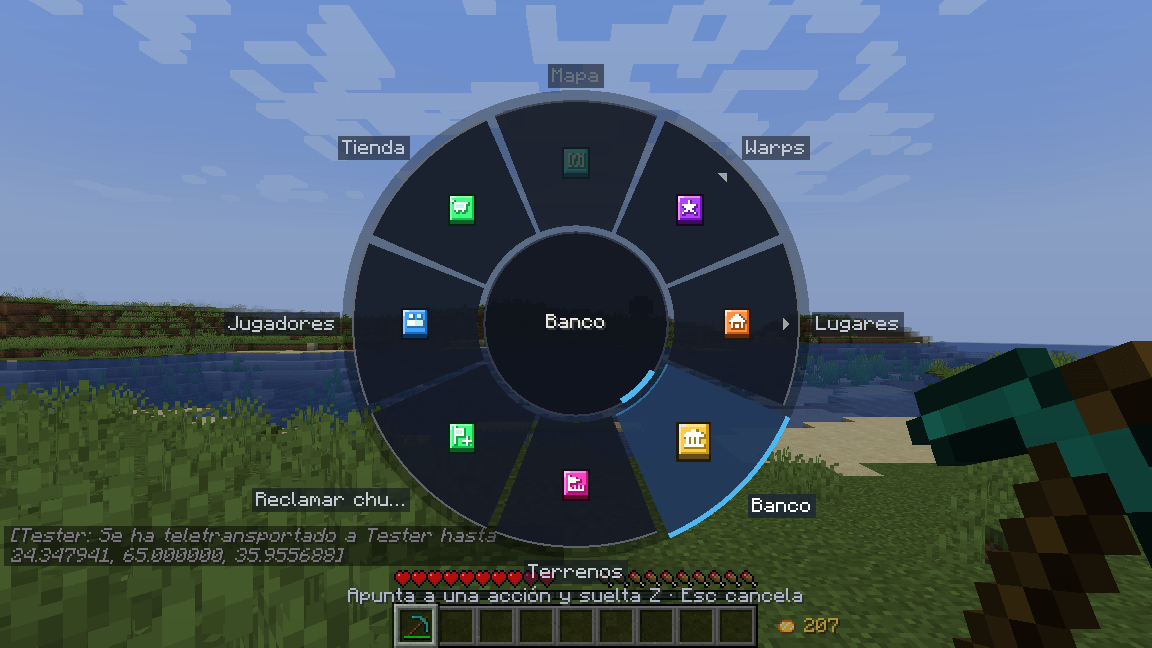 Quick-action wheel Hold Z, aim and release.
-
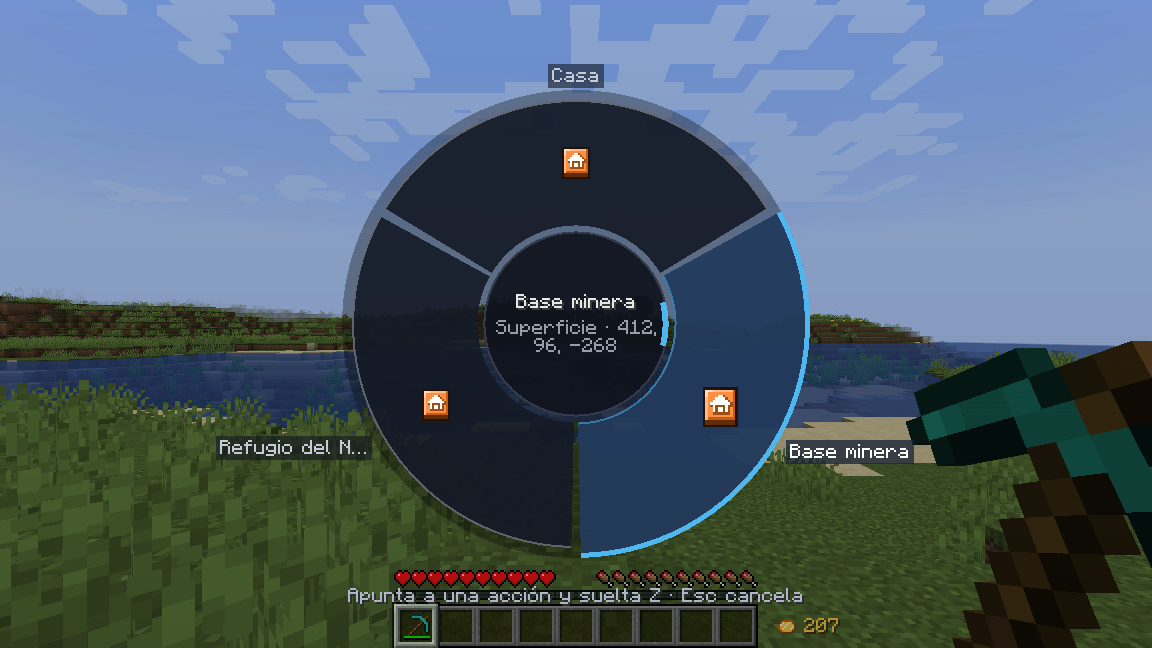 Places submenu Your places with their dimension and coordinates.
-
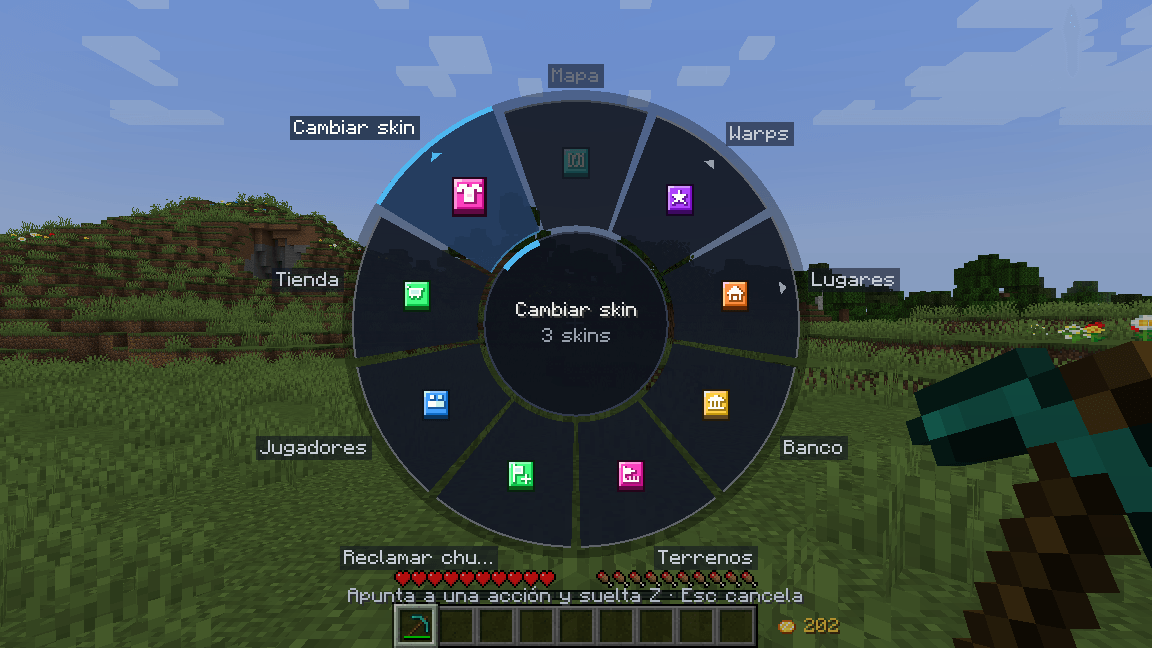 Change skin With Mochos Apariencia, your skins on the wheel.
-
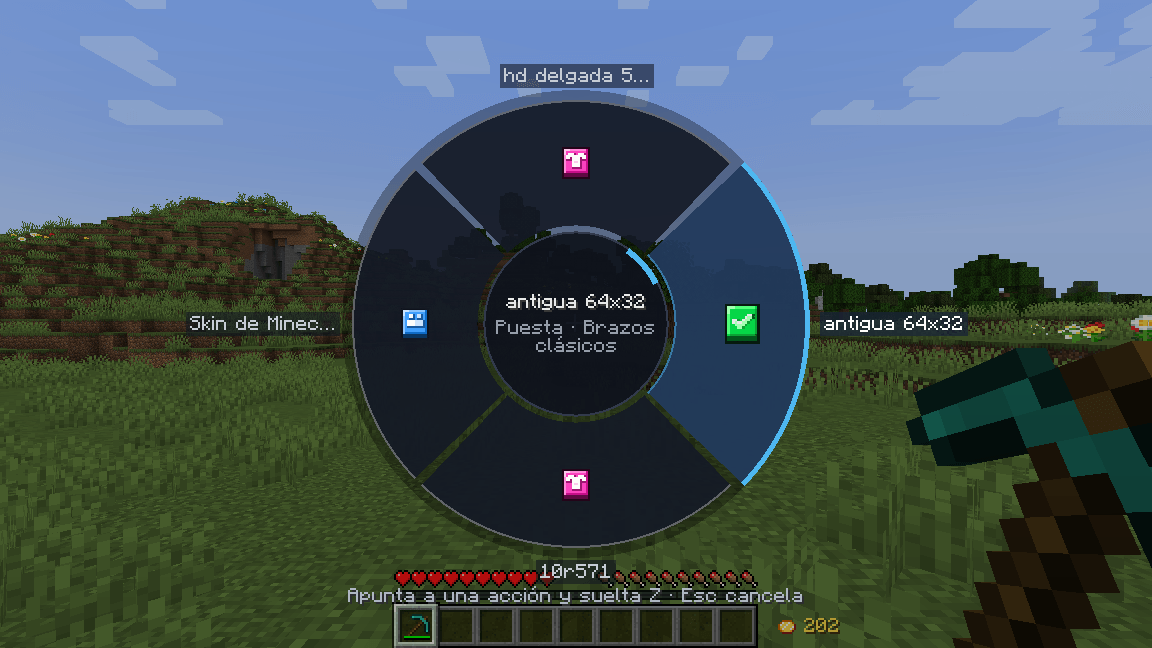 Your skins Pick one or go back to your Minecraft skin.
-
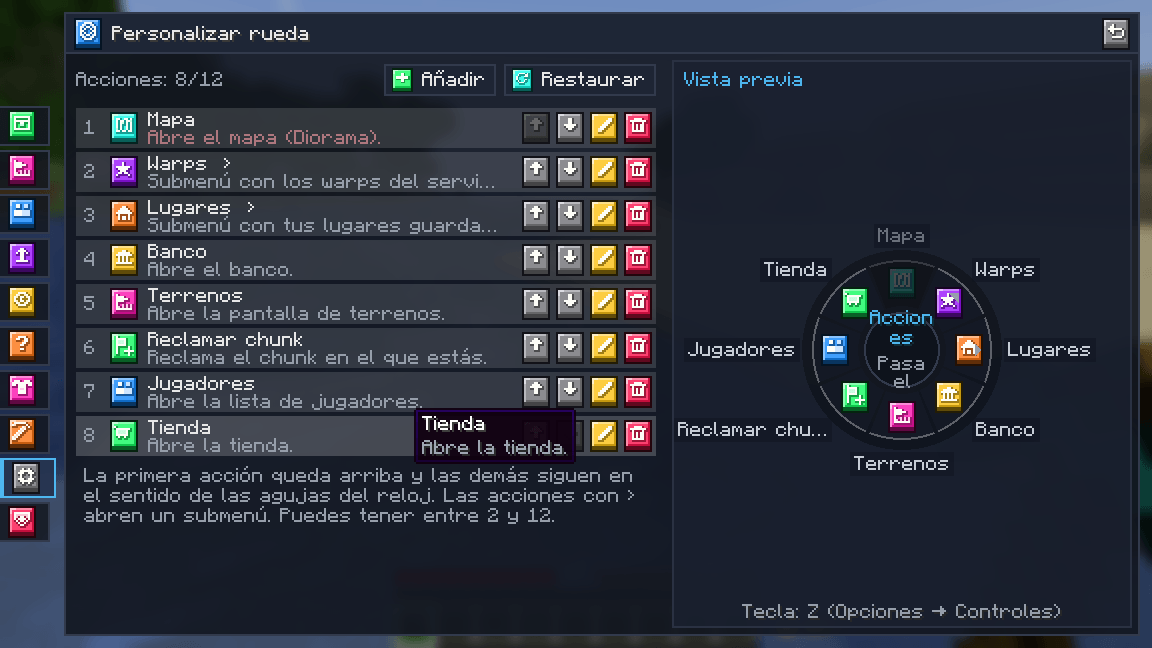 Customize wheel 2 to 12 actions, in the order you want, with a live preview.
-
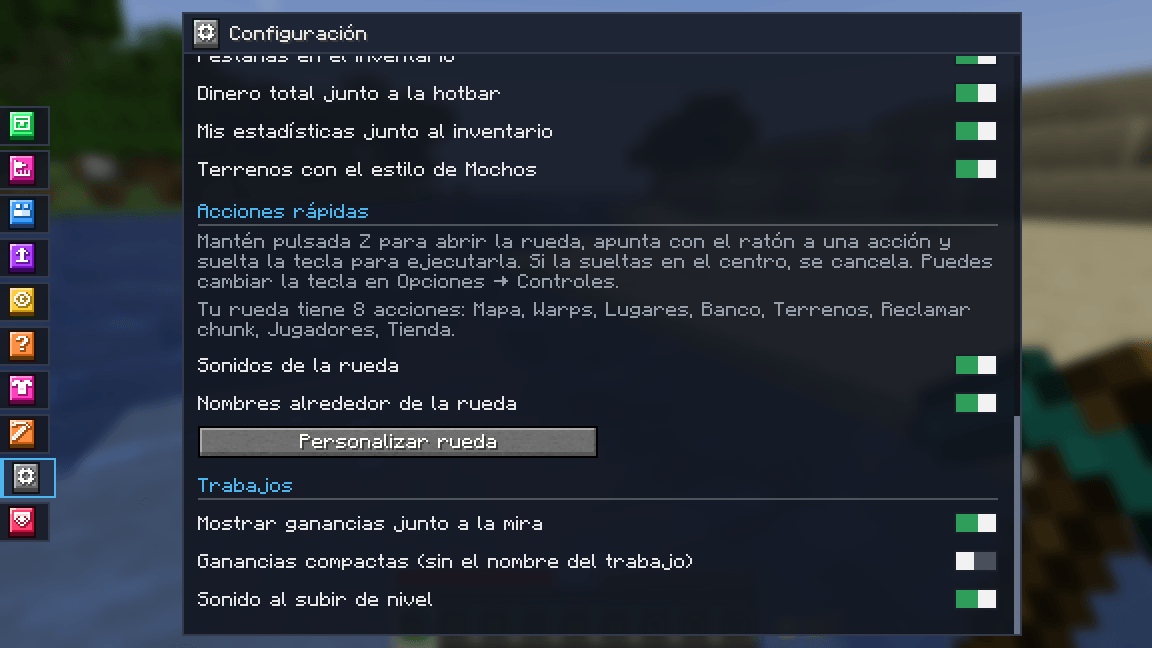 Settings Sounds, names around the wheel and the editor button.
-
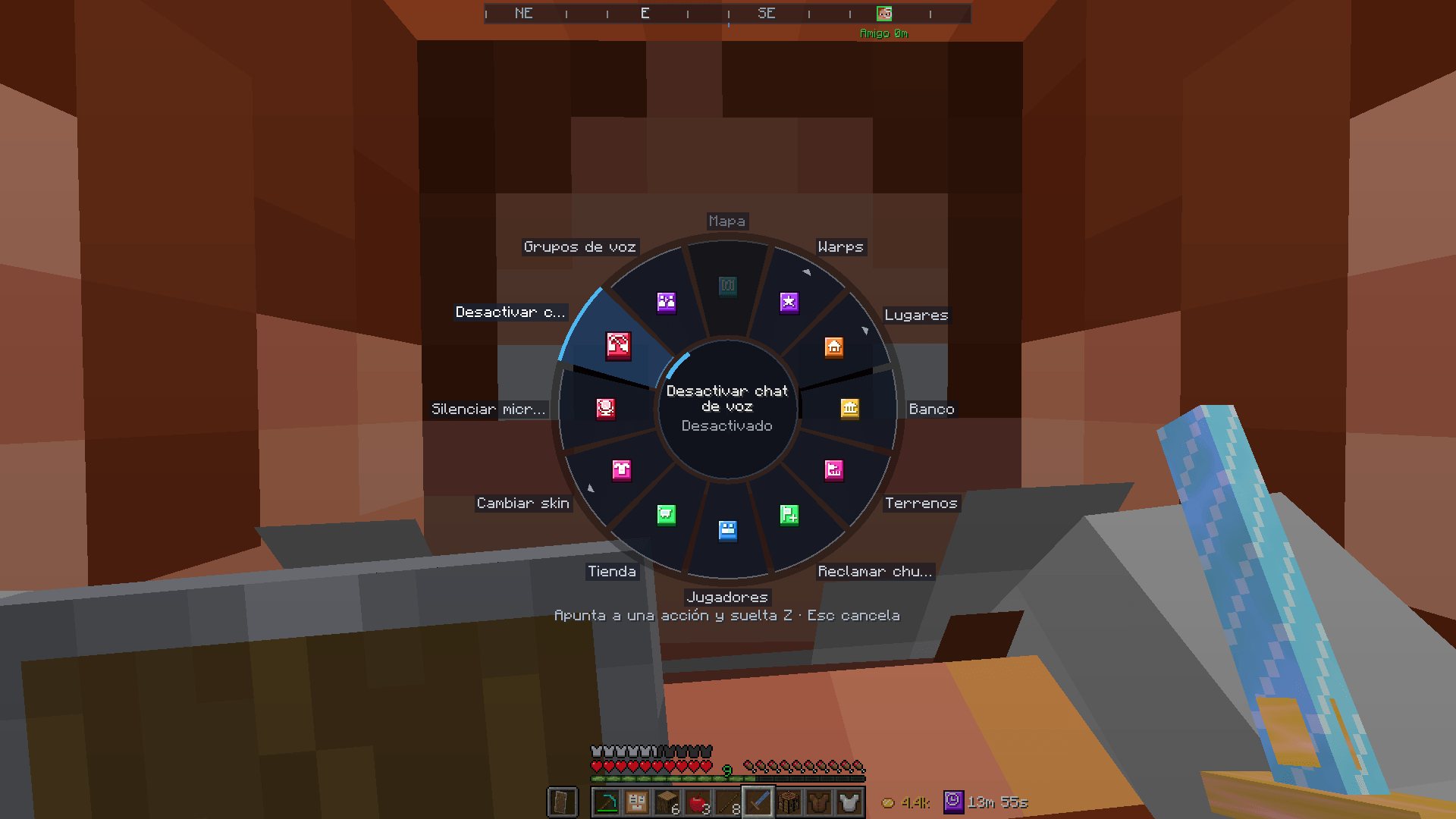 Voice chat Mute, turn off or open Simple Voice Chat groups from the wheel.
-
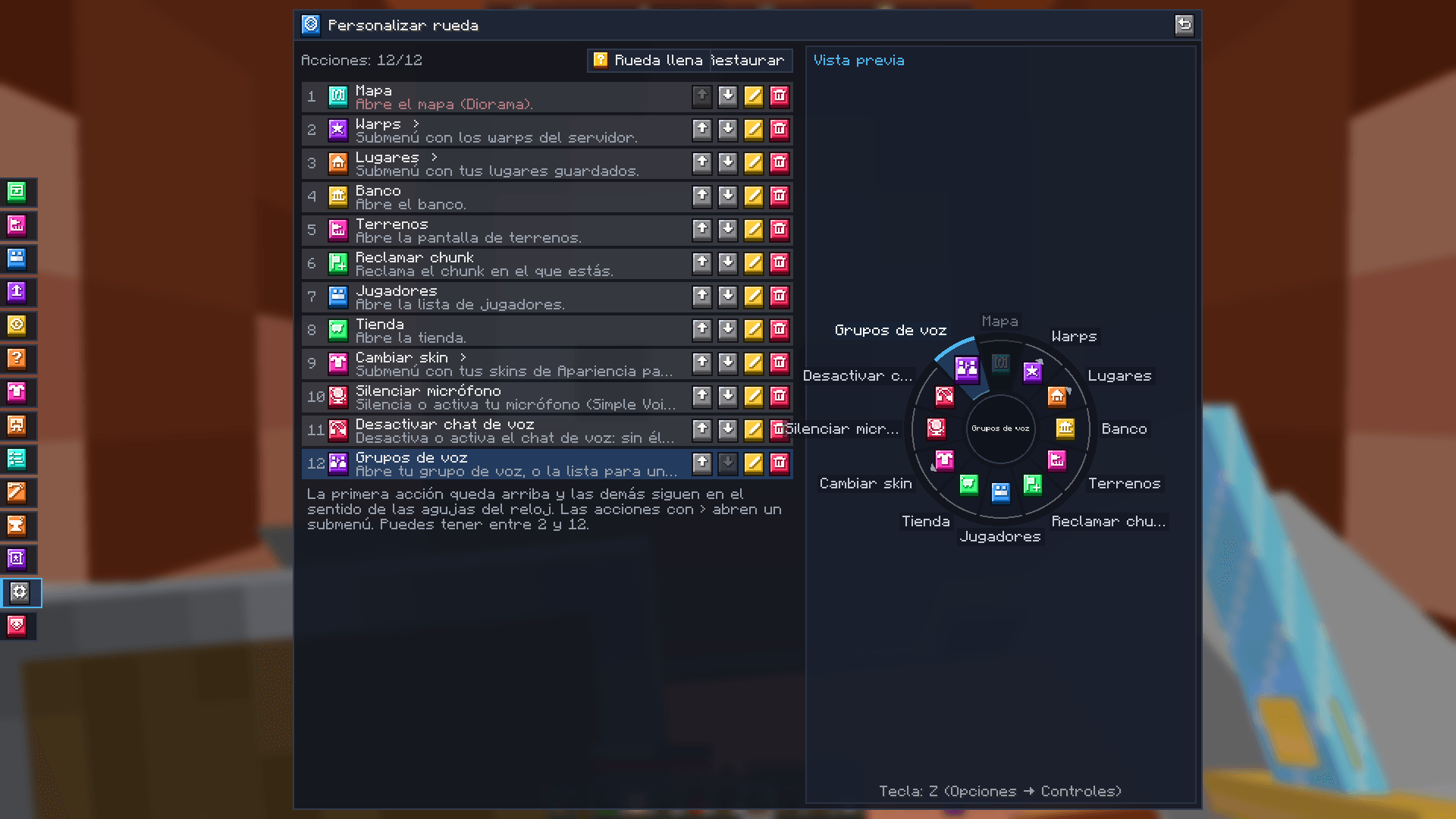 Voice actions The "Voice chat" group in the wheel editor.
-
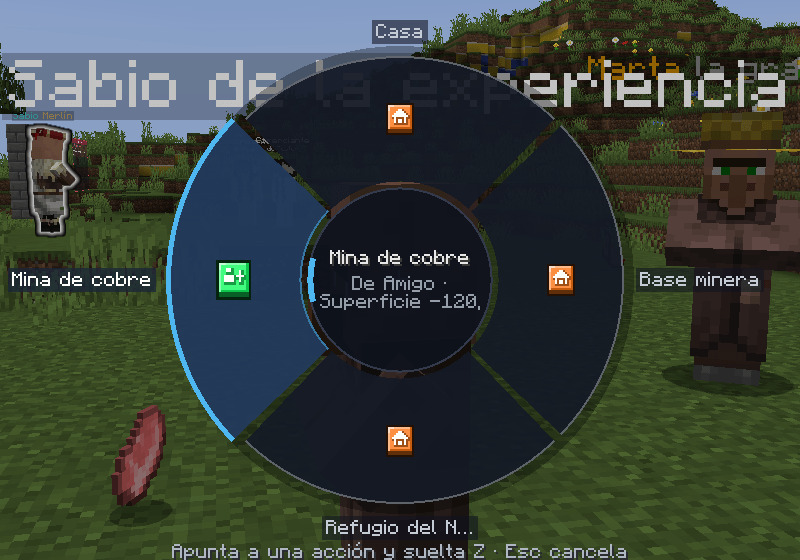 Shared places on the wheel Your groups' places and public ones, with who shares them.
Versions
Files
Relations
Project Relations
More like this
Similar Mods
Suggestions use data such as tags, dependencies, dependents, descriptions, titles, and more to rank how much they overlap with this mod.
- Mochos Tareas (Tasks)
- Mochos Tablist
- Mochos Misiones (Missions)
- Mochos Apariencia (Skins)
- Mochos Esenciales (Essentials)
- Mochos Anuncios (Ads)
- Mochos Tiempo (Playtime Limit)
- Mochos Trabajos (Jobs)
- Mochos Forja (Item Editor)
- Mochos Recursos (Resource Packs)
- Mocha's Complicated Bosses
- Mocha's Complicated Dungeon
On ModDex
Community snapshot
By the numbers
Statistics

Get it on
Available Platforms
On ModDex
Community snapshot
By the numbers
Statistics
Resources