
Community listing page, reviews may not be monitored by the author.
Mochos Forja (Item Editor)

No reviews yet
Addon for Mochos Esenciales: an item editor for admins. Formatted names and lore, enchantments, potions, attributes, dyes, trims, coloured light, an item library and Blockbench models. Templates to build brand-new items.

Community voices
Reviews
No reviews yet. Be the first to review this project!
Get it on
Available Platforms
About
Project Details
For authors
Embed Badge
If you're the author of this project, you can embed a live badge anywhere that supports HTML or Markdown. It updates automatically whenever ratings change.
Use HTML for any page that supports it, or Markdown for README files and Markdown-based descriptions.
Identifiers
Platform IDs
Resources
External Links
About
Description
Mochos Forja (Item Editor)
Make your server's items without commands. An addon for Mochos Esenciales that adds the Forge tab for admins: put an item in the slot and every option to customise it appears below, with a preview of how players will see it.

What can be customised
- ✏️ Name and lore with colours and formatting (
&a,&#FF8800,&l… and Markdown), with a preview. Lines can be reordered, edited and removed. - ✨ Enchantments — any of them, on any item, up to level 255. Enchanted books too.
- 🧪 Potions — base potion, liquid colour and effects with level, duration and particles. Turn any item into a potion, splash or lingering potion, or tipped arrow.
- ⚔️ Attributes — damage, armour, speed, health, reach…, with their operation and the slot where they work.
- 🎨 Look — leather dye, armour trims (pattern and material), player heads and your own models or images.
- 💡 Light — any item can really light up its surroundings while held or lying on the ground (underwater too), with a glow and sparks of the colour you choose.
- 📖 Books — title, author, generation and formatted pages.
- 🍖 Food — any item can become edible.
- ⚙️ General — amount, item type, rarity, enchantment glint, unbreakable, fire resistant, stack size, durability, custom model data and hiding the tooltip.
- 🧾 Advanced — copy the item as SNBT or as a
/givecommand, paste an item from the clipboard and edit itscustom_data.

Templates
12 blank templates of different materials (wood, stone, iron, gold, diamond, emerald, netherite, copper, amethyst, leather, parchment and glass) to build new items, and 9 light templates (white, red, orange, yellow, green, cyan, blue, purple and pink) that already glow. Take them with one click in the Forge or from creative mode.
Blockbench models
Import a Blockbench project (.bbmodel) or a PNG image and use it on any item. The Forge converts it, stores it on the server and delivers it to players as a resource pack through Mochos Recursos (needed for this part). You see it at once; everyone else when they join or with "Apply to everyone".

Library
Save the items you make to take them or give them to a player whenever you want. Also with commands:
/forja— opens the Forge./forja dar <player> <item> [amount]— gives a saved item./forja guardar <name>— saves the item in your hand./forja borrar <item>and/forja lista.
The library is saved, loaded and shared as JSON from Admin → Configurations of Mochos Esenciales.
Installation
| Where | Needed? |
|---|---|
| Server | Required |
| Client | Required |
Requires Minecraft 1.21.1, NeoForge 21.1.265 or newer and Mochos Esenciales 0.10.0 or newer. Optional: Mochos Recursos 0.1.0 or newer for models.
Only admins (ops with admin mode on) can use the Forge.
- Library:
config/mochos_forja/library.json. - Models:
config/mochos_forja/models/.
Screenshots
Gallery
-
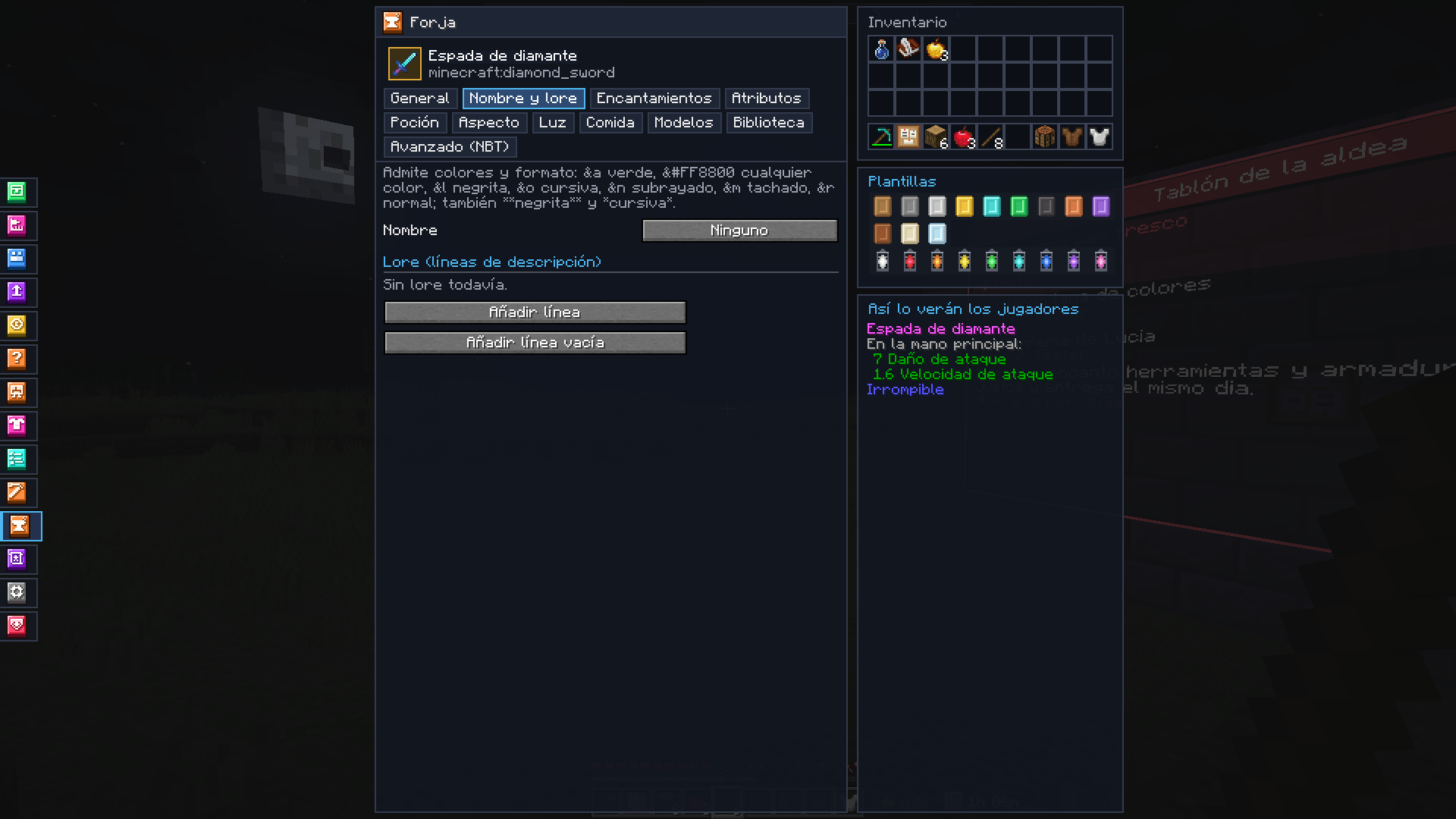 The Forge The item in the slot, its options below and the preview.
-
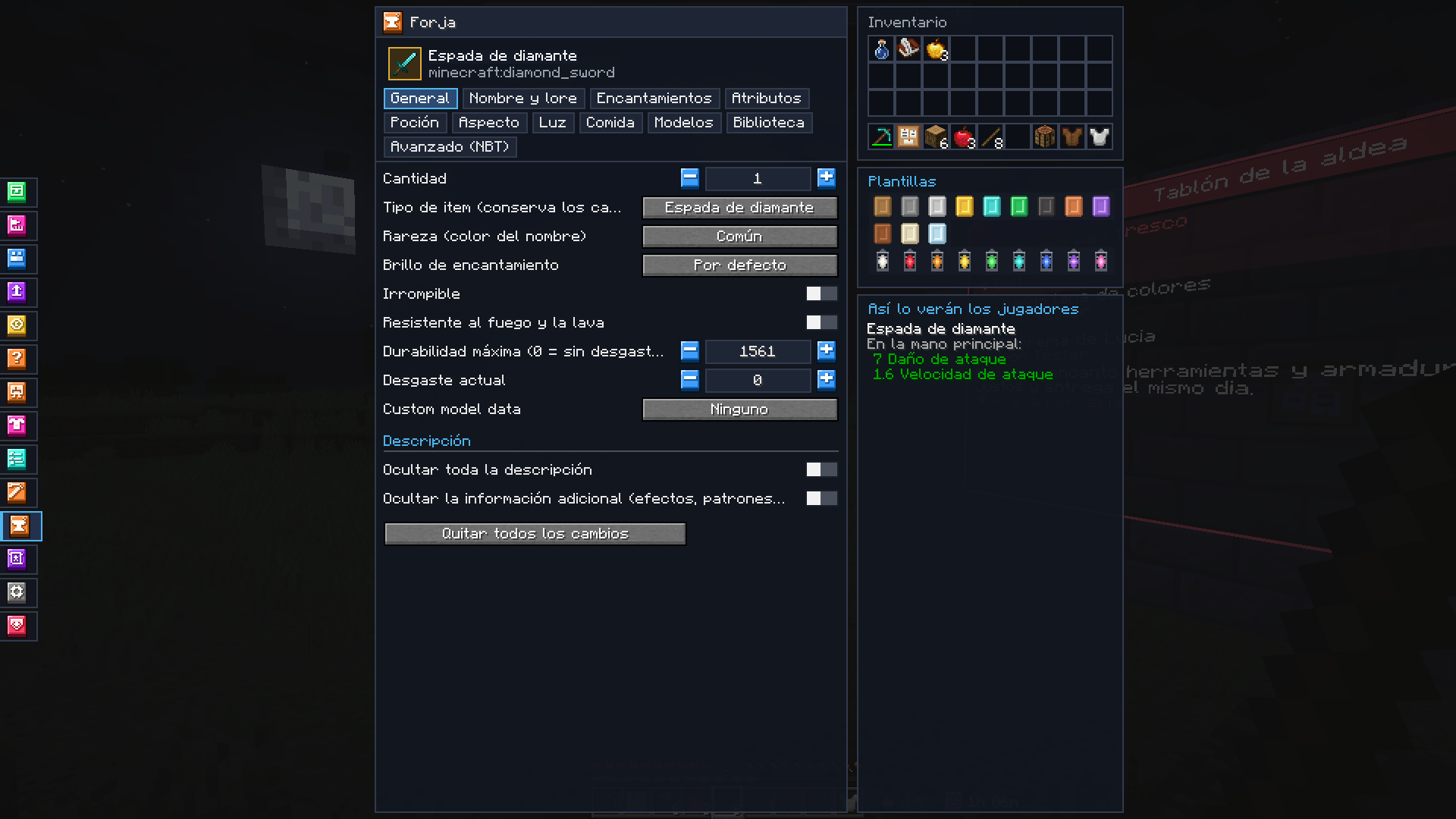 General Rarity, glint, unbreakable, durability and more.
-
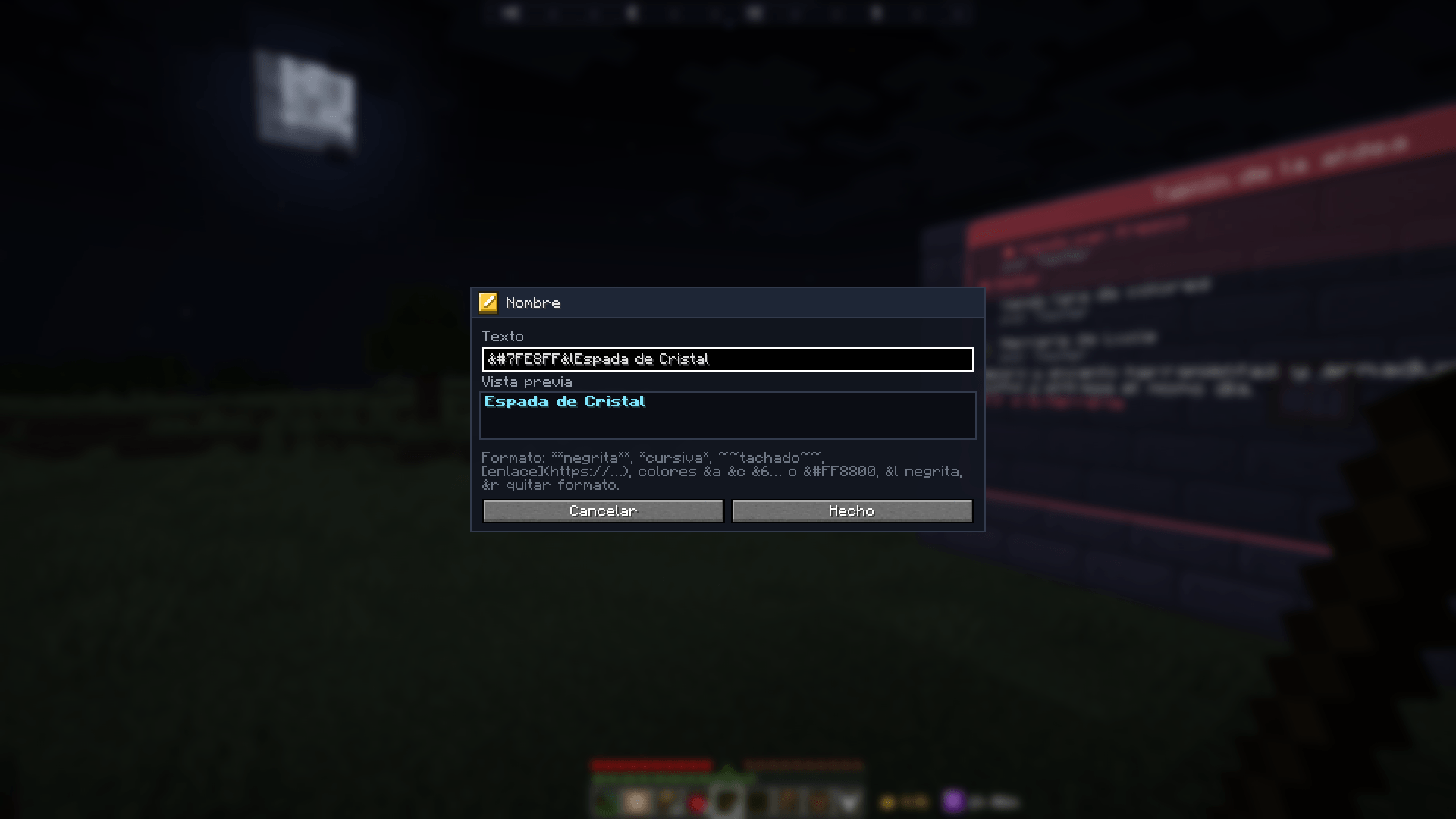 Formatting A name with colours and preview.
-
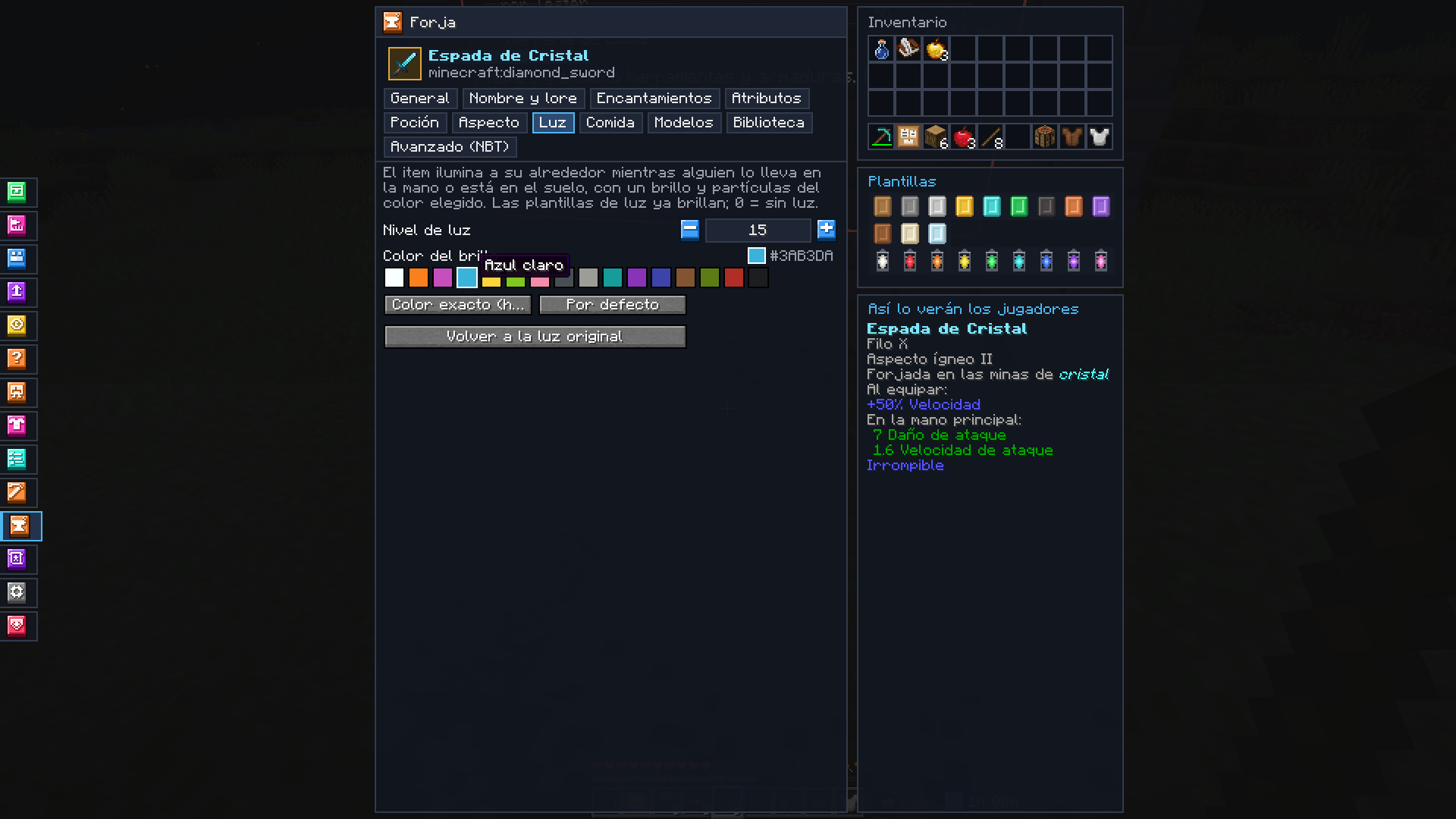 Light Light level and colour of any item.
-
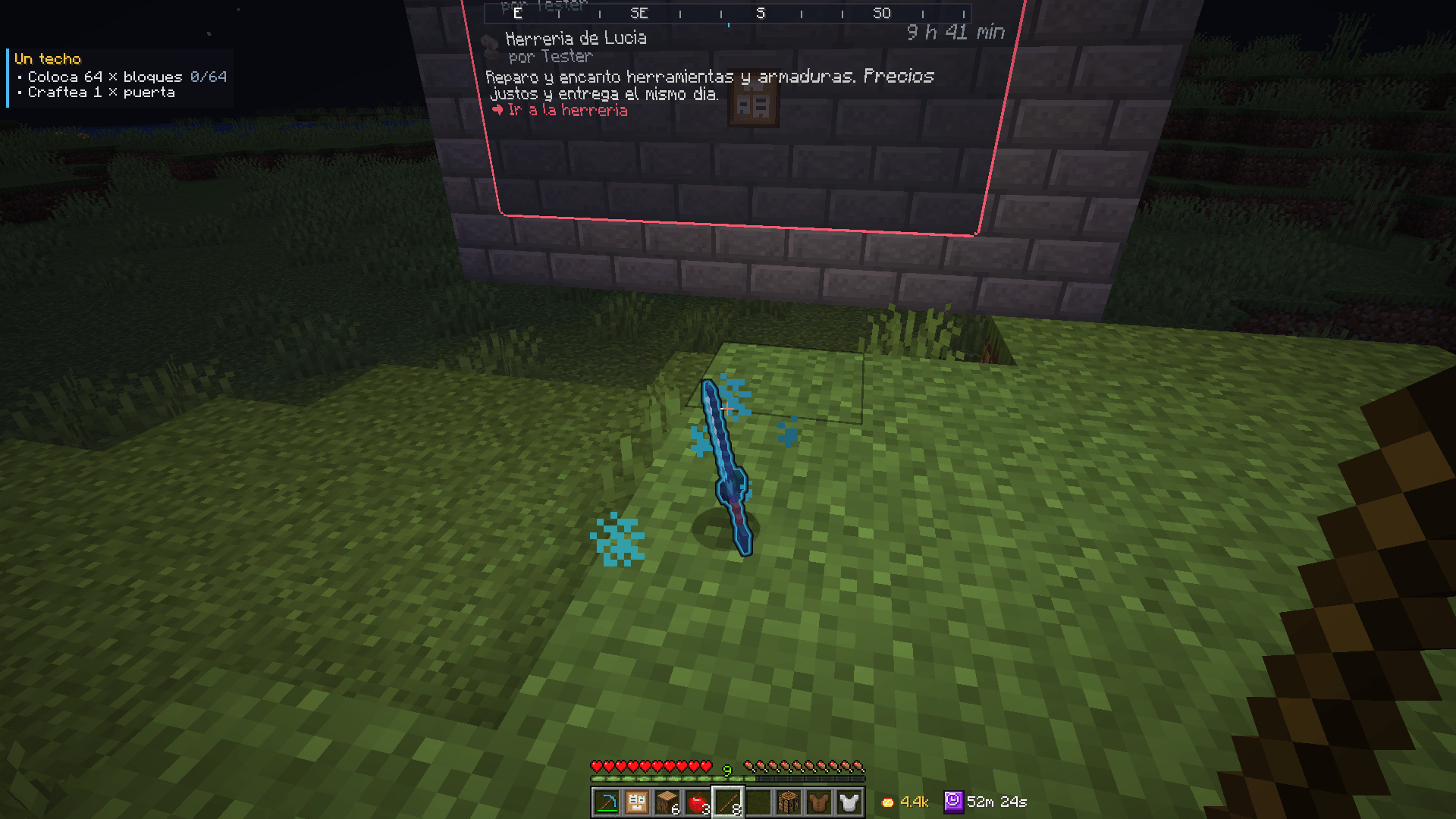 Light in the world An item on the ground lights up and glows in its colour.
-
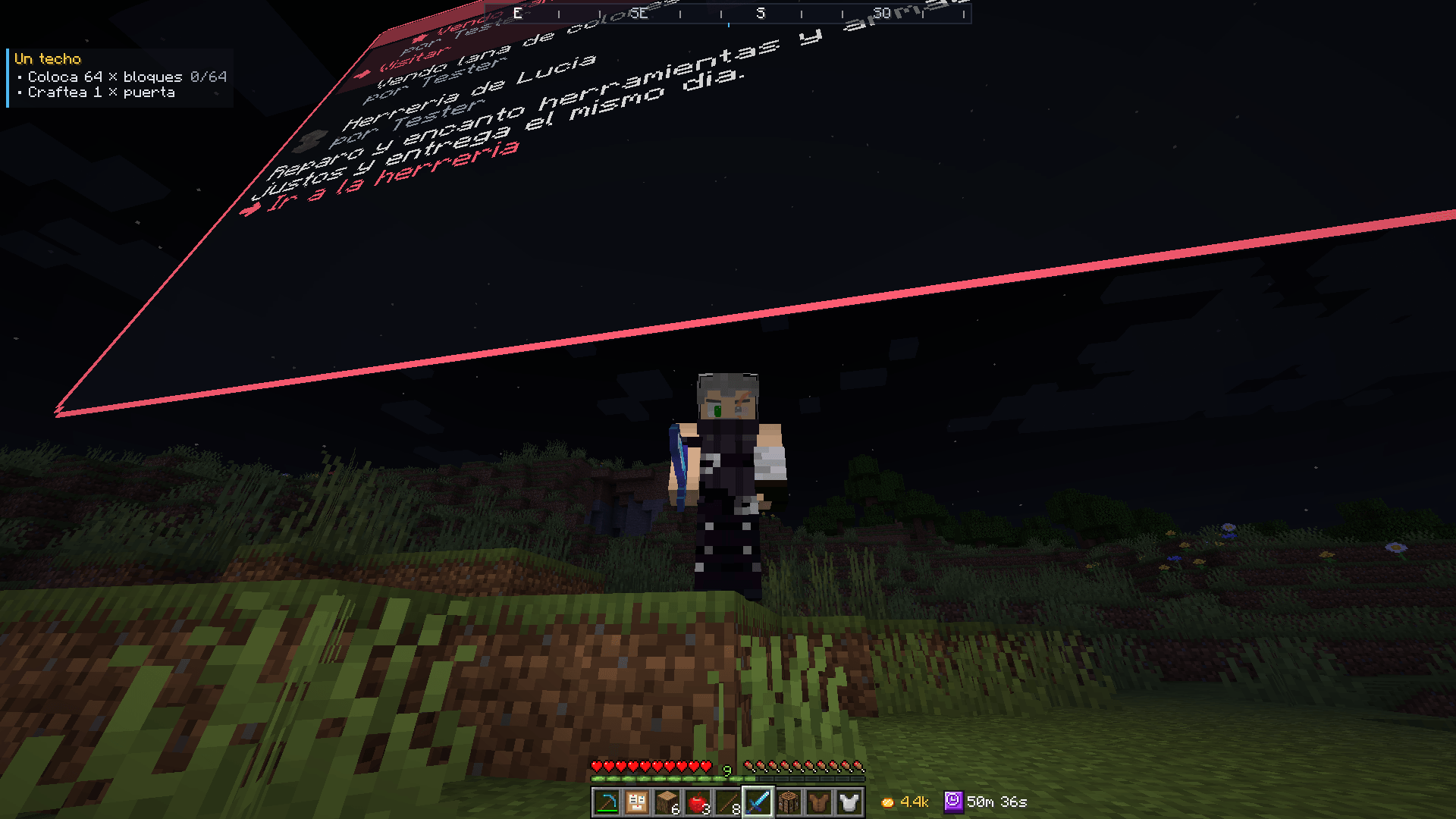 Light in hand The light follows whoever holds the item.
-
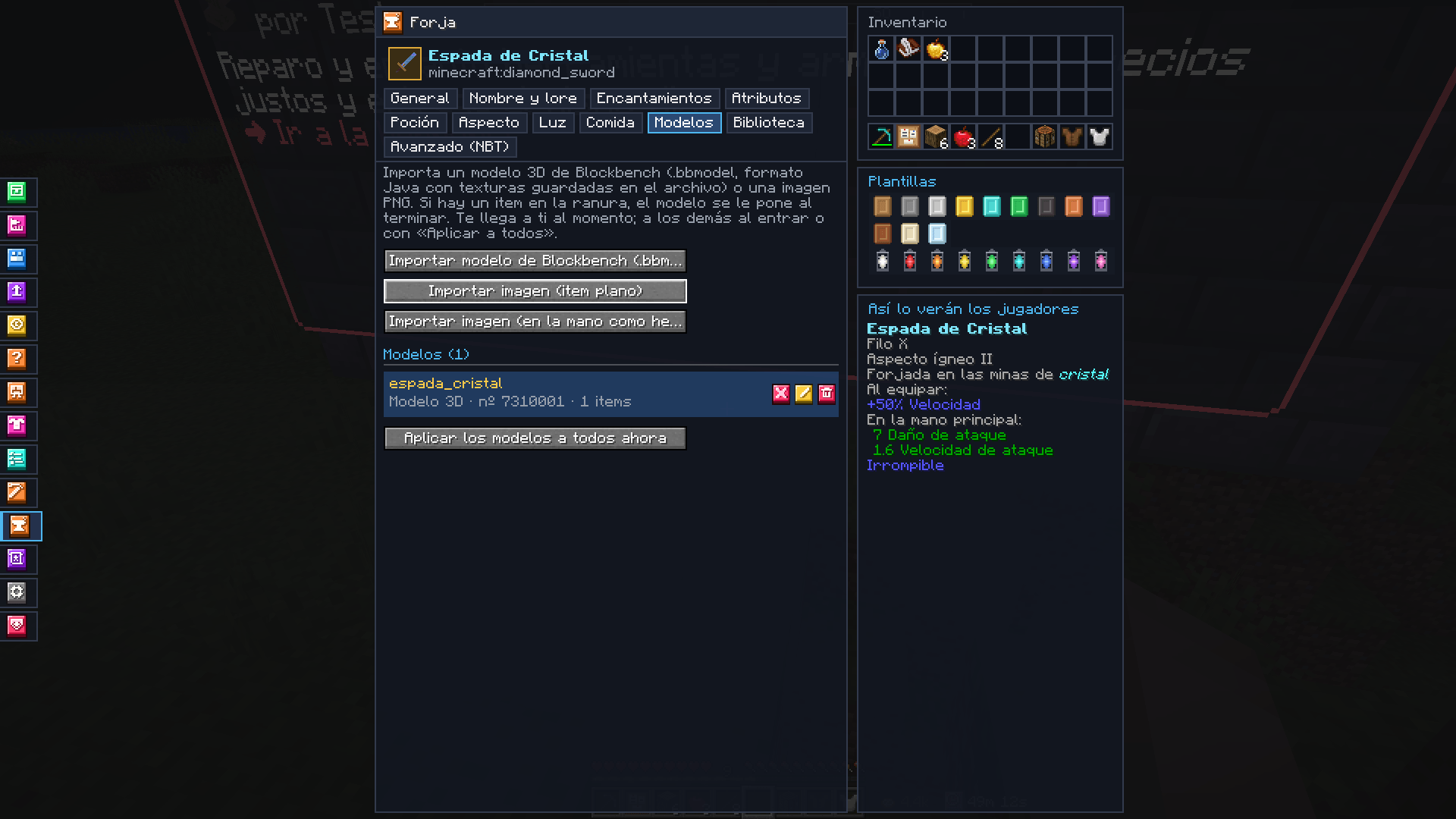 Blockbench model An imported 3D model, put on a sword.
-
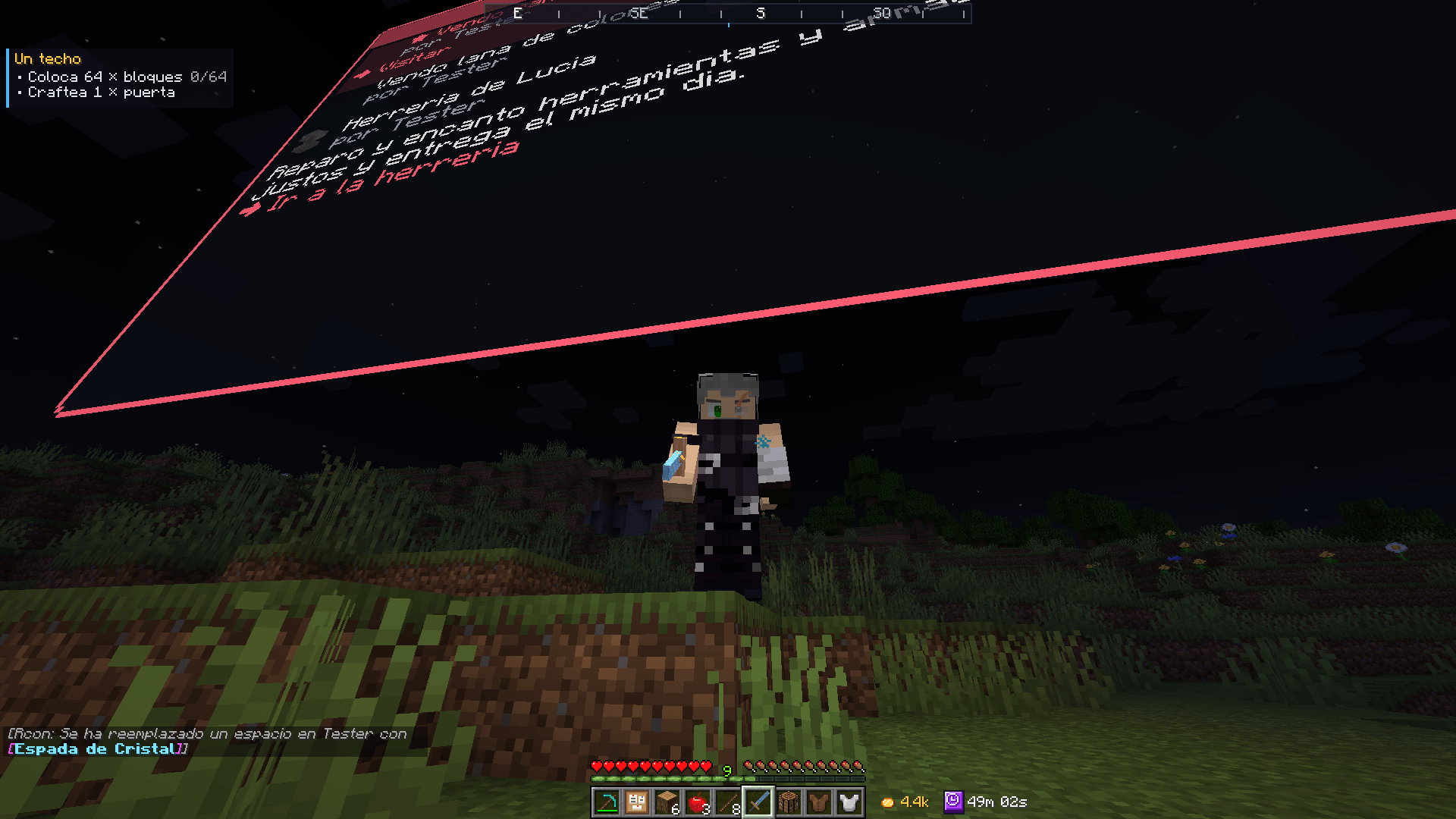 Model in hand The model as players see it.
-
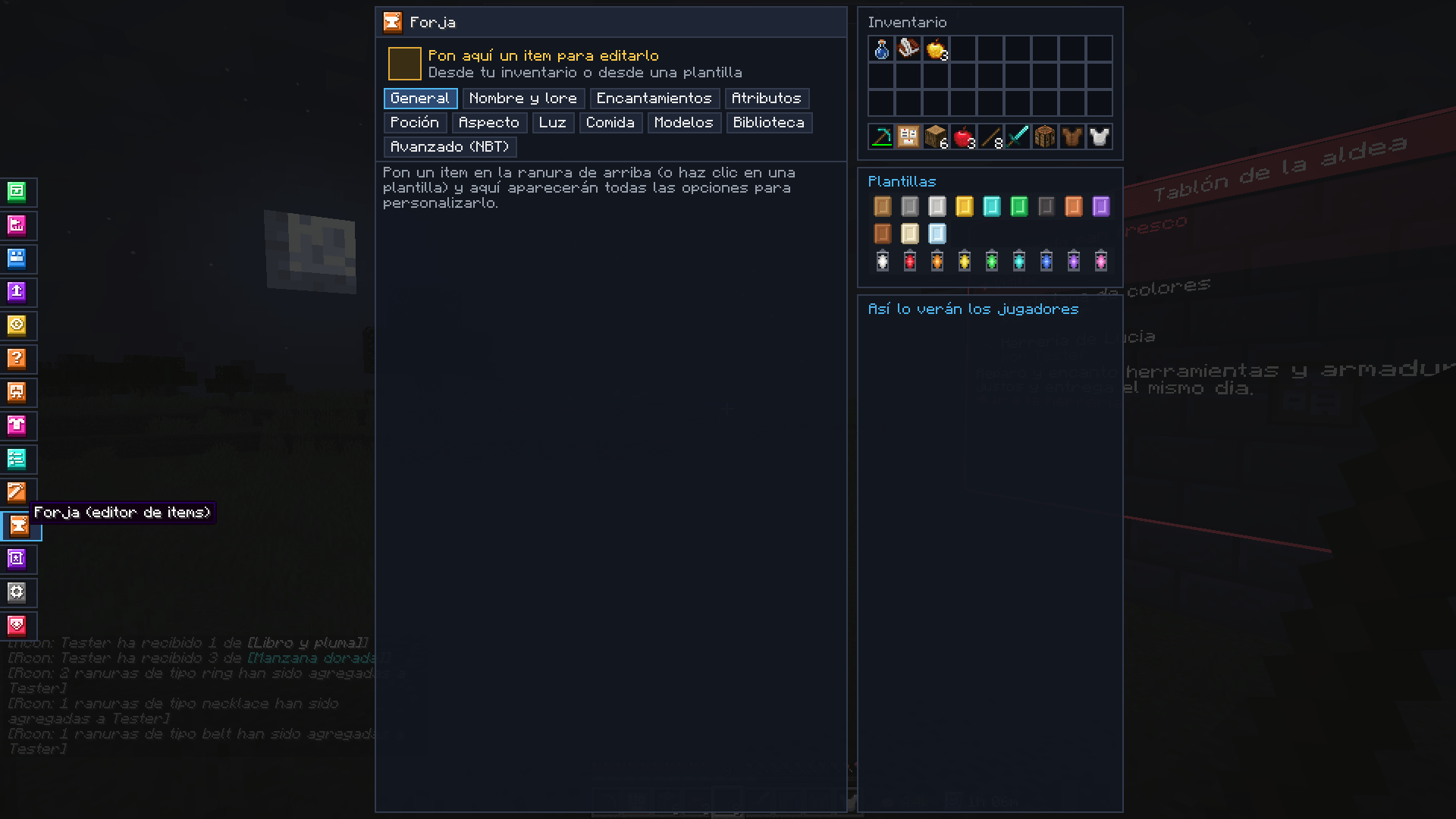 Templates Blank and light templates.
-
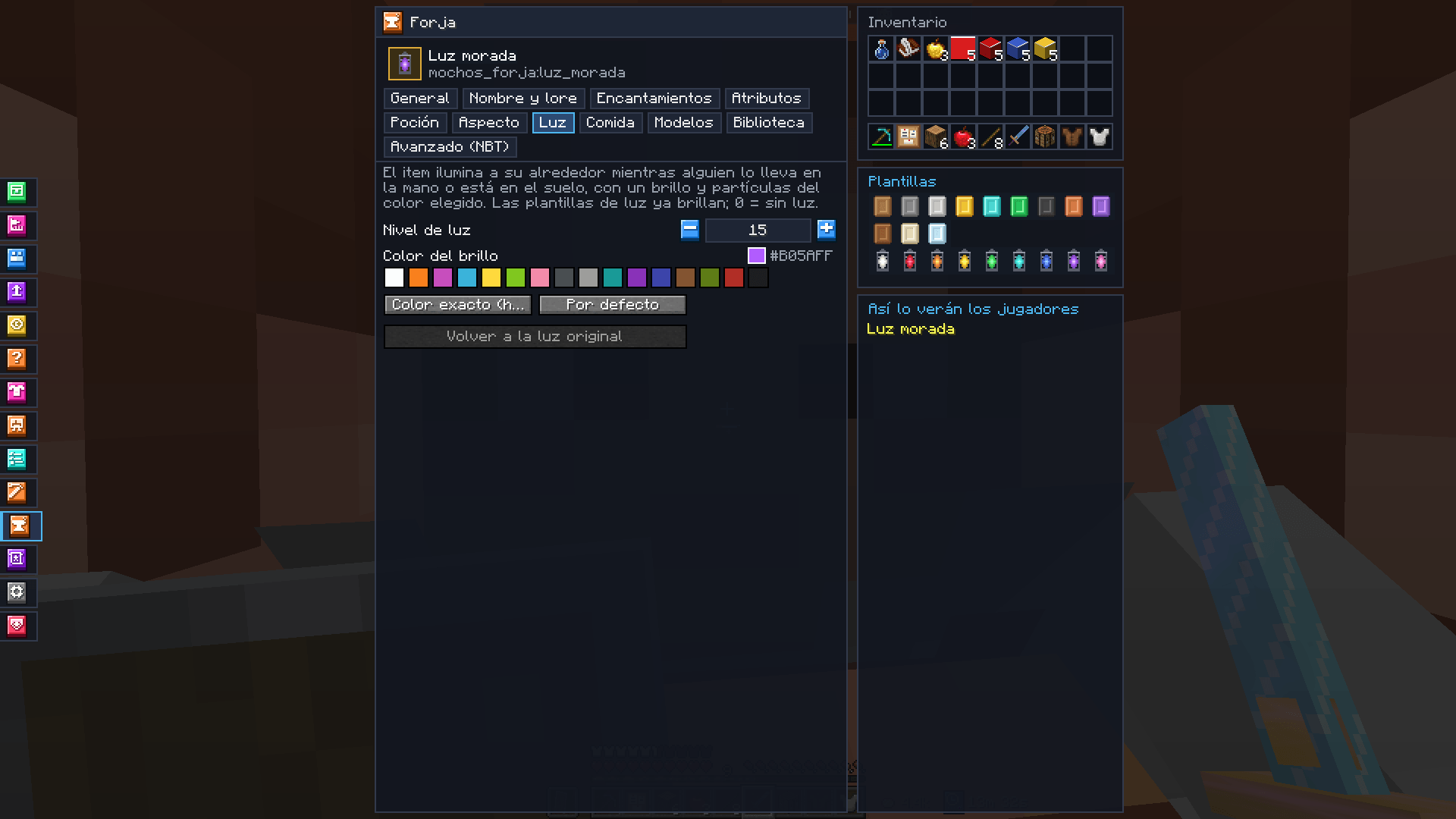 Light template A purple light template in the Forge.
-
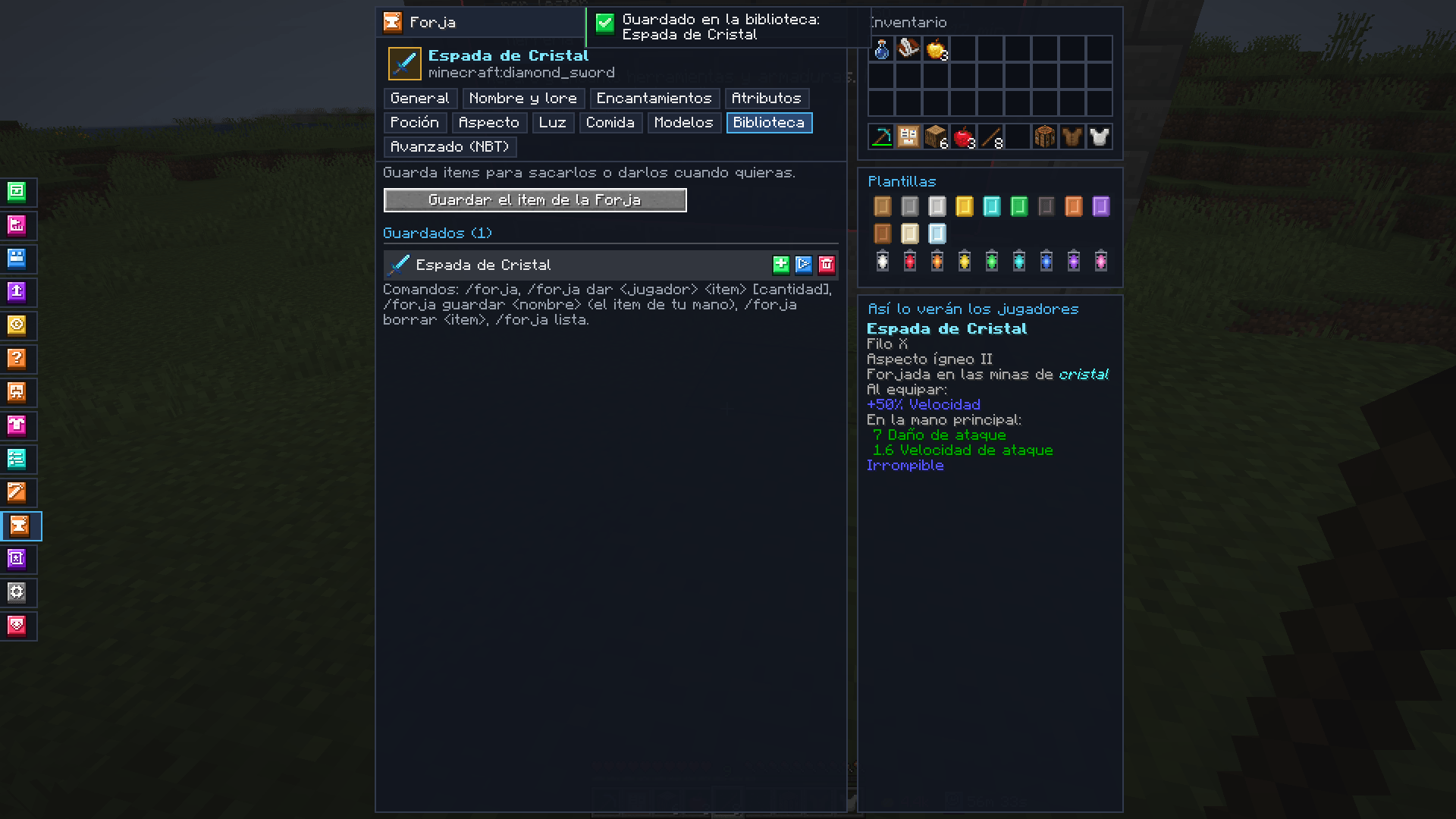 Library Saved items to take or give.
Versions
Files
Relations
Project Relations
More like this
Similar Mods
Suggestions use data such as tags, dependencies, dependents, descriptions, titles, and more to rank how much they overlap with this mod.
On ModDex
Community snapshot
By the numbers
Statistics

Get it on
Available Platforms
On ModDex
Community snapshot
By the numbers
Statistics
Resources