
Community listing page, reviews here may not be monitored by the author.
Mod Menu Filter


No reviews yet
ModMenu Filter is an extension for Mod Menu that helps you organize, categorize, and find your mods.
Community voices
Reviews
No reviews yet. Be the first to review this project!
Get it on
Available Platforms
Compatibility
Supported Environments
Runs entirely on the client. Works on vanilla servers.
About
Project Details
For authors
Embed Badge
If you're the author of this project, you can embed a live badge anywhere that supports HTML or Markdown. It updates automatically whenever ratings change.
Use HTML for any page that supports it, or Markdown for README files and Markdown-based descriptions.
Identifiers
Platform IDs
About
Description
Mod Menu Filter



Mod Menu Filter is a client Fabric utility mod that modifies Mod Menu to include tag-based filtering, coloured badge overlays, favorites, and per-profile configurations
Features
- Tag Badges - Coloured inline badges drawn next to every mod name.
- Tag Filtering - Filter by tags.
- Favorites - Favorite your mods with a custom tag!
- Profiles - Supports multiple configurations that you can switch between.
- Zero Performance Impact - Lightweight logic that runs only when the list is rendered.
Requirements
| Dependency | Notes |
|---|---|
| Fabric Loader | Per-version minimum |
| Mod Menu | Per-version compatible range |
| Cloth Config | Per-version compatible range |
Installation
- Install Fabric Loader for your Minecraft version.
- Drop Mod Menu Filter, Fabric API, Mod Menu, and Cloth Config into your
mods/folder. - Launch the game - a default configuration is generated automatically on first run.
Configuration
Open Mod Menu → Mod Menu Filter to access the full settings screen.
Tag database (config/mod_menu_filter.json)
Tags and the mods they apply to are stored in config/mod_menu_filter.json. A bundled default_tags.json is written on first launch as the base.
Most of these settings can be configured through the built-in configuration screen
{
  "tagOverrides": {
    // add a mod to an existing built-in tag
    "sodium": ["performance"],
    // assign multiple tags to one mod
    "iris": ["performance", "rendering"]
  },
  "customTags": {
    // define a completely new tag
    "rendering": {
      "displayName": "Rendering",
      "color": 9699609
    }
  },
  "hiddenTags": ["library"],
  "favoriteMods": ["sodium"],
  "activeProfile": "default"
}
Finding a mod's ID
The mod ID is shown in Mod Menu's detail panel or in the mod's fabric.mod.json file inside its JAR.
License
This project is licensed under the MIT License. Feel free to include it in any modpack!
Mod Menu Filter



Mod Menu Filter is a client Fabric utility mod that enhances Mod Menu with tag-based filtering, coloured badge overlays, favorites, and per-profile configurations
Features
- Tag Badges - Coloured inline badges drawn next to every mod name.
- Tag Filtering - A toggle-button filter bar above the mod list. Click to show matching mods, with optional all-selected-tags matching for narrow searches.
- Favourites - Favorite your mods! Easily filter between favorites and non-favorites.
- Profiles - Supports multiple configurations that you can switch between.
Requirements
| Dependency | Notes |
|---|---|
| Fabric Loader | Per-version minimum |
| Mod Menu | Per-version compatible range |
| Cloth Config | Per-version compatible range |
Installation
- Install Fabric Loader for your Minecraft version.
- Drop Mod Menu Filter, Fabric API, Mod Menu, and Cloth Config into your
mods/folder. - Launch the game - a default configuration is generated automatically on first run.
Configuration
Open Mod Menu → Mod Menu Filter → (gear icon) to access the full settings screen.
Tag database (config/mod_menu_filter.json)
Tags and the mods they apply to are stored in config/mod_menu_filter.json. A bundled default_tags.json is written on first launch as the base.
Most of these settings can be configured through the built-in configuration screen
{
  "tagOverrides": {
    // add a mod to an existing built-in tag
    "sodium": ["performance"],
    // assign multiple tags to one mod
    "iris": ["performance", "rendering"]
  },
  "customTags": {
    // define a completely new tag
    "rendering": {
      "displayName": "Rendering",
      "color": 9699609,
      "mods": ["iris"]
    }
  },
  "hiddenTags": ["library"],
  "favoriteMods": ["sodium"],
  "matchAllTagFilters": false,
  "activeProfile": "default"
}
License
Feel free to include in any modpack!
Screenshots
Gallery
-
 Mod Menu Filter
 -
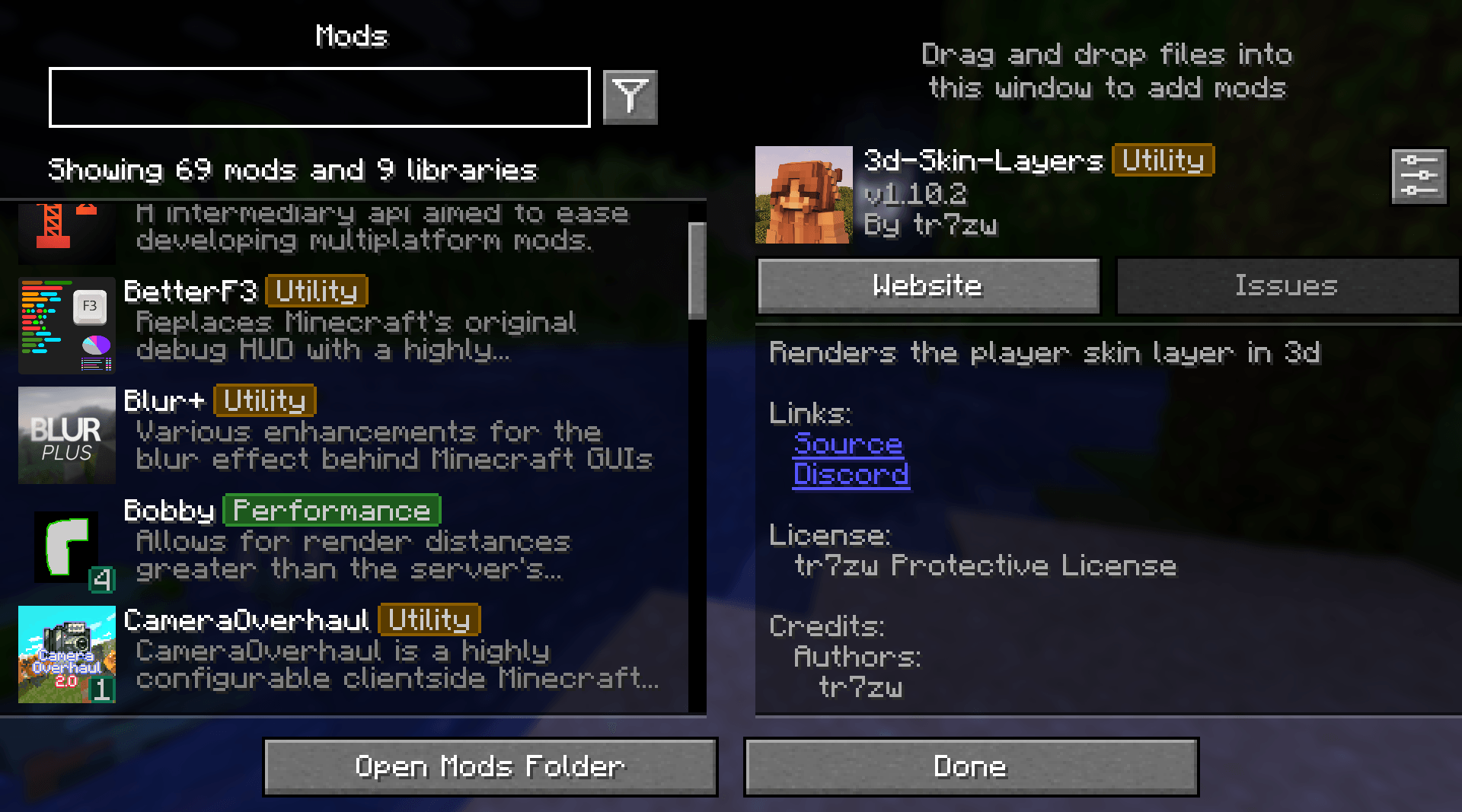 With Mod Neat tags, labels, and organization
 -
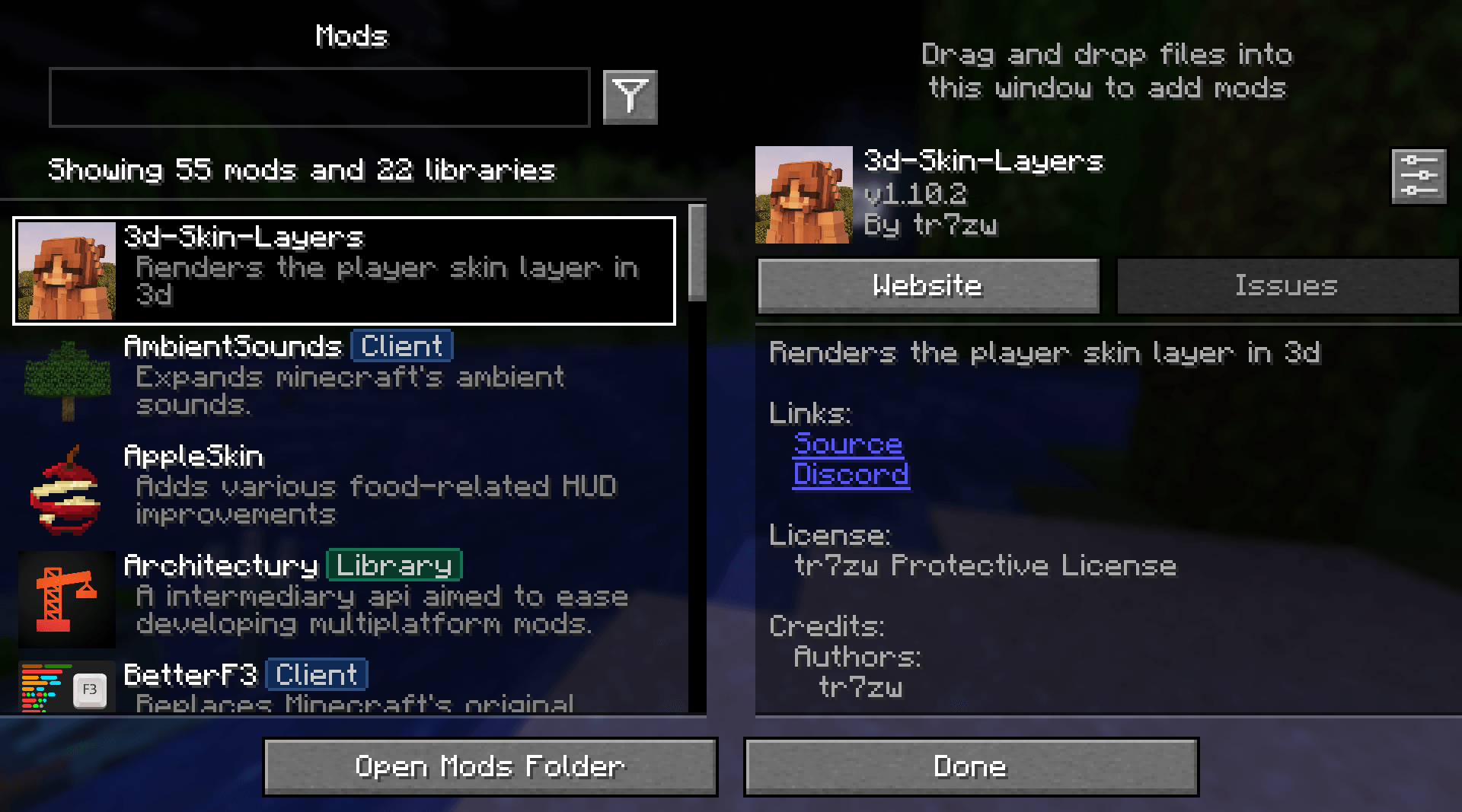 Without Mod Cluttered, mostly non-tagged mods
-
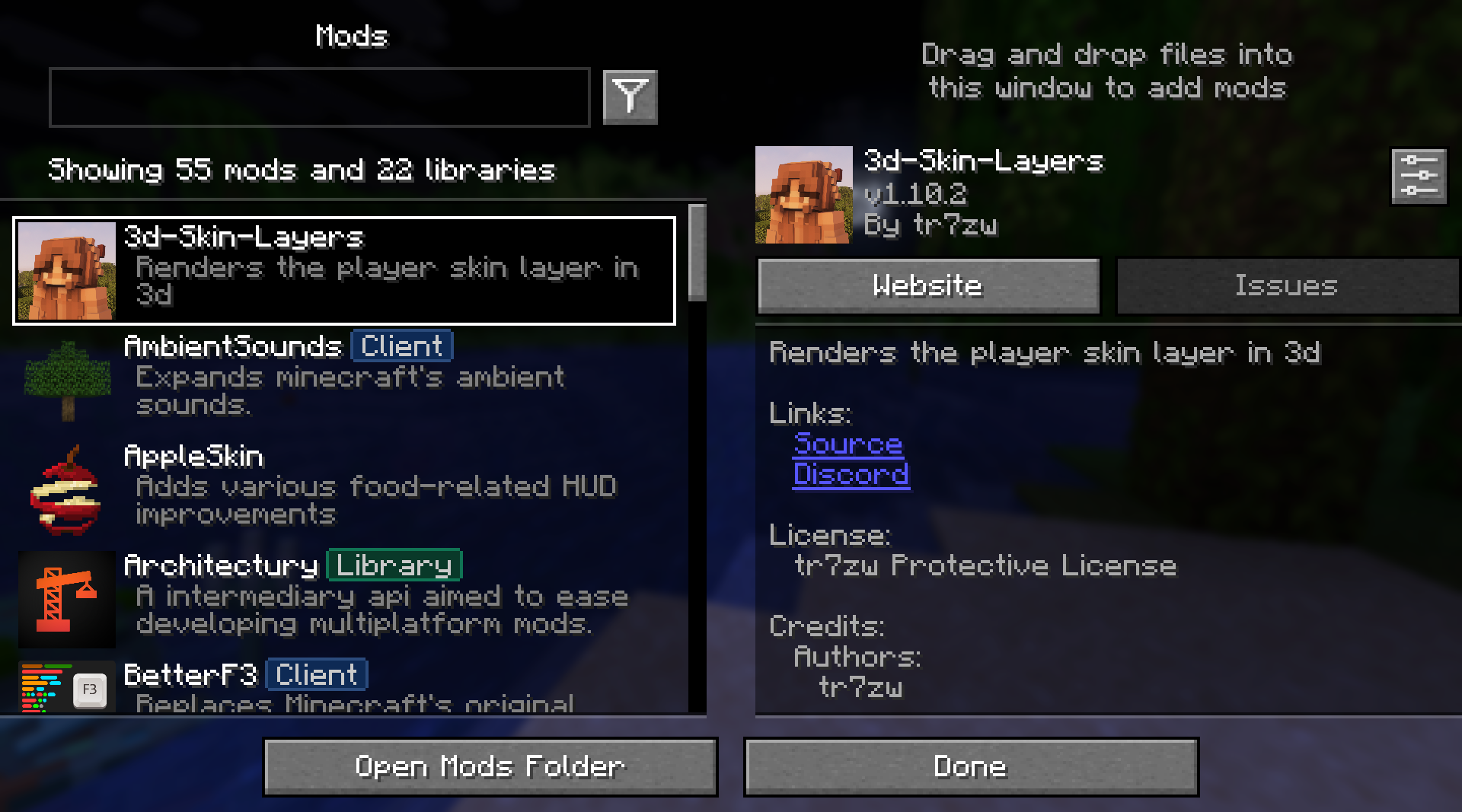 Without Mod No custom badges
 -
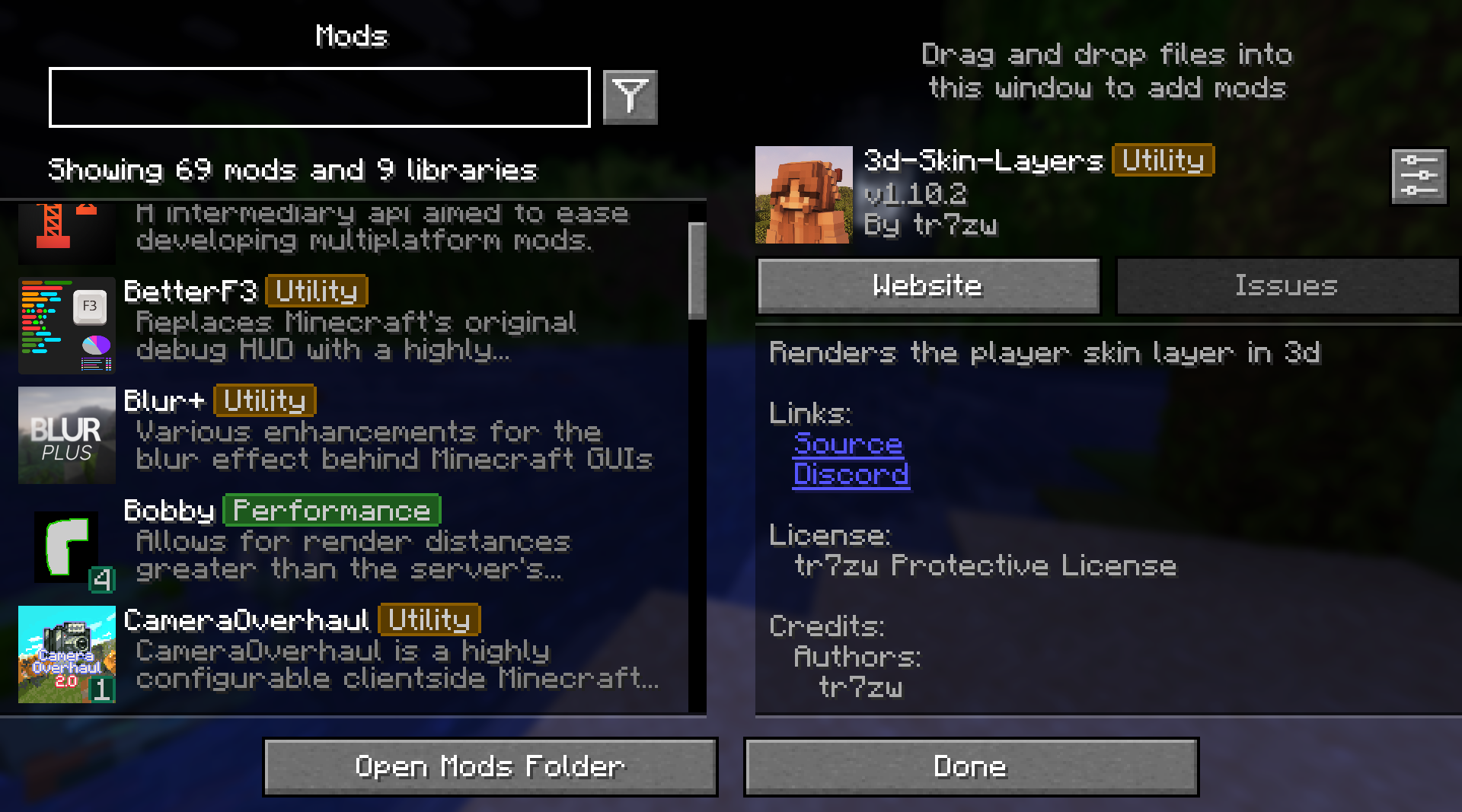 With mod
 -
 Mod Menu Filter
Versions
Files
Relations
Project Relations
More like this
Similar Mods
Suggestions use data such as tags, dependencies, dependents, descriptions, titles, and more to rank how much they overlap with this mod.
On ModDex
Community snapshot
By the numbers
Statistics
Want to reach Minecraft players?
We're looking for a server hosting partner to feature here and other parts of the site. Interested? Send us a message!
Get in touchGet it on
Available Platforms
On ModDex
Community snapshot
By the numbers