
Community listing page, reviews may not be monitored by the author.
Modkeel Companion

No reviews yet
Tells you which mod crashed Minecraft, with the evidence from the crash, and turns it off in one click. Backs up your world before you update the modpack. No mixins; the crash stays on your PC unless you choose to share it.

Community voices
Reviews
No reviews yet. Be the first to review this project!
Get it on
Available Platforms
About
Project Details
For authors
Embed Badge
If you're the author of this project, you can embed a live badge anywhere that supports HTML or Markdown. It updates automatically whenever ratings change.
Use HTML for any page that supports it, or Markdown for README files and Markdown-based descriptions.
Identifiers
Platform IDs
About
Description
Modkeel Companion
Which mod crashed Minecraft? The next start tells you. A safety net for modded Minecraft: drop it in your mods folder; there is nothing to set up.




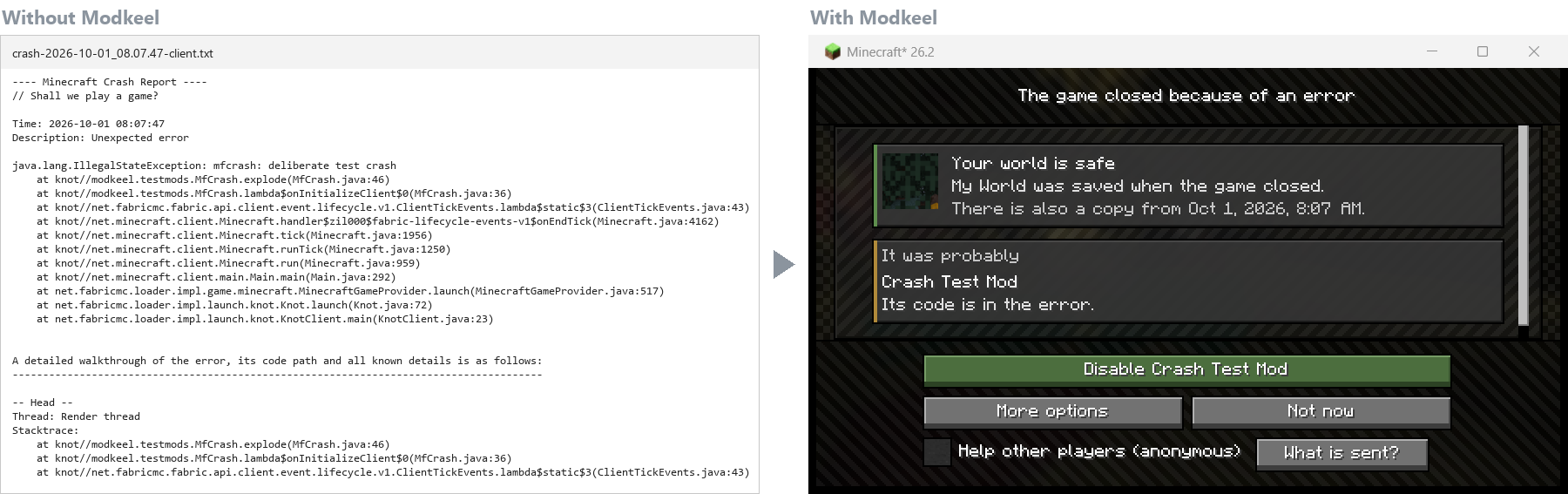
You know this moment
You add three new mods, or update the pack to a new Minecraft version, and press Play. The game closes. What is left is a crash report: hundreds of lines of Java, and somewhere in there the name of the mod that did it. So you start the old routine: search the error, remove half the mods, try again, and hope the world you spent a month on is still fine.
With Modkeel, the next start tells you instead. It reads the crash report and the log for you and says which mod most likely caused it, how sure it is and why, in plain words. One button turns that mod off. And your world was copied before it ever loaded with the new mods.
How it works
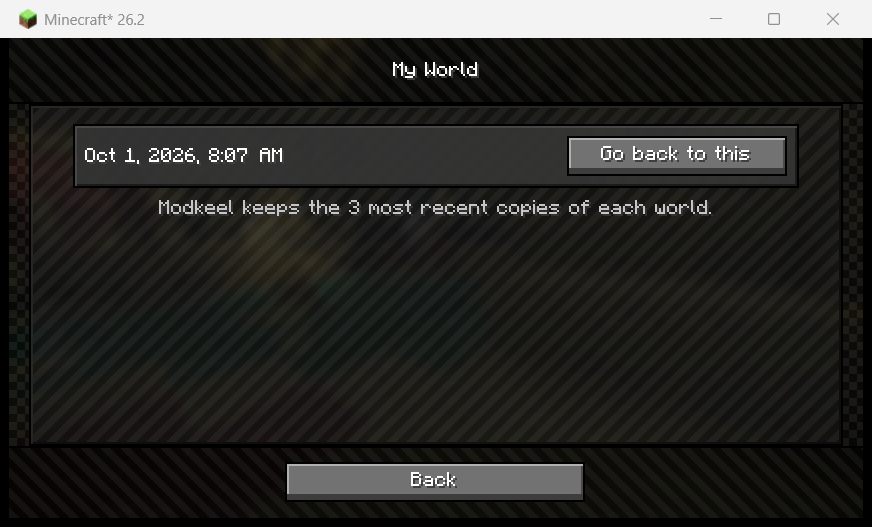
1. Before: it copies your world. Each time a world is about to load with a different set of mods, Modkeel makes a copy first. If an update goes wrong, the world from before is one click away, and going back deletes nothing.
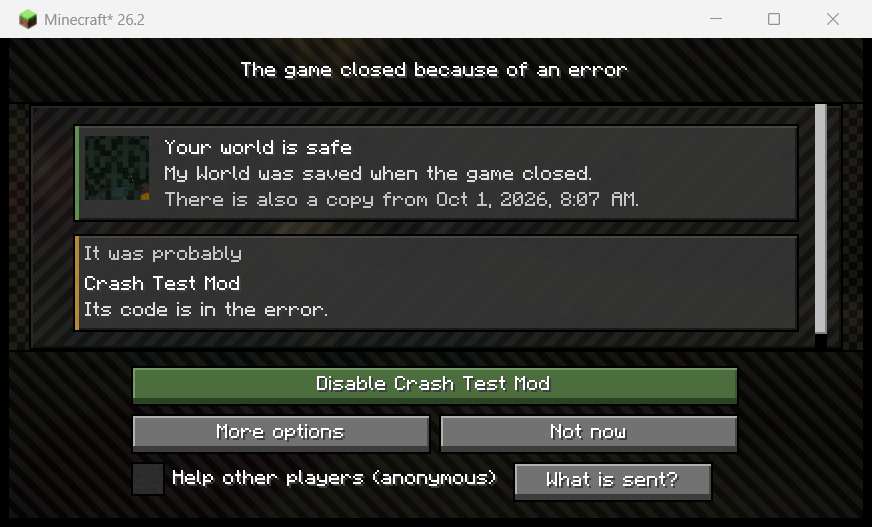
2. After a crash: it names the mod, and shows why. The next time you start the game, Modkeel shows what happened: whether your world is safe, the mod that most likely caused the crash, and the evidence it found in the stack trace and the log:
- "its code is in the error" or "its mixin failed to apply": the mod's own classes or mixin config, read from the crash, not guessed from the mod list;
- "another mod expects a different version of it": a version mismatch between two of your mods;
- "this exact file crashed on Minecraft 26.2 in the Modkeel lab": the same jar, matched by its fingerprint, crashed in a real game in our tests.
It says how sure it is ("It was", "It was probably", "It may have been"), and when the crash does not point at one mod it says so ("It is not clear which mod it was") and offers to go back to the mods that worked instead of blaming a random one. The green button disables that mod.
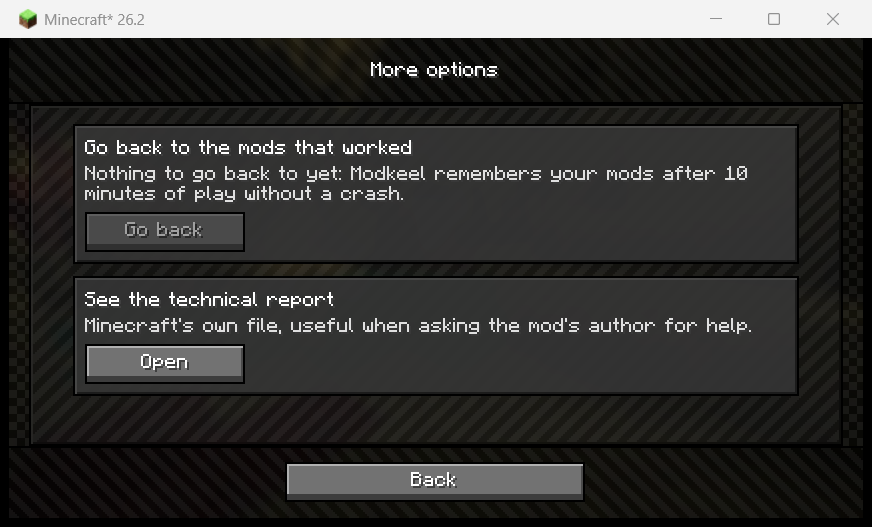
3. Every fix can be undone. Not sure? Go back to the last set of mods that worked, or open the technical report. Everything Modkeel changes is listed, and each change can be reversed. Modkeel then watches whether the fix held.
4. Crashes before the game even opens. On NeoForge and Forge, Modkeel starts before the
loader reads your mods: two mods that cannot be used together, or a Forge mod made for another
version that would close the game before any mod runs, are turned off so you can play, and one
button swaps which of the two stays on. If a crash on startup repeats on every launch before
any mod can run, paste latest.log into the
crash reader on modkeel.com: same reading, from outside
the game.
5. Warnings before they hit. Modkeel knows mods that crash on a given Minecraft version or clash with each other, and tells you when your pack has one, before you lose an evening to it.
Everything in one place
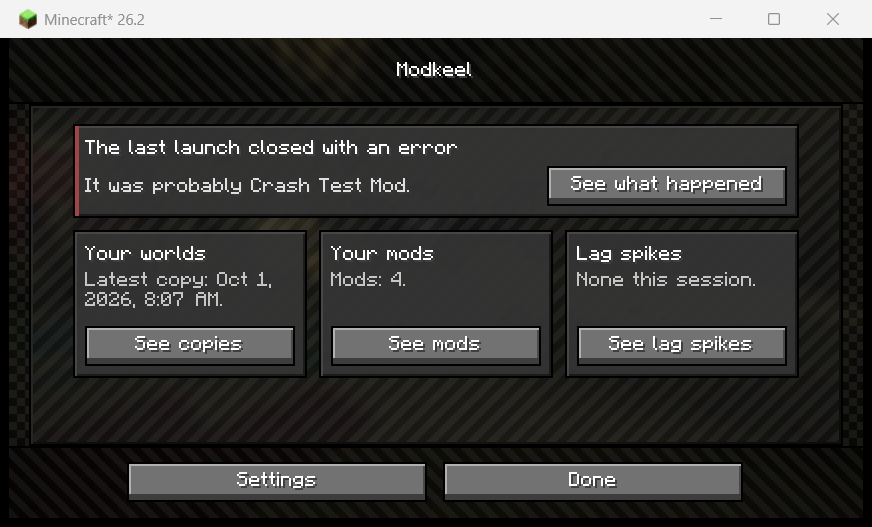
Under the Modkeel button on the title screen: the last crash, your world copies, your mods and what Modkeel knows about them on this version, and what it changed. It also catches freezes longer than 0.3 seconds and shows whose code was running during each one, so a laggy mod has a name.
Why you can trust it
- No mixins. Modkeel does not patch the game, so it cannot be the reason a pack breaks.
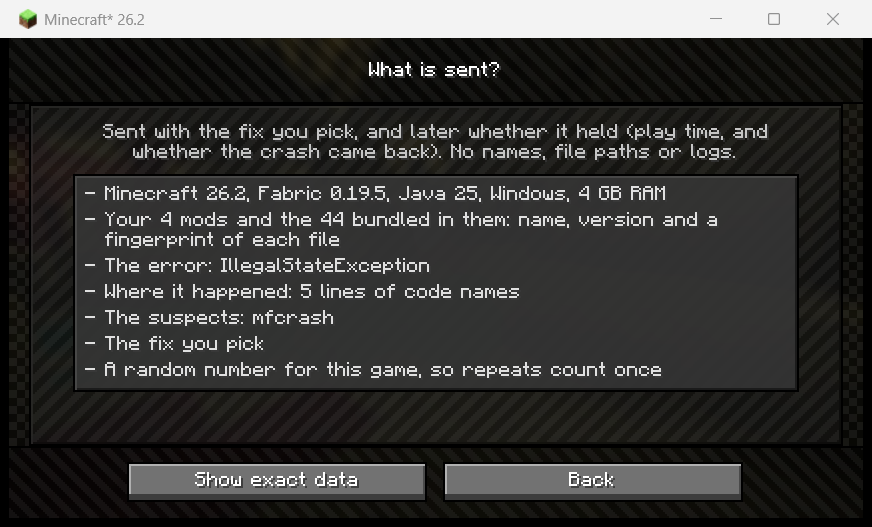
- The crash stays on your PC. Modkeel reads it on your computer; nothing is uploaded to find the mod. Ticking "Help other players" shares an anonymous report (mod names, versions, file fingerprints; no names, paths or logs), and "What is sent?" shows every field first.
- Open source. MIT licensed; every release is built in public on GitHub and can be verified byte for byte.
Updating a modpack to a new Minecraft version
Make a copy of the instance, update the copy, and let Modkeel copy each world before it loads
with the new mods. To find which of your mods already have a build for the new version,
modkeel move reads your mods folder (only reads it) and
puts together the pack for the new version beside the old one; with a Prism instance it makes a
new instance next to yours. Step by step:
update a modpack without losing your world.
For modpack authors
Fewer "my game crashed, help" messages in your Discord: players see the likely cause in their own language and fix many crashes themselves. Their worlds survive your pack updates. Include it in any pack, public or private, with no need to ask and no config to ship.
Versions
| Minecraft | Fabric | NeoForge | Forge |
|---|---|---|---|
| 26.x | yes | ||
| 1.21.11 | yes | ||
| 1.21.1 | yes | yes | |
| 1.20.1 | yes | yes |
Fabric needs Fabric API. In English, Spanish, Portuguese, German, French, Russian and Simplified Chinese.
No crash yet? Try it on one you already have
Paste any crash report or latest.log into the
crash reader on modkeel.com: it names the mod the same
way, and checks the rest of your mods against the Modkeel lab. Nothing to install, nothing
stored.
Rather ask your AI assistant? Modkeel works inside Claude and ChatGPT too: paste the crash there and it gets the same reading, plus where to download a build that works.
Questions players ask
How do I find which mod is crashing my game? Install Modkeel and start the game again: it names the mod from the crash report and the log, with the reason. For a crash you already have, paste it into the crash reader.
My game crashes on startup with mods. What do I do? On the next launch Modkeel shows the
likely mod and turns it off in one click; if the game closes before any mod runs, paste
latest.log into the crash reader.
Will I lose my world if I update the modpack? Not with Modkeel: the world is copied before it loads with a different set of mods, and restoring a copy deletes nothing.
How is it different from other crash mods? See crash mods compared: Crash Assistant, Not Enough Crashes, Neruina and CrashPatch, side by side.
Guides
- Find which mod crashed Minecraft
- Update a modpack without losing your world
- Mods tested by Minecraft version: which mods the lab ran together on each release
- Common crashes: mixin failed to apply · NoClassDefFoundError · mod loading failed · out of memory
Help and feedback
Questions, a crash Modkeel got wrong, or a mod it should know about: ask on Discord or open an issue.


Made with AI. Modkeel's code, tests and texts are written with Claude (Anthropic's AI), directed by its developer, who decides what it does, reviews it and runs every release in real games on each loader before it ships. Every release is built in public on GitHub and can be verified byte for byte: see Verify a release.
Screenshots
Gallery
-
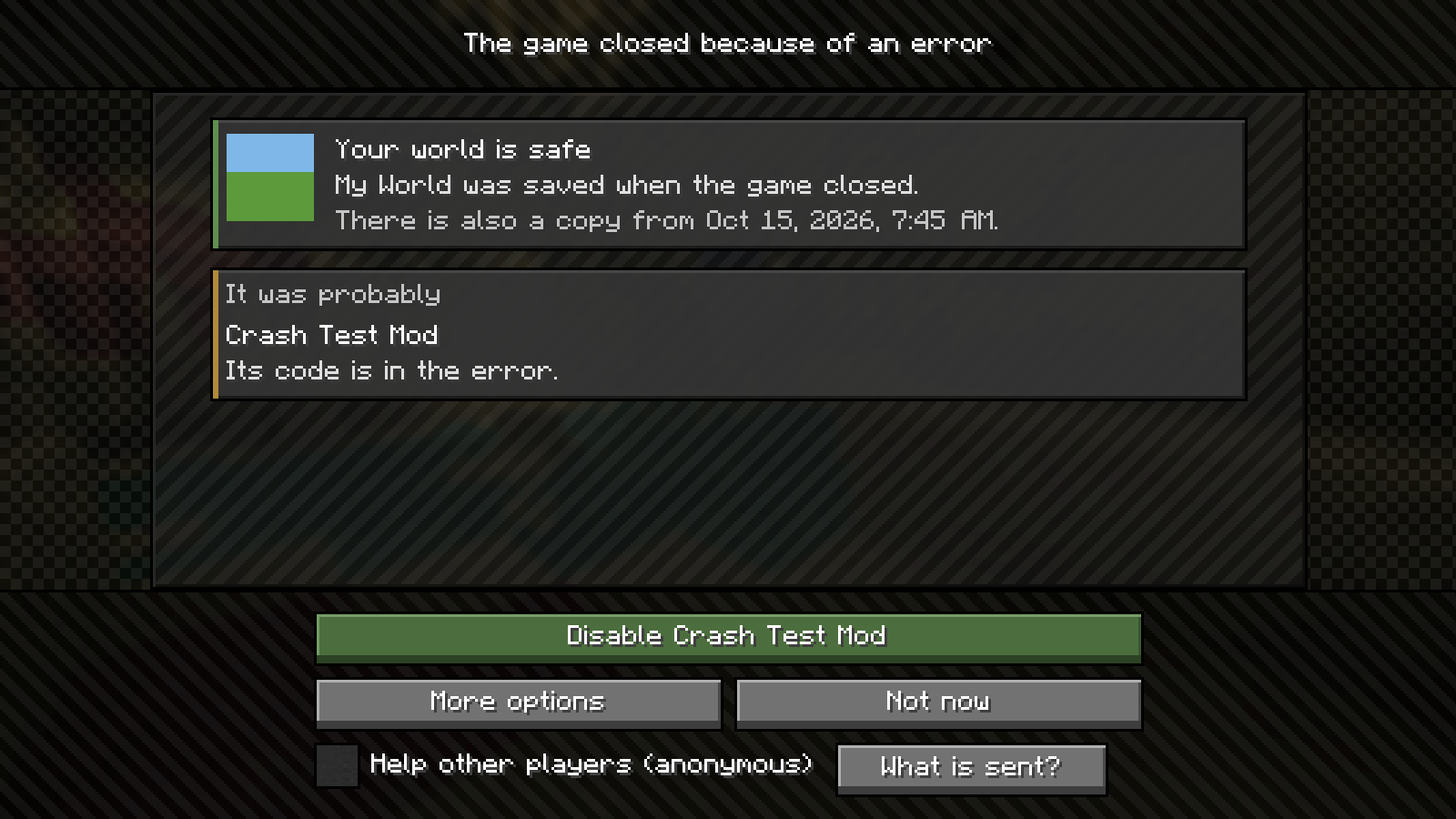 After a crash The next start names the mod that most likely caused it, how sure Modkeel is, and fixes it in one click. Your world is safe.
 -
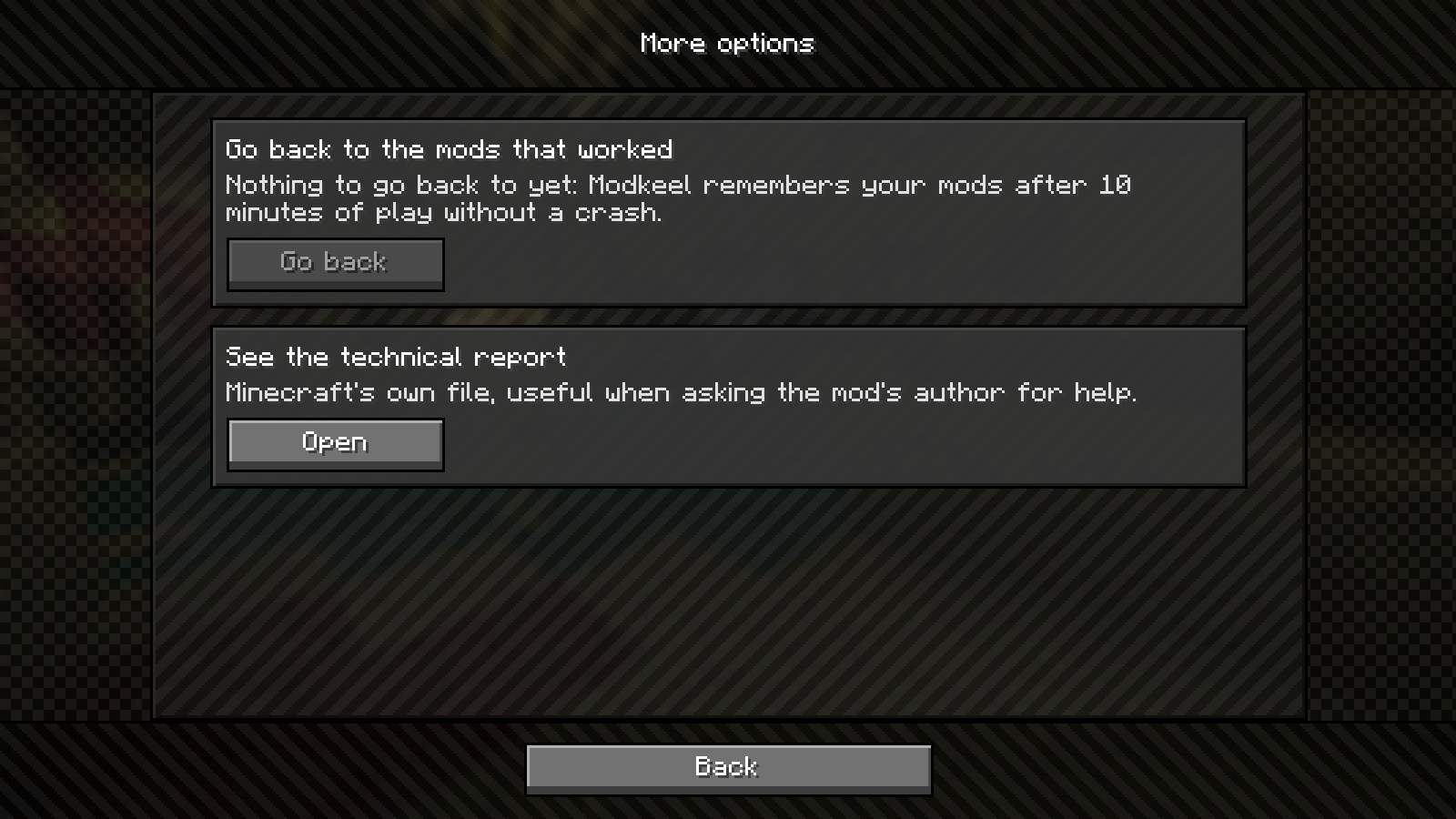 More options Go back to the last set of mods that worked, or open Minecraft's own crash report to send to the mod's author.
 -
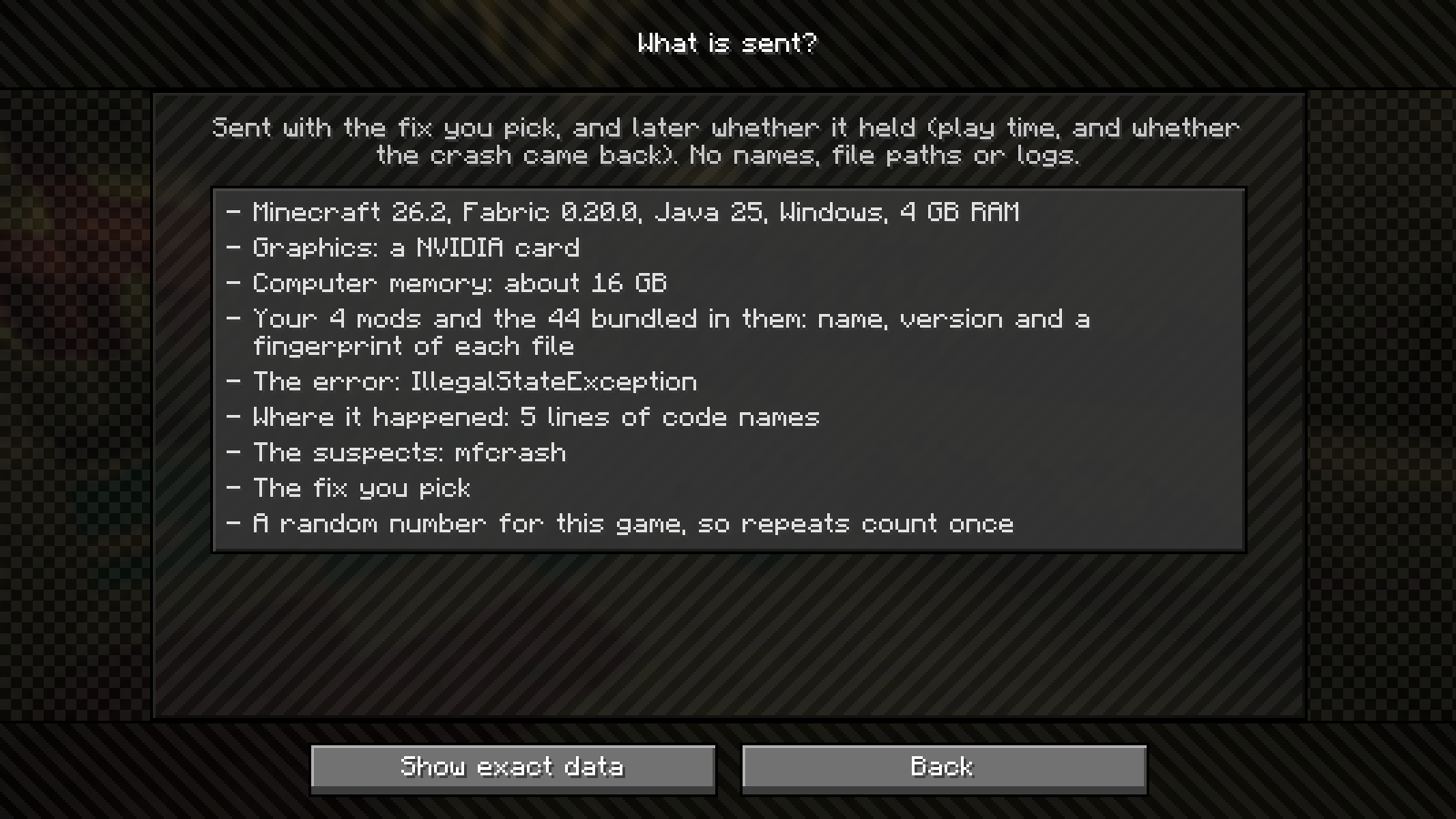 What is sent Sharing is off until you turn it on. This is every field a report holds: no names, file paths or logs.
 -
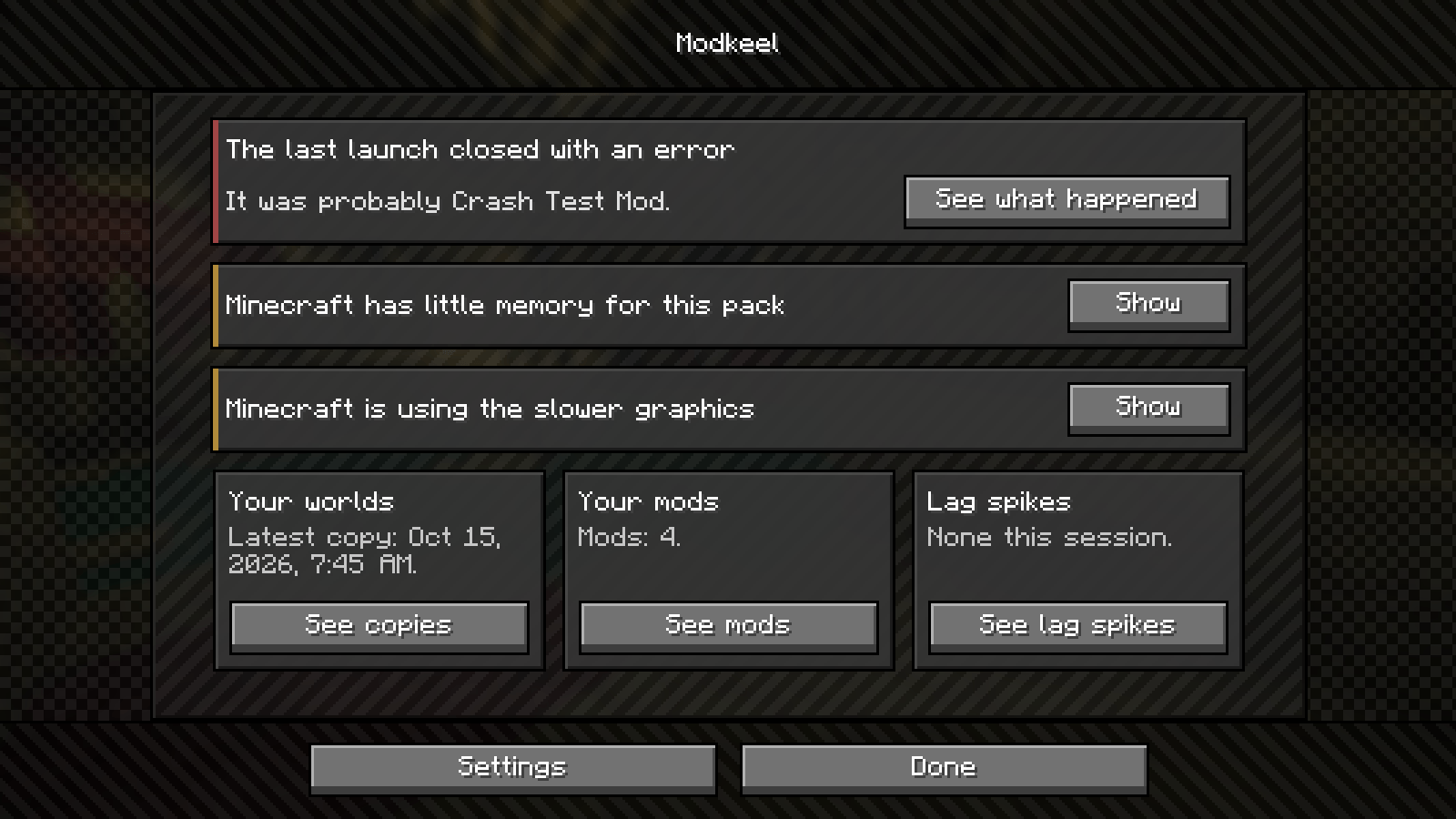 Pack health Last crash, world copies, your mods and lag spikes in one screen, with a warning when Minecraft is short on memory or using the slower graphics card.
 -
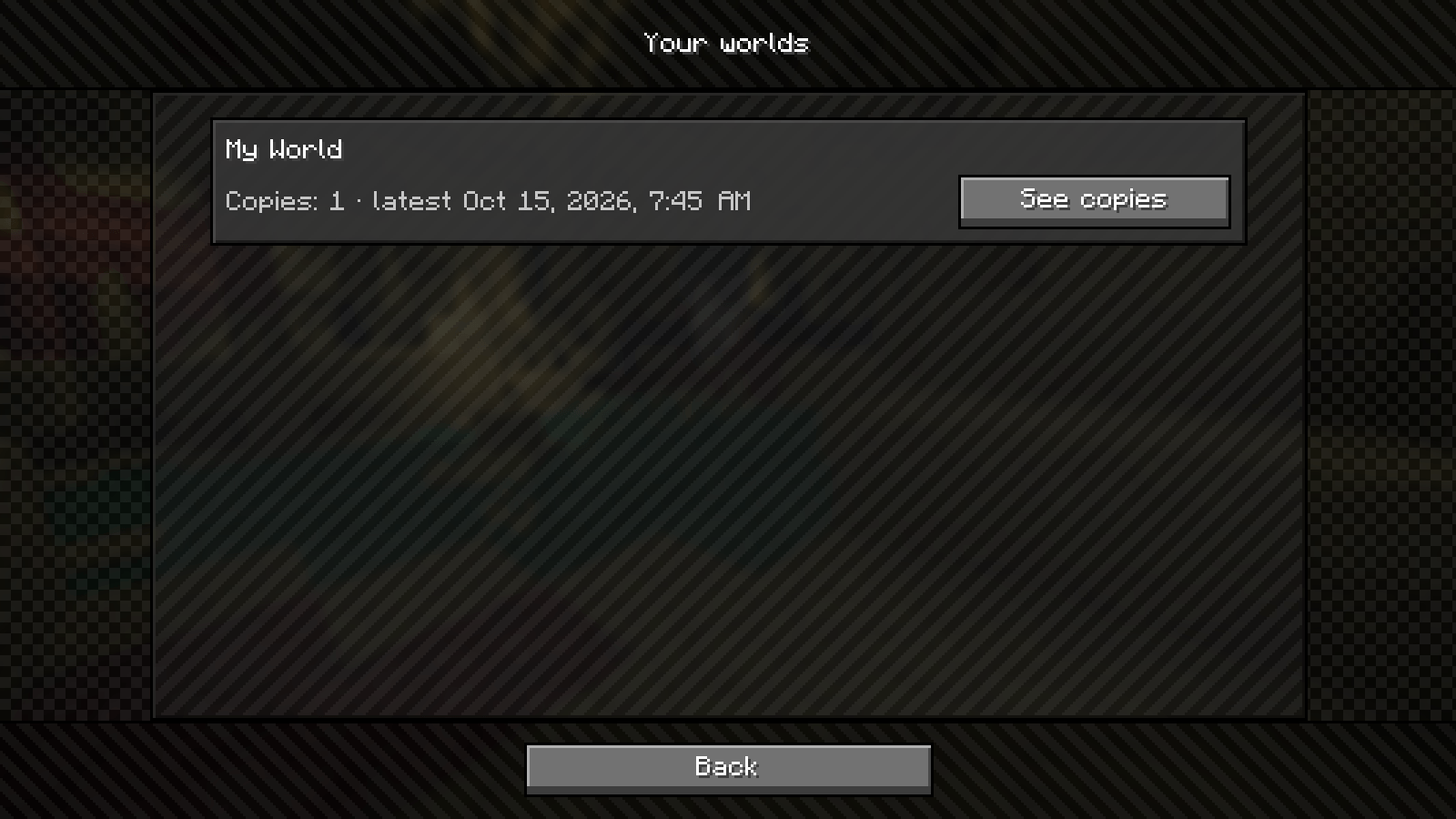 Your worlds Every world Modkeel has copied, and when it last did it.
 -
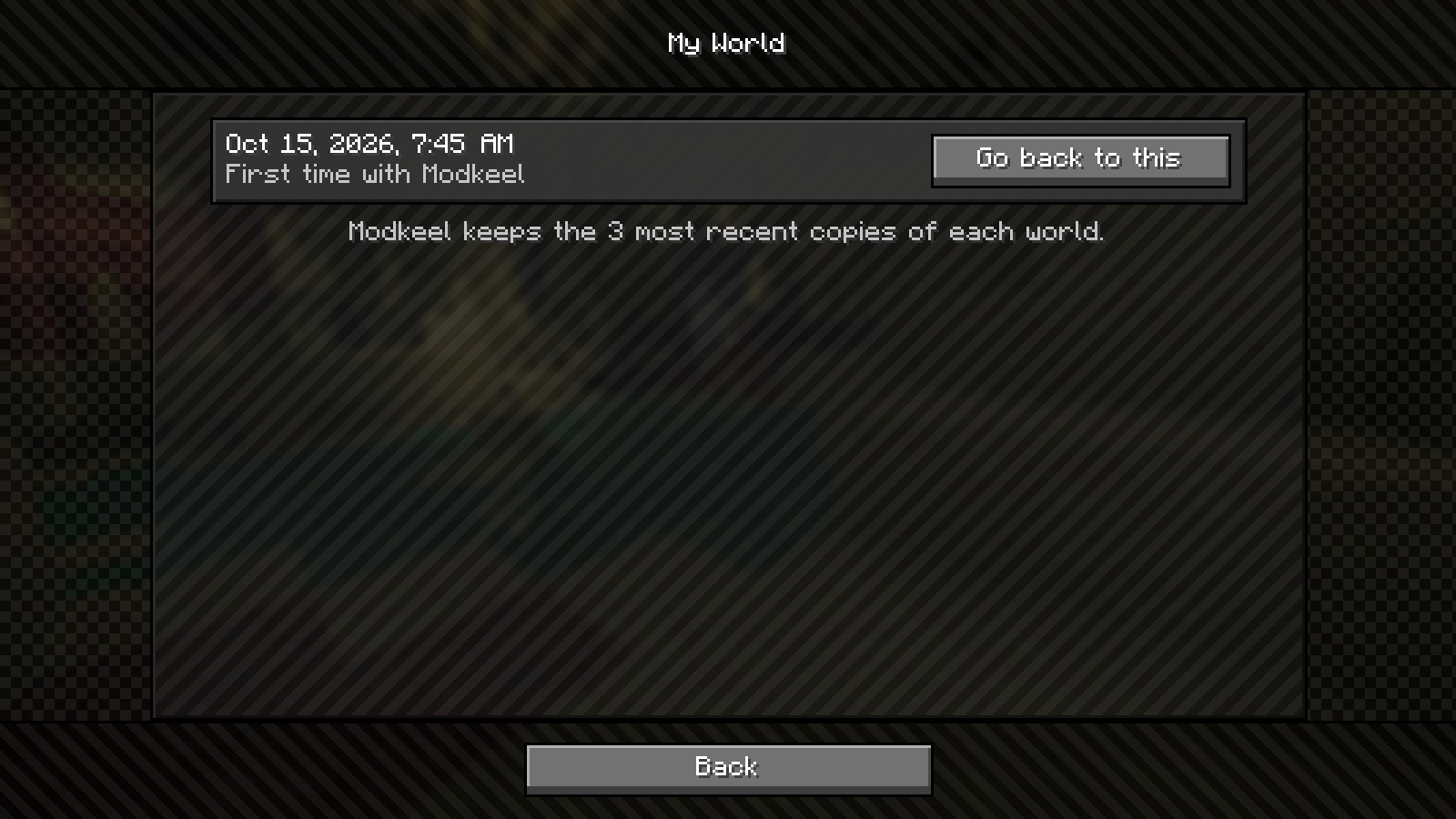 World copies A copy of your world before it loads with a different set of mods. Go back to any of the last three.
 -
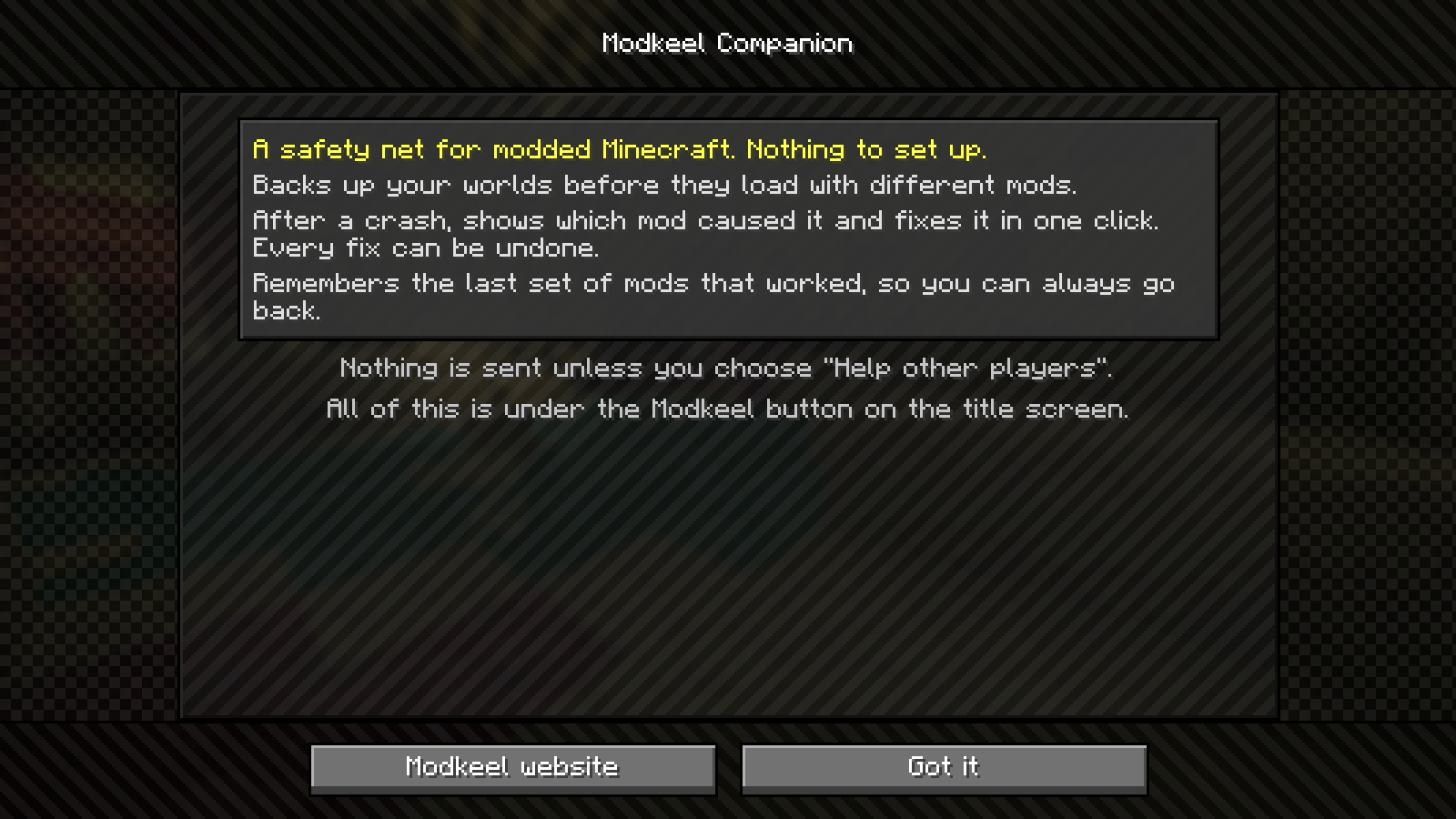 Welcome A safety net for modded Minecraft, with nothing to set up. It lives under the Modkeel button on the title screen.
 -
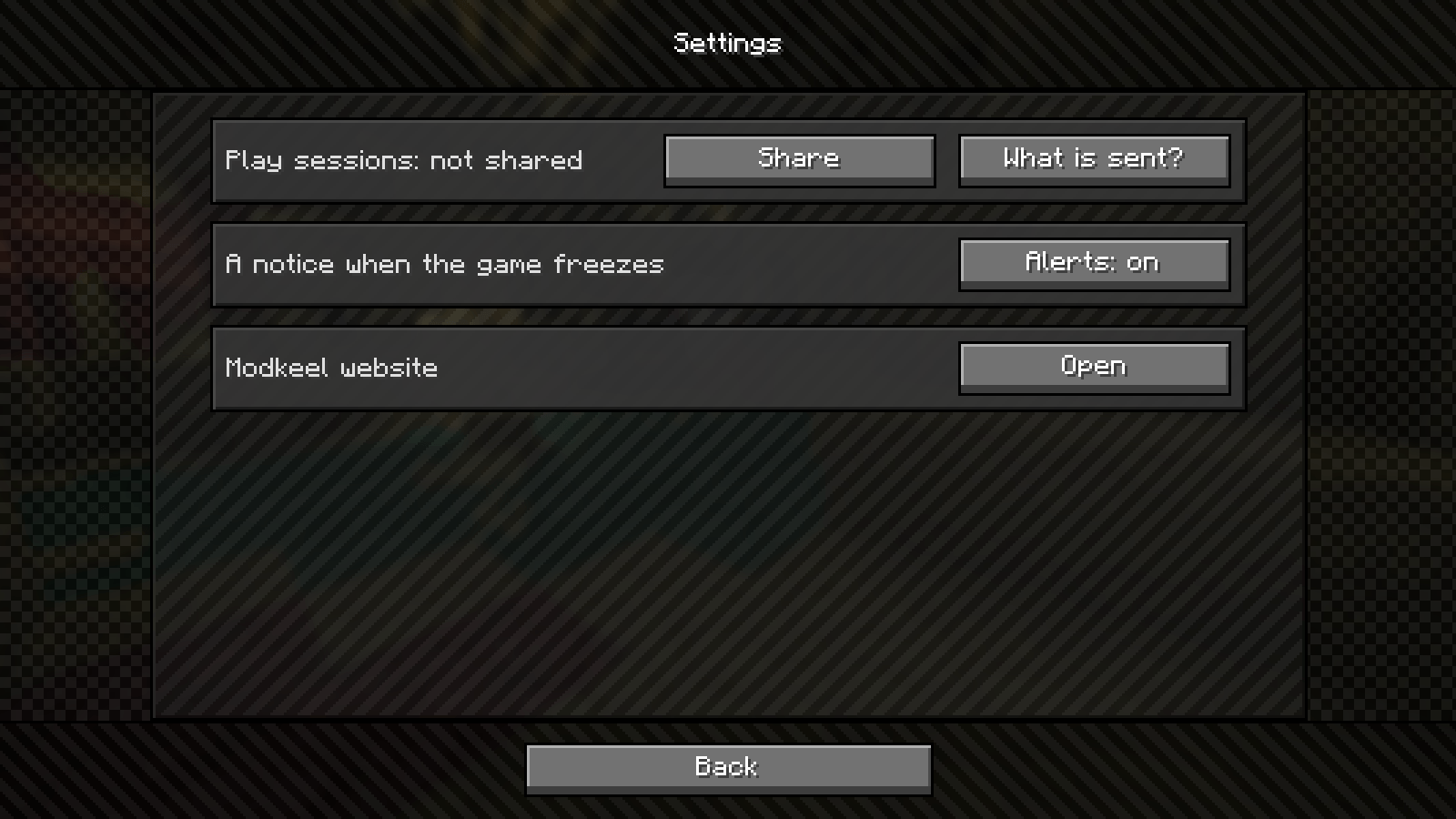 Settings Sharing, lag spike alerts and the Modkeel website.
Versions
Files
Relations
Project Relations
More like this
Similar Mods
Suggestions use data such as tags, dependencies, dependents, descriptions, titles, and more to rank how much they overlap with this mod.
On ModDex
Community snapshot
By the numbers
Statistics

Get it on
Available Platforms
On ModDex
Community snapshot
By the numbers