Community listing page, reviews may not be monitored by the author.
Mods Command

No reviews yet
A Fabric mod adding commands to list, search, and get information about installed mods.

Community voices
Reviews
No reviews yet. Be the first to review this project!
Get it on
Available Platforms
 Modrinth
Compatibility
Supported Environments
Install on the client or the server; either alone gives full functionality.
Works on the client or the server alone, but does more when on both.
Varies by version.
About
Project Details
For authors
Embed Badge
If you're the author of this project, you can embed a live badge anywhere that supports HTML or Markdown. It updates automatically whenever ratings change.
Use HTML for any page that supports it, or Markdown for README files and Markdown-based descriptions.
Identifiers
Platform IDs
About
Description
⚠️ Mods Command is no longer available on CurseForge!
The latest versions of Mods Command (for Minecraft 1.19 and newer) can be downloaded from the official Modrinth page instead. Please make sure to update your bookmarks!

Mods Command



A Fabric mod adding commands to list, search, and get information about installed mods. Requires Fabric API.
Commands
See the GitHub readme for a summary of added commands!
Client Commands
Client commands are commands which are processed on the client and never sent to the server.
All of Mods Command's commands are usable as client commands.
/modsand all subcommands are registered under/clientmodsand/modscommand:clientmods./dumpmodsis registered as/dumpclientmodsand/modscommand:dumpclientmods.
Configuration
Mods Command can be configured though the mods-command.conf generated in the config directory after the first run.
Mods Command


A Fabric mod adding commands to list, search, and get information about installed mods. Requires Fabric API.
Commands
(Minecraft Command Syntax Reference: Minecraft Wiki)
| Command | Description | Permission |
|---|---|---|
/mods [page] [<page_number>] |
Displays a paginated view of installed mods. | modscommand.mods |
/mods info <mod_id> |
Displays detailed information about the specified mod. | modscommand.mods |
/mods info <mod_id> children [<page_number>] |
Displays a paginated view of child mods for the specified mod. | modscommand.mods |
/mods search <query> [<page_number>] |
Displays a paginated view of mods matching the search query. | modscommand.mods |
/mods config <mod_id> |
Opens the Mod Menu config screen for the specified mod. This command is only registered when installed on the client and Mod Menu is installed. | modscommand.mods |
/dumpmods |
Dumps the list of installed mods and some information about the current environment to installed-mods.yml in the game directory. When used in game, the contents of the file can be copied to the clipboard by clicking a chat message. This is a diagnostics command, meant to aid in creating more useful bug reports. |
modscommand.dumpmods |
Client Commands
Client commands are commands which are processed on the client and never sent to the server.
All of Mods Command's commands are usable as client commands.
/modsand all subcommands are registered under/clientmodsand/modscommand:clientmods./dumpmodsis registered as/dumpclientmodsand/modscommand:dumpclientmods.- The client variants of commands do not require any permissions.
Configuration
Mods Command can be configured though the mods-command.conf generated in the config directory after the first run.
Screenshots
Gallery
-
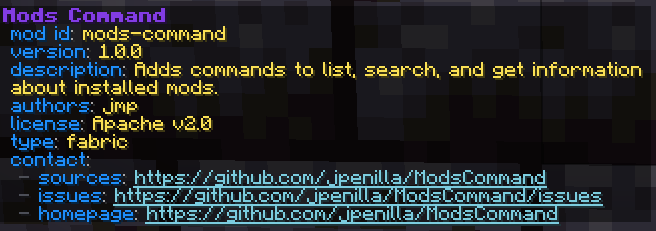 Mod Description of Mods Command
 -
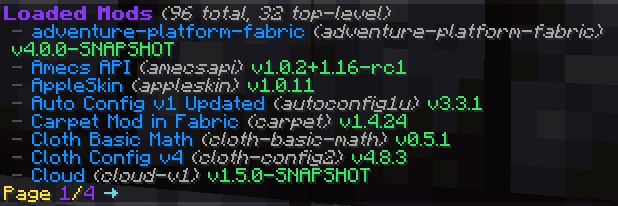 Mods List Page 1
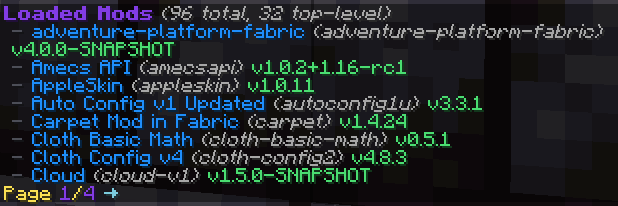
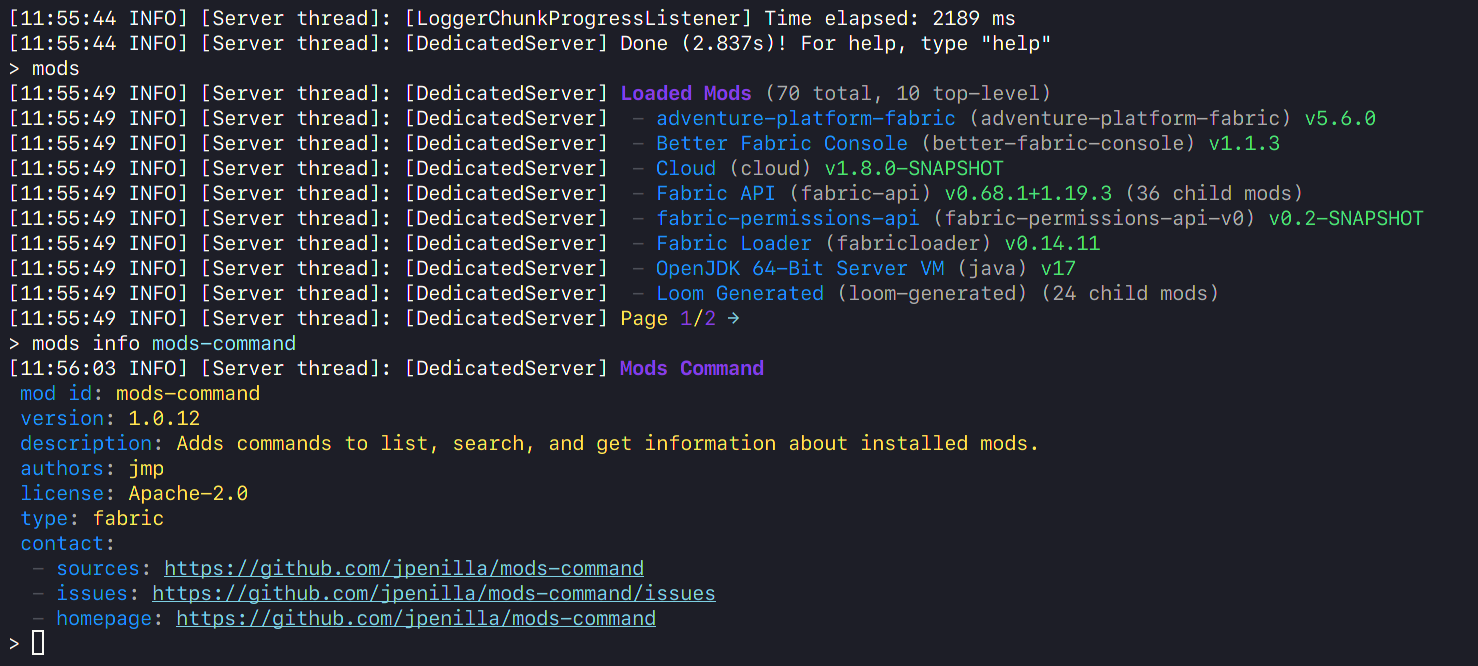
Versions
Files
Relations
Project Relations
More like this
Similar Mods
Suggestions use data such as tags, dependencies, dependents, descriptions, titles, and more to rank how much they overlap with this mod.
On ModDex
Community snapshot
By the numbers
Statistics
 (opens in a new tab)
Get it on
Available Platforms
Modrinth
On ModDex
Community snapshot
By the numbers