Community listing page, reviews here may not be monitored by the author.
ModularShoot: Panel


No reviews yet
An addon mod extending ModularShoot — a gun-plugin management panel inside your inventory screen.
Community voices
Reviews
No reviews yet. Be the first to review this project!
Get it on
Available Platforms
Compatibility
Supported Environments
Must be installed on both the client and the server.
About
Project Details
For authors
Embed Badge
If you're the author of this project, you can embed a live badge anywhere that supports HTML or Markdown. It updates automatically whenever ratings change.
Use HTML for any page that supports it, or Markdown for README files and Markdown-based descriptions.
Identifiers
Platform IDs
About
Description
ModularShoot: Panel
An addon mod for NeoForge 1.21.1 extending ModularShoot . Add a gun-plugin management panel inside your inventory screen.
Features
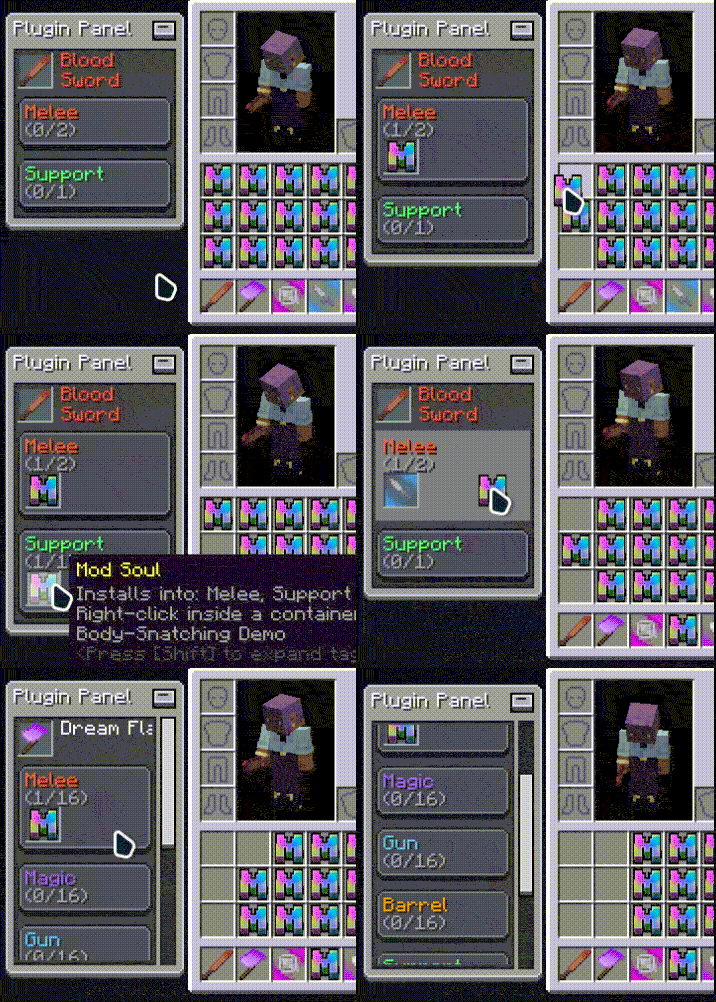
Plugin Panel
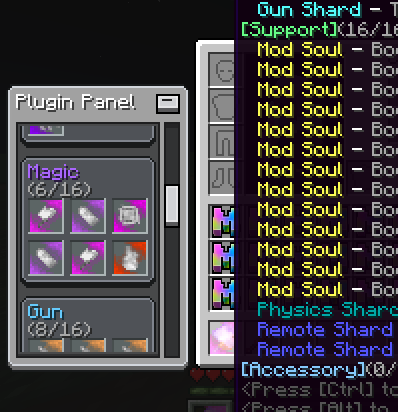
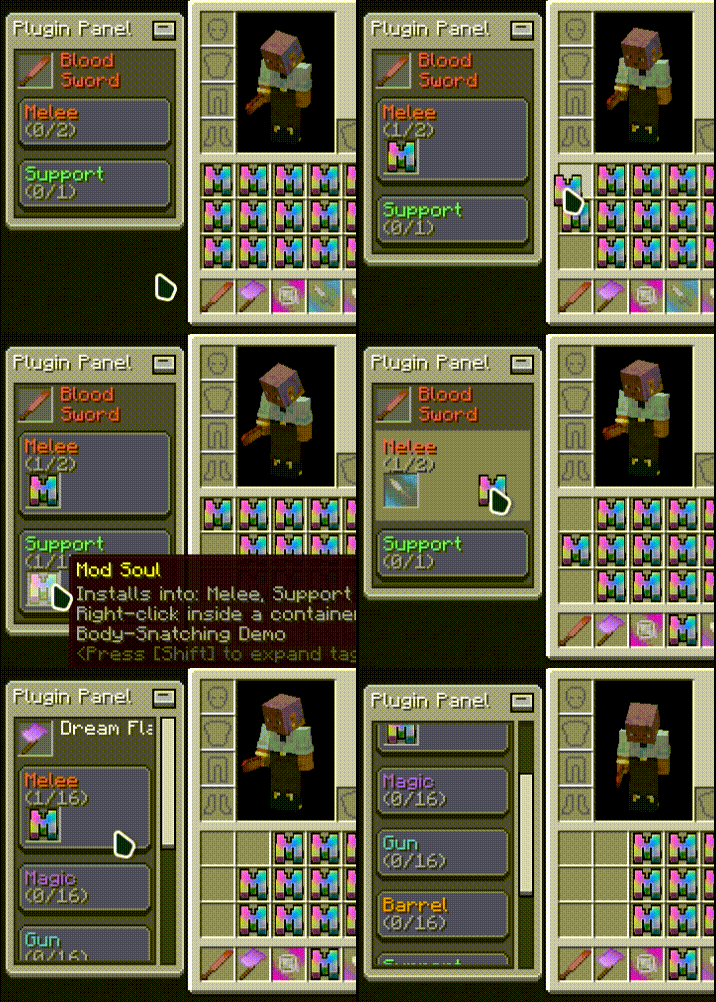
Open your inventory and a panel appears beside it: the target gun's name, every installed plugin, and the fill state of each plugin category at a glance.
Target Gun
The panel follows your main-hand gun by default; Shift + Middle-Click any gun in your inventory to retarget it.
Drag & Drop Install
Pick up a plugin from your inventory and drop it onto the matching category on the panel to install it — survival consumes the carried material, creative installs directly. No crafting menu involved.
Click to Uninstall
Left-click a plugin slot on the panel to uninstall it and get the item back; locked plugins cannot be removed.
Panel Customization
Drag the panel anywhere (position is saved automatically), collapse it to a title bar, and tune display mode, position and install-area highlight .
Requirements
- ModularShoot (>=0.1.7)
- LDLib2
License
MIT
Effect Preview
ModularShoot: Panel
An addon mod for NeoForge 1.21.1 extending ModularShoot . Add a gun-plugin management panel inside your inventory screen.
Features
Plugin Panel
Open your inventory and a panel appears beside it: the target gun's name, every installed plugin, and the fill state of each plugin category at a glance.
Target Gun
The panel follows your main-hand gun by default; Shift + Middle-Click any gun in your inventory to retarget it.
Drag & Drop Install
Pick up a plugin from your inventory and drop it onto the matching category on the panel to install it — survival consumes the carried material, creative installs directly. No crafting menu involved.
Click to Uninstall
Left-click a plugin slot on the panel to uninstall it and get the item back; locked plugins cannot be removed.
Panel Customization
Drag the panel anywhere (position is saved automatically), collapse it to a title bar, and tune display mode, position and install-area highlight .
Requirements
- ModularShoot (>=0.1.7)
- LDLib2
License
MIT
Effect Preview
Screenshots
Gallery
-
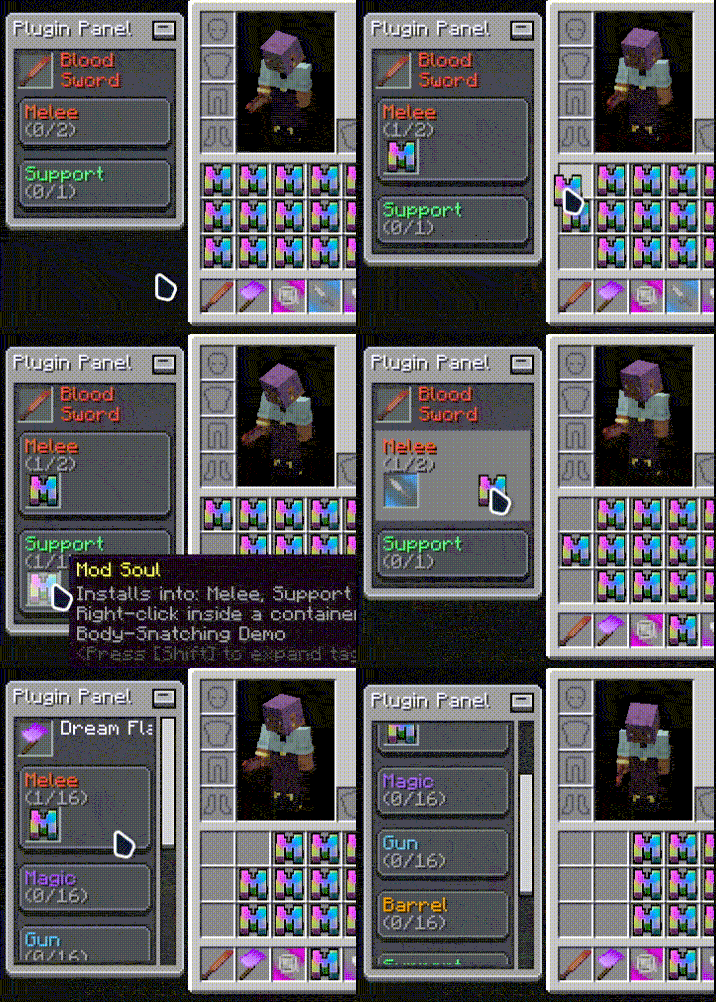 600003_QQ20260815-124042.gif 600003_QQ20260815-124042.gif
Versions
Files
Relations
Project Relations
More like this
Similar Mods
Suggestions use data such as tags, dependencies, dependents, descriptions, titles, and more to rank how much they overlap with this mod.
On ModDex
Community snapshot
By the numbers
Statistics
Want to reach Minecraft players?
We're looking for a server hosting partner to feature here and other parts of the site. Interested? Send us a message!
Get in touchGet it on
Available Platforms
On ModDex
Community snapshot
By the numbers