Community listing page, reviews here may not be monitored by the author.
Mogrul Play Time


No reviews yet
A simple time-tracking server-side mod to create a scoreboard objective of player's minutes, hours and days played.
Community voices
Reviews
No reviews yet. Be the first to review this project!
Get it on
Available Platforms
Compatibility
Supported Environments
Runs on a dedicated server only; does not work in singleplayer.
About
Project Details
For authors
Embed Badge
If you're the author of this project, you can embed a live badge anywhere that supports HTML or Markdown. It updates automatically whenever ratings change.
Use HTML for any page that supports it, or Markdown for README files and Markdown-based descriptions.
Identifiers
Platform IDs
About
Description
Mogrul Play Time
A small server-side utility mod to create an objective and automtically track play time in minutes, hours and days. There's also data stored in /world/stats - the mod automatically loads this data when a player first joins, so you don't have to worry about manually setting everyone's data, it's all done for you!

Objective Names
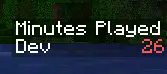
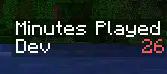
- mogrulplaytime_minutes "Minutes Played" : Minutes the player has played.
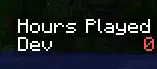
- mogrulplaytime_hours "Hours Played" : Hours the player has played.
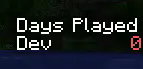
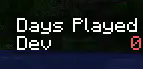
- mogrulplaytime_days "Days Played" : Days the player has played.
Commands
OP Commands
/playtime toggle_display_rotation - Enables/Disables the rotating sidebar timeplayed display.
/playtime set_display_rotation_interval <interval> - Sets the display rotation interval in seconds.
Config
[PlayTime]
    #World directory name to load old tickTime stats.
    worldName = "world"
    #Interval in minutes to update play time in minutes.
    #Range: > 0
    sqlUpdateInterval = 5
    #Whether the sidebar display should periodically rotate time played displays.
    displayRotationEnabled = true
    #Interval for the display to rotate to a new objective every x seconds.
    #Range: > 1
    displayRotationSecondsInterval = 3
Mogrul Play Time
A small server-side utility mod to create an objective and automtically track play time in minutes, hours and days. There's also data stored in /world/stats - the mod automatically loads this data when a player first joins, so you don't have to worry about manually setting everyone's data, it's all done for you!
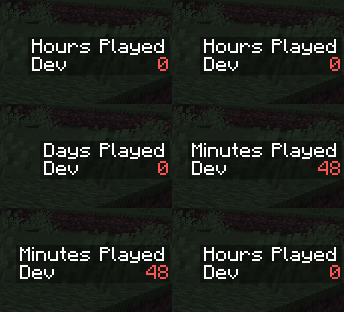
Objective Names
- mogrulplaytime_minutes "Minutes Played" : Minutes the player has played.
- mogrulplaytime_hours "Hours Played" : Hours the player has played.
- mogrulplaytime_days "Days Played" : Days the player has played.
Commands
OP Commands
- /playtime toggle_display_rotation : Toggles the rotating display on/off.
- /playtime set_display_rotation_interval <interval> : Sets the display rotation interval in seconds.
Config
[PlayTime]
	#World directory name to load old tickTime stats.
	worldName = "world"
	#Interval in minutes to update play time in minutes.
	#Range: > 0
	sqlUpdateInterval = 5
	#Whether the sidebar display should periodically rotate time played displays.
	displayRotationEnabled = true
	#Interval for the display to rotate to a new objective every x seconds.
	#Range: > 1
	displayRotationSecondsInterval = 3
Screenshots
Gallery
-
 5cfaf83e445ee6f2e96ab9f17bf39f9623c0b3d0_0.webp 5cfaf83e445ee6f2e96ab9f17bf39f9623c0b3d0_0.webp
 -
 368e9d95b7972e88319d71d7e376c0fa3aafdad2_0.webp 368e9d95b7972e88319d71d7e376c0fa3aafdad2_0.webp
 -
 ece59b000d9ce9280ea5d670e767ecfea46028c0_0.webp ece59b000d9ce9280ea5d670e767ecfea46028c0_0.webp
Versions
Files
Relations
Project Relations
More like this
Similar Mods
Suggestions use data such as tags, dependencies, dependents, descriptions, titles, and more to rank how much they overlap with this mod.
On ModDex
Community snapshot
By the numbers
Statistics
Want to reach Minecraft players?
We're looking for a server hosting partner to feature here and other parts of the site. Interested? Send us a message!
Get in touchGet it on
Available Platforms
On ModDex
Community snapshot
By the numbers