
Community listing page, reviews here may not be monitored by the author.
MoreCobblemonTweaks


No reviews yet
A qol cobblemon client mod introducing various qol improvements!
Community voices
Reviews
No reviews yet. Be the first to review this project!
Get it on
Available Platforms
Compatibility
Supported Environments
Runs entirely on the client. Works on vanilla servers.
About
Project Details
For authors
Embed Badge
If you're the author of this project, you can embed a live badge anywhere that supports HTML or Markdown. It updates automatically whenever ratings change.
Use HTML for any page that supports it, or Markdown for README files and Markdown-based descriptions.
Identifiers
Platform IDs
About
Description
MoreCobblemonTweaks
A qol cobblemon client mod introducing a variety of QOL features. MoreCobblemonTweaks was the predecessor of the official PC search, box names, and box wallpapers system that was implemented in Cobblemon 1.7 primarily by yours truly! They have since been removed from this mod, but there are still plenty of other features.
Config
- All of the features listed in the section below can be individually tweaked in the mod's config. You can change them in the config file itself located in
configs/more_cobblemon_tweaks.jsonor if mod menu & cloth config are installed, by using the in game editor (recommended).
Supported Versions
Cobblemon: 1.6.1+
Cobbreeding: 1.8.8+
BetterBreeding: Most
Features
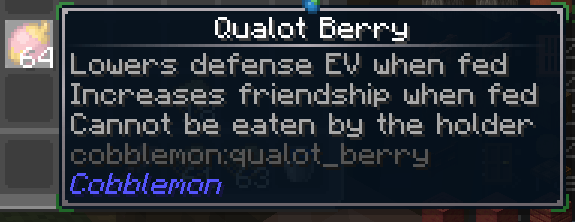
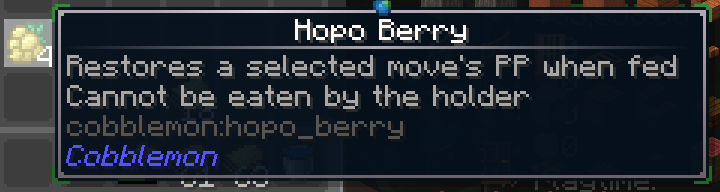
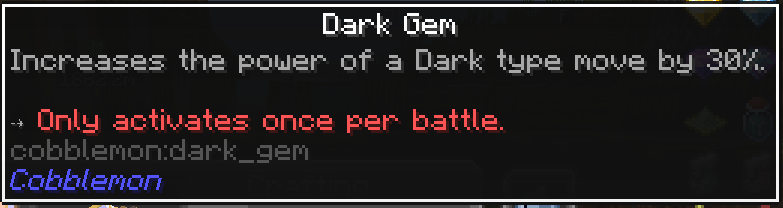
- Enhanced Item Lore
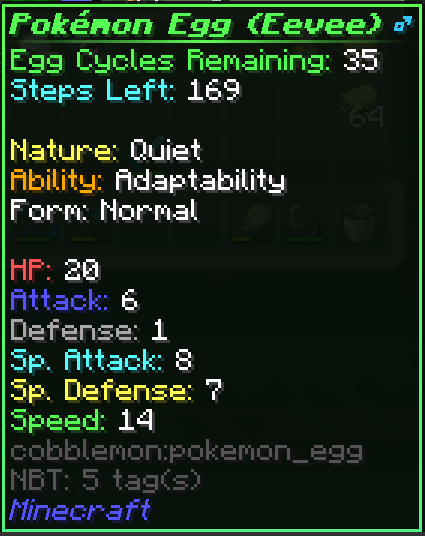
- Enhanced Egg Lore (Supports: Cobbbreeding, and BetterBreeding)
- Eggs will now show any stored data in the tooltip!
- KEEP IN MIND some mods will allow servers to encrypt the data that's sent to the client, making it impossible for this mod to read the data when enabled.
- In the case of cobbreeding for example, a tooltip will be shown warning you that the egg data is encrypted and cannot be displayed. (Disablable in config)
- What data is showed is determined by what egg mod you are using & your servers config.
- Below is a screenshot of an egg from Cobbreeding, which gives an example of what you can expect to see. (Name, form, ivs, etc)
- Optionally (enabled by default) a shiny egg will have a gold star next to its name
- Optionally (enabled by default) a perfect iv egg will have a aqua triangle next to its name
- Optionally (enabled by default) a 0 iv egg will have a red hazard triangle next to its name
- All of the above symbols can be replaced with text lines in the lore by a config option as well


- PC Enhancements
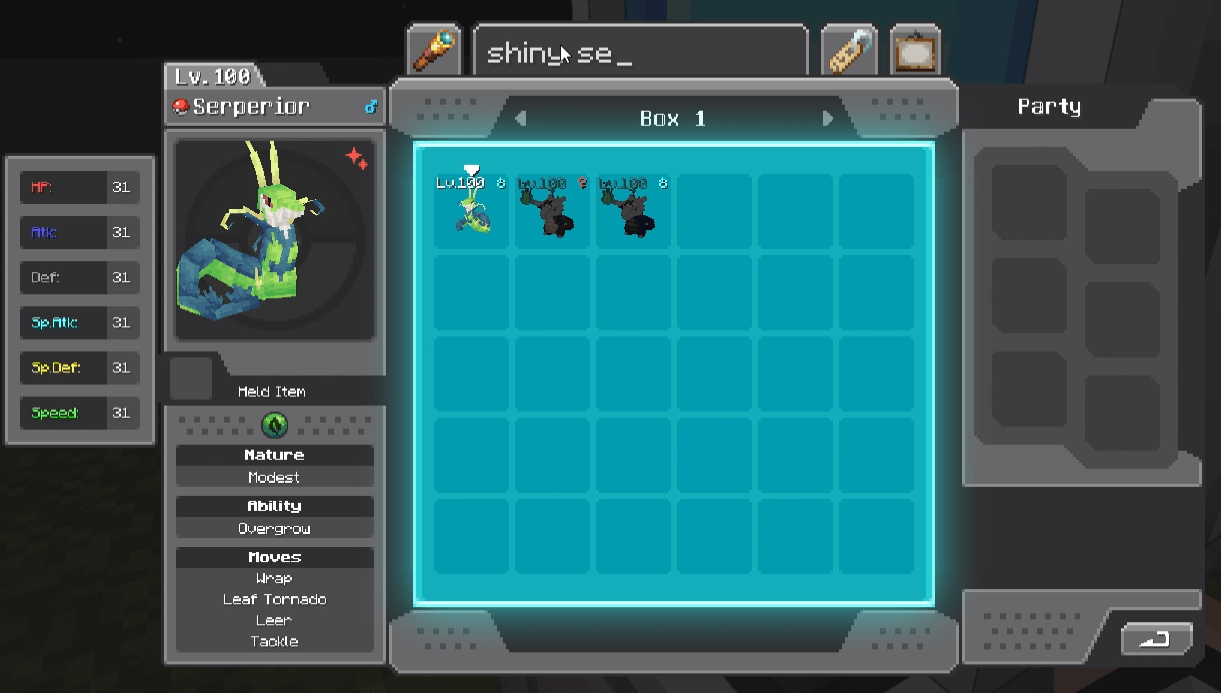
- Increased Search/Filter Character Limit
- You can type up to 100 characters instead of the normal 19. It will only show the characters around the cursor within the 19 character limit.
- Search/Filter Autocomplete
- When typing in the filter bar at the bottom of the screen you will now get autocomplete suggestions for search/filter terms!
- You can also hit tab to fill the suggestion into the search bar.

- Box Management
- Adds box list/view button in the same place as the release button when the release button is not active.
- Clicking it will open/close the box list view, where you can see all of your boxes in pages.
- Left-clicking a box will select it, then left-clicking another box will swap the two boxes.
- Right-clicking a box will open the box view for that box.
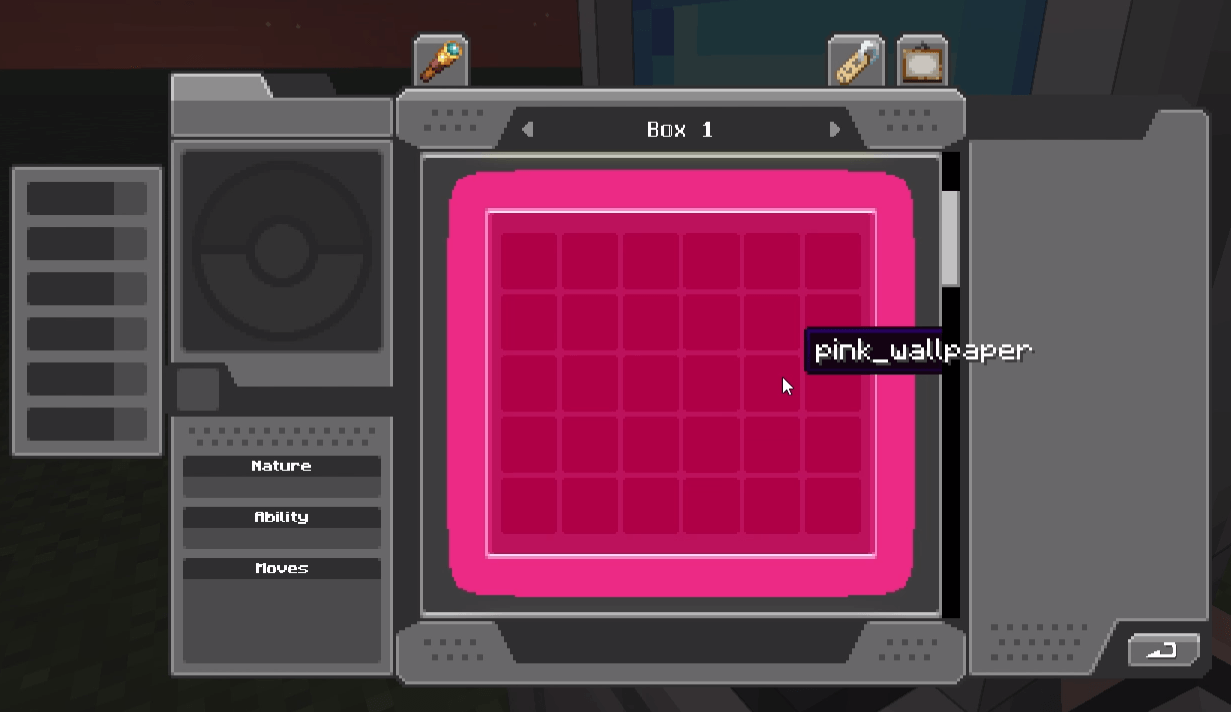
- Using the wallpaper options in the box list view will change the wallpaper for all boxes on the current page.
- You can also use the search/filter while in the box list view and will filter the boxes based on if any pokemon in the box match the filter.


- Multiselect Move & Release
- Adds a new button on the bottom right of the ui that will enable/disable multiselect mode.
- While in the mode you can click individual slots to (de)select them, or shift+click to (de)select a range of slots.
- While you have slots selected you can use the release button as normal to release all selected pokemon at once. Or you can move them around to other boxes as a group.
- In the image below you can see an example of selecting three pokemon at once.

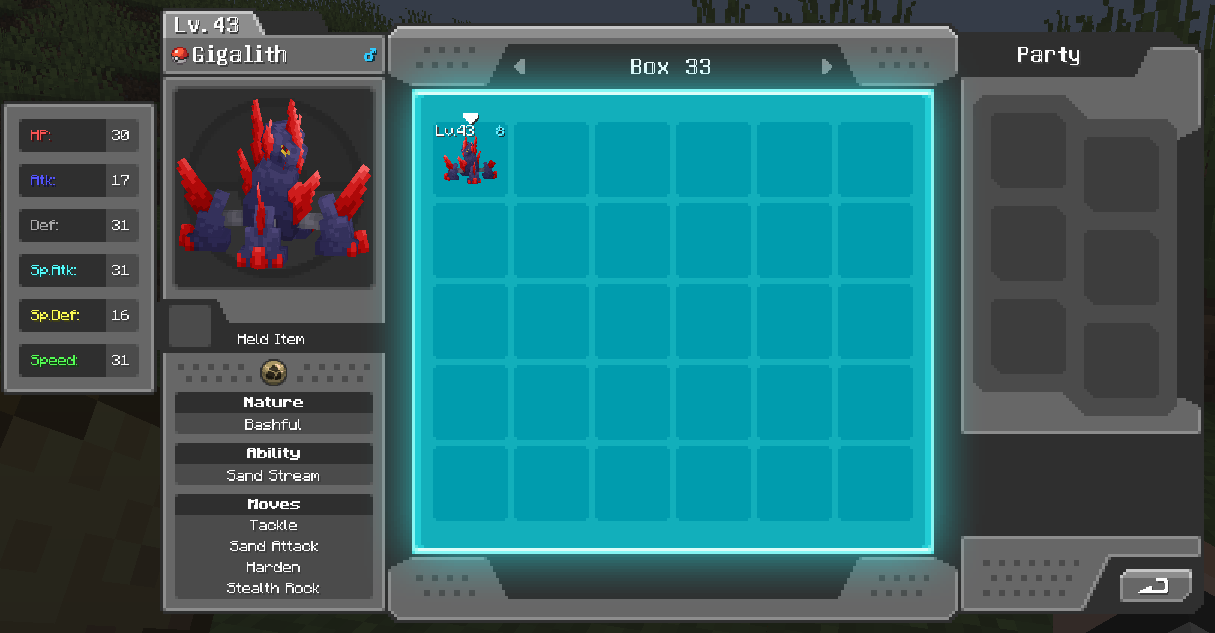
- Iv Display
- Adds an IV display to the left of the PC UI when opened, showing all of the iv's and the average iv of the previewed pokemon.
- By default the iv's names are colored, but that can be disabled in the config.
- You can hold shift to show the iv's as percentages instead of raw values.


- More coming soon! (Please feel free to make suggestions via Issues!)
MoreCobblemonTweaks
A qol cobblemon client mod introducing a variety of QOL features. MoreCobblemonTweaks was the predecessor of the official PC search, box names, and box wallpapers system that was implemented in Cobblemon 1.7 primarily by yours truly! They have since been removed from this mod, but there are still plenty of other features.
Config
- All of the features listed in the section below can be individually tweaked in the mod's config. You can change them in the config file itself located in
configs/more_cobblemon_tweaks.jsonor if mod menu & cloth config are installed, by using the in game editor (recommended).
Supported Versions
Cobblemon: 1.6.1+
Cobbreeding: 1.8.8+
BetterBreeding: Most
Features
- Enhanced Item Lore
- Enhanced Egg Lore (Supports: Cobbbreeding, and BetterBreeding)
- Eggs will now show any stored data in the tooltip!
- KEEP IN MIND some mods will allow servers to encrypt the data that's sent to the client, making it impossible for this mod to read the data when enabled.
- In the case of cobbreeding for example, a tooltip will be shown warning you that the egg data is encrypted and cannot be displayed. (Disablable in config)
- What data is showed is determined by what egg mod you are using & your servers config.
- Below is a screenshot of an egg from Cobbreeding, which gives an example of what you can expect to see. (Name, form, ivs, etc)
- Optionally (enabled by default) a shiny egg will have a gold star next to its name
- Optionally (enabled by default) a perfect iv egg will have a aqua triangle next to its name
- Optionally (enabled by default) a 0 iv egg will have a red hazard triangle next to its name
- All of the above symbols can be replaced with text lines in the lore by a config option as well
- Eggs will now show any stored data in the tooltip!
- PC Enhancements
- Increased Search/Filter Character Limit
- You can type up to 100 characters instead of the normal 19. It will only show the characters around the cursor within the 19 character limit.
- Search/Filter Autocomplete
- When typing in the filter bar at the bottom of the screen you will now get autocomplete suggestions for search/filter terms!
- You can also hit tab to fill the suggestion into the search bar.
- Box Management
- Adds box list/view button in the same place as the release button when the release button is not active.
- Clicking it will open/close the box list view, where you can see all of your boxes in pages.
- Left-clicking a box will select it, then left-clicking another box will swap the two boxes.
- Right-clicking a box will open the box view for that box.
- Using the wallpaper options in the box list view will change the wallpaper for all boxes on the current page.
- You can also use the search/filter while in the box list view and will filter the boxes based on if any pokemon in the box match the filter.
- Multiselect Move & Release
- Adds a new button on the bottom right of the ui that will enable/disable multiselect mode.
- While in the mode you can click individual slots to (de)select them, or shift+click to (de)select a range of slots.
- While you have slots selected you can use the release button as normal to release all selected pokemon at once. Or you can move them around to other boxes as a group.
- In the image below you can see an example of selecting three pokemon at once.
- Iv Display
- Adds an IV display to the left of the PC UI when opened, showing all of the iv's and the average iv of the previewed pokemon.
- By default the iv's names are colored, but that can be disabled in the config.
- You can hold shift to show the iv's as percentages instead of raw values.
- Increased Search/Filter Character Limit
- More coming soon! (Please feel free to make suggestions via Issues!)
- Enhanced Egg Lore (Supports: Cobbbreeding, and BetterBreeding)
Screenshots
Gallery
-
 search.png search.png
 -
 box_rename.png box_rename.png
 -
 wallpaper_selection.png wallpaper_selection.png
 -
 pc_iv_display.png pc_iv_display.png
 -
 egg_lore.png egg_lore.png
 -
 small_exp_candy.png small_exp_candy.png
 -
 ev_berry.png ev_berry.png
 -
 move_pp_berry.png move_pp_berry.png
 -
 dark_gem.png dark_gem.png
-
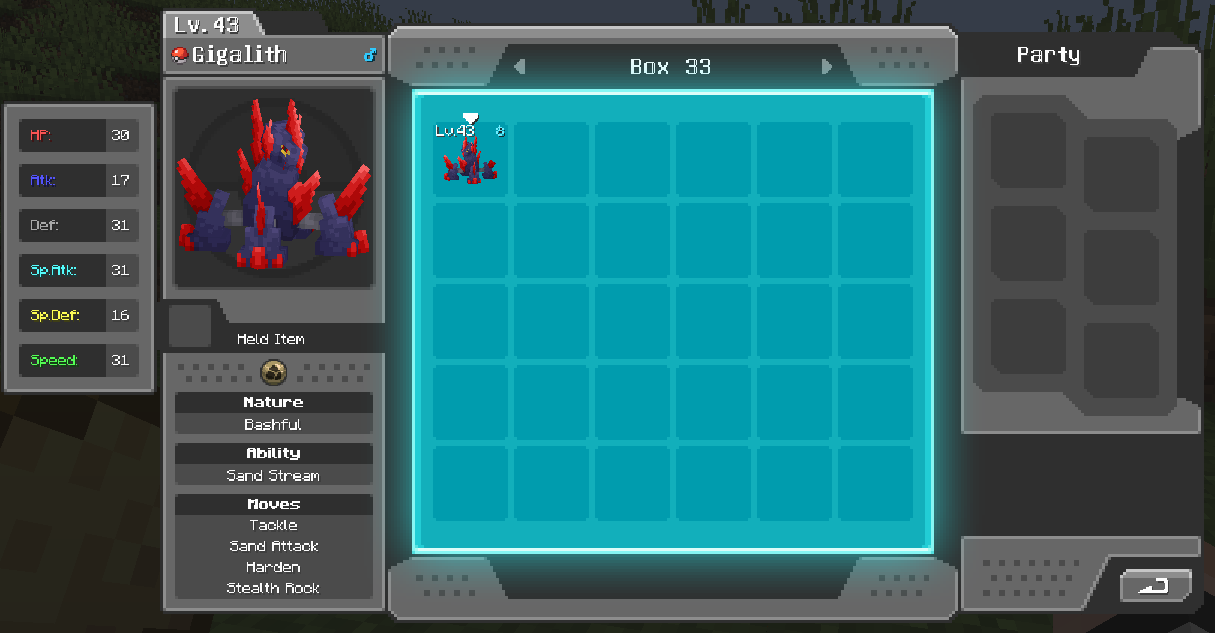 Pc Enhancements (Iv Display)
 -
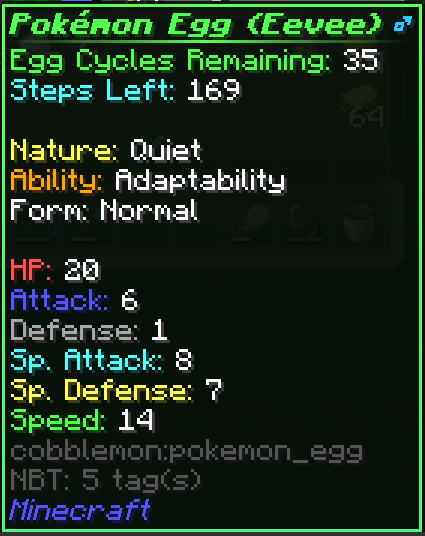 Enhanced Egg Lore
 -
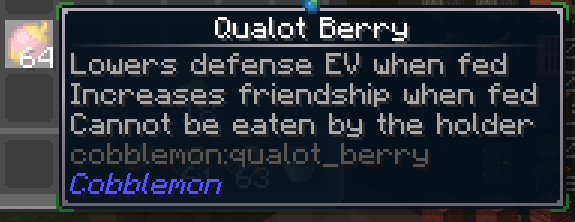 Enhanced Berry Lore (EV reducing berries)
 -
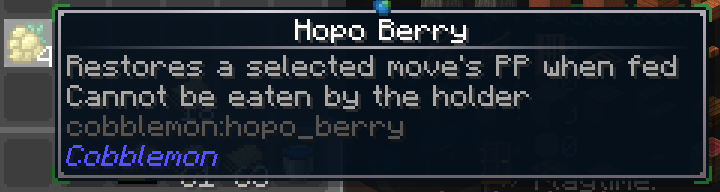 Enhanced Berry Lore (Move PP increasing berries)
 -
 Enhanced Consumables Lore (Exp Candies)
 -
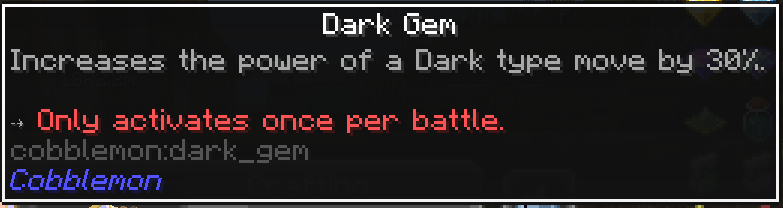 Enhanced Held Item Lore (Type Gems)
 -
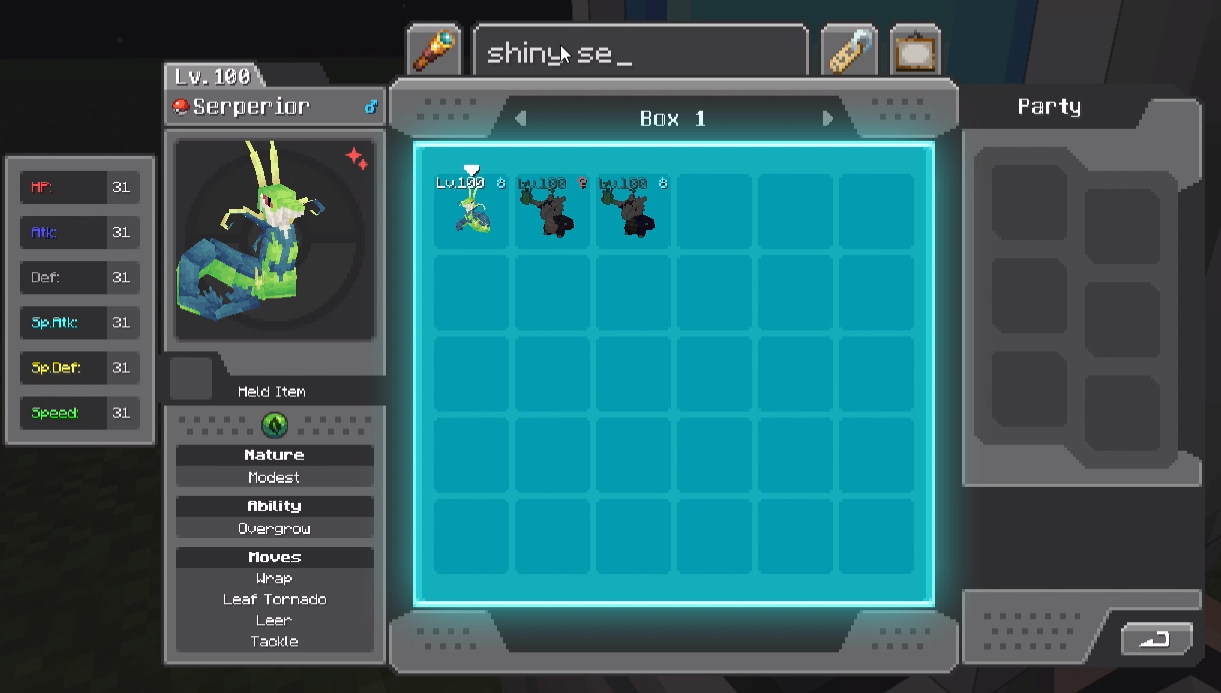 Pc Enhancements (Search)
 -
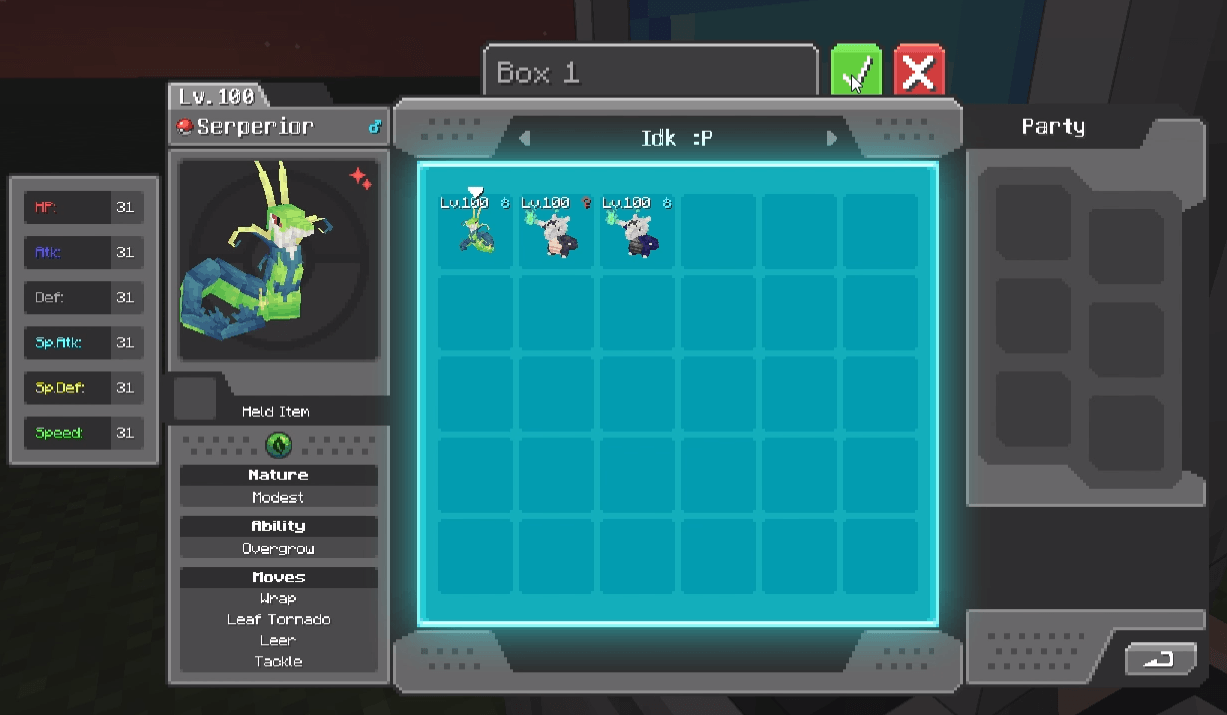
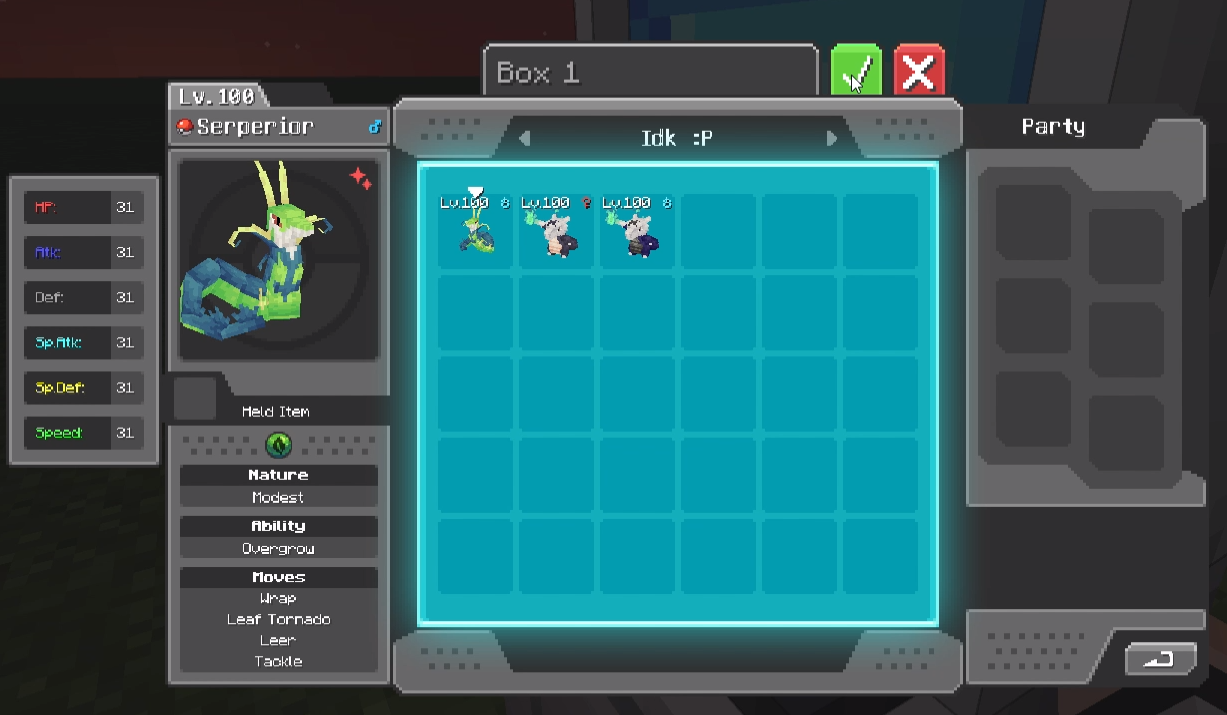 Pc Enhancements (Box Rename)
 -
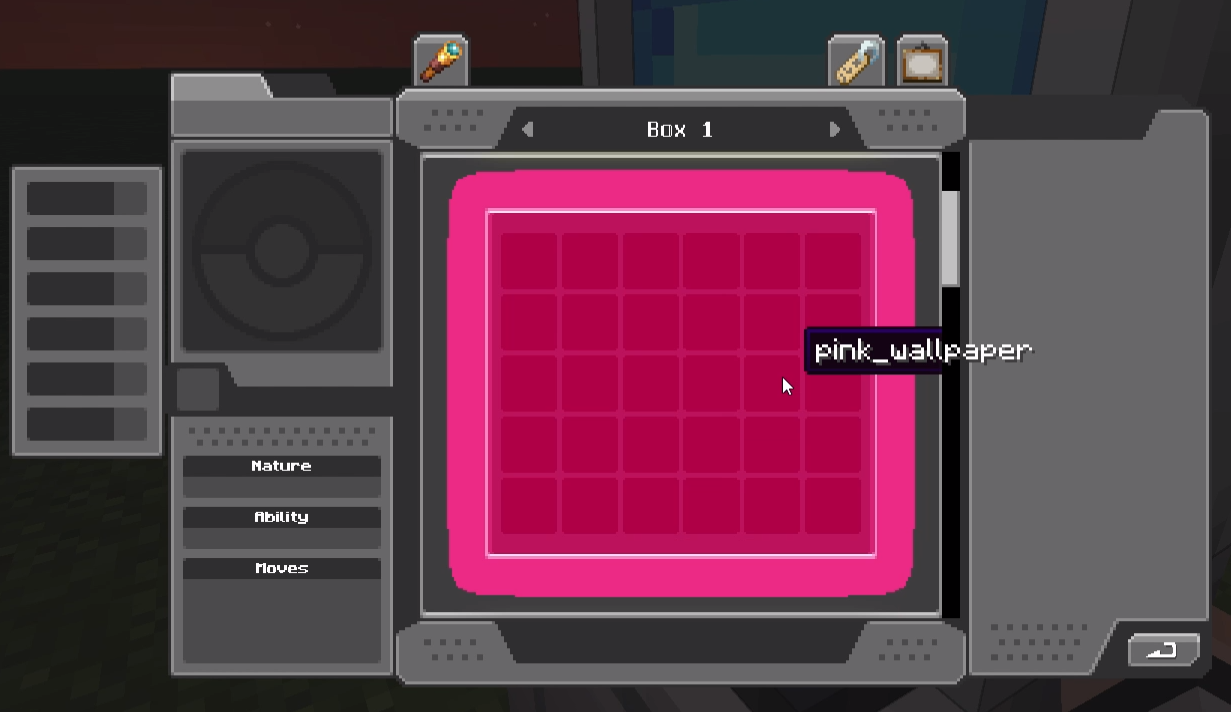 Pc Enhancements (Wallpaper Selection)
Versions
Files
Relations
Project Relations
More like this
Similar Mods
Suggestions use data such as tags, dependencies, dependents, descriptions, titles, and more to rank how much they overlap with this mod.
On ModDex
Community snapshot
By the numbers
Statistics
Want to reach Minecraft players?
We're looking for a server hosting partner to feature here and other parts of the site. Interested? Send us a message!
Get in touchGet it on
Available Platforms
On ModDex
Community snapshot
By the numbers